1
ENGLISH
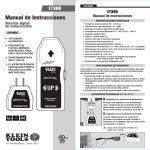
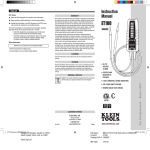
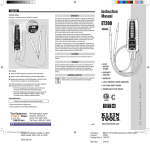
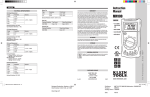
ET300
Instruction Manual
Instructions
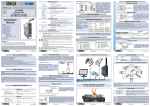
1. Identify the wall outlet or fixture for which the
breaker must be determined.
2. Safely check that the outlet or fixture is live.
3. Plug in the transmitter. Its LED will light if it is receiving power.
4. Move to the breaker panel with the receiver.
5. Turn on the receiver by pressing, but not holding, the power button.
You will hear a beep and see its LED lit.
6. Position the receiver perpendicularly on the breakers
in the panel with the power button pointing up.
7. Slowly scan all breakers in the panel once. Ignore any beeps
or indications, as the receiver is learning the panel.
8. Scan all breakers a second time. This time, the receiver will beep
and illuminate the green arrow only at the correct breaker.
9. Power off the receiver by pressing and holding the power button.
Return to the outlet or fixture and remove the transmitter.
General Specifications
•
•
•
•
•
•
•
•
•
•
•
•
•
•
Operating Voltage: 90 ~ 120V AC
Operating Frequency: 50 ~ 60Hz
Tracking Distance: Up to 1000 ft.
Operating Temperature: 0°C (32°F) to 40°C (104°F)
Relative Humidity: 50%
Altitude: < 2000m
Environment: For indoor use only
Power: 9 volt alkaline battery
Auto Power Off: Approximately 4 minutes
Transmitter Dimensions: 2.8" x 1.9" x 1.2"
Receiver Dimensions: 6.0" x 2.0" x 0.9"
Transmitter Weight: 1.6 oz.
Receiver Weight: 3.2 oz.
Sensitivity: Indication at 4mm (0.16")
distance from a wire carrying 120 V AC.
• Safety Rating: UL listed
NSM
ital
TRA
Dig
3
LED will light up
When you press
down on the
Power Button
Optional Accessories
A Light Fixture Adapter:
30
e
Fin r
de
r
ET
ak
Bre
uit
irc
Mi
cro
Co -Pro
ntr ces
oll so
ed r
UP
lC
ita
Dig
B
ET300-Instructions-139578TART.indd 3-4
Designer/Production: Sandra ex 15612
Client Contact: Chris Trott, ex 13267
Client Sign off:
Micro-Processor
Controlled
Exercise extreme caution around live wires.
UP
TRANSMITTER
ET300
A
5
Digital Circuit Breaker
Finder
ET300
Digital Circuit Breaker
Finder
Carefully attach leads to the correct wires.
Plug in transmitter to adapter. Follow the
instructions starting at step 4.
0
Screw this adapter into an empty light socket.
Make sure the fixture is live. Plug in the
transmitter and follow the instructions
starting at step 4.
B Leads Adapter:
ER
ITT
uit
Circ
To ensure safe operation and service of the tester, follow these instructions.
Failure to observe these warnings can result in severe injury or death.
• Understand the risks of working around live voltage.
• Turn off power before inspecting, applying, or removing
the transmitter (when using the optional 'Leads Adapter').
• Exercise extreme caution around live, bare wires, especially
in an open breaker panel.
• Consult with an experienced electrician when necessary.
Bre
ET3
SAFETY PRECAUTIONS
ake
r
Find
er
00
Once plugged in, the LED
will light up when
socket is live
7
4/6/10 10:14 AM
Project Name: MKT121707 -ET300- Instructions-139578TART
Product: ET300
Producr number: 139578
Date: 2/23/10