1
English
Welcome!
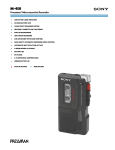
Thank you for purchasing the Sony MicrocassetteCorder. Some features are:
•The BATT lamps indicate remaining battery power in
two steps and the i lamp indicates when to replace the
batteries.
•The CUE MARKER (M-729V only) function locates a
specific position of a dictation.
•The FAST PB (fast playback) function enables you to
review the contents approx. 20% faster than normal
playback.
•The VOR (Voice Operated Recording) system starts and
stops recording automatically in response to the sound.
•Edit function—You can start recording directly from the
playback mode by pressing the r button to correct a
previously recorded portion.
•Tape counter
•Automatic shut-off mechanism at the end of the tape (in
the recording/playback mode only)
•Stop-pause-release function—The pause switch is
released automatically when the p6 button is
depressed, so that you don’t miss a recording chance.
4 Set VOR to H, L or OFF.
If you set VOR to H or L, the unit automatically starts
recording the sound and pauses when there is no
sound (you can save tapes and batteries).
H : To record at meetings or in a quiet and/or
spacious place.
L : To record for dictation or in a noisy place.
When the sound is not loud enough, set it to OFF, or
the unit may not start recording.
5 Press r.
Recording starts. While the tape runs, the REC lamp
lights and flashes depending on the strength of the
sound.
Recording level is fixed.
To
Stop recording
Press or slide
p6
Start recording during
playback
Review the portion just
recorded
r during playback (the unit becomes
in the recording mode)
Push up 0CUE/)REVIEW
toward )REVIEW during
recording. Release the button at the
point to start playback.
Slide CPAUSE in the direction of
the arrow. The REC and BATT lamps
go off.
Pause recording
Preparing Power Sources
Take out a cassette
Choose one of the following power sources.
Note
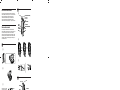
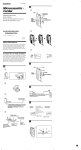
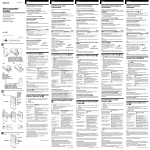
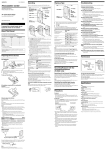
Dry Batteries (see Fig. A-a)
Make sure that nothing is connected to the DC IN 3V
jack.
1 Open the battery compartment lid.
2 Insert two R6 (size AA) batteries with correct polarity
and close the lid.
If the battery compartment lid is accidentally
detached (see Fig. A-b)
Attach it as illustrated.
When to replace the batteries (see Fig. A-c)
Replace the batteries with new ones when the BATT
lamps go off and the i lamp flashes.
The BATT lamps change as illustrated.
Notes
• The unit will play back normally for a while, even after the i
lamp flashes. However, replace the batteries as soon as you can. If
you do not, the playback cannot be made with normal sound, noise
may be recorded and the recorded sound will not be loud enough.
• In the following cases you do not need to replace the batteries:
– if the BATT lamps flash with the playback sound when you turn
up the volume.
– if the i lamp lights momentarily when the tape starts running
or at the end of the tape.
– if the i lamp flashes during FF (CUE) or REW (REVIEW).
• In some cases when the unit is used with rechargeable batteries
(supplied with M-679V only or not supplied), only one BATT lamp
will light even though the batteries have been fully charged.
Battery life (Approx. hours)
Batteries
Recording
Sony R6P (SR)
Sony alkaline LR6 (SG)
NC-AA (M-679V only)
5.5
19.0
5.5
p6
Select the 2.4 cm tape speed for recording, if you play back the
recorded tape with another unit. Otherwise, the sound quality may
be changed.
Notes on VOR (Voice Operated Recording)
• The VOR system depends on the environmental conditions. If you
cannot get the desired results, set VOR to OFF.
• When you use the system in a noisy place, the unit will stay in the
recording mode. If the sound is too soft, on the contrary, the unit
will not start recording. Set VOR to H (high) or L (low) depending
on the conditions.
To monitor the sound
Connect the earphone (not supplied) to the EAR jack. The
monitor volume cannot be adjusted by VOL.
To prevent a cassette from being accidentally
recorded over (see Fig. B-c)
Break out and remove the cassette tabs. To reuse the
cassette for recording, cover the tab hole with adhesive
tape.
Recording cue markers (M-729V only)
While recording, you can record a special signal on the
tape to mark a specific position.
At the desired position, press CUE MARKER to record a
signal. The REC lamp goes off and a signal will be
recorded on the tape. If you want to record a signal
longer than that, press CUE MARKER as long as you
want.
During cue and review, you will hear the beep sound at
the signal position. During playback, you will hear the
signal with low frequency sound at the signal position.
Polarity of the plug
Rechargeable batteries (supplied with
M-679V only)
Charge the rechargeable batteries only with the supplied
charge adaptor and the AC power adaptor. The
rechargeable batteries can be charged approximately 500
times.
Be sure to charge the rechargeable batteries for
approximately 8 hours before using them. The unit can
be used for recording for approximately 5.5 hours with
the fully charged rechargeable batteries.
To charge (see Fig. A-e)
The power indictor of the charge adaptor remains lit as
long as power is supplied from the wall outlet.
To use (see Fig. A-a)
Notes
• Use the supplied two rechargeable batteries only with the supplied
charge adaptor.
• If there is distortion of sound or excessive noise, or if the unit does
not operate properly, turn off the unit and recharge the two
rechargeable batteries together.
• The rechargeable batteries will discharge even when not in use. Be
sure to charge them before use.
• Recharge the two rechargeable batteries together. Otherwise, the
charging cannot be done.
• Be sure to remove the rechargeable batteries from the charge
adaptor to avoid overcharging (more than 20 hours) when
charging has been completed.
• Charging and operation should be made in temperature ranges 5°C
to 40°C (40°F to 104°F).
• The charge adaptor will become warm during charging but this is
not a sign of problem.
• Do not use or leave the charge adaptor in a location near heat
sources or in a place subject to direct sunlight or excessive
moisture.
• Unplug the AC power adaptor from the wall outlet when it is not
to be used for long.
• Do not attempt to charge dry batteries.
Recording
(see Fig. B-a)
Make sure that nothing is connected to MIC.
1 Press the reset button of the TAPE COUNTER.
2 Press p6 and insert a standard microcassette with
the side to start recording facing the lid (see Fig. Bb).
3 Select the desired tape speed.
2.4 cm for optimum sound (recommended for normal
use): A 30-minute recording can be made using both
sides of the MC-30 microcassette.
1.2 cm for longer recording time: A 60-minute
recording can be made using both sides of the MC-30
microcassette.
On power
•Operate the unit only on 3 V DC.
For AC operation, use the AC power adaptor
recommended for the unit. Do not use any other type.
For battery operation, use two R6 (size AA) batteries.
•The nameplate indicating operating voltage, etc., is
located on the bottom of the unit.
On the unit
•Use only the y(standard microcassettes)
with this unit. Non-standard cassette cannot be used
because the “L” dimension (see Fig. E) is different.
•Do not leave the unit in a location near heat sources, or
in a place subject to direct sunlight, excessive dust or
mechanical shock.
•Should any solid object or liquid fall into the unit,
remove the batteries or disconnect the AC power
adaptor, and have the unit checked by qualified
personnel before operating it any further.
•Keep personal credit cards using magnetic coding or
spring-wound watches etc. away from the unit to
prevent possible damage from the magnet used for the
speaker.
•When you do not use the unit for long, remove the
batteries to avoid damage caused by battery leakage
and subsequent corrosion.
•If the unit has not been used for long, set it in the
playback mode and warm it up for a few minutes
before inserting a tape.
If you have any questions or problems concerning your
unit, please consult your nearest Sony dealer.
Troubleshooting
Should any problem persist after you have made these
checks, consult your nearest Sony dealer.
A cassette cannot be inserted.
n The cassette is being inserted in the wrong way. (The
cassette should be inserted in the lid with the tape side
facing you.)
n 9 has been already pressed.
r cannot be pressed.
n There is no cassette in the cassette compartment.
n The cassette tab has been removed.
r or 9 cannot be pressed.
n The tape has reached the end.
n After the automatic shut-off, C PAUSE is slid in the
direction of the arrow.
The unit does not operate.
n The batteries have been inserted with incorrect polarity
n The batteries are weak. Replace both batteries with new
ones.
n C PAUSE is slid in the direction of the arrow.
n The AC power adaptor or car battery cord is connected to
the unit only and you are going to use the unit on
batteries.
No sound comes from the speaker.
Notes
n The earphone is plugged in.
n The volume is turned down completely.
• We recommend recording cue markers when there is a break in the
sound.
• During cue and review, the beep sounds differently.
• The beep may sound differently depending on the marked position
on the tape because the winding speed varies from the beginning
to the end of the tape.
The sound drops out or comes with excessive
noise.
Playing a Tape (see Fig. C)
Tape speed is too fast or too slow in the
playback mode.
House Current (see Fig. A-d)
Connect the AC power adaptor to DC IN 3V and to a
wall outlet. Use the AC power adaptor (supplied with M679V only) or AC-E30HG AC power adaptor (not
supplied). Do not use any other AC power adaptor.
Precautions
1 Insert a cassette with the side to start playing facing
the lid.
2 Select the tape speed to the same speed as that used
for recording.
3 Press 9.
4 Adjust the volume.
To
Stop playback/stop fast
forward or rewind*
Press or slide
p6
Pause playback
Slide CPAUSE in the direction of
the arrow. The BATT lamp goes off.
Fast forward
Slide 0CUE/)REVIEW toward
0CUE during stop**
Rewind
Slide 0CUE/)REVIEW toward
)REVIEW during stop.**
Keep 0CUE/)REVIEW pushed
down during playback and release it
at the point you want.**
Keep 0CUE/)REVIEW pushed
up during playback and release it at
the point you want.**
Search forward during
playback (CUE)
Search backward during
playback (REVIEW)
* If you leave the unit after the tape has been wound or rewound,
the batteries will be consumed rapidly. Be sure to depress p6.
** The tape moves faster in the rewind/REVIEW mode than in the
fast forward/CUE mode.
To increase the playback speed
Slide the FAST PB switch in the direction of the arrow.
The playback speed will be increased.
To return to the original speed, slide the FAST PB switch
to the original position.
At the end of the tape
In the recording or playback mode, the tape stops at the
end of the tape and the locked buttons will be released
automatically (Automatic shut-off mechanism).
After fast forward or rewind, be sure to set 0CUE/
)REVIEW back to the center.
Recording/Playback with the
Connected Equipment
Dubbing onto another tape recorder
(see Fig. D-a)
Set this unit to the playback mode and another tape
recorder to the recording mode.
Recording from another tape recorder
(see Fig. D-b)
Set this unit to the recording mode and another tape
recorder to the playback mode. In this case set VOR to
OFF.
Recording with an External Microphone
(see Fig. D-c)
Connect a microphone to MIC. When using a plug-inpower system microphone, the power to the microphone
is supplied from this unit.
n The volume is turned down completely.
n The batteries are weak. Replace both batteries with new
ones.
n The head is contaminated. See “Maintenance”.
n Improper setting of the TAPE SPEED switch. Set it to the
same speed as that used for recording.
Tape speed is faster than the normal playback
speed.
n The FAST PB switch is slid in the direction of the arrow.
n The TAPE SPEED switch is set between the 1.2 cm and 2.4
cm positions.
Recording cannot be made.
n Connection is made incorrectly.
n The batteries are weak. Replace both batteries with new
ones.
n The head is contaminated.
n Improper setting of the VOR switch. Set it to H or OFF.
Recording is interrupted.
n The VOR switch is set to H or L. When you do not use
VOR, set it to OFF.
Recording cannot be erased completely.
n The head is contaminated.
Maintenance
(see Fig. F)
To clean the tape head and path
Press 9 and wipe the head 1, capstan 2 and the pinch
roller 3 with a cotton swab, moistened with alcohol
every 10 hours of use.
To clean the exterior
Use a soft cloth slightly moistened in water. Do not use
alcohol, benzine or thinner.
Specifications
Tape
y (normal position type)
Recording system
2-track 1-channel monaural
Speaker
Approx. 3.6 cm dia.
Tape speed
2.4 cm/s, 1.2 cm/s
Frequency range
250 – 4,000 Hz
Input
Microphone input jack (minijack/PLUG IN POWER)
sensitivity 0.24 mV for 3 kilohms or lower impedance microphone
Output
Earphone jack (minijack) for 8 – 300 ohms earphone
Power output (at 10% harmonic distortion)
M-629V/679V
160 mW
M-729V
260 mW
Battery life (recording)
See “Preparing Power Sources”.
Power requirements
3 V DC
Two R6 (size AA) batteries
Dimensions (w/h/d)
Approx. 65.1 × 121.4 × 25.2 mm incl. projecting parts and controls
Mass
Approx. 130 g incl. batteries
Supplied accessories
Microcassette tape MC-30 (1) (M-629V/729V European model only)
R6 (size AA) batteries (2) (M-629V/729V European model only)
AC power adaptor (1) (M-679V only)
Charge adaptor (1) (M-679V only)
Rechargeable batteries NC-AA, 1.2 V, 600 mAh, Ni-Cd (2) (M-679V
only)
Design and specifications are subject to change without notice.
Optional accessories
Note
When recording with an external microphone, the VOR system may
not work properly because of the difference in sensitivity.
Microcassette MC-60, MC-30
Earphone ME-81, ME-L82
Connecting cord RK-G64HG (miniplug to miniplug with attenuator)
Electret condenser microphone ECM-T110
AC power adaptor AC-E30HG