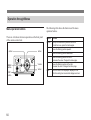
1
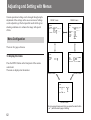
Adjusting and Setting with Menus
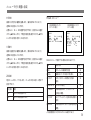
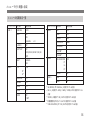
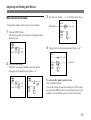
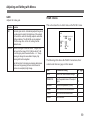
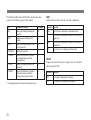
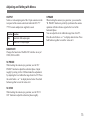
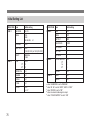
GAIN
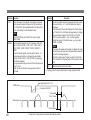
Adjusts the video gain.
Selection Function
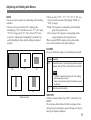
AGC
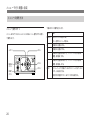
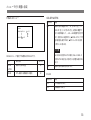
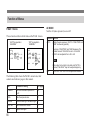
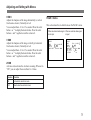
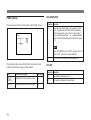
PAGE 2 menu
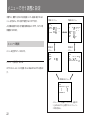
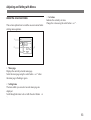
This section describes in detail items on the PAGE 2 menu.
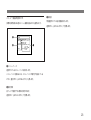
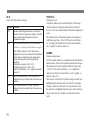
Automatic gain control. Automatically adjusts the gain of
the video signal to match the brightness of the subject.
This function is useful for shooting subjects under dark
lighting conditions. The AE LEVEL can be adjusted
within the range from –60 to +60, setting 0 as the
standard value.
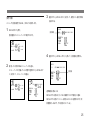
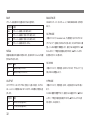
MANUAL Sets the video gain to manual control. The gain level
can be set in the range of 0 to 12 dB in units of 1 dB.
To set the gain, press the select button ı or ”. Keep
pressing to change the value faster. Display 0 by
pressing both buttons together.
Use this function for shooting in extremely dark places
where even fully opening the lens iris still does not
produce an acceptably bright image.
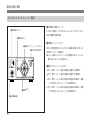
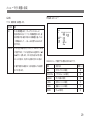
PAGE 2
W. B.
A TW AWB 5 6 0 0 3 2 0 0
PUSH R+
0
B+
0
PEDES T AL
+ 1
GAMMA
+ 3
2
H ENH
–
V ENH
– 1
ZOOM
ON OF F
X 1.4 5
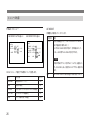
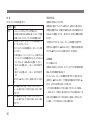
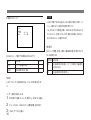
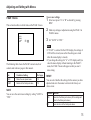
The following table shows the PAGE 2 menu items, their
contents and reference pages in this manual.
Item
Contents of setting
Ref. page
W. B.
Selects the white balance settings.
70
PEDESTAL
Sets the pedestal level of the output
signal.
70
GAMMA
Gamma compensation (on/off).
70
H ENH
Sets the horizontal enhancement.
71
V ENH
Sets the vertical enhancement.
71
ZOOM
Sets the zoom.
71
69