1
English Simple Manual( 簡 易 英 語 版 )
Earpiece
Optical sensor
Speaker
Display
Center key
Cursor key
Address book key
Mail key
Answer key
Number keys
Built-in
TV antenna
Microphone
Application
key
Photo light/
EZ key
Pocket light
Clear/Memo
Camera
key
ring lamp
End/Power
key
Battery pack/
cover
FeliCa mark
Incoming
indicator
(LED)
Built-in antenna
Camera lens
Infrared port
au IC-Card
Turning Power On and Off
簡易英語
152
Switching the Screen to English
From the stand-by screen: Press c. ▶Press 3. ▶Press 5.
▶Press 2.
CA005_同梱.indb 152
microSD memory card slot cover
Charge indicator (LED)
Quick key
Manner key
Up key (side)
Down key (side)
Center key (side)
Strap eyelet
Shutter key
microSD
memory card slot
External
connection jack
Charging terminals
Built-in antenna
● Turning Power On
Hold down F for at least a few seconds.
● Turning Power Off
Hold down F for at least one second.
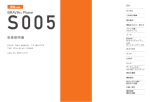
CA005
External connection jack cover
Checking Your Own Phone Number and
E-mail Address
From the stand-by screen: Press c. ▶Press 0.
Making and Answering a Call
● Making a Call
From the stand-by screen: Enter the phone number you want to call.
▶Press N.
To end a call: Press F.
10.5.6 5:15:10 PM