1
Adjusting Ringer Volume
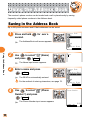
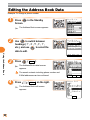
1
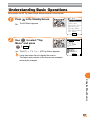
Press
( MainMenu ) in the
Standby Screen.
The MainMenu appears.
Select Switch
Placing/Answering a Call
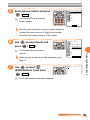
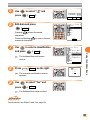
2
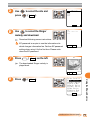
Use
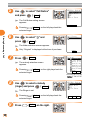
to select "Basic Setup"
and press
(
Select
).
The Basic Setup screen appears.
Basic Setup
M0Profile
M1Call/Toll
M2Sounds/Vibes
M3Screen
M4Privacy
M5User Support
M6Ans.Ph/Manner
M7Clock
Select
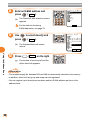
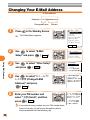
3
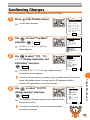
Use
to select "Sounds/
Vibes" and press
(
Select
).
The Sounds/Vibes setting screen
appears.
M2 Sounds/Vibes
1Speaker Vol.
2Ringer/Vibes
3Sound Effect
4Wake−Up
5Power OFF
6Quality Alert
7Rcvr.Vol.Adj.
8Call Vibes
Select
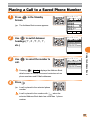
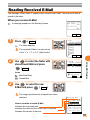
4
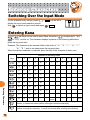
Use
to select "Speaker Vol."
and press
(
Select
).
The Speaker Vol. setting screen
appears.
M21 Speaker Vol.
1Call Notice
2E−MailNotice
3Unreg.E−Mail
4ServerNotice
5C−MailNotice
6Chat Notice
7Alarm
8Browser
Select Batch
26