1
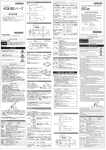
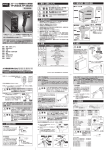
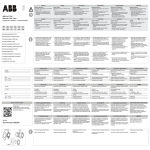
TIP THERMOMETER TM-100 TABLE OF CONTENTS 2. PACKAGE CONTENTS / NAMES OF PARTS 1. SPECIFICATIONS 2. PACKAGE CONTENTS / NAMES OF PARTS 3. HOW TO ATTACH / DETACH THE SENSOR 4. HOW TO MEASURE THE TEMPERATURE 5. FUNCTION AND SETTING 6. REPLACEMENT PARTS / OPTION 7. OPERATIONS Protective clear seals on the key panel & silver plate. ■UNIT TOP Sensor attaching /detaching button 1. SPECIFICATIONS Power Supply Dimension Weight Temperature Resolutions Ranges Accuracy Display Operating Environment OPERATION MANUAL AA battery LR6 x 4pcs: 6V 83(W) ✕ 41(H) ✕ 140(D)mm 150g (w/o battery) 1˚C w/sensor (TM-100S): 0-550˚C(32-932˚F) w/optional probe (TM-100SP): 0-700˚C(32-1292˚F) ± 0.5% of the full scale (w/o sensor error) LED indication 0-50˚C, 20-85%RH (no condensation) SENSOR Model Sensor Type Size Weight SAFETY MARK DEFINITIONS 1. The measuring tip is very hot. Handle with care. Careless handling may result in fire or personal injury. 2. Be sure not to heat the plastic case such as by contact with the hot tip, except to the sensor, or by CAUTION blowing warm air onto the body. Excess heat will melt or damage the case. 3. Do not open the device. Sensitive parts might be damaged. 4. The LED can flash even when power is off. This is not a system error. This is an effect of static electricity. 5. Avoid impacts to prevent damage to, or deterioration of, the product during transportation. Be especially careful to avoid deformation or breakage from dropping. CAUTION A note or word of advice. TAIYO ELECTRIC IND.CO.,LTD. www.goot.co.jp E-mail: [email protected] The sensor and the batteries are consumable items. KEEP THIS MANUAL FOR FUTURE REFERENCE Printed in Japan, JANUARY 2014 3. HOW TO ATTACH / DETACH THE SENSOR Red NOTE 1. Attach the red sheath side of the sensor to the connecting pin on the red silicon plate of the device. NOTE Press Sensor attaching /detaching button HOW TO DETACH THE SENSOR Turn over When using the Sensor-life Counter function (described later), reset the sensor-damage value in measuring mode after replacing with a new sensor. Red sheath much pressure to the sensor risks CAUTION Too damage. Apply the tip on the chip gently. Be sure to attach the sensor properly before starting measurement. When the alarm (shown left) appears, it means that the sensor is not attached properly or measured tip's temperature is out of range. Check for a break in the sensor, or check the settings of the device. Please refer to [7. OPERATIONS] for each function. After power-on, always start with the measuring mode. Measuring mode has the following functions. (Digit change/setting can be configured in setting mode.) Peak-Hold Function (factory default setting: OFF) In measuring mode, press the PEAK HOLD/MODE SET➌ button, then the HOLD ON lamp ➏will light up. Retains display of peak temperature. Press the PEAK HOLD/MODE SET➌ button again to unset the peak hold function. Automatic Power-Off function (factory default setting: 60 seconds) The device will power off automatically when 100˚C or lower is continuously measured for more than the preset time. The setting time for the Auto Power-Off can be changed in units of 30 seconds. (MAX 300seconds) When the displayed temperature is under 100˚C in measuring mode, the count time will be reset as the result of pressing SENSOR RESET➋button within the preset time. And extend the time until Auto Power-Off. Sensor-Life Counter Alarm (PAT.P) (factory default setting: 200 times) Weigh and integrate the sensor damage by our own calculational procedure by counting in units of 3-seconds' use at temperature 350˚C(662˚F). The alarm lamp➎ will flash when the counter exceeds the set number of counts, to indicate the approx. replacement-timing of the sensor. To turn off this function, set the preset value at 0. To reset (return to 0) the integrated value of the damage, press and hold the SENSOR RESET➋ for over 3 seconds in measuring mode. Battery Alarm The battery lamp will flash when the battery voltage drops lower than specified value to indicate the approx. replacement-timing of the battery. NOTE The sensor life "200 times when counted in units of 3-seconds' use at temperature 350˚C(662˚F)." is just a tentative indication. The actual sensor-life can be changed by your operating conditions. When replacing the sensor, reset the damaged value. Figure out the sensor life and change its set value for effective use. B. Setting Mode Chip White sheath PAT.P ■ AA battery LR6 1.5V 4pcs ■ Instruction manual To enter setting mode, press and hold the PEAK HOLD/MODE SET➌ button for over 3 seconds in measuring mode. In setting mode, every pressing of the PEAK HOLD/MODE SET➌ button will shift the set- (Japan only) ■ Name plate label (Chinese) Name plate label (English) The enclosed batteries are for testing only. ■ FRONT PANEL Power Sensor Reset and Setting Peak Hold / Mode Battery Alarm Lamp (Flash) Sensor-life Alarm Lamp (Flash) Hold Lamp (light up) ting function. To change the setting value, press theSENSOR RESET➋ button.To return to measuring mode, press and hold the PEAK HOLD/MODE SET➌ button for over 3 seconds in setting mode. To turn off the device, return to measuring NOTE mode. In setting mode, the power off (& Auto Power-Off) function does not work. 6. REPLACEMENT PARTS / OPTION Sensor (3pcs) TM-100S Sensor Probe (for solder pot) TM-100SP TM-100SP 7. OPERATIONS A. Measuring Mode After power-on, always start with the measuring mode. Extension of Automatic Sensor Damage Power-Off time Reset (Return to 0) Press the Press the Press and hold the SENSOR RESET SENSOR RESET PEAK HOLD/ MODE SET over 3 seconds. PEAK HOLD ON/OFF B.Setting Mode To switch between setting/measuring mode, press and hold PEAK HOLD/MODE SET for over 3 seconds. Key Operation Turn Shift Press the Function & Range Set the time (seconds) until Auto-Power OFF. Ranges: 0-300 (in units of 30seconds) Default setting: 60s. Turns off at 0. Set the temperature display in Celsius (˚C) or Fahrenheit (˚F). The setting ˚C or ˚F Lights up. Default setting: ˚C. Set the sensor-life value. Ranges: 0-500 (in units of 50 times) Default setting: 200 times. Turns off at 0. Display the sensordamage value. Resetting displays 0. Default setting 0. Setting value change Press the Display ➔ BACK ➔ device is ready for measurement. (measuring mode) 2. Put the tip to the sensor chip, applying fresh solder to both parts. Please read when the displayed temperature is stable. FRONT 3pcs Battery case ➔ Celsius or Fahrenheit. When the room temperature appears the NOTE ■SENSOR BOTTOM ➔ 4. HOW TO MEASURE THE TEMPERATURE 1. Press POWER to display the set-unit The sensor reception will become worse because of the degradation of the chip after repeated use. Replace the degraded sensor with a new one to ensure accurate measuring. Please use the below Sensor-Alarm Function for replacement timing. A. Measuring Mode Attach with correct orientation, and right side up. Incorrect attaching will cause wrong temperature data. Put the sensor on the connector pin firmly. To avoid CAUTION damaging the sensor, do not bend or deform it. NOTE Flux residue on the sensor chip, or a stained tip will reduce the accuracy of the measuring sensor. Clean them regularly with CP series (solder wick). Too little solder on the chip may result in wrong measuring data. Use the proper solder amount for your tip size. 5. FUNCTION AND SETTING 2. Press the attaching/detaching button on the left. The connecting pin & the red silicon plate will slightly move toward the opposite side. Then attach the white sheath side of the sensor to the other connecting pin of the device. Press Hold the device firmly and turn it upside-down. Press the left button several times, then the sensor will detach. Serial number label ■ User registration card / Warranty card Accuracy assured for 1 year from the day of purchase. After 1 year we also offer calibration for a fee. Please contact your nearest distributor. Careless handling may result in injury to yourself or to others, physical damage, or a system failure of this device. Red silicon plate Red mark (Japanese/English, English/Chinese) CALIBRATION In this manual, the following safety marks are used. HOW TO ATTACH TM-100S Type K ( CA type ) 9(W) ✕ 45(H) ✕ 3(D)mm 0.8g Sensor connecting pin Red silicon plate *Over 1000˚F, temperature is indicated by F-1 and the last three digits of degrees ˚F. Thank you for buying Tip Thermometer TM-100. Read this Owner's Operation Manual before using your tip thermometer. NOTE TM-100 OPEN UNIT MODEL Return to start