1
4 Getting started
4.1.3
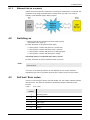
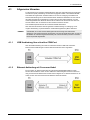
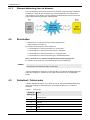
Ethernet link via a network
Indirect access via a network is achieved by connecting the remote device to a network. The
IP address can be assigned dynamically by a DHCP server (e.g. built in to a router) or
statically. A plain Ethernet (patch) cable is required.
4.2
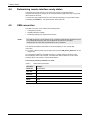
Switching on
9 Make sure that all the connections have been made correctly
(see Chapter 3.5 on page 14).
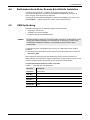
► Switch the device on using the AC power switch:
ª Start up phase 1: Status LED glows red = System start
ª Start up phase 2: Status LED glows orange = Self test*
ª Start up phase 3: Status LED glows red = Loading program
ª Start up phase 4: Status LED glows green = Ready
If the Ready status is not indicated within about 1 minute:
► Switch the device off and then repeat the switch on process.
NOTE:
If the device repeatedly does not switch on, please contact your local representative for
Narda products.
*If an error occurs during the self test, the LED will flash red. The number of flashes
indicates the type of error. Information about the error codes is found in the next section.
4.3
Self test / Error codes
If an error occurs during the self test, the LED will flash red. The number of flashes indicates
the type of error. The sequence of flashes is repeated three times at intervals of three
seconds.
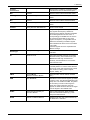
Table 1:
Error codes
Number of
flashes
Narda
Error
1
Operating system
2
Hardware
3
Memory
4
Data Logger
5
Flash
6
Battery
NRA-2500/3000/6000
17