1
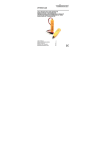
IREXT2
5. Insert the included USB cable into the USB input connection [2]
and plug the other end into a powered USB port e.g. from your TV
or decoder box. The power LED [1] lights.
6. Mount the IR bender at the desired location using the adhesive
tape or included screws (2).
7. Use your remote control and point towards the IR receiver within
an angle of ± 15° in all directions (see illustration on page 3).
Important remark: In some cases, the receiver can suffer from
interference and not pick up the signal from your remote control.
Interference can be caused by devices in the direct vicinity such as
dimmers and lamps, or by direct sunlight. If such is the case,
reorient or relocate the IR receiver, or increase the distance between
the IR receiver and the device causing the interference.
6.
Technical Specifications
operating voltage
power consumption
operating range
IR receiving range
dimensions
weight
5VDC/100mA (via USB port)
max. 1W
± 5m (16.4ft) (ideal circumstances)
30 ~ 60 kHz
102 x 46 x 19 mm (4” x 1.8” x 0.75”)
35 g (1.23 oz)
Use this device with original accessories only. Velleman nv
cannot be held responsible in the event of damage or injury
resulting from (incorrect) use of this device. For more info
concerning this product and the latest version of this manual,
please visit our website www.velleman.eu. The information in
this manual is subject to change without prior notice.
© COPYRIGHT NOTICE
The copyright to this manual is owned by Velleman nv. All
worldwide rights reserved. No part of this manual may be copied,
reproduced, translated or reduced to any electronic medium or
otherwise without the prior written consent of the copyright holder.
V. 02 – 13/08/2012
6
©Velleman nv