1
OPERATION
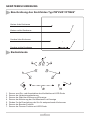
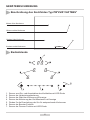
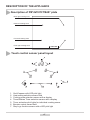
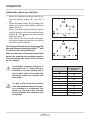
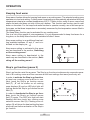
Touch control sensor panel layout
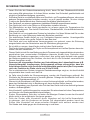
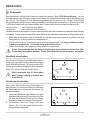
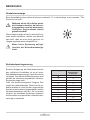
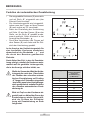
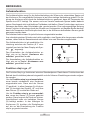
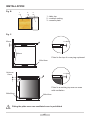
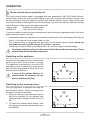
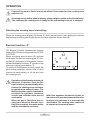
The touch control sensor panel is equipped with new generation (3,4) „DIGI Select-Sensor”
sensor fields, where the cooking zone display is also the cooking zone selection sensor and
the timer display is the timer selection sensor. Heat setting selection sensor (2) is a slider type
touch control sensor allowing selection of heat setting (1-9) and timer setting (1-99) by touching
and sliding your finger across the marked area (2):
- sliding right
- increase the heat setting
- sliding left
- reduce the heat setting.
It is also possible to select the heat setting directly by touching the appropriate part of the heat
setting selection sensor field (2).
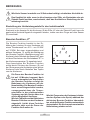
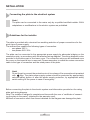
• Immediately after the appliance is connected to electrical mains, all displays will light up
briefly. Your induction hob is then ready for use.
• The induction hob is equipped with electronic touch control sensor fields, which are
operated by touching with a finger for at least 1 second.
• Touching of a sensor field is accompanied by an acoustic signal to acknowledge.
No objects should be placed on the sensor fields (this could cause an error). Touch
sensor fields should be always kept clean.
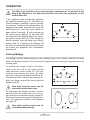
Switching on the appliance
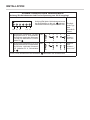
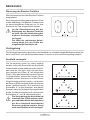
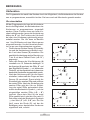
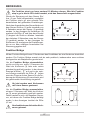
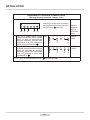
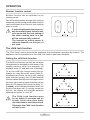
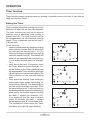
To switch on the appliance touch and hold the
on/off sensor field (1) for at least 1 second.
The appliance is switched on and the LED
pilot light comes on above the on/off sensor
field (1) while all displays (3, 4) show „0” and
decimal point is flashing.
If none of the sensor fields is touched within 20 seconds, the appliance switches itself off.
4
3
3
1
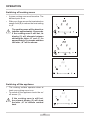
Switching on the cooking zones
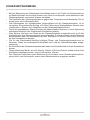
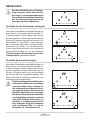
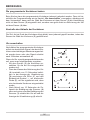
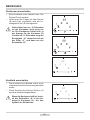
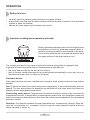
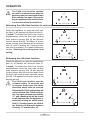
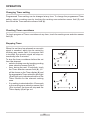
Once the appliance is switched on using the
on/off sensor field (1), select a cooking zone
(3) within the next 20 seconds.
1. When a cooking zone selection sensor
field (3) is touched (3), the relevant heat
setting indicator display shows „0” and a
dot.
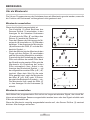
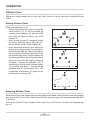
2. To select the desired heat setting, slide
your finger across the heat selection sensor field (2).
51
3
1
2