1
PixDoc Manual
1.
Key features
Max scanning size---LTR / A4
Color / Monochrome (Mono) scan selection
600/300 dpi scan selection
Direct save JPG file to MicroSD card
Support MicroSD card up to 32GB
Driver free to download for Windows 7 / Vista / XP and
Mac OS10.4 or above (direct plug-in, driver installation not required)
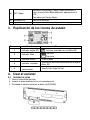
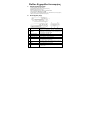
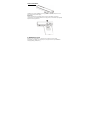
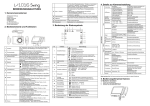
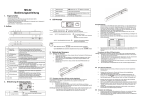
2. Functional parts
2
3
4
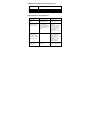
Part
Adapter / USB
interface
Battery door
Power on / off button
SD card slot
5
Effect / Up
6
7
Format button
Enter button
8
DPI / Down
9
10
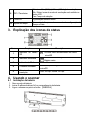
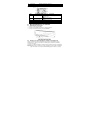
LCD screen
Time set
1
Function
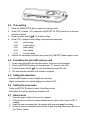
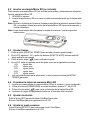
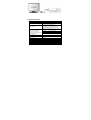
Connect supplied AC charger to scanner USB port.
Download photo to a computer via USB cable provided.
For 4x AA alkaline batteries.
Press this button to turn on, press again to turn off.
MicroSD card storage location.
Select Color / Mono scan, Color / Mono mode icon will be
displayed on status LCD.
For Time up selection.
Press this button to format the microSD card.
Press this button to confirm changes.
Select High(600dpi) / Low(300dpi) resolution;
High / Low resolution mode icon will be displayed on
status LCD.
For Time down selection.
Scanning status display.
Press this button to enter Time and Date setting mode