1
GB
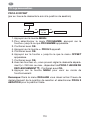
Programming
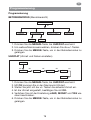
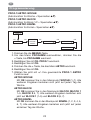
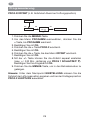
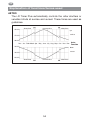
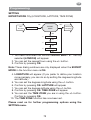
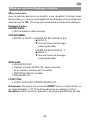
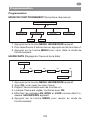
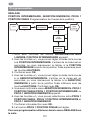
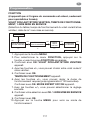
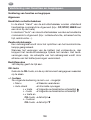
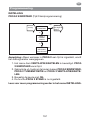
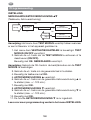
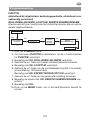
SETTING
HOLIDAY, LIGHT SENSOR (Holiday OFF/ON, sun/twilight setting)
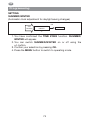
SETTING
OK
OK
NO
LIGHT SENSOR
CONNECTED?
HOLIDAY
OFF/ON
continuing
next page
+/YES
+/-
SUN
OK
+/-
TWILIGHT
OK
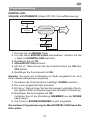
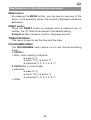
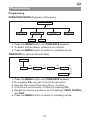
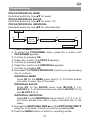
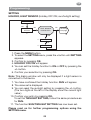
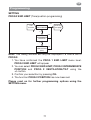
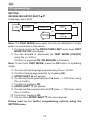
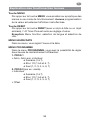
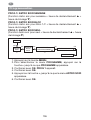
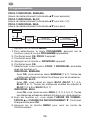
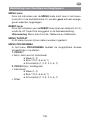
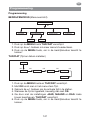
1. Press the MENU button.
2. To select the SETTING menu, press the + button until SETTING
appears.
3. Confirm by pressing OK.
4. HOLIDAY OFF/ON will appear.
5. You can set the holiday function to ON or OFF by pressing the
+/- button.
6. Confirm your selection by pressing OK.
Note: This dialog window will only be displayed if a light sensor is
connected to the device.
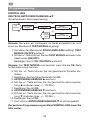
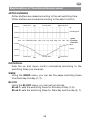
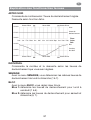
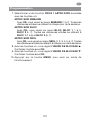
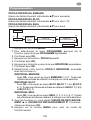
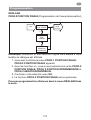
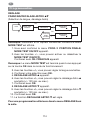
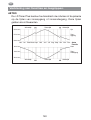
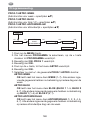
7. You have confirmed the holiday function. SUN will appear.
8. The value set is displayed.
9. You can reset the sunlight setting by pressing the +/- button.
(The two digits at the left of the display show the current light
value.)
10. Confirm your entry by pressing OK.
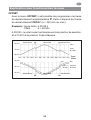
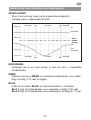
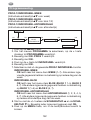
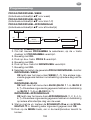
To set the TWILIGHT SETTING, follow the same procedure as
for SUN.
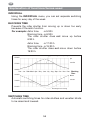
11. The function SUN/TWILIGHT SETTING has now been set.
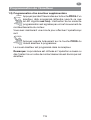
Please read on for further programming options using the
SETTING menu.
69