1
7年
月
日 木曜日 午後7時
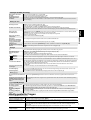
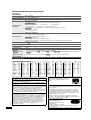
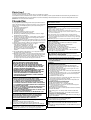
CAUTION
Danger of explosion if battery is incorrectly replaced. Replace only
with the same or equivalent type recommended by the
manufacturer. Dispose of used batteries according to the
manufacturer’s instructions.
Warning
Keep the Button-Type battery out of the reach of children. Never put
Button-Type battery in mouth. If swallowed call your doctor.
Information on Disposal for Users of Waste Electrical &
Electronic Equipment (private households)
This symbol on the products and/or
accompanying documents means that
used electrical and electronic products
should not be mixed with general
household waste.
For proper treatment, recovery and
recycling, please take these products
to designated collection points, where
they will be accepted on a free of
charge basis. Alternatively, in some countries you may be
able to return your products to your local retailer upon the
purchase of an equivalent new product.
Disposing of this product correctly will help to save
valuable resources and prevent any potential negative
effects on human health and the environment which could
otherwise arise from inappropriate waste handling. Please
contact your local authority for further details of your
nearest designated collection point.
Penalties may be applicable for incorrect disposal of this
waste, in accordance with national legislation.
For business users in the European Union
If you wish to discard electrical and electronic equipment,
please contact your dealer or supplier for further
information.
Information on Disposal in other Countries outside the
European Union
This symbol is only valid in the European Union.
If you wish to discard this product, please contact your local
authorities or dealer and ask for the correct method of
disposal.
8分
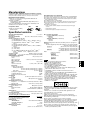
Table of contents
Getting started
Precautions . . . . . . . . . . . . . . . . . . . . . . . . . . . . . . . . . . . . . 2
Accessories . . . . . . . . . . . . . . . . . . . . . . . . . . . . . . . . . . . . . 3
Preparations
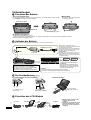
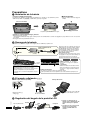
1Attaching the battery . . . . . . . . . . . . . . . . . . . . . . . . . . . . 4
2Recharging the battery . . . . . . . . . . . . . . . . . . . . . . . . . . 4
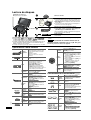
3The remote control . . . . . . . . . . . . . . . . . . . . . . . . . . . . . . 4
4Adjusting the LCD angle . . . . . . . . . . . . . . . . . . . . . . . . . 4
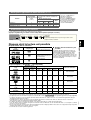
Discs that can be played . . . . . . . . . . . . . . . . . . . . . . . . . . . 5
Playback
Playing discs . . . . . . . . . . . . . . . . . . . . . . . . . . . . . . . . . . . . 6
Useful functions. . . . . . . . . . . . . . . . . . . . . . . . . . . . . . . . . . 7
Program/Random play. . . . . . . . . . . . . . . . . . . . . . . . . . . . . 7
Playing CD using menus. . . . . . . . . . . . . . . . . . . . . . . . . . . 7
Playing programs/playlists . . . . . . . . . . . . . . . . . . . . . . . . . 8
Playing HighMATTM discs . . . . . . . . . . . . . . . . . . . . . . . . . . 8
Playing WMA/MP3, JPEG and MPEG4/DivX . . . . . . . . . . . 8
About DivX VOD content. . . . . . . . . . . . . . . . . . . . . . . . . . . 9
About DivX subtitles text display . . . . . . . . . . . . . . . . . . . . 9
Tips for making data discs . . . . . . . . . . . . . . . . . . . . . . . . . 9
Getting started
3 ページ
Settings
Using On-Screen Menus . . . . . . . . . . . . . . . . . . . . . . . . . . 10
Changing the player settings . . . . . . . . . . . . . . . . . . . . . . 13
Enjoying in various situations
Enjoying in a car . . . . . . . . . . . . . . . . . . . . . . . . . . . . . . . . 14
Using this unit with other equipment. . . . . . . . . . . . . . . . 16
Reference
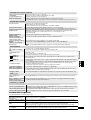
Maintenance . . . . . . . . . . . . . . . . . . . . . . . . . . . . . . . . . . . . 17
Specifications. . . . . . . . . . . . . . . . . . . . . . . . . . . . . . . . . . . 17
Troubleshooting guide . . . . . . . . . . . . . . . . . . . . . . . . . . . 18
Frequently asked questions . . . . . . . . . . . . . . . . . . . . . . . 19
Index . . . . . . . . . . . . . . . . . . . Inner page of the back cover
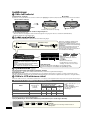
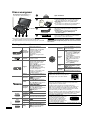
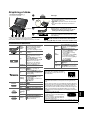
Accessories
∑1
∑1
∑1
∑1
∑1
∑1
Use numbers indicated in parentheses when asking for
replacement parts.
(Product numbers correct as of December 2007. These
may be subject to change.)
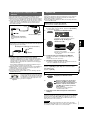
Audio/video cable
AC adaptor
AC mains lead
≥For use with this unit only. Do not use it with other equipment.
Also, do not use cords for other equipment with this unit.
Car DC Adaptor
Headrest Mounting Bracket
Rechargeable battery pack
Included
Optional
[DVD-LS86]
CGR-H712
[DVD-LS83]
CGR-H711
CGR-H701
CGR-H712
≥Depending on the battery pack, playback time may differ.
[➜ 5, Approximate recharging and play times (Hours)]
≥[DVD-LS83] CGR-H711 is not available as option. When
purchasing a replacement, request one of the optional batteries
listed above.
∑ 1 Remote control (N2QAHC000021) [DVD-LS86]
∑ 1 Button-type battery for remote control [DVD-LS86]
(for replacement, see page 4)
∑ 1 Cable for iPod [DVD-LS86]
∑ 1 Plug adaptor [DVD-LS86]
RQT9097
RQT9097-D_eng.fm
3
3