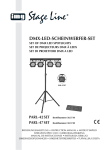
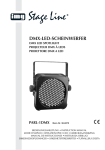
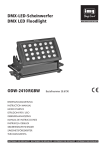
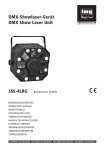
1
DMX-LED-Scheinwerfer DMX LED Spotlight PARL-12RGBW Bestellnummer 38.6890 BEDIENUNGSANLEITUNG INSTRUCTION MANUAL MODE D’EMPLOI ISTRUZIONI PER L’USO GEBRUIKSAANWIJZING MANUAL DE INSTRUCCIONES INSTRUKCJA OBSŁUGI SIKKERHEDSOPLYSNINGER SÄKERHETSFÖRESKRIFTER TURVALLISUUDESTA ELECTRONICS FOR SPECIALISTS ELECTRONICS FOR SPECIALISTS ELECTRONICS FOR SPECIALISTS ELECTRONICS FOR SPECIALISTS D A CH F B CH Bevor Sie einschalten … GB Before switching on … Wir wünschen Ihnen viel Spaß mit Ihrem neuen Gerät von „img Stage Line“. Bitte lesen Sie diese Bedienungsanleitung vor dem Betrieb gründlich durch. Nur so lernen Sie alle Funktionsmöglichkeiten kennen, vermeiden Fehlbedienungen und schützen sich und Ihr Gerät vor eventuellen Schäden durch unsachgemäßen Gebrauch. Heben Sie die Anleitung für ein späteres Nachlesen auf. We wish you much pleasure with your new “img Stage Line” unit. Please read these operating instructions carefully prior to operating the unit. Thus, you will get to know all functions of the unit, operating errors will be prevented, and yourself and the unit will be protected against any damage caused by improper use. Please keep the operating instructions for later use. Der deutsche Text beginnt auf der Seite 4. The English text starts on page 12. Avant toute installation … I Nous vous souhaitons beaucoup de plaisir à utiliser cet appareil “img Stage Line”. Lisez ce mode dʼemploi entièrement avant toute utilisation. Uniquement ainsi, vous pourrez apprendre lʼensemble des possibilités de fonctionnement de lʼappareil, éviter toute manipulation erronée et vous protéger, ainsi que lʼappareil, de dommages éventuels engendrés par une utilisation inadaptée. Conservez la notice pour pouvoir vous y reporter ultérieurement. Prima di accendere … Vi auguriamo buon divertimento con il vostro nuovo apparecchio di “img Stage Line”. Leggete attentamente le istruzioni prima di mettere in funzione lʼapparecchio. Solo così potete conoscere tutte le funzionalità, evitare comandi sbagliati e proteggere voi stessi e lʼapparecchio da eventuali danni in seguito ad un uso improprio. Conservate le istruzioni per poterle consultare anche in futuro. Il testo italiano inizia a pagina 28. La version française se trouve page 20. NL B Voor u inschakelt … E Antes de la utilización … Le deseamos una buena utilización para su nuevo aparato “img Stage Line”. Por favor, lea estas instrucciones de uso atentamente antes de hacer funcionar el aparato. De esta manera conocerá todas las funciones de la unidad, se prevendrán errores de operación, usted y el aparato estarán protegidos en contra de todo daño causado por un uso inadecuado. Por favor, guarde las instrucciones para una futura utilización. Wij wensen u veel plezier met uw nieuwe apparaat van “img Stage Line”. Lees deze gebruikershandleiding grondig door, alvorens het apparaat in gebruik te nemen. Alleen zo leert u alle functies kennen, vermijdt u foutieve bediening en behoedt u zichzelf en het apparaat voor eventuele schade door ondeskundig gebruik. Bewaar de handleiding voor latere raadpleging. De Nederlandstalige tekst vindt u op pagina 36. La versión española comienza en la página 44. PL Przed uruchomieniem … DK Życzymy zadowolenia z nowego produktu “img Stage Line”. Dzięki tej instrukcji obsługi będą państwo w stanie poznać wszystkie funkcje tego urządzenia. Stosując się do instrukcji unikną państwo błędów i ewentualnego uszkodzenia urządzenia na skutek nieprawidłowego użytkowania. Prosimy zachować instrukcję. Før du tænder … Tillykke med dit nye “img Stage Line” produkt. Læs sikkerhedsanvisningerne nøje før ibrugtagning, for at beskytte Dem og enheden mod skader, der skyldes forkert brug. Gem manualen til senere brug. Sikkerhedsanvisningerne findes på side 60. Tekst polski zaczyna się na stronie 52. S Innan du slår på enheten … Vi önskar dig mycket glädje med din nya “img Stage Line” produkt. Läs igenom säkerhetsföreskrifterna innan enheten tas i bruk för att undvika skador till följd av felaktig hantering. Behåll instruktionerna för framtida bruk. Säkerhetsföreskrifterna återfinns på sidan 60. FIN Ennen kytkemistä … Toivomme Sinulle paljon miellyttäviä hetkiä uuden “img Stage Line” laitteen kanssa. Ennen laitteen käyttöä pyydämme Sinua huolellisesti tutustumaan turvallisuusohjeisiin. Näin vältyt vahingoilta, joita virheellinen laitteen käyttö saattaa aiheuttaa. Ole hyvä ja säilytä käyttöohjeet myöhempää tarvetta varten. Turvallisuusohjeet löytyvät sivulta 61. 2 1 3 2 5 6 9 3 4 7 8 10 5 D Inhalt A CH 1 Übersicht der Bedienelemente und Anschlüsse . . . . . . . . . . . . . . . . . . . . . . . . 4 1.1 Infrarot-Fernbedienung . . . . . . . . . . . . . . . . 4 2 Hinweise für den sicheren Gebrauch . . . 5 3 Einsatzmöglichkeiten . . . . . . . . . . . . . . . . 5 4 Montage . . . . . . . . . . . . . . . . . . . . . . . . . . . 5 5 Inbetriebnahme . . . . . . . . . . . . . . . . . . . . . 6 6 Bedienung . . . . . . . . . . . . . . . . . . . . . . . . . 6 6.1 Fernbedienung . . . . . . . . . . . . . . . . . . . . . . 6 6.2 Bedienung über das Menü . . . . . . . . . . . . . 6 7 Betrieb ohne DMX-Steuergerät . . . . . . . . 7 7.1 Farbstrahler und Stroboskop . . . . . . . . . . . . 7 7.2 Automatisch ablaufende Programme . . . . . 7 7.3 Musiksteuerung . . . . . . . . . . . . . . . . . . . . . . 7 7.4 Master / Slave-Betrieb . . . . . . . . . . . . . . . . . 8 Auf der ausklappbaren Seite 3 finden Sie alle beschriebenen Bedienelemente und Anschlüsse. 1 Übersicht der Bedienelemente und Anschlüsse 1 Netzbuchse POWER IN zum Anschluss an eine Steckdose (230 V~/50 Hz) über das beiliegende Netzkabel 2 Halterung für die Netzsicherung Eine geschmolzene Sicherung nur durch eine gleichen Typs ersetzen. 3 Montagebügel 4 DMX-Signal-Eingang (3-pol. XLR) zum Anschluss eines Lichtsteuergerätes; Pin 1 = Masse, 2 = DMX−, 3 = DMX+ 5 Feststellschrauben für die Montagebügel 6 Mikrofon zur Musiksteuerung 7 Bedientasten Taste MENU zum Verlassen eines Untermenüs Tasten UP und DOWN zur Wahl eines Menüpunktes und zum Ändern einer Einstellung Taste ENTER zum Aufruf des Menüpunktes, für den Weitersprung zum nächsten Parameter und zum Speichern einer Einstellung 8 Display 8 DMX-Steuerung . . . . . . . . . . . . . . . . . . . . . 8 8.1 DMX-Anschluss . . . . . . . . . . . . . . . . . . . . . . 8 8.2 Anzahl der DMX-Kanäle einstellen . . . . . . . 8 8.3 Startadresse einstellen . . . . . . . . . . . . . . . . 8 9 Weitere Funktionen . . . . . . . . . . . . . . . . . . 9 9.1 IR-Empfänger ausschalten . . . . . . . . . . . . . 9 9.2 Anzeige der Firmware-Version . . . . . . . . . . 9 9 Netzausgangsbuchse POWER OUT zum Anschluss eines weiteren Lichteffektgerätes 10 DMX-Signal-Ausgang (3-pol. XLR) zum Anschluss an den DMX-Eingang eines weiteren DMX-Lichteffektgerätes; Pin 1 = Masse, 2 = DMX−, 3 = DMX+ 1.1 Infrarot-Fernbedienung (Abb. 2) Taste DMX 10 Technische Daten . . . . . . . . . . . . . . . . . . . 9 10.1 DMX-Funktionen . . . . . . . . . . . . . . . . . . . . 10 SLAVE AUTO 1/ 2 SPEED 10.1.1 1-Kanal-Modus . . . . . . . . . . . . . . . . . . . 10 SOUND 1/ 2 10.1.2 4-Kanal-Modus . . . . . . . . . . . . . . . . . . . 10 10.1.3 5-Kanal-Modus . . . . . . . . . . . . . . . . . . . 10 10.2 Menüstruktur . . . . . . . . . . . . . . . . . . . . . . 11 4 DMX-Betrieb, Eingabe der DMX-Startadresse mit den Zifferntasten (3-stellig) Slave-Betrieb einschalten automatisch ablaufende Programme 1 und 2 Geschwindigkeit für die Programme 1/ 2 mit den Tasten UP / DOWN einstellen Musiksteuerung 1 oder 2 einschalten, Ändern der Mikrofonempfindlichkeit mit UP / DOWN Geschwindigkeit für Programme 1/ 2, UP, DOWN Stroboskop-Frequenz, Helligkeit, Mikrofonempfindlichkeit STROBE 10.1.4 8-Kanal-Modus . . . . . . . . . . . . . . . . . . . 10 Funktion alle LEDs aus- und wieder einschalten Stroboskop ein- und ausschalten Grundfarben Rot, Grün und Blau sowie Weiß R, G, B, W für Farbstrahler oder Stroboskop ein- und ausschalten, Ändern der Helligkeit mit UP / DOWN 2 Hinweise für den sicheren Gebrauch Das Gerät entspricht allen relevanten Richtlinien der EU und ist deshalb mit gekennzeichnet. WARNUNG Das Gerät wird mit lebensgefährlicher Netzspannung versorgt. Nehmen Sie deshalb niemals selbst Eingriffe am Gerät vor und stecken Sie nichts durch die Lüftungsöffnungen! Es besteht die Gefahr eines elektrischen Schlages. Beachten Sie auch unbedingt folgende Punkte: G Verwenden Sie das Gerät nur im Innenbereich und schützen Sie es vor Tropf- und Spritzwasser, hoher Luftfeuchtigkeit und Hitze (zulässiger Einsatztemperaturbereich 0 – 40 °C). G Stellen Sie keine mit Flüssigkeit gefüllten Gefäße, z. B. Trinkgläser, auf das Gerät. 3 Einsatzmöglichkeiten Der LED-Scheinwerfer PARL-12RGBW dient zur Effektbeleuchtung, z. B. auf Bühnen, in Diskotheken und Festsälen. Als Lichtquelle sind 12 besonders helle 8-W-RGBW-LEDs eingesetzt. Mit den LEDs kann farbiges Licht in den drei Grundfarben (Rot, Grün und Blau) und Weiß abgestrahlt werden sowie deren Mischfarben. Außerdem sind Farbüberblendungen und Stroboskop-Effekte möglich. Der Scheinwerfer ist für die Steuerung über ein DMX-Lichtsteuergerät ausgelegt (1, 4, 5 oder 8 DMX-Steuerkanäle wählbar). Er kann aber auch allein oder im Verbund mehrerer PARL-12RGBW (Master- / Slave-Modus) betrieben werden. Dabei kann der Scheinwerfer bequem über die mitgelieferte Infrarotfernbedienung bedient werden. Zusätzlich ermöglicht das integrierte Mikrofon musiksynchrone Effekte. G Die 4 G Nehmen Platzieren Sie das Gerät immer so, dass im Betrieb eine ausreichende Luftzirkulation gewährleistet ist. Die Lüftungsöffnungen am Gehäuse dürfen auf keinen Fall abgedeckt werden. im Gerät entstehende Wärme muss durch Luftzirkulation abgegeben werden. Decken Sie die Lüftungsöffnungen am Gehäuse nicht ab. Sie das Gerät nicht in Betrieb oder ziehen Sie sofort den Netzstecker aus der Steckdose, 1. wenn sichtbare Schäden am Gerät oder am Netzkabel vorhanden sind, 2. wenn nach einem Sturz oder Ähnlichem der Verdacht auf einen Defekt besteht, 3. wenn Funktionsstörungen auftreten. Geben Sie das Gerät in jedem Fall zur Reparatur in eine Fachwerkstatt. G Ziehen Sie den Netzstecker nie am Kabel aus der Steckdose, fassen Sie immer am Stecker an. G Verwenden Sie für die Reinigung nur ein trockenes, weiches Tuch, niemals Wasser oder Chemikalien. G Wird das Gerät zweckentfremdet, nicht sicher montiert, nicht richtig angeschlossen, falsch bedient oder nicht fachgerecht repariert, kann keine Haftung für daraus resultierende Sachoder Personenschäden und keine Garantie für das Gerät übernommen werden. Soll das Gerät endgültig aus dem Betrieb genommen werden, übergeben Sie es zur umweltgerechten Entsorgung einem örtlichen Recyclingbetrieb. D A CH Montage WARNUNG Der Scheinwerfer muss fachgerecht und sicher montiert werden. Wird er an einer Stelle installiert, unter der sich Personen aufhalten können, muss er zusätzlich gesichert werden (z. B. durch ein Fangseil am Montagebügel; das Fangseil so befestigen, dass der Fallweg des Gerätes nicht mehr als 20 cm betragen kann). 1. Den Scheinwerfer über einen Montagebügel (3) befestigen, z. B. mit einer stabilen Montageschraube oder einer Lichtstrahler-Halterung (C-Haken) an einer Traverse. Zum Ausrichten des Scheinwerfers die zwei Feststellschrauben (5) am Montagebügel lösen. Die gewünschte Neigung des Scheinwerfers einstellen und die Schrauben wieder fest anziehen. 2. Alternativ lässt sich der Scheinwerfer auch frei aufstellen. Dazu die Montagebügel so unter dem Scheinwerfer spreizen, dass sie als Ständer dienen. Die Feststellschrauben anschließend fest anziehen. 5 D A CH 5 Inbetriebnahme WARNUNG Blicken Sie nicht für längere Zeit direkt in die Lichtquelle, das kann zu Augenschäden führen. Beachten Sie, dass sehr schnelle Lichtwechsel bei fotosensiblen Menschen und Epileptikern epileptische Anfälle auslösen können! Das beiliegende Netzkabel zuerst in die Netzbuchse POWER IN (1) stecken und dann in eine Steckdose (230 V~/ 50 Hz). Danach ist das Gerät betriebsbereit und lässt sich über ein DMX-Lichtsteuergerät bedienen ( Kap. 8) oder führt eigenständig das eingestellte Steuerungsprogramm aus ( Kap. 7). Zum Ausschalten den Netzstecker aus der Steckdose ziehen. Vorsicht: Das Gerät darf nicht über einen Dimmer an die Netzspannung angeschlossen werden! Für die Stromversorgung eines weiteren Scheinwerfers kann die Netzausgangsbuchse POWER OUT (9) verwendet werden, wenn die Gesamtstromaufnahme den Nennstrom der Sicherung im Sicherungshalter (2) nicht übersteigt ( Typenschild). Der Anschluss kann z. B. über das NetzVerlängerungskabel AAC-170/ SW von MONACOR erfolgen. Auf diese Weise lassen sich mehrere PARL-12RGBW miteinander verbinden. 6 Bedienung Das Auswählen des Betriebsmodus und der verschiedenen Funktionen erfolgt über ein Menü mit den Tasten MENU, UP, DOWN und ENTER (7). Die Menüstruktur ist in Kapitel 10.2 dargestellt. Mit der beiliegenden Fernbedienung (Abb. 2) lassen sich aber auch viele Funktionen direkt anwählen. Zur Bedienung über ein DMX-Lichtsteuergerät siehe Kapitel 8. 6.1 Fernbedienung 1) Die Fernbedienung wird mit eingesetzten Batterien geliefert. Damit sich die Batterien während der Lagerung nicht entladen, befindet sich eine Isolierfolie zwischen den Batterien und den Batteriekontakten. Vor dem ersten Betrieb die Folie aus dem Batteriehalter auf der Rückseite der Fernbedienung herausziehen. 2) Beim Betätigen einer Taste die Infrarot-Fernbedienung möglichst auf die Vorderseite des Scheinwerfers richten. Dabei muss Sichtverbindung zwischen der Fernbedienung und dem Gerät bestehen. 6 Die Funktionen der Fernbedienung sind in Kapitel 1.1 aufgeführt. Gegen unbeabsichtigte Bedienung lässt sich der Infrarot-Empfang über das Menü des Scheinwerfers ausschalten ( Kap. 9.1). 3) Lässt die Reichweite der Fernbedienung nach, die Batterien auswechseln. Dazu auf der Rückseite der Fernbedienung den kleinen Riegel mit der Kerbe nach rechts drücken und gleichzeitig den Batteriehalter herausziehen. 1. 2. Batteriehalter herausziehen Es werden zwei 1,5-V-Knopfzellen vom Typ LR54 benötigt. Beim Einsetzen auf die Polung achten ( Bezeichnung ⊕ und ⊖ im Batteriehalter). Bei längerem Nichtgebrauch die Batterien herausnehmen, damit die Fernbedienung bei einem eventuellen Auslaufen der Batterien nicht beschädigt wird. Verbrauchte Batterien dürfen nicht in den Hausmüll geworfen werden. Geben Sie sie zur umweltgerechten Entsorgung nur in den Sondermüll (z. B. Sammelbehälter bei Ihrem Fachhändler). 6.2 Bedienung über das Menü Einstellungen über das Menü erfolgen mit den Tasten MENU, UP, DOWN und ENTER (7). 1) Die Taste MENU so oft drücken, bis sich die Anzeige im Display nicht mehr ändert. Damit ist die oberste Menüebene (Hauptmenü) erreicht ( Kap. 10.2, in der Abbildung links). 2) Mit der Taste UP oder DOWN den gewünschten Menüpunkt anwählen. 3) Die Taste ENTER drücken (ggf. zweimal). Das Display zeigt jetzt die aktuelle Einstellung des gewählten Menüpunkts an. 4) Mit der Taste UP oder DOWN die Einstellung ändern. 5) Wenn Untermenüpunkte vorhanden sind, können diese mit der Taste ENTER aufgerufen werden und deren Einstellungen mit der Taste UP oder DOWN geändert werden. 6) Zum Speichern einer Einstellung die Taste ENTER drücken. Damit bleibt eine Änderung auch nach dem Unterbrechen der Stromversorgung erhalten. 7) Für weitere Einstellungen mit der Taste MENU auf eine höhere Menüebene zurückspringen, (ggf. bis zum Hauptmenü, Bedienschritt 1). Wird einige Sekunden lang keine Taste gedrückt, erlischt das Display. Beim nächsten Tastendruck leuchtet es wieder. Anhand der Kapitel 7 bis 9 die gewünschten Einstellungen für den jeweiligen Betriebsmodus vornehmen. 7 Betrieb ohne DMX-Steuergerät 7.1 Farbstrahler und Stroboskop In diesem Modus strahlt das Gerät konstant in einer einstellbaren Farbe. Zusätzlich lässt sich die Stroboskop-Funktion einschalten. Über die Fernbedienung können die Grundfarben einzeln ein- und ausgeschaltet werden. Dazu die Taste für die gewünschte Grundfarbe oder Weiß drücken (5/ W = Weiß, 7/ R = Rot, 8/G = Grün, 9/ B = Blau). Anschließend kann die Helligkeit dieser Farbe mit den Tasten UP und DOWN geändert werden. Mit der Taste STROBE lässt sich die Stroboskopfunktion ein- und ausschalten. Zum Einstellen einer Farbmischung über das Menü des Scheinwerfers: 1) Den Menüpunkt aufrufen. Das Display schaltet auf um. 2) Mit der Taste UP oder DOWN die einzustellende Farbe wählen ( = Rot, = Grün, = Blau, = Weiß) und mit der Taste ENTER bestätigen. 3) Mit der Taste UP oder DOWN den Helligkeitswert (0 – 255) für die gewählte Farbe einstellen und mit der Taste ENTER speichern. 4) Wenn gewünscht, die Einstellung des Stroboskopeffekts ändern: Mit der Taste UP oder DOWN die Blitzfrequenz zwischen (Dauerlicht) und (ca. 10 Hz) einstellen und mit der Taste ENTER speichern. Zur Einstellung weiterer Farben (zweimal) die Taste MENU drücken und mit Schritt 2 fortfahren. Es kann alternativ auch eine von 51 vorgegebenen Farben gewählt werden: 1) Den Menüpunkt aufrufen. 2) Mit der Taste UP oder DOWN die gewünschte Farbe ( bis ) wählen und mit der Taste ENTER speichern. 3) Wenn gewünscht, die Einstellung des Stroboskopeffekts ändern: Mit der Taste UP oder DOWN die Blitzfrequenz zwischen (Dauer- licht) und (ca. 10 Hz) einstellen und mit der Taste ENTER speichern. 7.2 Automatisch ablaufende Programme D A CH Zwei Programme können ausgewählt werden: AUTO 1 = Farbfolge mit Überblendungen AUTO 2 = Farbfolge ohne Überblendungen 1) Das gewünschte Programm mit der Fernbedienung (Taste AUTO 1 oder AUTO 2) einschalten. Alternativ den Menüpunkt aufrufen und die getroffene Auswahl ( oder ) mit der Taste ENTER bestätigen. 2) Mit der Fernbedienung kann die Ablaufgeschwindigkeit nach dem Drücken der Taste SPEED über die Tasten UP und DOWN geändert werden. Alternativ im Menü mit der Taste UP oder DOWN die Ablaufgeschwindigkeit einstellen ( … ) und mit der Taste ENTER speichern. 3) Für das eingestellte Programm lässt sich die Stroboskop-Funktion ein- und ausschalten sowie die Stroboskop-Frequenz einstellen: Auf der Fernbedienung zum Ein- oder Ausschalten des Stroboskopeffekts die Taste STROBE drücken und über die Tasten UP und DOWN die Blitzfrequenz ändern. Alternativ über den Untermenüpunkt mit der Taste UP oder DOWN die Blitzfrequenz zwischen (Dauerlicht) und (ca. 10 Hz) einstellen und mit der Taste ENTER speichern. 7.3 Musiksteuerung Soll der Scheinwerfer über sein Mikrofon (6) auf Musik reagieren, kann zwischen zwei Musikmodi gewählt werden: SOUND 1 = schallgesteuerte Stroboskopsalven mit wechselnden Farben SOUND 2 = schallgesteuerte Farbwechsel 1) Das gewünschte Programm mit der Fernbedienung (Taste SOUND 1 oder SOUND 2) einschalten. Alternativ den Menüpunkt aufrufen und die getroffene Auswahl ( oder ) mit der Taste ENTER bestätigen. 2) Mit der Fernbedienung kann die Empfindlichkeit für das Mikrofon über die Tasten UP und DOWN geändert werden. Alternativ über den Untermenüpunkt mit der Taste UP oder DOWN die Empfindlichkeit zwischen und einstellen und mit der Taste ENTER speichern. 7 D 7.4 Master / Slave-Betrieb A Mehrere Geräte PARL-12RGBW können synchron betrieben werden. Dabei übernimmt das erste Gerät (Master-Gerät) die Steuerung der übrigen Geräte (Slave-Geräte). CH 1) Die Geräte miteinander zu einer Kette verbinden. Siehe dazu Kapitel 8.1, jedoch ohne den Bedienschritt 1 zu beachten. 2) Das Master-Gerät auf Automatikmodus, Musiksteuerung oder Farbstrahlerbetrieb einstellen ( Kapitel 7.1 – 7.3). 3) Die übrigen Geräte auf den Slave-Modus einstellen. Dazu entweder auf der Fernbedienung die Taste SLAVE drücken oder den SlaveModus über das Menü einschalten: Den Menüpunkt wählen und zweimal die Taste ENTER drücken. Das Display schaltet auf um. 8 8.2 Anzahl der DMX-Kanäle einstellen Um den PARL-12RGBW mit einem Lichtsteuergerät bedienen zu können, müssen die DMX-Startadresse ( Kap. 8.3) und die Anzahl der DMX-Kanäle eingestellt werden. Die Anzahl der DMX-Kanäle hängt von den benötigten Funktionen ab und eventuell auch von der Anzahl der verfügbaren Steuerkanäle am Lichtsteuergerät. Informieren Sie sich bitte im Kapitel 10.1 über die Funktionen, die jeweils möglich sind, und wählen Sie danach die Anzahl aus: 1) Den Menüpunkt aufrufen. Das Display zeigt die momentane Einstellung an: … DMX-Steuerung DMX ist die Abkürzung für Digital Multiplex und ermöglicht die digitale Steuerung von mehreren DMX-Geräten über eine gemeinsame Steuerleitung. Zur Bedienung über ein DMX-Lichtsteuergerät (z. B. DMX-1440 oder DMX-510USB von „img Stage Line“) verfügt der LED-Scheinwerfer über 8 DMX-Steuerkanäle. Er lässt sich bei Bedarf aber auch über nur 5, 4 oder 1 Kanal steuern. Die Funktionen der Kanäle und die entsprechenden DMX-Werte finden Sie in Kapitel 10.1. 8.1 DMX-Anschluss Für die DMX-Verbindung sind 3-polige XLR-Anschlüsse mit folgender Kontaktbelegung vorhanden: Pin 1 = Masse, 2 = DMX−, 3 = DMX+ Zum Anschluss sollten spezielle Kabel für die DMXSignalübertragung verwendet werden (z. B. Kabel der CDMXN-Serie von „img Stage Line“). Bei Leitungslängen ab 150 m wird grundsätzlich das Zwischenschalten eines DMX-Aufholverstärkers empfohlen (z. B. SR-103DMX von „img Stage Line“). = 1 … 8 Kanäle 2) Die Anzahl der Kanäle mit der Taste UP oder DOWN einstellen und zum Speichern die Taste ENTER drücken. 8.3 Startadresse einstellen Um alle am Lichtsteuergerät angeschlossenen DMX-Geräte separat bedienen zu können, muss jedes Gerät eine eigene Startadresse erhalten. Soll der erste DMX-Kanal des PARL-12RGBW vom Lichtsteuergerät z. B. über die DMX-Adresse 17 gesteuert werden, am PARL-12RGBW die Startadresse 17 einstellen. Alle weiteren DMX-Kanäle des PARL-12RGBW sind dann automatisch den darauffolgenden Adressen zugeordnet. Beispiel bei Verwendung der Startadresse 17: Adressen für den PARL-12RGBW nächstmögliche Startadresse für das nachfolgende DMX-Gerät 1 17 18 4 17 – 20 21 5 17 – 21 22 8 17 – 24 25 Anzahl der DMX-Kanäle 1) Den Eingang DMX IN (4) mit dem DMX-Ausgang des Lichtsteuergerätes verbinden. 2) Den Ausgang DMX OUT (10) mit dem DMX-Eingang des nächsten DMX-Gerätes verbinden. Dessen Ausgang wieder mit dem Eingang des nachfolgenden DMX-Gerätes verbinden usw., bis alle DMX-gesteuerten Geräte in einer Kette angeschlossen sind. Entweder die Startadresse mit der Fernbedienung einstellen: Die Taste DMX drücken und die Adresse 3-stellig mit den Zifferntasten eingeben (z. B. für die Adresse 17 folgende Tasten drücken: DMX, 0, 1, 7) 3) Um Störungen bei der Signalübertragung auszuschließen, sollte bei langen Leitungen bzw. bei einer Vielzahl von hintereinandergeschalte8 ten Geräten der DMX-Ausgang des letzten DMX-Gerätes der Kette mit einem 120-ΩWiderstand (> 0,3 W) abgeschlossen werden: In die DMX-Ausgangsbuchse einen entsprechenden Abschlussstecker (z. B. DLT-123 von „img Stage Line“) stecken. DMX-Adressenbelegung des PARL-12RGBW bei Verwendung der Startadresse 17 oder über den Menüpunkt . Danach lässt sich der PARL-12RGBW mit dem Lichtsteuergerät bedienen. Hinweis: Im Display blinkt ein Punkt, wenn ein DMX-Signal am DMX-Eingang (4) anliegt. Solange ein DMX-Signal empfangen wird, ist eine weitere Bedienung über die Infrarot-Fernbedienung nicht möglich. 10 Technische Daten Steuerprotokoll: . . . . . . . . DMX 512 Anzahl der DMX-Kanäle: . 1, 4, 5 oder 8 D A CH Leuchtmittel: . . . . . . . . . . 12 × 8-W-RGBW-LEDs 9 Weitere Funktionen Abstrahlwinkel: . . . . . . . . 25° Einsatztemperatur: . . . . . 0 – 40 °C 9.1 IR-Empfänger ausschalten Um unbeabsichtigte Bedienung über die InfrarotFernbedienung auszuschließen, lässt sich der Infrarot-Empfänger ausschalten: 1) Den Menüpunkt aufrufen. Das Display zeigt die aktuelle Einstellung: Stromversorgung: . . . . . . 230 V~/50 Hz Leistungsaufnahme: . . . . max. 100 VA Abmessungen: . . . . . . . . . 265 × 190 × 130 mm Gewicht: . . . . . . . . . . . . . . 2,1 kg : IR-Empfang eingeschaltet : IR-Empfang ausgeschaltet 2) Mit der Taste UP oder DOWN die gewünschte Option wählen und zum Speichern die Taste ENTER drücken. Hinweis: Unabhängig von dieser Einstellung ist der Infrarot-Empfang während des DMX-Betriebs immer blockiert. 9.2 Anzeige der Firmware-Version Um die Versionsnummer der Firmware (Betriebssoftware des Gerätes) anzuzeigen: 1) Den Menüpunkt (version) aufrufen. Das Display zeigt für einige Sekunden die Versionsnummer an. Danach erlischt es. 2) Mit den Bedientasten zurück auf die gewünschte Betriebsart schalten. 9 D A CH 10.1 DMX-Funktionen 10.1.1 1-Kanal-Modus 10.1.2 4-Kanal-Modus DMX-Wert Funktion DMX-Wert 0–4 5–9 10 – 14 15 – 19 20 – 24 25 – 29 30 – 34 35 – 39 40 – 44 45 – 49 50 – 54 55 – 59 60 – 64 65 – 69 70 – 74 75 – 79 80 – 84 85 – 89 90 – 94 95 – 99 100 – 104 105 – 109 110 – 114 115 – 119 120 – 124 125 – 129 130 – 134 135 – 139 140 – 144 145 – 149 150 – 154 155 – 159 160 – 164 165 – 169 170 – 174 175 – 179 180 – 184 185 – 189 190 – 194 195 – 199 200 – 204 205 – 209 210 – 214 215 – 219 220 – 224 225 – 229 230 – 234 235 – 239 240 – 244 245 – 249 250 – 255 Farbe 1 (Rot) Farbe 2 (Grün) Farbe 3 (Blau) Farbe 4 Farbe 5 Farbe 6 Farbe 7 Farbe 8 Farbe 9 Farbe 10 Farbe 11 Farbe 12 Farbe 13 Farbe 14 Farbe 15 Farbe 16 Farbe 17 Farbe 18 Farbe 19 Farbe 20 Farbe 21 Farbe 22 Farbe 23 Farbe 24 Farbe 25 Farbe 26 Farbe 27 Farbe 28 Farbe 29 Farbe 30 Farbe 31 Farbe 32 Farbe 33 Farbe 34 Farbe 35 Farbe 36 Farbe 37 Farbe 38 Farbe 39 Farbe 40 Farbe 41 Farbe 42 Farbe 43 Farbe 44 Farbe 45 Farbe 46 Farbe 47 Farbe 48 Farbe 49 Farbe 50 Farbe 51 Kanal 1: Rot-Anteil 0 – 255 Helligkeit Rot Kanal 2: Grün-Anteil 0 – 255 Helligkeit Grün Kanal 3: Blau-Anteil 0 – 255 Helligkeit Blau Kanal 4: Weiß-Anteil 0 – 255 Helligkeit Weiß 10.1.3 DMX-Wert Funktion 5-Kanal-Modus Funktion Kanal 1: Dimmer 0 – 255 Gesamthelligkeit Kanal 2: Rot-Anteil 0 – 255 Helligkeit Rot Kanal 3: Grün-Anteil 0 – 255 Helligkeit Grün Kanal 4: Blau-Anteil 0 – 255 Helligkeit Blau Kanal 5: Weiß-Anteil 0 – 255 Helligkeit Weiß 10.1.4 DMX-Wert 8-Kanal-Modus Funktion Kanal 1: Dimmer 0 – 255 Gesamthelligkeit Kanal 2: Rot-Anteil 0 – 255 Helligkeit Rot Kanal 3: Grün-Anteil 0 – 255 Helligkeit Grün Kanal 4: Blau-Anteil 0 – 255 Helligkeit Blau Kanal 5: Weiß-Anteil 0 – 255 Helligkeit Weiß Kanal 6: Automatische Programme, Musiksteuerung 0 – 50 Einstellung über die Kanäle 1 – 5 51 – 101 Programm AUTO 1 102 – 152 Programm AUTO 2 153 – 203 Musiksteuerung SOUND 1 204 – 255 Musiksteuerung SOUND 2 Kanal 7: Geschwindigkeit für automatische Programme, Mikrofonempfindlichkeit für Musiksteuerung Geschwindigkeit, wenn Kanal 6 = 51 … 152 0 – 255 Empfindlichkeit, wenn Kanal 6 = 153 … 255 Kanal 8: Stroboskop 0–9 kein Stroboskop Stroboskop: langsam → schnell 10 – 255 Änderungen vorbehalten. 10 10.2 Menüstruktur D A Hauptmenü Firmware-Version CH Infrarot-Empfang – ein – aus Slave-Betrieb Musiksteuerung Modus (Sound) Sou1/ 2 Mikrofonempfindlickeit (Sensitivity) SEN0 … SEN9 Farbstrahlerbetrieb Helligkeit Weiß Helligkeit Blau StroboskopBlitzfrequenz St01 … St99 Helligkeit Grün Helligkeit Rot Farbstrahlerbetrieb mit vorgegebenen Farben Farbe (Colour) Co01 … Co51 Stroboskop-Blitzfrequenz St01 … St99 Automatikbetrieb Modus Aut1/ 2 Geschwindigkeit (Speed) SP-1 … SP-9 Stroboskop-Blitzfrequenz St01 … St99 Anzahl der DMX-Kanäle 8 Kanäle 5 Kanäle 4 Kanäle 1 Kanal DMX-Adresse 1 – 512 Diese Bedienungsanleitung ist urheberrechtlich für MONACOR ® INTERNATIONAL GmbH & Co. KG geschützt. Eine Reproduktion für eigene kommerzielle Zwecke – auch auszugsweise – ist untersagt. 11 GB Contents 1 All operating elements and connections described can be found on the fold-out page 3. Operating Elements and Connections . 12 1.1 Infrared remote control . . . . . . . . . . . . . . . 12 1 Operating Elements and Connections 2 Safety Notes . . . . . . . . . . . . . . . . . . . . . . 13 3 Applications . . . . . . . . . . . . . . . . . . . . . . . 13 4 Installation . . . . . . . . . . . . . . . . . . . . . . . . 13 5 Setting into Operation . . . . . . . . . . . . . . 14 2 Support for the mains fuse Always replace a blown fuse by one of the same type. 6 Operation . . . . . . . . . . . . . . . . . . . . . . . . . 14 3 Mounting brackets 6.1 Remote control . . . . . . . . . . . . . . . . . . . . . 14 6.2 Operation by means of the menu . . . . . . . 14 7 Operation without DMX Controller . . . . 15 7.1 Colour spotlight and stroboscope . . . . . . . 15 1 Mains jack POWER IN for connection to a socket (230 V~ / 50 Hz) via the mains cable provided 4 DMX signal input (3 poles, XLR) to connect a light controller; pin 1 = ground, 2 = DMX−, 3 = DMX+ 5 Setscrews for the mounting brackets 6 Microphone for music control 7 Control buttons Button MENU to exit a submenu 7.2 Automatic programs . . . . . . . . . . . . . . . . . 15 7.3 Music control . . . . . . . . . . . . . . . . . . . . . . . 15 7.4 Master/slave mode . . . . . . . . . . . . . . . . . . 16 8 DMX Control . . . . . . . . . . . . . . . . . . . . . . 16 8.1 DMX connection . . . . . . . . . . . . . . . . . . . . 16 8.2 Setting the number of DMX channels . . . . 16 8.3 Setting the start address . . . . . . . . . . . . . . 16 9 Buttons UP and DOWN to select a menu item and to change a setting Button ENTER to call up a menu item, to go to the next parameter and to save a setting 8 Display 9 Mains output jack POWER OUT for connection of another light effect unit 10 DMX signal output (3 poles, XLR) for connection to the DMX input of another DMX light effect unit; pin 1 = ground, 2 = DMX−, 3 = DMX+ Additional Functions . . . . . . . . . . . . . . . 17 1.1 Infrared remote control (fig. 2) 9.1 Switching off the IR receiver . . . . . . . . . . . 17 9.2 Showing the firmware version . . . . . . . . . . 17 Button DMX 10 Specifications . . . . . . . . . . . . . . . . . . . . . 17 10.1 DMX functions . . . . . . . . . . . . . . . . . . . . . . 18 SLAVE AUTO 1/ 2 SPEED 10.1.1 1-channel mode . . . . . . . . . . . . . . . . . . . 18 10.1.4 8-channel mode . . . . . . . . . . . . . . . . . . . 18 10.2 Menu structure . . . . . . . . . . . . . . . . . . . . . 19 12 DMX mode, input of the DMX start address with the number buttons (3 digits) switch slave mode on automatic programs 1 and 2 set the speed of the programs 1/ 2 with the buttons UP/ DOWN SOUND 1/ 2 switch on music control 1 or 2, change microphone sensitivity with UP/ DOWN UP, DOWN speed of the programs 1/ 2, stroboscope frequency, brightness, microphone sensitivity 10.1.2 4-channel mode . . . . . . . . . . . . . . . . . . . 18 10.1.3 5-channel mode . . . . . . . . . . . . . . . . . . . 18 Function switch all LEDs off and on again STROBE R, G, B, W switch stroboscope on and off switch primary colours red, green and blue as well as white for colour spotlight or stroboscope on and off, change the brightness with UP/ DOWN 2 Safety Notes The unit corresponds to all relevant directives of the EU and is therefore marked with . WARNING The power supply unit uses dangerous mains voltage. Leave servicing to skilled personnel and do not insert anything into the air vents! Inexpert handling or modification may result in electric shock. Please observe the following items in any case: G The unit is suitable for indoor use only. Protect it against dripping water and splash water, high air humidity and heat (admissible ambient temperature range: 0 – 40 °C). G Do not place any vessel with liquid on the unit, e. g. a drinking glass. G The heat generated inside the unit must be dissipated by air circulation; never cover the air vents of the housing. G Do not operate the unit and immediately disconnect the mains plug unit from the socket 1. if the unit or the mains cable is visibly damaged, 2. if a defect might have occurred after the unit was dropped or suffered a similar accident, 3. if malfunctions occur. In any case the unit must be repaired by skilled personnel. G Never pull the mains cable to disconnect the mains plug from the socket, always seize the plug. G For cleaning only use a dry, soft cloth; never use water or chemicals. G No guarantee claims for the unit and no liability for any resulting personal damage or material damage will be accepted if the unit is used for other purposes than originally intended, if it is not safely installed, if it is not correctly connected or operated, or if it is not repaired in an expert way. If the unit is to be put out of operation definitively, take it to a local recycling plant for a disposal which is not harmful to the environment. 3 Applications GB The LED spotlight PARL-12RGBW can be used to create effect illumination, e. g. on stage, in discotheques or in ballrooms. The spotlight features 12 super-bright 8 W RGBW LEDs as a light source. The LEDs can emit light in the three primary colours (red, green and blue) and in white as well as coloured light created from additive colour mixing. Crossfading from one colour to another and stroboscope effects are also supported. The spotlight is designed for control by means of a DMX light controller (1, 4, 5 or 8 DMX channels available), but may also be operated on its own or in combination with multiple spotlights PARL12RGBW (master /slave mode). The spotlight can be conveniently controlled by means of the infrared remote control supplied. In addition, the integrated microphone provides effects in sync with the music. 4 Installation When placing the unit, make sure that sufficient air circulation is provided during operation. Never cover the air vents of the housing. WARNING Install the spotlight safely and expertly. When installing the spotlight at a place where people may walk or sit under it, additionally secure it (e. g. by means of a safety rope on the mounting bracket; fasten the safety rope in such a way that the maximum falling distance of the spotlight will not exceed 20 cm). 1. Use a mounting bracket (3) to fasten the spotlight, e. g. by means of a stable mounting screw or a support for lighting units (C hook) on a crossbar. To align the spotlight, loosen the two setscrews (5) on the mounting bracket. Tilt the spotlight as desired and then firmly retighten the setscrews. 2. Alternatively, set up the spotlight on its own: Fold out the mounting brackets underneath the spotlight and use them as stands. Then firmly tighten the setscrews. 13 GB 5 Setting into Operation WARNING To prevent damage to your eyes, never look directly into the light source for a longer period of time. Please note that fast light changes may trigger epileptic seizures with photosensitive persons or persons with epilepsy! Connect the mains cable supplied to the mains jack POWER IN (1) and then to a mains socket (230 V~/ 50 Hz). After that, the spotlight is ready for use: It can either be operated by means of a DMX light controller ( chapter 8) or will automatically run the control program selected ( chapter 7). To switch off the spotlight, disconnect the mains plug from the socket. Caution: Never connect the unit to the mains voltage via a dimmer! For power supply of another spotlight, the mains output jack POWER OUT (9) can be used if the total power consumption does not exceed the rated power of the fuse in the fuse support (2) [ type label]. For connection, the mains extension cable AAC-170 / SW from MONACOR is available, for example. Thus, multiple spotlights PARL-12RGBW can be interconnected. To protect the spotlight against inadvertent operation, switch off infrared reception via the menu of the spotlight ( chapter 9.1). 3) If the range of the remote control decreases, replace the batteries: On the rear side of the remote control, push the small latch with the groove to the right and pull out the battery support at the same time. 1. 2. Pulling out the battery support Two 1.5 V button cells of the type LR54 are required. Observe the right polarity when inserting the batteries ( indications ⊕ and ⊖ in the battery support). If the remote control is not to be used for a longer period of time, remove the batteries to prevent damage to the remote control due to battery leakage. Used batteries must not be placed in the household waste. Always take them to a special waste disposal (e. g. collection container at your retailer) for a disposal that is not harmful to the environment. 6.2 Operation by means of the menu 6 Operation Select the operating mode and the different functions via the menu, using the buttons MENU, UP, DOWN and ENTER (7). Please refer to chapter 10.2 for the menu structure. Many functions can also be directly selected by means of the remote control supplied (fig. 2). More information on how to operate the spotlight by means of a DMX light controller can be found in chapter 8. 6.1 Remote control 1) The remote control is supplied with the batteries inserted. An insulating foil between the batteries and the battery contacts prevents the batteries from being discharged. Prior to the first operation, remove the foil from the battery support on the rear side of the remote control. 2) When actuating a button, direct the infrared remote control to the front side of the spotlight, making sure that no obstacles are between the remote control and the spotlight. Please refer to chapter 1.1 for the functions of the remote control. 14 To make settings by means of the menu, use the buttons MENU, UP, DOWN and ENTER (7). 1) Press the button MENU repeatedly until the display does not change anymore: The top menu level (main menu) has then been reached ( chapter 10.2, left side of the figure). 2) Use the button UP or DOWN to select the menu item desired. 3) Press the button ENTER (if required, twice). The display will indicate the current setting of the menu item selected. 4) Use the button UP or DOWN to change the setting. 5) If submenu items are available: Press the button ENTER to call up the submenu items, and then use the button UP or DOWN to change their settings. 6) Press the button ENTER to save a setting. Thus, a change will be retained even after the power supply was interrupted. 7) Use the button MENU to go back to a higher menu level for making further settings (if required, go back to the main menu, step 1). The display will extinguish after a few seconds, if no button is pressed. It will illuminate again once a button is pressed. Make the desired settings for the respective operating mode, observing chapters 7 to 9. 7 Operation without DMX Controller 7.1 Colour spotlight and stroboscope In this mode, the spotlight constantly emits light of an adjustable colour. In addition, the stroboscope function can be activated. Use the remote control to switch the primary colours individually on and off: Press the appropriate button for white or the primary colour desired (5/ W = white, 7/ R = red; 8/ G = green, 9/B = blue). Then use the buttons UP and DOWN to change the brightness of the colour selected. Press the button STROBE to activate and deactivate the stroboscope function. To set the colour mix via the menu of the spotlight: 1) Call up the menu item the display. . will appear on 2) Use the button UP or DOWN to select the colour to be set ( = red, = green, = blue, = white), and then press the button ENTER to confirm. 3) Use the button UP or DOWN to set the brightness value (0 – 255) of the colour selected, and then press the button ENTER to save the setting. 4) If desired, change the setting of the stroboscope effect: Use the button UP or DOWN to set the flash frequency between (permanent light) and (approx. 10 Hz), and then press the button ENTER to save the setting. To make settings for further colours, press the button MENU (twice) and proceed with step 2. Alternatively, select one of 51 predefined colours: 1) Call up the menu item . 2) Use the button UP or DOWN to select the colour desired ( to ), and then press ENTER to save your selection. 3) If desired, change the setting of the stroboscope effect: Use the button UP or DOWN to set the flash frequency between (permanent light) and (approx. 10 Hz), and then press the button ENTER to save the setting. 7.2 Automatic programs GB Two programs are available: AUTO 1 = colour sequence with crossfading AUTO 2 = colour sequence without crossfading 1) On the remote control, press the appropriate button (AUTO 1 or AUTO 2) to switch on the program desired. Alternatively, on the menu of the spotlight, call up the menu item and press the button ENTER to confirm your selection ( or ). 2) On the remote control, press the button SPEED and then use the buttons UP and DOWN to set the speed. Alternatively, set the speed by means of the menu: Use the buttons UP and DOWN ( … ) to set the speed, and then press ENTER to save the setting. 3) To activate or deactivate the stroboscope function for the program selected and to set the stroboscope frequency: On the remote control, press the button STROBE to activate or deactivate the stroboscope function, and use the buttons UP and DOWN to change the flash frequency. Alternatively, set the flash frequency by means of the menu: Go to the submenu item , then use the button UP or DOWN to set the flash frequency between (permanent light) and (approx. 10 Hz) and finally press the button ENTER to save the setting. 7.3 Music control If the spotlight is to be music-controlled by means of its microphone (6), select one of the following two music modes: SOUND 1 = sound-controlled stroboscopic salvos with changing colours SOUND 2 = sound-controlled colour changes 1) On the remote control, press the appropriate button (SOUND 1 or SOUND 2) to switch on the program desired. Alternatively, on the menu of the spotlight, call up the menu item , and then press ENTER to confirm your selection ( or ). 2) On the remote control, use the buttons UP and DOWN to set the sensitivity for the microphone. Alternatively, set the sensitivity on the menu: Call up the submenu item , use the buttons UP or DOWN to set the sensitivity between and , and then press ENTER to save the setting. 15 GB 7.4 Master / slave mode 8.2 Setting the number of DMX channels Multiple spotlights PARL-12RGBW can be operated in sync. In this mode, the first unit (master unit) controls the other units (slave units). To operate the PARL-12RGBW by means of a light controller, set the DMX start address ( chapter 8.3) and the number of DMX channels. The number of DMX channels depends on the functions required and, if applicable, also on the number of the control channels available at the light controller. Please refer to chapter 10.1 for the functions available and then select the appropriate number: 1) Connect the units with each other in a chain; please refer to chapter 8.1, skipping step 1. 2) Set the master unit to one of the following modes: automatic mode, music control or colour spotlight mode ( chapters 7.1 – 7.3). 3) Set the other units to the slave mode. To do so, either press the button SLAVE on the remote control or switch on the slave mode by means of the menu: Select the menu item and press the button ENTER twice. will appear on the display. 8 DMX Control DMX (Digital Multiplex) allows for digital control of multiple DMX units by means of a common control line. For operation by means of a DMX light controller (e. g. DMX-1440 or DMX-510SUB from “img Stage Line”), the LED spotlight is equipped with 8 DMX control channels. However, it can also be controlled by 5, 4 or 1 channel only, if required. The functions of the channels and the corresponding DMX values can be found in chapter 10.1. 8.1 DMX connection … . The display will = 1 … 8 channels 2) Use the button UP or DOWN to set the number of channels, and then press ENTER to save the setting. 8.3 Setting the start address For separate control of the DMX units connected to the light controller, each unit requires a start address of its own. Example: If the first DMX channel of the PARL-12RGBW is to be controlled by DMX address 17, set the start address on the PARL-12RGBW to 17. The other DMX channels of the PARL-12RGBW will then be automatically assigned to the subsequent addresses. Example for start address 17: Number of DMX channels Addresses for the PARL-12RGBW Next possible start address for the subsequent DMX unit For DMX connection, 3-pole XLR connections with the following pin configuration are available: 1 17 18 4 17 – 20 21 pin 1 = ground, 2 = DMX−, 3 = DMX+ 5 17 – 21 22 8 17 – 24 25 For the connection, special cables for DMX signal transmission (e. g. cables of the CDMXN series from “img Stage Line”) should be used. For cable lengths exceeding 150 m, the insertion of a DMX level matching amplifier (e. g. SR-103DMX from “img Stage Line”) is recommended. 1) Connect the input DMX IN (4) to the DMX output of the light controller. 2) Connect the output DMX OUT (10) to the DMX input of the next DMX unit. Connect the output of the latter DMX unit to the input of the following unit, etc. until all DMX-controlled units are connected in a chain. 3) To prevent interference in signal transmission: For long cables or for a great number of units connected in series, terminate the DMX output of the last DMX unit in the chain with a 120 Ω resistor (> 0.3 W): Connect an appropriate terminating plug (e. g. DLT-123 from “img Stage Line”) to the DMX output jack. 16 1) Call up the menu item indicate the current setting: DMX address assignment of the PARL-12RGBW for start address 17 Set the start address either by means of the remote control: Press the button DMX and then use the number buttons to enter the 3-digit address (for example for the address 17, press the following buttons: DMX, 0, 1, 7) or by means of the menu item . After that, the PARL-12RGBW can be operated by means of the light controller. Note: A dot will flash on the display when a DMX signal is available at the DMX input (4). As long as a DMX signal is being received, it will not be possible to continue operation by means of the infrared remote control. 9 Additional Functions 10 Specifications GB Control protocol: . . . . . . . DMX 512 9.1 Switching off the IR receiver To protect the spotlight against inadvertent operation via the infrared remote control, switch off the infrared receiver: 1) Call up the menu item . The display will indicate the current setting: : IR reception switched on : IR reception switched off 2) Use the button UP or DOWN to select the option desired, and then press the button ENTER to save your selection. Note: Irrespective of this setting, infrared reception will always be blocked during the DMX mode. Number of DMX channels: . . . . . . . . 1, 4, 5 or 8 Light source: . . . . . . . . . . 12 × 8 W RGBW LEDs Beam angle: . . . . . . . . . . 25° Ambient temperature: . . . 0 – 40 °C Power supply: . . . . . . . . . 230 V~ / 50 Hz Power consumption: . . . . 100 VA max. Dimensions: . . . . . . . . . . . 265 × 190 × 130 mm Weight: . . . . . . . . . . . . . . 2.1 kg 9.2 Showing the firmware version To show the version number of the firmware (operating software of the unit): 1) Call up the menu item (version). The version number will appear on the display for a few seconds. Then it will disappear again. 2) Use the control buttons to go back to the operating mode desired. 17 GB 10.1 DMX functions 10.1.1 1-channel mode 10.1.2 4-channel mode DMX value Function DMX value 0–4 5–9 10 – 14 15 – 19 20 – 24 25 – 29 30 – 34 35 – 39 40 – 44 45 – 49 50 – 54 55 – 59 60 – 64 65 – 69 70 – 74 75 – 79 80 – 84 85 – 89 90 – 94 95 – 99 100 – 104 105 – 109 110 – 114 115 – 119 120 – 124 125 – 129 130 – 134 135 – 139 140 – 144 145 – 149 150 – 154 155 – 159 160 – 164 165 – 169 170 – 174 175 – 179 180 – 184 185 – 189 190 – 194 195 – 199 200 – 204 205 – 209 210 – 214 215 – 219 220 – 224 225 – 229 230 – 234 235 – 239 240 – 244 245 – 249 250 – 255 Colour 1 (red) Colour 2 (green) Colour 3 (blue) Colour 4 Colour 5 Colour 6 Colour 7 Colour 8 Colour 9 Colour 10 Colour 11 Colour 12 Colour 13 Colour 14 Colour 15 Colour 16 Colour 17 Colour 18 Colour 19 Colour 20 Colour 21 Colour 22 Colour 23 Colour 24 Colour 25 Colour 26 Colour 27 Colour 28 Colour 29 Colour 30 Colour 31 Colour 32 Colour 33 Colour 34 Colour 35 Colour 36 Colour 37 Colour 38 Colour 39 Colour 40 Colour 41 Colour 42 Colour 43 Colour 44 Colour 45 Colour 46 Colour 47 Colour 48 Colour 49 Colour 50 Colour 51 Channel 1: red component 0 – 255 brightness red Channel 2: green component 0 – 255 brightness green Channel 3: blue component 0 – 255 brightness blue Channel 4: white component 0 – 255 brightness white 10.1.3 DMX value Function 5-channel mode Function Channel 1: dimmer 0 – 255 total brightness Channel 2: red component 0 – 255 brightness red Channel 3: green component 0 – 255 brightness green Channel 4: blue component 0 – 255 brightness blue Channel 5: white component 0 – 255 brightness white 10.1.4 8-channel mode DMX value Function Channel 1: dimmer 0 – 255 total brightness Channel 2: red component 0 – 255 brightness red Channel 3: green component 0 – 255 brightness green Channel 4: blue component 0 – 255 brightness blue Channel 5: white component 0 – 255 brightness white Channel 6: automatic programs, music control 0 – 50 setting via channels 1 – 5 51 – 101 program AUTO 1 102 – 152 program AUTO 2 153 – 203 music control SOUND 1 204 – 255 music control SOUND 2 Channel 7: speed of automatic programs, microphone sensitivity for music control speed when channel 6 = 51 … 152 0 – 255 sensitivity when channel 6 = 153 … 255 Channel 8: stroboscope 0–9 no stroboscope stroboscope: slow → fast 10 – 255 Subject to technical modification. 18 10.2 Menu structure GB Main menu Firmware version Infrared reception – on – off Slave mode Music control Mode (Sound) Sou1/ 2 Microphone sensitivity (Sensitivity) SEN0 … SEN9 Colour spotlight mode brightness white brightness blue Stroboscope flash frequency St01 … St99 brightness green brightness red Colour spotlight mode with predefined colours Colour (Colour) Co01 … Co51 Stroboscope flash frequency St01 … St99 Automatic mode Mode Aut1/ 2 Speed (Speed) SP-1 … SP-9 Stroboscope flash frequency St01 … St99 Number of DMX channels 8 channels 5 channels 4 channels 1 channel DMX address 1 – 512 All rights reserved by MONACOR ® INTERNATIONAL GmbH & Co. KG. No part of this instruction manual may be reproduced in any form or by any means for any commercial use. 19 F B Table des matières 1 Vous trouverez sur la page 3, dépliable, les éléments et branchements décrits. Eléments et branchements . . . . . . . . . . 20 CH 1.1 Télécommande infrarouge . . . . . . . . . . . . 20 1 Eléments et branchements 1 Prise secteur POWER IN pour relier à une prise 230 V~ / 50 Hz via le cordon secteur livré 2 Conseils dʼutilisation et de sécurité . . . 21 3 Possibilités dʼutilisation . . . . . . . . . . . . . 21 4 Montage . . . . . . . . . . . . . . . . . . . . . . . . . . 21 2 Porte-fusible Tout fusible fondu doit impérativement être remplacé par un fusible de même type. 5 Mise en service . . . . . . . . . . . . . . . . . . . . 22 3 Etriers de montage 6 Utilisation . . . . . . . . . . . . . . . . . . . . . . . . . 22 4 Entrée signal DMX (XLR 3 pôles) pour brancher un contrôleur ; Pin 1 = masse, 2 = DMX−, 3 = DMX+ 6.1 Télécommande . . . . . . . . . . . . . . . . . . . . . 22 6.2 Utilisation via le menu . . . . . . . . . . . . . . . . 22 7 Fonctionnement sans contrôleur DMX . 23 5 Vis de fixation pour les étriers de montage 6 Microphone pour une gestion par la musique 7 Touches de commande 7.1 Projecteur de couleur et stroboscope . . . . 23 Touche MENU pour quitter un sous-menu 7.2 Programmes à défilement automatique . . 23 Touches UP et DOWN pour sélectionner un point du menu et modifier un réglage 7.3 Gestion par la musique . . . . . . . . . . . . . . . 23 7.4 Mode Master / Slave . . . . . . . . . . . . . . . . . . 24 8 Gestion DMX . . . . . . . . . . . . . . . . . . . . . . 24 8.1 Branchement DMX . . . . . . . . . . . . . . . . . . 24 8.2 Réglage du nombre de canaux DMX . . . . 24 8.3 Réglage de lʼadresse de démarrage . . . . . 24 9 Autres fonctions . . . . . . . . . . . . . . . . . . . 25 9.1 Eteindre le récepteur infrarouge . . . . . . . . 25 Touche ENTER pour appeler un point du menu, pour aller au paramètre suivant et pour mémoriser un réglage 8 Affichage 9 Prise secteur de sortie POWER OUT pour brancher un autre jeu de lumière 10 Sortie signal DMX (XLR 3 pôles) pour brancher à lʼentrée DMX dʼun autre jeu de lumière DMX ; Pin 1 = masse, 2 = DMX−, 3 = DMX+ 1.1 Télécommande infrarouge (schéma 2) Touche 9.2 Affichage de la version Firmware . . . . . . . 25 10 Caractéristiques techniques . . . . . . . . . 25 10.1 Fonctions DMX . . . . . . . . . . . . . . . . . . . . . 26 DMX SLAVE AUTO 1/ 2 20 programmes 1 et 2 à défilement automatique SOUND 1/ 2 activation gestion par la musique 1 ou 2, modification sensibilité micro avec UP/ DOWN UP, DOWN vitesse pour les programmes 1/ 2, fréquence du stroboscope, luminosité, sensibilité micro STROBE 10.2 Structure du menu . . . . . . . . . . . . . . . . . . 27 activation mode Slave réglage de la vitesse pour les programmes 1/ 2 avec les touches UP/ DOWN 10.1.2 Mode 4 canaux . . . . . . . . . . . . . . . . . . . 26 10.1.4 Mode 8 canaux . . . . . . . . . . . . . . . . . . . 26 mode DMX, saisie de lʼadresse de démarrage DMX avec touches numériques (3 positions) SPEED 10.1.1 Mode 1 canal . . . . . . . . . . . . . . . . . . . . . 26 10.1.3 Mode 5 canaux . . . . . . . . . . . . . . . . . . . 26 Fonction éteindre puis rallumer toutes les LEDs marche / arrêt stroboscope marche / arrêt couleurs primaires rouge, vert et R, G, B, W bleu et blanc pour projecteur ou stroboscope, modification de la luminosité avec UP/ DOWN 2 Conseils dʼutilisation et de sécurité Lʼappareil répond à toutes les directives nécessaires de lʼUnion européenne et porte donc le symbole . AVERTISSEMENT Lʼappareil est alimenté par une tension dangereuse. Ne touchez jamais l'intérieur de l'appareil et ne faites rien tomber dans les ouïes de ventilation ! Risque de décharge électrique. Respectez scrupuleusement les points suivants : G Lʼappareil nʼest conçu que pour une utilisation en intérieur. Protégez-le de tout type de projections d'eau, des éclaboussures, d'une humidité élevée de l'air et de la chaleur (plage de température de fonctionnement autorisée : 0 – 40 °C). 3 Possibilités dʼutilisation Le projecteur à LEDs PARL-12RGBW permet un éclairage par exemple sur scène, dans des discothèques ou pour des salles des fêtes. Comme source de lumière, il possède 12 LEDs RGBW 8 W très claires. Avec les LEDs, on peut diffuser une lumière de couleur dans les trois couleurs primaires (rouge, vert et bleu) et blanc ainsi que les couleurs de mixage. De plus, des transitions de couleurs et des effets stroboscope sont possibles. Le projecteur est conçu pour une gestion via un contrôleur DMX (au choix, 1, 4, 5 ou 8 canaux DMX). Il peut également fonctionner seul ou en combinaison avec plusieurs PARL-12RGBW (mode Master / Slave). Il peut être utilisé agréablement via une télécommande infrarouge livrée. Le microphone intégré permet également des effets synchronisés avec la musique. F B CH G En aucun cas, vous ne devez pas poser d'objet contenant du liquide ou un verre sur l'appareil. G La chaleur dégagée par lʼappareil doit être évacuée par une circulation dʼair correcte ; en aucun cas, les ouïes de ventilation ne doivent être obturées. G Ne faites pas fonctionner lʼappareil ou débranchez-le immédiatement du secteur lorsque : 1. des dommages visibles apparaissent sur l'appareil ou sur le cordon secteur, 2. après une chute ou un cas similaire, vous avez un doute sur l'état de l'appareil, 3. des dysfonctionnements apparaissent. Dans tous les cas, les dommages doivent être réparés par un technicien spécialisé. G Ne débranchez jamais l'appareil en tirant sur le cordon secteur ; retirez toujours le cordon secteur en tirant la fiche. G Pour le nettoyage, utilisez un chiffon sec et doux, en aucun cas de produits chimiques ou dʼeau. G Nous déclinons toute responsabilité en cas de dommages matériels ou corporels résultants si lʼappareil est utilisé dans un but autre que celui pour lequel il a été conçu, sʼil nʼest pas monté dʼune manière sûre, correctement utilisé ou nʼest pas réparé par une personne habilitée, en outre, la garantie deviendrait caduque. Lorsque lʼappareil est définitivement retiré du service, vous devez le déposer dans une usine de recyclage adaptée pour contribuer à son élimination non polluante. 4 Montage Placez l'appareil toujours de telle sorte quʼune circulation d'air suffisante soit assurée pendant le fonctionnement. Les ouïes de ventilation du boîtier ne doivent en aucun cas être obturées. AVERTISSEMENT L'appareil doit être monté de manière professionnelle et sûre. Si lʼappareil est installé à un endroit sous lequel des personnes peuvent se trouver, il doit en plus être assuré (p. ex. par une élingue de sécurité ; fixez-la de telle sorte que la chute de l'appareil ne puisse pas être supérieure à 20 cm). 1. Fixez le projecteur via un étrier de montage (3), par exemple via une vis de montage solide ou un support pour projecteur (crochet C) à une traverse. Pour orienter le projecteur, desserrez les deux vis de fixation (5) sur lʼétrier de montage. Réglez l'inclinaison voulue puis revissez les vis. 2. A la place, vous pouvez poser le projecteur librement. Pour ce faire, dépliez les étriers sous le projecteur pour quʼils servent de support. Revissez ensuite les vis de fixation. 21 F 5 B AVERTISSEMENT Ne regardez jamais directement la source de lumière pendant une longue période, cela pourrait causer des troubles de la vision. N'oubliez pas que des changements très rapides de lumière peuvent déclencher des crises d'épilepsie chez les personnes photosensibles et épileptiques. CH Mise en service Branchez le cordon secteur livré tout dʼabord à la prise secteur POWER IN (1) puis à une prise secteur 230 V~ / 50 Hz. Lʼappareil est alors prêt à fonctionner et peut être utilisé via un contrôleur DMX ( chapitre 8) ou il fait fonctionner de manière autonome le programme de commande réglé ( chapitre 7). Pour éteindre, débranchez le cordon secteur. Attention : lʼappareil ne doit pas être relié au secteur via un dimmer ! Pour lʼalimentation dʼun autre projecteur, on peut utiliser la prise de sortie secteur POWER OUT (9) si la consommation totale ne dépasse pas le courant nominal du fusible dans le porte-fusible (2) ( étiquette). Le branchement peut se faire p. ex. avec le cordon AAC-170/SW de MONACOR. On peut ainsi relier ensemble plusieurs PARL-12RGBW. 6 Utilisation La sélection du mode de fonctionnement et des différentes fonctions sʼeffectue via un menu avec les touches MENU, UP, DOWN et ENTER (7). La structure du menu est présentée dans le chapitre 10.2. Avec la télécommande livrée (schéma 2), de nombreuses fonctions peuvent également être sélectionnées directement. Voir chapitre 8 pour lʼutilisation via un contrôleur DMX. 6.1 Télécommande 1) La télécommande est livrée avec batteries. Pour éviter que les batteries ne se déchargent pendant le stockage, une feuille isolante est placée entre les batteries et les contacts. Avant la première utilisation, retirez la feuille du support de batterie sur la face arrière de la télécommande. 2) Pour utiliser la télécommande infrarouge, dirigez-la vers la face avant du projecteur. Il ne doit y avoir aucun obstacle entre la télécommande et lʼappareil. Les fonctions de la télécommande sont présentées dans le chapitre 1.1. 22 Via le menu du projecteur, il est possible dʼéteindre la réception infrarouge pour éviter toute utilisation non voulue ( chapitre 9.1). 3) Si la portée de la télécommande diminue, changez les batteries. Pour ce faire, poussez sur la droite le petit levier sur la face arrière de la télécommande, et simultanément retirez le support de batterie. 1. 2. Retirer les batteries Deux piles bouton 1,5 V de type LR54 sont nécessaires. Veillez à respecter la polarité ( repère ⊕ et ⊖ dans le support de batterie). En cas de non utilisation prolongée de la télécommande, retirez les batteries, elles pourraient couler et endommager la télécommande. Ne jetez pas les batteries usagées dans la poubelle domestique. Déposez-les dans un container spécifique (par exemple chez votre revendeur) pour leur recyclage non polluant. 6.2 Utilisation via le menu Les réglages via le menu se font avec les touches MENU, UP, DOWN et ENTER (7). 1) Appuyez sur la touche MENU jusquʼà ce que lʼindication sur lʼaffichage ne se modifie plus. La plage supérieure du menu (menu principal) est atteinte ( chapitre 10.2, à gauche sur le schéma). 2) Avec la touche UP ou DOWN, sélectionnez le point souhaité du menu. 3) Appuyez sur la touche ENTER (si besoin deux fois). Lʼaffichage indique maintenant le réglage actuel du point de menu sélectionné. 4) Avec la touche UP ou DOWN, modifiez le réglage. 5) Si des sous-menus sont prévus, vous pouvez les appeler avec la touche ENTER et modifier leurs réglages avec la touche UP ou DOWN. 6) Pour mémoriser un réglage, appuyez sur la touche ENTER. Une modification est conservée même après la coupure de lʼalimentation. 7) Pour dʼautres réglages, revenez à un niveau supérieur du menu avec la touche MENU (si besoin, jusquʼau menu principal, point 1). Si aucune touche nʼest activée pendant quelques secondes, lʼaffichage sʼéteint. Il se rallume à la prochaine activation dʼune touche. Effectuez les réglages voulus pour chaque mode de fonctionnement selon les chapitres 7 à 9. 7 Fonctionnement sans contrôleur DMX 7.1 Projecteur de couleur et stroboscope Avec ce mode, le projecteur émet en continu une couleur réglable. En plus, on peut activer la fonction stroboscope. Via la télécommande, on peut allumer et éteindre séparément les couleurs primaires. Pour ce faire, appuyez sur la touche pour la couleur primaire voulue ou le blanc (5 / W = blanc, 7/ R = rouge, 8 / G = vert, 9 / B = bleu). Ensuite vous pouvez modifier la luminosité de cette couleur avec les touches UP et DOWN. Avec la touche STROBE, on peut activer et désactiver la fonction stroboscope. Pour régler un mixage de couleur via le menu du projecteur : 1) Appelez le point de menu commute sur . . Lʼaffichage 2) Avec la touche UP ou DOWN, sélectionnez la couleur à régler ( = rouge, = vert, = bleu, = blanc) et confirmez avec la touche ENTER. 7.2 Programmes à défilement automatique Vous pouvez sélectionner deux programmes : AUTO 1 = suite de couleurs avec transition AUTO 2 = suite de couleurs sans transition 2) Avec la télécommande, vous pouvez modifier la vitesse de défilement via les touches UP et DOWN après avoir appuyer sur la touche SPEED. A la place, dans le menu, réglez la vitesse avec la touche UP ou DOWN ( … ) et mémorisez avec la touche ENTER. 3) Pour le programme réglé, on peut activer et désactiver la fonction stroboscope et régler la fréquence du stroboscope : sur la télécommande, pour activer et désactiver lʼeffet stroboscope, appuyez sur la touche STROBE et modifiez la fréquence des éclairs avec les touches UP et DOWN. A la place, via le point de sous-menu , réglez la fréquence des éclairs entre (lumière continue) et (10 Hz environ) avec la touche UP ou DOWN et mémorisez avec la touche ENTER. 7.3 Gestion par la musique Si le projecteur doit réagir à la musique via son microphone (6), deux modes de musique sont sélectionnables : 4) Si souhaité, vous pouvez modifier le réglage de lʼeffet stroboscope : avec la touche UP ou DOWN, réglez la fréquence des éclairs entre (lumière continue) et (10 Hz environ) et mémorisez avec la touche ENTER. SOUND 1 = salves de stroboscope gérées par le son avec couleurs changeantes A la place, on peut sélectionner une des 51 couleurs données : 1) Appelez le menu . 2) Avec la touche UP ou DOWN, sélectionnez la couleur voulue ( à ) et mémorisez avec la touche ENTER. 3) Si souhaité, modifiez le réglage de lʼeffet stroboscope : avec la touche UP ou DOWN, réglez la fréquence des éclairs entre (lumière continue) et (10 Hz environ) et mémorisez avec la touche ENTER. B CH 1) Activez le programme voulu avec la télécommande (touche AUTO 1 ou AUTO 2). A la place, appelez le point de menu et confirmez la sélection ( ou ) avec la touche ENTER. 3) Avec la touche UP ou DOWN, réglez la valeur de luminosité (0 – 255) pour la couleur choisie et mémorisez avec la touche ENTER. Pour régler dʼautres couleurs, appuyez sur la touche MENU (deux fois) et poursuivez avec le point 2. F SOUND 2 = changement de couleurs géré par le son 1) Activez le programme souhaité avec la télécommande (touche SOUND 1 ou SOUND 2). A la place, dans le menu, appelez le point et appuyez sur ENTER pour confirmer la sélection ( ou ). 2) Avec la télécommande, vous pouvez modifier la sensibilité pour le micro via les touches UP et DOWN. A la place, via le point de sous-menu , réglez la sensibilité entre et avec la touche UP ou DOWN, et mémorisez avec la touche ENTER. 23 F 7.4 Mode Master / Slave B Plusieurs PARL-12RGBW peuvent fonctionner de manière synchrone. Le premier appareil (appareil Master) gère les autres appareils (appareils Slave). CH 1) Reliez les appareils entre eux pour former une chaîne. Voir chapitre 8.1 sans tenir compte du point 1. 2) Réglez lʼappareil Master sur le mode automatique, gestion par la musique ou fonctionnement projecteur ( chapitre 7.1 – 7.3). 3) Réglez les autres appareils sur le mode Slave. Soit appuyez sur la touche SLAVE de la télécommande, soit activez le mode Slave via le menu : sélectionnez le point et appuyez deux fois sur la touche ENTER. Lʼaffichage commute sur . 8 Gestion DMX DMX est l'abréviation de Digital Multiplex et signifie commande digitale de plusieurs appareils DMX via un câble commun de commande. Pour une gestion via un contrôleur DMX (par exemple DMX-1440 ou DMX-510USB de “img Stage Line”), le projecteur à LEDs dispose de 8 canaux de commande DMX. Selon les besoins, il peut être géré uniquement via 5, 4 ou 1 canaux. Vous trouverez les fonctions des canaux et les valeurs DMX dans le chapitre 10.1. 8.1 Branchement DMX Pour la connexion DMX, des branchements XLR 3 pôles avec la configuration de contact suivante sont prévus : Pin 1 = masse, 2 = DMX−, 3 = DMX+ Pour le branchement, il est recommandé d'utiliser des câbles spécifiques pour la transmission de signaux DMX (p. ex. câbles des séries CDMXN de “img Stage Line”). Pour des longueurs de liaison à partir de 150 m, il est recommandé d'insérer un amplificateur DMX de signal (p. ex. SR-103DMX de “img Stage Line”). 1) Reliez lʼentrée DMX IN (4) à la sortie DMX du contrôleur. 2) Reliez la sortie DMX OUT (10) à lʼentrée DMX du prochain appareil DMX. Reliez sa sortie à lʼentrée de lʼappareil DMX suivant et ainsi de suite de manière à ce que tous les appareils gérés par DMX forment une chaîne. 3) Pour éviter les perturbations lors de la transmission du signal, il convient, pour de longs câbles ou pour une multitude dʼappareils branchés les uns derrière les autres, de terminer la sortie DMX du dernier appareil DMX de la chaîne avec 24 une résistance 120 Ω (> 0,3 W) : mettez un bouchon (par exemple DLT-123 de “img Stage Line”) dans la prise de sortie DMX. 8.2 Réglage du nombre de canaux DMX Pour pouvoir utiliser le PARL-12RGBW avec un contrôleur, il faut régler l'adresse de démarrage DMX ( chapitre 8.3) et le nombre de canaux DMX. Ce dernier dépend des fonctions nécessaires et parfois du nombre de canaux de commande disponibles sur le contrôleur. Vous trouverez plus dʼinformations dans le chapitre 10.1 sur les fonctions possibles. Sélectionnez ensuite le nombre : 1) Appelez le point de menu indique le réglage en cours : … . Lʼaffichage = 1 … 8 canaux 2) Avec la touche UP ou DOWN, réglez le nombre de canaux et appuyez sur la touche ENTER pour mémoriser. 8.3 Réglage de lʼadresse de démarrage Pour pouvoir utiliser tous les appareils DMX reliés au contrôleur séparément, il faut régler, pour chaque appareil, une adresse de démarrage propre. Exemple : si le premier canal du PARL12RGBW doit être géré par le contrôleur via lʼadresse DMX 17, réglez sur le PARL-12RGBW l'adresse de démarrage 17. Tous les autres canaux DMX du PARL-12RGBW sont automatiquement attribués aux adresses suivantes. Exemple si on utilise l'adresse de démarrage 17 : Nombre de canaux DMX Adresses pour le PARL-12RGBW Adresse de démarrage suivante possible pour le prochain appareil DMX 1 17 18 4 17 – 20 21 5 17 – 21 22 8 17 – 24 25 Configuration des adresses DMX du PARL-12RGBW si on utilise l'adresse de démarrage 17 Soit réglez lʼadresse de démarrage avec la télécommande : Appuyez sur la touche DMX et saisissez lʼadresse 3 positions avec les touches numériques (par exemple pour lʼadresse 17, appuyez sur les touches : DMX, 0, 1, 7) soit via le point de menu . Ensuite, vous pouvez utiliser le PARL-12RGBW avec le contrôleur. Conseil : un point clignote sur l'affichage si un signal DMX est présent à lʼentrée DMX (4). Tant quʼun signal DMX est reçu, une autre utilisation via la télécommande infrarouge nʼest pas possible. 9 Autres fonctions 10 Caractéristiques techniques Protocole de commande : DMX 512 9.1 Eteindre le récepteur infrarouge Pour éviter toute utilisation inappropriée du projecteur par la télécommande infrarouge, on peut éteindre le récepteur infrarouge : 1) Appelez le point de menu . Lʼaffichage indique le réglage actuel : : réception infrarouge activée : réception infrarouge désactivée 2) Avec la touche UP ou DOWN, sélectionnez lʼoption voulue et appuyez sur la touche ENTER pour mémoriser. Nombre de canaux DMX : 1, 4, 5 ou 8 F B CH Source de lumière : . . . . . 12 × LEDs RGBW 8 W Angle de rayonnement : . 25° Température fonc. : . . . . . 0 – 40 °C Alimentation : . . . . . . . . . . 230 V~ / 50 Hz Consommation : . . . . . . . 100 VA max. Dimensions : . . . . . . . . . . 265 × 190 × 130 mm Poids : . . . . . . . . . . . . . . . 2,1 kg Conseil : indépendamment de ce réglage, la réception infrarouge est bloquée pendant le fonctionnement DMX. 9.2 Affichage de la version Firmware Pour afficher le numéro de version du Firmware (software de fonctionnement de l'appareil) : 1) Appelez le point de menu (version). Lʼaffichage indique pendant quelques secondes la numéro de la version puis il sʼéteint. 2) Avec les touches de commande, revenez sur le mode de fonctionnement souhaité. 25 F B CH 10.1 Fonctions DMX 10.1.1 Mode 1 canal 10.1.2 Mode 4 canaux Valeur DMX Funktion Valeur DMX Fonction 0–4 5–9 10 – 14 15 – 19 20 – 24 25 – 29 30 – 34 35 – 39 40 – 44 45 – 49 50 – 54 55 – 59 60 – 64 65 – 69 70 – 74 75 – 79 80 – 84 85 – 89 90 – 94 95 – 99 100 – 104 105 – 109 110 – 114 115 – 119 120 – 124 125 – 129 130 – 134 135 – 139 140 – 144 145 – 149 150 – 154 155 – 159 160 – 164 165 – 169 170 – 174 175 – 179 180 – 184 185 – 189 190 – 194 195 – 199 200 – 204 205 – 209 210 – 214 215 – 219 220 – 224 225 – 229 230 – 234 235 – 239 240 – 244 245 – 249 250 – 255 Canal 1 : part de rouge 0 – 255 luminosité rouge Canal 2 : part de vert 0 – 255 luminosité vert Canal 3 : part de bleu 0 – 255 luminosité bleu Canal 4 : part de blanc 0 – 255 luminosité blanc couleur 1 (rouge) couleur 2 (vert) couleur 3 (bleu) couleur 4 couleur 5 couleur 6 couleur 7 couleur 8 couleur 9 couleur 10 couleur 11 couleur 12 couleur 13 couleur 14 couleur 15 couleur 16 couleur 17 couleur 18 couleur 19 couleur 20 couleur 21 couleur 22 couleur 23 couleur 24 couleur 25 couleur 26 couleur 27 couleur 28 couleur 29 couleur 30 couleur 31 couleur 32 couleur 33 couleur 34 couleur 35 couleur 36 couleur 37 couleur 38 couleur 39 couleur 40 couleur 41 couleur 42 couleur 43 couleur 44 couleur 45 couleur 46 couleur 47 couleur 48 couleur 49 couleur 50 couleur 51 10.1.3 Mode 5 canaux Valeur DMX Fonction Canal 1 : dimmer 0 – 255 luminosité totale Canal 2 : part de rouge 0 – 255 luminosité rouge Canal 3 : part de vert 0 – 255 luminosité vert Canal 4 : part de bleu 0 – 255 luminosité bleu Canal 5 : part de blanc 0 – 255 luminosité blanc 10.1.4 Mode 8 canaux Valeur DMX Fonction Kanal 1: Dimmer 0 – 255 luminosité totale Canal 2 : part de rouge 0 – 255 luminosité rouge Canal 3 : part de vert 0 – 255 luminosité vert Canal 4 : part de bleu 0 – 255 luminosité bleu Canal 5 : part de blanc 0 – 255 luminosité blanc Canal 6: programmes automatiques, gestion par la musique 0 – 50 réglages via les canaux 1 – 5 51 – 101 programme AUTO 1 102 – 152 programme AUTO 2 153 – 203 gestion par la musique SOUND 1 204 – 255 gestion par la musique SOUND 2 Canal 7: vitesse pour les programmes automatiques, sensibilité microphone pour gestion par la musique vitesse si canal 6 = 51 … 152 0 – 255 sensibilité si canal 6 = 153 … 255 Canal 8: stroboscope 0–9 aucun stroboscope stroboscope: lent → rapide 10 – 255 Tout droit de modification réservé. 26 10.2 Structure du menu F B Menu principal Version Firmware CH Réception infrarouge – marche – arrêt Mode Slave Gestion par la musique Mode (Sound) Sou1/ 2 Sensibilité micro (Sensitivity) SEN0 … SEN9 Mode projecteur de couleurs luminosité blanc luminosité bleu Fréquence éclairs stroboscope St01 … St99 luminosité vert luminosité rouge Mode projecteur de couleurs avec couleurs données Couleur Co01 … Co51 Fréquence éclairs stroboscope St01 … St99 Mode automatique Mode Aut1/ 2 Vitesse (Speed) SP-1 … SP-9 Fréquence éclairs stroboscope St01 … St99 Nombre de canaux DMX 8 canaux 5 canaux 4 canaux 1 canal Adresse DMX 1 – 512 Notice dʼutilisation protégée par le copyright de MONACOR ® INTERNATIONAL GmbH & Co. KG. Toute reproduction même partielle à des fins commerciales est interdite. 27 I Indice 1 Elementi di comando e collegamenti . . 28 1.1 Telecomando a infrarossi . . . . . . . . . . . . . 28 2 Avvertenze di sicurezza . . . . . . . . . . . . . 29 3 Possibilità d'impiego . . . . . . . . . . . . . . . 29 4 Montaggio . . . . . . . . . . . . . . . . . . . . . . . . 29 5 Messa in funzione . . . . . . . . . . . . . . . . . . 30 6 Funzionamento . . . . . . . . . . . . . . . . . . . . 30 A pagina 3, se aperta completamente, vedrete tutti gli elementi di comando e i collegamenti descritti. 1 Elementi di comando e collegamenti 1 Presa POWER IN per il collegamento con una presa di rete (230 V~ / 50 Hz) tramite il cavo in dotazione 2 Portafusibile Sostituire un fusibile difettoso sempre con uno dello stesso tipo. 3 Staffe di montaggio 6.1 Telecomando . . . . . . . . . . . . . . . . . . . . . . . 30 4 Ingresso dei segnali DMX (XLR a 3 poli) per il collegamento di un'unità di comando luce; pin 1 = massa, 2 = DMX−, 3 = DMX+ 6.2 Comando tramite il menu . . . . . . . . . . . . . 30 5 Viti di bloccaggio per le staffe di montaggio 7 6 Microfono per il comando tramite la musica Funzionamento senza unità di comando DMX . . . . . . . . . . . . . . . . . . . 31 7 Tasti funzione Tasto MENU per uscire da un sottomenu 7.1 Proiettore a colori e stroboscopio . . . . . . . 31 7.2 Programmi a svolgimento automatico . . . . 31 7.3 Comando tramite la musica . . . . . . . . . . . 31 7.4 Funzionamento master / slave . . . . . . . . . . 32 8 Comando DMX . . . . . . . . . . . . . . . . . . . . . 32 8.1 Collegamento DMX . . . . . . . . . . . . . . . . . . 32 Tasti UP e DOWN per selezionare una voce del menu e per modificare un'impostazione Tasto ENTER per aprire una voce del menu, per saltare al parametro successivo e per salvare un'impostazione 8 Display 9 Presa d'uscita della tensione di rete POWER OUT per il collegamento di un'ulteriore unità per effetti di luce 8.3 Impostare l'indirizzo di start . . . . . . . . . . . . 32 10 Uscita dei segnali DMX (XLR a 3 poli) per il collegamento con l'ingresso DMX di un'ulteriore unità per effetti di luce; pin 1 = massa, 2 = DMX−, 3 = DMX+ 9 1.1 Telecomando a infrarossi (Fig. 2) 8.2 Impostare il numero dei canali DMX . . . . . 32 Ulteriori funzioni . . . . . . . . . . . . . . . . . . . 33 9.1 Disattivare il ricevitore IR . . . . . . . . . . . . . 33 9.2 Visualizzazione della versione del firmware . . . . . . . . . . . . . . . . . . . . . . . . 33 10 Dati tecnici . . . . . . . . . . . . . . . . . . . . . . . . 33 Tasto DMX SLAVE AUTO 1/ 2 SPEED 10.1 Funzioni DMX . . . . . . . . . . . . . . . . . . . . . . 34 10.1.1 Modo a 1 canale . . . . . . . . . . . . . . . . . . 34 10.1.2 Modo a 4 canali . . . . . . . . . . . . . . . . . . . 34 10.1.3 Modo a 5 canali . . . . . . . . . . . . . . . . . . . 34 10.1.4 Modo a 8 canali . . . . . . . . . . . . . . . . . . . 34 10.2 Struttura del menu . . . . . . . . . . . . . . . . . . 35 28 Funzione Spegnere e riaccendere tutti i LED Funzionamento DMX, digitazione dell'indirizzo di start DMX con i tasti numerici (3 cifre) Attivare il funzionamento slave Programmi 1 e 2 a svolgimento automatico Impostare la velocità per i programmi 1/ 2 con i tasti UP / DOWN Attivare il comando tramite la musica 1 o 2, SOUND 1/ 2 modificare la sensibilità del microfono con UP / DOWN Velocità dei programmi 1/2, frequenza dello UP, DOWN stroboscopio, luminosità, sensibilità del microfono STROBE R, G, B, W Attivare e disattivare lo stroboscopio Attivare e disattivare i colori fondamentali rosso, verde, blu nonché bianco per proiettori di colori e per lo stroboscopio, modificare la luminosità con UP / DOWN 2 Avvertenze di sicurezza Questʼapparecchio è conforme a tutte le direttive rilevanti dellʼUE e pertanto porta la sigla . AVVERTIMENTO Lʼapparecchio è alimentato con pericolosa tensione di rete. Non intervenire mai personalmente al suo interno e non inserire niente nelle fessure di aerazione! Esiste il pericolo di una scarica elettrica. Si devono osservare assolutamente anche i seguenti punti: G Usare lʼapparecchio solo allʼinterno di locali e pro- teggerlo dall'acqua gocciolante e dagli spruzzi d'acqua, da alta umidità dell'aria e dal calore (temperatura dʼimpiego ammessa fra 0 e 40 °C). G Non depositare sull'apparecchio dei contenitori riempiti di liquidi, p. es. bicchieri. G Devʼessere garantita la libera circolazione dellʼaria per dissipare il calore che viene prodotto allʼinterno dell'apparecchio. Non coprire le fessure dʼaerazione del contenitore. G Non mettere in funzione lʼapparecchio e staccare subito la spina rete se: 1. lʼapparecchio o il cavo rete presentano dei danni visibili; 2. dopo una caduta o dopo eventi simili sussiste il sospetto di un difetto; 3. lʼapparecchio non funziona correttamente. Per la riparazione rivolgersi sempre ad unʼofficina competente. G Staccare il cavo rete afferrando la spina, senza tirare il cavo. G Per la pulizia usare solo un panno morbido, asciutto; non impiegare in nessun caso acqua o prodotti chimici. 3 Possibilità d'impiego 4 Montaggio Sistemare lʼapparecchio sempre in modo che durante il funzionamento sia garantita una circolazione sufficiente dell'aria. Le aperture di ventilazione sul contenitore non devono essere coperte in nessun caso. AVVERTIMENTO Il proiettore deve essere montato a regola d'arte e in modo sicuro. Se viene montato in un punto sotto il quale si possono trattenere delle persone, occorre prevedere un sistema di sicurezza supplementare (p. es. per mezzo di una fune di trattenuta sulla staffa di montaggio; fissare la fune in modo tale che la caduta dell'apparecchio non può superare i 20 cm). caso dʼuso improprio, di montaggio non sicuro, di collegamenti sbagliati, dʼimpiego scorretto o di riparazione non a regola dʼarte dell'apparecchio, non si assume nessuna responsabilità per eventuali danni consequenziali a persone o a cose e non si assume nessuna garanzia per l'apparecchio. 1. Fissare il proiettore per mezzo di una staffa di montaggio (3), p. es. con una robusta vite di montaggio o un supporto per proiettori (gancio a C) su una traversa. Per orientare l'apparecchio allentare le due viti di bloccaggio (5) sulla staffa. Impostare l'inclinazione desiderata e stringere nuovamente le viti. Se si desidera eliminare l'apparecchio definitivamente, consegnarlo per lo smaltimento ad un'istituzione locale per il riciclaggio. 2. In alternativa, il proiettore può anche essere collocato liberamente. In questo caso allargare le staffe di montaggio sotto il proiettore in modo che servano come base. Quindi stringere di nuovo le viti di fissaggio. G Nel I Il proiettore a LED PARL-12RGBW serve per l'illuminazione a effetto, p. es. durante spettacoli, in discoteche e aule. Come fonte di luce sono integrati 12 LED RGBW di 8 W estremamente luminose. Con i LED è possibile emettere luce colorata nei tre colori fondamentali (rosso, verde e blu) e bianco nonché nei loro colori miscelati. Inoltre sono possibili delle dissolvenze cromatiche e effetti stroboscopici. Il proiettore è previsto per il comando tramite un'unità DMX di comando luce (a scelta 1, 4, 5 o 8 canali di comando DMX). Tuttavia, può essere impiegato anche da solo oppure insieme a più PARL-12RGBW (modo master / slave). In questo caso, il proiettore può essere comandato comodamente tramite il telecomando a infrarossi in dotazione. In più, tramite il microfono integrato sono possibili degli effetti sincronizzati con la musica. 29 I 5 Messa in funzione AVVERTIMENTO Non guardate direttamente e a lungo nella fonte di luce per escludere possibili danni agli occhi. Tenete presente che i veloci cambi di luce possono provocare attacchi d'epilessia presso persone fotosensibili o epilettici! Per prima cosa inserire il cavo in dotazione nella presa POWER IN (1) e quindi in una presa di rete (230 V~ / 50 Hz). A questo punto, l'apparecchio è pronto per l'uso e può essere comandato tramite un'unità DMX di comando luce ( Cap. 8) oppure svolge in modo autonomo il programma impostato ( Cap. 7). Per spegnerlo staccare la spina dalla presa di rete. Attenzione: L'apparecchio non deve essere collegato con la tensione di rete per mezzo di un dimmer! Per l'alimentazione di un ulteriore proiettore si può usare la presa d'uscita tensione POWER OUT (9) se la corrente assorbita nel suo totale non supera la corrente nominale del fusibile del portafusibili (2) ( Targhetta). Il collegamento può essere fatto p. es. attraverso la prolunga AAC-170 / SW di MONACOR. In questo modo si possono collegare fra loro più PARL-12RGBW. Tramite il menu del proiettore, la ricezione infrarossa può essere disattivata per escludere dei comandi involontari ( Cap. 9.1). 3) Se la portata del telecomando si riduce, occorre sostituire le batterie. Per fare ciò, spingere verso destra la piccola linguetta sul retro del telecomando e contemporaneamente sfilare il portabatterie. 1. 2. Sfilare il portabatterie Sono richieste due batterie bottone di 1,5 V del tipo LR54. Inserendo le batterie, fare attenzione alla corretta polarità ( Indicazione ⊕ e ⊖ nel portabatterie). In caso di mancato uso prolungato conviene togliere le batterie per non danneggiare il telecomando nel caso le batterie perdessero. Non gettare le batterie scariche o difettose nelle immondizie di casa bensì negli appositi contenitori (p. es. presso il vostro rivenditore). 6.2 Comando tramite il menu Le impostazioni tramite il menu si fanno con i tasti MENU, UP, DOWN e ENTER (7). 6 Funzionamento La scelta del modo di funzionamento e delle varie funzioni avviene per mezzo di un menu con i tasti MENU, UP, DOWN e ENTER (7). La struttura del menu è rappresentata nel capitolo 10.2. Con il telecomando in dotazione (fig. 2) molte funzioni possono essere scelte anche direttamente. Per il comando tramite un'unità DMX di comando luce vedi il capitolo 8. 6.1 Telecomando 1) Il telecomando è fornito con batterie inserite. Perché le batterie non si scarichino durante lo stoccaggio, fra le batterie e i contatti si trova una pellicola isolante. Prima di usare il telecomando per la prima volta sfilare la pellicola dal vano batterie sul retro del telecomando. 2) Quando si aziona un tasto, orientare il telecomando a infrarossi verso il lato anteriore del proiettore. Non ci devono essere ostacoli fra il telecomando e l'apparecchio. Le funzioni del telecomando sono presentate nel capitolo 1.1. 30 1) Premere il tasto MENU tante volte finché l'indicazione sul display non cambia più. Significa che è stato raggiunto il livello superiore del menu (menu principale) [ Cap. 10.2, nell'illustrazione a sinistra]. 2) Con il tasto UP o DOWN scegliere la voce del menu. 3) Premere il tasto ENTER (eventualmente due volte). Il display visualizza ora l'impostazione attuale della voce scelta del menu. 4) Con il tasto UP o DOWN modificare l'impostazione. 5) Se sono presenti delle voci di un sottomenu, possono essere aperte con il tasto ENTER e si possono modificare con il tasto UP o DOWN. 6) Per salvare un'impostazione premere il tasto ENTER. In questo modo, una modifica rimane conservata anche dopo un'interruzione della corrente. 7) Per ulteriori impostazioni, con il tasto MENU ritornare a un livello superiore del menu (eventualmente fino al menu principale, punto 1). Se per alcuni secondi non si preme nessun tasto, il display si spegne e si riaccende con la pressione successiva di un tasto. Seguendo i capitoli 7 a 9 si possono eseguire le impostazioni per il relativo modo di funzionamento. 7 Funzionamento senza unità di comando DMX 7.1 Proiettore a colori e stroboscopio In questo modo, il proiettore emette costantemente un colore impostabile. In più è possibile attivare la funzione stroboscopio. Tramite il telecomando si possono attivare e disattivare singolarmente i colori fondamentali. Per fare ciò premere il tasto per il colore fondamentale o per il bianco (5/ W = bianco, 7/ R = rosso, 8/G = verde, 9/ B = blu). Quindi si può modificare la luminosità del colori con i tasti UP e DOWN. Con il tasto STROBE si può attivare e disattivare la funzione stroboscopio. Per impostare una miscela dei colori tramite il menu del proiettore: 1) Aprire la voce . del menu. Il display passa a 7.2 Programmi a svolgimento automatico AUTO 1 = Sequenza di colori con dissolvenze AUTO 2 = Sequenza di colori senza dissolvenze 1) Attivare il programma desiderato con il telecomando (tasto AUTO 1 o AUTO 2). In alternativa aprire la voce del menu e confermare la scelta fatta ( o ) con il tasto ENTER. 2) Con il telecomando, dopo aver premuto il tasto SPEED, è possibile modificare la velocità di svolgimento per mezzo dei tasti UP e DOWN. In alternativa, impostare nel menu la velocità di svolgimento per mezzo del tasto UP o DOWN ( … ) e salvarla con il tasto ENTER. 3) Per il programma impostato è possibile attivare e disattivare la funzione stroboscopica e impostare la frequenza dello stroboscopio: Sul telecomando, per attivare e disattivare l'effetto stroboscopico premere il tasto STROBE e modificare la frequenza dei lampi tramite i tasti UP e DOWN. In alternativa, tramite la voce del sottomenu e con il tasto UP o DOWN impostare la frequenza dei lampi fra (luce continua) e (ca. 10 Hz) e salvare con il tasto ENTER. 2) Con il tasto UP or DOWN scegliere il colore da impostare ( = rosso, = verde, = blu, = bianco) e confermare con il tasto ENTER. 7.3 Comando tramite la musica 3) Con il tasto UP or DOWN impostare il valore della luminosità (0 – 255) per il colore scelto e salvare con il tasto ENTER. SOUND 1 = salve stroboscopiche comandate dal suono con colori cangianti 4) Se desiderato, modificare l'impostazione dell'effetto stroboscopico: Con il tasto UP or DOWN impostare la frequenza dei lampi fra (luce continua) e (ca. 10 Hz) e salvare con il tasto ENTER. 1) Attivare il programma con il telecomando (tasto SOUND 1 o SOUND 2). In alternativa aprire la voce del menu e confermare la scelta fatta ( o ) con il tasto ENTER. Per l'impostazione di ulteriori colori premere (due volte) il tasto MENU e proseguire con il punto 2. 2) Con il telecomando si può modificare la sensibilità del microfono per mezzo dei tasti UP e DOWN. In alternativa, tramite la voce del sottomenu, con il tasto UP o DOWN impostare la sensibilità fra e e salvare con il tasto ENTER. In alternativa si può scegliere anche uno dei 51 colori preimpostati: 1) Aprire la voce del menu. 2) Con il tasto UP or DOWN scegliere il colore ( a ) e salvare con il tasto ENTER. I Si possono scegliere due programmi: Se il proiettore deve reagire alla musica per mezzo del suo microfono, si può scegliere fra due modi di musica: SOUND 2 = cambi di colori comandati dal suono 3) Se desiderato, modificare l'impostazione dell'effetto stroboscopico: Con il tasto UP or DOWN impostare la frequenza dei lampi fra (luce continua) e (ca. 10 Hz) e salvare con il tasto ENTER. 31 I catena dovrebbe essere terminata con una resistenza di 120 Ω (> 0,3 W): Inserire nella presa d'uscita DMX un terminatore (p. es. DLT-123 di “img Stage Line”). 7.4 Funzionamento master / slave È possibile gestire più apparecchi PARL-12RGBW in modo sincrono. In questo caso, il primo apparecchio (master) provvede al comando degli altri apparecchi (slave). 1) Collegare gli apparecchi formando una catena. Vedi in merito il capitolo 8.1, ma tralasciando il punto 1. 2) Impostare sull'apparecchio master il modo automatico, il comando tramite la musica oppure il funzionamento proiettore a colori ( Capitolo 7.1 – 7.3). 3) Impostare sugli altri apparecchi il modo slave. Per fare ciò, azionare sul telecomando il tasto SLAVE oppure attivare il modo slave tramite il menu: scegliere al voce del menu e premere due volte il tasto ENTER. Il display passa a . 8 Comando DMX DMX è l'abbreviazione di Digital Multiplex e permette il comando digitale di più apparecchi DMX tramite un'unica linea di comando. Per il comando tramite un'unità DMX di comando luce (p. es. DMX1440 o DMX-510USB di “img Stage Line”), il proiettore a LED dispone di 8 canali di comando DMX. Se necessario può essere comandato anche solo tramite 5, 4 o 1 canale. Le funzioni dei canali e i relativi valori DMX si trovano nel capitolo 10.1. 8.1 Collegamento DMX Per il collegamento DMX esistono contatti XLR a 3 poli con la seguente piedinatura: pin 1 = massa, 2 = DMX−, 3 = DMX+ Per il collegamento si dovrebbero usare cavi speciali per la trasmissione di segnali DMX (p. es. cavi della serie CDMXN di “img Stage Line”). Nel caso di lunghezze oltre i 150 m si consiglia per principio lʼimpiego di un amplificatore DMX (p. es. SR-103DMX di “img Stage Line”). 1) Collegare l'ingresso DMX IN (4) con l'uscita DMX dell'unità di comando luce. 2) Collegare l'uscita DMX OUT (10) con l'ingresso DMX dell'apparecchio successivo con comando DMX e l'uscita di questʼultimo con l'ingresso dell'apparecchio DMX seguente ecc., finché tutti gli apparecchi con comando DMX sono collegati formando una catena. 3) Per escludere interferenze durante la trasmissione dei segnali, nel caso di linee lunghe o di un gran numero di apparecchi collegati in serie, l'uscita DMX dell'ultimo apparecchio DMX della 32 8.2 Impostare il numero dei canali DMX Per poter comandare il PARL-12RGBW con un'unità di comando luce, occorre impostare l'indirizzo di start DMX ( Cap. 8.3) e il numero dei canali DMX. Il numero dei canali DMX dipende dalle funzioni richieste e eventualmente anche dal numero dei canali di comando disponibili sull'unità di comando luce. Informatevi nel capitolo 10.1 circa le funzioni possibili e scegliete quindi il numero dei canali: 1) Aprire la voce del menu. Il display visualizza l'impostazione attuale: … = 1 … 8 canali 2) Impostare il numero dei canali con il tasto UP o DOWN e per salvare premere il tasto ENTER. 8.3 Impostare l'indirizzo di start Per poter comandare separatamente tutti gli apparecchi DMX collegati con l'unità per comando luce, ogni apparecchio deve avere il suo indirizzo di start. Se il primo canale DMX del PARL-12RGBW deve essere comandato dall'unità per comando luce p. es. tramite l'indirizzo DMX 17, impostare sul PARL-12RGBW l'indirizzo di start 17. Tutti gli ulteriori canali DMX del PARL-12RGBW sono assegnati automaticamente agli indirizzi successivi. Esempio con l'indirizzo di start 17: Indirizzi per il PARL-12RGBW Prossimo indirizzo di start possibile per l'apparecchio DMX successivo 1 17 18 4 17 – 20 21 5 17 – 21 22 8 17 – 24 25 Numero dei canali DMX Indirizzi DMX del PARL-12RGBW utilizzando l'indirizzo di start 17 Impostare l'indirizzo di start con il telecomando: Premere il tasto DMX e con i tasti numerici digitare l'indirizzo a 3 cifre (p. es. per l'indirizzo 17 premere i tasti seguenti: DMX, 0, 1, 7) oppure impostarlo tramite la voce del menu. Dopodiché il PARL-12RGBW può essere comandato tramite l'unità di comando luce. N. B.: Sul display è lampeggiante un punto se all'ingresso DMX (4) è presente un segnale DMX. Mentre si riceve un segnale DMX, un ulteriore comando tramite il telecomando non è possibile. 9 Ulteriori funzioni 10 Dati tecnici I Protocollo di comando: . . DMX 512 9.1 Disattivare il ricevitore IR Per escludere un comando involontario per mezzo del telecomando a infrarossi, è possibile disattivare il ricevitore degli infrarossi: 1) Aprire la voce del menu. Il display visualizza l'impostazione attuale: : ricezione IR attivata : ricezione IR disattivata 2) Con il tasto UP o DOWN scegliere l'opzione desiderata e per salvarla premere il tasto ENTER. N. B.: Indipendentemente da questa impostazione, la ricezione IR è sempre bloccata durante il funzionamento DMX. Numero canali DMX: . . . . 1, 4, 5 o 8 Lampadine: . . . . . . . . . . . 12 × LED RGBW di 8 W Angolo d'irradiazione: . . . 25° Temperatura d'esercizio: . 0 – 40 °C Alimentazione: . . . . . . . . . 230 V~ / 50 Hz Potenza assorbita: . . . . . . max. 100 VA Dimensioni: . . . . . . . . . . . 265 × 190 × 130 mm Peso: . . . . . . . . . . . . . . . . 2,1 kg 9.2 Visualizzazione della versione del firmware Per visualizzare il numero della versione del firmware (software operativo dell'apparecchio): 1) Aprire la voce (version) del menu. Il display visualizza per alcuni secondi il numero della versione. Quindi si spegne. 2) Con i tasti funzione ritornare al modo desiderato del funzionamento. 33 I 10.1 Funzioni DMX 10.1.1 Modo a 1 canale 10.1.2 Modo a 4 canali Valore DMX Funzione Valore DMX Funzione 0–4 5–9 10 – 14 15 – 19 20 – 24 25 – 29 30 – 34 35 – 39 40 – 44 45 – 49 50 – 54 55 – 59 60 – 64 65 – 69 70 – 74 75 – 79 80 – 84 85 – 89 90 – 94 95 – 99 100 – 104 105 – 109 110 – 114 115 – 119 120 – 124 125 – 129 130 – 134 135 – 139 140 – 144 145 – 149 150 – 154 155 – 159 160 – 164 165 – 169 170 – 174 175 – 179 180 – 184 185 – 189 190 – 194 195 – 199 200 – 204 205 – 209 210 – 214 215 – 219 220 – 224 225 – 229 230 – 234 235 – 239 240 – 244 245 – 249 250 – 255 Canale 1: Componente rosso 0 – 255 Luminosità rosso Canale 2: Componente verde 0 – 255 Luminosità verde Canale 3: Componente blu 0 – 255 Luminosità blu Canale 4: Componente bianco 0 – 255 Luminosità bianco Colore 1 (rosso) Colore 2 (verde) Colore 3 (blu) Colore 4 Colore 5 Colore 6 Colore 7 Colore 8 Colore 9 Colore 10 Colore 11 Colore 12 Colore 13 Colore 14 Colore 15 Colore 16 Colore 17 Colore 18 Colore 19 Colore 20 Colore 21 Colore 22 Colore 23 Colore 24 Colore 25 Colore 26 Colore 27 Colore 28 Colore 29 Colore 30 Colore 31 Colore 32 Colore 33 Colore 34 Colore 35 Colore 36 Colore 37 Colore 38 Colore 39 Colore 40 Colore 41 Colore 42 Colore 43 Colore 44 Colore 45 Colore 46 Colore 47 Colore 48 Colore 49 Colore 50 Colore 51 10.1.3 Modo a 5 canali Valore DMX Funzione Canale 1: Dimmer 0 – 255 Luminosità globale Canale 2: Componente rosso 0 – 255 Luminosità rosso Canale 3: Componente verde 0 – 255 Luminosità verde Canale 4: Componente blu 0 – 255 Luminosità blu Canale 5: Componente bianco 0 – 255 Luminosità bianco 10.1.4 Modo a 8 canali Valore DMX Funzione Canale 1: Dimmer 0 – 255 Luminosità globale Canale 2: Componente rosso 0 – 255 Luminosità rosso Canale 3: Componente verde 0 – 255 Luminosità verde Canale 4: Componente blu 0 – 255 Luminosità blu Canale 5: Componente bianco 0 – 255 Luminosità bianco Canale 6: Programmi automatici, comando tramite musica 0 – 50 Impostazione tramite i canali 1 – 5 51 – 101 Programma AUTO 1 102 – 152 Programma AUTO 2 153 – 203 Comando tramite musica SOUND 1 204 – 255 Comando tramite musica SOUND 2 Canale 7: Velocità per programmi automatici, sensibilità del microfono per comando musica Velocità, se canale 6 = 51 … 152 0 – 255 Sensibilità, se canale 6 = 153 … 255 Canale 8: Stroboscopio 0–9 Nessuno stroboscopio Stroboscopio: lento → veloce 10 – 255 Con riserva di modifiche tecniche. 34 10.2 Struttura del menu I Menu principale Versione firmware Ricezione infrarossi – on – off Funzionamento slave Comando tramite musica Modo (Sound) Sou1/ 2 Sensibilità del microfono (Sensitivity) SEN0 … SEN9 Funzionamento proiettore a colori Luminosità bianco Luminosità blu Frequenza lampi dello stroboscopio St01 … St99 Luminosità verde Luminosità rosso Funzionamento proiettore a colori con colori preimpostati Colore Co01 … Co51 Frequenza lampi dello stroboscopio St01 … St99 Funzionamento automatico Modo Aut1/ 2 Velocità (Speed) SP-1 … SP-9 Frequenza lampi dello stroboscopio St01 … St99 Numero canali DMX 8 canali 5 canali 4 canali 1 canal Indirizzo DMX 1 – 512 La MONACOR ® INTERNATIONAL GmbH & Co. KG si riserva ogni diritto di elaborazione in qualsiasi forma delle presenti istruzioni per lʼuso. La riproduzione – anche parziale – per propri scopi commerciali è vietata. 35 NL Inhoud B 1 Overzicht van de bedienings- Op de uitklapbare pagina 3 vindt u een overzicht van alle bedieningselementen en de aansluitingen. elementen en aansluitingen . . . . . . . . . . 36 1.1 Infraroodafstandsbediening . . . . . . . . . . . . 36 1 Overzicht van bedieningselementen en aansluitingen 2 Veiligheidsvoorschriften . . . . . . . . . . . . 37 3 Toepassingen . . . . . . . . . . . . . . . . . . . . . 37 4 Montage . . . . . . . . . . . . . . . . . . . . . . . . . . 37 5 Ingebruikneming . . . . . . . . . . . . . . . . . . . 38 2 Houder voor de netzekering Vervang een gesmolten zekering uitsluitend door een zekering van hetzelfde type. 6 Bediening . . . . . . . . . . . . . . . . . . . . . . . . . 38 3 Montagebeugel 6.1 Afstandsbediening . . . . . . . . . . . . . . . . . . . 38 6.2 Bediening via het menu . . . . . . . . . . . . . . . 38 7 1 POWER-jack POWER IN voor aansluiting op een stopcontact (230 V~ / 50 Hz) met behulp van het bijgeleverde netsnoer 4 DMX-signaalingang (3-pol. XLR) voor het aansluiten van een lichtregelaar; pen 1 = massa, 2 = DMX−, 3 = DMX+ 5 Vastzetschroeven voor de montagebeugel Bediening zonder 6 Microfoon voor muzieksturing DMX-besturingsapparaat . . . . . . . . . . . . 39 7 Bedieningstoetsen Toets MENU om een submenu te verlaten 7.1 Kleurenstraler en stroboscoop . . . . . . . . . 39 7.2 Automatisch lopende programmaʼs . . . . . . 39 7.3 Muzieksturing . . . . . . . . . . . . . . . . . . . . . . 39 7.4 Master/ slavebediening . . . . . . . . . . . . . . . 40 Toetsen UP en DOWN om een menu-item te selecteren en een instelling te wijzigen Toets ENTER om het menu-item op te roepen, naar de volgende parameter te springen en een instelling op te slaan 8 Display DMX-besturing . . . . . . . . . . . . . . . . . . . . . 40 9 Netuitgangsbus POWER OUT voor het aansluiten van een bijkomend lichteffectenapparaat 8.1 DMX-aansluiting . . . . . . . . . . . . . . . . . . . . 40 10 DMX-signaaluitgang (3-polige XLR) voor het aansluiten op de DMX-ingang van een volgend DMX-lichteffectapparaat; pen 1 = massa, 2 = DMX−, 3 = DMX+ 8 8.2 Aantal DMX-kanalen instellen . . . . . . . . . . 40 8.3 Het startadres instellen . . . . . . . . . . . . . . . 40 9 Overige functies . . . . . . . . . . . . . . . . . . . 41 9.1 Infraroodontvanger uitschakelen . . . . . . . . 41 1.1 Infraroodafstandsbediening (afb. 2) Toets 9.2 De firmwareversie weergeven . . . . . . . . . . 41 10 Technische gegevens . . . . . . . . . . . . . . . 41 DMX SLAVE AUTO 1/ 2 10.1 DMX-functies . . . . . . . . . . . . . . . . . . . . . . . 42 SPEED 10.1.1 1-kanaalmodus . . . . . . . . . . . . . . . . . . . 42 10.1.2 4-kanaalmodus . . . . . . . . . . . . . . . . . . . 42 10.1.3 5-kanaalmodus . . . . . . . . . . . . . . . . . . . 42 10.1.4 8-kanaalmodus . . . . . . . . . . . . . . . . . . . 42 10.2 Menustructuur . . . . . . . . . . . . . . . . . . . . . 43 36 Functie alle leds uit- en opnieuw inschakelen DMX-bedrijf, invoer van het DMX-startadres met de cijfertoetsen (3 karakters) Slavebedrijf inschakelen automatisch lopende programmaʼs 1 en 2 snelheid voor de programmaʼs 1/ 2 met de toetsen UP / DOWN instellen SOUND 1/ 2 muzieksturing 1 of 2 inschakelen, de microfoongevoeligheid met UP / DOWN wijzigen UP, DOWN snelheid voor programmaʼs 1/ 2, stroboscoopfrequentie, helderheid, microfoongevoeligheid STROBE R, G, B, W stroboscoop in- en uitschakelen basiskleuren rood, groen en blauw evenals wit voor kleurenstraler of stroboscoop in- en uitschakelen, de helderheid met UP / DOWN wijzigen 2 Veiligheidsvoorschriften Het apparaat is in overeenstemming met alle relevante EU-Richtlijnen en draagt daarom de -markering. WAARSCHUWING De netspanning van de apparaat is levensgevaarlijk. Open het apparaat niet, en zorg dat u niets in de ventilatieopeningen steekt! U loopt immers het risico van een elektrische schok. Let bij ingebruikname ook zeker op het volgende: G Het apparaat is enkel geschikt voor gebruik binnenshuis; vermijd druip- en spatwater, plaatsen met een hoge vochtigheid en uitzonderlijk warme plaatsen (toegestaan omgevingstemperatuurbereik: 0 – 40 °C). 3 Toepassingen Deze ledschijnwerper PARL-12RGBW wordt gebruikt voor effectverlichting bv. op podia, in discotheken en feestzalen. Als lichtbron worden 12 bijzonder heldere RGBW-leds van 8 W gebruikt. Met de leds kan gekleurd licht in de drie basiskleuren (rood, groen en blauw) en wit uitgestraald worden evenals in de mengkleuren ervan. Bovendien zijn kleurovergangen en stroboscoopeffecten mogelijk. De schijnwerper is ontworpen voor het besturen via een DMX-lichtregelaar (keuze uit 1, 4, 5 of 8 DMX-besturingskanalen). Hij kan echter ook autonoom of in verbinding met andere PARL-12RGBWapparaten (master / slavemodus) gebruikt worden. Daarbij kunt u de schijnwerper via de meegeleverde infraroodbediening handig bedienen. Bovendien zorgt de ingebouwde microfoon voor effecten die synchroon met de muziek zijn. NL B G Plaats geen bekers met vloeistof zoals drinkglazen etc. op het apparaat. G De warmte die in het toestel ontstaat, moet door ventilatie afgevoerd worden. Dek de ventilatieopeningen van de behuizing niet af. G Schakel het apparaat niet in of trek onmiddellijk de stekker uit het stopcontact, 1. wanneer het apparaat of het netsnoer zichtbaar beschadigd is, 2. wanneer er een defect zou kunnen optreden nadat het apparaat bijvoorbeeld is gevallen, 3. wanneer het apparaat slecht functioneert. Het apparaat moet in elk geval worden hersteld door een gekwalificeerd vakman. G Trek de stekker nooit met het snoer uit het stopcontact, maar met de stekker zelf. G Verwijder het stof met een droge, zachte doek. Gebruik zeker geen water of chemicaliën. G In geval van ongeoorloofd of verkeerd gebruik, onveilige montage, verkeerde aansluiting, foutieve bediening of van herstelling door een nietgekwalificeerd persoon vervalt de garantie en de verantwoordelijkheid voor hieruit resulterende materiële of lichamelijke schade. Wanneer het apparaat definitief uit bedrijf wordt genomen, bezorg het dan voor milieuvriendelijke verwerking aan een plaatselijk recyclagebedrijf. 4 Montage Plaats het apparaat steeds zo, dat bij het gebruik voldoende ventilatie is gegarandeerd. De ventilatieopeningen in de behuizing mogen in geen geval zijn afgedekt. WAARSCHUWING De schijnwerper moet deskundig en veilig worden gemonteerd. Als hij op een plek wordt geïnstalleerd, waar personen onder kunnen komen staan, moet hij extra worden beveiligd (bv. door een hijskabel aan de montagebeugel; bevestig de hijskabel zo dat het apparaat niet meer dan 20 cm kan vallen). 1. Bevestig de schijnwerper via een montagebeugel (3), bv. met een stabiele montageschroef of een schijnwerperhouder (C-haak) aan een traverse. Voor het uitlijnen van de schijnwerper draait u de twee bevestigingsschroeven (5) van de montagebeugel los. Stel de gewenste hellingshoek van de schijnwerper in en draai de schroeven weer vast. 2. De schijnwerper kan ook vrij worden opgesteld. Spreid de montagebeugels onder de schijnwerper zodanig dat ze als steunen dienen. Haal de bevestigingsschroeven aansluitend stevig aan. 37 NL B 5 Ingebruikneming OPGELET Kijk niet rechtstreeks in de lichtbron gedurende lange tijd, omdat dit de ogen kan beschadigen. Weet dat stroboscoopeffecten en zeer snelle lichtwisselingen bij fotosensibele mensen en epileptici epileptische aanvallen kunnen veroorzaken! Verbind het meegeleverde netsnoer eerst met de jack POWER IN (1) en plug de stekker vervolgens in een stopcontact (230 V~ / 50 Hz). Daarna is het apparaat gebruiksklaar, en kunt u het via een DMXlichtregelaar bedienen ( hoofdstuk 8) of voert het autonoom het ingestelde besturingsprogramma uit ( hoofdstuk 7). Trek de stekker uit het stopcontact om het apparaat uit te schakelen. Opgelet: Het apparaat mag niet via een dimmer op de netspanning worden aangesloten! Voor de voedingsspanning van een extra schijnwerper kunt u de netuitgangsbus POWER OUT (9) gebruiken, als het totale stroomverbruik de nominale spanning van de zekering in de zekeringhouder (2) niet overschrijdt ( typeplaatje). De aansluiting kan b.v. gebeuren via de netverlengkabel AAC-170 / SW van MONACOR. Zo kunt u meerdere PARL-12RGBW-apparaten met elkaar verbinden. 6 U kunt de infraroodontvangst via het menu van de schijnwerper tegen onbedoelde bediening uitschakelen ( hoofdstuk 9.1). 3) Als de reikwijdte van de afstandsbediening afneemt, moet u de batterijen vervangen. Duw hiervoor aan de achterzijde van de afstandsbediening de kleine grendel met de groef naar rechts en trek de batterijhouder er tegelijk uit. 1. 2. Batterijhouder verwijderen U hebt twee 1,5 V-knoopcellen van het type LR54 nodig. Let op de correcte polariteit als u de batterijen aanbrengt ( benaming ⊕ en ⊖ in de batterijhouder). Als de afstandsbediening langere tijd niet wordt gebruikt, neemt u de batterijen eruit, zodat ze niet wordt beschadigd bij eventueel uitlopen van de batterijen. Lege batterijen horen niet in het huisvuil. Verwijder ze voor een milieuvriendelijke verwerking uitsluitend als KGA (bv. de inzamelbox in uw gespecialiseerde elektrozaak). Bediening De bedrijfsmodus en de verschillende functies selecteert u via een menu met de toetsen MENU, UP, DOWN en ENTER (7). De menustructuur wordt weergegeven in hoofdstuk 10.2. Met de meegeleverde afstandsbediening (fig. 2) kunt u echter ook veel functies direct selecteren. Voor de bediening via een DMX-lichtregelaar zie hoofdstuk 8. 6.1 Afstandsbediening 1) De afstandsbediening wordt met aangebrachte batterijen geleverd. Om te voorkomen dat de batterijen tijdens de opslag ontladen, is er tussen de batterijen en de batterijcontacten een isolatiefolie voorzien. Voordat u de afstandsbediening de eerste keer gebruikt, neemt u de folie uit de batterijhouder aan de achterzijde. 2) Bij drukken op een knop richt u de infraroodafstandsbediening zo goed mogelijk naar de voorzijde van de schijnwerper. Zorg dat er tussen de afstandsbediening en het apparaat geen obstakels zijn. 38 De functies van de afstandsbediening vindt u terug in hoofdstuk 1.1. 6.2 Bediening via het menu Gebruik de toetsen MENU, UP, DOWN en ENTER (7) om instellingen via het menu door te voeren. 1) Druk enkele keren op de toets MENU tot de weergave op het display niet meer wijzigt. Hiermee is het hoogste menuniveau (hoofdmenu) bereikt ( hoofdstuk 10.2 in de figuur links). 2) Selecteer met de toets UP of DOWN het gewenste menu-item. 3) Druk op de toets ENTER (evt. tweemaal). Op het display verschijnt nu de huidige instelling van het geselecteerde menu-item. 4) Wijzig de instelling met de toets UP of DOWN. 5) Als er submenu-items zijn, kunt u deze met de toets ENTER opvragen en de instellingen ervan met de toets UP of DOWN wijzigen. 6) Om een instelling op te slaan, drukt u op de toets ENTER. Daarmee blijft een wijziging ook na het onderbreken van de voedingsspanning behouden. 7) Voor meer instellingen keert u met de toets MENU terug naar een hoger menuniveau (evt. naar het hoofdmenu, bedieningsstap 1). Als gedurende enkele seconden niet op een toets gedrukt wordt, gaat het display uit. Door nog eens op een toets te drukken, licht het display opnieuw op. 3) Wijzig desgewenst de instelling van het stroboscoopeffect: Stel met de toets UP of DOWN de flitsfrequentie in tussen (continu licht) en (ca. 10 Hz) en sla op met de toets ENTER. U hebt de keuze tussen twee programmaʼs: AUTO 1 = kleursequentie met overgangen AUTO 2 = kleursequentie zonder overgangen 7 1) Schakel het gewenste programma in met de afstandsbediening (toets AUTO 1 of AUTO 2). U kunt ook het menu-item opvragen en de bewuste selectie ( of ) met de toets ENTER bevestigen. 7.1 Kleurenstraler en stroboscoop In deze modus straalt het apparaat constant in een instelbare kleur. Daarnaast kunt u ook de stroboscoopfunctie inschakelen. Via de afstandsbediening kunt u de basiskleuren afzonderlijk in- en uitschakelen. Druk hiervoor op de toets voor de gewenste basiskleur of wit (5/ W = wit, 7/ R = rood, 8/G = groen, 9/ B = blauw). Aansluitend kunt u de helderheid van deze kleur wijzigen met de toetsen UP en DOWN. Met de toets STROBE kunt u de stroboscoopfunctie in- en uitschakelen. Om een kleurmenging via het menu van de schijnwerper in te stellen, doet u het volgende: 1) Open het menu-item schijnt nu . . Op het display ver- 2) Selecteer met de toets UP of DOWN de gewenste kleur ( = rood, = groen, = blauw, = wit) en bevestig met de toets ENTER. 3) Stel met toets UP of DOWN de helderheidswaarde (0 – 255) voor de geselecteerde kleur in en sla op met de toets ENTER. 4) Wijzig desgewenst de instelling van het stroboscoopeffect: Stel met de toets UP of DOWN de flitsfrequentie in tussen (continu licht) en (ca. 10 Hz) en sla op met de toets ENTER. Voor het instellen van andere kleuren (tweemaal) drukt u op de toets MENU en gaat u verder met stap 2. U kunt ook een van de 51 vastgelegde kleuren selecteren: 1) Open het menu-item . 2) Selecteer met de toets UP of DOWN de gewenste kleur ( tot ) en sla op met de toets ENTER. B 7.2 Automatisch lopende programmaʼs Aan de hand van de hoofdstukken 7 tot 9 voert u de gewenste instellingen voor de respectieve bedrijfsmodus in. Bediening zonder DMX-besturingsapparaat NL 2) Met de afstandsbediening kunt u de processnelheid na drukken op de toets SPEED via de toetsen UP en DOWN wijzigen. U kunt de processnelheid in het menu ook met de toets UP of DOWN instellen ( … ) en met de toets ENTER opslaan. 3) Voor het ingestelde programma kunt u de stroboscoopfunctie in- en uitschakelen en de stroboscoopfrequentie instellen: Druk op de toets STROBE van de afstandsbediening om het stroboscoopeffect in- en uit te schakelen, en wijzig de flitsfrequentie met de toetsen UP en DOWN. U kunt de flitsfrequentie ook via het submenu-item met de toets UP of DOWN tussen (continu licht) en (ca. 10 Hz) instellen en met de toets ENTER opslaan. 7.3 Muzieksturing Als u wilt dat de schijnwerper via zijn microfoon (6) op muziek reageert, kunt u tussen twee muziekmodi selecteren: SOUND 1 = geluidgestuurde stroboscoopsalvoʼs met wisselende kleuren SOUND 2 = geluidgestuurde kleurwisseling 1) Schakel het gewenste programma in met de afstandsbediening (toets SOUND 1 of SOUND 2). U kunt ook het menu-item opvragen en de bewuste selectie ( of ) met de toets ENTER bevestigen. 2) Met de afstandsbediening kunt u de gevoeligheid voor de microfoon via de toetsen UP en DOWN wijzigen. U kunt de gevoeligheid ook via het submenuitem met de toets UP of DOWN tussen en instellen en met de toets ENTER opslaan. 39 NL B ketting afsluiten met een weerstand van 120 Ω (> 0,3 W): Steek een geschikte afsluitstekker (bv. DLT-123 van “img Stage Line”) in de DMXuitgangsbus. 7.4 Master / slavebediening Meerdere apparaten PARL-12RGBW kunnen synchroon worden bediend. Daarbij neemt het eerste apparaat (Master-apparaat) de besturing over van de overige apparaten (Slave-apparaten). 1) Verbind de apparaten met elkaar tot een ketting. Zie hiervoor hoofdstuk 8.1, evenwel zonder bedieningsstap 1 in acht te nemen. 2) Stel het masterapparaat in op automatische modus, muzieksturing of kleurenstralerbedrijf ( hoofdstuk 7.1 – 7.3). 3) Stel de randapparaten in op de slavemodus. Druk hiervoor op de toets SLAVE van de afstandsbediening of schakel de slavemodus in via het menu: Selecteer het menu-item en druk tweemaal op de toets ENTER. Op het display verschijnt nu . 8.2 Aantal DMX-kanalen instellen Om de schijnwerper met een lichtregelaar te kunnen bedienen, moeten het DMX-startadres ( hoofdstuk 8.3) en het aantal DMX-kanalen ingesteld worden. Het aantal DMX-kanalen hangt af van de benodigde functies en eventueel ook van het aantal beschikbare besturingskanalen op de lichtregelaar. Lees in hoofdstuk 10.1 over de functies die u telkens ter beschikking hebt, en selecteer daarna het aantal: 1) Open het menu-item . Op het display verschijnt de huidige instelling: … 8 DMX-besturing DMX is de afkorting van Digital Multiplex, en laat de digitale besturing van meerdere DMX-apparaten via één gemeenschappelijke besturingsleiding toe. Voor de bediening via een DMX-lichtregelaar (bv. DMX-1440 of DMX-510USB van “img Stage Line”) beschikt de ledschijnwerper over 8 DMX-besturingskanalen. Naargelang de behoefte kunt u echter ook via slechts 5, 4 of 1 kanaal sturen. De functies van de kanalen en de overeenkomstige DMX-waarden vindt u terug in het hoofdstuk 10.1. 8.1 DMX-aansluiting Voor het aansluiten van het DMX-apparaat zijn er 3-polige XLR-connectoren met volgende penconfiguratie beschikbaar: pen 1 = massa, 2 = DMX−, 3 = DMX+ Voor het aansluiten moeten speciale kabels voor de DMX-signaaloverdracht gebruikt worden (bv. kabels van de CDMXN-serie van “img Stage Line”). Bij kabellengten vanaf 150 m wordt in principe aanbevolen om een DMX-ophaalversterker tussen te schakelen (bv. SR-103DMX van “img Stage Line”). 1) Verbind de ingang DMX IN (4) met de DMXuitgang van de lichtregelaar. 2) Verbind de uitgang DMX OUT (10) met de DMXingang van het volgende DMX-apparaat. Verbind de uitgang hiervan opnieuw met de ingang van het nageschakelde DMX-apparaat etc., tot alle DMX-gestuurde apparaten in een kring zijn aangesloten. 3) Om storingen bij de signaaloverdracht te vermijden, moet u bij lange leidingen of bij een veelvoud van aaneengesloten apparaten de DMXuitgang van het laatste DMX-apparaat in de 40 = 1 … 8 kanalen 2) Stel het aantal kanalen in met de toets UP of DOWN en druk op de toets ENTER om op te slaan. 8.3 Het startadres instellen Om alle op de lichtregelaar aangesloten DMXapparaten afzonderlijk te kunnen bedienen, moet elk apparaat een eigen startadres krijgen. Als het eerste DMX-kanaal van de PARL-12RGBW met de lichtregelaar bv. via het DMX-adres 17 gestuurd moet worden, stel dan op PARL-12RGWB het startadres 17 in. De volgende DMX-kanalen van de PARL-12RGWB zijn dan automatisch aan de volgende adressen toegewezen. Voorbeeld bij gebruik van het startadres 17: Aantal DMXkanalen Adressen voor PARL-12RGBW volgend mogelijke startadres voor het nageschakelde DMX-apparaat 1 17 18 4 17 – 20 21 5 17 – 21 22 8 17 – 24 25 DMX-adresconfiguratie van de PARL-12RGBW bij gebruik van het startadres 17 Ofwel stelt u het startadres in met de afstandsbediening: Druk op de toets DMX en voer de drie karakters van het adres met de cijfertoetsen in (bv. voor adres 17 drukt u op volgende toetsen: DMX, 0, 1, 7) Ofwel doet u dit via het menu-item . Daarna kunt u de PARL-12RGBW met de lichtregelaar bedienen. Aanwijzing: Op het display knippert een punt, als er een DMX-signaal op de DMX-ingang (4) beschikbaar is. Zolang een DMX-signaal ontvangen wordt, is bediening met de infraroodafstandsbediening niet mogelijk. 9 Overige functies 10 Technische gegevens Besturingsprotocol: . . . . . DMX 512 9.1 Infraroodontvanger uitschakelen Om onbedoelde bediening met infraroodafstandsbediening uit te sluiten, kunt u de infraroodontvanger uitschakelen: 1) Open het menu-item . Op het display verschijnt de huidige instelling: : Infraroodontvangst ingeschakeld : Infraroodontvangst uitgeschakeld 2) Selecteer met de toets UP of DOWN de gewenste optie en druk op de toets ENTER om op te slaan. Aanwijzing: Onafhankelijk van deze instelling is de infraroodontvangst tijdens het DMX-bedrijf steeds geblokkeerd. NL B Aantal DMX-kanalen: . . . . 1, 4, 5 of 8 Verlichting: . . . . . . . . . . . . 12 × RGBW-leds van 8 W Uitstralingshoek: . . . . . . . 25° Omgevingstemperatuurbereik: . . . . . 0 – 40 °C Voedingsspanning: . . . . . 230 V~ / 50 Hz Opgenomen vermogen: . . max. 100 VA Afmetingen: . . . . . . . . . . . 265 × 190 × 130 mm Gewicht: . . . . . . . . . . . . . . 2,1 kg 9.2 De firmwareversie weergeven Om het versienummer van de firmware (bedrijfssoftware van het apparaat) weer te geven: 1) Open het menu-item (versie). Op het display wordt het versienummer enkele seconden weergegeven. Daarna gaat het uit. 2) Schakel met de bedieningstoetsen terug naar de gewenste bedrijfsmodus. 41 NL B 10.1 DMX-functies 10.1.1 1-kanaalmodus 10.1.2 4-kanaalmodus DMX-waarde Functie DMX-waarde 0–4 5–9 10 – 14 15 – 19 20 – 24 25 – 29 30 – 34 35 – 39 40 – 44 45 – 49 50 – 54 55 – 59 60 – 64 65 – 69 70 – 74 75 – 79 80 – 84 85 – 89 90 – 94 95 – 99 100 – 104 105 – 109 110 – 114 115 – 119 120 – 124 125 – 129 130 – 134 135 – 139 140 – 144 145 – 149 150 – 154 155 – 159 160 – 164 165 – 169 170 – 174 175 – 179 180 – 184 185 – 189 190 – 194 195 – 199 200 – 204 205 – 209 210 – 214 215 – 219 220 – 224 225 – 229 230 – 234 235 – 239 240 – 244 245 – 249 250 – 255 kleur 1 (rood) kleur 2 (groen) kleur 3 (blauw) kleur 4 kleur 5 kleur 6 kleur 7 kleur 8 kleur 9 kleur 10 kleur 11 kleur 12 kleur 13 kleur 14 kleur 15 kleur 16 kleur 17 kleur 18 kleur 19 kleur 20 kleur 21 kleur 22 kleur 23 kleur 24 kleur 25 kleur 26 kleur 27 kleur 28 kleur 29 kleur 30 kleur 31 kleur 32 kleur 33 kleur 34 kleur 35 kleur 36 kleur 37 kleur 38 kleur 39 kleur 40 kleur 41 kleur 42 kleur 43 kleur 44 kleur 45 kleur 46 kleur 47 kleur 48 kleur 49 kleur 50 kleur 51 Kanaal 1: Roodaandeel 0 – 255 Helderheid rood Kanaal 2: Groenaandeel 0 – 255 Helderheid groen Kanaal 3: Blauwaandeel 0 – 255 Helderheid blauw Kanaal 4: Witaandeel 0 – 255 Helderheid wit 10.1.3 Functie 5-kanaalmodus DMX-waarde Functie Kanaal 1: Dimmer 0 – 255 totale helderheid Kanaal 2: Roodaandeel 0 – 255 Helderheid rood Kanaal 3: Groenaandeel 0 – 255 Helderheid groen Kanaal 4: Blauwaandeel 0 – 255 Helderheid blauw Kanaal 5: Witaandeel 0 – 255 Helderheid wit 10.1.4 8-kanaalmodus DMX-waarde Functie Kanaal 1: Dimmer 0 – 255 totale helderheid Kanaal 2: Roodaandeel 0 – 255 Helderheid rood Kanaal 3: Groenaandeel 0 – 255 Helderheid groen Kanaal 4: Blauwaandeel 0 – 255 Helderheid blauw Kanaal 5: Witaandeel 0 – 255 Helderheid wit Kanaal 6: Automatische programmaʼs, muzieksturing 0 – 50 Instelling via de kanalen 1 – 5 51 – 101 Programma AUTO 1 102 – 152 Programma AUTO 2 153 – 203 Muzieksturing SOUND 1 204 – 255 Muzieksturing SOUND 2 Kanaal 7: Snelheid voor automatische programmaʼs, microfoongevoeligheid voor muzieksturing Snelheid, als kanaal 6 = 51 … 152 0 – 255 Gevoeligheid, als kanaal 6 = 153 … 255 Kanaal 8: Stroboscoop 0–9 geen stroboscoop Stroboscoop: langzaam → snel 10 – 255 Wijzigingen voorbehouden. 42 10.2 Menustructuur NL B Hoofdmenu Firmwareversie infraroodontvangst – aan – uit Slave-bedrijf Muzieksturing Modus (Sound) Sou1/ 2 Microfoongevoeligheid (Sensitivity) SEN0 … SEN9 Kleurenstralerbedrijf Helderheid wit Helderheid blauw Stroboscoopflitsfrequentie St01 … St99 Helderheid groen Helderheid rood Kleurenstralerbedrijf met vastgelegde kleuren Kleur (Colour) Co01 … Co51 Stroboscoop-flitsfrequentie St01 … St99 Automatische bediening Modus Aut1/ 2 Snelheid (Speed) SP-1 … SP-9 Stroboscoop-flitsfrequentie St01 … St99 Aantal DMX-kanalen 8 kanalen 5 kanalen 4 kanalen 1 kanaal DMX-adres 1 – 512 Deze gebruiksaanwijzing is door de auteurswet beschermde eigendom van MONACOR ® INTERNATIONAL GmbH & Co. KG. Een reproductie – ook gedeeltelijk – voor eigen commerciële doeleinden is verboden. 43 E Contenidos 1 Elementos de Funcionamiento Puede encontrar todos los elementos de funcionamiento y las conexiones que se describen en la página 3 desplegable. y Conexiones . . . . . . . . . . . . . . . . . . . . . . 44 1.1 Control remoto IR . . . . . . . . . . . . . . . . . . . 44 2 Notas de Seguridad . . . . . . . . . . . . . . . . 45 3 Aplicaciones . . . . . . . . . . . . . . . . . . . . . . 45 4 Instalación . . . . . . . . . . . . . . . . . . . . . . . . 45 5 Puesta en Marcha . . . . . . . . . . . . . . . . . . 46 6 Funcionamiento . . . . . . . . . . . . . . . . . . . 46 1 Elementos de Funcionamiento y Conexiones 1 Toma de corriente POWER IN para la conexión a un enchufe (230 V~ / 50 Hz) mediante el cable de corriente entregado 2 Soporte para el fusible de corriente Cambie siempre un fusible fundido sólo por otro del mismo tipo. 3 Soportes de montaje 6.1 Control remoto . . . . . . . . . . . . . . . . . . . . . 46 4 Entrada de señal DMX (3 polos, XLR) para conectar a un juego de luces; Pin 1 = masa, 2 = DMX−, 3 = DMX+ 6.2 Funcionamiento mediante el menú . . . . . . 46 5 Tornillos de cierre para los soportes de montaje 6 Micrófono para el control por música 7 Funcionamiento sin controlador DMX . 47 7.1 Proyector de color y estroboscopio . . . . . . 47 Botón MENU para salir de un submenú 7.2 Programas automáticos . . . . . . . . . . . . . . 47 Botones UP y DOWN para seleccionar un objeto del menú y para cambiar un ajuste 7.3 Control por música . . . . . . . . . . . . . . . . . . 47 7.4 Modo Master / Slave . . . . . . . . . . . . . . . . . . 48 8 Control DMX . . . . . . . . . . . . . . . . . . . . . . 48 8.1 Conexión DMX . . . . . . . . . . . . . . . . . . . . . 48 8.2 Ajuste del número de canales DMX . . . . . 48 8.3 Ajuste de la dirección de inicio . . . . . . . . . 48 9 Funciones Adicionales . . . . . . . . . . . . . . 49 9.1 Desconexión del receptor IR . . . . . . . . . . . 49 9.2 Mostrar la versión del firmware . . . . . . . . . 49 10 Especificaciones . . . . . . . . . . . . . . . . . . . 49 Botón ENTER para activar un objeto de menú, para ir al siguiente parámetro y para guardar un ajuste 8 Visualizador 9 Toma de salida de corriente POWER OUT para la conexión de otro juego de luces 10 Salida de señal DMX (3 polos, XLR) para conectar a la entrada DMX de otro juego de luces DMX; Pin 1 = masa, 2 = DMX−, 3 = DMX+ 1.1 Control remoto IR (fig. 2) Botón Función Desconexión y conexión de todos los LEDs DMX Modo DMX, entrada de la dirección de inicio DMX con los botones numéricos (3 dígitos) SLAVE AUTO 1/ 2 Conexión del modo Slave Programas automáticos 1 y 2 Ajuste de la velocidad de los programas 1/2 con los botones UP/ DOWN 10.1 Funciones DMX . . . . . . . . . . . . . . . . . . . . . 50 SPEED 10.1.1 Modo 1 canal . . . . . . . . . . . . . . . . . . . . . 50 SOUND 1/ 2 10.1.2 Modo 4 canales . . . . . . . . . . . . . . . . . . . 50 Velocidad de los programas 1/2, frecuencia UP, DOWN del estroboscopio, brillo, sensibilidad del micrófono 10.1.3 Modo 5 canales . . . . . . . . . . . . . . . . . . . 50 10.1.4 Modo 8 canales . . . . . . . . . . . . . . . . . . . 50 10.2 Estructura del menú . . . . . . . . . . . . . . . . . 51 44 7 Botones de control STROBE R, G, B, W Conexión del control por música 1 ó 2, cambio de la sensibilidad del micrófono con UP/DOWN Conexión y desconexión del estroboscopio Activación y desactivacón de los colores primarios rojo, verde y azul además del blanco para el proyector de color o el estroscopio, cambio del brillo con UP/ DOWN 2 Notas de Seguridad El aparato cumple con todas las directivas relevantes de la UE y por lo tanto está marcado con el símbolo . ADVERTENCIA El alimentador utiliza un voltaje peligroso. Deje el mantenimiento para el personal cualificado y no inserte nunca nada en las rejillas de ventilación. El manejo inexperto o la modificación del aparato pueden provocar una descarga. Preste atención a los siguientes puntos bajo cualquier circunstancia: G El aparato está adecuado sólo para utilizarlo en interiores. Protéjalo de goteos y salpicaduras, elevada humedad del aire y calor (temperatura ambiente admisible: 0 – 40 ºC). G No coloque ningún recipiente con líquido encima de los aparatos, p. ej. un vaso. G El calor generado dentro del aparato tiene que disiparse mediante la circulación del aire; no tape nunca las rejillas de la carcasa. G No utilice el aparato y desconecte inmediatamente la toma de corriente del enchufe si: 1. El aparato o el cable de corriente están visiblemente dañados. 2. El aparato ha sufrido daños después de una caída o accidente similar. 3. No funciona correctamente. Sólo el personal cualificado puede reparar el aparato bajo cualquier circunstancia. G No tire nunca del cable de corriente para desconectarlo de la toma, tire siempre del enchufe. G Utilice sólo un paño suave y seco para la limpieza; no utilice nunca ni agua ni productos químicos. G No podrá reclamarse garantía o responsabilidad alguna por cualquier daño personal o material resultante si el aparato se utiliza para otros fines diferentes a los originalmente concebidos, si no se instala, no se conecta o no se utiliza adecuadamente, o si no se repara por expertos. Si va a poner el aparato definitivamente fuera de servicio, llévelo a la planta de reciclaje más cercana para que su eliminación no sea perjudicial para el medioambiente. 3 Aplicaciones E Se puede utilizar el proyector de LEDs PARL12RGBW para crear efectos de iluminación, p. ej. en escenarios, discotecas o salas de baile. El proyector contiene 12 LEDs RGBW de 8 W y de gran brillo como fuente de luz. Los LEDs pueden emitir luz en los tres colores primarios (rojo, verde, azul) y en blanco pero también luz coloreada creada a partir de la mezcla de los colores. También se pueden hacer fundidos de un color a otro y efectos estroboscópicos. El proyector está diseñado para controlarse mediante un controlador DMX (1, 4, 5 u 8 canales DMX disponibles), pero también puede funcionar por sí mismo o en combinación con varios proyectores PARL-12RGBW (modo Master / Slave). El proyector se puede controlar según convenga mediante el control remoto IR entregado. Además, el micrófono integrado ofrece efectos sincronizados con la música. 4 Instalación Cuando coloque el aparato, asegúrese de que exista una ventilación suficiente durante el funcionamiento. No cubra nunca las rejillas de ventilación de la carcasa. ADVERTENCIA Instale el proyector de modo seguro y mediante un experto. Cuando se instale el proyector en un lugar en el que la gente puede pasar o sentarse bajo él, asegúrelo adicionalmente (p. ej. con un cable de seguridad en el soporte de montaje; fije el cable de modo que la distancia máxima de caída del aparato no supere los 20 cm). 1. Utilice un soporte de montaje (3) para fijar el proyector, p. ej. con un tornillo de montaje estable o un soporte para juegos de luces (gancho C) en una barra transversal. Para alinear el proyector, afloje los dos tornillos de cierre (5) del soporte de montaje. Incline el proyector según convenga y luego fije con firmeza los tornillos de cierre. 2. Como alternativa, puede ajustar el proyector por su cuenta: Despliegue los soportes de montaje por debajo del proyector y utilícelos como pies. Luego fije con firmeza los tornillos de cierre. 45 E 5 Puesta en Marcha ADVERTENCIA Para prevenir daños oculares, no mire nunca directamente hacia la fuente de luz durante un periodo prolongado. ¡Tenga en cuenta que los cambios rápidos de iluminación pueden provocar ataques epilépticos en personas fotosensibles o con epilepsia! Conecte primero el cable de corriente entregado a la toma de corriente POWER IN (1) y luego a un enchufe (230 V~ / 50 Hz). Después de esto, el proyector estará listo para utilizarse: Se puede utilizar mediante un controlador DMX ( apartado 8) o ejecutar automáticamente el programa de control seleccionado ( apartado 7). Para apagar el proyector, desconecte la toma de corriente del enchufe. Advertencia: ¡No conecte nunca el aparato a la corriente mediante un dimmer! Para la alimentación de otro proyector, se puede utilizar la toma de salida de corriente POWER OUT (9) si el consumo total no excede el nivel soportado por el fusible en el soporte de fusible (2) [ etiqueta impress]. Para la conexión, está disponible el cable alargador de corriente AAC-170 / SW de MONACOR, por ejemplo. De este modo, se pueden interconectar varios proyectores PARL-12RGBW. 6 Funcionamiento Para seleccionar el modo de funcionamiento y las diferentes funciones mediante el menú, utilice los botones MENU, UP, DOWN y ENTER (7). Ver apartado 10.2 para la estructura del menú. Muchas funciones también se pueden seleccionar directamente mediante el control remoto entregado (fig. 2). Podrá encontrar más información sobre cómo utilizar el proyector mediante un controlador DMX en el apartado 8. 6.1 Control remoto 1) El control remoto se entrega con las baterías insertadas. Una lámina de aislamiento entre las baterías y los contactos de batería previene que las baterías se descarguen. Antes del primer funcionamiento, quite la lámina del soporte de la batería de la parte posterior del control remoto. 2) Cuando utilice un botón, dirija el control remoto IR hacia la parte frontal de proyector, asegurándose de que no hay obstáculos entre el control remoto y el proyector. 46 Ver apartado 1.1 para las funciones del control remoto. Para proteger el proyector contra el funcionamiento involuntario, desconecte la recepción IR mediante el menú del proyector ( apartado 9.1). 3) Si el rango del control remoto disminuye, cambie las baterías: En la parte posterior del control remoto, presione la pequeña pestaña con la ranura hacia la derecha y al mismo tiempo tire del soporte de la batería. 1. 2. Tirar del soporte de la batería Se necesitan dos pilas botón de 1,5 V tipo LR54. Preste atención a la polaridad correcta cuando inserte las baterías ( indicaciones ⊕ y ⊖ en el soporte de batería). Si el control remoto no se utiliza durante un largo periodo de tiempo, quite la batería para prevenir daños en el control remoto por derrame de la batería. Las baterías desgastadas no deben depositarse en el contenedor habitual. Llévelas siempre a un contenedor especializado (p. ej. el contenedor selectivo de su tienda) para que su eliminación no perjudique el medioambiente. 6.2 Funcionamiento mediante el menú Para realizar ajustes mediante el menú, utilice los botones MENU, UP, DOWN y ENTER (7). 1) Pulse el botón MENU repetidamente hasta que el visualizador no cambie más: Entonces estará en el nivel de menú más alto (menú principal) ( apartado 10.2, lado izquierdo de la figura). 2) Utilice el botón UP o DOWN para seleccionar el objeto de menú deseado. 3) Pulse el botón ENTER (si es necesario, dos veces). El visualizador indicará el ajuste actual del objeto de menú seleccionado. 4) Utilice el botón UP o DOWN para cambiar el ajuste. 5) Si hay objetos de submenú disponibles: Pulse el botón ENTER para activar los objetos de submenú, y luego utilice el botón UP o DOWN para cambiar sus ajustes. 6) Pulse el botón ENTER para guardar un ajuste. De este modo, se guardará un cambio incluso después de que se interrumpa la alimentación. 7) Utilice el botón MENU para volver a un nivel de menú superior, para realizar más ajustes (si es necesario, vuelva hasta el menú principal, paso 1). El visualizador se apagará después de unos segundos si no se pulsa ningún botón. Se iluminará de nuevo cuando se pulse un botón. Haga los cambios deseados para el modo de funcionamiento respectivo, prestando atención a los apartados 7 a 9. 7 Funcionamiento sin controlador DMX 7.1 Proyector de color y estroboscopio En este modo, el proyector emite luz constantemente en un color ajustable. Además, puede activarse la función de estroboscopio. Utilice el control remoto para activar y desactivar individualmente los colores primarios: Pulse el botón apropiado para el blanco o para el color primario deseado (5 / W = blanco, 7/ R = rojo; 8 / G = verde, 9/B = azul). Luego utilice los botones UP y DOWN para cambiar el brillo del color seleccionado. Pulse el botón STROBE para activar y desactivar la función de estroboscopio. Para ajustar la mezcla de color mediante el menú del proyector: 1) Active el objeto de menú en el visualizador. . aparecerá 2) Utilice el botón UP o DOWN para seleccionar el color que hay que ajustar ( = rojo, = verde, = azul, = blanco), y luego pulse el botón ENTER para confirmar. 3) Utilice el botón UP o DOWN para ajustar el valor del brillo (0 – 255) del color seleccionado, y luego pulse el botón ENTER para guardar el ajuste. 4) Si lo desea, cambie el ajuste del efecto de estroboscopio: Utilice el botón UP o DOWN para ajustar la frecuencia de destellos entre (luz permanente) y (10 Hz aprox.), y luego pulse el botón ENTER para guardar el ajuste. 3) Si lo desea, cambie el ajuste del efecto de estroboscopio: Utilice el botón UP o DOWN para ajustar la frecuencia de destellos entre (luz permanente) y (10 Hz aprox.), y luego pulse el botón ENTER para guardar el ajuste. 7.2 Programas automáticos Hay dos programas disponibles: AUTO 1 = secuencia de colores con fundidos AUTO 2 = secuencia de colores sin fundidos 1) En el control remoto, pulse el botón apropiado (AUTO 1 o AUTO 2) para activar el programa deseado. Como alternativa, en el menú del proyector, active el objeto de menú y pulse el botón ENTER para confirmar su selección ( o ). 2) En el control remoto, pulse el botón SPEED y luego utilice los botones UP y DOWN para ajustar la velocidad. Como alternativa, ajuste la velocidad a través del menú: Utilice los botones UP y DOWN ( … ) para ajustar la velocidad, y luego pulse ENTER para guardar el ajuste. 3) Para activar o desactivar la función de estroboscopio para el programa seleccionado y para ajustar la frecuencia de estroboscopio: En el control remoto, pulse el botón STROBE para activar o desactivar la función de estroboscopio, y utilice los botones UP y DOWN para cambiar la frecuencia de destello. Como alternativa, ajuste la frecuencia de destello a través del menú: Vaya al objeto de submenú , luego utilice el botón UP o DOWN para ajustar la frecuencia de destellos entre (luz permanente) y (10 Hz aprox.), y luego pulse el botón ENTER para guardar el ajuste. 7.3 Control por música Si hay que controlar el proyector por música mediante su micrófono (6), seleccione uno de los dos modos de música siguientes: SOUND 1 = salvas de estroboscopio controladas por sonido con cambios de color Para realizar ajustes de más colores, pulse el botón MENU (dos veces) y siga con el paso 2. SOUND 2 = cambios de color controlados por sonido Como alternativa, seleccione uno de los 51 colores predefinidos: 1) En el control remoto, pulse el botón apropiado (SOUND 1 o SOUND 2) para activar el programa deseado. Como alternativa, en el menú del proyector, active el objeto de menú y pulse el botón ENTER para confirmar su selección ( o ). 1) Active el objeto de menú . 2) Utilice el botón UP o DOWN para seleccionar el color deseado ( a ), y luego pulse ENTER para guardar su selección. E 47 E 2) En el control remoto, utilice los botones UP y DOWN para ajustar la sensibilidad del micrófono. Como alternativa, ajuste la sensibilidad a través del menú: Active el objeto de submenú , utilice los botones UP o DOWN para ajustar la sensibilidad entre y , y luego pulse ENTER para guardar el ajuste. 7.4 Modo Master / Slave Se pueden utilizar varios proyectores PARL12RGBW de modo sincronizado. En este modo, el primer aparato (aparato Master) controla los otros aparatos (aparatos Slave). 1) Conecte los aparatos entre sí como si fuera una cadena, preste atención al apartado 8.1, saltando el paso 1. 2) Ajuste el aparato Master a uno de los siguientes modos: Modo automático, control por música o modo proyector de color ( apartados 7.1 – 7.3). 3) Ajuste los otros aparatos en el modo Slave. Para ello, pulse el botón SLAVE del control remoto o active el modo Slave mediante el menú: Seleccione el objeto de menú y pulse el botón ENTER dos veces. aparecerá en el visualizador. 8 Control DMX DMX (Digital Multiplex) permite el control digital de varios aparatos DMX mediante una línea de control común. Para el funcionamiento mediante un controlador DMX (p. ej. DMX-1440 o DMX-510SUB de “img Stage Line”), el proyector LED está equipado con 8 canales de control DMX. Sin embargo, también puede controlarse mediante 5, 4, ó 1 solo canal, si es necesario. Las funciones de los canales y los correspondientes valores DMX pueden encontrarse en el apartado 10.1. 8.1 Conexión DMX Para la conexión DMX, hay conexiones XLR de 3 polos disponibles con la siguiente configuración de pines: 3) Para prevenir interferencias en la señal de transmisión: En cableados largos o para un gran número de aparatos conectados en serie, termine la salida DMX del último aparato DMX de la cadena con un resistor de 120 Ω (> 0,3 W). Conecte un tapón (p. ej el DLT-123 de “img Stage Line”) a la toma de salida DMX. 8.2 Ajuste del número de canales DMX Para utilizar el PARL-12RGBW mediante un controlador de luces, hay que ajustar la dirección de inicio DMX ( apartado 8.3) y el número de canales DMX. El número de canales DMX depende de las funciones necesarias y, si procede, del número de canales de control disponibles en el controlador de luces. Ver apartado 10.1 para las funciones disponibles y seleccione el número apropiado: 1) Active el objeto de menú indicará el ajuste actual: … . El visualizador = 1 … 8 canales 2) Utilice el botón UP o DOWN para ajustar el número de canales, y luego pulse ENTER para guardar el ajuste. 8.3 Ajuste de la dirección de inicio Para el control separado de los aparatos DMX conectados al controlador de luces, cada aparato debe tener su propia dirección de inicio. Ejemplo: Si hay que controlar el primer canal DMX del PARL-12RGBW con la dirección DMX 17, ajuste la dirección de inicio del PARL-12RGBW en 17. Los otros canales DMX del PARL-12RGBW se asignarán automáticamente a las direcciones posteriores. Ejemplo para la dirección de inicio 17: Número de canales DMX Direcciones para el PARL-12RGBW Próxima dirección de inicio posible para el siguiente aparato DMX 1 17 18 Pin 1 = masa, 2 = DMX−, 3 = DMX+ 4 17 – 20 21 Para la conexión, deberían utilizarse cables especiales para la transmisión de la señal DMX (p. ej. cables de la gama CDMXN de “img Stage Line”). Para cableados de más de 150 m, se recomienda insertar un amplificador de nivel DMX adecuado (p. ej. SR-103DMX de “img Stage Line”). 5 17 – 21 22 8 17 – 24 25 1) Conecte la entrada DMX IN (4) a la salida DMX del controlador. 48 2) Conecte la salida DMX OUT (10) a la entrada DMX del siguiente aparato DMX. Conecte la salida del segundo aparato DMX a la entrada del siguiente aparato, etc., hasta que todos los aparatos controlados por DMX estén conectados en cadena. Asignación de dirección DMX para el PARL-12RGBW, para la dirección de inicio 17 Ajuste la dirección de inicio mediante el control remoto: Pulse el botón DMX y luego utilice los botones numéricos para entrar la dirección de 3 dígitos (p. ej. para la dirección 17, pulse los siguientes botones: DMX 0, 1, 7) o mediante el objeto de menú . Después de esto, el PARL-12RGBW se podrá utilizar mediante el controlador de luces. Nota: Parpadeará un punto en el visualizador cuando haya una señal DMX disponible en la entrada DMX (4). Mientras se reciba una señal DMX, no podrá continuar el funcionamiento mediante el control remoto IR. 10 Especificaciones E Protocolo de control: . . . . DMX 512 Número de canales DMX: 1, 4, 5 u 8 Fuente de luz: . . . . . . . . . 12 LEDs RGBW de 8 W Ángulo del haz: . . . . . . . . 25° Temperatura ambiente: . . 0 – 40 °C Alimentación: . . . . . . . . . . 230 V~ / 50 Hz 9 Funciones Adicionales Consumo: . . . . . . . . . . . . 100 VA máx. Dimensiones: . . . . . . . . . . 265 × 190 × 130 mm 9.1 Desconexión del receptor IR Peso: . . . . . . . . . . . . . . . . 2,1 kg Para proteger el proyector contra el funcionamiento involuntario mediante el control remoto IR, desconecte la recepción IR: 1) Active el objeto de menú . El visualizador indicará el ajuste actual: : Recepción IR conectada : Recepción IR desconectada 2) Utilice el botón UP o DOWN para seleccionar la opción deseada, y luego pulse el botón ENTER para guardar su selección. Nota: Independientemente de este ajuste, la recepción IR siempre se bloqueará durante el modo DMX. 9.2 Mostrar la versión del firmware Para indicar el número de la versión de firmware (software de funcionamiento del aparato): 1) Active el objeto de menú (versión). El número de la versión aparecerá en el visualizador durante unos segundos. Luego desaparecerá de nuevo. 2) Utilice los botones de control para volver al modo de funcionamiento deseado. 49 E 10.1 Funciones DMX 10.1.1 Modo 1 canal 10.1.2 Modo 4 canales Valor DMX Función Valor DMX 0–4 5–9 10 – 14 15 – 19 20 – 24 25 – 29 30 – 34 35 – 39 40 – 44 45 – 49 50 – 54 55 – 59 60 – 64 65 – 69 70 – 74 75 – 79 80 – 84 85 – 89 90 – 94 95 – 99 100 – 104 105 – 109 110 – 114 115 – 119 120 – 124 125 – 129 130 – 134 135 – 139 140 – 144 145 – 149 150 – 154 155 – 159 160 – 164 165 – 169 170 – 174 175 – 179 180 – 184 185 – 189 190 – 194 195 – 199 200 – 204 205 – 209 210 – 214 215 – 219 220 – 224 225 – 229 230 – 234 235 – 239 240 – 244 245 – 249 250 – 255 Color 1 (rojo) Color 2 (verde) Color 3 (azul) Color 4 Color 5 Color 6 Color 7 Color 8 Color 9 Color 10 Color 11 Color 12 Color 13 Color 14 Color 15 Color 16 Color 17 Color 18 Color 19 Color 20 Color 21 Color 22 Color 23 Color 24 Color 25 Color 26 Color 27 Color 28 Color 29 Color 30 Color 31 Color 32 Color 33 Color 34 Color 35 Color 36 Color 37 Color 38 Color 39 Color 40 Color 41 Color 42 Color 43 Color 44 Color 45 Color 46 Color 47 Color 48 Color 49 Color 50 Color 51 Canal 1: componente rojo 0 – 255 Brillo del rojo Canal 2: componente verde 0 – 255 Brillo del verde Canal 3: componente azul 0 – 255 Brillo del azul Canal 4: componente blanco 0 – 255 Brillo del blanco 10.1.3 Valor DMX Función Modo 5 canales Función Canal 1: dimmer 0 – 255 Brillo total Canal 2: componente rojo 0 – 255 Brillo del rojo Canal 3: componente verde 0 – 255 Brillo del verde Canal 4: componente azul 0 – 255 Brillo del azul Canal 5: componente blanco 0 – 255 Brillo del blanco 10.1.4 Valor DMX Modo 8 canales Función Canal 1: dimmer 0 – 255 Brillo total Canal 2: componente rojo 0 – 255 Brillo del rojo Canal 3: componente verde 0 – 255 Brillo del verde Canal 4: componente azul 0 – 255 Brillo del azul Canal 5: componente blanco 0 – 255 Brillo del blanco Canal 6: programas automáticos, control por música 0 – 50 Ajuste mediante canales 1 – 5 51 – 101 Programa AUTO 1 102 – 152 Programa AUTO 2 153 – 203 Control por música SOUND 1 204 – 255 Control por música SOUND 2 Canal 7: velocidad de los programas automáticos, sensibilidad del micrófono para el control por música Velocidad cuando canal 6 = 51 … 152 0 – 255 Sensibilidad cuando canal 6 = 153 … 255 Canal 8: estroboscopio 0–9 Sin estroboscopio Estroboscopio: Lento → Rápido 10 – 255 Sujeto a modificaciones técnicas. 50 10.2 Estructura del menú E Menú principal Versión del firmware Recepción IR – conectada – desconectada Modo Slave Control por música Modo (Sound) Sou1/ 2 Sensibilidad del micrófono (Sensitivity) SEN0 … SEN9 Modo proyector de color Brillo del blanco Brillo del azul Frecuencia de destello del estroboscopio St01 … St99 Brillo del verde Brillo del rojo Modo proyector de color con colores predefinidos Color Co01 … Co51 Frecuencia de destello del estroboscopio St01 … St99 Modo automático Modo Aut1/ 2 Velocidad (Speed) SP-1 … SP-9 Frecuencia de destello del estroboscopio St01 … St99 Número de canales DMX 8 canales 5 canales 4 canales 1 canal Dirección DMX 1 – 512 Manual de instrucciones protegido por el copyright de MONACOR ® INTERNATIONAL GmbH & Co. KG. Toda reproducción mismo parcial para fines comerciales está prohibida. 51 PL Spis treści 1 Elementy operacyjne oraz złącza . . . . . 52 Proszę otworzyć niniejszą instrukcję na stronie 3. Pokazano tam elementy operacyjne oraz złącza. 1.1 Pilot sterujący . . . . . . . . . . . . . . . . . . . . . . 52 1 2 Środki bezpieczeństwa . . . . . . . . . . . . . . 53 3 Zastosowanie . . . . . . . . . . . . . . . . . . . . . 53 4 Montaż . . . . . . . . . . . . . . . . . . . . . . . . . . . 53 5 Przygotowanie do pracy . . . . . . . . . . . . . 54 6 Obsługa . . . . . . . . . . . . . . . . . . . . . . . . . . 54 Elementy operacyjne oraz złącza 1 Gniazdo zasilania POWER IN łączone z gniazdkiem sieciowym (230 V~ / 50 Hz) za pomocą dołączonego kabla zasilającego 2 Oprawka bezpiecznika Spalony bezpiecznik wymieniać na nowy o identycznych parametrach. 3 Uchwyty montażowe 6.1 Pilot sterujący . . . . . . . . . . . . . . . . . . . . . . 54 4 Wejście DMX (3-pin XLR) do podłączania kontrolera; pin 1 = masa, 2 = DMX−, 3 = DMX+ 6.2 Sterowanie poprzez menu . . . . . . . . . . . . 54 5 Regulatory uchwytów montażowych 7 Praca bez kontrolera DMX . . . . . . . . . . . 55 6 Wbudowany mikrofon do sterownia muzyką 7 Przyciski operacyjne 7.1 Kolorowy reflektor i stroboskop . . . . . . . . . 55 Przycisk MENU do wychodzenia z danego poziomu menu 7.2 Programy automatyczne . . . . . . . . . . . . . . 55 Przyciski UP oraz DOWN do wyboru pozycji i zmiany ustawień 7.3 Sterowanie muzyką . . . . . . . . . . . . . . . . . . 55 7.4 Tryb master/slave . . . . . . . . . . . . . . . . . . . 56 8 Sterowanie DMX . . . . . . . . . . . . . . . . . . . 56 8.1 Podłączanie DMX . . . . . . . . . . . . . . . . . . . 56 Przycisk ENTER do aktywacji poleceń w menu, do przechodzenia do kolejnego parametru oraz do zapisywania ustawień 8 Wyświetlacz 9 Wyjście zasilania POWER OUT do podłączania kolejnego efektu świetlnego 8.3 Ustawianie adresu startowego . . . . . . . . . 56 10 Wyjście DMX (3-pin XLR) do podłączania wejścia DMX kolejnego efektu świetlnego; pin 1 = masa, 2 = DMX−, 3 = DMX+ 9 1.1 Pilot sterujący (rys. 2) 8.2 Ustawianie liczby kanałów DMX . . . . . . . . 56 Dodatkowe funkcje . . . . . . . . . . . . . . . . . 57 9.1 Wyłączanie odbiornika IR . . . . . . . . . . . . . 57 Przycisk 9.2 Wyświetlanie wersji firmwareʼa . . . . . . . . . 57 DMX 10 Specyfikacja . . . . . . . . . . . . . . . . . . . . . . 57 10.1 Funkcje DMX . . . . . . . . . . . . . . . . . . . . . . . 58 SLAVE AUTO 1/ 2 10.2 Struktura menu . . . . . . . . . . . . . . . . . . . . . 59 52 włączanie trybu slave programy automatyczne 1 i 2 ustawianie prędkości programów 1/2 przyciskami UP/ DOWN SOUND 1/ 2 włączanie sterowania muzyką 1 lub 2, zmiana czułości mikrofonu przyciskami UP/ DOWN UP, DOWN prędkość programów 1/ 2, częstotliwość stroboskopu, jasność, czułość mikrofonu 10.1.2 Tryb 4-kanałowy . . . . . . . . . . . . . . . . . . 58 10.1.4 Tryb 8-kanałowy . . . . . . . . . . . . . . . . . . 58 tryb DMX, wprowadzanie adresu startowego DMX za pomocą przycisków numerycznych (3 cyfry) SPEED 10.1.1 Tryb 1-kanałowy . . . . . . . . . . . . . . . . . . 58 10.1.3 Tryb 5-kanałowy . . . . . . . . . . . . . . . . . . 58 Funkcja włączanie i wyłączanie wszystkich diod STROBE R, G, B, W włączanie i wyłączanie stroboskopu ustawianie kolorów podstawowych czerwonego, zielonego i niebieskiego oraz białego dla trybu kolorowego reflektora lub stroboskopu, zmiana jasności przyciskami UP/ DOWN 2 Środki bezpieczeństwa Urządzenie spełnia wszystkie wymagania norm UE dzięki czemu jest oznaczone symbolem . UWAGA Urządzenie jest zasilane wysokim napięciem. Wszelkie naprawy należy zlecić przeszkolonemu personelowi. Nie wolno umieszczać niczego w otworach wentylacyjnych! Może to spowodować porażenie prądem elektrycznym. Należy przestrzegać następujących zasad: G Urządzenie jest przeznaczone tylko do użytku wewnątrz pomieszczeń. Należy chronić je przed działaniem wody, dużej wilgotności powietrza oraz wysokiej temperatury (dopuszczalny zakres 0 – 40 °C). G Na urządzeniu nie wolno stawiać żadnych pojemników z cieczą, np. szklanek. 3 Zastosowanie PL Reflektor diodowy PARL-12RGBW może być wykorzystywany do zastosowań scenicznych, w dyskotekach lub jako element dekoracyjny. Wyposażony jest w 12 super jasnych 8 W diod RGBW, co zapewnia niski pobór mocy oraz długą żywotność. Diody mogą emitować światło białe, w 3 podstawowych kolorach (czerwonym, zielonym i niebieskim) oraz w kolorach powstających przez zmiksowanie tych barw. Ponadto, możliwe jest płynne przechodzenie pomiędzy kolorami oraz efekt stroboskopu. Reflektor przystosowany jest do sterowania sygnałem DMX z kontrolera (za pomocą 1, 4, 5 lub 8 kanałów DMX do wyboru), ale może również pracować bez niego lub w połączeniu z innymi reflektorami PARL-12RGBW (tryb master/slave). Dodatkowo, urządzenie może być sterowane za pomocą dołączonego pilota lub pracować w rytm muzyki, dzięki wbudowanemu mikrofonowi. G Ciepło wytwarzane podczas pracy urządzenia musi być odprowadzane przez otwory wentylacyjne. W związku z tym nie wolno ich nigdy zasłaniać. G Nie należy włączać lub natychmiast odłączyć urządzenie od sieci w przypadku gdy 1. stwierdzono widoczne uszkodzenie urządzenia lub kabla zasilającego, 2. urządzenie mogło ulec uszkodzeniu na skutek upadku lub podobnego zdarzenia, 3. stwierdzono nieprawidłowe działanie. Naprawy urządzenia może dokonywać tylko przeszkolony personel. G Nie wolno odłączać zasilania ciągnąc za kabel, należy zawsze chwytać za wtyczkę. G Do czyszczenia używać suchej, miękkiej ściereczki, nie stosować środków chemicznych ani wody. G Producent ani dostawca nie ponoszą odpowiedzialności za wynikłe uszkodzenia sprzętu lub obrażenia użytkownika w przypadku gdy urządzenie jest wykorzystywane w innych celach niż to się przewiduje lub jeśli jest nieodpowiednio zainstalowane, użytkowane lub naprawiane. Aby nie zaśmiecać środowiska po całkowitym zakończeniu eksploatacji urządzenia należy je oddać do punktu recyklingu. 4 Montaż Reflektor należy zamontować w takim miejscu, aby zapewnić dostateczną cyrkulację powietrza wokół niego. Nie wolno zasłaniać otworów wentylacyjnych na obudowie. UWAGA Urządzenie musi być zamontowane w sposób bezpieczny i fachowy. Jeśli ma pracować ponad ludźmi, należy je dodatkowo zabezpieczyć przed upadkiem np. wykorzystując linki zabezpieczające. Długość takich linek należy tak dobrać aby w przypadku ich wykorzystania urządzenie maksymalnie spadło o 20 cm). 1. Urządzenie może być montowane z wykorzystaniem jego uchwytu (3) na stałe lub przez dodatkowe zaczepy do świateł (uchwyt C) na poziomym ramieniu statywu. Dla uzyskania żądanej pozycji, poluzować regulatory (5) przy uchwycie montażowym. Ustawić żądaną pozycję i dokręcić je. 2. Alternatywnie, reflektor może być ustawiany na podłodze. W tym celu należy odchylić uchwyty montażowe do tyłu, aby służyły jako podpórka. Przy takim ustawieniu należy mocno dokręcić regulatory. 53 PL 5 Przygotowanie do pracy UWAGA Nie należy patrzeć bezpośrednio na diody, dłuższe działanie silnego światła może uszkodzić wzrok. Efekt stroboskopu i szybkie zmiany światła mogą być groźne dla osób wrażliwych na światło oraz chorych na epilepsję! Podłączyć kabel zasilający do gniazda zasilania POWER IN (1), a następnie do gniazdka sieciowego (230 V~/ 50 Hz). Urządzenie jest już włączone i gotowe do sterowania sygnałem DMX z kontrolera ( rozdz. 8) lub do pracy niezależnej, zgodnie z programem automatycznym ( rozdz. 7). Aby wyłączyć urządzenie odłączyć wtyczkę od gniazdka sieciowego. Uwaga: Nie wolno podłączać reflektora do zasilania poprzez dimer (ściemniacz)! W celu wspólnego zasilania, można podłączyć kolejny efekt świetlny do gniazda POWER OUT (9). Należy zwrócić uwagę, aby całkowity pobór mocy nie przekraczał wartości dopuszczalnej dla bezpiecznika (2) [ typ podany na naklejce]. Do połączenie można wykorzystać np. kabel przedłużający AAC-170 / SW marki MONACOR. Można w ten sposób połączyć kilka reflektorów PARL-12RGBW. 6 Obsługa Do wyboru trybu pracy oraz poszczególnych funkcji z menu, służą przyciski MENU, UP, DOWN i ENTER (7). W rozdz. 10.2 pokazano strukturę menu. Wiele funkcji można wybierać bezpośrednio za pomocą pilota sterującego (rys. 2). Więcej informacji dotyczących sterowania reflektorem za pomocą kontrolera DMX można znaleźć w rozdz. 8. 6.1 Pilot sterujący 1) Pilot zdalnego sterowania dostarczany jest wraz z baterią. Przed rozpoczęciem użytkowania należy wyjąć folię izolującą z komory bateryjnej na tylnej stronie pilota. W przeciwnym razie pilot nie będzie działał. 2) Podczas wciskania przycisku, należy zawsze kierować pilot na przedni panel reflektora. Pomiędzy pilotem a reflektorem nie mogą znajdować się żadne przeszkody. Funkcje przycisków pilota opisano w rozdz. 1.1. Możliwe jest wyłączenie sterowania pilotem w menu np. w celu uniknięcia efektów nieumyślnego wciśnięcia przycisków ( rozdz. 9.1). 54 3) Jeżeli zasięg działania pilota zmniejszy się, należy wymienić baterię. W tym celu, wcisnąć mały pasek na tylnej stronie pilota i zsunąć pokrywę komory bateryjnej. 1. 2. Zdejmowanie pokrywy komory bateryjnej Pilot współpracuje z dwiema 1,5 V bateriami pastylkowymi typu LR54. Zwrócić uwagę na odpowiednią polaryzację ( wskazanie ⊕ oraz ⊖ w komorze bateryjnej). Jeżeli pilot nie będzie przez dłuższy czas używany, należy wyjąć z niego baterie aby zapobiec jego uszkodzeniu na skutek wylania baterii Zużyte baterie należy wyrzucać do specjalnie oznaczonych pojemników, nie do zwykłych koszy na śmieci. 6.2 Sterowanie poprzez menu Do wprowadzania ustawień służą przyciski MENU, UP, DOWN i ENTER (7). 1) Wcisnąć kilka razy przycisk MENU aż wskazanie wyświetlacza przestanie się zmieniać: Osiągnięto najwyższy poziom menu (menu główne) [ rozdz. 10.2, lewa strona rysunku]. 2) Za pomocą przycisku UP lub DOWN wybrać żądane polecenie z menu. 3) Wcisnąć przycisk ENTER (jeśli trzeba, dwa razy). Na wyświetlaczu pokazane zostanie bieżące ustawienie dla wybranego polecenia z menu. 4) Za pomocą przycisku UP lub DOWN zmienić ustawienie. 5) Jeżeli dostępne są polecenia submenu: wcisnąć przycisk ENTER aby wywołać polecenie z submenu, i następnie za pomocą przycisku UP lub DOWN zmienić jego ustawienie. 6) Wcisnąć przycisk ENTER aby zapisać ustawienie. Dzięki temu, ustawienie zostanie zapamiętane również po wyłączeniu zasilania. 7) Za pomocą przycisku MENU przejść do wyższego poziomu menu (jeśli trzeba, powrócić do menu głównego, krok 1). Wyświetlacz zgaśnie po kilku sekundach, jeżeli żaden przycisk nie zostanie wciśnięty. Po wciśnięciu przycisku wyświetlacz zapali się ponownie. Wprowadzić żądane ustawienia dla poszczególnych trybów, zgodnie z opisem w rozdz.7 do 9. 7 Praca bez kontrolera DMX 7.2 Programy automatyczne PL Dostępne są dwa programy: 7.1 Kolorowy reflektor i stroboskop Urządzenie może emitować stałe światło lub błyski stroboskopowe w jednym kolorze: Do wyboru podstawowego koloru można wykorzystać pilot sterujący: wcisnąć odpowiedni przycisk dla białego lub jednego z podstawowych kolorów (5/ W = biały, 7/ R = czerwony; 8/ G = zielony, 9/B = niebieski). Następnie, za pomocą przycisków UP oraz DOWN ustawić żądaną jasność wybranego koloru. Wcisnąć przycisk STROBE aby włączyć lub wyłączyć efekt stroboskopu. Aby wybrać zmiksowany kolor poprzez menu sterujące: 1) Wywołać polecenie menu czu pojawi się . . Na wyświetla- 2) Za pomocą przycisku UP lub DOWN wybrać kolor do ustawienia ( = czerwony, = zielony, = niebieski, = biały), i następnie wcisnąć przycisk ENTER. 3) Za pomocą przycisku UP lub DOWN ustawić wartość jasności (0 – 255) dla danego koloru, i następnie wcisnąć przycisk ENTER aby zapisać ustawienie. 4) Jeśli trzeba, zmienić ustawienie efektu stroboskopu: za pomocą przycisku UP lub DOWN ustawić częstotliwość błysków pomiędzy (stałe światło) a (około 10 Hz), i następnie wcisnąć przycisk ENTER aby zapisać ustawienie. Aby dokonać ustawień dla pozostałych kolorów, wcisnąć przycisk MENU (dwa razy) i kontynuować procedurę od kroku 2. Alternatywnie, wybrać jeden z 51 zdefiniowanych kolorów: 1) Wywołać polecenie menu . 2) Za pomocą przycisku UP lub DOWN wybrać żądany kolor ( do ), i wcisnąć przycisk ENTER aby zatwierdzić wybór. 3) Jeśli trzeba, zmienić ustawienie efektu stroboskopu: za pomocą przycisku UP lub DOWN ustawić częstotliwość błysków pomiędzy (stałe światło) a (około 10 Hz), i następnie wcisnąć przycisk ENTER aby zapisać ustawienie. AUTO 1 = sekwencja kolorów z płynnym przechodzeniem AUTO 2 = sekwencja kolorów bez płynnego przechodzenia 1) Wcisnąć odpowiedni przycisk na pilocie sterującym (AUTO 1 lub AUTO 2) aby włączyć żądany program. Alternatywnie, w menu reflektora, wywołać polecenie menu i wcisnąć przycisk ENTER aby zatwierdzić wybór ( lub ). 2) Wcisnąć przycisk SPEED na pilocie sterującym i następnie ustawić prędkość za pomocą przycisków UP i DOWN. Alternatywnie, ustawić prędkość poprzez menu reflektora: za pomocą przycisków UP i DOWN ( … ) ustawić prędkość i zapisać ustawienie przyciskiem ENTER. 3) Aby aktywować funkcję stroboskopu dla wybranego programu i ustawić częstotliwość błysków: na pilocie, wcisnąć przycisk STROBE aby włączyć lub wyłączyć funkcję stroboskopu, i za pomocą przycisków UP oraz DOWN zmienić częstotliwość błysków. Alternatywnie, dokonać ustawień poprzez menu: wywołać polecenie submenu , następnie za pomocą przycisku UP lub DOWN ustawić częstotliwość pomiędzy (stałe światło) a (około 10 Hz) i wcisnąć przycisk ENTER aby zapisać ustawienie. 7.3 Sterowanie muzyką Urządzenie posiada dwa tryby sterowania muzyką przez wbudowany mikrofon (6): SOUND 1 = sterowane muzyką błyski stroboskopowe ze zmianą kolorów SOUND 2 = sterowane muzyką zmiany kolorów 1) Na pilocie sterującym wcisnąć odpowiedni przycisk (SOUND 1 lub SOUND 2) aby wybrać żądany program. Alternatywnie, poprzez menu reflektora, wywołać polecenie menu , i wcisnąć przycisk ENTER aby zatwierdzić wybór ( lub ). 2) Na pilocie sterującym, za pomocą przycisków UP i DOWN ustawić czułość mikrofonu. Alternatywnie, ustawić czułość mikrofonu poprzez menu: wywołać polecenie submenu , i za pomocą przycisku UP lub DOWN wybrać wartość pomiędzy a , i wcisnąć przycisk ENTER aby zapisać ustawienie. 55 PL 7.4 Tryb master / slave 8.2 Ustawianie liczby kanałów DMX Pojedyncze reflektory PARL-12RGBW mogą zostać połączone w celu równoczesnego sterowania wszystkich urządzeń podrzędnych (slave) zgodnie z rytmem nadrzędnego (master). W celu sterowania reflektorem PARL-12RGBW za pomocą kontrolera, konieczne jest ustawienie adresu startowego DMX ( rozdz. 8.3) oraz liczby wykorzystywanych kanałów DMX. Liczba kanałów DMX zależy od żądanej funkcjonalności oraz ilości dostępnych kanałów kontrolera. W rozdz. 10.1 opisano dostępne funkcje dla różnej liczby kanałów DMX: 1) Połączyć wszystkie urządzenia zgodnie z opisem w rozdz. 8.1, pomijając krok 1. 2) Ustawić urządzenie nadrzędne na tryb automatyczny, sterowanie muzyką lub funkcję reflektora ( rozdz.7.1 – 7.3). 3) Pozostałe urządzenia ustawić na tryb podrzędny slave. Wcisnąć przycisk SLAVE na pilocie lub włączyć tryb slave poprzez menu: wywołać polecenie menu i wcisnąć przycisk ENTER dwa razy. Na wyświetlaczu pojawi się . 8 Sterowanie DMX DMX jest skrótem od Digital Multiplex i pozwala na cyfrowe sterowanie wieloma urządzeniami DMX poprzez wspólną linię. Urządzenie może być sterowane poprzez kontroler światła (np. DMX-1440 lub DMX-510USB marki “img Stage Line”), za pomocą 8 kanałów DMX. Jeżeli trzeba, urządzenie można przełączyć na sterowanie za pomocą 5, 4 lub 1 kanału. Funkcje poszczególnych kanałów DMX opisano na w rozdz. 10.1. … = 1 … 8 kanałów 2) Za pomocą przycisku UP lub DOWN ustawić liczbę kanałów, i wcisnąć przycisk ENTER. 8.3 Ustawianie adresu startowego W celu sterowania kilkoma reflektorami za pomocą sygnału DMX, konieczne jest ustawienie indywidualnych adresów startowych na poszczególnych urządzeniach. Przykładowo: jeżeli pierwszy kanał DMX reflektora PARL-12RGBW ma być sterowany poprzez adres startowy 17, należy ustawić adres startowy na 17. Pozostałym funkcjom zostaną automatycznie przypisane kolejne adresy. Przykład dla adresu startowego 17: Liczba Adresy dla kanałów DMX PARL-12RGBW Możliwy adres DMX dla kolejnego urządzenia 1 17 18 8.1 Podłączanie DMX 4 17 – 20 21 Złącze DMX w urządzeniu stanowi 3-pinowy XLR o następującej konfiguracji pinów: 5 17 – 21 22 8 17 – 24 25 pin 1 = masa, 2 = DMX−, 3 = DMX+ Do podłączania należy wykorzystać specjalny kabel o dużej przepływności danych (np. kabel z serii CDMXN marki “img Stage Line”). Jeżeli długość przewodu przekracza 150 m, zalecane jest podłączenie wzmacniacza sygnału DMX (np. SR-103DMX marki “img Stage Line”). 1) Połączyć wejście DMX IN (4) z wyjściem kontrolera DMX. 2) Podłączyć wyjście DMX OUT (10) do wejścia DMX następnego reflektora; kolejne urządzenia podłączać analogicznie, aż wszystkie urządzenia zostaną połączone. 3) Aby zapobiec zakłóceniom, zwłaszcza w przypadku długich linii lub wielu urządzeń, na wyjście DMX ostatniego z podłączonych paneli podłączyć opornik 120 Ω (> 0,3 W) lub użyć gotowy wtyk terminujący (np. DLT-123 marki “img Stage Line”). 56 1) Wywołać polecenie menu . Na wyświetlaczu pokazane zostanie bieżące ustawienie: Przypisanie adresów DMX reflektora PARL-12RGBW dla adresu startowego 17 Ustawić Set the adres startowy za pomocą pilota sterującego: Wcisnąć przycisk DMX a następnie, za pomocą przycisków numerycznych, wprowadzić 3-cyfrowy adres (np. dla wprowadzenia adresu 17, wcisnąć przyciski: DMX, 0, 1, 7) lub poprzez polecenie menu . Reflektor PARL-12RGBW może być już sterowany za pomocą kontrolera. Uwaga: Odebranie sygnału sterującego na wejściu DMX (4) sygnalizowane jest miganiem punktu na wyświetlaczu. Podczas odbierania sygnału sterującego DMX nie ma możliwości sterowania urządzeniem z poziomu pilota. 9 Dodatkowe funkcje 10 Specyfikacja PL Protokół danych: . . . . . . . DMX 512 9.1 Wyłączanie odbiornika IR Możliwe jest wyłączenie sterowania pilotem w menu np. w celu uniknięcia efektów nieumyślnego wciśnięcia przycisków. 1) Wywołać polecenie menu . Na wyświetlaczu pokazane zostanie bieżące ustawienie: : odbiornik IR włączony : odbiornik IR wyłączony 2) Za pomocą przycisku UP lub DOWN wybrać żądane ustawienie, i następnie wcisnąć przycisk ENTER aby zatwierdzić wybór. Liczba kanałów DMX: . . . 1, 4, 5 lub 8 Źródło światła: . . . . . . . . . 12 × 8 W diod RGBW Kąt promieniowania: . . . . 25° Zakres temperatur: . . . . . 0 – 40 °C Zasilanie: . . . . . . . . . . . . . 230 V~ / 50 Hz Pobór mocy: . . . . . . . . . . 100 VA max Wymiary: . . . . . . . . . . . . . 265 × 190 × 130 mm Waga: . . . . . . . . . . . . . . . 2,1 kg Uwaga: Niezależenie od tego ustawienia, odbiornik IR zostaje wyłączony podczas sterowania sygnałem DMX. 9.2 Wyświetlanie wersji firmwareʼa W celu wyświetlenia wersji firmwareʼa (system operacyjny urządzenia): 1) Wywołać polecenie menu (version). Na wyświetlaczu przez kilka sekund zostanie pokazany numer wersji. Po chwili wyświetlacz zgaśnie. 2) Za pomocą przycisków sterujących powrócić do żądanego trybu pracy. 57 PL 10.1 Funkcje DMX 10.1.1 Tryb 1-kanałowy 10.1.2 Tryb 4-kanałowy Wartość DMX Funkcja Wartość DMX Funkcja 0–4 5–9 10 – 14 15 – 19 20 – 24 25 – 29 30 – 34 35 – 39 40 – 44 45 – 49 50 – 54 55 – 59 60 – 64 65 – 69 70 – 74 75 – 79 80 – 84 85 – 89 90 – 94 95 – 99 100 – 104 105 – 109 110 – 114 115 – 119 120 – 124 125 – 129 130 – 134 135 – 139 140 – 144 145 – 149 150 – 154 155 – 159 160 – 164 165 – 169 170 – 174 175 – 179 180 – 184 185 – 189 190 – 194 195 – 199 200 – 204 205 – 209 210 – 214 215 – 219 220 – 224 225 – 229 230 – 234 235 – 239 240 – 244 245 – 249 250 – 255 Kanał 1: kolor czerwony 0 – 255 jasność czerwonego Kanał 2: kolor zielony 0 – 255 jasność zielonego Kanał 3: kolor niebieski 0 – 255 jasność niebieskiego Kanał 4: kolor biały 0 – 255 jasność białego Kolor 1 (czerwony) Kolor 2 (zielony) Kolor 3 (niebieski) Kolor 4 Kolor 5 Kolor 6 Kolor 7 Kolor 8 Kolor 9 Kolor 10 Kolor 11 Kolor 12 Kolor 13 Kolor 14 Kolor 15 Kolor 16 Kolor 17 Kolor 18 Kolor 19 Kolor 20 Kolor 21 Kolor 22 Kolor 23 Kolor 24 Kolor 25 Kolor 26 Kolor 27 Kolor 28 Kolor 29 Kolor 30 Kolor 31 Kolor 32 Kolor 33 Kolor 34 Kolor 35 Kolor 36 Kolor 37 Kolor 38 Kolor 39 Kolor 40 Kolor 41 Kolor 42 Kolor 43 Kolor 44 Kolor 45 Kolor 46 Kolor 47 Kolor 48 Kolor 49 Kolor 50 Kolor 51 10.1.3 Tryb 5-kanałowy Wartość DMX Funkcja Kanał 1: ściemniacz 0 – 255 całkowita jasność Kanał 2: kolor czerwony 0 – 255 jasność czerwonego Kanał 3: kolor zielony 0 – 255 jasność zielonego Kanał 4: kolor niebieski 0 – 255 jasność niebieskiego Kanał 5: kolor biały 0 – 255 jasność białego 10.1.4 Tryb 8-kanałowy Wartość DMX Funkcja Kanał 1: ściemniacz 0 – 255 całkowita jasność Kanał 2: kolor czerwony 0 – 255 jasność czerwonego Kanał 3: kolor zielony 0 – 255 jasność zielonego Kanał 4: kolor niebieski 0 – 255 jasność niebieskiego Kanał 5: kolor biały 0 – 255 jasność białego Kanał 6: programy automatyczne, sterowanie muzyką 0 – 50 ustawienie przez kanały 1 – 5 51 – 101 program AUTO 1 102 – 152 program AUTO 2 153 – 203 sterowanie muzyką SOUND 1 204 – 255 sterowanie muzyką SOUND 2 Kanał 7: prędkość programów automatycznych, czułość mikrofonu do sterowania muzyką prędkość gdy kanał 6 = 51 … 152 0 – 255 czułość gdy kanał 6 = 153 … 255 Kanał 8: stroboskop 0–9 bez stroboskopu stroboskopu: wolno → szybko 10 – 255 Z zastrzeżeniem możliwości zmian. 58 10.2 Struktura menu PL Menu główne Wersja firmwareʼa Odbiornik IR – wł. – wył. Tryb slave Sterowanie muzyką Tryb (Sound) Sou1/ 2 Czułość mikrofonu (Sensitivity) SEN0 … SEN9 Kolorowy reflektor jasność białego jasność niebieskiego Częstotliwość błysków stroboskopu St01 … St99 jasność zielonego jasność czerwonego Kolorowy reflektor z gotowymi kolorami Kolor (Colour) Co01 … Co51 Częstotliwość błysków stroboskopu St01 … St99 Tryb automatyczny Tryb Aut1/ 2 Prędkość (Speed) SP-1 … SP-9 Częstotliwość błysków stroboskopu St01 … St99 Liczba kanałów DMX 8 Kanałów 5 Kanałów 4 Kanały 1 Kanał Adres DMX 1 – 512 Instrukcje obsługi są chronione prawem copyright for MONACOR ® INTERNATIONAL GmbH & Co. KG. Przetwarzanie całości lub części instrukcji dla osobistych korzyści finansowych jest zabronione. 59 DK S Læs nedenstående sikkerhedsoplysninger grundigt igennem før ibrugtagning af enheden. Bortset fra sikkerhedsoplysningerne henvises til den engelske tekst. Läs igenom säkerhetsföreskrifterna innan enheten tas i bruk. Ytterligare information återfinns på övriga språk i manualen. Vigtige sikkerhedsoplysninger Säkerhetsföreskrifter Denne enhed overholder alle nødvendige EU-direktiver og er som følge deraf mærket . Enheten uppfyller alla krav enligt EU och har därför försetts med symbolen . ADVARSEL: Enheden benytter livsfarlig netspænding (230 V~). Udfør aldrig nogen form for modifikationer på produktet og indfør aldrig genstande i ventilationshullerne, da du dermed risikere at få elektrisk stød. Vær altid opmærksom på følgende: ADVARSEL: Se ikke direkte mod lyskilden under brug; dette kan medføre skader på øjnene. Vær venligst opmærksom på at stroboskob-effekter og hurtige lysskift kan udløse epileptiske anfald hos personer, der enten er fotosensitive eller lider af epilepsi! G Enheden er kun beregnet til indendørs brug. Beskyt den mod vanddråber og -stænk, høj luftfugtighed og varme (tilladt omgivelsestemperatur 0 – 40 °C). G Undgå at placere væskefyldte genstande, som f. eks. glas, ovenpå enheden. G Tag ikke enheden i brug og tag straks stikket ud af stikkontakten i følgende tilfælde: 1. hvis der er synlig skade på enheden eller netkablet, 2. hvis der kan være opstået skade, efter at enheden er tabt eller lignende, 3. hvis der forekommer fejlfunktion. Enheden skal altid repareres af autoriseret personel. G Tag aldrig netstikket ud af stikkontakten ved at trække i kablet, tag fat i selve stikket. G Rengør kabinettet med en tør, blød klud; der må under ingen omstændigheder benyttes kemikalier eller vand. G Hvis enheden benyttes til andre formål, end den oprindeligt er beregnet til, hvis den monteres eller betjenes forkert, eller hvis den ikke repareres af uautoriseret personel, omfattes eventuelle skader ikke af garantien. G Hvis enheden skal tages ud af drift for bestandigt, skal den bringes til en lokal genbrugsstation for bortskaffelse. Ge även akt på följande: G VARNING: Titta aldrig direkt in i ljuskällan. Risk för permanent ögonskada föreligger. Tänk på att strobolampan och snabba ljusskiften kan framkalla epeleptiska anfall hos känsliga personer! G Enheten är endast avsedd för inomhusbruk. Enheten skall skyddas mot vätskor, hög värme och hög luftfuktighet. Arbetstemperatur 0 – 40 grader C. G Placera inte föremål innehållande vätskor, t. ex. dricksglas, på enheten. G Tag omedelbart ur elsladden ur eluttaget om något av följande fel uppstår. 1. Om enheten eller elsladden har synliga skador. 2. Om enheten skadats av fall eller dylikt. 3. Om andra felfunktioner uppstår. Enheten skall alltid lagas av kunnig personal. G Drag aldrig ur kontakten genom att dra i sladden, utan ta tag i kontaktkroppen. G Rengör huset endast med en mjuk och torr trasa, använd aldrig kemikalier eller vatten vid rengöring. G Om enheten används för andra ändamål än avsett, om den monteras eller används på fel sätt eller inte repareras av auktoriserad personal upphör alla garantier att gälla. I dessa fall tas inget ansvar för uppkommen skada på person eller materiel. Om enheten skall kasseras bör den lämnas till återvinning och inte kastas i hushållssoporna. Montering Montering Placér altid enheden så der er rigeligt med ventilation omkring denne. Kabinettets ventilationshuller må ikke tildækkes. Placera enheten så att luften kan cirkulera fritt runt den och täpp inte till kylhålen i chassiet. ADVARSEL: Fastgør enheden på en sikker måde. Hvis lampen skal monteres hængende over personer, skal der yderligere monteres en sikkerhedswire. Spænd wiren så lampen maximalt kan falde 20 cm. 60 VARNING: Enheten använder hög spänning internt (230 V~). Överlåt därför all service till auktoriserad verkstad. Stoppa aldrig in föremål i ventilationshålen på enheten då detta kan ge upphov till elektriska överslag med risk för skada på person och materiel. VARNING: Enheten skall monteras stadigt och säkert. Om enheten monteras över platser där människor passerar skall den säkras med en säkerhetslina. Linan skall fästas så att max frifall är 20 cm. FIN Ole hyvä ja tutustu seuraaviin ohjeisiin varmistaaksesi tuotteen turvallisen käytön. Tarvitessasi lisätietoja tuotteen käytöstä löydät ne muun kielisistä käyttöohjeista. Turvallisuudesta Laite vastaa kaikkia vaadittuja EU direktiivejä, joten se on varustettu merkinnällä. VAROITUS: Laite toimii hengenvaarallisella jännitteellä (230 V~). Jätä huoltotoimet valtuutetun huoltoliikkeen tehtäväksi. Älä työnnä mitään tuuletusaukkoihin. Se voi aiheuttaa vakavan sähköiskun! Ole hyvä ja huomioi seuraavat seikat: G HUOMIO: Älä katso suoraan valonlähteeseen, se voi vaurioittaa silmää. Stroboefektit ja erittäin nopeat valon muutokset saattavat laukaista epileptisen kohtauksen henkilöillä, jotka ovat valoherkkiä tai epileptisiä! G Laitteet soveltuvat vain sisätilakäyttöön. Suojele niitä kosteudelta, vedeltä ja kuumuudelta (sallittu ympäröivä lämpötila 0 – 40 °C). G Älä sijoita laitteen päälle mitään nestettä sisältävää, kuten vesilasia tms. G Irrota virtajohto pistorasiasta, äläkä käynnistä laitetta, jos 1. laitteessa tai virtajohdossa on havaittava vaurio, 2. putoaminen tai muu vastaava vahinko on saattanut aiheuttaa vaurion, 3. laitteessa esiintyy toimintahäiriöitä Kaikissa näissä tapauksissa laite tulee huollattaa valtuutetussa huollossa. G Älä koskaan irrota virtajohtoa pistorasiasta johdosta vetämällä. G Laitteen ulkopuoliseen puhdistamiseen käytä ainoastaan kuivaa, puhdasta kangasta; älä käytä kemikaaleja tai vettä. G Laitteen takuu raukeaa, eikä valmistaja, maahantuoja tai myyjä ota vastuuta mahdollisista välittömistä tai välillisistä vahingoista, jos laitetta on käytetty muuhun kuin alkuperäiseen käyttötarkoitukseen, laitetta on taitamattomasti käytetty tai asennettu, tai jos laitetta on huollettu muussa kuin valtuutetussa huollossa. Kun laite poistetaan lopullisesti käytösta, vie se paikalliseen kierrätyskeskukseen jälkikäsittelyä varten. Asennus Asenna laite aina siten, että riittävä ilmankierto on varmistettu käytön aikana. Älä koskaan peitä tuuletusaukkoja. VAROITUS: Laite on asennettava asiantuntevasti ja turvallisesti. Jos laite asennetaan paikkaan minkä alla on ihmisiä, on hyvä tehdä lisävarmistus (esim. kiinnittää turvavaijeri asennuskiinnikkeeseen siten, että vaikka laite irtoaisi, se ei putoaisi 20 cm alemmas). 61 ® MONACOR INTERNATIONAL GmbH & Co. KG • Zum Falsch 36 • 28307 Bremen • Germany Copyright © by MONACOR INTERNATIONAL. All rights reserved. A-1567.99.01.06.2014