1
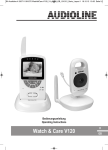
Babyfon mit Kamera
Écoute−bébé vidéo
Baby controllo con telecamera
Baby monitor with camera
BCF 817
Bedienungsanleitung
Mode d’emploi
Istruzioni per l’uso
Operating Instructions
Bedienungsanleitung . . . . . . . . . . . . . . . . . . . 3
Mode d’emploi . . . . . . . . . . . . . . . . . . . . . . . 21
Istruzioni per l’uso . . . . . . . . . . . . . . . . . . . . . 39
Operating Instructions . . . . . . . . . . . . . . . . . . 57
1
1
2
3
4
5
6
7
8
9
Inhaltsverzeichnis
Sicherheitshinweise . . . . . . . . . . . . . . . . . . . . . . . . . . .
4
Bedienelemente und Anzeigen . . . . . . . . . . . . . . . . . . . .
5
Menüstruktur . . . . . . . . . . . . . . . . . . . . . . . . . . . . . . . .
8
Geräte in Betrieb nehmen . . . . . . . . . . . . . . . . . . . . . . .
10
Kamera bedienen . . . . . . . . . . . . . . . . . . . . . . . . . . . . .
13
Monitor bedienen . . . . . . . . . . . . . . . . . . . . . . . . . . . . .
14
Falls es Probleme gibt . . . . . . . . . . . . . . . . . . . . . . . . . .
17
Technische Eigenschaften . . . . . . . . . . . . . . . . . . . . . . .
18
Pflegehinweise / Garantie . . . . . . . . . . . . . . . . . . . . . . .
19
3
Sicherheitshinweise
1 Sicherheitshinweise
Lesen Sie diese Bedienungsanleitung sorgfältig durch. Verwahren Sie die Bedienungsanleitung immer bei dem Gerät und geben Sie sie an jeden Benutzer oder nachfolgenden Besitzer weiter.
Bestimmungsgemäße Verwendung
Das Babyfon dient zur Raumüberwachung. Die Kamera übermittelt von ihrem Standort aus Stimmlaute und Bilder an den Monitor. Der Monitor darf dabei nur in Innenenräumen aufgestellt werden. Jede
andere Verwendung gilt als nicht bestimmungsgemäß.
Die Verwendung der Geräte ersetzt nicht die persönliche Beaufsichtigung, z. B. eines Kindes.
Der Anwender wird nicht aus seiner persönlichen Haftung entlassen.
Die Geräte sind nicht für den medizinischen Einsatz geeignet. Warn− oder Signaltöne von Atmungs− oder Herztonüberwachungsgeräten können nicht übertragen werden.
Eigenmächtige Veränderungen oder Umbauten sind nicht zulässig. Öffnen Sie die Geräte in
keinem Fall selbst und führen Sie keine eigenen Reparaturversuche durch. Schadensersatzansprüche, die über die gesetzlichen Bestimmungen hinausgehen, sind ausgeschlossen.
Medizinische Geräte
Achtung: Benutzen Sie die Geräte nicht in der Nähe von medizinischen Geräten. Eine Beeinflussung kann nicht völlig ausgeschlossen werden.
Aufstellungsort
Legen Sie die Kamera niemals in das Bett oder in den Laufstall eines Babys/Kindes.
Stellen Sie sicher, dass sich die Netzkabel und die Geräte immer außerhalb der Reichweite von
Babys/Kindern befinden, d. h. mindestens einen Meter entfernt.
Babys/Kinder dürfen nicht mit den Netzkabeln und Geräten spielen. Erstickungsgefahr!
Achten Sie darauf, die Netzkabel so zu verlegen, dass niemand darüber stolpert und die Geräte
zu Boden reißt.
Sorgen Sie während des Betriebs für ausreichende Belüftung aller Komponenten. Legen Sie
keine Kissen, Handtücher oder Ähnliches auf die Geräte.
Der Aufstellungsort hat entscheidenden Einfluss auf den einwandfreien Betrieb. Halten Sie einen
Abstand von mindestens einem Meter zu elektronischen Geräten, wie z. B. Mikrowellen oder
HIFI−Geräten ein, da es sonst zu gegenseitiger Beeinflussung/Störung kommen kann.
Vermeiden Sie Belastungen durch Rauch, Staub, Erschütterungen, Chemikalien, Feuchtigkeit,
Hitze oder direkte Sonneneinstrahlung.
Verwenden Sie die Geräte nicht in explosionsgefährdeten Bereichen.
Netzteil
Achtung: Verwenden Sie nur die mitgelieferten Netzteile, da andere Netzteile das Babyfon
beschädigen können. Sie dürfen den Zugang zum Netzteil nicht durch Möbel oder andere Gegenstände versperren.
Achtung: Achten Sie beim Betrieb mit einem Netzteil auf den einwandfreien Zustand der
Netzkabel und Stecker. Abgeknickte oder durchgescheuerte Netzkabel sind lebensgefährlich!
Aufladbarer Akku
Achtung: Werfen Sie den Akku nicht ins Feuer.
Achten Sie auf die richtige Polung!
Stromausfall
Bei Stromausfall ist die Kamera funktionsunfähig. Nur der Monitor funktioniert, insofern zuvor der Akku
über das Netzteil ausreichend geladen wurde.
4
Bedienelemente und Anzeigen
Entsorgung
Wollen Sie Ihr Gerät entsorgen, bringen Sie es zur Sammelstelle Ihres kommunalen Entsorgungsträgers (z. B. Wertstoffhof). Nach dem Elektro− und Elektronikgerätegesetz sind Besitzer von Altgeräten gesetzlich verpflichtet, alte Elektro− und Elektronikgeräte einer getrennten Abfallerfassung zuzuführen. Das nebenstehende Symbol bedeutet, dass Sie das Gerät
auf keinen Fall in den Hausmüll werfen dürfen!
Gefährdung von Gesundheit und Umwelt durch Akkus und Batterien!
Akkus und Batterien nie öffnen, beschädigen, verschlucken oder in die Umwelt gelangen lassen. Sie können giftige und umweltschädliche Schwermetalle enthalten. Sie
sind gesetzlich verpflichtet, Akkus und Batterien beim batterievertreibenden Handel
sowie bei zuständigen Sammelstellen, die entsprechende Behälter bereitstellen, sicher zu entsorgen. Die Entsorgung ist unentgeltlich. Die Symbole bedeuten, dass Sie
Akkus und Batterien auf keinen Fall in den Hausmüll werfen dürfen und sie über Sammelstellen der Entsorgung zugeführt werden müssen.
Verpackungsmaterialien entsorgen Sie entsprechend den lokalen Vorschriften.
2 Bedienelemente und Anzeigen
Kamera
1
2
3
4
5
6
An−/Aus−LED
Ein−/Aus−Taste
Lautsprecher (unterhalb des Geräts)
Antenne
Infrarot−LED (6 Stück)
Kameralinse
7
8
9
10
11
12
13
Mikrofon
Nachtlicht
Licht−Sensor
Nachtlicht−/Lautstärke−erhöhen−Taste
Anmelden−/Lautstärke−verringern−Taste
Netzteilanschluss
Temperatur−Sensor
5
Bedienelemente und Anzeigen
Monitor
1
2
3
4
5
6
7
8
9
6
Antenne
An−/Aus−LED
Menü−/OK−Taste
Aufwärts−Taste
Rechts−Taste
Abwärts−Taste
Links−Taste
Display
Mikrofon
10
11
12
13
14
15
16
17
18
19
Ein−/Aus−Schiebeschalter
Netzteilanschluss
Öse zum Befestigen eines Gurts
Drehbare Aufstellerverriegelung
Aufsteller
Akkufachabdeckung
Lautsprecher
Monitoring−/Sprech−Taste
Fütterungsalarm−/Zoom−/Anmelden−Taste
Kanalwahl−Taste
Bedienelemente und Anzeigen
Symbolleiste des Displays
Symbole der Symbolleiste von links nach rechts:
Symbol
Reichweiten−Symbol
Fläschchen−Symbol
Lupen−Symbol
Temperatur−Symbol
Lautsprecher−Symbol
Bedeutung
Zeigt an, wie die Verbindung zur Kamera ist:
Reichweiten−Symbol mit 3 grünen Balken: Verbindung ist sehr gut.
Reichweiten−Symbol ohne Balken: Verbindung ist nicht vorhanden. Im Display
blinkt zusätzlich der Hinweis, dass keine Verbindung zur Kamera vorhanden ist.
Zeigt an, ob der Babyfütterungsalarm aktiv ist oder nicht.
Es wurde in das empfangene Bild hineingezoomt.
Zeigt die aktuelle Temperatur an der Kamera.
Zeigt die Lautstärkestufe am Monitor an:
Symbol durchgestrichener Lautsprecher: Lautstärke aus.
Während des Veränderns der Lautstärke wird angezeigt, welche Lautstärkestufe
einstellt wurde (AUS plus 5 Lautstärkestufen). Mit Ausnahme ausgeschalteter
Lautstärke erlischt das Symbol, kurz nachdem die Einstellung vorgenommen
wurde.
Kamera−Symbol
Zeigt an, welche Kamera gerade mit dem Monitor verbunden ist bzw. welcher
Kanal gerade am Monitor eingestellt ist.
Akku−Symbol
Zeigt die Akkukapazität an:
Akku−Symbol zum Teil grün gefüllt: Der Akku ist nicht mehr voll geladen. Die
grünen Segmente zeigen grob den Akkuladezustand an (insgesamt 7 grüne Segmente).
Akku−Symbol mit 7 durchlaufenden grünen Segmenten: Der Akku wird geladen.
Akku−Symbol komplett grün gefüllt: Der Akku ist vollständig geladen.
Zeigt an, dass gerade an der Kamera ein Schlaflied abgespielt wird. Die Nummer
hinter dem Noten−Symbol gibt Auskunft, welches Schlaflied abgespielt wird.
Noten−Symbol
7
Menüstruktur
3 Menüstruktur
2
Zum Navigieren öffnen Sie mit der Menü−/OK−Taste das Hauptmenü (1. Ebene), wählen mit der
Rechts− und Links−Taste einen Menüpunkt aus und bestätigen ihn mit der Menü−/OK−Taste. Dieses
Prinzip gilt auch für die anderen Menüebenen.
Zum Verlassen des Menüs haben Sie mehrere Möglichkeiten:
Drücken Sie die Monitoring−/Sprech−Taste, um das Menü auf schnellem Weg zu verlassen.
Warten Sie ein paar Sekunden und das Menü schließt von alleine.
Wählen mit der Rechts− und Links−Taste EXIT" aus und bestätigen Sie mit Ja".
ALARMTON
Akku−Signal
SIGNAL − KEINE VERB.
Ein
Aus
Ein
Aus
DISPLAY
Helligkeit
Dauer − Hintergrundbe.
Stufe 1 bis Stufe 5
Immer ein
10 Sek.
1 Min.
3 Min.
SCHLAFLIED
SCHLAFLIED 1 bis SCHLAFLIED 8
Einmal wiedergeben
Wiederholt wiedergeben
Stopp
EMPFINDLICHKEIT
Niedrig
Mittel
Hoch
Aus
TEMPERATUR
Format
Mindesttemperatur
Höchsttemperatur
Signalton
1
2
8
Celsius
Fahrenheit
von 0 °C bis 17 °C (in 1 °C−Schritten)1
von 18 °C bis 35 °C (in 1 °C−Schritten)2
Ein
Aus
in Grad Fahrenheit: von 32° F bis 63° F (in 1° F Schritten),
in Grad Fahrenheit: von 64° F bis 95° F (in 1° F Schritten)
Menüstruktur
SPRACHE
English
Français
Deutsch
Nederlands
Español
Português
Italiano
ÅëëçíéêÜ
Ðóññêèé
Magyar
EXIT
Ja
Nein
9
Geräte in Betrieb nehmen
4 Geräte in Betrieb nehmen
3
Sicherheitshinweise
Achtung: Lesen Sie vor der Inbetriebnahme unbedingt die Sicherheitshinweise in Kapitel 1.
Die übertragenen Daten (Bild und/oder Töne) sind im Empfangsbereich öffentlich
zu empfangen!
Verpackungsinhalt prüfen 4
Zum Lieferumfang gehören:
1 Kamera
2 Netzteile
1 Monitor
1 Klettband (zur Kameramontage)
1 Lithium−Ionen−Akku für den Monitor
1 Bedienungsanleitung
Monitor in Betrieb nehmen
Achtung: Stellen Sie den Monitor mit einem Mindestabstand von 1 m zu anderen elektronischen Geräten auf, da es sonst zu gegenseitigen Störungen kommen kann.
Akku einlegen
1. Öffnen Sie das Akkufach auf der Rückseite des
Monitors: Schieben Sie die Akkufachabdeckung
entgegen der Pfeilrichtung ab.
2. Setzen Sie den Akku polungsrichtig ein. Wichtig:
Die metallischen Kontakte von Akku und Monitor
müssen sich berühren.
3. Schieben Sie die Akkufachabdeckung in
Pfeilrichtung auf, bis sie einrastet.
Monitor anschließen
Schließen Sie den Monitor wie auf der
Skizze abgebildet an. Verwenden Sie aus
Sicherheitsgründen nur das mitgelieferte
Netzteil.
Netzsteckdose
Achtung: Verwenden Sie für
den Monitor nur eines der mitgelieferten Netzteile mit den Ausgangsdaten: 6 V, 800 mA.
Zum Einschalten des Monitors schieben Sie
den Ein−/Aus−Schiebeschalter in die Position ON.
Sobald das Netzteil angeschlossen ist, wird der Akku geladen.
In der Symbolleiste des eingeschalteten Monitors wird der Akkuladezustand angezeigt.
Die grünen Segmente des Akku−Symbols in der Symbolleiste des Displays laufen durch. Ist der Akku
vollständig geladen, ist das Akku−Symbol komplett grün gefüllt.
Lassen Sie den Akku bei der Erstinbetriebnahme für mindestens 4 Stunden ohne Unterbrechung laden. Das verlängert die Lebenszeit des Akkus!
10
Geräte in Betrieb nehmen
Aufsteller
1. Fassen Sie den Aufsteller an der Rückseite des Monitors unten an und ziehen Sie ihn vom Gerät
weg.
2. Drehen Sie die Aufstellerverriegelung z. B. mit einem Schraubendreher nach links, um sie in
dieser Position zu fixieren.
Sie können auch an der Öse im Aufsteller ein Band bzw. einen Gurt befestigen (nicht im Lieferumfang
enthalten).
Kamera in Betrieb nehmen
Kamera anschließen
Schließen Sie die Kamera wie in der nebenstehenden Skizze abgebildet an.
Netzsteckdose
Achtung: Verwenden Sie für die
Kamera nur eines der mitgelieferten Netzteile mit den Ausgangsdaten: 6 V, 800 mA.
Zum Einschalten der Kamera drücken Sie
die Ein−/Aus−Taste, so dass die An−/Aus−
LED grün leuchtet.
Kamera platzieren
Sie können die Kamera hinstellen oder an einer Wand oder einer Strebe montieren.
Achtung: Die Kamera darf nicht näher als 1 m zum Baby stehen bzw. angebracht werden!
Achtung: Stellen Sie die Kamera mit einem Mindestabstand von 1 m zu anderen elektronischen Geräten auf, da es sonst zu gegenseitigen Störungen kommen kann.
Kamera und Monitor müssen einen Mindestabstand von 1 m zueinander haben!
Ist der Abstand geringer, ertönt ein Warnsignal.
Wandmontage: Schrauben Sie eine geeignete Schraube
(nicht im Lieferumfang enthalten) so in die Wand, dass zwischen Schraubenkopf und Wand ca. 8−9 mm Platz sind und
hängen Sie die Kamera gemäß nebenstehender Abbildung
daran auf.
Montage an einer Strebe: Fädeln Sie das Klettband gemäß
nebenstehender Abbildung in die Ösen auf der Unterseite
der Kamera und wickeln Sie das Klettband fest um eine
Strebe.
Kamera ausrichten
Die Kamera ist in einem gewissen Bereich nach oben und unten sowie nach
rechts und links schwenkbar. Schwenken Sie die Kamera, nachdem Sie die
Kamera korrekt platziert und den Monitor in Betrieb genommen haben, so,
bis Ihr gewünschter Ausschnitt im Display des Monitors sichtbar wird.
11
Geräte in Betrieb nehmen
Kamera mit Monitor verbinden (Anmeldevorgang) 5
Monitor und Kamera sind werkseitig bereits miteinander verbunden.
Es können insgesamt bis zu 4 Kameras am Monitor angemeldet werden.
Weitere Kameras melden Sie folgendermaßen am Monitor an:
1. Schalten Sie den Monitor ein.
2. Schalten Sie die (neue) Kamera aus.
3. Halten Sie am Monitor die Fütterungsalarm−/Zoom−/Anmelden−Taste gedrückt und schalten Sie
den Monitor mit dem Ein−/Aus−Schiebeschalter aus und wieder ein. Halten Sie die
Fütterungsalarm−/Zoom−/Anmelden−Taste weiterhin so lange gedrückt, bis im Display der
Anmelden−Bildschirm erscheint (weißer Text auf schwarzem Hintergrund).
4. Wählen Sie im Anmelden−Bildschirm des Monitors durch Drücken der Aufwärts− oder
Abwärts−Taste aus, auf welchem Kanal (CH) die neue Kamera liegen soll.
5. Wählen Sie im Anmelden−Bildschirm des Monitors durch Drücken der Rechts− oder Links−Taste
Pair" (für Pairing" = Anmelden) aus.
6. Versetzen Sie die neue Kamera in den Anmelden−Modus: Drücken Sie an der neuen Kamera
gleichzeitig für 2 Sekunden die Ein−/Aus−Taste und die Lautstärke−verringern−/Anmelden−Taste.
Ist die neue Kamera im Anmelden−Modus, blinkt die An−/Aus−LED an der Kamera.
7. Drücken Sie die Menü−/OK−Taste am Monitor, um den Anmeldevorgang durchzuführen. War der
Anmeldevorgang erfolgreich, zeigt das Display eine entsprechende Meldung.
8. Schließen Sie den Anmeldevorgang durch Drücken der Menü−/OK−Taste ab. Der
Anmelden−Bildschirm zeigt den aktuellen Status an.
9. Wählen Sie im Anmelden−Bildschirm des Monitors durch Drücken der Aufwärts− oder
Abwärts−Taste EXIT" aus und drücken Sie die Menü−/OK−Taste, um den Anmelden−Bildschirm zu
verlassen.
Nach der erfolgreichen Verbindung wird im Display das von der Kamera erfasste Bild angezeigt.
Kamera vom Monitor abmelden (Abmeldevorgang)
1. Schalten Sie den Monitor ein.
2. Halten Sie am Monitor die Fütterungsalarm−/Zoom−/Anmelden−Taste gedrückt und schalten Sie
den Monitor mit dem Ein−/Aus−Schiebeschalter aus und wieder ein. Halten Sie die
Fütterungsalarm−/Zoom−/Anmelden−Taste weiterhin so lange gedrückt, bis im Display der
Anmelden−Bildschirm erscheint (weißer Text auf schwarzem Hintergrund).
3. Wählen Sie im Anmelden−Bildschirm des Monitors durch Drücken der Aufwärts− oder
Abwärts−Taste aus, welche Kamera bzw. welchen Kanal (CH) Sie löschen möchten.
4. Wählen Sie im Anmelden−Bildschirm des Monitors durch Drücken der Rechts− oder Links−Taste
Del" (für Delete" = Löschen) aus.
5. Drücken Sie die Menü−/OK−Taste am Monitor.
6. Schließen Sie den Abmeldevorgang durch Drücken der Menü−/OK−Taste ab. Der
Anmelden−Bildschirm zeigt den aktuellen Status an.
7. Wählen Sie im Anmelden−Bildschirm des Monitors durch Drücken der Aufwärts− oder
Abwärts−Taste EXIT" aus und drücken Sie die Menü−/OK−Taste, um den Anmelden−Bildschirm zu
verlassen.
Kamera auswählen 6
Wenn Sie mehrere Kameras am Monitor angemeldet haben, drücken Sie am Monitor die Kanalwahl−
Taste, um zwischen den verschiedenen Kameras zu wechseln.
12
Kamera bedienen
5 Kamera bedienen
Überprüfen Sie vor jedem Einsatz die einwandfreie Funktion von Kamera und Monitor.
Kamera einschalten
1. Drücken Sie an der Kamera die Ein−/Aus−Taste.
Die An−/Aus−LED leuchtet grün. Die Kamera ist jetzt betriebsbereit.
2. Richten Sie die Kamera gegebenenfalls noch mal aus.
Kamera ausschalten
Drücken und halten Sie an der Kamera die Ein−/Aus−Taste, bis die An−/Aus−LED erlischt.
Nachtsicht
Die Kamera ist mit 6 Infrarot−LEDs ausgestattet. Dadurch ist die Bildübertragung aus unbeleuchteten
Bereichen möglich. Die Nachtsichtfunktion wird automatisch aktiviert, wenn die Lichtverhältnisse es
erfordern.
Bei aktivierter Nachtsichtfunktion ist die Bildschirmdarstellung am Monitor schwarz−weiß.
Nachtlicht
Die Kamera hat ein Nachtlicht, das ein weiches, gleichmäßiges Licht ausstrahlt, welches Ihrem Baby
Sicherheit vermitteln soll.
Drücken und halten Sie die Nachtlicht−/Lautstärke−erhöhen−Taste, bis das Nachtlicht angeht.
Drücken und halten Sie die Nachtlicht−/Lautstärke−erhöhen−Taste, bis das Nachtlicht erlischt.
Sprachlautstärke an der Kamera einstellen
Sie können vom Monitor zur Kamera sprechen, z. B. um ein Baby zu beruhigen oder mit einer Person
im Raum Kontakt aufzunehmen, siehe Seite 14 (Sprech−Funktion).
Mit den Lautstärke−Tasten an der Kamera regeln Sie die Lautstärke der Sprachausgabe an der Kamera.
Drücken Sie die Nachtlicht−/Lautstärke−erhöhen−Taste, um die Lautstärke zu erhöhen.
Drücken Sie die Anmelden−/Lautstärke−verringern−Taste, um die Lautstärke zu verringern.
Kann die Lautstärke nicht mehr erhöht oder verringert werden, ertönt bei Drücken der jeweiligen Lautstärke−Taste ein Signalton.
13
Monitor bedienen
6 Monitor bedienen
Überprüfen Sie vor jedem Einsatz die einwandfreie Funktion von Kamera und Monitor.
Monitor einschalten
Schieben Sie den Ein−/Aus−Schiebeschalter in die Position ON.
Die An−/Aus−LED leuchtet grün. Im Display wird die Symbolleiste angezeigt. Der Monitor befindet sich
jetzt im Monitoring−Modus und ist betriebsbereit.
Monitor ausschalten
Schieben Sie den Ein−/Aus−Schiebeschalter in die Position OFF.
Die An−/Aus−LED erlischt. Das Display geht aus.
Lautstärke am Monitor einstellen
Mit den Aufwärts−/Abwärts−Tasten verändern Sie die Lautstärke, mit der Sie Geräusche aus dem
Raum hören, in dem die Kamera steht. Es stehen 5 Lautstärkestufen zur Verfügung. Außerdem können Sie die Lautstärke ausschalten.
Drücken Sie die Aufwärts−Taste, um die Lautstärke zu erhöhen.
Drücken Sie die Abwärts−Taste, um die Lautstärke zu verringern bzw. auszuschalten.
In der Symbolleiste wird Ihnen während des Veränderns der Lautstärke angezeigt, welche Lautstärkestufe Sie ausgewählt haben. Wenn Sie die Lautstärke ausgeschaltet haben, wird in der Symbolleiste
dauerhaft ein entsprechendes Symbol angezeigt (durchgestrichener Lautsprecher).
Sprech−Funktion 7
Sie können vom Monitor zur Kamera sprechen, z. B. um ein Baby zu beruhigen oder mit einer Person
im überwachten Raum Kontakt aufzunehmen.
1. Drücken und halten Sie am Monitor die Monitoring−/Sprech−Taste.
2. Sprechen Sie in das Mikrofon des Monitors.
3. Lassen Sie die Monitoring−/Sprech−Taste los, um wieder die Geräusche im überwachten Raum zu
hören.
Bildausschnitt vergrößern (Zoom)
Um Details besser zu sehen, können Sie einen Teil des Bilds vom Display vergrößern (Zoom). Es
steht eine Vergrößerungsstufe zur Verfügung.
1. Zum Hineinzoomen drücken und halten Sie am Monitor die
Fütterungsalarm−/Zoom−/Anmelden−Taste.
2. Drücken Sie die Aufwärts−/Abwärts−/Links− und Rechts−Tasten, um den vergrößerten
Bildausschnitt zu verschieben und den Bereich auszuwählen, den Sie detaillierter sehen wollen.
3. Zum Herauszoomen drücken und halten Sie am Monitor die
Fütterungsalarm−/Zoom−/Anmelden−Taste.
Wurde in das Bild hineingezoomt, wird in der Symbolleiste das Lupen−Symbol angezeigt.
Babyfütterungsalarm 8
Lassen Sie sich daran erinnern, Ihr Baby in festen Intervallen zu füttern.
Babyfütterungsalarm aktivieren
Drücken Sie zum Aktivieren des Babyfütterungsalarms gegebenenfalls mehrfach am Monitor die Fütterungsalarm−/Zoom−/Anmelden−Taste, bis in der Symbolleiste hinter dem Fläschchen−Symbol das
Zeitintervall Ihrer Wahl angezeigt wird.
Die Zeitintervalle lassen sich mit jedem Tastendruck um jeweils 30 Minuten erhöhen und können auf
maximal 4:00 Stunden eingestellt werden.
Ist die eingestellte Zeit erreicht, ertönt für maximal 1 Minute ein dauerhaft tutendes Alarmsignal und im
Display blinkt der Hinweis Fütterungszeit".
14
Monitor bedienen
Alarmsignal beenden
Drücken Sie eine beliebige Taste am Monitor, um das Alarmsignal zu beenden.
Wenn Sie das Alarmsignal nicht beenden, endet es automatisch nach 1 Minute. Nach 3 Minuten beginnt das 1−minütige Alarmsignal erneut. Wird das Alarmsignal nicht manuell beendet, gibt das Gerät
insgesamt 5 Alarmintervalle aus. In der Symbolleiste wird vor dem Fläschchen−Symbol die Anzahl der
bereits beendeten Alarmintervalle angezeigt.
Babyfütterungsalarm deaktivieren
Drücken Sie zum Deaktivieren die Fütterungsalarm−/Zoom−/Anmelden−Taste am Monitor so lange, bis
in der Symbolleiste hinter dem Fläschchen−Symbol OFF" angezeigt wird.
Temperatur−Alarm 9
Legen Sie über das Menü Mindest− und Höchsttemperaturen für die Raumtemperatur fest, siehe Menüstruktur Seite 8. Werden diese Temperaturen unter− oder überschritten, blinkt im Display eine entsprechende Warnung.
Über das Menü kann auch ein Signalton aktiviert werden, der akustisch darauf aufmerksam macht.
Schlaflieder abspielen
Ihr Baby kann mit sanften Schlafliedern einschlafen. Das Babyfon stellt 8 verschiedene Melodien zur
Verfügung, die an der Kamera abgespielt werden. Sie können festlegen, ob das ausgewählte
Schlaflied nur einmal abgespielt oder ob es dauerhaft wiederholt werden soll.
Das Ein− und Ausschalten von Schlafliedern erfolgt über das Menü, siehe Menüstruktur Seite 8.
Wird ein Schlaflied abgespielt, wird in der Symbolleiste ein Noten−Symbol mit der Nummer des
betreffenden Schlaflieds angezeigt.
Persönliche Einstellungen am Monitor vornehmen
Über das Menü können Sie verschiedene individuelle Einstellungen vornehmen:
Akku−Alarmton 10
Sie können einen Alarmton aktivieren, der ertönt, wenn die Akkukapazität erschöpft ist, siehe Menüstruktur Seite 8.
Reichweiten−Alarmton 11
Sie können einen Alarmton aktivieren, der ertönt, wenn Kamera und Monitor nicht mehr in Reichweite
zueinander sind, siehe Menüstruktur Seite 8.
Displayhelligkeit
Sie können die Helligkeit des Displays in 5 Stufen einstellen, siehe Menüstruktur Seite 8.
Dauer Displayanzeige 12
Sie können über den Menüpunkt Dauer − Hintergrundbe." festlegen, wie lange das Display des Monitors an bleiben soll, siehe Menüstruktur Seite 8. Sie können aus Gründen einer längeren Akkulaufzeit 3 verschiedene Zeitintervalle einstellen, nach denen das Display automatisch erlischt (schwarzes
Display).
Ist das Display infolge dieser Einstellungen erloschen, drücken Sie die Monitoring−/Sprech−
Taste, um wieder das Bild von der Kamera zu bekommen.
Das Gerät besitzt eine geräuschaktive Übertragung (VOX), die auch bei ausgeschaltetem
Display aktiv ist. Sobald das Gerät Geräusche einer bestimmten Intensität wahrnimmt, wird
das Display automatisch wieder eingeschaltet.
15
Monitor bedienen
Empfindlichkeit Umgebungsgeräusche, Geräuscherkennung (VOX) und
Strahlungsreduzierung (ECO−Modus)
Das Babyfon vereint zwei modere Technologien: die Geräuscherkennung (VOX) und die Strahlungsreduzierung (ECO−Modus).
Durch die Geräuscherkennung (VOX1) beginnt das System automatisch mit der Übertragung von der
Kamera zum Monitor, wenn eine Stimme oder ein Geräusch erkannt wird. Wenn eine gewisse Zeit
keine Stimme oder kein Geräusch mehr erkannt wurde, wird die Übertragung automatisch beendet.
Bei der Übertragung tritt eine kurze Verzögerung auf, bevor der Monitor die Geräusche und
das Bild von der Kamera wiedergibt.
Der ECO−Modus ist eine spezielle Sendetechnik. Im ECO−Modus sendet das Babyfon mit erheblich
reduzierter Sendeleistung bzw. Strahlung bei gleichzeitiger Erhöhung der Empfangsempfindlichkeit.
Im ECO−Modus ist die Geräuscherkennung (VOX) aktiv. Werden Geräusche erkannt, wird der
ECO−Modus automatisch beendet. Das Display überträgt dann wieder das Bild von der Kamera.
Damit das Gerät im ECO−Modus arbeiten kann, müssen Sie über den Menüpunkt
EMPFINDLICHKEIT" festlegen, ob die Kamera mit einer niedrigen, mittleren oder hohen
Empfindlichkeit arbeiten soll, siehe Menüstruktur Seite 8. Nur bei einer dieser drei Einstellungen
wechselt das Babyfon nach einer kurzen Zeit ohne Geräusche in den ECO−Modus. Das Display zeigt
dann den Hinweis ECO−Modus aktiviert". Das Display schaltet automatisch zum Bild der Kamera,
wenn Geräusche die festgelegte Empfindlichkeit erreichen oder überschreiten.
Eine niedrige Empfindlichkeit bedeutet, dass die Kamera schon auf leise Geräusche reagiert. Eine
hohe Empfindlichkeit bedeutet, dass die Kamera erst auf lautere Geräusche reagiert. Wählen Sie die
richtige Einstellung auch aufgrund der Umgebungsgeräusche. Viele Umgebungsgeräusche machen
vermutlich eine hohe Empfindlichkeit erforderlich.
Zeigt das Display infolge dieser Einstellungen den Hinweis ECO−Modus aktiviert", drücken
Sie die Monitoring−/Sprech−Taste, um wieder das Bild von der Kamera zu bekommen.
Bei der Einstellung OFF" ist die Geräuscherkennung (VOX) deaktiviert. Das Gerät kann nicht in den
ECO−Modus wechseln.
Temperaturanzeige
Die Kamera ermittelt über einen Temperatur−Sensor die Temperatur in seinem Umfeld und zeigt diese
in der Symbolleiste des Displays an. Sie können über das Menü festlegen, ob Temperaturanzeigen
und −angaben in Grad Celsius oder Grad Fahrenheit angegeben werden sollen, siehe Menüstruktur
Seite 8.
Zusätzlich können visuelle und/oder akustische Warnungen für das Unter− bzw. Überschreiten von
Mindest− und Höchsttemperaturen aktiviert werden, siehe Seite 15 (Temperatur−Alarm).
Sprache
Es stehen für die Menüführung 10 verschiedene Sprachen zur Verfügung, siehe Menüstruktur
Seite 8.
1 VOX: Voice Operated Transmission = Geräuscherkennung
16
Falls es Probleme gibt
7 Falls es Probleme gibt
Service−Hotline
Haben Sie Probleme mit Ihrem Überwachungsgerät, kontrollieren Sie zuerst die folgenden Hinweise.
Bei technischen Problemen können Sie sich an unsere Service−Hotline unter Tel. 0900 00 1675 innerhalb der Schweiz (Kosten Swisscom bei Drucklegung: CHF 2.60/min) wenden. Bei Garantieansprüchen wenden Sie sich an Ihren Fachhändler. Die Garantiezeit beträgt 2 Jahre.
Probleme und mögliche Ursachen
Problem
Mögliche Ursachen
Keine Funktion
− Kamera und/oder Monitor sind nicht eingeschaltet.
− Netzteile sind nicht korrekt eingesteckt.
− Der Akku ist leer oder defekt.
Bei anhaltenden Problemen entfernen Sie alle Netzteile und den
Akku und warten Sie mindestens 10 Minuten, bevor Sie die Geräte
wieder in Betrieb nehmen, siehe Seite 10.
Kein Empfang mit Hinweis
Keine Verbindung"
− Kamera ist nicht eingeschaltet.
− Falsche Kamera ausgewählt, siehe Seite 12
− Kamera und Monitor sind nicht angemeldet, siehe Seite 12.
Empfangsstörungen
− Andere elektronische Geräte stören das Übertragungsfeld.
− Der Abstand zwischen Monitor und Kamera ist zu groß.
− Der Mindestabstand zwischen Monitor und Kamera ist unterschritten.
− Die Akkuleistung ist zu gering.
− siehe Kapitel Dauer Displayanzeige" auf Seite 15
Display ist schwarz
Pfeifton (Rückkopplung)
− Vergrößern Sie die Entfernung zwischen Monitor und Kamera.
− Verringern Sie die Lautstärke am Monitor.
Rauschen
− Die Akkuleistung ist zu gering.
Bildübertragung, aber keine
Tonübertragung
− Die Lautstärke ist ausgeschaltet oder zu gering eingestellt.
Bild wird schwarz−weiß dargestellt
− Die Nachtsicht−Funktion ist aktiv.
Der Monitor tutet
−
−
−
−
Der Akku im Monitor wird
nicht geladen
− Netzteil ist nicht korrekt eingesteckt.
Akku−Alarmton, siehe Seite 15
Reichweiten−Alarmton, siehe Seite 15
Alarmsignal des Babyfütterungsalarms, siehe Seite 14
Der Mindestabstand zwischen Monitor und Kamera ist unterschritten.
17
Technische Eigenschaften
8 Technische Eigenschaften
Technische Daten
Merkmal
Wert
Kamera
BxHxT:
7,0 x 12,8 x 7,2 cm
Gewicht:
120 g
Schalter:
I/O
Buchse:
6 V DC
Sensoren: Licht−Sensor, Temperatur−Sensor
Nachtlicht: blau
IR−LEDs: 6
Schlaflieder: 8
Monitor
BxHxT:
Gewicht:
Bildschirm:
Schalter:
Buchse:
Anzeigen:
Stromversorgung Kamera
Netzteil DC 6 V / 800 mA
Stromversorgung Monitor
Netzteil DC 6 V / 800 mA
Reichweite Monitor
Bis zu 300 Metern unter optimalen Bedingungen.
In Gebäuden wird die Reichweite durch Wände, Türen
usw. verringert.
Frequenzbereich
2.4 GHz
Zulässige Umgebungstemperatur
0° C bis 40° C
Zulässige relative Luftfeuchtigkeit
20 % bis 75 %
9,7 x 10,4 x 3,8 cm
137 g
2.4"−Display, Auflösung 240x320
I/O
6 V DC
Reichweite, Babyfütterungsalarm,
Monitoring−Zoom, Temperatur,
Lautstärke, Kanal/Kamera, Akkukapazität
Alarme:
Reichweite, Babyfütterung,
Temperatur, niedrige Akkukapazität
Erweiterbar auf insgesamt 4 Kanäle/Kameras.
Lithium−Ionen−Akku
Die Kamera ist mit einem energieeffizienten Netzteil (Input 230 VAC, Output 6 VDC, 800 mA)
ausgestattet. Die Nulllast beträgt ca. 0,08 W. Die durchschnittliche Effizienz beträgt ca. 72 %.
Die Leistungsaufnahme im Betrieb beträgt maximal ca. 3,1 W.
Der Monitor ist mit einem energieeffizienten Netzteil (Input 230 VAC, Output 6 VDC, 800 mA)
ausgestattet. Die Nulllast beträgt ca. 0,08 W. Die durchschnittliche Effizienz beträgt ca. 72 %.
Die Leistungsaufnahme im Betrieb beträgt maximal ca. 4,9 W.
Im Zuge von Projektverbesserungen behalten wir uns technische und optische Veränderungen am Artikel vor.
18
Pflegehinweise / Garantie
Konformitätserklärung
Dieses Gerät erfüllt die Anforderungen der EU−Richtlinie:
1999/5/EG Richtlinie über Funkanlagen und Telekommunikationsendeinrichtungen
und die gegenseitige Anerkennung ihrer Konformität. Die Konformität mit der o. a.
Richtlinie wird durch das CE−Zeichen auf dem Gerät bestätigt.
Für die komplette Konformitätserklärung nutzen Sie bitte den kostenlosen Download
von unserer Website www.switel.com.
9 Pflegehinweise / Garantie
Pflegehinweise
Reinigen Sie die Gehäuseoberflächen mit einem weichen und fusselfreien Tuch.
Verwenden Sie keine Reinigungsmittel oder Lösungsmittel.
Garantie
SWITEL − Geräte werden nach den modernsten Produktionsverfahren hergestellt und geprüft. Ausgesuchte Materialien und hoch entwickelte Technologien sorgen für einwandfreie Funktion und lange Lebensdauer. Die Garantie gilt nicht für die in den Produkten verwendeten Batterien, Akkus oder Akkupacks. Die Garantiezeit beträgt 24 Monate, gerechnet vom Tage des Kaufs.
Innerhalb der Garantiezeit werden alle Mängel, die auf Material− oder Herstellungsfehler zurückzuführen sind, kostenlos beseitigt. Der Garantieanspruch erlischt bei Eingriffen durch den Käufer oder durch
Dritte. Schäden, die durch unsachgemäße Behandlung oder Bedienung, natürliche Abnutzung, durch
falsches Aufstellen oder Aufbewahren, durch unsachgemäßen Anschluss oder Installation sowie
durch höhere Gewalt oder sonstige äußere Einflüsse entstehen, fallen nicht unter die Garantieleistung. Wir behalten uns vor, bei Reklamationen die defekten Teile auszubessern, zu ersetzen oder das
Gerät auszutauschen. Ausgetauschte Teile oder ausgetauschte Geräte gehen in unser Eigentum
über. Schadenersatzansprüche sind ausgeschlossen, soweit sie nicht auf Vorsatz oder grober Fahrlässigkeit des Herstellers beruhen.
Sollte Ihr Gerät dennoch einen Defekt innerhalb der Garantiezeit aufweisen, wenden Sie sich bitte unter Vorlage Ihrer Kaufquittung ausschließlich an das Geschäft, in dem Sie Ihr SWITEL − Gerät gekauft
haben. Alle Gewährleistungsansprüche nach diesen Bestimmungen sind ausschließlich gegenüber
Ihrem Fachhändler geltend zu machen. Nach Ablauf von zwei Jahren nach Kauf und Übergabe unserer Produkte können Gewährleistungsrechte nicht mehr geltend gemacht werden.
19
Stichwortverzeichnis
10 Stichwortverzeichnis
A
Abmeldevorgang, 12
Akku, 4
Akku einlegen, 10
Akku−Alarmton, 15
Akku−Symbol, 7
Alarmsignal beenden, 15
Anmeldevorgang, 12
Aufsteller, 11
Aufstellungsort, 4
B
Babyfütterungsalarm aktivieren, 14
Babyfütterungsalarm deaktivieren, 15
Bedienelemente, 5
Bestimmungsgemäße Verwendung, 4
Bildausschnitt vergrößern, 14
D
Dauer Displayanzeige, 15
Displayhelligkeit, 15
E
ECO−Modus, 16
Empfindlichkeit Umgebungsgeräusche, 16
Entsorgung, 5
F
Fehlerbehebung, 17
Fläschchen−Symbol, 7
G
Garantie, 19
I
Inbetriebnahme, 10
Infrarot−LEDs, 13
K
Kamera, 5
Kamera anschließen, 11
Kamera ausrichten, 11
Kamera ausschalten, 13
Kamera auswählen, 12
Kamera bedienen, 13
Kamera einschalten, 13
Kamera in Betrieb nehmen, 11
Kamera mit Monitor verbinden, 12
Kamera platzieren, 11
Kamera vom Monitor abmelden, 12
Kamera−Symbol, 7
Konformitätserklärung, 19
L
Lautsprecher−Symbol, 7
Lautstärke am Monitor einstellen, 14
Lupen−Symbol, 7
20
M
Medizinische Geräte, 4
Menüstruktur, 8
Monitor, 6
Monitor anschließen, 10
Monitor ausschalten, 14
Monitor bedienen, 14
Monitor einschalten, 14
Monitor in Betrieb nehmen, 10
N
Nachtlicht, 13
Nachtsicht, 13
Netzteil, 4
Noten−Symbol, 7
P
Pairing, 12
Persönliche Einstellungen am Monitor vornehmen, 15
Pflegehinweise, 19
Probleme, 17
Probleme und mögliche Ursachen, 17
R
Reichweiten−Alarmton, 15
Reichweiten−Symbol, 7
S
Schlaflieder abspielen, 15
Service−Hotline, 17
Sicherheitshinweise, 4
Sprache, 16
Sprachlautstärke an der Kamera einstellen, 13
Sprech−Funktion, 14
Strahlungsreduzierung, 16
Stromausfall, 4
Symbole im Display, 7
Symbolleiste des Displays, 7
T
Technische Daten, 18
Temperatur−Alarm, 15
Temperatur−Symbol, 7
Temperaturanzeige, 16
V
Verpackungsinhalt, 10
VOX, 16
Z
Zoom, 14
13
1
2
3
4
5
6
7
8
9
Table des matières
Consignes de sécurité . . . . . . . . . . . . . . . . . . . . . . . . . .
22
Éléments de manipulation et affichages . . . . . . . . . . . . . .
23
Structure du menu . . . . . . . . . . . . . . . . . . . . . . . . . . . . .
26
Mettre les appareils en service . . . . . . . . . . . . . . . . . . . .
28
Utiliser la caméra . . . . . . . . . . . . . . . . . . . . . . . . . . . . .
31
Utiliser l’écran . . . . . . . . . . . . . . . . . . . . . . . . . . . . . . . .
32
En cas de problèmes . . . . . . . . . . . . . . . . . . . . . . . . . . .
35
Caractéristiques techniques . . . . . . . . . . . . . . . . . . . . . .
36
Remarques d’entretien / Garantie . . . . . . . . . . . . . . . . . .
37
21
Consignes de sécurité
1 Consignes de sécurité
Lisez très attentivement ce mode d’emploi. Conservez toujours le mode d’emploi près de l’appareil et
remettez−le à tout autre utilisateur ou propriétaire suivant.
Utilisation conforme à son usage
L’interphone bébé sert à la surveillance de pièces. Depuis l’endroit où se trouve la caméra, elle transmet voix et images à l’écran. Ce faisant, l’écran ne doit être mis en place qu’en intérieur. Toute autre
utilisation est considérée comme non conforme à son usage.
L’utilisation des appareils ne remplace pas la surveillance personnelle, d’un enfant p. ex.
L’utilisateur n’est pas dégagé de sa responsabilité personnelle.
Ce genre d’appareil n’est pas destiné à une utilisation médicale. Des signaux d’avertissement
ou sonores d’appareils respiratoires ou de surveillance des bruits du cœur ne peuvent pas
être transmis.
Des modifications ou changements arbitraires sont interdits. N’ouvrez en aucun cas les appareils et n’effectuez aucun essai de réparation vous−même. Toutes demandes de dommages
et intérêts dépassant les dispositions légales sont exclues.
Appareils médicaux
Attention : n’utilisez pas les appareils à proximité d’appareils médicaux. Leur influence sur
ce genre d’appareils ne peut pas être entièrement exclue.
Lieu d’installation
Ne déposez jamais la caméra dans le lit ou dans le parc d’un bébé/d’un enfant.
Assurez−vous que les câbles de réseau et les appareils ne se trouvent jamais à portée du
bébé/de l’enfant, c. à. d. qu’ils se trouvent à une distance d’au moins un mètre.
Les bébés/enfants ne doivent pas jouer avec les câbles de réseau et les appareils. Danger
d’étouffement !
Veillez à ce que le cheminement des câbles de réseau soit tel que personne ne puisse s’y
prendre les pieds et faire tomber les appareils.
Pendant le fonctionnement de l’appareil, veillez à une aération suffisante de tous les composants.
Ne posez pas de coussins, de serviettes éponge ou d’autres choses semblables dessus.
Le lieu d’installation a une influence décisive sur le fonctionnement irréprochable de l’appareil.
Respectez une distance d’au moins un mètre par rapport à des appareils électroniques tels que
microondes ou appareils HIFI, les appareils pouvant s’influencer/se perturber réciproquement.
Évitez toute nuisance causée par la fumée, la poussière, les chocs, les produits chimiques,
l’humidité, la grande chaleur ou l’ensoleillement direct.
N’utilisez pas les appareils dans des pièces exposées aux explosions.
Bloc secteur
Attention : n’utilisez que les blocs secteur fournis avec l’appareil, d’autres blocs étant
susceptibles d’endommager le système de surveillance. Vous ne devez pas bloquer l’accès
de ce dernier par des meubles ou d’autres objets.
Attention : en cas de fonctionnement avec un bloc secteur, veillez à ce que les câbles et les
fiches soient en parfait état. Tout câble abîmé par pliure ou usé par frottement présente un
danger de mort !
Batterie rechargeable
Attention : ne jetez jamais la batterie rechargeable au feu.
Observez une polarité correcte !
Panne de courant
La caméra ne peut pas fonctionner en cas de panne de courant. Seul l’écran fonctionne, dans la mesure où la batterie a été suffisamment rechargée auparavant par le biais du bloc secteur.
22
Éléments de manipulation et affichages
Élimination
Si vous ne voulez plus vous servir de votre appareil, veuillez l’apporter au centre de collecte
de l’organisme d’élimination des déchets de votre commune (par ex. centre de recyclage).
D’après la loi relative aux appareils électriques et électroniques, les propriétaires d’appareils
usagés sont tenus de mettre tous leurs appareils électriques et électroniques dans un collecteur séparé. L’icône ci−contre signifie que vous ne devez en aucun cas jeter vos appareils
aux ordures ménagères !
Mise en danger de l’homme et l’environnement causée par les piles
et les piles rechargeables !
Ne jamais ouvrir, endommager, avaler les piles rechargeables et les piles et ne jamais
faire pénétrer leur contenu dans l’environnement. Elles peuvent contenir des métaux
lourds toxiques et polluants. Vous êtes tenus par la loi d’éliminer vos piles rechar−
geables et piles auprès d’un revendeur de piles ainsi qu’auprès de centres de collecte
responsables de leur élimination qui mettent des conteneurs adéquats à disposition.
L’élimination des piles est gratuite. L’icône ci−contre signifie que vous ne devez en aucun cas jeter les piles rechargeables et piles aux ordures ménagères, mais que vous
devez les éliminer auprès de centres de collecte.
Éliminez les matériaux d’emballage conformément aux réglementations locales.
2 Éléments de manipulation et affichages
Caméra
1
2
3
4
5
6
LED allumé/éteint
Bouton marche/arrêt
Haut−parleur (face inférieure de l’appareil)
Antenne
LED infrarouges (6 unités)
Lentille de la caméra
7
8
9
10
11
12
13
Microphone
Veilleuse
Capteur de luminosité
Bouton de veilleuse et d’augmentation du volume sonore
Bouton de connexion et de diminution du volume sonore
Raccordement bloc secteur
Capteur de température
23
Éléments de manipulation et affichages
Écran
1
2
3
4
5
6
7
8
9
24
Antenne
LED allumé/éteint
Bouton OK / de menu
Bouton «haut»
Bouton «droite»
Bouton «bas»
Bouton «gauche»
Écran
Microphone
10
11
12
13
14
15
16
17
18
19
Interrupteur à coulisse marche/arrêt
Raccordement bloc secteur
Œillet de fixation d’une sangle
Blocage tournant de la patte pour poser l’écran debout
Patte pour poser l’écran debout
Couvercle du compartiment de la batterie
Haut−parleur
Bouton vocal / monitorage
Bouton connexion / zoom / alerte repas
Bouton sélection de canal
Éléments de manipulation et affichages
Barre d’icônes de l’écran
Icônes de la barre d’icônes, de gauche à droite :
Icône
Icône de portée
Icône biberon
Icône loupe
Icône de température
Icône haut−parleur
Icône caméra
Icône batterie rechargeable
Icône note de musique
Signification
Indique la qualité de la connexion avec la caméra :
Icône de portée avec 3 barres vertes : la connexion est très bonne.
Icône de portée sans barres : pas de connexion. Une indication supplémentaire
clignote à l’écran, signalant qu’il n’y a pas de connexion avec la caméra.
Indique si l’alerte repas de bébé est activée ou pas.
On a zoomé sur l’image reçue.
Indique la température actuelle au niveau de la caméra.
Indique le niveau sonore à l’écran :
Icône haut−parleur barré : son coupé.
Lorsque l’on modifie le volume sonore, l’écran indique le niveau sonore qui vient
d’être réglé (son coupé plus 5 niveaux sonores). L’icône disparaît de l’écran peu
après que le réglage a été effectué, sauf dans le cas où le son est coupé.
Indique la caméra actuellement connectée à l’écran ou le canal actuellement réglé
à l’écran.
Indique la capacité de la batterie rechargeable :
Icône batterie partiellement remplie en vert : la batterie n’est plus chargée à bloc.
Les segments verts indiquent approximativement l’état de charge de la batterie
(7 segments verts au total).
Icône batterie avec 7 segments verts déroulants : la batterie est en charge.
Icône batterie complètement remplie en vert : la batterie est complètement rechargée.
Indique que la caméra joue actuellement une berceuse. Le numéro placé après
l’icône note de musique indique la berceuse que l’on entend à ce moment.
25
Structure du menu
3 Structure du menu
14
Pour naviguer, ouvrez le menu principal (1er niveau) avec le bouton OK/menu, sélectionnez un sous−
menu avec les boutons Droite/Gauche et confirmez−le avec le bouton OK/menu. Ce principe est également valable pour les autres niveaux de menu.
Pour quitter le menu, il existe plusieurs possibilités :
Appuyez sur le bouton vocal/monitorage pour quitter le menu rapidement.
Patientez quelques secondes et le menu se ferme automatiquement.
Sélectionnez EXIT" avec le bouton Gauche et Droite et validez avec Oui".
MÉLODIE ALERTE
Mélodie batt. faible
MÉLODIE HORS DE PORTÉE
AFFICHAGE
Luminosité
Durée éclairage
Niveau 1 à Niveau 5
Toujours allumé
10 secondes
1 minute
3 minute
BERCEUSE
BERCEUSE 1 à BERCEUSE 8
Écouter une fois
Écouter en répétition
Stop
SENSIBILITÉ
Faible
Moyen
Élevé
Désactivée
TEMPÉRATURE
Format
Minimum
Maximum
Alerte
1
2
26
Activée
Désactivée
Activée
Désactivée
Celsius
Fahrenheit
de 0 °C à 17 °C (par étapes de 1 °C)1
de 18 °C à 35 °C (par étapes de 1 °C)2
Activée
Désactivée
en degrés Fahrenheit : de 32° F à 63° F (par étapes de 1° F),
en degrés Fahrenheit : de 64° F à 95° F (par étapes de 1° F)
Structure du menu
LANGUE
English
Français
Deutsch
Nederlands
Español
Português
Italiano
ÅëëçíéêÜ
Ðóññêèé
Magyar
EXIT
Oui
Non
27
Mettre les appareils en service
4 Mettre les appareils en service
15
Consignes de sécurité
Attention : avant de mettre vos appareils en service, lisez impérativement les consignes de
sécurité mentionnées au chapitre 1.
Les données transmises (image et/ou voix) peuvent être reçues publiquement sur la plage
de réception !
Vérifier le contenu du coffret 16
Contenu du coffret :
1 caméra
2 blocs secteur
1 écran
1 ruban auto−agrippant (pour le montage de la caméra)
1 batterie lithium−ions pour l’écran
1 mode d’emploi
Mettre l’écran en service
Attention : posez l’écran à une distance minimum d’un mètre par rapport aux autres équipements électroniques pour éviter d’éventuelles perturbations réciproques.
Mettre en place la batterie rechargeable
1. Ouvrez le compartiment de la batterie au dos de
l’écran : faites glisser le couvercle du compartiment
de la batterie dans le sens opposé à la flèche.
2. Insérez la batterie en respectant la polarité.
Important : les contacts métalliques de la batterie et
de l’écran doivent se toucher.
3. Faites glisser le couvercle du compartiment de la
batterie dans le sens de la flèche jusqu’à ce qu’il
s’enclenche.
Brancher l’écran
Branchez l’écran comme indiqué sur le
schéma. Pour des questions de sécurité,
n’utilisez que le bloc secteur fourni avec
l’appareil.
Prise réseau
Attention : pour la caméra, uti−
lisez uniquement l’un des blocs
secteur fournis avec l’appareil et
présentant les valeurs de sortie
suivantes : 6 V, 800 mA.
Pour mettre l’écran en marche, faites coulisser
l’interrupteur à coulisse marche/arrêt sur la position ON.
Dès que le bloc secteur est branché, la batterie se recharge.
L’état de charge de la batterie est affiché dans la barre d’icônes de l’écran mis en marche.
Les segments verts de l’icône batterie affichée à l’écran dans la barre d’icônes sont en perpétuelle
progression. Quand la batterie est complètement rechargée, l’icône batterie est complètement remplie
en vert.
Lors de sa première mise en service, chargez la batterie pendant au moins 4 heures sans interruption. Ceci contribue à prolonger la durée de vie de la batterie rechargeable !
28
Mettre les appareils en service
Patte pour pose debout
1. Saisissez le bas de la patte au dos de l’écran et écartez−la de l’appareil.
2. Tournez le blocage de la patte vers la gauche (avec un tournevis par ex.) pour fixer cette dernière
dans cette position.
Vous pouvez aussi fixer un ruban ou une sangle (non compris dans l’étendue de la fourniture) à
l’œillet de la patte.
Mettre la caméra en service
Brancher la caméra
Branchez la caméra comme indiqué sur le
schéma ci−contre.
Attention : pour la caméra, uti−
lisez uniquement l’un des blocs
secteur fournis avec l’appareil et
présentant les valeurs de sortie
suivantes : 6 V, 800 mA.
Prise réseau
Pour mettre la caméra en marche, appuyez sur le bouton marche/arrêt, de sorte
que la LED allumé/éteint soit allumée en
vert.
Disposer la caméra
Vous pouvez poser la caméra ou la fixer au mur ou à une barre.
Attention : la caméra ne doit pas être posée ou fixée à moins d’un mètre de distance du
bébé !
Attention : posez la caméra à une distance minimum d’un mètre par rapport aux autres équipements électroniques pour éviter d’éventuelles perturbations réciproques.
Il faut respecter un écartement d’au moins un mètre entre la caméra et l’écran !
Un signal d’avertissement retentit si l’écartement est moindre.
Montage mural : vissez une vis appropriée (non comprise
dans l’étendue de la fourniture) dans le mur, en laissant un
écartement d’env. 8 à 9 mm entre la tête de la vis et le mur,
puis accrochez−y la caméra comme indiqué sur l’illustration
ci−contre.
Montage sur une barre : comme indiqué sur l’illustration ci−
contre, faites passer le ruban auto−agrippant dans les
œillets situés sur la face inférieure de la caméra, puis enroulez le ruban auto−agrippant autour de la barre et serrez−le solidement.
Orienter la caméra
La caméra peut pivoter sur un certain angle vers le haut, le bas, la droite et
la gauche. Après avoir placé correctement la caméra et mis l’écran en service, faites pivoter la caméra de manière à obtenir le cadrage voulu à
l’écran.
29
Mettre les appareils en service
Connecter la caméra à l’écran (procédure de connexion) 17
L’écran et la caméra sont déjà connectés entre eux au départ d’usine.
Au total, on peut connecter jusqu’à 4 caméras à l’écran. Pour connecter
d’autres caméras à l’écran, procédez comme suit :
1. Mettez l’écran en marche.
2. Arrêtez la (nouvelle) caméra.
3. À l’écran, maintenez le bouton connexion / zoom / alerte repas enfoncé et arrêtez, puis remettez
l’écran en marche avec l’interrupteur à coulisse marche/arrêt. Continuez à maintenir le bouton
connexion / zoom / alerte repas enfoncé jusqu’à ce qu’apparaisse l’écran de connexion (texte
blanc sur fond noir).
4. À l’écran de connexion, sélectionnez le canal (CH) de la nouvelle caméra en appuyant sur le
bouton Haut ou Bas.
5. À l’écran de connexion, sélectionnez «Pair» (pour «Pairing» = appariement) en appuyant sur le
bouton Droite ou Gauche.
6. Mettez la nouvelle caméra en mode connexion : sur la nouvelle caméra, appuyez pendant deux
secondes simultanément sur le bouton marche/arrêt et sur le bouton connexion / diminution du
volume sonore. La LED marche/arrêt de la nouvelle caméra clignote quand la caméra est en
mode connexion.
7. Appuyez sur le bouton OK/menu de l’écran pour établir la connexion. Si la connexion a réussi,
l’écran affiche un message correspondant.
8. Terminez la procédure de connexion en appuyant sur le bouton OK/menu. L’écran de connexion
indique l’état actuel.
9. À l’écran de connexion, sélectionnez «EXIT» en appuyant sur le bouton Haut ou Bas, puis
appuyez sur le bouton OK/menu pour quitter l’écran de connexion.
Une fois la connexion réussie, l’image saisie par la caméra est affichée à l’écran.
Déconnecter la caméra de l’écran (procédure de déconnexion)
1. Mettez l’écran en marche.
2. À l’écran, maintenez le bouton connexion / zoom / alerte repas enfoncé et arrêtez, puis remettez
l’écran en marche avec l’interrupteur à coulisse marche/arrêt. Continuez à maintenir le bouton
connexion / zoom / alerte repas enfoncé jusqu’à ce qu’apparaisse l’écran de connexion (texte
blanc sur fond noir).
3. À l’écran de connexion, sélectionnez la caméra ou le canal (CH) que vous souhaitez supprimer
en appuyant sur le bouton Haut ou Bas.
4. À l’écran de connexion, sélectionnez «Del» (pour «Delete» = Supprimer) en appuyant sur le
bouton Droite ou Gauche.
5. Appuyez sur le bouton OK/menu de l’écran.
6. Terminez la procédure de déconnexion en appuyant sur le bouton OK/menu. L’écran de
connexion indique l’état actuel.
7. À l’écran de connexion, sélectionnez «EXIT» en appuyant sur le bouton Haut ou Bas, puis
appuyez sur le bouton OK/menu pour quitter l’écran de connexion.
Sélectionner une caméra 18
Si vous avez connecté plusieurs caméras à l’écran, appuyez à l’écran sur le bouton de sélection de
canal pour alterner entre les différentes caméras.
30
Utiliser la caméra
5 Utiliser la caméra
Assurez−vous du parfait fonctionnement de la caméra et de l’écran avant chaque utilisation.
Mettre la caméra en marche
1. Appuyez sur le bouton marche/arrêt de la caméra.
La LED allumé/éteint est allumée en vert. La caméra est maintenant prête à fonctionner.
2. Corrigez éventuellement l’orientation de la caméra.
Arrêter la caméra
Appuyez sur le bouton marche/arrêt de la caméra et maintenez−le enfoncé jusqu’à ce que la LED allumé/éteint s’éteigne.
Vue nocturne
La caméra est équipée de 6 LED infrarouges. Ainsi la transmission de l’image de zones non éclairées
est−elle possible. La fonction vue nocturne est automatiquement activée dès que les conditions de luminosité le requièrent.
Quand la fonction vue nocturne est activée, la représentation à l’écran est en noir et blanc.
Veilleuse
La caméra est pourvue d’une veilleuse diffusant une lumière douce et uniforme, ceci étant censé
donner une sensation de sécurité à votre bébé.
Appuyez sur le bouton veilleuse/augmenter le volume sonore et maintenez−le enfoncé jusqu’à ce
que la veilleuse s’allume.
Appuyez sur le bouton veilleuse/augmenter le volume sonore et maintenez−le enfoncé jusqu’à ce
que la veilleuse s’éteigne.
Régler le volume de la voix sur la caméra
Vous pouvez parler depuis l’écran à la caméra, par ex. pour calmer un bébé ou pour contacter une
personne dans la pièce, voir page 32 (fonction vocale).
Les boutons de volume sonore de la caméra vous permettent de régler le volume sonore de la voix au
niveau de la caméra.
Appuyez sur le bouton veilleuse/augmenter le volume sonore pour augmenter le volume sonore.
Appuyez sur le bouton connexion/diminuer le volume sonore pour diminuer le volume sonore.
Un signal sonore retentit quand on ne peut plus augmenter ou diminuer le volume sonore et
que l’on appuie sur le bouton de volume sonore correspondant.
31
Utiliser l’écran
6 Utiliser l’écran
Assurez−vous du parfait fonctionnement de la caméra et de l’écran avant chaque utilisation.
Mettre l’écran en marche
Faites coulisser l’interrupteur à coulisse marche/arrêt sur la position ON.
La LED allumé/éteint est allumée en vert. La barre d’icônes apparaît à l’écran. L’écran se trouve à
présent en mode monitorage et est prêt à fonctionner.
Arrêter l’écran
Faites coulisser l’interrupteur à coulisse marche/arrêt sur la position OFF.
La LED allumé/éteint s’éteint.L’écran s’éteint.
Régler le volume sonore à l’écran
Les boutons Haut/Bas vous permettent de modifier le volume sonore des bruits que vous entendez
depuis la pièce où se trouve la caméra. Vous disposez de 5 niveaux de volume sonore. Vous pouvez
de plus couper le son.
Appuyez sur le bouton Haut pour augmenter le volume sonore.
Appuyez sur le bouton Bas pour diminuer le volume sonore ou pour couper le son.
Pendant que vous modifiez le volume sonore, la barre d’icônes vous indique le niveau de volume sonore que vous avez choisi. Si vous avez coupé le son, une icône correspondante (haut−parleur barré)
est affichée en permanence dans la barre d’icônes.
Fonction vocale 19
Vous pouvez parler depuis l’écran à la caméra, par ex. pour calmer un bébé ou pour contacter une
personne dans la pièce surveillée.
1. Appuyez sur le bouton vocal/monitorage de l’écran et maintenez−le enfoncé.
2. Parlez dans le microphone de l’écran.
3. Relâchez le bouton vocal/monitorage pour entendre à nouveau les bruits dans la pièce surveillée.
Agrandir un détail de l’image (zoom)
Pour mieux voir certains détails, vous pouvez agrandir une partie de l’image affichée à l’écran (zoom).
Vous disposez pour cela d’un niveau d’agrandissement.
1. Pour un zoom avant, appuyez sur le bouton connexion / zoom / alerte repas de l’écran et
maintenez−le enfoncé.
2. Appuyez sur les boutons Haut/Bas/Gauche et Droite pour déplacer la partie agrandie de l’image
et sélectionner la zone que vous souhaitez voir plus en détail.
3. Pour un zoom arrière, appuyez sur le bouton connexion / zoom / alerte repas de l’écran et
maintenez−le enfoncé.
L’icône loupe est affichée dans la barre d’icônes si l’on a zoomé sur l’image.
Alerte repas bébé 20
L’appareil peut vous rappeler de donner à manger à votre bébé à intervalles fixes.
Activer l’alerte repas bébé
Pour activer l’alerte repas bébé, appuyez éventuellement plusieurs fois sur le bouton connexion /
zoom / alerte repas de l’écran jusqu’à ce que l’intervalle de temps souhaité apparaisse à l’écran derrière l’icône biberon.
À chaque appui sur le bouton, l’intervalle de temps augmente de 30 minutes et peut se régler sur 4
heures maximum.
Une fois que le temps réglé est écoulé, un signal d’alarme continu retentit 1 minute durant et l’indication «L’heure du biberon approche» clignote à l’écran.
32
Utiliser l’écran
Arrêter le signal d’alarme
Appuyez sur un bouton quelconque de l’écran pour arrêter le signal d’alarme.
Si vous n’arrêtez pas le signal d’alarme, il s’arrête automatiquement après 1 minute. Le signal
d’alarme retentit à nouveau pendant 1 minute après un laps de temps de 3 minutes. Si l’on n’arrête
pas manuellement le signal d’alarme, l’appareil émet en tout 5 signaux d’alarme successifs. Le nombre d’intervalles d’alarme déjà arrêtés est affiché dans la barre d’icônes devant l’icône biberon.
Désactiver l’alerte repas bébé
Pour désactiver l’alerte, appuyez sur le bouton connexion / zoom / alerte repas de l’écran et maintenez l’appui jusqu’à ce que OFF" apparaisse derrière l’icône biberon dans la barre d’icônes.
Alarme de température 21
Par le biais du menu, vous définissez des températures minimales et maximales, voir la structure de
menus page 26. Dès que ces températures ne sont plus atteintes ou qu’elles sont dépassées, un
avertissement correspondant clignote à l’écran.
Le menu permet aussi d’activer un signal sonore qui attire l’attention au niveau acoustique.
Faire écouter des berceuses
Votre bébé peut s’endormir en écoutant de douces berceuses. L’écoute−bébé propose 8 mélodies
différentes émises par la caméra. Vous pouvez définir si la berceuse choisie ne doit passer qu’une
seule fois ou si elle doit repasser en boucle.
L’activation et la désactivation des berceuses s’effectue par le biais du menu, voir la structure de
menus page 26.
Pendant que l’appareil joue une berceuse, une icône note de musique avec le numéro de la berceuse
correspondante est affichée dans la barre d’icônes.
Procéder à des réglages personnels à l’écran
Le menu vous permet de procéder à différents réglages personnalisés :
Tonalité d’alarme batterie 22
Vous pouvez activer une tonalité d’alarme qui retentira lorsque la capacité de la batterie sera épuisée,
voir la structure de menus page 26.
Tonalité d’alarme de portée 23
Vous pouvez activer une tonalité d’alarme qui retentira lorsque la caméra et l’écran ne seront plus à
portée l’un de l’autre, voir la structure de menus page 26.
Luminosité de l’écran
Vous pouvez régler la luminosité de l’écran selon 5 niveaux, voir la structure de menus page 26.
Durée d’éclairage de l’écran 24
Par le biais de l’option de menu «Durée éclairage», vous pouvez définir le laps de temps pendant lequel l’écran doit resté allumé, voir la structure de menus page 26. Pour pouvoir utiliser la batterie plus
longtemps, vous pouvez régler 3 intervalles de temps après lesquels l’écran s’obscurcit automatiquement (écran noir).
Une fois que l’écran s’est obscurci suite à ces réglages, il vous suffit d’appuyer sur le bouton
vocal/monitorage pour visualiser à nouveau l’image enregistrée par la caméra.
L’appareil possède une transmission activée au bruit (VOX) qui est active même quand
l’écran est arrêté. Ainsi l’écran se remet en marche automatiquement dès que l’appareil
perçoit des bruits d’une certaine intensité.
33
Utiliser l’écran
Sensibilité aux bruits ambiants, détection de bruits (VOX) et réduction du rayonnement (mode
ECO)
L’écoute−bébé allie deux technologies modernes : la détection de bruits (VOX) et la réduction du
rayonnement (mode ECO).
La détection de bruits (VOX1) permet au système de commencer automatiquement la transmission de
la caméra à l’écran lorsqu’il reconnaît une voix ou un bruit. La transmission s’arrête automatiquement
quand aucune voix ni bruit n’a été détecté pendant un certain temps.
Lors de la transmission, l’écran redonne les bruits et l’image de la caméra avec un léger retard.
Le mode ECO est une technique d’émission spécifique. En mode ECO, l’écoute−bébé émet avec une
puissance d’émission ou un rayonnement considérablement réduits, la sensibilité de réception se
voyant accrue en parallèle. En mode ECO, la détection de bruits (VOX) est activée. Le mode ECO
s’arrête automatiquement dès que des bruits sont détectés. L’écran retransmet alors à nouveau
l’image enregistrée par la caméra.
Pour que l’appareil puisse fonctionner en mode ECO, vous devez définir à l’option de menu
«SENSIBILITÉ» si la caméra doit fonctionner avec une sensibilité faible, moyenne ou élevée, voir la
structure de menus page 26. C’est seulement dans l’un de ces trois réglages que l’écoute−bébé passe
en mode ECO après un bref laps de temps sans détection de bruits. L’écran affiche alors l’indication
«Mode ÉCO activé». L’écran passe automatiquement à l’image émise par la caméra dès que le
niveau de bruit atteint ou dépasse la sensibilité définie.
Une sensibilité faible signifie que la caméra réagit déjà en présence de légers bruits. Une sensibilité
élevée signifie que la caméra ne réagit qu’en présence de bruits forts. Choisissez le bon réglage
également en fonction des bruits ambiants. En effet, de nombreux bruits ambiants imposent sans
doute une sensibilité élevée.
Si l’écran affiche l’indication «Mode ÉCO activé» suite à ces réglages, appuyez sur le bouton
vocal/monitorage pour visualiser à nouveau l’image enregistrée par la caméra.
En réglage «OFF», la détection de bruits (VOX) est désactivée. L’appareil ne peut pas passer en
mode ECO.
Affichage de la température
Par le biais d’un capteur de température, la caméra détermine la température ambiante et l’affiche à
l’écran dans la barre d’icônes. Par le biais du menu, vous pouvez définir si les affichages et indications de température doivent se faire en degrés Celsius ou Fahrenheit, voir la structure de menus
page 26.
Il est par ailleurs possible d’activer des avertissements visuels et/ou sonores lorsque les températures
minimales et maximales ne sont pas atteintes ou qu’elles sont dépassées, voir page 33 (Alarme de
température).
Langue
Dix langues sont disponibles au choix pour le guidage par menus, voir la structure de menus page 26.
1 VOX : Voice Operated Transmission = détection de bruits
34
En cas de problèmes
7 En cas de problèmes
Ligne d’assistance directe
Si vous avez des problèmes avec votre appareil de surveillance, contrôlez d’abord les indications suivantes. En cas de problèmes techniques, vous pouvez vous adresser à notre ligne d’assistance directe au numéro de tél. 0900 00 1675 en Suisse (frais Swisscom à la date d’impression de ce manuel : CHF 2,60/min). En cas de recours en garantie, adressez−vous à votre revendeur. La durée de la
garantie est de 2 ans.
Problèmes et causes possibles
Problème
Causes possibles
Pas de fonction
− La caméra et l’écran ne sont pas en marche.
− Les blocs secteur ne sont pas raccordés correctement.
− La batterie est déchargée ou défectueuse.
En cas de persistance des problèmes, retirez tous les blocs secteur
et la batterie rechargeable, puis patientez au moins 10 minutes avant
de remettre les appareils en service, voir page 28.
Pas de réception avec l’indi- − La caméra n’est pas en marche.
cation «Pas de
− Sélection incorrecte de la caméra, voir page 30
connexion»
− La caméra et l’écran ne sont pas connectés, voir page 30.
Perturbations dans la récep- − D’autres équipements électroniques perturbent le champ de transtion
mission.
− La distance entre l’écran et la caméra est trop importante.
− La distance minimale entre l’écran et la caméra n’est pas respectée.
− La puissance de la batterie est trop faible.
L’écran est obscur
− voir chapitre «Durée d’éclairage de l’écran» à la page 33
Sifflement (rétroaction)
− Augmentez l’écartement entre l’écran et la caméra.
− Diminuez le volume au niveau de l’écran.
Grésillements
− La puissance de la batterie est trop faible.
Transmission de l’image,
mais pas du son
− Le son est coupé ou le volume réglé est trop faible.
L’image est reproduite en
noir et blanc
− La fonction vue nocturne est activée.
L’écran émet une alarme
sonore
−
−
−
−
La pile rechargeable de
l’écran ne se recharge pas
− Le bloc secteur n’est pas raccordé correctement.
Tonalité d’alarme batterie, voir page 33
Tonalité d’alarme de portée, voir page 33
Signal d’alarme de l’alerte repas de bébé, voir page 32
La distance minimale entre l’écran et la caméra n’est pas respectée.
35
Caractéristiques techniques
8 Caractéristiques techniques
Données techniques
Caractéristique
Valeur
Caméra
LxHxP :
Poids :
Interrupteur :
Prise :
Capteurs :
Écran
LxHxP :
Poids :
Écran :
Interrupteur :
Prise :
Affichages :
Alimentation électrique de la caméra
Bloc secteur DC 6 V / 800 mA
Alimentation électrique de l’écran
Bloc secteur DC 6 V / 800 mA
Portée de l’écran
Jusqu’à 300 mètres dans des conditions optimales.
Dans des bâtiments, la portée est diminuée par les parois, les portes, etc.
Plage de fréquences
2,4 GHz
Température ambiante autorisée
0°C à 40°C
Humidité atmosphérique relative
autorisée
20 % à 75 %
7,0 x 12,8 x 7,2 cm
120 g
E/S
6 V DC
capteur de luminosité,
capteur de température
Vue nocturne :
bleu
LED infrarouges : 6
Berceuses :
8
9,7 x 10,4 x 3,8 cm
137 g
écran 2,4", résolution 240x320
E/S
6 V DC
portée, alerte repas bébé,
zoom de monitorage, température,
volume sonore, canal/caméra,
capacité de la batterie
Alarmes :
portée, repas bébé,
température, faible capacité
de batterie
Extension possible à 4 canaux/caméras en tout.
Batterie lithium−ions
La caméra est équipée d’un bloc secteur à haute efficacité énergétique (entrée 230 VAC, sortie 6 VDC,
800 mA). La puissance nulle est d’env. 0,08 W. L’efficacité moyenne est d’env. 72 %.
La puissance absorbée en service est au maximum d’env. 3,1 W.
L’écran est équipé d’un bloc secteur à haute efficacité énergétique (entrée 230 VAC, sortie 6 VDC,
800 mA). La puissance nulle est d’env. 0,08 W. L’efficacité moyenne est d’env. 72 %.
La puissance absorbée en service est au maximum d’env. 4,9 W.
Dans le cadre des améliorations de projet, nous nous réservons le droit d’apporter à l’article
des modifications techniques et optiques.
36
Remarques d’entretien / Garantie
Déclaration de conformité
Cet appareil répond aux exigences des directives de l’union européenne (UE) :
1999/5/CE Directive sur les installations de radio et de télécommunication et la reconnaissance réciproque de leur conformité. La conformité avec la directive mentionnée ci−dessus est confirmée sur l’appareil par le symbole CE.
Pour obtenir la déclaration de conformité intégrale, utilisez le téléchargement gratuit
depuis notre site Internet www.switel.com.
9 Remarques d’entretien / Garantie
Remarques d’entretien
Nettoyez les surfaces du boîtier avec un chiffon doux et non pelucheux.
N’utilisez pas de produits d’entretien ni de solvants.
Garantie
Les appareils SWITEL sont fabriqués et testés selon les procédés de production les plus modernes.
Des matériels sélectionnés et des technologies de haute qualité garantissent leur fonctionnement irréprochable et une longue durée de vie. La garantie n’est pas valable pour les piles, les piles rechargeables ou les packs de piles utilisés dans les produits. La durée de la garantie est de 24 mois à partir
de la date d’achat.
Pendant la durée de la garantie, tous les défauts dus à des vices de matériel ou de fabrication seront
éliminés gratuitement. Le droit à la garantie expire en cas d’intervention de l’acheteur ou de tiers. Les
dommages provenant d’un maniement ou d’une manipulation incorrects, d’une usure naturelle, d’une
mauvaise mise en place ou d’une mauvaise conservation, d’un raccordement ou d’une installation incorrects ainsi que d’un cas de force majeure ou d’autres influences extérieures sont exclus de la garantie. En cas de réclamations, nous nous réservons le droit de réparer, de remplacer les composants
défectueux ou d’échanger l’appareil. Les composants remplacés ou les appareils échangés deviennent notre propriété. Les demandes de dommages et intérêts sont exclues tant que les défauts ne reposent pas sur une faute intentionnelle ou une négligence grossière du fabricant.
Si votre appareil devait malgré tout présenter un défaut pendant la période de garantie, veuillez vous
adresser exclusivement au magasin dans lequel vous avez acheté votre appareil SWITEL en présentant votre bon d’achat. Vous ne pouvez faire valoir vos droits à la garantie selon ces dispositions
qu’auprès de votre revendeur. Deux ans après l’achat et la remise de nos produits, il n’est plus possible de faire valoir les droits à la garantie.
37
Index
10 Index
A
Activer l’alerte repas bébé, 32
Affichage de la température, 34
Agrandir un détail de l’image, 32
Alarme de température, 33
Appareils médicaux, 22
Arrêter l’écran, 32
Arrêter la caméra, 31
B
Barre d’icônes de l’écran, 25
Batterie rechargeable, 22
Bloc secteur, 22
Brancher l’écran, 28
Brancher la caméra, 29
C
Caméra, 23
Connecter la caméra à l’écran, 30
Consignes de sécurité, 22
Contenu du coffret, 28
D
Déclaration de conformité, 37
Déconnecter la caméra de l’écran, 30
Désactiver l’alerte repas bébé, 33
Disposer la caméra, 29
Données techniques, 36
Durée d’éclairage de l’écran, 33
E
Écran, 24
Éléments de manipulation, 23
Élimination, 23
F
Faire écouter des berceuses, 33
G
Garantie, 37
I
Icône batterie rechargeable, 25
Icône biberon, 25
Icône caméra, 25
Icône de portée, 25
Icône de température, 25
Icône haut−parleur, 25
Icône loupe, 25
Icône note de musique, 25
Icônes à l’écran, 25
L
Langue, 34
LED infrarouges, 31
Lieu d’installation, 22
Ligne d’assistance directe, 35
Luminosité de l’écran, 33
M
Mettre en place la batterie rechargeable, 28
Mettre l’écran en marche, 32
Mettre l’écran en service, 28
Mettre la caméra en marche, 31
Mettre la caméra en service, 29
Mise en service, 28
Mode ECO, 34
O
Orienter la caméra, 29
P
Pairing, 30
Panne de courant, 22
Patte pour pose debout, 29
Problèmes, 35
Problèmes et causes possibles, 35
Procéder à des réglages personnels à l’écran, 33
Procédure de connexion, 30
Procédure de déconnexion, 30
R
Réduction du rayonnement, 34
Régler le volume de la voix sur la caméra, 31
Régler le volume sonore à l’écran, 32
Remarques d’entretien, 37
S
Sélectionner une caméra, 30
Sensibilité aux bruits ambiants, 34
Structure du menu, 26
Suppression d’erreurs, 35
T
Tonalité d’alarme batterie, 33
Tonalité d’alarme de portée, 33
U
Utilisation conforme à son usage, 22
Utiliser l’écran, 32
Utiliser la caméra, 31
V
Veilleuse, 31
VOX, 34
Vue nocturne, 31
Z
Zoom, 32
38
25
1
2
3
4
5
6
7
8
9
Contenuto
Indicazioni di sicurezza . . . . . . . . . . . . . . . . . . . . . . . . .
40
Elementi di comando e visualizzazioni . . . . . . . . . . . . . .
41
Struttura di menu . . . . . . . . . . . . . . . . . . . . . . . . . . . . .
44
Messa in funzione dei dispositivi . . . . . . . . . . . . . . . . . . .
46
Funzionamento della telecamera . . . . . . . . . . . . . . . . . .
49
Esercizio del monitor . . . . . . . . . . . . . . . . . . . . . . . . . . .
50
In presenza di problemi . . . . . . . . . . . . . . . . . . . . . . . . .
53
Specifiche tecniche . . . . . . . . . . . . . . . . . . . . . . . . . . . .
54
Consigli per la cura / Garanzia commerciale . . . . . . . . . .
55
39
Indicazioni di sicurezza
1 Indicazioni di sicurezza
Leggere attentamente le presenti istruzioni per l’uso. Conservare le istruzioni per l’uso sempre assieme al dispositivo, consegnandole ad ogni utilizzatore o futuro proprietario.
Impiego conforme agli usi previsti
Il baby controllo è un dispositivo di monitoraggio del locale. La telecamera trasmette i rumori e visualizza le immagini sul monitor rilevati nel punto di ubicazione del dispositivo. Il monitor va in tal caso
ubicato solo in ambienti interni. Qualsiasi altro impiego è ritenuto improprio.
L’uso dei dispositivi non sostituisce la sorveglianza personale, per es. di un bambino. L’utente
non è in nessun modo liberato dalla propria responsabilità personale.
Gli apparecchi non si prestano a scopi medici. Non è infatti possibile trasmettere segnali di
allarme o acustici emessi da apparecchi per la respirazione o di monitoraggio cardiotocografico della frequenza cardiaca.
Non sono consentite modifiche o trasformazioni non autorizzate. Non aprire per nessuna ragione gli apparecchi autonomamente, né compiere riparazioni di propria iniziativa. Si escludono pertanto richieste di risarcimento danni al di là di quanto previsto dalle disposizioni di
legge.
Apparecchiature mediche
Attenzione: Evitare di utilizzare i dispositivi nelle vicinanze di apparecchiature mediche. Non
è infatti possibile escludere il rischio di possibili interferenze.
Ubicazione
Non posizionare la telecamera mai nel letto o nel box di un neonato/bambino.
Assicurarsi che il cavo di rete e i dispositivi si trovino sempre fuori della portata di
neonati/bambini, ovvero a minimo 1 metro di distanza.
Non è consentito che neonati/bambini giochino con i cavi di rete o i dispositivi. Pericolo di
soffocamento!
Posare il cavo di rete in modo da escludere che qualcuno vi possa inciampare causando la
caduta a terra dei dispositivi.
Garantire durante il funzionamento una sufficiente ventilazione di tutti i componenti. Non
appoggiare cuscini, asciugamani o simili sui dispositivi.
Il luogo di ubicazione influenza decisamente il perfetto funzionamento dei dispositivi. Osservare
pertanto una distanza minima di 1 metro da altri apparecchi elettronici come per es. forni a
microonde o impianti HIFI, condizione che può altrimenti causare interferenze o disturbi reciproci.
Evitare un’esposizione a fumo, polvere, vibrazioni, sostanze chimiche, umidità, calore e raggi
solari diretti.
Evitare l’uso dei dispositivi in aree esposte al rischio di deflagrazione.
Alimentatore
Attenzione: Utilizzare solo gli alimentatori forniti in dotazione visto che l’uso di altri alimentatori potrebbe danneggiare il baby controllo. Non ostacolare il libero accesso all’alimentatore
con mobili o altri oggetti simili.
Attenzione: Assicurarsi in caso di utilizzo con un alimentatore che il cavo di rete e la presa
di alimentazione siano in perfette condizioni. Cavi di rete piegati o logori mettono a rischio
la vita!
Batteria ricaricabile
Attenzione: Non gettare mai la batteria nel fuoco.
Osservare la corretta polarità!
Caduta di tensione
In caso di caduta di tensione la telecamera non è in grado di funzionare. Solo il monitor funziona,
40
Elementi di comando e visualizzazioni
purché la batteria sia stata precedentemente caricata a sufficienza tramite alimentatore.
Smaltimento
Procedere allo smaltimento del dispositivo esaurito consegnandolo presso uno dei punti di
raccolta istituiti dalla propria società di smaltimento rifiuti comunale (per es. centro di riciclo
materiali). Secondo quanto previsto dalla legge sugli apparecchi elettrici ed elettronici, i proprietari di apparecchi esauriti sono per legge tenuti alla consegna di tutti gli apparecchi elettrici ed elettronici presso un centro di rilievo rifiuti in raccolta differenziata. Il simbolo riportato qui a lato indica che non è assolutamente consentito smaltire l’apparecchio assieme ai
normali rifiuti domestici!
Batterie e pile possono provocare danni alla salute e all’ambiente!
Non aprire, danneggiare, ingerire o disperdere nell’ambiente batterie e pile. Questi
possono contenere metalli pesanti nocivi e dannosi per l’ambiente. Per legge sussiste
l’obbligo di consegnare batterie e pile presso i rivenditori di batterie utilizzando gli appositi contenitori di raccolta e provvedendo in tal modo al corretto smaltimento. Lo
smaltimento è gratuito. I simboli indicano che non è assolutamente consentito gettare
batterie e pile nei rifiuti domestici, consegnandole ai fini dello smaltimento nei rispettivi
punti di raccolta.
Smaltire confezioni ed imballaggi in base a quanto indicato dalle norme in vigore a livello locale.
2 Elementi di comando e visualizzazioni
Telecamera
1
2
3
4
5
6
LED On/Off
Tasto On/Off
Diffusore acustico (sotto il dispositivo)
Antenna
LED a infrarossi (6 pz)
Lente della telecamera
7
8
9
10
11
12
13
Microfono
Luce notturna
Sensore luce
Tasto di luce notturna/aumento volume
Tasto di accoppiamento/riduzione volume
Attacco alimentatore
Sensore termico
41
Elementi di comando e visualizzazioni
Monitor
1
2
3
4
5
6
7
8
9
42
Antenna
LED On/Off
Tasto menu/OK
Tasto su
Tasto destra
Tasto giù
Tasto sinistra
Display
Microfono
10
11
12
13
14
15
16
17
18
19
Selettore a scorrimento On/Off
Attacco alimentatore
Occhiello per il fissaggio cinghia
Blocco girevole dell’appoggio
Supporto di appoggio
Coperchio del vano batteria
Diffusore
Tasto monitoraggio/conversazione
Tasto di allarme poppata/zoom/accoppiamento
Tasto di ricerca canale
Elementi di comando e visualizzazioni
Simboli sul display
Simboli da sinistra a destra:
Simbolo
Simbolo di portata
Simbolo del biberon
Simbolo di lente d’ingrandimento
Simbolo di temperatura
Simbolo del diffusore
acustico
Simbolo di telecamera
Simbolo di batteria
Simbolo di nota musicale
Significato
Segnala la qualità del collegamento con la telecamera.
Simbolo di portata con 3 barre verde: collegamento ottimo.
Simbolo di portata senza barre: collegamento assente. Sul display lampeggia in
più l’indicazione che il collegamento con la telecamera è assente.
Indica l’attivazione o meno dell’allarme di poppata per il baby.
Indica che l’immagine ricevuta è stata ingrandita.
Segnala la temperatura attuale sulla telecamera.
Indica il livello di volume sul monitor.
Simbolo con diffusore sbarrato: volume spento.
Nel corso della modifica del volume viene visualizzato il livello di volume attualmente impostato (Off più 5 livelli di volume). Tranne in caso di volume disattivato,
il simbolo scompare poco dopo lo svolgimento dell’impostazione.
Indica la telecamera attualmente collegata al monitor ovvero il canale utilizzato al
momento dal monitor.
Segnala la capacità di carica della batteria.
Simbolo di batteria solo parzialmente verde: la batteria non è più completamente
carica. I segmenti verdi indicano a grosse linee la capacità di carica della batteria
(in tutto 7 segmenti verdi).
Simbolo di batteria con 7 segmenti verdi che scorrono: la batteria è caricata.
Simbolo di batteria interamente verde: la batteria è completamente cairca.
Segnala che la telecamera riproduce al momento una ninna nanna. Il numero
visualizzato dietro al simbolo della nota musicale informa sulla ninna nanna riprodotta.
43
Struttura di menu
3 Struttura di menu
26
Per navigare, aprire con il tasto menu/OK il menu principale (1° livello), selezionare con il tasto destra
e tasto sinistra una voce di menu e confermare con il tasto menu/OK. Questa procedura è altresì applicabile per gli altri livelli di menu.
Per uscire dal menu è possibile procedere in diversi modi:
Premere il tasto monitoraggio/conversazione per uscire rapidamente dal menu.
Attendere qualche secondo e il menu si chiude autonomamente.
Selezionare con il tasto destra e tasto sinistra EXIT" e confermare con Si".
TONO ALLARME
Tono batt. quasi scar.
ALLARME NO COLLEG.
DISPLAY
Luminosità
Ora retroilluminazione
Livello 1 a Livello 5
Sempre acceso
10 sec
1 min
3 min
NINNA NANNA
NINNA NANNA 1 a NINNA NANNA 8
Riproduci 1 volta
Ripeti
Stop
SENSIBILITÀ
Basso
Medio
Alto
Disattivo
TEMPERATURA
Formato
Minimo
Massimo
Allarme
1
2
44
Attivo
Disattivo
Attivo
Disattivo
in gradi Fahrenheit: da 32° F a 63° F (in passi da 1° F),
in gradi Fahrenheit: da 64° F a 95° F (in passi da 1° F),
Celsius
Fahrenheit
da 0 °C a 17 °C (in passi da 1 °C)1
da 18 °C a 35 °C (in passi da 1 °C)2
Attivo
Disattivo
Struttura di menu
LINGUA
English
Français
Deutsch
Nederlands
Español
Português
Italiano
ÅëëçíéêÜ
Ðóññêèé
Magyar
EXIT
Si
No
45
Messa in funzione dei dispositivi
4 Messa in funzione dei dispositivi
27
Indicazioni di sicurezza
Attenzione: Prima della messa in funzione, leggere attentamente le indicazioni di sicurezza
riportate al capitolo 1.
Nell’ambito di ricezione, i dati trasmessi (immagini e/o suoni)
possono essere ricevuti pubblicamente!
Verifica del contenuto della confezione 28
La confezione comprende:
1 telecamera
2 alimentatori
1 monitor
1 nastro a velcro
(per il montaggio della telecamera)
1 batteria litio−ioni per il monitor
1 manuale di istruzioni per l’uso
Messa in funzione del monitor
Attenzione: Posizionare il monitor ad una distanza minima di 1 metro da altre apparecchiature elettroniche visto altrimenti il rischio di interferenze reciproche.
Inserimento della batteria
1. Aprire il vano batteria presente sul retro del monitor:
spingere il coperchio del vano batteria in direzione
opposta alla direzione della freccia.
2. Inserire la batteria osservando la corretta polarità.
Importante: i contatti metallici di batteria e monitor
devono toccarsi.
3. Spingere quindi il coperchio del vano batteria in
direzione della freccia, facendolo scattare in
posizione.
Collegamento del monitor
Collegare il monitor secondo quanto raffigurato dal disegno. Utilizzare per motivi di
sicurezza solo l’alimentatore di rete fornito
in dotazione.
Presa elettrica
Attenzione: Utilizzare per la telecamera solo uno degli alimentatori forniti in dotazione con dati
di output: 6 V, 800 mA.
Per inserire il monitor, spingere il selettore a
scorrimento On/Off in posizione ON.
Non appena l’alimentatore è collegato, la batteria è caricata.
Sulla barra dei simboli del monitor inserito viene visualizzato la stato di carica della batteria.
I segmenti verdi del simbolo di batteria del display scorrono. Non appena la batteria è completamente
carica, il simbolo di batteria è visualizzato come interamente verde.
Lasciare caricare la batteria durante la prima messa in funzione per minimo 4 ore senza interruzioni. Ciò prolunga la durata utile della batteria!
46
Messa in funzione dei dispositivi
Supporto di appoggio
1. Afferrare il supporto di appoggio sul retro del monitor dal basso e allontanarlo dal dispositivo.
2. Girare il blocco del supporto di appoggio per es. con un cacciavite a sinistra, fissandolo nella
posizione richiesta.
È anche possibile applicare all’occhiello dell’appoggio un nastro o una cinghia (non inclusi nella confezione).
Messa in funzione della telecamera
Collegamento della telecamera
Collegare la telecamera secondo quanto
raffigurato dal disegno.
Attenzione: Utilizzare per la telecamera solo uno degli alimentatori forniti in dotazione con dati
di output: 6 V, 800 mA.
Presa elettrica
Per inserire la telecamera, premere il tasto
On/Off in modo che il LED On/Off verde risulti acceso in verde.
Ubicazione della telecamera
La telecamera può essere ubicata in verticale, montata a parete o su un listello.
Attenzione: Non è consentito posizionare o montare la telecamera ad una distanza inferiore
a 1 metro dal baby!
Attenzione: Posizionare la telecamera ad una distanza minima di 1 metro da altre apparecchiature elettroniche visto altrimenti il rischio di interferenze reciproche.
Telecamera e monitor devono essere distanti minimo 1 metro l’una dall’altro!
Se la distanza è inferiore si avverte un segnale acustico.
Montaggio a parete: prevedere sul muro una vite idonea
(non inclusa nella confezione) in modo da lasciare tra testa
della vite e parete uno spazio di ca. 8−9 mm; agganciare
quindi la telecamera secondo quanto raffigurato dal disegno
qui a fianco.
Montaggio su un listello: infilare il nastro a velcro secondo
quanto raffigurato dal disegno negli occhielli in basso alla
telecamera e avvolgere quindi il nastro saldamente su un listello.
Orientamento della telecamera
La telecamera può essere orientata in alto, in basso, a destra e a sinistra entro i limiti previsti. Orientare la telecamera una volta posizionata correttamente e messo in funzione il monitor, finché sul display del monitor non appare la sezione richiesta.
47
Messa in funzione dei dispositivi
Collegamento della telecamera al monitor (accoppiamento) 29
Monitor e telecamera sono accoppiati tra loro già in fabbrica.
È possibile registrare fino a 4 telecamerare sul monitor. Per accoppiare ulteriori telecamere al monitor, procedere come segue:
1. Inserire il monitor.
2. Spegnere la (nuova) telecamera.
3. Tenere premuto sul monitor il tasto di allarme poppata/zoom/accoppiamento, quindi spegnere e
riaccendere il monitor con l’ausilio del selettore a scorrimento On/Off. Continuare a tenere
premuto il tasto di allarme poppata/zoom/accoppiamento finché sul display compare la schermata
di accoppiamento (testo bianco su sfondo nero).
4. Selezionare sulla schermata di accoppiamento del monitor premendo il tasto su o tasto giù il
canale (CH) sul quale si intende registrare la nuova telecamera.
5. Selezionare sulla schermata di accoppiamento del monitor premendo il tasto destra o tasto
sinistra Pair" (per Pairing" = accoppiare).
6. Passare con la nuova telecamera in modalità di accoppiamento: premere sulla nuova telecamera
contemporaneamente per 2 secondi il tasto On/Off e il tasto di accoppiamento/riduzione volume.
Non appena la telecamera passa alla modalità di accoppiamento, il LED On/Off sulla telecamera
lampeggia.
7. Premere il tasto menu/OK sul monitor per eseguire la procedura di accoppiamento. In caso di
accoppiamento eseguito con esito positivo, sul display appare la rispettiva segnalazione.
8. Concludere quindi la procedura di accoppiamento premendo il tasto menu/OK. La schermata di
accoppiamento visualizza lo stato attuale.
9. Selezionare sulla schermata di accoppiamento del monitor premendo il tasto su o tasto giù EXIT"
e premere il tasto menu/OK per uscire dalla schermata di accoppiamento.
Una volta instaurato un collegamento, il display visualizza l’immagine ripresa dalla telecamera.
Disaccoppiamento della telecamera dal monitor (procedura di disaccoppiamento)
1. Inserire il monitor.
2. Tenere premuto sul monitor il tasto di allarme poppata/zoom/accoppiamento, quindi spegnere e
riaccendere il monitor con l’ausilio del selettore a scorrimento On/Off. Continuare a tenere
premuto il tasto di allarme poppata/zoom/accoppiamento finché sul display compare la schermata
di accoppiamento (testo bianco su sfondo nero).
3. Selezionare sulla schermata di accoppiamento del monitor premendo il tasto su o tasto giù la
telecamera o il canale (CH) che si intende cancellare.
4. Selezionare sulla schermata di accoppiamento del monitor premendo il tasto destra o tasto
sinistra Del" (per Delete" = cancellare).
5. Premere il tasto menu/OK sul monitor.
6. Concludere quindi la procedura di disaccoppiamento premendo il tasto menu/OK. La schermata
di accoppiamento visualizza lo stato attuale.
7. Selezionare sulla schermata di accoppiamento del monitor premendo il tasto su o tasto giù EXIT"
e premere il tasto menu/OK per uscire dalla schermata di accoppiamento.
Selezione della telecamera 30
Avendo effettuato l’accoppiamento di più telecamere sul monitor, premere sul monitor il tasto di selezione canale per passare da una telecamera all’altra.
48
Funzionamento della telecamera
5 Funzionamento della telecamera
Controllare prima di ogni utilizzo il perfetto funzionamento di telecamera e monitor.
Inserimento della telecamera
1. Premere sulla telecamera il tasto On/Off.
Il LED On/Off si accende in verde. La telecamera è quindi pronto all’esercizio.
2. Se occorre, orientare la telecamera secondo le necessità.
Spegnimento della telecamera
Premere sulla telecamera il tasto On/Off finché il LED On/Off si spegne.
Visione notturna
La telecamera è dotata di 6 LED a infrarossi. Ciò consente la trasmissione di immagini anche da settori non illuminati. La funzione di visione notturna è attivata automaticamente non appena la visibilità
lo richieda.
Con funzione di visione notturna attivata, le immagini visualizzate sul monitor sono in bianco
e nero.
Luce notturna
La telecamera è dotata di luce notturna che emette una luce morbida, uniforme in modo da infondere
sicurezza al vostro baby.
Premere il tasto di luce notturna/aumento volume finché la luce notturna non risulta inserita.
Premere e tenere premuto il tasto di luce notturna/aumento volume finché la luce notturna non si
spegne.
Impostazione del volume audio sulla telecamera
Il monitor consente la trasmissione di quanto parlato sulla telecamera, per es. per tranquillizzare il
baby o mettersi in contatto con una persona presente nell’ambiente monitorato, vedi pagina 50 (funzione di conversazione).
Con i tasti del volume presenti sulla telecamera è dato modo di regolare il volume audio emesso dalla
telecamera.
Premere il tasto di luce notturna/aumento volume per aumentare il volume.
Premere il tasto di luce accoppiamento/riduzione volume per ridurre il volume.
In caso non fosse possibile aumentare o ridurre ulteriormente il volume, premendo il rispettivo
tasto del volume si avverte un segnale acustico.
49
Esercizio del monitor
6 Esercizio del monitor
Controllare prima di ogni utilizzo il perfetto funzionamento di telecamera e monitor.
Inserimento del monitor
Fare scorrere il selettore a scorrimento On/Off in posizione ON.
Il LED On/Off si accende in verde. Sul display viene visualizzata la barra dei simboli. Il monitor si trova
quindi in modalità di monitoraggio ed è pronto all’esercizio.
Spegnimento del monitor
Fare scorrere il selettore a scorrimento On/Off in posizione OFF.
Il LED On/Off si spegne. Il display si spegne.
Impostazione del volume sul monitor
Con i tasti su/giù è possibile modificare il volume dei rumori prodotti nell’ambiente in cui si trova posizionata la telecamera. È possibile scegliere tra 5 livelli di volume. In più è anche possibile disattivare
il volume.
Premere il tasto su per aumentare il volume.
Premere il tasto giù per ridurre il volume.
Mentre si modifica il volume, nella barra dei simboli viene visualizzato il livello di volume selezionato.
Con volume spento, la barra dei simboli visualizza il rispettivo simbolo in modo permanente (diffusore
acustico sbarrato).
Funzione di conversazione 31
Il dispositivo consente la trasmissione di quanto parlato dal monitor sulla telecamera, per es. per tranquillizzare il baby o mettersi in contatto con una persona presente nell’ambiente monitorato.
1. Premere e tenere premuto sul monitor il tasto di monitoraggio/conversazione.
2. Parlare nel microfono del monitor.
3. Rilasciare il tasto di monitoraggio per ascoltare di nuovo i rumori nell’ambiente sorvegliato.
Ingrandimento della sezione d’immagine (zoom)
Per riconoscere meglio dei dettagli è possibile ingrandire una parte dell’immagine sul display (zoom).
È disponibile un unico livello di ingrandimento.
1. Per ingrandire la sezione d’immagine, premere e tenere premuto sul monitor il tasto di allarme
poppata/zoom/accoppiamento.
2. Premere i tasti su/giù/sinistra e destra per spostarsi nella sezione d’immagine ingrandita e
selezionare il settore che si intende visualizzare con maggiore chiarezza di dettagli.
3. Per rimpicciolire la sezione d’immagine, premere e tenere premuto sul monitor il tasto di allarme
poppata/zoom/accoppiamento.
In caso l’immagine risultasse ingrandita, sulla barra dei simboli viene visualizzato il simbolo della lente
d’ingrandimento.
Allarme di poppata baby 32
Il dispositivo è dotato di funzione memoria che consente di fissare l’intervallo trascorso il quale è necessario dare al baby la poppata.
Attivazione dell’allarme di poppata baby
Premere per attivare l’allarme di poppata baby eventualmente più volte sul monitor il tasto di allarme
poppata/zoom/accoppiamento, finché dietro al simbolo del biberon compare nella rispettiva barra dei
simboli l’intervallo di tempo impostato.
Gli intervalli di tempo si lasciano aumentare di 30 minuti per volta ogni volta che si preme un tasto e
sono impostabili a max. 4:00 ore.
Una volta raggiunto l’orario impostato, il dispositivo emette un segnale di allarme permanente udibile
per max. 1 minuto, mentre sul display lampeggia l’indicazione I tempi di feed arrivano".
50
Esercizio del monitor
Disattivazione del segnale di allarme
Premere un tasto a piacere sul monitor per disattivare il segnale di allarme.
Se il segnale di allarme non viene disattivato, trascorso 1 minuto l’allarme riprende automaticamente.
Dopo 3 minuti riprende il segnale di allarme della durata di 1 minuto. Se il segnale di allarme non
viene disattivato manualmente, il dispositivo ripete l’allarme per ben 5 volte in totale. Davanti al simbolo del biberon nella barra dei simboli viene visualizzato il numero di intervalli di allarme già conclusi.
Disattivazione dell’allarme di poppata baby
Per disattivare, premere sul monitor il tasto di allarme poppata/zoom/accoppiamento finché dietro al
simbolo del biberon nella rispettiva barra dei simboli compare OFF".
Allarme di temperatura 33
Fissare nel menu la temperatura minima e massima, vedi Struttura di menu a pagina 44. Non appena
si sale sopra o si scende sotto le temperature impostate, sul display lampeggia la rispettiva segnalazione.
Tramite menu è anche possibile attivare un tono di segnale in grado di richiamare l’attenzione a riguardo.
Riproduzione di ninna nanne
Il vostro baby può addormentarsi ascoltando una dolce ninna nanna. Il baby controllo consente di
scegliere tra 8 diverse melodie riprodotte sulla telecamera. Il dispositivo consente di impostare se
riprodurre la ninna nanna selezionata una volta o ripetutamente.
Tramite menu è dato modo di attivare e disattivare la ninna nanna, vedi Struttura di menu a pagina 44.
Durante la riproduzione di una ninna nanna, nella barra dei simboli viene visualizzato il simbolo di
nota musicale con il numero abbinato alla ninna nanna in questione.
Impostazioni individuali sul monitor
Tramite menu è possibile compiere varie impostazioni individuali:
Tono di allarme batteria 34
Una volta attivato il tono di allarme, questo tono si avverte non appena la capacità della batteria è
scarsa, vedi Struttura di menu a pagina 44.
Tono di allarme portata 35
Una volta attivato il tono di allarme, questo tono si avverte non appena la portata tra telecamera e monitor non è più sufficiente, vedi Struttura di menu a pagina 44.
Luminosità del display
Per impostare la luminosità sono disponibili 5 livelli, vedi Struttura di menu a pagina 44.
Durata della visualizzazione a display 36
Tramite la voce di menu Ora retroilluminazione" è possibile stabilire la durata in cui il display del
monitor rimarrà acceso, vedi Struttura di menu a pagina 44. Allo scopo di aumentare la durata di utilizzo della batteria è possibile scegliere fra 3 intervalli di tempo diversi, trascorsi i quali il display si
spegne automaticamente (display nero).
Una volta che il display risulta spento a seguito di quest’impostazione, premere il tasto di monitoraggio/conversazione per ottenere di nuovo l’immagine trasmessa dalla telecamera.
La trasmissione effettuata dal dispositivo è attivata da rumori (VOX), funzione che peraltro risulta attiva anche con display spento. Non appena il dispositivo rileva dei rumori di una certa
intensità, il display si inserisce automaticamente.
51
Esercizio del monitor
Sensibilità ai rumori ambientali, rilevazione dei rumori (VOX) e riduzione delle radiazioni
(modalità ECO)
Il baby controllo riunisce due moderne tecnologie: il circuito di rilevazione dei segnali (VOX) e la riduzione delle radiazioni (modalità ECO).
Grazie alla rilevazione dei rumori (VOX1) il sistema inizia automaticamente la trasmissione dalla telecamera al monitor, non appena si rileva una voce o un rumore. Trascorso un certo tempo senza la rilevazione di alcun rumore, la trasmissione è automaticamente conclusa.
La trasmissione presenta un breve ritardo, prima che il monitor trasmetta i rumori e che la telecamera riproduca l’immagine.
La modalità ECO consiste in una speciale tecnologia di trasmissione. Il baby controllo trasmette in
modalità ECO con una potenza di trasmissione ovvero un’emissione di onde considerevolmente
ridotta, aumentando contemporaneamente la sensibilità di ricezione. In modalità ECO la rilevazione
dei segnali (VOX) è attiva. Non appena si rilevano dei rumori, la modalità ECO si conclude
automaticamente. Il display trasmette quindi l’immagine ripresa dalla telecamera.
Affinché il dispositivo possa funzionare in modalità ECO è necessario definire tramite la voce di menu
SENSIBILITÀ" se attribuire alla telecamera una sensibilità bassa, media o elevata, vedi Struttura di
menu a pagina 44. Solo con una di queste tre impostazioni il baby controllo passa dopo un breve
intervallo senza rumori in modalità ECO. Il display visualizza quindi l’indicazione Modalità ECO
attivata". Il display passa automaticamente all’immagine della telecamera, non appena i rumori rilevati
raggiungono o superano la sensibilità impostata.
Una sensibilità bassa significa che la telecamera reagisce già con rumori lievi. Una sensibilità alta
significa che la telecamera reagisce solo a partire da rumori più forti. Selezionare la giusta
impostazione in considerazione dei rumori ambientali. Numerosi rumori ambientali richiedono
probabilmente una sensibilità alta.
Una volta che il display visualizza l’indicazione Modalità ECO attivata per via di quest’impostazione, premere il tasto di monitoraggio/conversazione per ottenere di nuovo l’immagine
trasmessa dalla telecamera.
Con impostazione OFF" la rilevazione dei segnali (VOX) risulta disattivata. Il dispositivo non può
passare alla modalità ECO.
Indicazione della temperatura
La telecamera rileva tramite sensore termico la temperatura dell’ambiente circostante e la visualizza
nella barra dei simboli del display. Il menu consente di definire se le indicazioni della temperatura e i
valori termici andranno indicati in gradi Celsius o gradi Fahrenheit, vedi Struttura di menu a pagina 44.
In più è possibile scegliere segnalazioni ottiche e/o acustiche in caso la temperatura scenda sotto o
salga sopra i livelli di temperatura minima e massima definiti, vedi pagina 51 (allarme di temperatura).
Lingua
Il menu prevede 10 lingue diverse, vedi Struttura di menu a pagina 44.
1 VOX: Voice Operated Transmission = Circuito di rilevazione dei segnali
52
In presenza di problemi
7 In presenza di problemi
Linea diretta di assistenza
In presenza di problemi con il dispositivo di sorveglianza, seguire le indicazioni riportate qui di seguito.
La nostra linea diretta di assistenza è a vostra disposizione in caso di problemi tecnici chiamando al
numero telefonico 0900 00 1675 in Svizzera (costi da rete Swisscom in sede di stampa:
CHF 2.60/min). In caso di reclami entro il periodo di garanzia, rivolgersi al rivenditore autorizzato. Il
periodo di garanzia ricopre 2 anni.
Problemi e possibili cause
Problema
Possibili cause
Nessuna funzione
− Telecamera e/o monitor non sono inseriti.
− Alimentatori non sono collegati correttamente.
− Accumulatore è scarico o difettoso.
Se i problemi dovessero persistere, rimuovere tutti gli alimentatori e
la batteria e attendere min. 10 minuti prima di rimettere in funzione i
dispositivi, vedi pagina 46.
Nessuna ricezione accompagnata dall’indicazione
Nessun collegamento"
− Telecamera non è inserita.
− Selezionata la telecamera errata, vedi pagina 48.
− Telecamera e monitor non sono accoppiati, vedi pagina 48.
Disturbi di ricezione
Display è nero
− Altri dispositivi elettronici causano delle interferenze nell’area di
trasmissione.
− La distanza tra monitor e telecamera è troppo grande.
− Raggiunta la distanza minima tra monitor e telecamera.
− Potenza dell’accumulatore è troppo bassa.
− Vedi il capitolo Durata dell’indicazione di display" a pagina 51.
Segnali acustici sotto forma
di fischio (retroazione)
− Aumentare la distanza tra monitor e telecamera.
− Ridurre il volume sul monitor.
Segnali acustici sotto forma
di fruscio
− Potenza dell’accumulatore è troppo bassa.
Trasmissione dell’immagine
ma non dell’audio
− Volume è spento o impostato ad un livello troppo basso.
Immagine appare in bianco
e nero
− Funzione di visione notturna è attivata.
Monitor emette suoni
− Tono di allarme batteria, vedi pagina 51.
− Tono di allarme portata, vedi pagina 51.
− Segnale di allarme per raggiungimento di orario di poppata baby,
vedi pagina 50.
− Raggiunta la distanza minima tra monitor e telecamera.
Batteria del monitor non è
carica
− Alimentatore non è collegato correttamente.
53
Specifiche tecniche
8 Specifiche tecniche
Specifiche tecniche
Caratteristica
Valore
Telecamera
LxAxP:
Peso:
Pulsanti:
Presa:
Sensori:
Luce notturna:
LED IR:
Ninna nanne:
Monitor
LxAxP:
Peso:
Monitor:
Pulsanti:
Presa:
Simboli:
Alimentazione telecamera
Alimentatore DC 6 V / 800 mA
Alimentazione monitor
Alimentatore DC 6 V / 800 mA
Portata monitor
Fino a 300 metri in condizioni ottimali.
All’interno di edifici la portata si riduce per la presenza di
pareti, porte, ecc.
Portata della frequenza
2.4 GHz
Temperatura ambiente consentita
da 0°C a 40°C
Umidità relativa consentita
da 20% a 75%
7,0 x 12,8 x 7,2 cm
120 g
I/O
6 V DC
sensore luminoso, sensore termico
blu
6
8
9,7 x 10,4 x 3,8 cm
137 g
Display da 2.4", risoluzione 240x320
I/O
6 V DC
Portata, allarme di poppata baby,
zoom, temperatura,
volume, canale/telecamera,
capacità batteria
Allarmi:
Portata, poppata baby,
temperatura, bassa capacità batteria
Ampliabile a 4 canali/telecamere in totale.
Batteria litio−ioni
La telecamera è dotata di alimentatore efficiente in termini di consumo energetico (input 230 VAC, output 6 VDC, 800 mA). Il carico zero corrisponde a ca. 0,08 W. L’efficienza media è di ca. 72 %.
La potenza assorbita in fase di esercizio corrisponde a max. ca. 3,1 W.
Il monitor è dotato di alimentatore efficiente in termini di consumo energetico (input 230 VAC,
output 6 VDC, 800 mA). Il carico zero corrisponde a ca. 0,08 W. L’efficienza media è di ca. 72 %.
La potenza assorbita in fase di esercizio corrisponde a max. ca. 4,9 W.
Con riserva di modifiche tecniche e ottiche dovute a migliorie del prodotto.
54
Consigli per la cura / Garanzia commerciale
Dichiarazione di conformità
Il presente apparecchio risponde a quanto disposto dalla Direttiva UE:
1999/5/CE Direttiva concernente le apparecchiature radio, le apparecchiature terminali di telecomunicazioni e il reciproco riconoscimento della loro conformità. La conformità con la direttiva di cui sopra viene confermata dal marchio CE applicato
sull’apparecchio.
Per la dichiarazione di conformità completa si prega di voler usufruire del servizio
gratuito di download dal nostro sito Internet www.switel.com.
9 Consigli per la cura / Garanzia commerciale
Consigli per la cura
Pulire le superfici degli apparecchi con un panno morbido e antipelucchi.
Non utilizzare mai detergenti o solventi.
Garanzia
Gli apparecchi SWITEL sono costruiti e collaudati in osservanza dei processi di produzione più moderni. L’impiego di materiali selezionati e tecnologie altamente sviluppate sono garanti di una perfetta
funzionalità e lunga durata in vita. La garanzia non si estende a batterie, accumulatori o batterie ricaricabili utilizzati all’interno degli apparecchi. Il periodo di garanzia ricopre 24 mesi a partire dalla data di
acquisto.
Entro il periodo di garanzia si procederà all’eliminazione gratuita di tutti i guasti dovuti a difetti di materiale o produzione. Il diritto di garanzia cessa in caso di interventi da parte dell’acquirente o di terzi.
Danni derivanti da un impiego o esercizio non conforme agli usi previsti, a naturale usura, a errato
montaggio o errata conservazione, a collegamento o installazione impropri, dovuti a forza maggiore o
ad altri influssi esterni non sono coperti da garanzia. In qualità di produttore ci riserviamo il diritto, in
caso di reclami, di riparare o sostituire le parti difettose o di rimpiazzare l’apparecchio. Parti o apparecchi sostituiti passano di nostra proprietà. Sono esclusi diritti di risarcimento per danni qualora non
siano dovuti a intenzione o colpa grave del costruttore.
Nel caso in cui il presente apparecchio dovesse ciò nonostante presentare un difetto durante il periodo di garanzia, si prega di rivolgersi esclusivamente al negozio di rivendita dell’apparecchio SWITEL assieme al relativo scontrino di acquisto. In base alle presenti disposizioni, tutti i diritti di garanzia
dovranno essere fatti valere esclusivamente nei confronti del rivenditore autorizzato. Decorso il termine di due anni dalla data di acquisto e consegna dei nostri prodotti non sarà più possibile fare valere alcun diritto di garanzia.
55
Indice alfabetico
10 Indice alfabetico
A
Alimentatore, 40
Allarme di temperatura, 51
Apparecchiature mediche, 40
Attivazione dell’allarme di poppata baby, 50
B
Batteria ricaricabile, 40
C
Caduta di tensione, 40
Collegamento del monitor, 46
Collegamento della telecamera, 47
Collegamento delle telecamera al monitor , 48
Consigli per la cura, 55
Contenuto della confezione, 46
D
Dichiarazione di conformità, 55
Disaccoppiamento della telecamera dal monitor , 48
Disaccoppiamento di trasmettitore e ricevitore, 48
Disattivazione dell’allarme di poppata baby, 51
Durata della visualizzazione a display, 51
E
Elementi di comando, 41
Eliminazione di guasti, 53
Esercizio del monitor, 50
F
Funzionamento della telecamera, 49
G
Garanzia, 55
I
Impiego conforme agli usi previsti, 40
Impostazione del volume del parlato sullo telecamera, 49
Impostazione del volume sul monitor, 50
Impostazioni individuali sul monitor, 51
Indicazione della temperatura, 52
Indicazioni di sicurezza, 40
Ingrandimento della sezione di immagine, 50
Inserimento del monitor, 50
Inserimento della batteria, 46
Inserimento della telecamera, 49
L
LED a infrarossi, 49
Linea diretta di assistenza, 53
Lingua, 52
Luce notturna, 49
Luminosità del display, 51
M
Messa in funzione, 46
Messa in funzione del monitor, 46
Messa in funzione della telecamera, 47
Modalità ECO, 52
Monitor, 42
O
Orientamento della telecamera, 47
P
Pairing, 48
Problemi, 53
Problemi e possibili cause, 53
Procedura di accoppiamento, 48
Procedura di disaccoppiamento, 48
R
Riduzione delle radiazioni, 52
Riproduzione di ninna nanne, 51
S
Selezione della telecamera, 48
Sensibilità ai rumori ambientali, 52
Simboli sul display, 43
Simbolo del biberon, 43
Simbolo del diffusore acustico, 43
Simbolo di batteria, 43
Simbolo di lente d’ingrandimento, 43
Simbolo di nota musicale, 43
Simbolo di portata, 43
Simbolo di telecamera, 43
Simbolo di temperatura, 43
Smaltimento, 41
Specifiche tecniche, 54
Spegnimento del monitor, 50
Spegnimento della telecamera, 49
Struttura di menu, 44
Supporto di appoggio, 47
T
Telecamera, 41
Tono di allarme batteria, 51
Tono di allarme portata, 51
U
Ubicazione, 40
Ubicazione della telecamera, 47
V
Visione notturna, 49
VOX, 52
Z
Zoom, 50
56
37
1
2
3
4
5
6
7
8
9
Contents
Safety Information . . . . . . . . . . . . . . . . . . . . . . . . . . . . .
58
Operating Elements and Indicators . . . . . . . . . . . . . . . . .
59
Menu Structure . . . . . . . . . . . . . . . . . . . . . . . . . . . . . . .
62
Putting the Units into Operation . . . . . . . . . . . . . . . . . . .
64
Operating the Camera . . . . . . . . . . . . . . . . . . . . . . . . . .
67
Operating the Monitor . . . . . . . . . . . . . . . . . . . . . . . . . .
68
In Case of Problems . . . . . . . . . . . . . . . . . . . . . . . . . . .
71
Technical Properties . . . . . . . . . . . . . . . . . . . . . . . . . . .
72
Maintenance / Guarantee . . . . . . . . . . . . . . . . . . . . . . . .
73
57
Safety Information
1 Safety Information
Please read this operating instruction manual thoroughly. Always keep this operating manual near the
device and hand it over to every user or subsequent owner.
Intended use
The baby monitor serves to monitor a baby/child in a room. The camera transmits audio and video signals from its current location to the monitor. The monitor may only be installed indoors. Any other use
is considered unintended use.
The use of this equipment does not substitute personal supervision, e.g. of a child. Users are
not relieved of their personal liability.
The devices are not intended for medical purposes. Warning and signal tones from respiratory
or heartbeat monitoring equipment are not transmitted.
Unauthorised modification or reconstruction is not permitted. Under no circumstances open
the devices or complete any repair work yourself. All rights to claims for damages beyond the
scope of legal provisions are excluded.
Medical equipment
Attention: Never use the devices in the vicinity of medical equipment. Effects on such equipment cannot be fully ruled out.
Installation location
Never lay the transmitter in a baby’s/child’s bed or playpen.
Ensure that the baby monitoring units and power cables are out of reach of babies/children, i.e.
they are at least one meter away.
Babys/Children must not play with the power cables and devices. Risk of suffocation!
Pay attention that the power cables are laid so they cannot be tripped over resulting in the devices
being pulled onto the floor.
Pay attention that the components are sufficiently well−ventilated when in operation. Do not lay a
cushion, towel or such over the devices.
The installation location plays a decisive role in ensuring proper operation. Maintain a minimum
distance of one meter to other electronic equipment, such as microwave ovens or hi−fi systems,
since they could cause mutual disturbance.
Prevent excessive exposure to smoke, dust, vibration, chemicals, moisture, heat and direct
sunlight.
Do not use the equipment in potentially explosive areas.
Power adapter plugs
Attention: Only use the power adapter plugs contained in the material supplied since other
power adapter plugs could damage the equipment. Ensure access to the power adapter plugs
is not obstructed by furniture or such.
Attention: When using the equipment with a power adapter plug, pay attention that the plug
and cable are in perfect condition. Kinked or worn cable represents the risk of a fatal accident!
Rechargeable battery
Attention: Never throw the battery into a fire.
Pay attention to correct polarity.
Power failure
The camera does not work in the event of a power failure. Only the monitor works, as long as the battery was sufficiently charged via the power adapter plug beforehand.
58
Operating Elements and Indicators
Disposal
In order to dispose of your device, take it to a collection point provided by your local public
waste authorities (e.g. recycling centre). According to laws on the disposal of electronic and
electrical devices, owners are obliged to dispose of old electronic and electrical devices in
a separate waste container. The adjacent symbol indicates that the device must not be disposed of in normal domestic waste!
Risks to health and the environment from batteries!
Never open, damage or swallow batteries or allow them to pollute the environment.
They could contain toxic and ecologically harmful heavy metals. You are legally obliged to dispose of batteries at the point−of−sale or authorised collection points where
the corresponding containers are provided. Disposal is free of charge. The symbols
indicate that the batteries must not be disposed of in normal domestic waste and that
they must be brought to collection points provided by local public waste authorities.
Packaging materials must be disposed of according to local regulations.
2 Operating Elements and Indicators
Camera
1
2
3
4
5
6
On/Off LED
On/Off button
Loudspeaker (underside of the unit)
Antenna
Infrared LEDs (6 lamps)
Camera lens
7
8
9
10
11
12
13
Microphone
Night light
Light sensor
Night light / Raise volume button
Register / Lower volume button
Power adapter plug connection
Temperature sensor
59
Operating Elements and Indicators
Monitor
1
2
3
4
5
6
7
8
9
60
Antenna
On/Off LED
Menu / OK button
Arrow up button
Arrow right button
Arrow down button
Arrow left button
Display
Microphone
10
11
12
13
14
15
16
17
18
19
On/Off sliding switch
Power adapter plug connection
Eyelet to fit a strap
Rotary stand support lock
Stand support
Battery compartment cover
Loudspeaker
Monitoring / Speak button
Feed alert / Zoom / Register button
Channel selection button
Operating Elements and Indicators
Icon bar in the display
The following icons appear in the icon bar from left to right:
Icon
Range icon
Baby bottle icon
Zoom icon
Temperature icon
Loudspeaker icon
Camera icon
Battery icon
Note icon
Significance
Indicates the connection quality to the camera:
Range icon with 3 green bars: Connection is very good.
Range icon with no bars: No connection available. A message also flashes in the
display stating that there is no connection to the camera.
Indicates whether the baby feed alert is active or not.
A section of an image received has been zoomed.
Displays the current ambient temperature at the camera unit.
Displays the volume level set on the monitor:
Speaker crossed−out icon: Volume is off.
While changing the volume level, the display indicates which level is set (OFF and
5 volume levels). The icon disappears shortly after the setting has been set except
when the volume is switched off.
Indicates which camera is currently connected to the monitor or which channel is
currently set on the monitor.
Displays the battery capacity:
Battery party filled green: The battery is no longer fully charged. The green segment give a rough indication of the battery charge status (a total of 7 green segments).
Green segments run though the battery icon: The battery is being charged.
Battery icon filled completely green: The battery is fully charged.
Indicates that a lullaby is currently being played by the camera unit. The number
following the Note icon indicates which lullaby is being played.
61
Menu Structure
3 Menu Structure
38
To navigate in the menus, open the main menu (level 1) by pressing the Menu/OK button, use the
Arrow right and Arrow left buttons to select a menu option and confirm the selection by pressing the
Menu/OK button. This procedure applies to all the other menu levels.
There are several ways with which to exit from the menu:
Press the Monitoring/Speak button to exit the menu immediately.
Wait a few seconds and the menu is closed automatically.
Use the Arrow right and Arrow left buttons to select EXIT" and confirm the selection with Yes".
ALERT TONE
Low Battery Tone
NO LINK ALERT
DISPLAY
Brightness
Backlight Time
Level 1 to Level 5
Always On
10 Sec
1 Min.
3 Min.
LULLABY
LULLABY 1 to LULLABY 8
Play Once
Play Repeat
Stop
SENSITIVITY
Low
Medium
High
Off
Temperature
Format
Minium
Maximum
Beep
1
2
62
On
Off
On
Off
Celsius
Fahrenheit
from 0 °C to 17 °C (in steps of 1 °C)1
from 18 °C to 35 °C (in steps of 1 °C)2
On
Off
In degrees Fahrenheit: from 32 °F to 63 °F (in steps of 1 °F),
In degrees Fahrenheit: from 64 °F to 95 °F (in steps of 1 °F)
Menu Structure
LANGUAGE
English
Français
Deutsch
Nederlands
Español
Português
Italiano
ÅëëçíéêÜ
Ðóññêèé
Magyar
EXIT
Yes
No
63
Putting the Units into Operation
4 Putting the Units into Operation
39
Safety information
Attention: It is essential to read the Safety Information in Chapter 1 before starting up.
The data transmitted (image and/or sound) can be received publicly in the reception range!
Checking the package contents 40
The package contains:
1 camera unit
2 power adapter plugs
1 monitor unit
1 hook and loop strap (for camera installation)
1 lithium−ion battery for the monitor
1 operating manual
Putting the monitor into operation
Attention: Position the monitor unit with a minimum distance of 1 m to other electronic
devices, otherwise there is a risk of mutual disturbance.
Inserting the battery
1. Open the battery compartment on the rear side of
the monitor: Slide the battery compartment cover
opposite to the direction of the arrow.
2. Insert the battery paying attention to correct polarity.
Important: The metallic contacts on the battery and
in the monitor must make contact.
3. Slide the battery compartment cover in the direction
of the arrow until it latches in place.
Connecting the monitor
Connect the monitor unit as illustrated in
the diagram. For safety reasons, only use
the power adapter plug supplied.
Mains power outlet
Attention: Use one of the power
adapter plugs supplied containing the output data 6 V, 800 mA
for the monitor unit.
To switch the monitor on, slide the On/Off sliding switch to the ON position.
The battery is charged as soon as the power adapter plug is connected.
The battery charge status is indicated in the icon bar of the monitor when switched on.
The green segments run through the battery icon in the icon bar in the display. When the battery is
fully charged, the battery icon is filled fully in green.
When charging the battery for the first time, it should be charged for at least 4 hours without
interruption. This lengthens the service life of the battery!
64
Putting the Units into Operation
Stand support
1. Take hold of the stand support on the rear side of the monitor at the bottom and pull it away from
the unit.
2. Turn the stand support lock, with a screwdriver for example, counterclockwise to fix it in this
position.
You can also fit a belt or strap to the eyelet in the stand support (not included in the material supplied).
Putting the camera into operation
Connecting the camera
Connect the camera as illustrated in the
diagram.
Attention: Use one of the power
adapter plugs supplied containing the output data 6 V, 800 mA
for the camera unit.
Mains power outlet
To switch the camera on, press the On/Off
button so that the On/Off LED lights up
green.
Positioning the camera
You can stand the camera unit or mount it on a wall or support.
Attention: The camera must not be positioned or mounted nearer than 1 m to the baby/child!
Attention: Position the camera unit with a minimum distance of 1 m to other electronic
devices, otherwise there is a risk of mutual disturbance.
The camera and monitor must be at least 1 m apart!
If the distance is less, an acoustic alert signal is sounded.
Installation on a wall: Screw a suitable screw (not included
in the material supplied) in the wall so that approx. 8−9 mm
space remains between the screw head and the wall and
hook the camera on it in accordance with the adjacent diagram.
Installation on a support: Thread the hook and loop strap
through the eyelets on the underside of the camera in accordance with the adjacent diagram and wrap the hook and
loop strap firmly around the support.
Aligning the camera
The camera can be pivoted within a limited range enabling slight adjustment
up and down and to the left and right. After having positioned the camera as
required and then putting the monitor unit into operation, pivot the camera
until the section you want to observe appears in the monitor display.
65
Putting the Units into Operation
Registering the camera on the monitor (registration process) 41
The monitor and camera are already registered with each other at the factory.
However, up to 4 cameras can be registered on the monitor. Other cameras can be registered on
the monitor as follows:
1. Switch the monitor on.
2. Switch the (new) camera off.
3. Press and hold the Feed alert / Zoom / Register button on the monitor and switch the monitor off
and on again using the On/Off sliding switch. Continue to press and hold the Feed alert / Zoom /
Register button until the Registration screen appears in the display (white text on black
background).
4. When the Registration screen appears on the monitor, use the Arrow up or Arrow down button to
select the channel (CH) on which the new camera should operate.
5. Then, with the Registration screen still in the monitor display, press the Arrow right or Arrow left
button to select Pair" (for pairing" = registration).
6. Set the new camera to Registration mode: Press the On/Off button and Lower volume / Register
button on the new camera simultaneously for 2 seconds. When the new camera is in Registration
mode, the On/Off LED on the camera flashes.
7. Press the Menu/OK button on the monitor to complete the registration process. When the
registration process is completed successfully, the corresponding message appears in the display.
8. Conclude the registration process by pressing the Menu/OK button. The Registration screen
displays the current status.
9. When the Registration screen appears on the monitor, use the Arrow up or Arrow down button to
select EXIT" and confirm the selection by pressing the Menu/OK button to exit from the
Registration screen.
When a connection is established, the image viewed by the camera lens appears in the display.
Deregistering the camera from the monitor (deregistration process)
1. Switch the monitor on.
2. Press and hold the Feed alert / Zoom / Register button on the monitor and switch the monitor off
and on again using the On/Off sliding switch. Continue to press and hold the Feed alert / Zoom /
Register button until the Registration screen appears in the display (white text on black
background).
3. When the Registration screen appears on the monitor, use the Arrow up or Arrow down button to
select the channel (CH) to be deleted.
4. Then, with the Registration screen still in the monitor display, press the Arrow right or Arrow left
button to select Del" (for delete" = deregister).
5. Press the Menu/OK button on the monitor.
6. Conclude the deregistration process by pressing the Menu/OK button. The Registration screen
displays the current status.
7. When the Registration screen appears on the monitor, use the Arrow up or Arrow down button to
select EXIT" and confirm the selection by pressing the Menu/OK button to exit from the
Registration screen.
Selecting the camera 42
If several cameras are registered on the monitor, press the Channel selection button on the monitor to
select between the different cameras.
66
Operating the Camera
5 Operating the Camera
Check the camera and monitor are working properly each time before the equipment is put
into operation.
Switching on the camera
1. Press the On/Off button on the camera.
The On/Off LED lights up green. The camera is now ready to operate.
2. Adjust the camera alignment again, if necessary.
Switching the camera off
Press and hold the On/Off button on the camera until the On/Off LED goes out.
Night vision
The camera is equipped with 6 infrared LEDs. This enables the transmission of pictures from areas
which are not illuminated . The night vision function is activated automatically when the light conditions
make it necessary.
When the night vision function is activated, the display on the monitor turns to black and white.
Night light
The camera is equipped with a night light which provides a soft, steady light to lend a sense of security
for the baby.
Press and hold the Night light / Raise volume button until the night light comes on.
Press and hold the Night light / Raise volume button until the night light goes out.
Setting the voice volume on the camera
You can speak into the monitor unit and be heard from the camera unit, e.g. to calm the baby or speak
to a person in the room, see Page 68 (Speak function).
Use the Volume buttons on the camera unit to regulate the volume of the voice issued from the camera unit.
Press the Night light / Raise volume button to increase the volume.
Press the Register / Lower volume in order to lower the volume.
If the volume can no longer be raised or lowered, an acoustic signal is issued each time the
respective Volume button is pressed.
67
Operating the Monitor
6 Operating the Monitor
Check the camera and monitor units are working properly each time before the equipment is
put into operation.
Switching the monitor on
Slide the On/Off sliding switch to its ON position.
The On/Off LED lights up green. The icon bar appears in the display. The monitor is now in Monitoring
mode and is operational.
Switching the monitor off
Slide the On/Off sliding switch to its OFF position.
The On/Off LED goes out. The display goes out.
Adjusting the volume on the monitor
Use the Arrow up/down buttons to change the volume at which the sounds detected in the room where
the camera stands are played. There are 5 volume levels available. The volume can also be switched
off.
Press the Arrow up button to raise the volume.
Press the Arrow down button to lower the volume or switch it off.
The volume level currently selected is indicated in the icon bar while altering the volume. If the volume
is switched off, the corresponding icon appears continuously in the icon bar (crossed−out loudspeaker).
Speak function 43
You can speak into the monitor unit and be heard from the camera unit, e.g. to calm the baby or speak
to a person in the room being monitored.
1. Press and hold the Monitoring/Speak button on the monitor.
2. Speak into the microphone on the monitor.
3. Release the Monitoring/Speak button in order to be able to hear sounds from the room being
monitored again.
Zooming the image section
In order to be able to see more details, you can enlarge (zoom) a section of the image in the display.
One zoom level is available.
1. To zoom in, press and hold the Feed alert / Zoom / Register button on the monitor.
2. Press the Arrow up / down / left and right buttons to move the zoomed image section and select
the area you want to see in more detail.
3. To zoom out, press and hold the Feed alert / Zoom / Register button on the monitor.
When the zoom function is currently selected, the magnifying glass icon appears in the icon bar.
Baby feed alert 44
This function can be used to remind you to feed a baby at fixed, regular intervals.
Activating the baby feed alert
To activate the baby feed alert, press the Feed alert / Zoom / Register button on the monitor, several
times if necessary, until the time interval of your choice appears in the icon bar behind the baby bottle
icon.
The time interval is increased by 30 minutes each time the button is pressed and can be set to maximally 4:00 hours.
When the set time is reached, a continuous acoustic alarm signal is issued for maximally 1 minute and
the Feed time arrives" message flashes in the display.
68
Operating the Monitor
Stopping the alert signal
Press any button on the monitor to stop the alarm signal.
If you do not switch the alarm off, it stops automatically after 1 minute. The aert signal begins again
after 3 minutes and continues for one minute. If the alarm is not stopped manually, the alert sequence
is repeated five times. The number of alert sequences already completed is displayed in the icon bar
in front of the baby bottle icon.
Deactivating the baby feed alert
To deactivate the alert, press the Feed alert / Zoom / Register button on the monitor until OFF" appears in the icon bar behind the baby bottle icon.
Temperature alarm 45
You can use the menu to set the minimum and maximum temperatures of the room being monitored;
see Menu Structure, Page 62. If the ambient temperature of the room being monitored drops below or
rises above the respective set value, a correspond− ing warning flashes in the display.
The menu can also be used to activate an acoustic signal to alert you to the situation.
Playing lullabies
The baby can go to sleep listening to gentle lullabies. The baby monitor system has 8 different
melodies available which can be played on the camera unit. You can define whether the lullaby
selected should be played just once or continuously repeated.
The lullabies are switched on and off via the menu; see Menu Structure, Page 62.
When a lullaby is being played, a note icon appears in the icon bar with the number of the respective
lullaby.
Defining personal settings on the monitor
Various settings can be defined according to your personal requirements using the menu.
Battery alert signal 46
An acoustic alert signal can be activated to sound when the battery capacity is exhausted; see Menu
Structure, Page 62.
Range alert signal 47
An alert signal can be activated to sound when the camera and monitor are no longer within range of
each other; see Menu Structure, Page 62.
Display brightness
The brightness of the display can be adjusted to one of 5 levels; see Menu Structure, Page 62.
Backlight time 48
Use the Backlight Time" menu option to define how long the monitor display should remain on; see
Menu Structure, Page 62. For reasons of increasing the battery charge time, there are 3 different time
intervals available after which the display automatically goes out (display turns black).
If the display goes out as a result of this setting, simply press the Monitoring/Speak button in
order to restore the image from the camera.
The equipment is provided with voice operated transmission (VOX) which remains active
even when the display is switched off. As soon as the camera unit detects a sound above a
minimum intensity, the display is automatically switched on again.
69
Operating the Monitor
Sensitivity to ambient noise, voice operated transmission (VOX) and ECO mode
The baby monitor combines two modern technologies: voice operated transmission (VOX) and ECO
mode.
The voice activation (VOX1) function causes the system to start transmitting automatically from the
camera to the monitor immediately a voice or sound is detected. If no voice or sound is detected for
longer than one minute, transmission is automatically interrupted.
There is a slight delay in the transmission before the monitor can reproduce the voice/sound
and picture.
ECO mode represents a special transmission technology. In ECO mode, the baby monitor system
transmits with considerably reduced transmission power or radiation while simultaneously increasing
the receiver sensitivity. Voice activation (VOX) is active in ECO mode. When sounds are detected,
ECO mode is automatically deactivated. The display then transmits the image from the camera.
In order that the equipment can operate in ECO mode, you must use the SENSITIVITY" menu option
to define whether the camera should operate with a low, medium or high sensitivity; see Menu
Structure, Page 62. Only when one of these three settings is set can the baby monitor switch to ECO
mode following a short delay when no sounds are detected. The message ECO Mode activiated"
then appears in the display. The display then automatically switches to show the image from the
camera when a sound at or above the set sensitivity is detected.
A low sensitivity means that the camera reacts to quiet sounds. A high sensitivity means that the
camera only reacts to louder noises. Select the setting required according to the ambient noise. Many
ambient noises necessitate a high sensitivity.
If the message ECO Mode activiated" appears in the display as a result if this setting, press
the Monitoring/Speak button to restore the image from the camera to the display.
If the setting is OFF", voice activation (VOX) is deactivated. The unit cannot switch to ECO mode.
Temperature display
The camera unit determines the temperature of its immediate surroundings by means of a temperature
sensor and indicates it in the icon bar of the monitor display. Use the menu to select whether the temperature display and information should be in degrees Celsius or Fahrenheit; see Menu Structure,
Page 63.
It is also possible to activate visual and/or acoustic alert signals should temperatures rise above or
drop below defined upper and lower temperature limits; see Page 69 (Temperature alarm).
Language
The menu guidance is available in 10 different languages; see Menu Structure, Page 62.
1 VOX: Voice Operated Transmission = sound detection
70
In Case of Problems
7 In Case of Problems
Service hotline
Should problems arise with the monitoring set, please refer to the following information first. In the
case of technical problems, you can contact our hotline service, Tel. 0900 00 1675 within Switzerland
(Swisscom fees at time of going to print: CHF 2.60/min). In the case of claims under the terms of guarantee, contact your sales outlet. There is a 2 year period of guarantee.
Problems and possible causes
Problem
Possible causes
Equipment does not
function
− Camera and/or monitor are not switched on.
− Power adapter plugs are not connected properly.
− The battery is empty or defective.
If the problem continues, disconnect all power adapter plugs and the
battery and wait for 10 minutes before putting the units into operation
again, see Page 64.
No reception with
No connection" message
− Camera is not switched on.
− Wrong camera has been selected; see Page 66
− Camera and monitor are not registered, see Page 66.
Reception interference
− Other electronic devices are causing interference in the field of
transmission.
− The monitor and camera are too far apart.
− The distance between the monitor and camera is below the minimum limit.
− The battery power is too low.
Display is black
− Refer to Backlight time" on Page 69
Beeping noise (acoustic
feedback)
− Increase the distance between the monitor and camera.
− Reduce the volume on the monitor.
Noise
− The battery power is too low.
Image transmission but no
sound transmission
− The volume is switched off or set too low.
Picture is in black and white
The monitor beeps
−
−
−
−
−
The battery in the monitor is
not charged
− Power adapter plug is not connected properly.
The night vision function is active.
Battery alert signal, see Page 69
Range alert signal, see Page 69
Baby feed alert signal, see Page 68
The distance between the monitor and camera is below the
minimum limit.
71
Technical Properties
8 Technical Properties
Technical data
Feature
Value
Camera
WxHxD:
Weight:
Switch:
Socket:
Sensors:
Night light:
IR LEDs:
Lullabies:
Monitor
WxHxD:
Weight:
Display:
Switch:
Socket:
Icons:
Power supply, camera
Power adapter plug, DC 6 V / 800 mA
Power supply, monitor
Power adapter plug, DC 6 V / 800 mA
Range, monitor
Up to 300 meters under optimum conditions.
Range is reduced in buildings through walls, doors etc.
Frequency range
2.4 GHz
Permissible ambient temperature
0°C to 40°C
Permissible relative humidity
20% to 75%
7.0 x 12.8 x 7.2 cm
120 g
I/O
6 V DC
Light sensor, temperature sensor
Blue
6
8
9.7 x 10.4 x 3.8 cm
137 g
2.4" display, resolution 240x320
I/O
6 V DC
Range, baby feed alert,
image zoom temperature,
volume, channel/camera, battery capacity
Alerts:
Range, baby feed, temperature,
low battery capacity
Extendible up to 4 channels/cameras.
Lithium−ion battery
The camera is equipped with an energy−efficient power adapter plug (input 230 VAC, output 6 VDC,
800 mA). The zero load is approx. 0.08 W. The average efficiency is approx. 72%.
The power consumption in operation is maximally approx. 3.1 W.
The monitor is equipped with an energy−efficient power adapter plug (input 230 VAC, output 6 VDC,
800 mA). The zero load is approx. 0.08 W. The average efficiency is approx. 72%.
The power consumption in operation is maximally approx. 4.9 W.
We reserve the right to make technical and visual modifications to the product during the
course of product improvement.
72
Maintenance / Guarantee
Declaration of Conformity
This device fulfils the requirements stipulated in the EU directive:
1999/5/EU directive on radio equipment and telecommunications terminal equipment
and the mutual recognition of their conformity. Conformity with the above mentioned
directive is confirmed by the CE mark on the device.
To view the complete Declaration of Conformity, please refer to the free download
available on our web site at www.switel.com.
9 Maintenance / Guarantee
Maintenance
Clean the housing surfaces with a soft, fluff−free cloth.
Never use cleaning agents or solvents.
Guarantee
SWITEL equipment is produced and tested according to the latest production methods. Carefully selected materials and highly developed technology ensure perfect functioning and a long service life.
The terms of guarantee do not apply to the batteries or power packs used in the products. The period
of guarantee is 24 months from the date of purchase.
All deficiencies related to material or manufacturing errors within the period of guarantee will be redressed free of charge. Rights to claims under the terms of guarantee are annulled following tampering by the purchaser or third parties. Damage caused as the result of improper handling or operation,
normal wear and tear, incorrect positioning or storage, improper connection or installation or Acts of
God and other external influences are excluded from the terms of guarantee. In the case of complaints, we reserve the right to repair or replace defect parts or provide a replacement device. Replaced parts or devices become our property. Rights to compensation in the case of damage are excluded where there is no evidence of intent or gross negligence by the manufacturer.
If your device does show signs of a defect within the period of guarantee, please contact the sales
outlet where you purchased the SWITEL device, producing the purchase receipt as evidence. All
claims under the terms of guarantee in accordance with this agreement can only be asserted at the
sales outlet. No claims under the terms of guarantee can be asserted after a period of two years from
the date of purchase and hand−over of the product.
73
Index
10 Index
A
Activating the baby feed alert, 68
Adjusting the volume on the monitor, 68
Aligning the camera, 65
B
Baby bottle icon, 61
Backlight time, 69
Battery alert signal, 69
Battery icon, 61
C
Camera, 59
Camera icon, 61
Connecting the camera, 65
Connecting the monitor, 64
D
Deactivating the baby feed alert, 69
Declaration of Conformity, 73
Defining personal settings on the monitor, 69
Deregistering the camera from the monitor, 66
Deregistering the transmitter from the receiver, 66
Deregistration process, 66
Display brightness, 69
Disposal, 59
E
ECO mode, 70
G
Guarantee, 73
I
Icon bar in the display, 61
Icons in the display, 61
Infrared LEDs, 67
Inserting the battery, 64
Installation location, 58
Intended use, 58
L
Language, 70
Loudspeaker icon, 61
M
Maintenance , 73
Medical equipment, 58
Menu Structure, 62
Monitor, 60
N
Night light, 67
Night vision, 67
Note icon, 61
74
O
Operating elements, 59
Operating the camera, 67
Operating the monitor, 68
P
Package contents, 64
Pairing, 66
Playing lullabies, 69
Positioning the camera, 65
Power adapter plug, 58
Power failure, 58
Problems, 71
Problems and possible causes, 71
Putting the camera into operation, 65
Putting the monitor into operation, 64
R
Range alert signal, 69
Range icon, 61
Rechargeable battery, 58
Reduced radiation, 70
Registering the camera on the monitor, 66
Registration process, 66
S
Safety information, 58
Selecting the camera, 66
Sensitivity to ambient noise, 70
Service hotline, 71
Setting the voice volume on the camera, 67
Stand support, 65
Starting up, 64
Switching on the camera, 67
Switching the camera off, 67
Switching the monitor off, 68
Switching the monitor on, 68
T
Technical data, 72
Temperature alarm, 69
Temperature display, 70
Temperature icon, 61
Troubleshooting, 71
V
VOX, 70
Z
Zoom icon, 61
Zooming, 68
Zooming the image section, 68
Wichtiger Hinweis
Ihr Gerät (Kamera) ist mit einem energieeffizienten Netzteil (Input 230 VAC, Output 6 VDC, 790 mA)
ausgestattet. Die Nulllast beträgt ca. 0,08 W. Die durchschnittliche Effizienz beträgt ca. 72 %. Die
Leistungsaufnahme beträgt max. 3,1 W.
Ihr Gerät (Monitor) ist mit einem energieeffizienten Netzteil (Input 230 VAC, Output 6 VDC, 790 mA)
ausgestattet. Die Nulllast beträgt ca. 0,08 W. Die durchschnittliche Effizienz beträgt ca. 72 %. Die
Leistungsaufnahme beträgt max. 4,9 W.
Note importante
La station de base de votre dispositif (caméra) est équipée d’une alimentation à découpage à haut
rendement énergétique (entrée 230 VAC, sortie 6 VDC, 790 mA). Sans charge, le courant entrant
s’élève à d’env. 0,08 W. Le rendement moyen est d’env. 72 %. La puissance absorbée est
max. 0,31 W.
La station de base de votre dispositif (ècran) est équipée d’une alimentation à découpage à haut
rendement énergétique (entrée 230 VAC, sortie 6 VDC, 790 mA). Sans charge, le courant entrant
s’élève à d’env. 0,08 W. Le rendement moyen est d’env. 72 %. La puissance absorbée est max. 4,9 W.
Avvertimento importante
La stazione base del vostro apparecchio (telecamera) è dotata di un circuito di alimentazione rete ad
efficienza energetica (Input 230 VAC, Output 6 VDC, 790 mA). Il carico nullo è pari circa 0,08 W.
L’efficienza media è pari circa 72 %. L’assorbimento di potenza ammonta a max. 3,1 W.
La stazione base del vostro apparecchio (monitor) è dotata di un circuito di alimentazione rete ad
efficienza energetica (Input 230 VAC, Output 6 VDC, 790 mA). Il carico nullo è pari circa 0,08 W.
L’efficienza media è pari circa 72 %. L’assorbimento di potenza ammonta a max. 4,9 W.
Important note
Your device (camera) is supplied with an energy−efficient power supply (Input 230 VAC, Output 6 VDC,
790 mA). The adaptor input power without load is approx. 0.08 W. The average efficiency is approx.
72 %. The electrical consumption is max. 3.1 W.
Your device (monitor) is supplied with an energy−efficient power supply (Input 230 VAC, Output 6 VDC,
790 mA). The adaptor input power without load is approx. 0.08 W. The average efficiency is approx.
72 %. The electrical consumption is max. 4.9 W.
75
Declaration of Conformity 49
Diese Anlage entspricht der europäischen R&TTE Richtlinie.
Für die komplette Konformitätserklärung nutzen Sie bitte den kostenlosen Download von unserer Website
www.switel.com.
Cet équipement est conforme à la directive européenne R&TTE.
Pour obtenir la déclaration de conformité intégrale, veuillez vous servir du téléchargement gratuit de notre
site Internet www.switel.com.
Quest’apparecchiatura è conforme alla direttiva europea R&TTE.
Per la dichiarazione di conformità completa si prega di voler usufruire del servizio gratuito di download dal
nostro sito Internet www.switel.com.
This equipment complies with the European R&TTE directive.
To view the complete Declaration of Conformity, please refer to the free download available at our web site:
www.switel.com.
Service Hotline
Bei technischen Problemen können Sie sich an unsere Service−Hotline unter Tel. 0900 00 1675 innerhalb
der Schweiz (Kosten Swisscom bei Drucklegung: CHF 2.60/min) wenden.
S’il s’agit de problèmes techniques, vous pouvez vous adresser à notre hotline de service en Suisse en
appelant le numéro 0900 00 1675 (frais Swisscom à la date d’impression de ce manuel : CHF 2.60/min).
In caso di problemi tecnici è possibile rivolgersi alla nostra hotline di assistenza tecnica chiamando al numero 0900 00 1675 valido per la Svizzera (spese da rete Swisscom alla data di stampa: CHF 2.60 / min).
In the event of technical problems, you can contact our hotline service, Tel. 0900 00 1675 within Switzerland
(cost via Swisscom at time of going to print: CHF 2.60/min).
Version 1.0 − 25.04.2012