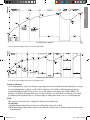
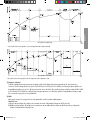
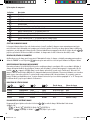
1
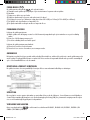
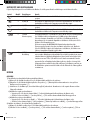
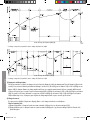
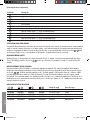
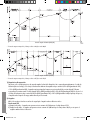
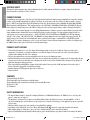
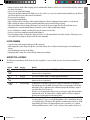
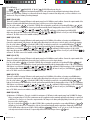
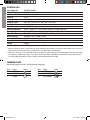
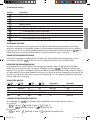
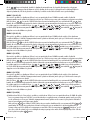
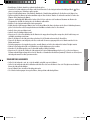
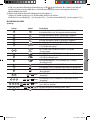
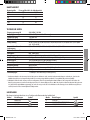
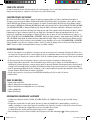
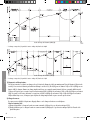
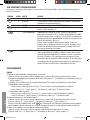
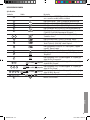
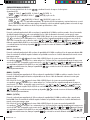
b) Component Description 15 16 17 18 19 20 21 22 23 24 25 26 Description Charger Mounting Holes Mains Cable Power plug Male connector Female connector with protection cap Fuse Holder with 10A plug-in fuse “+” Pole connection cable (red) with ring terminal “-” Pole connection cable (black) with ring terminal Female connector “+” Pole connection cable (red) with quick clamp (red) “-” Pole connection cable (black) with quick clamp (black) ENGLISH Indication SELECT CHARGING MODE The Carpoint battery charger has unique memory function. The charger returns to last selected mode automatically when power is switched on. For repetitive charging process, this is a handy feature. However to charge various batteries at different ambient temperature a specific 14 selection button until the light for correct voltage is lit. Within 0.5 charging mode could be selected manually by pressing the second, the charger activates the selected mode. RESET / DELETING SETTINGS In beginning of charging process after connection to the power supply, the charger automatically resets itself to “Power” basic settings and remains in 1 position unless further action is executed by the user. Yellow LED is lit. IDENTIFICATION OF OVERLAP VOLTAGE To treat a 14.6-21V±0.25V battery if it is fully charged 12V battery or deep-discharged 24V battery, the Carpoint charger smartly identifies 14 is pressed, charging LED shall the correct nature of battery and provides appropriate course of action. Once the selection button flash“on-off”cyclein0.5second.Within1-2minutestheembeddedMCUwoulddetectchangeinbatteryvoltage.Ifbatteryvoltageremains at original value or rises to a higher level, system would treat it as a 24V battery, if voltage falls, it is treated as a 12V battery. After correct identification, system would initiate action as described in “a” or “b” under paragraph “Switching over between different Modes” until the battery is disconnected. CHARGING STATUS INDICATION 10 FLASH ON ON ON ON 11 OFF FLASH ON ON ON 12 13 OFF OFF FLASH ON ON OFF OFF OFF FLASH ON Charging Status Below 25% Below 50% Below 75% Below 100% Full Charging Phases Diagnosis & Recovery Bulk Bulk Absorption Maintenance SWITCHING OVER BETWEEN DIFFERENT MODES By repeatedly pressing the selection button 14 displays the charging modes in the following order a) for 12V battery: 1 “Mode 3” (14.4V/7A) “Mode 4” (14.7V/7A) “Mode 5” (13.6V/5.0A) “Mode 6” (16V/1.5A) and repeats this cycle. BOOST 5 0635862i.indd 5 16-01-2009 08:28:45