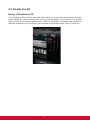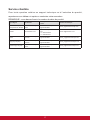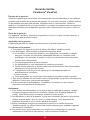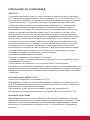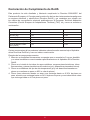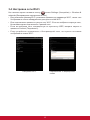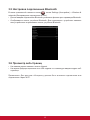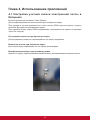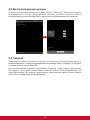
1
ViewPad 10e User Guide Guide de l’utilisateur Guía del usuario Bedienungsanleitung Руководство пользователя 使用手冊(繁中) 使用手册(简中) Model No. VS14445 Compliance Information FCC Statement The following statement applies to all products that have received FCC approval. Applicable products bear the FCC logo, and/or an FCC ID in the format FCC ID: GSS-VS14445 on the product label.This device complies with part 15 of the FCC Rules. Operation is subject to the following two conditions: (1) This device may not cause harmful interference, and (2) This device must accept any interference received, including interference that may cause undesired operation. This mobiledevice has been tested and found to comply with the limits for a Class B digital device, pursuant to Part 15 of the FCC Rules. These limits are designed to provide reasonable protection against harmful interference in a residential installation. This equipment generates, uses and can radiate radio frequencyenergy and, if not installed and used in accordance with the instructions, may cause harmful interferenceto radio communications. However, there is no guarantee that interference will not occur in a particular installation. If this equipment does cause harmful interference to radio or television reception, which can be determined by turning the equipment off and on, the user is encouraged to try to correct the interference by one or more of the following measures. • Reorient or relocate the receiving antenna. • Increase the separation between the equipment and receiver. • Connect the equipment into an outlet on a circuit different from that to which the receiver is connected. • Consult the dealer or an experienced radio/TV technician for help. Changes or modifications not expressly approved by the party responsible for compliance couldvoid theuser’s authority to operate the equipment.The antenna(s) used for this transmitter must not be colocated or operating in conjunction with any otherantenna or transmitter. FCC SAR information FCC Radiation Exposure StatementThis equipment complies with FCC RF radiation exposure limits set forth an uncontrolled environment. This transmitter must not be co-located or operating in conjunction with any other antenna or transmitter.The device was tested and complies to measurement standards and procedures specified in FCC OE Bulletin 65, Supplement C. Canada Statement This device complies with Industry Canada licence-exempt RSS standard(s). Operation is subject to the following two conditions: (1) this device may not cause interference, and (2) this device must accept any interference, including interference that may cause undesired operation of the device. i CE Conformity for European Countries The device complies with the EMC Directive 2004/108/EC and Low Voltage Directive 2006/95/EC, R&TTE Directive 1999/5/EC. Following information is only for EU-member states: The mark is in compliance with the Waste Electrical and Electronic Equipment Directive 2002/96/EC (WEEE). The mark indicates the requirement NOT to dispose the equipment including any spent or discarded batteries or accumulators as unsorted municipal waste, but use the return and collection systems available. If the batteries, accumulators and button cells included with this equipment, display the chemical symbol Hg, Cd, or Pb, then it means that the battery has a heavy metal content of more than 0.0005% Mercury or more than, 0.002% Cadmium, or more than 0.004% Lead. European Union Regulatory Conformance The equipment complies with the RF Exposure Requirement 1999/519/EC, Council Recommendation of 12 July 1999 on the limitation of exposure of the general public to electromagnetic fields (0-300 GHz).This equipment meets the following conformance standards: EN 301 489-1, EN 301 489-17, EN 55022, EN 55024, EN 60950-1, EN 50332-1, EN 50332-2, EN300 328, EN 62209-2. The conformity assessment procedure has been followed with the involvement of the following Notified Body: PHOENIX TESTLAB GmBH (EU Identification Number 0700) Identification Mark: 0700 This equipment may be operated in: AT BE BG EE ES FI IT IS LI NO PL PT CH FR LT RO CY GB LU SE CZ GR LV SI DE HU MT SK DK IE NL TR We, hereby, declare that this cellular, Wi-Fi, & Bluetooth radio is in compliance with the essential requirements and other relevant provisions of Directive 1999/5/EC. Products with 2.4-GHz Wireless LAN Devices France For 2.4-GHz wireless LAN operation of this product, certain restrictions apply. This equipment may use the entire-2400-MHz to 2483.5-MHz frequency band (channels 1 through 13) for indoor applications. For outdoor use, only 2400-2454 MHz frequency band (channels 1-9) may be used. For the latest requirements, see http://www.art-telecom.fr. ii Declaration of RoHS Compliance This product has been designed and manufactured in compliance with Directive 2002/95/EC of the European Parliament and the Council on restriction of the use of certain hazardous substances in electrical and electronic equipment (RoHS Directive) and is deemed to comply with the maximum concentration values issued by the European Technical Adaptation Committee (TAC) as shown below: Proposed Maximum Concentration Actual Concentration Lead (Pb) 0.1% < 0.1% Mercury (Hg) 0.1% < 0.1% Cadmium (Cd) 0.01% < 0.01% 0.1% < 0.1% Polybrominated biphenyls (PBB) 0.1% < 0.1% Polybrominated diphenyl ethers (PBDE) 0.1% < 0.1% Substance Hexavalent Chromium (Cr6+) Certain components of products as stated above are exempted under the Annex of the RoHS Directives as noted below: Examples of exempted components are: 1. M ercury in compact fluorescent lamps not exceeding 5 mg per lamp and in other lamps not specifically mentioned in the Annex of RoHS Directive. 2. L ead in glass of cathode ray tubes, electronic components, fluorescent tubes, and electronic ceramic parts (e.g. piezoelectronic devices). 3. L ead in high temperature type solders (i.e. lead-based alloys containing 85% by weight or more lead). 4. L ead as an allotting element in steel containing up to 0.35% lead by weight, aluminium containing up to 0.4% lead by weight and as a cooper alloy containing up to 4% lead by weight. iii Important Safety Instructions 1. DO NOT place objects on top of the device, as objects may scratch the screen. 2. DO NOT expose the device to dirty or dusty environments. 3. DO NOT place the device on an uneven or unstable surface. 4. DO NOT insert any foreign objects into the device. 5. DO NOT expose the device to strong magnetic or electrical field. 6. DO NOT expose the device to direct sunlight as it can damage the LCD Screen. Keep it away from heat sources. 7. Do not store your device in temperatures higher than 40°C (104°F). The operating temperature for this device is from -20°C (-68°F) to 60°C (140°F). 8. DO NOT use the device in the rain. 9. Please check with your Local Authority or retailer for proper disposal of electronic products. 10. The device and the adapter may produce some heat during normal operation or charging. To prevent discomfort or injury from heat exposure, DO NOT leave the device on your lap. 11. POWER INPUT RATING: Refer to the rating label on the device and be sure that the power adapter complies with the rating. Only use accessories specified by the manufacturer. 12. DO NOT use a pen or any sharp object to tap the screen. 13. Clean the touch screen with a soft cloth. If needed, dampen the cloth slightly before cleaning. Never use abrasives or cleaning solutions. 14. Always power off the device to install or remove external devices that do not support hot-plug. 15. Disconnect the device from an electrical outlet and power off before cleaning the device. 16. DO NOT disassemble the device. Only a certified service technician should perform repair. 17. The device has apertures to disperse heat. DO NOT block the device ventilation, the device may become hot and malfunction as a result. 18. Risk of explosion if battery replaced by an incorrect type. Dispose of used batteries according to the instructions. 19. Users have to use the connection to USB interfaces with USB 2.0 version or higher. 20. PLUGGABLE EQUIPMENT: the socket-outlet shall be installed near the equipment and shall be easily accessible. iv Copyright Information Copyright © ViewSonic® Corporation, 2012. All rights reserved. Android™ is a trademark of Google Inc. Use of this trademark is subject to Google Permissions. This product has an Android™ platform based on Linux, which can be expanded by a variety of JME-based application SW. All products used in this device and trademarks mentioned herein are trademarks or registered trademarks of their respective owners. Google™, the Google logo, Android™, the Android logo and Gmail™ are trademarks of Google Inc. Use of this trademark is subject to Google Permissions. Wi-Fi and the Wi-Fi CERTIFIED logo are registered trademarks of the Wireless Fidelity Alliance. microSD™ is a trademark of SD Card Association. Bluetooth and the Bluetooth logo are trademarks owned by Bluetooth SIG, Inc.Java, JME and all other Java-based marks are trademarks or registered trademarks of Sun Microsystems, Inc. in the United States and other countries. The prediction engine of the input method is TOUCHPAL, provided by COOTEK.DataViz and RoadSync are registered trademarks of DataViz, Inc. All rights reserved.DataViz and Documents To Go are trademarks or registered trademarks of DataViz, Inc. All rights reserved. Word To Go™, Sheet To Go®, Slideshow To Go®, PDF To Go® and icons are trademarks or registered trademarks of DataViz, Inc. All rights reserved. Disclaimer: ViewSonic Corporation shall not be liable for technical or editorial errors or omissions contained herein; nor for incidental or consequential damages resulting from furnishing this material, or the performance or use of this product.In the interest of continuing product improvement, ViewSonic Corporation reserves the right to change product specifications without notice. Information in this document may change without notice. No part of this document may be copied, reproduced, or transmitted by any means, for any purpose without prior written permission from ViewSonic Corporation. Intellectual Property Right Information Right to all technologies and products that comprise this device are the property of their respective owners: This product has an Android platform based on Linux, which can be expanded by a variety of Java-Script-based application SW. Google, the Google logo, Android, the Android logo, Gmail, and YouTube are trademarks of Google Inc.Bluetooth and the Bluetooth logo are trademarks owned by Bluetooth SIG, Inc.Java, JME and all other Java-based marks are trademarks or registered trademarks of Sun Microsystems, Inc. in the United States and other countries.microSD is a trademark of SD Card Association.The prediction engine of the input method is TOUCHPAL, provided by COOTEK. v Product Registration To meet your future needs, and to receive any additional product information as it becomes available, please register your product on the Internet at: www.viewsonic.com. For Your Records Product Name: Model Number: Document Number: Serial Number: Purchase Date: ViewPad 10e VS14445 ViewPad 10e_UG_ENG Rev. 1a 11-16-11 _______________________________ _______________________________ Product disposal at end of product life ViewSonic respects the environment and is committed to working and living green. Thank you for being part of Smarter, Greener Computing. Please visit ViewSonic website to learn more. USA & Canada: http://www.viewsonic.com/company/green/recycle-program/ Europe: http://www.viewsoniceurope.com/uk/kbase/article.php?id=639 Taiwan: http://recycle.epa.gov.tw/recycle/index2.aspx vi Chapter 1: Getting Started................................................................. 1 1.1 Your Device............................................................................................1 Chapter 2: Start Using Your Device.................................................. 4 2.1 Home Screen..........................................................................................4 Set Screen Mode.....................................................................................4 Extended Home Screen..........................................................................4 2.2 ViewScene 3D........................................................................................5 Using of ViewScene 3D...........................................................................5 Customizing Home Screen......................................................................6 3D Carousel............................................................................................7 Apps List..................................................................................................8 Panels.....................................................................................................9 Chapter 3: Settings............................................................................. 10 3.1 Install and Remove an Applications....................................................10 Remove an applications..........................................................................10 3.2 Setting Date & Time...............................................................................11 3.3 Set the System Language.....................................................................12 3.4 Configuring a Wi-Fi Network................................................................13 3.5 Configuring a Bluetooth Connection...................................................14 3.6 Web Browsing........................................................................................14 Chapter 4: Using Applications.......................................................... 15 4.1 Setting up an Internet Email Account..................................................15 4.2 Play Music..............................................................................................16 4.3 Gallery....................................................................................................16 Chapter 5: Other Information............................................................ 17 Troubleshooting..........................................................................................17 Customer Support.......................................................................................18 Limited Warranty.........................................................................................19 vii Chapter 1: Getting Started 1.1 Your Device Front Rear ③ ② ① ④⑤ ⑥ Part Name Touch screen Indicator Camera Menu button Home button Back button Speaker ⑦ Description Use finger to control system & application. Refer to "Indicators" on page 3 for details. A built-in webcam that allows you to capture still images, record videos, and chat online. Press for menu function. Press for Home function. Press for Back function. Produces sounds from multimedia content files or system notifications. To "Turn off ViewScene 3D" please go to Manage Applications - ViewScene 3D - Clear defaults and then after pushing Home button you can select as Default "Launcher" 1 Side Left Top Right ① ⑧ ② ③ ④ ⑤⑥ ⑦ ⑨ Bottom Part Name Volume button Power button Micro-SD Card slot Mini-HDMI port Audio output jack Micro-USB port Power jack Reset Microphone Description Press to adjust the volume (+Volume up/-Volume down). Press and hold the power button for 2-3 seconds to power on your device. Micro-SD memory card slot compatible up to 32GB SD and SDHC. With a Mini HDMI to HDMI cable (Not included) connects an optional to video and audio devices, such as television, or any compatible digital or audio component that uses a HDMI connection. You can plug a headset which can listen to music. Connects peripherals such as mice, digital cameras and MP3 players that use the USB 2.0 Interface. A male Micro USB to female USB adaptor may be required (Not included). Connects AC power supply to power the device and charge the battery. When system abnormal or inoperative, insert a thin, straight object (such as a paper clip) in the manual reset hole to perform a soft reset on your device. Receives sounds and voice for recording. 2 Indicator ① Part Name Battery status indicator Description When the battery is charging, it lights up in solid red. When the battery is fully charged, it will be blank. When the main unit is changed from operating mode to standby mode, it lights up around 30 second in solid red. 1.2 Accessories After opening the package, carefully inspect the contents. If any of the items is missing or appear damaged, contact your dealer. The shipping carton should contain the following: • ViewPad 10e • Changeable Power Plug • Power Adaptor • Quick Start Guide • USB Cable 3 • Compliance Information Chapter 2: Start Using Your Device 2.1 Home Screen From the Home screen, you can quickly access common features and view battery and connection status. Set Screen Mode Press and hold the power button for 2-3 seconds to power on your device. And then follow the on-screen instructions to complete the initial Operating system setup. The system home (desktop) screen will appear as follows (The device’s built-in G-sensor movement changes screen angle/orientation). 4 2.2 ViewScene 3D Using of ViewScene 3D It is ViewScene 3D as default when the main unit boot up, your device becomes a multiple personalized 3D Home screens that you can quickly apply to your device. The preset Home screens are preconfigured with a different collection of widgets that reflects a different moments in your life that is more suitable for business, travel, play, or social life. 5 Customizing Home Screen Home screen is an extended panel user interface that gives you up-to-date information at a glance, such as time, weather, calendar, upcoming appointments, next alarm, new messages, missed calls, new emails, and new voicemail. It also has a fully customizable layout where you can add your own favorite apps, folders, and widgets for one-tap access. • The Home key is the only way to launch ViewScene 3D. There is no app icon of ViewScene 3D in the apps list. In case you had to close ViewScene 3D and go back to your stock launcher for any reason, you can relaunch ViewScene 3D from Settings > Applications > Manage application > ViewScene 3D > Clear defaults. Then press Home key to view the launcher selecting menu. In the launcher selecting menu, check the "use by default for this action" check box and select ViewScene 3D. • From the Home screen, press MENU, to view the available options. • Select Add > Empty Panel if you want to add an extra panel to your Home screen. Please note that the maximum number of panels is 16. • Add widgets, apps, and other elements that you want. • Tap-and-hold an element in Home screen to activate editing mode.Arrange the layout of your Home screen according to yourpreference using drag-and-drop. • In the editing mode the tray allows easy widgets and apps movement across multiple screens. Elements from the bottom will be moved to the tray if you run out of space so you can put them back later. • Manage your Home screen panels, press MENU and then tap Manage panels. In the Manage panels screen you can add, remove, reorder, rename, change color, and set as Home (default panel). Drag-and-drop to add, remove, and reorder panels. Tap a panel to rename,change color, and set as Home. Please note that the preset panels such as weather, time, and calendar cannot be removed permanently, they will stay on the panel’s floor. • To replace the Home bar apps shortcuts, tap-and-hold the preset shortcut and select from the apps list. Tap-and-drag the 3D carousel button at the center of Home bar to switch to any panel in a single gesture. 6 3D Carousel The 3D Carousel shows Home screen panels bundled with all the features in a simple and intuitive 3D model. The carousel brings your entire device features at one glance. • • • • The Tap the carousel button in Home screen to open 3D carousel. Use left or right gesture to move panels. Tap a panel to select. If you left the carousel idle for a few seconds, the Magic Animations of panels and widgets will be activated. An overview of installed widgets and apps will be played to explore device features. • Once you tap the screen intending to rotate the carousel or select a panel, the Magic Animation is terminated and your tap is processed immediately. • You can rearrange, add, or remove carousel panels. Tap the panels button in carousel screen to open the 3D panels management screen. 7 Apps List The apps list is accessible from the Home screen using the apps list button at the right corner of Home bar. Home button on top of applications icon indicates that the app is already on the Home screen. Tap this small Home icon to find the app location on the Home screen. Press MENU button to view the available options. If you select Uninstall apps options from the MENU, you’ll see a red icon on top of removable apps. By tapping on it the app will be uninstalled from your device permanently. 8 Panels ViewScene 3D comes with rich functioning panels such as Calendar, Weather, Picture of the Day (Flickr), Time, and more. Those panels have 3D Magic Animation feature that can be displayed when viewed in the 3D carousel. To view panel’s settings, tap the settings icon located at the top right corner of the panel. In Time panel settings you can change the current skin. There is over 60 Time skin to choose from. An Internet connection is required to view Time skins online catalog. Weather panel allows you to add up to 10 different cities. You can use any of Flickr panel pictures as a wallpaper to quickly change the look and feel of your device. Tap a picture and select Set as Wallpaper option to immediately apply it to your Home screen. 9 Chapter 3: Settings Touch the "Settings" icon to open the settings configuration from aplications menu, you can use it to setup your Wi-Fi Connection, adjust time, display settings and so on. 3.1 Install and Remove an Applications Use the 1 Mobile market application to install popular applications to your device. Remove an applications Touch to enter applications menu > Settings > Applications > Manage applications. You will see a list of applications installed in the device. Select the application you want to uninstall, and click the Uninstall button. 10 3.2 Setting Date & Time Touch the “Settings” icon from the applications menu, select “Date & time settings" and click to change date & time setting, You can set date, time zone, time, and so on. 3.3 Set the System Language Touch applications menu icon > Settings > Language and keyboard settings > choose language from language list showing on screen. Scroll up/down to select the desired language from the list. 11 3.4 Configuring a Wi-Fi Network From the Home screen, press , and tap Settings > Wireless & networks. • Select the Wi-Fi check box to turn Wi-Fi on and the detected available Wi-Fi network list will appear. • Tap the Wi-Fi network you want to connect to. If you selected an open network, you will be automatically connected to the network. • If you selected a network that is secured with WEP, enter the password and then tap Connect. • If the device is connected to a wireless network, the Wi-Fi icon appears in the status bar. Wi-Fi settings Connect to a secured networks 12 3.5 Configuring a Bluetooth Connection From the applications menu press , and tap Settings > Wireless & networks. • Select the Bluetooth check box to activate the Bluetooth. • A list of Bluetooth devices will appear. To pair with a device, tap the device name in the discovered Bluetooth list. 3.6 Web Browsing • From the Home screen, tap Internet icon. • On the browser screen, tap the URL box and enter the webpage address using the keyboard. Note: You must have an active data connection or Wi-Fi connection to access theInternet. 13 Chapter 4: Using Applications 4.1 Setting up an Internet Email Account Select the Video from the applications menu. Touch the selected video thumbnail to start playing your video content. When streaming video content trough HDMI output, touching the screen will enable the video playback options. For below, it will be shown around 3-4 second on TV screen when video is transferring via HDMI. Adjust the volume of your video: Scroll up/down in your screen for volume adjustment. Enable seek in your video: Scroll left/right in your screen for video seeking. Tap the screen for play/pause your video: Tapping the screen will enable you to play/pause your video content. 14 4.2 Play Music Touch the “Music” icon from the applications menu. You can search music by Artists, Albums, Playlists, or by All songs to start playing music in your device. 4.3 Gallery Gallery application provides a viewing space for your pictures and videos. Before using Gallery application, remember to install the Micro SD Card. Touch the Gallery icon from applications menu to enter the Gallery application. On the Gallery screen, the default folders are the All pictures and All videos. You also can create personal folders in the micro SD Card to manage your files. 15 Chapter 5: Other Information Troubleshooting 1. Unable to power on the device. Ensure the device had been charged sufficiently (red light while charging, blank when fully charged). 2. System force closes, crashes or fails to operate and is not recoverable or able to start after a full charge. Please insert a clip into the reset hole with a gentle amount of pressure bfore release. 3. Device cannot power down. Hold down the power button 4-6 seconds, until the system shuts down. 4. Measures to Extend Battery Life? Adjust the screen brightness to the minimum possible level. Reduce the Screen Timeout time within the Settings > Display Settings Turn off the device’s Bluetooth function. Turn off the device’s wireless network function when not required. 5. Device cannot find a wireless network. Internet service providers (ISP) account is not setup or distance from the wireless router is too far; please contact your network service company for assistance. 6. Wi-Fi shows good Signal Strength, but cannot connect to the Network. Please check any security password has been input correctly. 16 Customer Support For technical support or product service, see the table below or contact your reseller. NOTE: You will need the product serial number. Country/Region Website T = Telephone F = FAX Email Australia/New Zealand www.viewsonic.com.au AUS= 1800 880 818 NZ= 0800 008 822 [email protected] Canada www.viewsonic.com T (Toll-Free)= 1-866-463-4775 T (Toll)= 1-424-233-2533 F= 1-909-468-3757 [email protected] Europe www.viewsoniceurope. com www.viewsoniceurope.com/uk/support/call-desk/ Hong Kong www.hk.viewsonic.com T= 852 3102 2900 [email protected] India www.in.viewsonic.com T= 1800 266 0101 [email protected] Ireland (Eire) www.viewsoniceurope. com/uk/ www.viewsoniceurope.com/uk/ support/call-desk/ [email protected] Korea www.kr.viewsonic.com T= 080 333 2131 [email protected] Latin America (Argentina) www.viewsonic.com/la/ T= 0800-4441185 [email protected] Latin America (Chile) www.viewsonic.com/la/ T= 1230-020-7975 [email protected] Latin America (Columbia) www.viewsonic.com/la/ T= 01800-9-157235 [email protected] Latin America (Mexico) www.viewsonic.com/la/ T= 001-8882328722 [email protected] Renta y Datos, 29 SUR 721, COL. LA PAZ, 72160 PUEBLA, PUE. Tel: 01.222.891.55.77 CON 10 LINEAS Electroser, Av Reforma No. 403Gx39 y 41, 97000 Mérida, Yucatán. Tel: 01.999.925.19.16 Other places please refer to http://www.viewsonic.com/la/soporte/index.htm#Mexico Latin America (Peru) www.viewsonic.com/la/ T= 0800-54565 [email protected] Macau www.hk.viewsonic.com T= 853 2870 0303 [email protected] Middle East ap.viewsonic.com/me/ Contact your reseller [email protected] Puerto Rico & Virgin Islands www.viewsonic.com T= 1-800-688-6688 (English) T= 1-866-379-1304 (Spanish) F= 1-909-468-3757 [email protected] [email protected] Singapore/Malaysia/ Thailand www.ap.viewsonic.com T= 65 6461 6044 [email protected] South Africa ap.viewsonic.com/za/ Contact your reseller [email protected] United Kingdom www.viewsoniceurope. com/uk/ www.viewsoniceurope.com/uk/ support/call-desk/ [email protected] United States www.viewsonic.com T (Toll-Free)= 1-800-688-6688 T (Toll)= 1-424-233-2530 F= 1-909-468-3757 [email protected] 17 Limited Warranty ViewSonic® ViewPad What the warranty covers: ViewSonic warrants its products to be free from defects in material and workmanship, under normal use, during the warranty period. If a product proves to be defective in material or workmanship during the warranty period, ViewSonic will, at its sole option, repair or replace the product with a like product. Replacement product or parts may include remanufactured or refurbished parts or components.The replacement unit will be covered by the balance of the time remaining on the customer’s original limited warranty. ViewSonic provides no warranty for the third-party software included with the product or installed by the customer. How long the warranty is effective: ViewSonic ViewPad are warranted for at least 1 year for labor from the date of the first customer purchase. User is responsible for the back up of any data before returning the unit for service. ViewSonic is not responsible for any data lost. Who the warranty protects: This warranty is valid only for the first consumer purchaser. What the warranty does not cover: 1. Any product on which the serial number has been defaced, modified or removed. 2. Damage, deterioration or malfunction resulting from: a. Accident, misuse, neglect, fire, water, lightning, or other acts of nature, unauthorized product modification, or failure to follow instructions supplied with the product. b. Repair or attempted repair by anyone not authorized by ViewSonic. c. Causes external to the product, such as electric power fluctuations or failure. d. Use of supplies or parts not meeting ViewSonic’s specifications. e. Normal wear and tear. f. Any other cause which does not relate to a product defect. 3. Any product exhibiting a condition commonly known as “image burn-in” which results when a static image is displayed on the product for an extended period of time. 4. Removal, installation, insurance, and set-up service charges. How to get service: 1. For information about receiving service under warranty, contact ViewSonic Customer Support (Please refer to the web site and Customer Support pages). You will need to provide your product’s serial number. 2. To obtain warranty service, you will be required to provide (a) the original dated sales slip, (b) your name, (c) your address, (d) a description of the problem, and (e) the serial number of the product. 3. Take or ship the product freight prepaid in the original container to an authorized ViewSonic service center or ViewSonic. 4. For additional information or the name of the nearest ViewSonic service center, contact ViewSonic. 18 Limitation of implied warranties: There are no warranties, express or implied, which extend beyond the description contained herein including the implied warranty of merchantability and fitness for a particular purpose. Exclusion of damages: ViewSonic’s liability is limited to the cost of repair or replacement of the product. ViewSonic shall not be liable for: 1. Damage to other property caused by any defects in the product, damages based upon inconvenience, loss of use of the product, loss of time, loss of profits, loss of business opportunity, loss of goodwill, interference with business relationships, or other commercial loss, even if advised of the possibility of such damages. 2. Any other damages, whether incidental, consequential or otherwise. 3. Any claim against the customer by any other party. 4. Repair or attempted repair by anyone not authorized by ViewSonic. 4.3: ViewSonic TPC Warranty TPC_LW01 Rev. 1A 06-20-08 19 Informations de conformité AVISO FCC La siguiente declaración se aplica a todos los productos que han recibido la aprobación FCC. Los productos correspondientes llevan el logotipo FCC y/o un identificador FCC con el formato GSS-VS14445 en la etiqueta del producto.Este dispositivo cumple el Apartado 15 de las Normas FCC. La operación está sujeta a las siguientes dos condiciones: (1) Este dispositivo no debe causar interferencias perjudiciales y (2) este dispositivo debe aceptar cualquier interferencia recibida, incluidas aquellas que provoquen un funcionamiento no deseado. Este dispositivo ha sido comprobado y se determinó que cumple con los límites de dispositivo digital Clase B, de acuerdo con la Parte 15 de las Normas FCC. Estos límites han sido diseñados para proporcionar una protección razonable contra interferencias perjudiciales en una instalación residencial. Este equipo genera, utiliza y puede irradiar energía de radiofrecuencia y, si no se instala y utiliza de acuerdo con las instrucciones, podría ocasionar interferencias perjudiciales en las comunicaciones de radio. Sin embargo, no existe garantía alguna de que no ocurrirán interferencias en una instalación en particular. Si este equipo causa interferencias perjudiciales en la recepción de radio o televisión, lo cual puede determinarse al apagar y encender nuevamente el equipo, se recomienda que el usuario intente corregir la interferencia tomando una o más de las siguientes medidas: • Reoriente o traslade la antena receptora. • Aumente la separación entre el equipo y el receptor. • Conecte el equipo a un tomacorriente que se encuentre en un circuito diferente al que está conectado el receptor. • Solicite ayuda a su distribuidor o a un técnico de radio/TV experimentado. Los cambios o modificaciones no aprobados expresamente por la parte responsable de su cumplimiento anularán la autorización del usuario para trabajar con el equipo.Las antenas utilizadas por este transmisor no deben ubicarse ni trabajar junto con ninguna otra antena o transmisor. Información sobre SAR de la FCC Declaración de exposición a radiaciones de la FCC Este dispositivo cumple con los límites de exposición a radiaciones de radiofrecuencia de la FCC establecidos para un entorno sin control. No se deberá colocar o utilizar este transmisor junto con otra antena o transmisor. Este dispositivo ha sido sometido a pruebas y cumple con los estándares y procedimientos de medición especificados en el Boletín OET 65, anexo C de la FCC. Declaración para Canadá Este dispositivo cumple con el(los) estándar(s) RSS exento(s) de licencias de Industry Canada. El funcionamiento se encuentra sujeto a las siguientes dos condiciones: (1) este dispositivo no provocará interferencias y (2) este dispositivo deberá aceptar cualquier interferencia, incluida aquella que podría provocar un funcionamiento no deseado del dispositivo. i Conformité CE pour les pays européens L’appareil est conforme la norme EMC 2004/108/EC et à la norme sur la basse tension 2006/95/EC, la norme R&TTE 1999/5/EC. Les indications qui suivent sont destinées uniquement aux Etats membres de l’Union Européenne: La marque est conforme à la Directive sur l’élimination des déchets électriques et électroniques 2002/96/EC (Waste Electrical and Electronic Equipment = WEEE). La marque indique qu’il ne faut PAS jeter cet appareil ni ses batteries ou accumulateurs avec les ordures municipales non triées, mais qu’il faut les apporter dans un centre de collecte disponible.Si les cellules de batteries, d’accumulateurs ou de boutons inclus dans cet appareil comportent les symboles chimiques Hg, Cd, ou Pb, cela signifie que la batterie contient une charge en métaux lourds de plus de 0,0005% de mercure, plus de 0,002% de cadmium, ou plus de 0,004% de plomb. Certificat de conformité dans l'Union Européenne Cet appareil répond aux directives d'exposition RF 1999/519/EC, Recommandation du Conseil du 12 Juillet 1999, sur la limitation d'exposition du public général aux champs électromagnétiques (0–300 GHz). Cet appareil est conforme aux normes de conformité suivantes : EN 301 489-1, EN 301 489-17, EN 55022, EN 55024, EN 60950-1, EN 503321, EN 50332-2, EN300 328, EN 62209-2. La procédure de vérification de la conformité a été vérifiée par le Corps de notification suivant : PHOENIX TESTLAB Marque d'identification : CE0700 (Marque d'identification) CE Marque d'identification: 0700 Este equipo puede ser utilizado en: AT BE BG CH CY CZ DE DK EE ES FI FR GB GR HU IE IT IS LI LT LU LV MT NL NO PL PT RO SE SI SK TR Nosotros, por el presente documento, declaramos que este dispositivo LAN de radio cumple los requisitos esenciales y otras disposiciones relevantes de la Directiva 1999/5/EC. Produits avec fonction LAN sans fil 2,4-GHz en France Il existe certaines restrictions en vigueur quant à l'utilisation de la fonction LAN sans fil 2,4-GHz de ce produit. Cet appareil peut utiliser la bande de fréquences entière 2400-MHz jusqu'à 2483,5-MHz (canaux 1 jusqu'à 13) lorsque vous l'utilisez à l'intérieur. A l'extérieur, seulement la bande de fréquences 2400-2454 MHz (canaux 1-9) peut être utilisée. Pour plus d'informations sur les dernière spécifications, visitez http://www.art-telecom.fr. ii Déclaration de conformité RoHS (LSDEEE) Ce produit a été conçu et fabriqué dans le respect de la directive 2002/95/EC du Parlement Européen et du Conseil relative à la limitation de l’utilisation de certaines substances dangereuses dans les équipements électriques et électroniques (Directive RoHS - LSDEEE) et il est déclaré respecter les valeurs de concentration maximum définies par le Comité technique d’adaptation (TAC) européen, qui sont les suivantes: Substance Concentration maximale proposée Concentration réelle Plomb (Pb) 0,1% < 0,1% Mercure (Hg) 0,1% < 0,1% Cadmium (Cd) 0,01% < 0,01% Chrome hexavalent 0,1% (Cr6+) < 0,1% Polybromobiphényle (PBB) 0,1% < 0,1% Polybromodiphényl0,1% séthers (PBDE) < 0,1% Certains composants de produits mentionnés ci-dessus ne sont pas soumis à ces limitations, conformément aux dispositions de l’Annexe de la Directive RoHS (LSDEEE). Il s’agit des composants suivants: Exemples de composants exemptés: 1. Le mercure contenu dans les lampes fluorescentes compactes ne dépassant pas 5 mg par lampe ainsi que dans les lampes non spécifiées dans l’Annexe de la Directive RoHS (LSDEEE). 2. Le plomb dans le verre des tubes cathodiques, les composants électroniques, les tubes fluorescents et les composants électroniques en céramique (p.ex. les dispositifs piézo-lectriques). 3. Le plomb dans les soudures à haute température de fusion (c’est-à-dire les alliages à base de plomb contenant 85% ou plus de plomb en poids). 4. Le plomb en tant qu’élément d’alliage dans l’acier contenant jusqu’à 0,35 % de plomb en poids, dans l’aluminium contenant jusqu’à 0,4 % de plomb en poids et dans les alliages de cuivre contenant jusqu’à 4 % de plomb en poids. iii Importantes instructions de sécurité 1. 2. 3. 4. 5. 6. 7. 8. 9. 10. 11. 12. 13. 14. 15. 16. 17. 18. 19. 20. NE PAS placer d'objet sur le ViewPad. Les objets peuvent le rayer ou pénétrer dans l'écran. NE PAS exposer le ViewPad à la saleté ou à la poussière. NE PAS placer le ViewPad sur une surface instable ou irrégulière. NE PAS faire pénétrer un objet étranger dans le ViewPad. NE PAS exposer le ViewPad à un champ magnétique ou électrique puissant. NE PAS exposer le ViewPad à la lumière directe du soleil. Cela risque d'endommager l'écran LCD. Le garder à distance des sources de chaleur. Ne rangez pas votre téléphone dans des endroits où la température est plus de 40°C ou 104ºF. La température recommandée pour cet appareil est entre -20°C (-68°F) et 60°C (140°F). NE PAS utiliser le ViewPad sous la pluie. Veuillez consulter l'autorité locale ou votre distributeur pour connaître les dispositions concernant la mise au rebut des produits électroniques. Le ViewPad et l'adaptateur peut générer de la chaleur en fonctionnement normal, ou pendant son chargement. NE PAS LAISSER le ViewPad sur votre ordinateur, pour éviter d'être gêné ou de souffrir de l'exposition à la chaleur. PUISSANCE NOMINALE D'ENTRÉE: référez-vous à l'étiquette sur le ViewPad concernant la puissance, et assurez-vous que l'adaptateur d'alimentation corresponde bien à ladite puissance. Utilisez uniquement les accessoires spécifiés par le constructeur. NE PAS UTILISER de stylo ou tout autre objet pointu pour toucher l'écran. Nettoyez l'écran tactile avec un chiffon doux. Si nécessaire, utilisez un chiffon légèrement humide pour le nettoyer. N'utilisez jamais d'abrasif ou de produit de nettoyage. Mettez systématiquement le ViewPad hors tension avant d'installer ou de retirer des appareils externes qui ne sont pas connectables "à chaud". Mettez le ViewPad hors tension et débranchez-le de la prise électrique avant de le nettoyer. NE PAS DÉMONTER le ViewPad. Seul un technicien certifié est habilité à effectuer des réparations. Le ViewPad est doté d'ouvertures pour disperser la chaleur. NE PAS OBTURER la ventilation du ViewPad. Il risque sinon d'entrer en surchauffe et de présenter des dysfonctionnements. il risque d’exploser si la batterie est remplacée par un type incorrect. Débarrassezvous des batteries usagées conformément aux instructions. Les utilisateurs doivent utiliser une connexion du type USB 2.0 ou plus avec les interfaces USB. APPAREIL BRANCHABLE, la prise de courant doit être située près de l’appareil et doit être facile d’accès. iv Informations de copyright Copyright © ViewSonic ® Corporation, 2011. Tous droits réservés. Android™ est une marque commerciale de Google Inc. L’utilisation de cette marque commerciale est sujette à la permission de Google. Ce produit utilise une plateforme Android™ basée sur Linux, qui peut être étendue avec diverses applications SW basées sur JME. Tous les produits utilisés dans cet appareil et toutes les marques commerciales mentionnées dans ce manuel sont des marques commerciales ou des marques déposées appartenant à leurs propriétaires respectifs. Google™, le logo Google, Android™, le logo Android et Gmail™ sont des marques commerciales de Google Inc. L’utilisation de ces marques commerciales est sujette à la permission de Google. Wi-Fi et le logo Wi-Fi CERTIFIED sont des marques commerciales de Wireless Fidelity Alliance. microSD™ est une marque déposée de SD Card Association. Bluetooth et le logo Bluetooth sont des marques commerciales appartenant à Bluetooth SIG, Inc.Java, JME et toutes les marques basées sur Java sont des marques commerciales ou déposées de Sun Microsystems, Inc. aux Etats-Unis et dans les autres pays. Le système de prédiction de la méthode de saisie est TOUCHPAL, qui est fourni COOTEK. DataViz et RoadSync sont des marques commerciales déposées de DataViz, Inc. Tous droits réservés.DataViz et Documents To Go sont des marques commerciales ou des marques déposées de DataViz, Inc. Tous droits réservés. Word To Go™, Sheet To Go®, Slideshow To Go®, PDF To Go® et les icônes sont des marques commerciales ou des marques déposées de DataViz, Inc. Tous droits réservés. Décharge de responsabilité : La société ViewSonic Corporation ne peut être tenue pour responsable d’erreurs techniques ou d’impression ni d’omissions dans le présent manuel ; dommages directs ou indirects résultant de la livraison, des performances ou de l’utilisation de ce produit; ViewSonic Corp. décline également toute responsabilité vis-à-vis des performances ou de l’utilisation de ce produit.Dans un souci amélioration constant de ses produits, ViewSonic Corporation se réserve le droit de modifier les spécifications du produit sans avis préalable. Les informations contenues dans ce document peuvent changer sans préavis. Aucune partie de ce document ne peut être copiée, reproduite ou transmise par quelque moyen que ce soit, dans n’importe quel but, sans l’autorisation écrite préalable de ViewSonic Corporation. v Informations à propos des droits de propriété intellectuelle Les droits à toutes les technologies et produits incorporés dans cet appareil sont la propriété de leurs propriétaires respectifs. Ce produit utilise une plateforme Android basée sur Linux, qui peut être étendue avec diverses applications SW basées sur Java-Script. Google, le logo Google, Android, le logo Android, Gmail et YouTube sont des marques commerciales de Google Inc.Bluetooth et le logo Bluetooth sont des marques commerciales appartenant à Bluetooth SIG, Inc.Java, JME et toutes les marques basées sur Java sont des marques commerciales ou déposées de Sun Microsystems, Inc. aux Etats-Unis et dans les autres pays.microSD est une marque déposée de SD Card Association.Le système de prédiction de la méthode de saisie est TOUCHPAL, qui est fourni COOTEK. Enregistrement du produit Pour répondre à vos besoins à venir et pour recevoir toutes les informations supplémentaires au moment de leur parution, veuillez enregistrer votre produit par le biais d’Internet à l’adresse suivante: www.viewsonic.com. Pour votre information Nom du produit : Numéro du modèle : Numéro du document : Numéro de série : Date d’achat : ViewPad 10e VS14445 ViewPad 10e_UG_FRN Rev. 1a 11-16-11 _______________________________ _______________________________ Elimination du produit en fin de vie ViewSonic respecte l’environnement et fait des efforts allant dans le sens d’un environnement de travail et de vie écologiques. Merci d’oeuvrer aussi pour une informatique plus intelligente et plus écologique. Pour en savoir plus, veuillez visiter le site web de ViewSonic. Etats-Unis et Canada : http://www.viewsonic.com/company/green/recycle-program/ Europe : http://www.viewsoniceurope.com/uk/kbase/article.php?id=639 Taiwan : http://recycle.epa.gov.tw/recycle/index2.aspx vi Chapitre 1 : Mise en route................................................................. 1 1.1 Votre appareil......................................................................................... 1 Chapitre 2 : Commencer à utiliser votre appareil........................... 4 2.1 Écran d'accueil...................................................................................... 4 Définir le mode Écran.............................................................................. 4 2.2 ViewScene 3D........................................................................................ 5 Utilisation de ViewScene 3D................................................................... 5 Écran d'accueil personnalisé................................................................... 6 Carrousel 3D........................................................................................... 7 Liste des applications.............................................................................. 8 Panneaux................................................................................................ 9 Chapitre 3 : Réglages......................................................................... 10 3.1 Installer et supprimer une application................................................. 10 Supprimer une application....................................................................... 10 3.2 Réglage de la date et de l'heure........................................................... 11 3.3 Régler la langue d’affichage................................................................. 11 3.4 Configuration d'un réseau Wi-Fi.......................................................... 12 3.5 Configuration d'une connexion Bluetooth.......................................... 13 3.6 Navigation Web...................................................................................... 13 Chapitre 4 : Utiliser des applications............................................... 14 4.1 Configurer un compte de messagerie Internet................................... 14 4.2 Lecture de musique............................................................................... 15 4.3 Galerie.................................................................................................... 15 Chapitre 5 : Autres informations....................................................... 16 Guide de dépannage................................................................................... 16 vii Chapitre 1 : Mise en route 1.1 Votre appareil Avant Arrière ③ ② ① ④⑤ ⑥ Nom de la pièce Ecran tactile Voyant Caméra Bouton Menu Bouton Accueil Bouton Retour Haut-parleur ⑦ Description Utilisez un doigt pour contrôler le système & les applications. Référez-vous à "Voyants" en page 3 pour les détails. Une Webcam intégrée qui vous permet de prendre des photos, d'enregistrer des clips vidéo et de discuter en ligne. Appuyez pour la fonction de menu. Appuyez pour la fonction d'accueil. Appuyez pour la fonction de retour. Reproduit le son des fichiers de contenu multimédia ou des notifications du système. Pour "Désactiver ViewScene 3D" veuillez aller dans Gérer les applications - ViewScene 3D - Effacer les réglages par défaut, puis après avoir appuyé sur la bouton d'accueil, vous pouvez choisir par défaut "Launcher" 1 Côté Gauche Dessus Droite ① ⑧ ② ③ ④ ⑤⑥ ⑦ ⑨  Bas Nom de la pièce Bouton Volume Bouton d'alimentation Fente pour la carte Micro-SD Port Mini-HDMI Prise de sortie audio Port micro-USB Prise d’alimentation Réinitialiser Microphone Description Appuyez pour régler le volume (+Volume plus/-Volume moins). Restez appuyé sur le bouton d'alimentation pendant 2-3 secondes pour allumer votre appareil. Fente pour carte méomire Micro-SD compatible avec les SD et SDHC jusqu'à 32GB. Avec un câble Mini HDMI vers HDMI (non fourni), se connecte en option à des appareils audio et vidéo, tels que la télévision, ou tout autre composant audio ou numérique compatible qui utilise une connexion HDMI. Vous pouvez brancher un casque pour écouter de la musique. Connecte les périphériques tels que souris, appareils photo numériques et lecteurs MP3 qui utilisent l'interface USB 2.0. Un adaptateur Micro USB mâle vers USB femelle peut être nécessaire (non inclus). Raccorde l'alimentation CA pour alimenter l'appareil et recharger la batterie. Lorsque le système est anormal ou inopérant, insérez un objet fin et droit (comme un trombone) dans le trou de réinitialisation manuelle pour effectuer une réinitialisation logicielle sur votre appareil. Reçoit les sons et les voix pour l'enregistrement. 2 Voyant ① Nom de la pièce Voyant d’état de la batterie Description Lorsque la batterie se recharge, il s'allume en rouge fixe. Lorsque la batterie est complètement chargée, il s'éteint. Lorsque l'unité principale passe du mode de fonctionnement au mode veille, il s'allume pendant environ 30 secondes en rouge fixe. 1.2 Accessoires Vérifiez toujours le contenu de la boîte lorsque vous l’ouvrez la première fois. S'il manque un élément ou si un élément est endommagé, contactez immédiatement votre revendeur. La boîte devrait contenir les éléments suivants : • ViewPad 10e • Fiche d'alimentation modifiable • Adaptateur secteur • Guide de démarrage rapide • Câble USB • Informations de conformité 3 Chapitre 2 : Commencer à utiliser votre appareil 2.1 Écran d'accueil À partir de l'écran d'accueil, vous pouvez accéder rapidement aux fonctions les plus communes, visualiser l'état de la batterie et les statuts de connexion. Définir le mode Écran Restez appuyé sur le bouton d'alimentation pendant 2-3 secondes pour allumer votre appareil. Puis suivez les instructions à l'écran pour terminer la configuration initiale du système d'exploitation. L'accueil du système (le bureau) apparaît comme suit (un mouvement du dispositif accéléromètre intégré à l'appareil change l'angle / l'orientation de l'écran). 4 2.2 ViewScene 3D Utilisation de ViewScene 3D Il s'agit de ViewScene 3D par défaut au démarrage de l'unité principale, votre appareil se transforme en de multiples écrans d'accueil personnalisables en 3D que vous pouvez appliquer rapidement à votre appareil. Les écrans d'accueil prédéfinis sont préconfigurés avec une collection différente de widgets qui reflète des moments différents de votre vie, qui sont plus appropriés pour le travail, les voyages, les jeux ou la vie sociale. 5 Écran d'accueil personnalisé L'écran d'accueil est un panneau d'interface utilisateur étendu qui vous donne des informations à jour en un coup d'œil, comme l'heure, la météo, le calendrier, les prochains rendez-vous, l'alarme suivante, les nouveaux messages, les appels manqués, les nouveaux e-mails et les messages vocaux nouveaux. Il dispose également d'une disposition entièrement personnalisable où vous pouvez ajouter vos propres applications préférées, des dossiers et des widgets pour un accès du bout du doigt. • La touche d'accueil est la seule façon de lancer ViewScene 3D. Il n'y a aucune icône de l'application ViewScene 3D dans la liste des applications. Dans le cas où vous avez dû fermer ViewScene 3D et revenir à votre lanceur de base pour une raison quelconque, vous pouvez relancer ViewScene 3D à partir de Settings (Paramètres) > Applications > Manage application (Gérer les applications) > ViewScene 3D > Clear defaults (Effacer les réglages par défaut). Puis appuyez sur la touche Accueil pour afficher le menu de choix du lanceur. Dans le menu de choix du lanceur, cochez la case "utiliser par défaut pour cette action" et sélectionnez ViewScene 3D. • Depuis l'écran d'accueil, appuyez sur MENU pour afficher les options disponibles. • Sélectionnez Add (Ajouter) > Empty panel (Panneau vide), si vous voulez ajouter un panneau supplémentaire à votre écran d'accueil. Veuillez noter que le nombre maximum de panneaux est de 16. • Ajoutez les widgets, les applications, et autres éléments que vous voulez. • Pointez et maintenez un élément de l'écran d'accueil pour activer le mode d'édition. Arrangez l'agencement de votre écran d'accueil selon vos préférences en utilisant le glisser-déposer. • Dans le mode d'édition, la barre de notification permet les mouvements faciles des widgets et des applications sur plusieurs écrans. Les éléments du bas sont déplacés vers la barre de notification si vous manquez d'espace pour que vous puissiez les remettre plus tard. • Gérez vos écrans d'accueil, appuyez sur MENU puis sur Gérer les panneaux. Dans l'écran Gérer les panneaux, vous pouvez ajouter, supprimer, réorganiser, renommer, 6 changer de couleur, et définir comme Accueil (panneau par défaut). Glissez-déposez pour ajouter, supprimer et réorganiser les panneaux. Pointez sur un panneau pour le renommer, le changer de couleur, ou le définir comme Accueil. Veuillez noter que les panneaux prédéfinis tels que la météo, l'heure et le calendrier ne peuvent pas être supprimés définitivement, ils vont rester en bas du panneau. • Pour remplacer la barre des raccourcis d'applications d'accueil, appuyez et maintenez le raccourci prédéfini et sélectionnez dans la liste des applications. Pointez-glissez le bouton Carrousel 3D au centre de la barre d'accueil pour passer à tout panneau en un seul geste. Carrousel 3D Le carrousel 3D affiche les panneaux de l'écran d'accueil avec toutes les fonctions dans un modèle 3D simple et intuitif. Le carrousel affiche l'ensemble des fonctions de l'appareil d'un seul coup d'œil. • • • • Pointez sur le bouton de carrousel dans l'écran d'accueil pour ouvrir le carrousel 3D. Utilisez les geste vers la gauche ou vers la droite pour déplacer les panneaux. Pointez sur un panneau pour sélectionner. Si vous avez laissé le carrousel inactif pendant quelques secondes, les animations magiques des panneaux et des widgets sont activées. Un aperçu des widgets et des applications installés apparait pour explorer les fonctions de l'appareil. • Une fois que vous touchez l'écran pour faire pivoter le carrousel ou sélectionner un panneau, l'animation magique se termine et votre action est traitée immédiatement. • Vous pouvez réorganiser, ajouter ou supprimer des panneaux du carrousel. Appuyez sur le bouton des panneaux dans l'écran du carrousel pour ouvrir l'écran de gestion des panneaux 3D. 7 Liste des applications La liste des applications est accessible depuis l' écran d'accueil en utilisant le bouton de liste des applications dans le coin droit de la barre d'accueil. Le bouton d'accueil au dessus de l'icône des applications indique que l'application est déjà sur l'écran d'accueil. Pointez sur la petite icône d'accueil pour trouver l'emplacement de l'application sur l'écran d'accueil. Appuyez sur le bouton MENU pour voir les options disponibles. Si vous choisissez les options Désinstaller des applications à partir du menu, vous verrez une icône rouge au-dessus des applications pouvant être supprimées. En pointant sur l'application, elle est désinstallée de votre appareil de façon permanente. 8 Panneaux ViewScene 3D est livré avec des panneaux riches en fonctions tels que le calendrier, la météo, la photo du jour (Flickr), l'heure, et plus encore. Ces panneaux ont des fonctions d'animation magique 3D qui peut être affichées dans le carrousel 3D. Pour afficher les paramètres du panneau, appuyez sur l'icône des paramètres située dans le coin supérieur droit du panneau. Dans les paramètres du panneau d'heure, vous pouvez modifier l'habillage actuel. Vous pouvez choisir entre 60 habillages pour l'heure. Une connexion Internet est nécessaire pour voir le catalogue des habillage d'heure en ligne. Le panneau Météo vous permet d'ajouter jusqu'à 10 villes différentes. Vous pouvez utiliser l'une des photos du panneau de Flickr comme fond d'écran pour changer rapidement l'aspect de votre appareil. Pointez sur une photo et sélectionnez l'option Définir comme papier peint pour l'appliquer immédiatement à votre écran d'accueil. 9 Chapitre 3 : Réglages Touchez l'icône "Settings (Paramètres)" pour ouvrir le menu de configuration des paramètres, vous pouvez l'utiliser pour configurer votre connexion Wi-Fi, régler l'heure, afficher les réglages et ainsi de suite. 3.1 Installer et supprimer une application Utilisez l'application du marché 1 Mobile pour installer des applications populaires pour votre appareil. Supprimer une application Touchez pour entrer dans le menu des applications > Settings (Paramètres) > Applications > Manage applications (Gérer les applications). Vous pouvez voir une liste des applications installées dans l'appareil. Sélectionnez l'application que vous souhaitez désinstaller, puis cliquez sur le bouton Désinstaller. 10 3.2 Réglage de la date et de l'heure Touchez l'icône “Settings (Paramètres)” dans le menu des applications, sélectionnez “Date & time settings (Réglages date et heure)" et cliquez pour modifier le réglage de la date et de l'heure, vous pouvez régler la date, le fuseau horaire, l'heure et ainsi de suite. 3.3 Régler la langue d’affichage Touchez l'icône du menu des applications > Settings (Paramètres) > Language and keyboard settings (Paramètres langue et clavier) > choisissez la langue dans la liste des langues affichée à l'écran. Faites défiler vers le haut / bas pour sélectionner la langue souhaitée dans la liste. 11 3.4 Configuration d'un réseau Wi-Fi Depuis l'écran d'accueil, appuyez sur , pointez sur Settings (Paramètres) > Wireless & networks (Sans fil et réseaux). • Cochez la case Wi-Fi pour activer le Wi-Fi et la liste des réseaux Wi-Fi détectés disponibles apparaît. • Pointez sur le réseau Wi-Fi auquel vous voulez vous connecter. Si vous sélectionnez un réseau ouvert, vous serez automatiquement connecté au réseau. • Si vous avez sélectionné un réseau qui est sécurisé avec WEP, entrez le mot de passe puis appuyez sur Connect (Connecter). • Si l'appareil est connecté à un réseau sans fil, l’icône WI-Fi apparaît dans la barre d'état.   Wi-Fi settings (Réglages Wi-Fi) Connexion à un réseau sécurisé 12 3.5 Configuration d'une connexion Bluetooth Depuis le menu des applications, appuyez sur , pointez sur Settings (Paramètres) > Wireless & networks (Sans fil et réseaux). • Cochez la case Bluetooth pour activer le Bluetooth. • Une liste des appareils Bluetooth apparaît. Pour apparier avec un appareil, appuyez sur le nom de l'appareil dans la liste des appareils Bluetooth découverts. 3.6 Navigation Web • Dans l'écran d'accueil, pointez sur l'icône Internet. • Sur l'écran du navigateur, pointez sur la case URL et entrez l'adresse de page Web en utilisant le clavier. Remarque : Vous devez avoir une connexion de données ou une connexion Wi-Fi active pour accéder à Internet. 13 Chapitre 4 : Utiliser des applications 4.1 Configurer un compte de messagerie Internet Sélectionnez la vidéo dans le menu des applications. Touchez la vignette vidéo sélectionnée pour commencer à jouer votre contenu vidéo. Lors du streaming de contenu vidéo via la sortie HDMI, le fait de toucher l'écran active les options de lecture vidéo. Pour ce qui suit, cela s'affiche pendant environ 3-4 secondes sur l'écran du téléviseur lorsque la vidéo est de transférée via HDMI. Régler le volume de votre vidéo : Faites défiler vers le haut / le bas de votre écran pour régler le volume. Activer la recherche dans votre vidéo : Faites défiler vers la gauche / la droite de votre écran pour la recherche de vidéo. Touchez l'écran pour lire / mettre en pause votre vidéo : Le fait de toucher l'écran permet de lire / mettre en pause votre contenu vidéo. 14 4.2 Lecture de musique Touchez l'icône “Music (Musique)” dans le menu des applications. Vous pouvez rechercher la musique par Artiste, Album, Liste de lecture, ou par Toutes les chansons pour commencer à jouer la musique dans votre appareil. 4.3 Galerie L'application Galerie offre un espace d'affichage pour vos photos et vidéos. Avant d'utiliser l'application Galerie, n'oubliez pas d'installer la carte micro SD. Touchez l' icône Galerie à partir du menu des applications pour entrer dans l'application Galerie. Sur l'écran Galerie, les dossiers par défaut sont Toutes les images et Toutes les vidéos. Vous pouvez également créer des dossiers personnels dans la carte micro SD pour gérer vos fichiers. 15 Chapitre 5 : Autres informations Guide de dépannage 1. Impossible d'allumer l'appareil. Assurez-vous que l'appareil avait été suffisamment chargée (lumière rouge pendant la charge, verte lorsque complètement chargé). 2. Le système force à la fermeture, se bloque ou ne fonctionne pas et n'est pas récupérable ni en mesure de démarrer après une charge complète. Veuillez insérer un trombone dans le trou de réinitialisation et appuyer doucement avant de relâcher. 3. L'appareil ne peut pas s'éteindre. Maintenez enfoncé le bouton d'alimentation pendant 4-6 secondes, jusqu'à ce que le système s'arrête. 4. Des mesures visant à prolonger l'autonomie ? Réglez la luminosité de l'écran au niveau minimum possible. Réduisez la durée d'expiration de l'écran avec Settings (Paramètres) > Display Settings (Réglages écran) Désactivez la fonction Bluetooth de l'appareil. Désactivez la fonction réseau sans fil de l'appareil lorsqu'elle n'est pas nécessaire. 5. L'appareil ne peut pas trouver de réseau sans fil. Le compte du Fournisseur d'accès à Internet (FAI) n'est pas configuré ou la distance depuis le routeur sans fil est trop importante, veuillez envisager de contacter votre service réseau pour de l'aide. 6. Le Wi-Fi indique que la force du signal est bonne, mais ne peut pas se connecter au réseau. Veuillez vérifier que le mot de passe de sécurité a été saisi correctement. 16 Service clientèle Pour toute question relative au support technique ou à l’entretien du produit, reportezvous au tableau ci-après ou contactez votre revendeur. REMARQUE : vous devrez fournir le numéro de série du produit. T= Téléphone F= Fax Courrier électronique France et autres pays www.viewsoniceurope. francophones en Europe com/fr/ www.viewsoniceurope.com/fr/ support/call-desk/ [email protected] Canada www.viewsonic.com T (Numéro vert)= 1-866-4634775 T= 1-424-233-2533 F= 1-909-468-3757 [email protected] Suisse www.viewsoniceurope. com/chfr/ www.viewsoniceurope.com/chfr/ [email protected] support/call-desk/ Belgique (Français) www.viewsoniceurope. com/befr/ www.viewsoniceurope.com/befr/ [email protected] support/call-desk/ Luxembourg (Français) www.viewsoniceurope. com/lu/ www.viewsoniceurope.com/lu/ support/call-desk/ Pays /Région Site Internet 17 [email protected] Garantie limitée ViewSonic® ViewPad Étendue de la garantie : ViewSonic garantit que ses produits sont exempts de vices de fabrication ou de malfaçon pendant toute la durée de la période de garantie. Si un produit présente un défaut matériel ou de malfaçon pendant cette période, ViewSonic devra, à sa discrétion, réparer le produit ou le remplacer par un produit similaire. Le produit de remplacement ou les pièces détachées utilisées pour la réparation peuvent inclure des éléments recyclés ou remis en état. Durée de la garantie : Les appareils ViewSonic ViewPad sont garantis au moins 1 an pour la main-d’oeuvre, à compter de la date d’achat d’origine. Application de la garantie : La présente garantie est valable uniquement pour le premier acquéreur. Exclusions de la garantie : 1. Tout produit sur lequel le numéro de série a été effacé, modifié ou retiré. 2. Les dommages, détériorations ou dysfonctionnements dus à : a. Un accident, une mauvaise utilisation, une négligence, un incendie, un dégât des eaux, la foudre ou toute autre catastrophe naturelle, ou résultant d’une modification non autorisée du produit ou de la non-observation des instructions fournies avec l’équipement. b. Tout dommage provoqué par le transport. c. Un déplacement ou une installation non conforme du produit. d. Toutes causes externes au produit, telles que des fluctuations dans l’alimentation électrique ou une panne de courant. e. L’utilisation de fournitures ou de pièces qui ne correspondent pas aux spécifications de ViewSonic. f. L’usure normale. g. Toute autre cause qui ne peut pas être imputée à une défectuosité du produit. 3. Tout produit affichant un état connu comme “image brûlée” qui produit une image fixe affichée à l’écran pour une période prolongée. 4. Frais concernant la désinstallation, l’installation, le transport en sens unique, l’assurance et le service de configuration. Assistance : 1. Pour obtenir des informations sur le service dans le cadre de la garantie, veuillez contacter le Support clientèle de ViewSonic (référez-vous à la page Support Clientèle). Vous devrez fournir le numéro de série de votre produit. 2.Pour bénéficier du droit à la garantie, il vous sera nécessaire de fournir (a) la preuve d’achat originale datée, (b) votre nom, (c) votre adresse, (d) la description du problème rencontré et (e) le numéro de série du produit. 3.Utilisez l’emballage d’origine pour expédier le produit à un Centre de service ViewSonic agrée, ou utilisez l’option frais de port prépayés pour expédier l’appareil directement à ViewSonic. 4.Pour obtenir toute autre information ou connaître les coordonnées du centre de maintenance ViewSonic le plus proche, veuillez contacter ViewSonic. 18 Limitation des garanties implicites : Il n’existe aucune garantie, expresse ou implicite, qui s’étende au-delà des descriptions contenues dans le présent document, y compris la garantie implicite de commercialisation et d’adaptation a un usage particulier. Exclusion des dommages : La responsabilité de viewsonic se limite au coût de réparation ou de remplacement du produit. La sociéte viewsonic ne pourra pas être tenue pour responsable: 1. Des dommages causés à d’autres biens en raison d’un défaut du produit, les dommages résultant d’une gêne, de l’impossibilité d’utiliser le produit, d’un manque à gagner, d’une perte de temps, d’opportunités commerciales ou de clientèle, d’impact sur des relations commerciales ou toute autre nuisance commerciale, même si elle est notifiée de l’éventualité de tels dommages. 2. De tout dommage direct, indirect ou autre. 3. Toute réclamation effectuée auprès du client par un tiers. 4. Des réparations ou tentatives de réparation effectuées par du personnel non agréé par ViewSonic. 4.3: ViewSonic TPC Warranty TPC_LW01 Rev. 1A 06-20-08 19 Información de conformidad AVISO FCC La siguiente declaración se aplica a todos los productos que han recibido la aprobación FCC. Los productos correspondientes llevan el logotipo FCC y/o un identificador FCC con el formato GSS-VS14445 en la etiqueta del producto.Este dispositivo cumple el Apartado 15 de las Normas FCC. La operación está sujeta a las siguientes dos condiciones: (1) Este dispositivo no debe causar interferencias perjudiciales y (2) este dispositivo debe aceptar cualquier interferencia recibida, incluidas aquellas que provoquen un funcionamiento no deseado. Este dispositivo ha sido comprobado y se determinó que cumple con los límites de dispositivo digital Clase B, de acuerdo con la Parte 15 de las Normas FCC. Estos límites han sido diseñados para proporcionar una protección razonable contra interferencias perjudiciales en una instalación residencial. Este equipo genera, utiliza y puede irradiar energía de radiofrecuencia y, si no se instala y utiliza de acuerdo con las instrucciones, podría ocasionar interferencias perjudiciales en las comunicaciones de radio. Sin embargo, no existe garantía alguna de que no ocurrirán interferencias en una instalación en particular. Si este equipo causa interferencias perjudiciales en la recepción de radio o televisión, lo cual puede determinarse al apagar y encender nuevamente el equipo, se recomienda que el usuario intente corregir la interferencia tomando una o más de las siguientes medidas: • Reoriente o traslade la antena receptora. • Aumente la separación entre el equipo y el receptor. • Conecte el equipo a un tomacorriente que se encuentre en un circuito diferente al que está conectado el receptor. • Solicite ayuda a su distribuidor o a un técnico de radio/TV experimentado. Los cambios o modificaciones no aprobados expresamente por la parte responsable de su cumplimiento anularán la autorización del usuario para trabajar con el equipo.Las antenas utilizadas por este transmisor no deben ubicarse ni trabajar junto con ninguna otra antena o transmisor. Información sobre SAR de la FCC Declaración de exposición a radiaciones de la FCC Este dispositivo cumple con los límites de exposición a radiaciones de radiofrecuencia de la FCC establecidos para un entorno sin control. No se deberá colocar o utilizar este transmisor junto con otra antena o transmisor. Este dispositivo ha sido sometido a pruebas y cumple con los estándares y procedimientos de medición especificados en el Boletín OET 65, anexo C de la FCC. Declaración para Canadá Este dispositivo cumple con el(los) estándar(s) RSS exento(s) de licencias de Industry Canada. El funcionamiento se encuentra sujeto a las siguientes dos condiciones: (1) este dispositivo no provocará interferencias y (2) este dispositivo deberá aceptar cualquier interferencia, incluida aquella que podría provocar un funcionamiento no deseado del dispositivo. i Certificación CE para países europeos Este dispositivo cumple con la Directiva EMC (Compatibilidad Electromagnética) 2004/108/EC y la Directiva de Baja Tensión 2006/95/EC, R&TTE Directiva 1999/5/EC. La información siguiente es sólo para los estados miembros de la UE: La marca cumple con la Directriz para el Desecho de Equipos Electrónicos y Eléctricos 2002/96/EC (WEEE). La marca indica el requisito de NO desechar el equipo, incluyendo cualquier batería gastada o desechada ni acumuladores como desechos municipales sin separar, sino que deben usarse los sistemas de devolución y recolección disponibles. Si en las baterías, acumuladores o pilas de botón incluidas con este equipo aparecen los símbolos químicos Hg, Cd, o Pb, significa que la batería tiene un contenido de metales pesados de más de un 0.0005% de Mercurio, de más de un 0.002% de Cadmio o de más de un 0.004% de Plomo. Cumplimiento de normativas de la Unión Europea El equipo cumple el requisito de exposición a la radiofrecuencia 1999/519/EC, Recomendación del consejo de 12 de julio de 1999 Sobre la limitación de exposición del público en general a los campos electromagnéticos (0-300 GHz). Este equipo cumple los siguientes estándares de conformidad: EN 301 489-1, EN 301 489-17, EN 55022, EN 55024, EN 60950-1, EN 50332-1, EN 50332-2, EN300 328, EN 62209-2. Se ha seguido un procedimiento de evaluación de conformidad con la participación del siguiente organismo notificado:PHOENIX TESTLAB GmBH (EU Marca de identificación 0700) Marca de identificación: 0700 This equipment may be operated in: AT BE BG CH CY CZ DE DK EE ES FI FR GB GR HU IE IT IS LI LT LU LV MT NL NO PL PT RO SE SI SK TR Nosotros, por el presente documento, declaramos que este dispositivo LAN de radio cumple los requisitos esenciales y otras disposiciones relevantes de la Directiva 1999/5/EC. Productos con dispositivos LAN inalámbricos de 2,4-GHz Francia Para el funcionamiento LAN inalámbrico de 2,4-GHz de este producto, se aplican ciertas restricciones. Este equipo puede utilizar toda la gama de frecuencia comprendida entre 2400 MHz y 2483,5 MHz (canales 1 a 13) para aplicaciones en interiores. Para uso en exteriores, solamente se puede utilizar la banda de frecuencia comprendida entre 2400 y 2454 MHz (canales 1-9). Para obtener los requisitos más recientes, consulte el sitio Web http://www.art-telecom.fr.. ii Declaración de Cumplimiento de RoHS Este producto ha sido diseñado y fabricado cumpliendo la Directiva 2002/95/EC del Parlamento Europeo y el Consejo para la restricción del uso de ciertas sustancias peligrosas en equipos eléctricos y electrónicos (Directiva RoHS) y se considera que cumple con los valores de concentración máximos publicados por el European Technical Adaptation Committee (Comité Europeo de Adaptaciones Técnicas) (TAC) tal y como se muestra a continuación: Sustancia Concentración Máxima Propuesta Concentración Real Plomo (Pb) 0,1% < 0,1% Mercurio (Hg) 0,1% < 0,1% Cadmio (Cd) 0,01% < 0,01% Cromo Hexavalente (Cr6+) 0,1% < 0,1% Bifenilo Polibromado (PBB) 0,1% < 0,1% Éteres de Difenilo Polibromado (PBDE) 0,1% < 0,1% Ciertos componentes de los productos indicados más arriba están exentos bajo el Apéndice de las Directivas RoHS tal y como se indica a continuación: Ejemplos de los componentes exentos: 1. Mercurio en bombillas fluorescentes compactas que no exceda los 5 mg por bombilla y en otras bombillas no mencionadas específicamente en el Apéndice de la Directiva RoHS. 2. Plomo en el cristal de los tubos de rayos catódicos, componentes electrónicos, tubos fluorescentes y piezas electrónicas de cerámica (p.ej. dispositivos piezoelectrónicos). 3. Plomo en soldaduras del tipo de alta temperatura (p.ej. las aleaciones basadas en plomo que contiene en peso un 85% o más de plomo). 4. Plomo como elemento aleador en acero que contenga hasta un 0,35% de plomo en peso, aluminio que contenga hasta un 0,4% de plomo en peso y como aleación de cobre que contenga hasta un 4% de plomo en peso. iii Importantes Instruciones de Seguridad 1. 2. 3. 4. 5. 6. 7. 8. 9. 10. 11. 12. 13. 14. 15. 16. 17. 18. 19. 20. NO coloque ningún objeto sobre su ViewPad. Los objetos pueden arañar la pantalla o entrar en ella. NO exponga su ViewPad a entornos sucios o polvorientos. NO coloque su ViewPad en una superficie irregular o inestable. NO inserte ningún objeto extraño en su ViewPad. NO exponga su ViewPad a campos magnéticos o eléctricos intensos. NO exponga su ViewPad a la luz solar directa, ya que se puede dañar la pantalla LCD. Manténgalo alejado de fuentes de calor. No almacene el teléfono en lugares con temperaturas superiores a 40°C o 104 ºF. La temperatura de funcionamiento para este dispositivo está comprendida entre -20°C (-68°F) y 60°C (140°F). NO utilice su ViewPad bajo la lluvia. Consulte a su autoridad local o distribuidor para obtener información sobre cómo deshacerse correctamente de los productos electrónicos. Su ViewPad y el adaptador pueden producir calor durante el uso o carga normal. NO deje su ViewPad en su regazo para evitar que la exposición al calor le moleste o le produzca lesiones. VALORES NOMINALES DE ALIMENTACIÓN: consulte la etiqueta de valores nominales de su ViewPad y asegúrese de que el adaptador de alimentación cumple dichos valores. Utilice únicamente accesorios especificados por el fabricante. NO utilice un lápiz ni ningún objeto afilado para tocar la pantalla. Limpie la pantalla táctil con un paño suave. Si es necesario, humedezca el paño ligeramente antes de realizar la limpieza. No utilice nunca soluciones abrasivas o de limpieza. Apague siempre su ViewPad para instalar o quitar dispositivos externos que no admitan la funcionalidad de conexión en caliente. Desconecte su ViewPad de la toma de corriente eléctrica y apáguelo antes de limpiarlo. NO desmonte su ViewPad. Las reparaciones solamente pueden ser realizadas por un técnico de servicio técnico profesional certificado. Su ViewPad tiene aberturas para dispersar el calor. NO bloquee las aberturas de ventilación. Si no sigue estas instrucciones, su ViewPad se puede calentar y averiarse. Hay riesgo de explosión si la bateria no está sustituida por el modelo incorrecto. Elimine la bateria usada según las instrucciones. Los usuarios deben utilizar la conexión de interfaces USB cuya versión sea la USB 2.0, o superior. EQUIPO CONECTABLE, La toma de corriente se debe instalar junto al equipo y se debe tener acceso a ella sin ninguna dificultad. iv Información del Copyright Copyright © ViewSonic ® Corporation, 2011. Reservados todos los derechos. Android™ es una marca comercial de Google Inc. El uso de esta marca comercial está sujeto a los permisos de Google. Este producto tiene una plataforma Android™ basada en Linux, que se puede expandir mediante una amplia gama de aplicaciones de software basadas en JME. Todos los productos utilizados en este dispositivo y las marcas comerciales aquí mencionadas son marcas comerciales o marcas registradas de sus respectivos propietarios. Google™, el logotipo de Google, Android™, el logotipo de Android y Gmail™ son marcas comerciales de Google Inc. El uso de esta marca comercial está sujeto a los permisos de Google. Wi-Fi y el logotipo de Wi-Fi CERTIFIED son marcas registradas de Wireless Fidelity Alliance. microSD™ es una marca comercial de SD Card Association. Bluetooth y el logotipo de Bluetooth son marcas comerciales de Bluetooth SIG, Inc.Java, JME y todas las demás marcas basadas en Java son marcas comerciales o marcas registradas de Sun Microsystems, Inc. en Estados Unidos y en otros países. El motor de predicción de los métodos de entrada es TOUCHPAL, proporcionado por COOTEK.DataViz y RoadSync son marcas comerciales registradas de DataViz, Inc. Reservados todos los derechos.DataViz y Documents To Go son marcas comerciales o marcas registradas de DataViz, Inc. Reservados todos los derechos.Word To Go™, Sheet To Go®, Slideshow To Go®, PDF To Go® y los iconos son marcas comerciales o marcas registradas de DataViz, Inc. Reservados todos los derechos. Renuncia de responsabilidad: ViewSonic Corporation no se hace responsable de los errores técnicos o editoriales, ni de las omisiones contenidas en este documento, ni de los daños fortuitos o resultantes del suministro de este material, ni del rendimiento o uso de este producto.En su interés por continuar mejorando el producto, ViewSonic Corporation se reserva el derecho a modificar las especificaciones del mismo sin previo aviso. La información contenida en este documento puede cambiar sin previo aviso.Queda prohibida la copia, reproducción o transmisión de este documento por ningún medio ni para ningún fin, sin el previo consentimiento por escrito de ViewSonic Corporation. Información de derechos de propiedad intelectual Los derechos de todas las tecnologías y productos que componen este dispositivo son propiedad de sus respectivos propietarios: Este producto tiene una plataforma Android basada en Linux, que se puede expandir mediante una amplia gama de aplicaciones de software basadas en Java-Script. Google, el logotipo de Google, Android, el logotipo de Android, Gmail y YouTube son marcas comerciales de Google Inc.Bluetooth y el logotipo de Bluetooth son marcas comerciales de Bluetooth SIG, Inc.Java, JME y todas las demás marcas basadas en Java son marcas comerciales o marcas registradas de Sun Microsystems, Inc. en Estados Unidos y en otros países.microSD es una marca comercial de SD Card Association. El motor de predicción de los métodos de entrada es TOUCHPAL, proporcionado por COOTEK. v Registro del producto Para que nuestros productos se ajusten a sus futuras necesidades, así como para recibir información adicional sobre el producto cuando esté disponible, regístrelo a través de Internet en: www.viewsonic.com. Para el historial Nombre del producto: Número de modelo: Número del documento: Número de serie: Fecha de compra: ViewPad 10e VS14445 ViewPad 10e_UG_ESP Rev. 1a 11-16-11 _______________________________ _______________________________ Desecho del producto al final de su vida útil ViewSonic es respetuoso con el medioambiente y está comprometido a trabajar y vivir de una manera que sea respetuosa con el medioambiente. Gracias por ser parte de una forma de Computación más Inteligente y más Verde. Visite el sitio web de ViewSonic para saber más. EE.UU. y Canadá: http://www.viewsonic.com/company/green/recycle-program/ Europa: http://www.viewsoniceurope.com/uk/kbase/article.php?id=639 Taiwán: http://recycle.epa.gov.tw/recycle/index2.aspx vi Capítulo 1: Procedimientos iniciales................................................ 1 1.1 El dispositivo......................................................................................... 1 Capítulo 2: Comenzar a utilizar el dispositivo................................. 4 2.1 Pantalla de inicio................................................................................... 4 Establecer el modo de pantalla............................................................... 4 2.2 ViewScene 3D........................................................................................ 5 Utilizar ViewScene 3D............................................................................. 5 Personalizar la pantalla de inicio............................................................. 6 3D Carousel............................................................................................ 7 Lista de aplicaciones............................................................................... 8 Paneles................................................................................................... 9 Capítulo 3: Configuración.................................................................. 10 3.1 Instalar y quitar aplicaciones............................................................... 10 Quitar una aplicación............................................................................... 10 3.2 Establecer la fecha y hora.................................................................... 11 3.3 Establecer el idioma del sistema......................................................... 11 3.4 Configurar una red Wi-Fi...................................................................... 12 3.5 Configurar una conexión Bluetooth.................................................... 13 3.6 Exploración Web.................................................................................... 13 Capítulo 4: Utilizar aplicaciones....................................................... 14 4.1 Configurar una cuenta de correo electrónico de Internet................. 14 4.2 Reproducir música................................................................................ 15 4.3 Galería.................................................................................................... 15 Capítulo 5: Otra información............................................................. 16 Solucionar problemas................................................................................. 16 vii Capítulo 1: Procedimientos iniciales 1.1 El dispositivo Vista frontal Vista posterior ③ ② ① ④⑤ ⑥ Nombre del componente Pantalla táctil Indicador Cámara Botón Menú Botón Inicio Botón Atrás Altavoz ⑦ Descripción Utilice el dedo para controlar el sistema y las aplicaciones. Consulte la sección "Indicadores" en la página 3 para obtener detalles. Cámara Web integrada que permite capturar imágenes estáticas, grabar vídeos y charlar en línea. Presione este botón para acceder a la función de menús. Presione este botón para acceder a la función Inicio. Presione este botón para acceder a la función Atrás. Produce sonidos de los archivos con contenido multimedia o de las notificaciones del sistema. Para "desactivar la función ViewScene 3D" vaya a Manage Applications (Administrar aplicaciones) - ViewScene 3D - Clear defaults (Borrar valores predeterminados) y, a continuación, después de presionar el botón Inicio, puede seleccionar como "iniciador" predeterminado. 1 Vista lateral Lado izquierdo Lado superior Lado derecho ① ⑧ ② ③ ④ ⑤⑥ ⑦ ⑨  Lado inferior Nombre del componente Botón Volumen Descripción Presione este botón para ajustar el volumen (+Subir volumen/-Bajar volumen). Botón de encendido Mantenga presionado este botón entre 2 y 3 segundos para y apagado encender el dispositivo. Ranura para tarjetas Ranura para tarjetas de memoria micro-SD compatible con micro-SD tarjetas SD y SDHC de hasta 32 GB. Con un cable Mini-HDMI a HDMI (no incluido) permite conectar Puerto mini-HDMI dispositivos de vídeo y audio opcionales, como por ejemplo televisores o cualquier componente digital o de audio que utilice una conexión HDMI. Conector de salida Puede enchufar unos auriculares para escuchar música. de audio Permite conectar periféricos, como por ejemplo ratones, cámaras Puerto micro-USB digitales y reproductores MP3, que utilizan la interfaz USB 2.0. Conector de alimentación Restablecer Micrófono Puede que necesite un adaptador Micro-USB a USB hembra (no incluido). Permite conectar la fuente de alimentación de CA para proporcionar energía al dispositivo y cargar la batería. Cuando el sistema se comporte de forma anómala o no funcione, inserte un objeto fino y recto (como por ejemplo un clip de papel) en el orificio de restablecimiento manual para realizar un restablecimiento parcial del dispositivo. Recibe sonidos y voces para grabar. 2 Indicador ① Nombre del Descripción componente Indicador del estado Cuando la batería se está cargando, se ilumina en color rojo de la batería permanentemente. Cuando la batería esté completamente cargada, el indicador se apagará. Cuando la unidad principal cambie del modo de funcionamiento al modo de espera, se iluminará unos 30 segundos en color rojo. 1.2 Accesorios Después de abrir el paquete, inspeccione meticulosamente su contenido. Si cualquiera de los artículos falta o está dañado, póngase en contacto son su distribuidor. La caja debe contener los siguientes artículos: • ViewPad 10e • Enchufe de alimentación intercambiable • Adaptador de alimentación • Guía de inicio rápido • Cable USB • Información de conformidad 3 Capítulo 2: Comenzar a utilizar el dispositivo 2.1 Pantalla de inicio Desde la pantalla de inicio, puede acceder rápidamente a funciones comunes y ver el estado de la batería y de la conexión. Establecer el modo de pantalla Mantenga presionado este botón entre 2 y 3 segundos para encender el dispositivo. A continuación, siga las instrucciones de la pantalla para completar la configuración del sistema operativo inicial. Aparecerá la pantalla de inicio del sistema (escritorio). El movimiento del sensor G integrado del dispositivo cambia su ángulo y orientación de la pantalla. 4 2.2 ViewScene 3D Utilizar ViewScene 3D ViewScene 3D se establece de forma predeterminada cuando la unidad principal arranca. El dispositivo se convierte en varias pantallas de inicio 3D personalizadas que puede aplicar rápidamente al dispositivo. Las pantallas de inicio predefinidas están preconfiguradas con una colección diferente de widgets que reflejan distintos momentos de su vida: negocios, viajes, juego o vida social. 5 Personalizar la pantalla de inicio La pantalla de inicio es una interfaz de usuario de paneles extendida que proporciona información actualizada rápidamente, como por ejemplo el tiempo, un calendario, próximas citas, alarma siguiente, mensajes nuevos, llamadas perdidas, correos electrónicos nuevos y correo de voz nuevo. También tiene un diseño totalmente personalizable al que puede agregar sus propias aplicaciones, carpetas y widgets favoritos para acceder a todo ello con un solo toque. • ViewScene 3D solamente se puede iniciar mediante el botón Inicio. No hay ningún icono de aplicación de ViewScene 3D en la lista de aplicaciones. Si tiene que cerrar ViewScene 3D y volver al iniciador de aplicaciones por alguna razón, puede reiniciar ViewScene 3D desde Settings (Configuración) > Applications (Aplicaciones) > Manage application (Administrar aplicaciones) > ViewScene 3D > Clear defaults (Borrar valores predeterminados). A continuación, presione el botón Inicio para ver el menú de selección del iniciador de aplicaciones. En el menú de selección del iniciador de aplicaciones, active la casilla "Use by default for this action" (Usar de forma predeterminada para esta acción) y elija ViewScene 3D. • En la pantalla de inicio, presione MENÚ para ver las opciones disponibles. • Seleccione Add (Agregar) > Empty Panel (Vaciar panel) si desea agregar un panel adicional a la pantalla de inicio. Tenga en cuenta que el número máximo de paneles es 16. • Agregue widgets, aplicaciones y otros elementos que desee. • Mantenga pulsado un elemento en la pantalla de inicio para activar el modo de edición. Organice el diseño de la pantalla de inicio conforme a sus preferencias mediante la función Arrastrar y colocar. • En el modo de edición, la bandeja permite mover fácilmente widgets y aplicaciones por varias pantallas. Los elementos de la parte inferior se moverán a la bandeja si se queda sin espacio, de forma que podrá volverlos a recuperar. • Administre los paneles de la pantalla de inicio, presione MENÚ y, a continuación, toque Manage panels (Administrar paneles). En la pantalla Manage panels (Administrar 6 paneles) puede agregar, quitar, reordenar, cambiar nombres, cambiar colores y establecer como Inicio (panel predeterminado). Utilice la función Arrastrar y colocar para agregar, quitar y reordenar paneles. Toque un panel para cambiar su nombre, color o establecer como Inicio. Tenga en cuenta que los paneles predefinidos como el tiempo, la hora y el calendario, no se pueden quitar permanentemente, sino que permanecen en el suelo del panel. • Para reemplazar los accesos directos de las aplicaciones de la barra de Inicio, mantenga pulsado el acceso directo predefinido y realice su selección en la lista de aplicaciones. Arrastre y coloque el botón 3D Carousel situado en el centro de la barra Inicio para cambiar a cualquier panel en un solo gesto. 3D Carousel 3D Carousel muestra los paneles de la pantalla de inicio incluidos con todas las funciones en un solo e intuitivo modelo 3D. El carrusel le proporciona todas las funciones del dispositivo a la vez. • • • • Toque el botón del carrusel de la pantalla de inicio para abrir 3D Carousel. Utilice el gesto hacia la izquierda o hacia la derecha para mover paneles. Toque un panel para realizar la selección. Si el carrusel permanece inactivo durante unos segundos, se activarán las animaciones mágicas de los paneles y widgets. Se mostrará una información general de los widgets y aplicaciones para explorar las funciones del dispositivo. • Cuando toque la pantalla intentando girar el carrusel o seleccionar un panel, la animación mágica terminará y el toque se procesará inmediatamente. • Puede reorganizar, agregar o quitar paneles del carrusel. Toque el botón de los paneles de la pantalla del carrusel para abrir la pantalla y administración de paneles 3D. 7 Lista de aplicaciones Puede acceder a la lista de aplicaciones desde la pantalla de inicio utilizando el botón de la lista de aplicaciones situado en la esquina derecha de la barra Inicio. El botón de Inicio situado en la parte superior del icono de aplicaciones indica que la aplicación ya se encuentra en la pantalla de inicio. Toque este pequeño icono Inicio para encontrar la ubicación de la aplicación en la pantalla de inicio. Presione el botón MENÚ para ver las opciones disponibles. Si selecciona la opción Uninstall apps (Desinstalar aplicaciones) en el MENÚ, aparecerá un icono de color rojo en la parte superior de las aplicaciones quitadas. Al tocar en él, la aplicación se desinstalará del dispositivo permanentemente. 8 Paneles Entre otros, ViewScene 3D incluye versátiles paneles de funcionamiento como los siguientes: Calendar (Calendario), Weather (El Tiempo), Picture of the Day (Imagen del día) (Flickr) y Time (Hora). Dichos paneles tienen la función 3D Magic Animation (Animación mágica 3D) que se puede mostrar cuando se ve en el carrusel 3D. Para ver la configuración del panel, toque el icono de configuración situado en la esquina superior derecha de dicho panel. En el panel Time (Hora) puede cambiar el diseño actual. Puede elegir más de 60 diseños para el panel Time (Hora). Se necesita una conexión a Internet para ver el catálogo en línea de diseños Time (Hora). El panel Weather (El Tiempo) permite agregar hasta 10 ciudades diferentes. Puede utilizar cualquier imagen del panel Flickr como papel tapiz para cambiar rápidamente el aspecto y sensación del dispositivo. Toque una imagen y seleccione Set as Wallpaper (Establecer como papel tapiz) para aplicarlo inmediatamente en la pantalla de inicio. 9 Capítulo 3: Configuración Toque el icono "Settings (Configuración)" para abrir la configuración de parámetros desde el menú de aplicaciones. Puede utilizarlo para configurar la conexión Wi-Fi, ajustar la hora, mostrar la configuración, etc. 3.1 Instalar y quitar aplicaciones Utilice la aplicación 1 Mobile market para instalar aplicaciones populares en el dispositivo. Quitar una aplicación Toque para entrar en el menú de aplicaciones > Settings (Configuración) > Applications (Aplicaciones) > Manage applications (Administrar aplicaciones). Aparecerá una lista de aplicaciones instaladas en el dispositivo. Seleccione la cuenta que desee desinstalar y haga clic en el botón Uninstall (Desinstalar). 10 3.2 Establecer la fecha y hora Toque el icono “Settings (Configuración)” en el menú y aplicaciones, seleccione “Date & time settings (Configuración de fecha y hora)" y haga clic para cambiar la configuración de la fecha y la hora. Puede establecer la fecha, la zona horaria, la hora, etc. 3.3 Establecer el idioma del sistema Toque el icono del menú de aplicaciones > Settings (Configuración) > Language and keyboard settings (Configuración del idioma y el teclado) > elija el idioma en la lista de idiomas que se muestra en la pantalla. Desplácese hacia arriba o hacia abajo para seleccionar el idioma que desea de la lista. 11 3.4 Configurar una red Wi-Fi En la pantalla de inicio, presione y toque Settings (Configuración) > Wireless & networks (Inalámbrico y redes). • Active la casilla Wi-Fi para habilitar la funcionalidad Wi-Fi. Aparecerá la lista de redes Wi-Fi disponibles. • Toque la red Wi-Fi a la que desea conectarse. Si seleccione una red abierta, se conectará automáticamente a ella. • Si selecciona una red segura de tipo WEP, especifique la contraseña y, a continuación, toque Connect (Conectar). • Si el dispositivo está conectado a una red inalámbrica, aparecerá el icono Wi-Fi en la barra de estado.   Conectar a redes seguras Configuración Wi-Fi 12 3.5 Configurar una conexión Bluetooth En el menú de aplicaciones, presione y toque Settings (Configuración) > Wireless & networks (Inalámbrico y redes). • Active la casilla Bluetooth para habilitar la funcionalidad Bluetooth. • Aparecerá una lista de dispositivos Bluetooth. Para realizar la asociación con un dispositivo, toque el nombre del mismo en la lista de dispositivos Bluetooth detectados. 3.6 Exploración Web • En la pantalla de inicio, toque el icono Internet. • En la pantalla del explorador, toque el cuadro URL y, mediante el teclado, introduzca la dirección de la página Web. Nota: debe tener una conexión de datos activa o una conexión Wi-Fi para acceder a Internet. 13 Capítulo 4: Utilizar aplicaciones 4.1 Configurar una cuenta de correo electrónico de Internet Seleccione el vídeo en el menú de aplicaciones. Toque la miniatura del vídeo seleccionado para comenzar a reproducir el contenido de dicho vídeo. Cuando transmita contenido de vídeo por secuencias a través de la salida HDMI, al tocar la pantalla se habilitarán las opciones de reproducción de vídeo. Se mostrará durante 3 o 4 segundos aproximadamente en la pantalla de televisión cuando el vídeo se transfiera través de HDMI. Ajustar el volumen del vídeo: Desplácese hacia arriba o hacia abajo por la pantalla para ajustar el volumen. Habilitar la búsqueda del vídeo: Desplácese hacia la izquierda o hacia la derecha por la pantalla para buscar el vídeo. Tocar la pantalla para reproducir o pausar el vídeo: Toque la pantalla para habilitar la reproducción o pausa del contenido de vídeo. 14 4.2 Reproducir música Toque el icono “Music (Música)” en el menú de aplicaciones. Puede buscar música por artistas, álbumes, listas de reproducción o por todas las canciones para comenzar a reproducir música en el dispositivo. 4.3 Galería La aplicación Gallery (Galería) proporciona un espacio de visualización para imágenes y vídeos. Antes de utilizar la aplicación Gallery (Galería), no olvide instalar la tarjeta microSD. Toque el icono Gallery (Galería) en el menú de aplicaciones para entrar en la aplicación Gallery (Galería). En la pantalla Gallery (Galería), las carpetas predeterminadas son All pictures (Todas las imágenes) y All videos (Todos los vídeos). También puede crear carpetas personales en la tarjeta micro-SD Card para administrar sus archivos. 15 Capítulo 5: Otra información Solucionar problemas 1. No se puede encender el dispositivo. Asegúrese de que el dispositivo tiene carga suficiente (luz roja durante la carga y verde cuando está completamente cargado). 2. El sistema se cierra, se bloquea o no funciona correctamente y no se puede recuperar o es incapaz de iniciarse después de una carga completa. Inserte un clic en el orificio de restablecimiento y presione suavemente antes de soltarlo. 3. El dispositivo no se puede apagar. Mantenga presionado el botón de encendido y apagado durante 4-6 segundos hasta que el sistema se apague. 4. Medidas para prolongar la autonomía de la batería Ajuste el brillo de la pantalla al nivel mínimo posible. Reduzca el tiempo de espera de la pantalla seleccionando Settings (Configuración) > Display Settings (Configuración de la pantalla) Desactive la función Bluetooth del dispositivo. Desactive la función de red inalámbrica del dispositivo cuando no la necesite. 5. El dispositivo no puede encontrar una red inalámbrica. La cuenta del proveedor de servicios de internet (ISP) no está configurada o la distancia desde el enrutador inalámbrico es demasiado grande; póngase en contacto con la compañía del servicio de red para obtener ayuda. 6. La funcionalidad Wi-Fi muestra una buena intensidad de señal pero no se puede conectar a la red. Compruebe que todas las contraseñas de seguridad se han introducido correctamente. 16 Servicio de atención al cliente Para obtener asistencia técnica o para reparar el equipo, consulte la tabla siguiente o póngase en contacto con el distribuidor. NOTA: necesitará el número de serie del producto. País/Región Sitio Web Teléfono Correo electrónico España www.viewsoniceurope. com/es/ www.viewsoniceurope.com/ es/support/call-desk/ [email protected] Latinoamérica (México) www.viewsonic.com/la/ T= 001-8882328722 [email protected] Renta y Datos, 29 SUR 721, COL. LA PAZ, 72160 PUEBLA, PUE. Tel: 01.222.891.55.77 CON 10 LINEAS Electroser, Av Reforma No. 403Gx39 y 41, 97000 Mérida, Yucatán. Tel: 01.999.925.19.16 Other places please refer to http://www.viewsonic.com/la/soporte/index.htm#Mexico 17 Garantía limitada ViewSonic® ViewPad Cobertura de la garantía: ViewSonic garantiza que sus productos no tendrán defectos de materiales ni de fabricación durante el período de garantía. Si algún producto presenta alguno de estos defectos durante el período de garantía, ViewSonic decidirá si repara o sustituye el producto por otro similar. Los productos o las piezas sustituidos pueden incluir componentes o piezas reparadas o recicladas. Duración de la garantía: ViewSonic ViewPad tiene una garantía de al menos 1 año en mano de obra a partir de la fecha de compra del primer cliente. Destinatario de la garantía: Esta garantía sólo es válida para el primer comprador de este producto. La garantía no cubre: 1. Cualquier producto cuyo número de serie haya sido manipulado, modificado o eliminado. 2. Cualquier daño, deterioro o funcionamiento incorrecto causado por: a. Accidente, utilización incorrecta, negligencia, incendio, inundación, rayo o cualquier desastre natural, modificación sin autorización del producto o por no seguir las instrucciones proporcionadas con el producto. b. Cualquier daño en el producto debido al transporte. c. Traslado o instalación del producto. d. Causas externas al producto, como fluctuaciones o fallas eléctricas. e. El uso de suministros o piezas que no cumplen las especificaciones de ViewSonic. f. Desgaste y deterioro normales. g. Cualquier causa no relacionada con defectos del producto. 3. Cualquier producto que muestre una condición comúnmente conocida como “imagen quemada” lo que resulta cuando una imagen estática es mostrada por un periodo largo de tiempo. 4. Cargos por servicio de desinstalación, instalación, transporte en envío, seguro y configuración. Cómo obtener asistencia: 1. Para obtener informacion sobre como recibir asistencia cubierta en la garantia, pongase en contacto con el Servicio de atencion al cliente de ViewSonic (por favor, consulte la página de Atención al Cliente). Tendra que proporcionar el numero de serie del producto. 2. Para recibir la asistencia cubierta por la garantía, tendrá que proporcionar (a) el recibo con la fecha de compra original, (b) su nombre, (c) dirección, (d) descripción del problema y (e) el número de serie del producto. 3. Utilice el embalaje original para enviar el producto a un Centro de servicio de ViewSonic autorizado. También puede enviarlo directamente a ViewSonic con portes pagados. 4. Para obtener el nombre del centro de asistencia de ViewSonic más cercano, póngase en contacto con ViewSonic. 18 Límite de las garantías implícitas: No existe ninguna garantía, expresa o implícita, aparte de la descrita en este documento, incluida la garantía implícita de comerciabilidad o adecuación a un fin concreto. Exclusión de daños: La responsabilidad de viewsonic se limita al coste de la reparación o sustitución del producto. Viewsonic no se hace responsable de: 1. Daños a otras pertenencias causados por defectos del producto, inconvenientes, pérdida de uso del producto, de tiempo, de beneficios, de oportunidades comerciales, de fondo de comercio, interferencia en relaciones comerciales u otras pérdidas comerciales, incluso si existe el conocimiento de la posibilidad de dichos daños. 2. Cualquier daño, ya sea fortuito, resultante o de cualquier tipo. 3. Cualquier reclamación al usuario por terceros. 4. Reparación o intento de reparación por parte de personal no autorizado por ViewSonic. 4.3: ViewSonic TPC Warranty TPC_LW01 Rev. 1A 06-20-08 19 Übereinstimmungserklärung CE-Konformität für europäische Länder Das Gerät erfüllt die Anforderungen der EMV-Richtlinie 2004/108/EG und der Niederspannungsrichtlinie 2006/95/EG, R&TTE-Richtlinie 1999/5/EC. Die folgende Information gilt nur für Mitgliedsstaaten der EU: Das rechts gezeigte Symbol weist auf Konformität mit der Richtlinie über Elektround Elektronik-Altgeräte (WEEE) 2002/96/EG hin.Produkte, die nicht diese Kennzeichnung tragen, dürfen nicht im kommunalen Abfall entsorgt werden, sondern müssen in dem Rücknahme- und Sammlungssystem entsorgt werden, das je nach Land oder Gebiet entsprechend örtlichem Gesetz zur Verfügung steht.Sofern Batterien, Akkus oder Knopfzellen mit dem Gerät geliefert werden, bedeuten die chemischen Symbole Hg, Cd, Pb, dass der jeweilige Energieträger einen Schwermetallanteil von mehr als 0,0005 % Quecksilber, mehr als 0,002 % Kadmium oder mehr als 0,004 % Blei aufweist. Konformität mit Richtlinien der Europäischen Union Das Gerät stimmt mit der Strahlungsbelastungsrichtlinie 1999/519/EG - der Empfehlung des Rates vom 12. Juli 1999 zur Begrenzung der Exposition der Bevölkerung gegenüber elektromagnetischen Feldern (0 bis 300 GHz) - überein. Dieses Gerät erfüllt die folgenden Konformitätsstandards: EN 301 489-1, EN 301 489-17, EN 55022, EN 55024, EN 609501, EN 50332-1, EN 50332-2, EN300 328, EN 62209-2. Das Konformitätsprüfverfahren wurde unter Beteiligung der nachstehend benannten Stelle befolgt:PHOENIX TESTLAB GmBH (EU Identifikationskennzeichnung 0700) Identifikationskennzeichnung: 0700 Dieses Gerät darf betrieben werden in: AT BE BG CH CY CZ DE DK EE ES FI FR GB GR HU IE IT IS LI LT LU LV MT NL NO PL PT RO SE SI SK TR Hiermit erklären wir, dass dieses Wi-Fi- & Bluetooth-Mobilfunkgerät die wesentlichen Anforderungen und sonstigen Vorgaben der Richtlinie 1999/5/EG erfüllt. Produkte mit 2,4 GHz-WLAN-Geräten - Frankreich Bei Einsatz des 2,4 GHz-WLAN-Betriebs dieses Produktes gelten bestimmte Einschränkungen. Dieses Gerät kann in Innenräumen das gesamte Frequenzband - von 2400 MHz bis 2483,5 MHz (Kanal 1 bis 13) - nutzen. Bei der Benutzung im Freien darf nur ein Frequenzband von 2400 MHz bis 2454 MHz (Kanal 1 bis 9) eingesetzt werden. Die aktuellsten Anforderungen finden Sie unter http://www.art-telecom.fr. i RoHS-Konformitätserklärung Dieses Produkt wurde gemäß den Anforderungen der EG-Richtlinie 2002/95/EG zur Beschränkung der Verwendung bestimmter gefährlicher Stoffe in Elektro- und Elektronikgeräten (RoHS-Richtlinie) entworfen und hergestellt und hat sich als mit den maximalen Konzentrationswerten, die der europäischen Ausschuss für die technische Anpassung (Technical Adaptation Committee; TAC) festgelegt hat, wie folgt konform erwiesen: Substanz Vorgeschlagene maximale Konzentration Tatsächliche Konzentration Blei (Pb)) 0,1% < 0,1% Quecksilber (Hg) 0,1% < 0,1% Cadmium (Cd) 0,01% < 0,01% Sechswertiges Chrom (Cr6+) 0,1% < 0,1% Polybromierte Biphenyle (PBB) 0,1% < 0,1% Polybromierte Diphenyl0,1% ether (PBDE) < 0,1% Manche Produktkomponenten sind im Anhang der RoHS-Richtlinie wie unten beschrieben ausgenommen: Beispiele von ausgenommenen Komponenten: 1. Quecksilber in Kompaktleuchtstofflampen in einer Höchstmenge von 5 mg je Lampe und in anderen Lampen, die in dem Anhang der RoHS-Richtlinie nicht gesondert aufgeführt sind. 2. Blei im Glas von Kathodenstrahlröhren, elektronischen Bauteilen, Leuchtstof-fröhren und in keramischen Elektronikbauteilen (z.B. piezoelektronische Bauteile). 3. Blei in hochschmelzenden Loten (d.h. Lötlegierungen auf Bleibasis mit einem Massenanteil von mindestens 85% Blei). 4. Blei als Legierungselement in Stahl mit einem Bleianteil von bis zu 0,35 Gewichtsprozent, in Aluminium mit einem Bleianteil von bis zu 0,4 Gewichtsprozent und in Kupferlegierungen mit einem Bleianteil von bis zu 4 Gewichtsprozent. ii Wichtige Sicherheitsanweisungen 1. Platzieren Sie keine Gegenstände auf dem ViewPad. Gegenstände könnten die Bildschirmoberfläche zerkratzen oder in das Gerät eindringen. 2. Setzen Sie das ViewPad keinen schmutzigen oder staubigen Umgebungen aus. 3. Platzieren Sie das ViewPad nicht auf einer unebenen oder unstabilen Oberfläche. 4. Stecken Sie keine Fremdkörper in das ViewPad. 5. Setzen Sie das ViewPad keinen starken magnetischen oder elektrischen Feldern aus. 6. Setzen Sie das ViewPad keinem direkten Sonnenlicht aus; andernfalls kann dies den LCD-Bildschirm beschädigen. Halten Sie das Gerät von Wärmequellen fern. 7. Bewahren Sie Ihr Gerät nicht bei Temperaturen über 40 °C auf. Die Betriebstemperatur dieses Gerätes beträgt -20 °C bis 60 °C. 8. Verwenden Sie das ViewPad nicht im Regen. 9. Bitte fragen Sie bei der örtlichen Behörde oder Ihrem Händler nach, wie Sie elektronische Produkte ordnungsgemäß entsorgen. 10. Angaben zum Netzeingang: Beachten Sie das Etikett am ViewPad; achten Sie darauf, dass das Netzteil mit den Angaben übereinstimmt. Verwenden Sie nur das vom Hersteller angegebene Zubehör. 11. POWER INPUT RATING: Refer to the rating label on the ViewPad and be sure that the power adapter complies with the rating. Only use accessories specified by the manufacturer. 12. Tippen Sie nicht mit einem Stift oder scharfkantigen Gegenstand auf die Bildschirmoberfläche. 13. Reinigen Sie den Touchscreen mit einem weichen Tuch. Bei Bedarf können Sie das Tuch vor dem Reinigen leicht anfeuchten. Verwenden Sie keinesfalls aggresive Reinigungs- oder Lösungsmittel. 14. Schalten Sie das ViewPad vor dem Installieren oder Entfernen von externen Geräten, die Hot-Plugging nicht unterstützten, stets aus. 15. Trennen Sie das ViewPad vor dem Reinigen von der Steckdose, schalten Sie es aus. 16. Demontieren Sie das ViewPad nicht; Reparaturarbeiten sollten ausschließlich von zertifizierten Technikern ausgeführt werden. 17. Das ViewPad verfügt über Öffnungen, die Wärme abführen. Blockieren Sie die Belüftung des ViewPad nicht; andernfalls könnten das ViewPad überhitzen und eine Fehlfunktion auftreten. 18. Risiko von Explosion, wenn Batterie mit einem falschen Typ ersetzt wird. Beseitigen Sie benutzte Batterien entsprechend den Anweisungen. 19. Benutzer müssen eine USB-Verbindung mit USB-Schnittstellen der Version USB 2.0 oder höher herstellen. 20. Anschließbares Gerät, die Steckdose sollte in der Nähe des Gerätes installiert und leicht zugänglich sein. iii Copyright Informationen Copyright © ViewSonic ® Corporation, 2012. Alle Rechte vorbehalten. Android™ ist eine Marke der Google Inc. Die Nutzung dieser Marke unterliegt den GoogleGenehmigungen. Dieses Produkt verfügt über eine auf Linux basierte Android™-Plattform, die durch eine Vielzahl JME-basierter Anwendungen erweitert werden kann. Alle in diesem Gerät verwendeten Produkte und hierin genannten Marken sind Marken oder eingetragene Marken ihrer jeweiligen Inhaber. Google™, das Google-Logo, Android™, das Android-Logo und Gmail™ sind Marken der Google Inc. Die Verwendung dieser Marken unterliegt den Google-Genehmigungen. Wi-Fi und das Wi-Fi CERTIFIED-Logo sind eingetragene Marken der Wireless Fidelity Alliance. microSD™ ist eine Marke der SD Card Association. Bluetooth und das Bluetooth-Logo sind Marken der Bluetooth SIG, Inc.Java, JME und alle anderen Java-basierten Kennzeichnungen sind Marken oder eingetragene Marken der Sun Microsystems, Inc. in den Vereinigten Staaten und anderen Ländern. Die Vorhersage-Engine der Eingabemethode ist TouchPal, bereitgestellt von CooTek. DataViz und RoadSync sind eingetragene Marken der DataViz, Inc. Alle Rechte vorbehalten.DataViz und Documents To Go sind Marken oder eingetragene Marken der DataViz, Inc. Alle Rechte vorbehalten. Word To Go™, Sheet To Go®, Slideshow To Go®, PDF To Go® und die Symbole sind Marken oder eingetragene Marken der DataViz, Inc. Alle Rechte vorbehalten. Haftungsauschluss: ViewSonic Corporation haftet weder für in diesem Dokument enthaltene technische oder redaktionelle Fehler oder Auslassungen, noch für beiläufig entstandene Schäden oder Folgeschäden, die auf die Lieferung dieses Materials oder den Betrieb bzw. die Verwendung dieses Produkts zurückzuführen sind.Um stetige Produktverbesserung zu gewährleisten, behält sich ViewSonic Corporation das Recht vor, die technischen Daten des Produkts ohne vorherige Ankündigung zu ändern. Die in diesem Dokument enthaltenen Informationen können ohne vorherige Ankündigung geändert werden.Kein Teil dieses Dokuments darf in irgendeiner Form für irgendeinen Zweck ohne die vorherige schriftliche Zustimmung der ViewSonic Corporation kopiert, reproduziert oder übertragen werden. Hinweise zum Recht am geistigen Eigentum Das Recht an allen Technologien und Produkten, die in diesem Gerät enthalten sind, ist Eigentum der jeweiligen Inhaber:Dieses Produkt verfügt über eine auf Linux basierte Android-Plattform, die durch eine Vielzahl Java-Script-basierter Anwendungen erweitert werden kann.Google, das Google-Logo, Android, das Android-Logo, Gmail und YouTube sind Marken der Google Inc.Bluetooth und das Bluetooth-Logo sind Marken der Bluetooth SIG, Inc.Java, JME und alle anderen Java-basierten Kennzeichnungen sind Marken oder eingetragene Marken der Sun Microsystems, Inc. in den Vereinigten Staaten und anderen Ländern.microSD ist eine Marke der SD Card Association.Die Vorhersage-Engine der Eingabemethode ist TouchPal, bereitgestellt von CooTek. iv Produktregistrierung Um Ihren zukünftigen Anforderungen entgegen zu kommen und weitere Produktinformationen zu erhalten, sobald sie zur Verfügung stehen, registrieren Sie Ihr Produkt im Internet unter der URL: www.viewsonic.com. Notieren Sie Produktname: Modellnummer: Dokumentnummer: Seriennummer: Kaufdatum: ViewPad 10e VS14445 ViewPad 10e_UG_DEU Rev. 1a 11-16-11 _______________________________ _______________________________ Produktentsorgung am Ende der Produktlebenszeit ViewSonic achtet die Umwelt und verpflichtet sich zu einer umweltbewussten Arbeitsund Lebensweise. Vielen Dank, dass Sie einen Beitrag zu einem intelligenteren, umweltfreundlicheren Umgang mit EDV-Produkten leisten. Weitere Einzelheiten finden Sie auf der ViewSonic-Webseite. USA und Kanada: http://www.viewsonic.com/company/green/recycle-program/ Europa: http://www.viewsoniceurope.com/uk/kbase/article.php?id=639 Taiwan: http://recycle.epa.gov.tw/recycle/index2.aspx v Kapitel 1: Erste Schritte..................................................................... 1 1.1 Ihr Gerät..................................................................................................1 1.2 Zubehör..................................................................................................3 Kapitel 2: Gerät in Betrieb nehmen.................................................. 4 2.1 Startbildschirm......................................................................................4 Bildschirmmodus einstellen.....................................................................4 2.2 ViewScene 3D........................................................................................5 ViewScene 3D verwenden......................................................................5 Startbildschirm anpassen........................................................................6 3D-Karussel.............................................................................................7 Apps-Liste...............................................................................................8 Bildschirme..............................................................................................9 Kapitel 3: Einstellungen..................................................................... 10 3.1 Anwendungen installieren und entfernen...........................................10 Anwendungen entfernen.........................................................................10 3.2 Datum & Uhrzeit einstellen...................................................................11 3.3 Systemsprache einstellen....................................................................11 3.4 Wi-Fi-Netzwerk konfigurieren...............................................................12 3.5 Eine Bluetooth-Verbindung konfigurieren..........................................13 3.6 Im Internet surfen..................................................................................13 Kapitel 4: Anwendungen verwenden................................................ 14 4.1 eMail-Konto einrichten..........................................................................14 4.2 Musik wiedergeben...............................................................................15 4.3 Gallery (Galerie).....................................................................................15 Kapitel 5: Sonstige Informationen.................................................... 16 Problemlösung............................................................................................16 vi Kapitel 1: Erste Schritte 1.1 Ihr Gerät Vorderseite Rückseite ③ ② ① ④⑤ ⑥ ⑦ Komponente Touchscreen Anzeige Kamera Beschreibung System und Anwendungen steuern Sie mit Ihrem Finger. Einzelheiten entnehmen Sie bitte dem Abschnitt „Anzeige“ auf Seite 3. Eine integrierte Webcam, die Ihnen die Aufnahme von Fotos und Videos sowie Video-Chats ermöglicht. Zur Nutzung der Menüfunktion drücken. Menütaste Startseite-Taste Zur Nutzung der Startseite-Funktion drücken. Zur Nutzung der Zurück-Funktion drücken. Zurück-Taste Gibt den Ton von Multimedia-Inhaltsdateien bzw. Lautsprecher Systembenachrichtigungen aus. Bitte rufen Sie zum „Ausschalten von ViewScene 3D“ das Menü Manage Applications (Anwendungen verwalten) - ViewScene 3D - Clear defaults (Standard leeren) auf; anschließen können Sie nach Betätigung der Startseite-Taste den Standard-„Launcher“ wählen. 1 Seiten Links Oberseite Rechts ① ⑧ ② ③ ④ ⑤⑥ ⑦ ⑨  Unterseite Komponente Lautstärke-Taste Beschreibung Zum Anpassen der Lautstärke drücken (Lautstärke erhöhen / Lautstärke verringern). Ein-/Austaste zum Einschalten Ihres Gerätes 2 bis 3 Sekunden Ein-/Austaste gedrückt halten. microSD-Kartenschlitz microSD-Speicherkartenschlitz, kompatibel bis SD und SDHC mit 32 GB. Über ein Mini-HDMI-zu-HDMI-Kabel (nicht mitgeliefert) können Mini-HDMI-Port Sie ein optionales Video-/Audiogerät, wie z. B. einen Fernseher, bzw. jede andere kompatible Digital- oder Audiokomponente anschließen, die eine HDMI-Verbindung nutzt. Hier können Sie zum Musikhören einen Kopfhörer anschließen. Audioausgang Hier schließen Sie Peripheriegeräte, wie z. B. Mäuse, Micro-USB-Port Digitalkameras und MP3-Player, die die USB 2.0-Schnittstelle nutzen, an. Möglicherweise ist ein Adapter (Micro-USBMännchen zu USB-Weibchen; nicht mitgeliefert) erforderlich. Hierüber schließen Sie das Gerät zur Stromversorgung und Netzanschluss zum Aufladen des Akkus an eine AC-Steckdose an. Wenn das System nicht normal oder gar nicht funktioniert, stecken Rücksetzen Sie einen schmalen, geraden Gegenstand (z. B. eine aufgebogene Büroklammer) in das Loch zur manuellen Rücksetzung; dadurch wird Ihr Gerät sanft zurückgesetzt (Soft Reset). Dient der Ton- und Sprachaufnahme. Mikrofon 2 Anzeige ① Komponente Akkustatusanzeige Beschreibung Wenn der Akku geladen wird, leuchtet die Anzeige rot. Sobald der Akku vollständig aufgeladen ist, erlischt die Anzeige. Wenn das Gerät vom Betriebs- in den Bereitschaftsmodus wechselt, leuchtet die Anzeige etwa 30 Sekunden rot. 1.2 Zubehör Bitte prüfen Sie nach dem Öffnen des Kartons sorgfältig den Lieferumfang. Falls etwas fehlen oder beschädigt sein sollte, wenden Sie sich bitte an Ihren Händler. Der Lieferkarton sollte Folgendes enthalten: • ViewPad 10e • Austauschbarer Netzstecker • Netzteil • Schnellstartanleitung • USB-Kabel • Konformitätshinweise 3 Kapitel 2: Gerät in Betrieb nehmen 2.1 Startbildschirm Über den Startbildschirm können Sie schnell auf allgemeine Funktionen zugreifen sowie Akku- und Verbindungsstatus einsehen. Bildschirmmodus einstellen Halten Sie die Ein-/Austaste zum Einschalten Ihres Gerätes 2 bis 3 Sekunden gedrückt. Befolgen Sie dann zum Abschließen der Ersteinrichtung des Betriebssystems die Anweisungen auf dem Bildschirm. Der Startbildschirm (Desktop) des Systems wird wie folgt angezeigt. (Der im Gerät integrierte G-Sensor passt die Ausrichtung/den Winkel der Bildschirmanzeige entsprechend den Bewegungen an.) 4 2.2 ViewScene 3D ViewScene 3D verwenden Beim Einschalten des Gerätes wird standardmäßig ViewScene 3D aufgerufen; dadurch wird Ihr Gerät zu einem vielseitigen personalisierten 3D-Bildschirm, den Sie schnell an Ihrem Gerät anbringen können. Die voreingestellten Startbildschirme sind mit unterschiedlichen Sammlungen an Widgets vorkonfiguriert, die verschiedene Momente in Ihrem Leben widerspiegeln und je nach Situation (Arbeit, Reise, Spiel und soziales Leben) unterschiedlich geeignet sind. 5 Startbildschirm anpassen Der Startbildschirm ist eine erweiterte Benutzerschnittstelle, die Ihnen aktuelle Informationen auf einen Blick bereitstellt, wie z. B. Uhrzeit, Wetter, Kalender, anstehende Termine, nächster Alarm, neueste Meldungen, verpasste Anrufe, neue eMails und neue Mailbox-Nachrichten. Zudem verfügt er über ein vollständig anpassbares Layout, dem Sie Ihre eigenen Lieblings-Apps, Ordner und Widgets zum Zugreifen mit einer Berührung hinzufügen können. • Die Startseite-Taste ist die einzige Möglichkeit zum Ausführen von ViewScene 3D. In der Anwendungsliste gibt es kein App-Symbol zu ViewScene 3D. Falls Sie ViewScene 3D schließen und aus irgendeinem Grund zu Ihrem Ursprungs-Launcher zurückkehren mussten, können Sie ViewScene 3D über Settings (Einstellungen) > Applications (Anwendungen) > Manage application (Anwendungen verwalten) > ViewScene 3D > Clear defaults (Standard löschen) neu starten. Drücken Sie dann zur Anzeige des Launcher-Auswahlmenüs die Startseite-Taste. Setzen Sie im Launcher-Auswahlmenü ein Häkchen bei „use by default for this action (Bei dieser Aktion standardmäßig nutzen)“ und wählen ViewScene 3D. • Drücken Sie auf dem Startbildschirm zur Anzeige der verfügbaren Optionen die Menütaste. • Wählen Sie Add (Hinzufügen) > Empty Panel (Leerer Bildschirm), wenn Sie Ihrem Startbildschirm einen zusätzlichen Bildschirm hinzufügen möchten. Bitte beachten Sie, dass die maximale Anzahl an Bildschirmen 16 beträgt. • Fügen Sie die gewünschten Widgets, Apps und andere Elemente hinzu. • Halten Sie zur Aktivierung des Bearbeitungsmodus ein Element auf dem Startbildschirm gedrückt. Ordnen Sie das Layout Ihres Startbildschirms wie gewünscht durch Ziehenund-Ablegen an. • Im Bearbeitungsmodus ermöglicht Ihnen die Leiste das einfache Verschieben von Widgets und Apps über die Bildschirme. Elemente aus dem unteren Bereich werden in die Leiste verschoben, falls Sie nicht mehr genügend Platz haben; so können Sie diese später platzieren. 6 • Verwalten Sie Ihre Startbildschirme, drücken Sie die Menütaste und tippen auf Manage panels (Bildschirme verwalten). Auf dem Manage panels (Bildschirme verwalten)Bildschirm können Sie Bildschirme hinzufügen, entfernen, neu anordnen, umbenennen, Farben ändern und einen Bildschirm als Startbildschirm (Standardbildschirm) festlegen. Durch Ziehen-und-Ablegen können Sie Bildschirme hinzufügen, entfernen und anordnen. Tippen Sie zum Umbenennen, Ändern der Farbe oder Festlegen als Startbildschirm auf einen Bildschirm. Bitte beachten Sie, dass die voreingestellten Bildschirme, wie Wetter, Uhrzeit und Kalender, nicht dauerhaft entfernt werden können; sie bleiben im unteren Bereich des Bildschirms vorhanden. • Sie können in der Startbildschirmleiste Verknüpfungen zu Apps platzieren, indem Sie die voreingestellte Verknüpfung gedrückt halten und aus der Apps-Liste auswählen. Durch Antippen-und-Ziehen der 3D-Karusselschaltfläche in der Mitte der Startbildschirmleiste schalten Sie mit einer einzigen Geste zwischen den Bildschirmen um. 3D-Karussel Das 3D-Karussel zeigt die Startbildschirme mit allen Funktionen in einem einfachen und intuitiven 3D-Modell. Das Karussel zeigt Ihnen all Ihre Gerätefunktionen auf einen Blick. • Tippen Sie zum Öffnen des 3D-Karussels auf die Karusselschaltfläche auf dem Startbildschirm. • Durch Wischen nach links oder rechts können Sie die Bildschirme durchschalten. • Tippen Sie zur Auswahl auf einen Bildschirm. • Falls Sie das Karussel einige Sekunden inaktiv lassen, wird die Magic Animation (magische Animation) von Bildschirmen und Widgets aktiviert. Eine Übersicht der installierten Widgets und Apps wird zur Erkundung der Gerätefunktionen wiedergegeben. • Sobald Sie zum Drehen des Karussels oder zur Auswahl eines Bildschirms auf den Bildschirm tippen, wird die magische Animation beendet und Ihr Antippen sofort bearbeitet. • Sie können die Karusselbildschirme neu anordnen, hinzufügen oder entfernen. Tippen Sie auf dem Karusselbildschirm zum Öffnen der 3D-Bildschirmverwaltung auf die Bildschirmschaltflächen. 7 Apps-Liste Die Apps-Liste ist über die Apps-Listenschaltfläche auf der rechten Seite der Startbildschirmleiste vom Startbildschirm aus aufrufbar. Die Startbildschirmschaltfläche an der Oberseite des Anwendungssymbols zeigt, dass sich die Anwendung bereits auf dem Startbildschirm befindet. Tippen Sie zur Suche nach der App-Position auf dem Startbildschirm auf das kleine Startbildschirmsymbol. Drücken Sie zur Anzeige der verfügbaren Optionen die Menütaste. Wenn Sie die Unistall apps (Apps deinstallieren)-Option aus dem Menü wählen, sehen Sie ein rotes Symbol oberhalb der löschbaren Apps. Durch Antippen der App wird diese dauerhaft von Ihrem Gerät deinstalliert. 8 Bildschirme ViewScene 3D wird mit funktionsgeladenen Bildschirmen, wie Calendar (Kalender), Weather (Wetter), Picture of the Day (Bild des Tages) (Flickr), Time (Uhrzeit) und mehr, geliefert. Diese Bildschirme verfügen über eine magische 3D-Animation, die bei Betrachtung des 3D-Karussels eingeblendet werden kann. Tippen Sie zur Anzeige der Bildschirmeinstellungen auf das Einstellungssymbol im oberen rechten Bereich des Bildschirms. In den Time panel (Zeitbildschirm)-Einstellungen können Sie den aktuellen Stil ändern. Es stehen über 60 Zeitstile zur Auswahl. Zur Anzeige des Online-Katalogs mit Zeitstilen ist eine Internetverbindung erforderlich. Der Wetterbildschirm ermöglicht Ihnen das Hinzufügen von bis zu 10 verschiedenen Städten. Sie können ein beliebiges Flickr-Bild als Hintergrundbild zur schnellen Anpassung des Aussehens und der Stimmung Ihres Gerätes nutzen. Tippen Sie auf ein Bild und wählen die Option Set as Wallpaper (Als Hintergrundbild einstellen); dadurch wird es umgehend auf Ihren Startbildschirm angewandt. 9 Kapitel 3: Einstellungen Berühren Sie zum Öffnen der Einstellungskonfiguration aus dem Anwendungsmenü das „Settings (Einstellungen)“-Symbol; Sie können es zur Einrichtung von Wi-Fi-Verbindung, Uhrzeit, Anzeigeeinstellungen etc. nutzen. 3.1 Anwendungen installieren und entfernen Verwenden Sie zur Installation beliebter Anwendungen auf Ihrem Gerät die 1 Mobile market (1 Mobilmarkt)-Anwendung. Anwendungen entfernen Zum Aufrufen des Anwendungsmenüs antippen > Settings (Einstellungen) > Applications (Anwendungen) > Manage applications (Anwendungen verwalten). Sie sehen eine Liste der auf dem Gerät installierten Anwendungen. Wählen Sie die Anwendung, die Sie deinstallieren möchten; tippen Sie auf die Uninstall (Deinstallieren)-Schaltfläche. 10 3.2 Datum & Uhrzeit einstellen Berühren Sie im Anwendungsmenü das „Settings (Einstellungen)“-Symbol, wählen Sie „Date & time settings (Datums- & Zeiteinstellungen)“ und passen die Datums- & Zeiteinstellungen durch Antippen an; Sie können Datum, Uhrzeit, Zeitzone etc. ändern. 3.3 Systemsprache einstellen Berühren Sie das Symbol des Anwendungsmenüs > Settings (Einstellungen) > Language and keyboard settings (Sprach- und Tastatureinstellungen) > Choose language (wählen Sie die Sprache) aus der auf dem Bildschirm angezeigten Sprachliste. Wischen Sie zur Auswahl der gewünschten Sprache aus der Liste nach oben/unten. 11 3.4 Wi-Fi-Netzwerk konfigurieren Tippen Sie auf dem Startbildschirm auf , tippen Sie auf Settings (Einstellungen) > Wireless & networks (Drahtlos & Netzwerke). • Wählen Sie zum Aktivieren von Wi-Fi das Wi-Fi-Kontrollkästchen; eine Liste der verfügbaren Wi-Fi-Netzwerke wird angezeigt. • Tippen Sie auf das Wi-Fi-Netzwerk, mit dem Sie eine Verbindung herstellen möchten. Wenn Sie ein offenes Netzwerk auswählen, wird die Verbindung automatisch hergestellt. • Wenn Sie ein Netzwerk ausgewählten, das mit WEP gesichert ist, müssen Sie das Kennwort eingeben und dann auf Connect (Verbinden) tippen. • Falls das Gerät mit einem WLAN-Netzwerk verbunden wird, erscheint das Wi-Fi-Symbol in der Statusleiste.   Wi-Fi settings (Wi-Fi-Einstellungen) Mit einem gesicherten Netzwerk verbinden 12 3.5 Eine Bluetooth-Verbindung konfigurieren Tippen Sie im Anwendungsmenü auf , tippen Sie auf Settings (Einstellungen) > Wireless & networks (Drahtlos & Netzwerke). • Wählen Sie zum Aktivieren der Bluetooth-Funktion das Bluetooth-Kontrollkästchen. • Eine Liste der Bluetooth-Geräte erscheint. Tippen Sie zum Paaren mit einem Gerät auf den Gerätenamen in der Liste erkannter Bluetooth-Geräte. 3.6 Im Internet surfen • Tippen Sie auf dem Startbildschirm auf das Internet-Symbol. • Tippen Sie auf dem Browser-Bildschirm auf das URL-Feld und geben mit Hilfe der Tastatur die Adresse der Webseite ein. Hinweis: Zum Zugreifen auf das Internet müssen Sie über eine aktive Daten- oder Wi-FiVerbindung verfügen. 13 Kapitel 4: Anwendungen verwenden 4.1 eMail-Konto einrichten Wählen Sie das Video aus dem Anwendungsmenü. Berühren Sie zum Start der Wiedergabe Ihres Videoinhaltes das gewünschte Videominiaturbild. Wenn Sie über den HDMI-Ausgang Videoinhalte übertragen, können Sie durch Berührung des Bildschirms die Videowiedergabeoptionen aktivieren. Nachstehend wird es etwa 3 bis 4 Sekunden auf dem Fernsehbildschirm angezeigt, wenn Videos via HDMI übertragen werden. Lautstärke des Videos anpassen: Wischen Sie zum Anpassen der Lautstärke auf dem Bildschirm nach oben/unten. Video durchsuchen: Wischen Sie zum Durchsuchen des Videos auf dem Bildschirm nach links/rechts. Bildschirm zum Starten/Unterbrechen der Videowiedergabe antippen: Durch Antippen des Bildschirms können Sie die Videowiedergabe starten/unterbrechen. 14 4.2 Musik wiedergeben Berühren Sie das „Music (Musik)“-Symbol im Anwendungsmenü. Sie können die Musik nach Artists (Interpret), Album, Playlists (Wiedergabeliste) oder durch All songs (Auswahl) aller Lieder durchsuchen und die Wiedergabe an Ihrem Gerät starten. 4.3 Gallery (Galerie) Die Anwendung Gallery (Galerie) ermöglicht die Betrachtung Ihrer Bilder und Videos. Denken Sie daran, vor der Nutzung der Gallery (Galerie)-Anwendung eine microSD-Karte einzustecken. Berühren Sie zum Aufrufen der Gallery (Galerie)-Anwendung das Gallery (Galerie)Symbol im Anwendungsmenü. Auf dem Gallery (Galerie)-Bildschirm befinden sich die Standardordner All pictures (Alle Bilder) und All video (Alle Videos). Außerdem können Sie zur Verwaltung Ihrer Dateien persönliche Ordner auf der microSD-Karte erstellen. 15 Kapitel 5: Sonstige Informationen Problemlösung 1. Das Gerät lässt sich nicht einschalten. Stellen Sie sicher, dass das Gerät ausreichend aufgeladen ist (rote Leuchte während des Ladevorgangs, grün bei voller Akkukapazität). 2. Das System erzwingt das Schließen von Anwendungen, stürzt ab oder funktioniert nicht bzw. lässt sich nicht wiederherstellen oder startet auch bei voller Akkukapazität nicht. Bitte stecken Sie vorsichtig eine Büroklammer in das Rücksetzen-Loch (leichter Druck, dann loslassen). 3. Das Gerät schaltet sich nicht aus. Halten Sie die Ein-/Austaste 4 bis 6 Sekunden gedrückt; dadurch wird eine Abschaltung erzwungen. 4. Welche Maßnahmen kann ich zur Verlängerung der Akkulaufzeit ergreifen? Passen Sie die Bildschirmhelligkeit so gering wie möglich an. Reduzieren Sie die Bildschirmzeitüberschreitung unter Settings (Einstellungen) > Display Settings (Anzeigeeinstellungen). Schalten Sie die Bluetooth-Funktion des Gerätes aus. Schalten Sie die WLAN-Funktion des Gerätes aus, wenn sie nicht benötigt wird. 5. Das Gerät findet kein WLAN-Netzwerk. Sie haben kein Konto bei einem Internetanbieter eingerichtet oder die Entfernung zum WLAN-Router ist zu groß; bitte wenden Sie sich an Ihren Internetanbieter. 6. Trotz guter Wi-Fi-Signalstärke lässt sich keine Netzwerkverbindung herstellen. Bitte prüfen Sie, ob das Sicherheitskennwort richtig eingegeben wurde. 16 Kundendienst Für technische Unterstützung oder Kundendienst für Ihr Gerät sehen Sie bitte in der unten stehenden Tabelle nach, oder wenden Sie sich an Ihren Händler. HINWEIS: Sie benötigen die Seriennummer Ihres Geräts. Land/Region Website Telefone E-mail Deutschland www.viewsoniceurope. com/de/ www.viewsoniceurope.com/de/ support/call-desk/ [email protected] Österreich www.viewsoniceurope. com/aus/ www.viewsoniceurope.com/aus/ [email protected] support/call-desk/ Schweiz (Deutsch) www.viewsoniceurope. com/chde/ www.viewsoniceurope.com/ chde/support/call-desk/ 17 [email protected] Eingeschränkte Garantie ViewSonic® ViewPad Garantieumfang: ViewSonic gewährleistet, dass die Produkte während des Garantiezeitraums frei von Material-und Herstellungsfehlern sind. Wenn ein Produkt während des Garantiezeitraums Material- oder Herstellungsfehler aufweist, wird ViewSonic nach eigenem Ermessen das Produkt entweder reparieren oder durch ein vergleichbares Produkt ersetzen. Ersatzprodukte oder -teile können reparierte oder überholte Teile und Komponenten enthalten. Gültigkeitsdauer der Garantie: Das ViewPad von ViewSonic ist ab Kaufdatum des Erstkäufers durch eine mindestens einjährige Garantie auf die Verarbeitung abgedeckt. Die Garantie gilt für folgende Personen: Diese Garantie gilt nur für den Ersterwerb durch den Endverbraucher. In folgenden Fällen wird keine Garantie übernommen: 1. Bei Produkten, deren Seriennummer unkenntlich gemacht, geändert oder entfernt wurde. 2. Bei Schäden, Beeinträchtigungen oder Fehlfunktionen mit folgenden Ursachen: a. Unfall, missbräuchliche Verwendung, Fahrlässigkeit, Feuer, Wasser, Blitzschlag oder andere Naturereignisse, unerlaubte Änderungen am Produkt, Nichtbefolgen der dem Produkt beiliegenden Anweisungen. b. Durch den Transport verursachte Schäden am Produkt. c. Abbau oder Aufstellen des Produkts. d. Nicht im Produkt selbst liegende Ursachen wie Stromschwankungen oder Stromausfall. e. Verwendung von Ersatzteilen, die nicht den technischen Daten von ViewSonic entsprechen. f. Normale Abnutzung und Verschleiß. g. Andere Gründe, die nicht in Zusammenhang mit einem Fehler am Produkt stehen. 3. Jedes Produkt, das einen Zustand aufweist, der allgemein als “eingebranntes Bild“ bezeichnet wird, was durch die Anzeige eines statischen Bildes über einen längeren Zeitraum verursacht wird. 4. Deinstallations-, Installations-, Einfachtransport-, Versicherungs- und Einstellungsservicekosten. Inanspruchnahme des Kundendienstes: 1. Informationen zu Wartungsleistungen im Rahmen der Garantie erhalten Sie beim Kundendienst von ViewSonic (siehe “Kundenunterstützung”). Halten Sie die Seriennummer des Produkts bereit. 2. Wenn Sie im Rahmen der Garantie Wartungsleistungen in Anspruch nehmen möchten, müssen Sie (a) den mit Datum versehenen Kaufbeleg, (b) Ihren Namen, (c) Ihre Adresse, (d) eine Beschreibung des Problems und (e) die Seriennummer des Produkts vorlegen. 18 3. Bringen Sie das Produkt im Originalkarton zu einem autorisierten ViewSonicKundencenter oder versenden Sie es auf eigene Kosten direkt an ViewSonic. 4. Weitere Informationen oder die Adresse eines Kundendienstzentrums von ViewSonic in Ihrer Nähe erhalten Sie von ViewSonic. Einschränkung stillschweigender Garantien: Abgesehen von den in dieser Dokumentation aufgeführten Gewährleistungsansprüchen werden alle weiteren impliziten oder expliziten Garantieansprüche, einschliesslich der impliziten Garantie der Marktgängigkeit und der eignung für einen bestimmten Zweck, ausgeschlossen. Ausschluss von Schadensersatzansprüchen: Die Haftung von viewsonic ist auf die Kosten für die Reparatur oder den Ersatz des Produkts beschränkt. Viewsonic übernimmt keine Haftung für: 1. Sachschäden, die durch Produktfehler verursacht wurden, Schäden durch Hindernisse, Verlust des Produkts, Zeitverlust, entgangenen Gewinn, entgangene Geschäfte, Vertrauensschäden, Störungen von Geschäftsbeziehungen sowie andere wirtschaftliche Verluste, auch bei Kenntnis der Möglichkeit solcher Schäden. 2. Jegliche andere neben-, folge- oder sonstige schäden. 3. Ansprüche gegen den Kunden durch Dritte. 4. Reparatur oder der Versuch einer Reparatur durch nicht von ViewSonic autorisierte Personen. 4.3: ViewSonic TPC Warranty TPC_LW01 Rev. 1A 06-20-08 19 Соответствие стандартам Соответствие СЕ для европейских стран Устройство соответствует Директиве по электромагнитной совместимости 2004/108/EC и Директиве по низкому напряжению 2006/95/EC. Данная информация имеет отношение только к странам-участникам Европейского Союза (ЕС): Символ, указанный справа, соответствует Директиве 2002/96/EC об Отходах электического и электронного оборудования (WEEE). Продукция, обозначенная данным символом, не может быть утилизирована в виде обычного городского мусора, а должна быть утилизирована при помощи систем возврата и сбора, доступных в Вашей стране или регионе, в соответствии с местными законами. Если на батареях, аккумуляторах и микробатареях, поставляемых с этим устройством, имеются химические символы Hg, Cd или Pb, это означает, что батареи содержат тяжелые металлы: более 0,0005% ртути, более 0,002% кадмия или более 0,004% свинца. Соответствие нормативным требованиям Европейского союза Данное оборудование соответствует требованиям к воздействию радиочастотных излучений 1999/519/EC, рекомендации Совета от 12 июля 1999 г. по ограничению воздействия электромагнитных полей (с частотой 0–300 ГГц) на людей. Данное оборудование соответствует следующим стандартам: EN 301 489-1, EN 301 489-17, EN 55022, EN 55024, EN 60950-1, EN 50332-1, EN 50332-2, EN300 328, EN 62209-2. Была проведена процедура оценки соответствия стандартам при участии указанного ниже уполномоченного органа. ИСПЫТАТЕЛЬНАЯ ЛАБОРАТОРИЯ PHOENIX TESTLAB Идентификационная маркировка: CE0700 (уполномоченный орган) CE Идентификационная маркировка: 0700 Это оборудование разрешается эксплуатировать в следующих странах: AT BE BG CH CY CZ DE DK EE ES FI FR GB GR HU IE IT IS LI LT LU LV MT NL NO PL PT RO SE SI SK TR Настоящим мы заявляем, что данный радиомодуль сотовой связи, Wi-Fi и Bluethooth соответствует основным требованиям и другим соответствующим положениям Директивы 1999/5/EC. Изделия с устройствами беспроводной 2,4-ГГц ЛВС, Франция На работу интерфейса беспроводной 2,4-ГГц ЛВС в данном оборудовании налагаются некоторые ограничения. Данное оборудование может использовать весь частотный диапазон 2400–2483,5 МГц (каналы 1–13) при работе внутри помещений. При работе вне помещений допускается использование только частотного диапазона 2400–2454 МГц (каналы 1–9). Последние требования см. на веб-сайте http://www.arttelecom.fr. i Декларация про соответствие RoHS Данный продукт был разработан и произведен в соответствии с Директивой 2002/95 Европейского парламента и Совета Европы про ограничение использования некоторых вредных веществ в электрическом и электронном оборудовании (Директива RoHS), он также соответствует максимальным значениям концентрации, предложенным Техническим Комитетом Адаптации Европейской Комиссии (TAC): Вещество Предложенная максимальная концентрация Фактическая концентрация Свинец (Pb) 0,1% < 0,1% Ртуть (Hg) 0,1% < 0,1% Кадмий (Cd) 0,01% < 0,01% Гексавалентный хром (Cr6+) 0,1% < 0,1% Полиброминатные бифенилы (PBB) 0,1% < 0,1% Полиброминантные эфиры дифенила (PBDE) 0,1% < 0,1% Некоторые компоненты изделий, как указано выше, были освобождены от действия Директивы в соответствии с Приложением к Директивам RoHS, как указано ниже: Примеры освобожденных компонентов: 1. Ртуть не превышает 5 мг в компактных лампах дневного света и в других лампах, конкретно не указанных в Приложении к Директиве RoHS. 2. Свинец в стекле электронно-лучевых трубках, электронных компонентах, люминесцентных лампах, а также электронно-керамических деталях (напр., пьезоэлектрических приборах). 3. Свинец в высокотемпературных паяльниках (напр., легирующий элемент на основе свинца, содержащий 85% или больше процентов свинца). 4. Свинец как легирующий элемент стали с содержанием свинца до 0.35% веса, алюминия с содержанием свинца до 0.4% веса, а также как медного сплава с содержанием свинца до 4% веса. ii Важные рекомендации по технике безопасности 1. 2. 3. 4. 5. 6. 7. 8. 9. 10. 11. 12. 13. 14. 15. 16. 17. 18. 19. 20. НЕ помещайте какие-либо предметы на планшет ViewPad. Предметы могут поцарапать или разбить экран. ЗАПРЕЩАЕТСЯ использовать планшет ViewPad в условиях повышенного загрязнения и в пыльных местах. НЕ ставьте планшет ViewPad на неровную или неустойчивую поверхность. НЕ вставляйте какие-либо посторонние предметы в планшет ViewPad. НЕ подвергайте планшет ViewPad воздействию сильных магнитных или электрических полей. НЕ подвергайте планшет ViewPad воздействию прямого солнечного света, так как это может привести к повреждению ЖК-экрана. Не помещайте устройство рядом с источниками тепла. Не храните устройство при температуре выше 40°C. Рабочая температура для данного устройства от -20°C до 60°C. НЕ используйте планшет ViewPad под дождем. Обратитесь в местные органы власти или к продавцу данного изделия, чтобы узнать правила утилизации электронного оборудования. Планшет ViewPad и его блок питания могут нагреваться во время обычной работы и зарядки. НЕ помещайте планшет ViewPad на колени во избежание неудобства или причинения вреда здоровью вследствие воздействия тепла. НОМИНАЛЬНОЕ ВХОДНОЕ НАПРЯЖЕНИЕ. См. паспортную табличку на планшете ViewPad и убедитесь, что блок питания соответствует указанным характеристикам. Используйте только аксессуары, указанные производителем. НЕ используйте ручку или какой-либо острый предмет для нажатия на экран. Очищайте сенсорный экран мягкой тканью. При необходимости слегка увлажните ткань перед выполнением очистки. Категорически запрещается использовать абразивные вещества и растворы чистящих средств. Всегда выключайте планшет ViewPad перед установкой или удалением внешних устройств, которые не поддерживают функцию «горячей замены». Перед очисткой планшета ViewPad выключите и отключите его от электрической розетки. НЕ разбирайте планшет ViewPad. Выполнение ремонта разрешено только квалифицированным специалистам по техническому обслуживанию. Планшет ViewPad оснащен вентиляционными отверстиями. НЕ блокируйте вентиляционные отверстия планшета ViewPad, так как это может привести к перегреву и выходу планшета ViewPad из строя. Опасность взрыва в случае использования батареи несоответствующего типа. Производите утилизацию батарей в соответствии с инструкциями. Подключение зарядного устройства производится к USB-портам версии USB 2.0 или выше. ПОДКЛЮЧЕНИЕ ОБОРУДОВАНИЯ: штепсельная розетка для подключения устанавливается вблизи оборудования, в легко доступном месте. iii Данные по Авторским правам © Корпорация ViewSonic®, 2012. С сохранением всех прав. Android™ является товарным знаком компании Google Inc. Использование этого товарного знака допускается только с разрешения компании Google. В данном изделии используется платформа Android™ на основе ОС Linux, которая допускает расширение посредством различных прикладных программ на базе JME. Наименования всех продуктов, использующихся в данном устройстве, и все товарные знаки, упоминаемые в настоящем документе, являются товарными знаками или зарегистрированными товарными знаками соответствующих владельцев. Google™, логотип Google, Android™, логотип Android и Gmail™ являются товарными знаками компании Google Inc. Использование этих товарных знаков допускается только с разрешения компании Google. Wi-Fi и логотип Wi-Fi CERTIFIED являются зарегистрированными товарными знаками альянса Wireless Fidelity Alliance. microSD™ является товарным знаком ассоциации SD Card Association. Bluetooth и логотип Bluetooth являются товарными знаками компании Bluetooth SIG, Inc. В качестве системы предиктивного ввода используется система TOUCHPAL от компании COOTEK. Word To Go™, Sheet To Go®, Slideshow To Go®, PDF To Go® и соответствующие значки являются товарными знаками или зарегистрированными товарными знаками компании DataViz, Inc. Все права защищены. Ограничение ответственности: корпорация ViewSonic не несет ответственности ни за какие технические или редакторские ошибки, равно как и за недостаточность информации в данном документе; ViewSonic также не несет ответственности за побочный или косвенный ущерб, связанный с использованием настоящего документа, а также с характеристиками и эксплуатацией изделия. Информация о правах на интеллектуальную собственность Права на все технологии и продукты, использующиеся в данном устройстве, принадлежать соответствующим владельцам. В данном изделии используется платформа Android на основе ОС Linux, которая допускает расширение посредством различных прикладных программ на базе JavaScript. Google™, логотип Google, Android™, логотип Android, Gmail и YouTube являются товарными знаками компании Google Inc. Bluetooth и логотип Bluetooth являются товарными знаками компании Bluetooth SIG, Inc. Java, JME, а также все прочие товарные знаки, основанные на Java, являются товарными знаками или зарегистрированными товарными знаками компании Sun Microsystems, Inc. в США и других странах. microSD является товарным знаком ассоциации SD Card Association. В качестве системы предиктивного ввода используется система TOUCHPAL от компании COOTEK. iv Регистрация изделия В будущем Вам может понадобиться дополнительная информация о продукции корпорации ViewSonic. Для получения этой информации Вам необходимо зарегистрировать Ваше изделие на странице сети Интернет: www.viewsonic.com. Справочная информация Наименование изделия: Номер модели: Номер документа: Серийный номер: Дата покупки: ViewPad 10e VS14445 ViewPad 10e_UG_RUS Rev. 1a 11-16-11 _______________________________ _______________________________ Утилизация продукта по истечении срока эксплуатации Компания ViewSonic заботится о состоянии окружающей среды и обязуется направить все свои усилия на создание экологически чистых условий работы и жизни. Компания признательна за ваш вклад в более «умные» и экологически чистые информационные технологии. Для получения дополнительной информации посетите веб-сайт компании ViewSonic. США и Канада: http://www.viewsonic.com/company/green/recycle-program/ Европа: http://www.viewsoniceurope.com/uk/kbase/article.php?id=639 Тайвань: http://recycle.epa.gov.tw/recycle/index2.aspx v Глава 1. Подготовка к работе.......................................................... 1 1.1 Вид устройства....................................................................................1 1.2 Принадлежности..................................................................................3 Глава 2. Использование устройства............................................. 4 2.1 Главный экран......................................................................................4 Настройка экрана..................................................................................4 2.2 Режим ViewScene 3D............................................................................5 Использование режима ViewScene 3D................................................5 Настройка Главного экрана..................................................................6 Карусель 3D...........................................................................................7 Список приложений...............................................................................8 Панели....................................................................................................9 Глава 3. Настройки........................................................................... 10 3.1 Установка и удаление приложений..................................................10 Удаление приложений...........................................................................10 3.2 Настройка даты и времени................................................................11 3.3 Выбор языка системы........................................................................11 3.4 Настройка сети Wi-Fi...........................................................................12 3.5 Настройка подключения Bluetooth...................................................13 3.6 Просмотр веб-страниц........................................................................13 Глава 4. Использование приложений........................................... 14 4.1 Настройка учетной записи электронной почты в Интернете......14 4.2 Воспроизведение музыки..................................................................15 4.3 Галерея..................................................................................................15 Глава 5. Другая информация.......................................................... 16 Устранение неполадок..............................................................................16 vi Глава 1. Подготовка к работе 1.1 Вид устройства Вид спереди Вид сзади ③ ② ① ④⑤ ⑥ Деталь Сенсорный экран Индикатор Камера Кнопка Menu Кнопка Home Кнопка Back Динамик ⑦ Описание Сенсорный экран позволяет управлять системой и приложениями с помощью пальцев. Подробное описание см. в разделе «Индикаторы» на стр. 3. Встроенная веб-камера позволяет фотографировать, записывать видеоролики и общаться в онлайновых чатах. Отображение меню. Переход к главному экрану. Возврат к предыдущему экрану. Воспроизведение звукового сопровождения мультимедийных файлов и сигналов системных уведомлений. Для установки режима "Turn off ViewScene 3D (Отключить режим ViewScene 3D)" выберите Manage Applications (Управление приложениями)- ViewScene 3D (Режим ViewScene 3D) - Clear defaults (Сброс настроек по умолчанию) и нажмите кнопку Home для выбора по умолчанию режима "Launcher (Запуск)" 1 Вид сбоку Слева Сверху Справа ① ⑧ ② ③ ④ ⑤⑥ ⑦ ⑨  Снизу Деталь Кнопка громкости Кнопка питания Описание Изменение уровня громкости ("+" увеличить/"-" уменьшить). Для включения устройства нажмите и удерживайте в течение 2-3 секунд кнопку питания. Гнездо для карт памяти Micro-SD совместимо с картами Гнездо для карты памяти Micro-SD памяти SD объемом 32 ГБ и SDHC. Гнездо порта Mini-HDMI С помощью переходного кабеля "Mini HDMI - HDMI" (в комплект не входит) можно подключить дополнительные видео и аудио устройства, например, телевизор или другое совместимое аудио или видеоустройство, в котором используется HDMI-подключение. Для прослушивания музыки можно подключить Гнездо аудиовыхода головную гарнитуру. Разъем порта Micro-USB Подключение периферийных устройств, таких как мышь, цифровая камера и MP3-плеер с интерфейсом Гнездо питания Сброс Микрофон USB 2.0. Может потребоваться переходник "Micro USB USB" (в комплект не входит). Служит для подключения к устройству блока питания и зарядки батареи. При нарушении работы системы вставьте тонкий прямой предмет (например, канцелярскую скрепку) в отверстие для ручного сброса программы на устройстве. Запись звука и голоса. 2 Индикатор ① Деталь Описание При зарядке батареи индикатор горит красным цветом. Индикатор состояния батареи При полной зарядке батареи индикатор гаснет. При переходе устройства из рабочего режима в режим ожидания индикатор около 30 секунд горит красным цветом. 1.2 Принадлежности Распаковав изделие, внимательно проверьте комплектность. Если какой-либо из указанных ниже аксессуаров отсутствует или поврежден, обратитесь к продавцу устройства. В упаковке изделия должны находиться перечисленные ниже предметы. • Устройство ViewPad 10e • Съемный разъем питания • Адаптер питания • Краткое руководство • Кабель USB • Сертификат соответствия 3 Глава 2. Использование устройства 2.1 Главный экран На главной странице можно быстро получить доступ к основным функциям и проверить состояние аккумулятора и подключения к Интернету. Настройка экрана Для включения устройства нажмите и удерживайте в течение 2-3 секунд кнопку питания. Для первоначальной настройки операционной системы следуйте экранным инструкциям. Главный экран (рабочий стол) системы выглядит следующим образом (датчик положения изменяет угол/положение изображения на экране). 4 2.2 Режим ViewScene 3D Использование режима ViewScene 3D При загрузке устройства по умолчанию включается режим ViewScene 3D, и устройство предлагает несколько вариантов главного экрана в режиме 3D, которые можно тут же применить в вашем устройстве. Предустановленные главные экраны используют различные наборы виджетов, которые отображают различные моменты в вашей жизни и наиболее подходят к бизнесу, путешествиям, воспроизведению или общественной жизни. 5 Настройка Главного экрана Главный экран представляет собой панель расширенного пользовательского интерфейса, на которой отображается актуальная информация, например, текущее время, погода, календарь, предстоящие встречи, предупреждения, новые сообщения, пропущенные вызовы, новые почтовые поступления, новая голосовая почта. Макет панели полностью настраивается, на нее можно добавить свои любимые приложения, папки и виджеты для доступа одним касанием. • Запустить режим ViewScene 3D можно только кнопкой Home. В списке приложений значок ViewScene 3D отсутствует. Если по какой-либо причине вам нужно закрыть режим ViewScene 3D, а затем вернуться в него, режим ViewScene 3D можно перезапустить из меню Settings (Настройки) > Applications (Приложения) > Manage application (Управление приложением) > ViewScene 3D (Режим ViewScene 3D) > Clear defaults (Сброс настроек по умолчанию). Для отображения меню запуска нажмите кнопку Home. В меню запуска установите флажок для параметра "Use by default for this action (Использовать по умолчанию для данной операции)" и выберите ViewScene 3D. • Для просмотра доступных функций в главном экране нажмите кнопку MENU. • Если вы хотите добавить дополнительную панель к Главному экрану, выберите Add (Добавить) > Empty Panel (Пустая панель). Количество панелей не может превышать 16. • Добавьте виджеты, приложения и другие нужные вам элементы. • Для активации режима редактирования нажмите и удерживайте элемент на Главном экране. С помощью функции "перетаскивания" оформите Главный экране по своему усмотрению. • В режиме редактирования корзина позволяет просто перемещать виджеты и приложения между различными экранами. В случае нехватки памяти элементы, расположенные внизу, можно переместить в корзину, чтобы позднее извлечь их из нее. 6 • Для управления панелями Главного экрана нажмите кнопку MENU, а затем Manage panels (Управление панелями) на экране. В экране Manage panels (Управление панелями) вы можете добавлять, удалять, изменять порядок, переименовывать, изменять цвет и задать как Главную панель (панель по умолчанию). С помощью функции перетаскивания добавляйте, удаляйте и изменяйте расположение панелей. Коснитесь панели для ее переименования, изменения цвета и задания в качестве главной панели. Такие предустановленные панели, как погода, время и календарь, нельзя удалить навсегда, они будут отображаться внизу панели. • Для замены ярлыков приложений на строке приложений Главного экрана нажмите и удерживайте предустановленный ярлык и выберите приложение из списка. Для переключения на любую панель одним движением, нажмите и перетащите кнопку карусели 3D в центр строки приложений главного экрана. Карусель 3D Карусель 3D отображает панели главного экрана со всеми функциями в простом интуитивном 3D-виде. Карусель позволяет сразу получить доступ ко всем функциям устройства. • • • • Для доступа к 3D-карусели нажмите кнопку карусели на главном экране. Перемещайте панели движением влево или вправо. Щелкните панель для ее выбора. Если карусель не используется в течение нескольких секунд, активируется режим Magic Animations (Магическая анимация) панелей и виджетов. Отображаются установленные виджеты и приложения с функциями устройства. • При касании экрана для поворота карусели или выбора панели режим Magic Animation отключается и сразу же обрабатывается ваше касание. • Вы можете изменить расположение, добавить или удалить панели на карусели. Чтобы открыть экран управления панелями 3D, нажмите кнопку панелей на экране карусели. 7 Список приложений Доступ к списку приложений можно получить с главной страницы с помощью кнопки списка приложений в правом углу строки приложений главного экрана. Кнопка Home в верхней части значка приложения означает, что данное приложение уже размещено на главном экране. Для нахождения приложения на главном экране щелкните этот маленький значок Home. Для просмотра доступных функций нажмите кнопку MENU. Если вы выбрали в меню функцию Uninstall apps (Удалить приложение), удаляемые приложения вверху будут выделены красным цветом. При щелчке приложения оно будет полностью удалено с вашего устройства. 8 Панели Устройство ViewScene 3D оснащено такими функциями как Calendar (Календарь), Weather (Погода), Picture of the Day (Flickr) (Картинка дня (Flickr)), Time (Время) и многими другими. В этих панелях используется функция 3D Magic Animation, которая активируется при просмотре в режиме 3D-карусели. Для просмотра настроек панели щелкните значок настроек в верхнем правом углу панели. На панели Time (Время) вы можете изменить текущее оформление. Представлено свыше 60 видов оформления. Для просмотра онлайн-каталога видов отображения времени требуется подключение к Интернету. Панель Weather (Погода) позволяет добавить до 10 различных городов. Вы можете использовать любые изображения панели с сервиса Flickr в качестве заставки для быстрого изменения вида вашего экрана. Чтобы сразу применить изображение к главному экрану, щелкните нужное изображение и выберите параметр Set as Wallpaper (Установить как заставку). 9 Глава 3. Настройки В меню приложений коснитесь значка "Settings (Настройки)" для отображения настроек, после чего вы можете настроить подключение Wi-Fi, время, параметры отображения и т.п. 3.1 Установка и удаление приложений Для установки популярных приложений на свое устройство воспользуйтесь службой 1 Mobile market. Удаление приложений В меню приложений выберите Settings (Настройки) > Applications (Приложения) > Manage applications (Управление приложениями). Отображается список приложений, установленных на устройстве. Выберите приложение, которое вы хотите удалить, и нажмите кнопку Uninstall (Удалить приложение). 10 3.2 Настройка даты и времени В меню приложений коснитесь значка "Settings (Настройки)", выберите функцию "Date & time settings (Настройка даты и времени)" и щелкните ее для установки даты и времени. Здесь можно установить дату, время, часовой пояс и т.п. 3.3 Выбор языка системы В меню приложений коснитесь значка Settings (Настройки) > Language and keyboard settings (Язык и клавиатура)> Choose language (Выберите язык) и выберите язык из списка на экране. Для выбора нужного языка прокручивайте список вверх/вниз. 11 3.4 Настройка сети Wi-Fi На главном экране нажмите кнопку , затем Settings (Настройки) > Wireless & networks (Беспроводное подключение и сеть). • Для включения режима Wi-Fi установите флажок для параметра Wi-Fi, после чего отображается список обнаруженных доступных сетей Wi-Fi. • Для подключения щелкните нужную сеть Wi-Fi. Если вы выбрали открытую сеть, вы автоматически подключитесь к данной сети. • Если вы выбрали сеть, защищенную по протоколу WEP, введите пароль и щелкните Connect (Подключить). • Если устройство подключено к беспроводной сети, на строке состояния отображается значок Wi-Fi.   Настройка Wi-Fi Подключение к защищенным сетям 12 3.5 Настройка подключения Bluetooth В меню приложений нажмите кнопку , затем Settings (Настройки) > Wireless & networks (Беспроводное подключение и сеть). • Для активации подключения Bluetooth установите флажок для параметра Bluetooth. • Отображается список устройств Bluetooth. Для сопряжения с устройство нажмите имя устройства в открывшемся списке устройств Bluetooth. 3.6 Просмотр веб-страниц • На главном экране нажмите значок Internet. • На экране браузера щелкните окно URL-адреса и с клавиатуры введите адрес вебстраницы. Примечание. Для доступа к Интернету должно быть активное подключение или подключение через Wi-Fi. 13 Глава 4. Использование приложений 4.1 Настройка учетной записи электронной почты в Интернете В меню приложений выберите Video (Видео). Для воспроизведения коснитесь миниатюры выбранного видео. При передаче потока видеоданных через выход HDMI прикосновение к экрану включает функции воспроизведения видео. При передаче видео через HDMI изображение отображается на экране телевизора через 3-4 секунды. Регулировка громкости при просмотре видео Для регулировки громкости перемещайтесь по экрану вверх/вниз. Включение поиска при просмотре видео Для поиска видео перемещайтесь по экрану влево/вправо. Воспроизведение/пауза при просмотре видео Щелчок по экрану приостанавливает/возобновляет воспроизведение видеоконтента. 14 4.2 Воспроизведение музыки В меню приложений щелкните значок "Music (Музыка)". Вы можете искать произведения по Artists (Исполнитель), Albums (Альбом), Playlists (Список воспроизведения) или All songs (Все) и начать их воспроизведение на устройстве. 4.3 Галерея Приложение Gallery (Галерея) выделяет пространство для просмотра фото- и видеоизображений. Перед использованием приложения Gallery (Галерея) не забудьте установить карту памяти Micro SD. В меню приложений щелкните значок Gallery (Галерея), чтобы открыть приложение. На экране по умолчанию отображаются папки All pictures (Все изображения) и All videos (Все видео). Вы можете также создать персональные папки на карте памяти micro SD для управления своими файлами. 15 Глава 5. Другая информация Устранение неполадок 1. Устройство не включается. Проверьте зарядку батареи устройства (красный индикатор горит при зарядке, зеленый загорается при полной зарядке). 2. Система закрывается, дает сбои и не работает, а также не восстанавливается и не запускается после полной зарядки батареи. Вставьте канцелярскую скрепку в отверстие сброса и слегка нажмите, прежде чем вынуть обратно. 3. Устройство не выключается. Нажмите и удерживайте кнопку питания 4–6 секунд, чтобы выключить устройство. 4. Как можно продлить срок службы батареи? Установите минимально возможную яркость экрана. Уменьшите время отключения экрана в меню Settings (Настройки) > Display Settings (Настройки отображения) Отключите на устройстве функцию Bluetooth. Отключите на устройстве функцию беспроводной сети, если она не используется. 5. Устройство не находит беспроводную сеть. Не настроена учетная запись у поставщика услуг Интернета (ISP) или слишком далеко размещен беспроводный маршрутизатор, обратитесь за помощью в компанию, предоставляющую услуги Интернета. 6. Функция Wi-Fi указывает на достаточную мощность сигнала, но подключиться к сети не удается. Проверьте правильность ввода защитного пароля. 16 Служба поддержки Для получения технической поддержки или технического обслуживания изделия см. информацию, приведенную в таблице ниже, или обратитесь с организацией, в которой Вы приобрели монитор. ПРИМЕЧАНИЕ: Вам будет нужен серийный номер монитора. Страна или регион Веб-сайт www. Россия viewsoniceurope. com/ru/ www. Беларусь (Русский) viewsoniceurope. com/ru/ www. Латвия (Русский) viewsoniceurope. com/ru/ Tелефон Телефон www.viewsoniceurope. com/ru/support/call-desk/ service_ru@viewsoniceurope. com www.viewsoniceurope. com/ru/support/call-desk/ service_br@viewsoniceurope. com www.viewsoniceurope. com/ru/support/call-desk/ service_lv@viewsoniceurope. com 17 Ограниченная гарантия ViewSonic® ViewPad Область действия гарантии: В течение гарантийного срока корпорация ViewSonic гарантирует отсутствие в своих изделиях дефектов в материалах и изготовлении. Если в течение гарантийного срока в изделии будут обнаружены дефекты в материалах и изготовлении, корпорация ViewSonic по своему усмотрению отремонтирует или заменит изделие на аналогичное. Заменяемое изделие или детали могут содержать отремонтированные или восстановленные детали и компоненты. Срок действия гарантии: На планшет ViewSonic ViewPad предоставляется гарантия сроком 1 год на отсутствие производственного брака с момента его приобретения первым покупателем. Субъект гарантии: Гарантия распространяется только на первого конечного покупателя. Гараетия не распространяется на следующие случаи: 1. Любое изделие с испорченным, измененным или удаленным серийным номером. 2. Повреждение, ухудшение работы или неисправность, явившиеся следствием следующих обстоятельств: a. Несчастный случай, неправильное использование, небрежное обращение, пожар, попадание воды, молнии или другие природные явления, несанкционированная модификация изделия или несоблюдение инструкций, поставляемых с изделием. b. Любые повреждения изделия во время транспортировки. c. Снятие или установка изделия. d. Причины, не связанные с изделием, например колебания или отключение питания. e. Использование расходных материалов и комплектующих, не удовлетворяющих техническим требованиям корпорации ViewSonic. f. Естественный износ или старение. g. Любые другие причины, не относящиеся к дефектам в изделии. 3. Любое изделие показывает состояние, известное как «приработка изображения», которое происходит когда статическое изображение отображается на изделии в течение длительного периода времени. 4. Расходы на услуги по демонтажу, установке, транспортировке в один конец, страхованию и настройке. Обращение за обслуживанием: 1. Для получения информации о порядке гарантийного обслуживания обращайтесь в отдел обслуживания клиентов компании ViewSonic (см. страничку обслуживания клиентов). При этом потребуется сообщить серийный номер изделия. 2. Для получения гарантийного обслуживания необходимо предоставить (a) чек с датой первичной покупки, (b) свою фамилию, (c) свой адрес, (d) описание неисправности и (e) серийный номер изделия. 18 3. В случае необходимости транспортируйте данное изделие в авторизованный сервисный центр ViewSonic в оригинальной упаковке или отправьте, оплатив доставку, непосредственно в компанию ViewSonic. 4. За дополнительной информацией или адресом ближайшего сервисного центра ViewSonic обращайтесь в корпорацию ViewSonic. Ограничение подразумеваемых гарантий: Не предоставляется никаких гарантий, ьудь то явных или подр, выходящих эа пределы данного описания, включая дразумеваемые гарантии пригодности к продаже и соответствия определенному назначению. Ограничение возмещаемого ущерба: Ответственность корпорации ViewSonic ограничивается стоимостью ремонта или замены изделия. Корпорация ViewSonic не несет ответственности за: 1. Повреждения другого имущества, связанные с неисправностью данного изделия, убытки, связанные с неудобством, невозможностью использования изделия, потерей времени, упущенной выгодой, упущенной возможностью, потерей деловой репутации, ущербом деловым отношениям или другие коммерческие убытки, даже если было получено уведомление о возможности таких убытков. 2. Любые другие убытки, независимо от того, были ли они второстепенными, побочными или какими-либо другими. 3. Любые претензии, предъявляемые пользователю третьими лицами. 4. Ремонт или попытка ремонта лицом, не уполномоченным корпорацией ViewSonic. 4.3: ViewSonic TPC Warranty TPC_LW01 Rev. 1A 06-20-08 19 電磁相容資訊 注意: 若更換錯誤類型的電池,會有爆炸的危險。 請用原廠建議之同款或同等級的電池來更換。請依原廠指示處理廢棄電池。 減少電磁波影響,請妥適使用。 廢電池請回收 For better environmental protection, waste batteries should be collected separately for recycling or special disposal. NCC 經型式認證合格之低功率射頻電機,非經許可,公司,商號或使用者均不得擅自變更頻率、 加大功率或變更原設計之特性及功能。 低功率射頻電機之使用不得影響飛航安全及干擾合法通信;經發現有干擾現象時,應立即停 用,並改善至無干擾時方得繼續使用。 前項合法通信,指依電信法規定作業之無線電通信。 低功率射頻電機須忍受合法通信或工 業、科學及醫療用電波輻射性電機設備之干擾。 i RoHS 符合性聲明 本產品係根據歐盟議會與理事會 (European Parliament and the Council ) 之 Directive 2002/95/EC 的規定設計與製造而成,限制在電氣與電子設備上使用某些危害物質 (RoHS 危 害物質禁用指令),並通過歐盟技術協調委員會 (Technical Adaptation Committee,TAC) 對 於一些物質最大濃度的規範,如下所示: 物質 鉛 (Pb) 汞 (Hg) 鎘 (Cd) 六價鉻 (Cr6+) 多溴聯苯 (PBB) 多溴聯苯醚 (PBDE) 最大允許濃度 0.1% 0.1% 0.01% 0.1% 0.1% 0.1% 實際濃度 < 0.1% < 0.1% < 0.01% < 0.1% < 0.1% < 0.1% 上述某些產品元件在 RoHS 排除條款下得以免除,範圍如下: 排除元件範例: 1. 每支省能源精緻型螢光燈 (即省電燈泡) 中不超過 5 mg 的汞,以及未在 RoHS 排除條 款中特別提到之其他燈泡/燈管內的汞。 2. 陰極射線管 (即映像管)、電子元件、日光燈管和電子陶瓷零件(如壓電裝置等) 中的 鉛。 3. 高溫型焊料中的鉛 (即鉛含量 (重量) 達 85% 以上的鉛合金)。 4. 鋼鐵中鉛含量達 0.35%、鋁中鉛含量達 0.4%,以及銅合金中鉛含量達 4% 等作為分配元 素的鉛 ( 此處的含量指重量)。 ii 重要的安全指示 1. 請勿按壓或觸碰 LCD 螢幕;請勿將本裝置與微小物品一同存放,否則容易刮傷 LCD 螢 幕或掉入平板電腦內部。 2. 請勿將平板電腦放置在骯髒或灰塵聚積的環境中,請保持環境乾燥清潔。 3. 請勿將平板電腦放置在不平穩的工作表面上。 4. 請勿於平板電腦上方放置物品,或使物品掉落在平板電腦上;請勿將異物強行推入平板 電腦內部;請勿用力闔上平板電腦的螢幕。 5. 請勿將平板電腦放置在有強烈磁場或電場的環境中;請勿將軟碟片放在平板電腦附近或 上方,否則可能導致軟碟片內資料遺失。 6. 請勿將平板電腦放置在陽光直射之處,尤其是車內,否則將導致 LCD 螢幕受損。 7. 請勿將本裝置存放在溫度超過 40 ºC 或 104 ºF 的環境下。操作溫度介於 -20 ºC (-68°F) 至 60 ºC (140°F) 之間。 8. 請勿將平板電腦放置在(或靠近)液體、雨水或潮濕的環境中。 9. 注意:使用錯誤類型的電池可能會有爆炸的風險;請依照說明妥善棄置舊電池。 10. 請勿將平板電腦作為一般都市廢棄物處理,請先確認當地的廢電子產品處置規範;請將 電池組妥善回收處理,並可洽詢當地的相關機構或零售商,以瞭解回收的建議資訊。 11. 平板電腦及變壓器在運作或充電時,溫度可能稍微升高,請勿將平板電腦置於膝上或身 體上的任何部位,以免其高溫引起身體不適或受傷。 12. 電源額定值:請參考平板電腦的電源額定值標籤,並確認變壓器符合額定值。僅限使用 製造商指定的原廠配件。 13. 開啟平板電腦的電源前,請先檢查主機與附屬零件的連接狀態。 14. 請勿在飲食時使用平板電腦,以避免汙損。 15. 請勿於平板電腦上插入任何物件,否則可能導致短路或電路損壞。 16. 由於不支援熱插拔,若要安裝或移除某些外接設備時,請先關閉平板電腦的電源。 17. 清潔平板電腦前,請先拔除電源插頭,並取出已安裝的電池。請將平板電腦及其他附屬 零件放置在孩童無法觸及之處。 18. 請勿擅自拆解平板電腦,僅限由合格的技術人員維修電腦。 19. 僅限使用製造商核准的電池組,否則可能導致電腦損壞。 20. 平板電腦上有許多散熱孔,請勿將平板電腦放置在柔軟的物體上(例如:床、沙發、膝 上),或其他可能導致平板電腦過熱而引起系統當機之處。 iii 版權聲明 版權所有 © ViewSonic® Corporation, 2012。保留所有權利。 Android 是 Google Inc. 的商標。本商標是在 Google 同意情況下使用。 本產品是基於 Linux 架構下的 Android™ 作業平台,可透過各種以 JME 為基礎的應用軟體 進行擴充。 本裝置所使用的全部產品與本手冊所提及之商標,皆為其各別擁有人的商標或註冊商標。 Google™ Google 標誌、Android™ Android 標誌和 Gmail™ 皆為 Google Inc. 的商標。 本註冊商標是在 Google 同意情況下使用。 Wi-Fi 及 Wi-Fi CERTIFIED 標誌為 Wireless Fidelity Alliance 的註冊商標。 microSD™ 為 SD Card Association 的商標。 Bluetooth 及 Bluetooth 標誌為 Bluetooth SIG, Inc. 的商標。 Java、JME 及其他所有 Java 商標均為 Sun Microsystems, Inc. 在美國或其他國家的商標或 註冊商標。 預測輸入法的核心引擎是 TOUCHPAL,由 COOTEK 所提供。 DataViz 和 RoadSync 為 DataViz, Inc. 的註冊商標。保留所有權利。 DataViz 和 Documents To Go 為 DataViz, Inc. 的商標或註冊商標。保留所有權利。 Word To Go™ Sheet To Go®、Slideshow To Go®、PDF To Go® 以及圖示均為DataViz, Inc. 的商標或註冊商標。保留所有權利。 免責聲明:ViewSonic 公司不對本文檔中的技術、編輯錯誤或遺漏負責;亦不對因提供本資 料,或因本產品之性能或使用所造成意外或衍生的損壞負責。 為了持續產品改良的利益,ViewSonic 公司保留在沒有通知的情況下變更此產品規格的權 利。本文件中資訊如有修改,恕不另行通知。 未經 ViewSonic Corporation 事先書面同意,任何人均不得為任何目的,以任何方式複製、 翻版或傳送此文件。 智慧財產權資訊 本裝置採用的各種技術和產品之權利均屬於其各擁有人的財產: 本產品是基於 Linux 架構下的 Android 作業平台,可透過各種以 JavaScript 為基礎的應用軟 體進行擴充。 Google、Google 標誌、Android、Android 標誌、Gmail 及 YouTube 均為 Google Inc.之商 標。 Bluetooth 及 Bluetooth 標誌為 Bluetooth SIG, Inc. 的商標。 Java、JME 及其他所有 Java 商標均為 Sun Microsystems, Inc. 在美國或其他國家的商標 或註冊商標。 microSD 為 SD Card Association 的商標。 預測輸入法的核心引擎是 TOUCHPAL,由 COOTEK 所提供。 iv 產品註冊 為滿足您將來之需並讓您在第一時間內收到任何額外的產品資訊,請在以下網際網路位址註 冊您的產品:www.viewsonic.com。 使用者紀錄 產品名稱: 機型: 文件編號: 序號: 購買日期: ViewPad 10e VS14445 ViewPad 10e_UG_TCH Rev. 1a 11-16-11 _______________________________ _______________________________ 產品壽命結束時的棄置方式 ViewSonic 尊重環境並致力於以保護環境的態度工作與生活。感謝您購買更聰明、更環保 的電腦運算裝置。 請上 ViewSonic 網站了解更多資訊。 美國和加拿大:http://www.viewsonic.com/company/green/recycle-program/ 歐洲:http://www.viewsoniceurope.com/uk/support/recycling-information/ 台灣:http://recycle.epa.gov.tw/recycle/index2.aspx v 第 1 章:開始使用................................................................................ 1 1.1 裝置概觀..................................................................................................1 1.2 配件.........................................................................................................3 第 2 章:啟動裝置................................................................................ 4 2.1 首頁畫面..................................................................................................4 設定畫面模式...........................................................................................4 2.2 ViewScene 3D.........................................................................................5 使用 ViewScene 3D.................................................................................5 自訂首頁畫面...........................................................................................6 3D 旋轉介面............................................................................................7 應用程式清單...........................................................................................8 面板.........................................................................................................9 第 3 章:設定........................................................................................ 10 3.1 安裝與移除應用程式................................................................................10 移除應用程式...........................................................................................10 3.2 設定日期與時間.......................................................................................11 3.3 設定系統語言...........................................................................................11 3.4 設定 Wi-Fi 網路........................................................................................12 3.5 設定藍牙連線...........................................................................................13 3.6 網頁瀏覽..................................................................................................13 第 4 章:使用應用程式......................................................................... 14 4.1 設定網際網路電子郵件帳戶.....................................................................14 4.2 播放音樂..................................................................................................15 4.3 圖片庫......................................................................................................15 第 5 章:其他資訊................................................................................ 16 疑難排除........................................................................................................16 vi 第 1 章:開始使用 1.1 裝置概觀 正視圖 後視圖 ③ ② ① ④⑤ ⑥ 零件名稱 觸控式螢幕 指示燈 相機 功能表按鈕 首頁按鈕 返回按鈕 喇叭 ⑦ 說明 使用手指就能控制系統及應用程式。 有關「指示燈」的詳細說明,請參考第 3 頁。 透過內建的網路攝影機,讓您輕鬆捕捉靜態影像、錄影及進行線上 聊天。 按下即可使用功能表功能。 按下即可使用首頁功能。 按下即可使用返回功能。 發出多媒體內容檔案或系統通知的聲音。 若要「關閉 ViewScene 3D」,請移至管理應用程式 - ViewScene 3D - 清除預設值,然後在 按下首頁按鈕後,即可另選預設為「Launcher」 1 側視圖 左視圖 上視圖 右視圖 ① ⑧ ② ③ ④ ⑤⑥ ⑦ ⑨ 下視圖  零件名稱 音量按鈕 電源按鈕 Micro-SD 卡插槽 迷你 HDMI 連接埠 音訊輸出插孔 Micro-USB 連接埠 電源插孔 重設 麥克風 說明 按下即可調整音量(+ 增加音量/ - 降低音量)。 按住電源按鈕 2-3 秒可將裝置開機。 Micro-SD 記憶卡插槽最高相容於 32GB SD 與 SDHC。 使用迷你 HDMI 轉 HDMI 線(未隨附)將選購配備接至影音裝置, 例如電視或任何使用 HDMI 連接的相容數位或音訊元件。 您可插入耳機聽音樂。 用來連接 USB 2.0 介面的周邊設備,例如滑鼠、數位相機及 MP3 播放器。 可能需要使用公 Micro USB 轉母 USB 轉接頭(未隨附)。 連接 AC 電源,供電給裝置或為電池充電。 系統異常或無法運作時,請將細長物體(如迴紋針)插入手動重設 孔,將裝置軟重置。 用來接收聲音及語音,以便錄音。 2 指示燈 ① 零件名稱 電池狀態指示燈 說明 電池在充電時,此燈會持續亮紅燈。 電池已充滿電時,指示燈將會熄滅。 主機從操作模式轉為待命模式時,指示燈將會持續亮紅燈約 30 秒。 1.2 配件 打開包裝後,請仔細檢查內容物。若有任何遺漏或損壞,請聯絡您的經銷商。包裝內應含有 以下物品: • ViewPad 10e • 可轉換式電源插頭 • 電源變壓器 • 快速使用指南 • USB 線 • 電磁相容資訊 3 第 2 章:啟動裝置 2.1 首頁畫面 您可從首頁畫面快速存取各種常用功能,並檢視電池及連線狀態。 設定畫面模式 按住電源按鈕 2-3 秒可將裝置開機。接著再依照畫面上的指示說明,完成作業系統初始設 定。 系統首頁畫面(桌面)顯示如下(裝置內建的 G-sensor 可感應移動,並改變其角度/方 向)。 4 2.2 ViewScene 3D 使用 ViewScene 3D 主機開機時,將以 ViewScene 3D 作為預設值,此時會顯示多種個人化的 3D 首頁畫面,可 快速套用到您的裝置。預設的首頁畫面已使用不同的小工具進行組合,映照出生活中不同的 時刻,更適用於您的商務、旅遊、娛樂或社交生活。 5 自訂首頁畫面 首頁畫面為延伸面板(使用者介面),可呈現最新資訊總覽,例如時間、天氣、日曆、近期 的約會、下一個鬧鐘、新訊息、未接來電、新郵件以及新語音郵件。首頁畫面也設有可完全 自訂的版面配置,可讓您新增自己最喜愛的應用程式、資料夾,以及一按即可存取的小工 具。 •首頁鍵為啟動ViewScene 3D 的唯一方式。應用程式清單內無 ViewScene 3D 應用程式圖 示。若因任何原因須關閉 ViewScene 3D,返回預設的啟動程式,您可從設定 (Settings) > 應用程式 (Applications) > 管理應用程式 (Manage application) > ViewScene 3D >清除 預設值 (Clear Defaults),重新啟動 ViewScene 3D。 然後按下首頁鍵檢視啟動程式選擇 功能表。在啟動程式選擇功能表中,勾選「預設為供此動作使用 (Use by deafult for this action)」核取方塊,然後選擇 ViewScene 3D。 •從首頁畫面,按下功能表,檢視可用的選項。 •若要在首頁畫面新增其他面板,請選擇新增 (Add) > 清空面板 (Empty Panel)。請注意, 最多僅能使用16個面板。 •新增您要的小工具、應用程式及其他元件。 •按住首頁畫面中的元件,啟動編輯模式。請使用拖放技巧,依自己的喜好編排首頁畫面 的配置。 •在編輯模式,系統匣可讓您輕鬆在多個畫面之間移動小工具及應用程式。當空間不足 時,下方的元件將被移至系統匣內,以便於日後放回。 •管理首頁畫面面板、按下功能表,然後點選管理面板。您可在管理面板畫面新增、移 除、重新排序、重新命名、變更色彩,以及設為首頁(預設面板)。拖放即可新增、移 除及重新排序面板。點選面板可重新命名、變更色彩及設為首頁。請注意,無法永久移 除如天氣、時間及日曆等預設面板,而這些預設面板將位於面板的底層。 •若要更換首頁列應用程式捷徑,請按住預設捷徑,然後從應用程式清單選擇。輕觸並拖 曳位於首頁列中央的3D旋轉介面按鈕,可用單一手勢切換至任一面板。 6 3D 旋轉介面 3D旋轉介面會以簡易、直覺式的3D模型,顯示搭載所有功能的首頁畫面面板。3D旋轉介面 會向您呈現整個裝置的功能。 •點選首頁畫面中的旋轉介面按鈕,開啟3D旋轉介面。 •使用向左或向右的手勢移動面板。 •點選面板,確認選擇。 •若讓旋轉介面閒置數秒,將會啟動面板與小工具的Magic動畫,並播放已安裝的小工具與 應用程式概覽以探索裝置功能。 •若您想旋轉介面或選擇面板而點選畫面後,Magic動畫將會終止並立即執行點選動作。 •您可重新排列、新增或移除旋轉面板。點選旋轉畫面內的面板按鈕,即可開啟3D面板管 理畫面。 7 應用程式清單 您可使用首頁列右側的應用程式清單按鈕,從首頁畫面存取應用程式清單。 應用程式圖示上方的首頁按鈕,功能在於指出已在首頁畫面上的應用程式。請您點選此首頁 小圖示,找到首頁畫面上的應用程式位置。按下功能表 (MENU) 按鈕即可檢視可用的選項。 若從功能表 (MENU) 選擇解除安裝 (Uninstall) 應用程式選項,您將會在可移除的應用程式上 方看見紅色圖示。點選此位於應用程式上的紅色圖示,即可永久解除安裝此應用程式。 8 面板 ViewScene 3D 附有如日曆、天氣、每日一圖 (Flickr)、時間等功能豐富的面板。這些面板具 有 3D Magic 動畫功能,可在3D旋轉介面中檢視時顯示。 若要檢視面板設定,請點選位於面板右上方的設定圖示。在時間面板設定中,您可變更目前 的面板。共有超過60種的時間面板可供選擇。網際網路需連線,才可檢視時間面板線上的目 錄。天氣面板最多可讓您新增10座不同城市。 您可使用任一 Flickr面板圖片作為桌布,快速改變裝置的外觀與感覺。請您點選圖片,然後 選擇「設為桌布 (Set as Wallpaper)」選項,即可將此圖片套用到首頁畫面。 9 第 3 章: 設定 輕按「設定 (Setting)」圖示,從應用程式功能表開啟設定,之後即可設定Wi-Fi連線、調整 時間、顯示設定及進行其他工作。 3.1 安裝與移除應用程式 使用 1 Mobile 市集應用程式,在裝置上安裝熱門的應用程式。 移除應用程式 輕按即可進入應用程式功能表 (Applications Menu) > 設定 (Setting) > 應用程式 (Applications) > 管理應用程式 (Manage Applications)。 您將會看見安裝於裝置內的應用程式清單。選擇 要解除安裝的應用程式,然後按一下解除安裝 (Uninstall) 按鈕。 10 3.2 設定日期與時間 從應用程式功能表輕按「設定 (Setting)」圖示,並選擇「日期與時間設定 settings)」,即可設定日期、時區及時間等功能。 (Date & time 3.3 設定系統語言 輕按應用程式功能表圖示 (Applications menu icon) > 設定 (Settings) > 語言與鍵盤設定 (Language and Keyboard settings) > 從畫面上顯示的語言清單選擇語言。向上/向下捲動, 從清單選擇所需的語言。 11 3.4 設定 網路 從首頁畫面,按下 ,然後點選設定 (Settings) > 無線與網路 (Wireless & networks)。 選擇 Wi-Fi 核取方塊,開啟 Wi-Fi,之後將會出現偵測到可用的 Wi-Fi 網路清單。 •點選您要連線的 Wi-Fi 網路。若選擇開放的網路,將自動連線至該網路。 •若選擇使用WEP保護的網路,請輸入密碼,然後點選連線 (Connect)。 •若裝置連線到無線網路,Wi-Fi 圖示會在狀態列中出現。  Wi-Fi 設定  12 連線至安全網路 3.5 設定藍牙連線 從應用程式功能表,按下 ,然後點選設定 (Settings) > 無線與網路 (Wireless & Networks) 。 選擇藍牙 (Bluetooth) 核取方塊啟動藍牙功能。 將會出現藍牙 (Bluetooth) 裝置清單。若要與裝置配對,請點選所偵測到的藍牙 (Bluetooth) 清單內裝置名稱。 3.6 網頁瀏覽 •從首頁 (Home) 畫面,點選網際網路圖示。 •在瀏覽器畫面上,點選 URL 方塊,然後使用鍵盤輸入網頁位址。 注意: 資料連線或 Wi-Fi 連線需已在使用中,才可存取網際網路。 13 第 4 章: 使用應用程式 4.1 設定網際網路電子郵件帳戶 從應用程式功能表選擇影片。 輕按所選的影片縮圖,開始播放影片內容。 透過 HDMI 輸出串流影片內容時,輕按螢幕將可啟用影片播放選項。 透過 HDMI 傳送影片時,約會在電視螢幕上顯示3-4秒。 調整影片音量: 在您的畫面中向上/向下捲動,調整音量。 啟用影片內容搜尋功能: 在影片中向上/向下捲動,搜尋影片內容。 點選畫面,播放/暫停影片: 點選畫面可讓您播放/暫停影片內容。 14 4.2 播放音樂 從應用程式功能表輕按「音樂 (Music)」圖示。您可依演出者 (Artist)、專輯 (Albums)、播放 清單 (Playlist) 或所有歌曲 (All songs) 搜尋專輯,以便在裝置內開始播放音樂。 4.3 圖片庫 圖片庫應用程式提供相片及影片觀看空間。使用圖片庫應用程式之前,請記得安裝Micro SD 卡。 從應用程式功能表輕按圖片庫 (Gallery) 圖示,進入圖片庫應用程式。 在圖片庫 (Gallery) 畫 面上,預設資料夾為所有圖片及所有影片。您亦可在 micro SD 卡上建立個人資料夾,管理 檔案。 15 第 5 章: 其他資訊 疑難排除 1. 裝置無法開機。 請確定裝置已充滿電(充電時亮紅燈,充滿電時燈會熄滅)。 2. 系統強制關閉、當機或無法運作,且在充滿電後,仍無法復原或啟動。 請稍微施力將迴紋針插入重設孔,然後放開。 3. 裝置無法關機。 請按住電源按鈕 4-6 秒,直到系統關機為止。 4. 如何延長電池使用壽命? 將螢幕亮度調整至最低可視程度。 請在設定 (Settings) > 顯示設定 (Display Settings) 內降低螢幕逾時時間。 關閉裝置的藍牙 (Bluetooth) 功能。 在不需要時關閉裝置的無線網路功能。 5. 裝置無法找到無線網路。 若未設定網路服務提供者 (ISP) 的帳號,或與無線路由器的距離過遠,請聯繫您的網路服 務公司取得協助。 6. Wi-Fi 顯示良好的訊號強度,但卻無法連線至網路。 請檢查是否已正確輸入任一安全性密碼。 16 客戶支援 關於技術支援或產品服務,請參照下表或洽詢經銷商。 注意事項:您需要產品序號。 公司名稱 優派國際股份 有限公司 地址 新北市中和區連城路192 號9 樓 優派香港有限 香港尖沙咀東部科學館道1 號康 公司 宏廣場南座15 樓03 室 T = 電話 F = 傳真 網址及電子郵件 T= 886 2 2246 3456 F= 886 2 2249 1751 Toll Free= 0800 061 198 www.viewsonic.com.tw/support/repair/ [email protected] T= 852 3102 2900 [email protected] 17 有限保固 ViewSonic® ViewPad 擔保範圍: ViewSonic 保證此產品在保證期限內無任何材料和製程上之瑕疵。如果在保固期間,產品證 實材料或工藝方面的缺陷。ViewSonic 將負責修復類似此產品或以同型產品替換。替換產品 或部份零件可能包含重新製造或整修的零件或組件。是否更換設備視客戶的原始有限保固剩 下的時間而定。 ViewSonic 對於產品隨附或客戶安裝的第三方軟體不提供任何擔保。 擔保有效期: ViewSonic ViewPad 自客戶購買日期算起,人工保固至少 1 年。 送回服務站之前,由使用者負責備份所有資料。 對於任何資料的遺失,ViewSonic 概不擔負任何責任。 受保對象: 此擔保僅對第一購買者有效。 不在擔保範圍內的事項: 1. 任何序號被損毀、塗改或擦除的產品。 2. 由於以下原因造成的產品損壞、損傷或故障: a. 意外事故、操作失當、疏忽、火災、水災、閃電或其他自然災害、未經授權的產品修 改或未依產品隨附說明而造成的損壞。 b. 被未經 ViewSonic 授權之任何人員修復或嘗試修復。 c. 產品外部之原因,例如電源不安定或電源故障。 d. 使用不符合 ViewSonic 規格的耗材或零件所造成的損壞。 e. 正常損耗。 f. 與產品缺陷無關的其他原因所致。 3. 任何一款展示的產品都會出現一種情形稱之為〝圖像燒傷〞,當靜態圖像在顯示器上超 長時間顯示時,便會出現這種現象。 4. 拆卸、安裝、單程運送、保險及設定服務費用。 如何獲得服務: 1. 有關如何在保固期內獲得服務的資訊,請與 ViewSonic 客戶支援聯繫。 2. 若要獲得擔保之服務,您需要提供(a)原始銷售日期購買單據,(b)您的姓名、(c) 您的地址、(d)關於問題的故障說明、(e)此產品的序號。 3. 請將產品放入原來的包裝容器,攜帶產品或以預付運費的方式將產品運送至獲授權的 ViewSonic 服務中心或 ViewSonic 公司。 4. 如需其他資訊或是最近的 ViewSonic 服務中心名稱,請與 ViewSonic 公司聯繫。 有限隱含保固: 除了此文中說明的擔保,不提供任何其他明文規定或隱含的擔保,包括適銷性和特殊目的的 適用性隱含擔保。 18 損失免責條款: ViewSonic 的責任僅限於承擔修復或替換產品的費用。ViewSonic 將不負責承擔: 1. 由於本產品缺陷導致的任何財產損失、由於本產品使用不便導致的損失、使用本產品導 致的損失、 時間損失、利潤損失、商業機會損失、商譽損失、業務關係損失、其他商業 損失,即便已被提醒會造成這樣的損失時 ViewSonic 也不負責。 2. 任何其他損失,不論是意外的、繼發性的或其他損失。 3. 任何他方對客戶提出的索賠。 4. 被未經 ViewSonic 授權的任何個人修復或嘗試修復過。 4.3: ViewSonic TPC Warranty TPC_LW01 Rev. 1A 06-20-08 19 中国电子信息产品污染控制标识要求 本产品有毒有害物质或元素的名称及含量标识如下表: 中国电子信息产品污染控制标识要求 铅(Pb) 镉(Cd) 汞(Hg) 六价铬 (Cr6+) 多溴联苯 (PBB) 多溴联 苯醚 (PBDE) 锂电池 ○ ○ ○ ○ ○ ○ 电源适配器 × ○ ○ ○ ○ ○ 印制电路板 × ○ ○ ○ ○ ○ 主板+电子部件(PCBA 电子元器件电阻、电容、 麦克风、CUP、硬盘等) × ○ ○ ○ ○ ○ 无线网卡+蓝牙(IC 模 块) ○ ○ ○ ○ ○ ○ 显示屏 × × ○ ○ ○ ○ 摄像头 ○ ○ ○ ○ ○ ○ 喇叭 × ○ ○ ○ ○ ○ 天线 × ○ ○ ○ ○ ○ 结构件(外壳) ○ ○ ○ ○ ○ ○ 结构件(按键、螺丝等) ○ ○ ○ ○ ○ ○ 包装材料 ○ ○ ○ ○ ○ ○ 部件名称 ○:表示该有毒有害物质在该部件所有均质材料中的含量均在SJ/T11363-2006标准规定的 限量要求以下。 ×:表示该有毒有害物质至少在该部件的某一均质材料中的含量超出SJ/T11363-2006《电 子信息产品中有毒有害物质的限量要求》规定的限量要求。 环保使用期限说明 此电子信息产品在说明书所述的使用条件下使用本产品,含有的有毒有害物质或元素 不致发生外泄, 不致对环境造成污染或对人身、财产造成严重损害的期限为10年。 ii 重要的安全指示及回收处理提示 1. 请勿按压或触碰 LCD 屏幕;请勿将平板计算机与微小物品一同存放,否则容易刮伤 LCD屏幕或掉入平板计算机内部。 2. 请勿将平板计算机放置在肮脏或灰尘聚积的环境中,请保持环境干燥清洁。 3. 请勿将平板计算机放置在不平稳的工作表面上。 4. 请勿于平板计算机上方放置物品,或使物品掉落在平板计算机上;请勿将异物强行推入 平板计算机内部;请勿用力阖上平板计算机的屏幕。 5. 请勿将平板计算机放置在有强烈磁场或电场的环境中;请勿将软盘片放在平板计算机附 近或上方,否则可能导致软盘片内数据遗失。 6. 请勿将平板计算机放置在阳光直射之处,尤其是车内,否则将导致 LCD 屏幕受损。 7. 不要将本设备存放在超过 40 ºC 或 104 ºF 温度的环境中。本设备的操作温度是 -20 ºC (-68°F) 到 60 ºC (140°F) 。 8. 请勿将平板计算机放置在(或靠近)液体、雨水或潮湿的环境中。 9. 注意:使用错误类型的电池可能会有爆炸的风险;请依照说明妥善弃置旧电池。 10. 请勿将平板计算机作为一般都市废弃物处理,请先确认当地的废电子产品处置规范;请 将电池组妥善回收处理,并可洽询当地的相关机构或零售商,以了解回收的建议信息。 11. 平板计算机及变压器在运作或充电时,温度可能稍微升高,请勿将平板计算机置于膝上 或身体上的任何部位,以免其高温引起身体不适或受伤。 12. 电源额定值:请参考平板计算机的电源额定值标签,并确认变压器符合额定值。仅限使 用制造商指定的原厂配件。 13. 开启平板计算机的电源前,请先检查主机与附属零件的连接状态。 14. 请勿在饮食时使用平板计算机,以避免污损。 15. 请勿于平板计算机上插入任何对象,否则可能导致短路或电路损坏。 16. 由于不支持热插入,若要安装或移除某些外接设备时,请先关闭平板计算机的电源。 17. 清洁平板计算机前,请先拔除电源插头,并取出已安装的电池。请将平板计算机及其他 附属零件放置在孩童无法触及之处。 18. 请勿擅自拆解平板计算机,仅限由合格的技术人员维修计算机。 19. 仅限使用制造商核准的电池组,否则可能导致计算机损坏。 20. 平板计算机上有许多散热孔,请勿将平板计算机放置在柔软的物体上(例如:床、沙 发、膝上),或其他可能导致平板计算机过热而引起系统当机之处。 21. 当用户不再需要此产品或产品寿命终止时,请遵守国家废弃电器电子产品回收处理相关 法律法规,将其交给当地具有国家认可的回收处理资质的厂商进行回收处理。 iii 版权信息 版权所有© ViewSonic® Corporation, 2012。保留所有权利。 Android 是 Google Inc. 的商标。经 Google 许可后使用该商标。 此产品安装在基于 Linux 的 Android™ 平台,通过多个 JME 应用程序软件可以进行扩充。 本设备中使用所有产品及本文提及的商标是其各自拥有者的商标或注册商标。 Google™、Google 标志、Android™、Android 标志和 Gmail™ 是 Google Inc. 的商标。经 Google 许可后使用该商标。 microSD™ 是 SD Card Association 的商标。 Bluetooth 和 Bluetooth 徽标是 Bluetooth SIG, Inc. 的商标。 Java、JME 及其它所有 Java 标志是 Sun Microsystems, Inc. 在美国和/或其它国家(地 区)的商标或注册商标。 输入方法预测引擎是 COOTEK 提供的 TOUCHPAL。 DataViz 和 RoadSync 是 DataViz, Inc. 的注册商标,保留所有权利。 DataViz 和 Documents To Go 是 DataViz, Inc. 的注册商标,保留所有权利。 Word To Go™、Sheet To Go®、Slideshow To Go®、PDF To Go® 和图标是 DataViz, Inc. 的 注册商标,保留所有权利。 免责声明: ViewSonic® Corporation 将不对此文档中出现的技术、编辑错误或疏忽负责;也 不对因提供本材料、或因产品的性能以及使用此产品造成的偶发或引发的损失负责。鉴于产 品的不断改进, ViewSonic® Corporation 保留修改产品规格权利,恕不另行通知。此文件中 的内容可能不在通知用户的情形下进行更改。 未经ViewSonic® Corpoation 事先书面许可,不得为任何目的、以任何方式复制、翻版或传 播此文案的任何部份。 知识产权信息 本设备中所包含所有技术和产品之知识产权均属其各自拥有者所者: 此产品安装在基于 Linux 的 Android 平台,通过多个 Java-Script 应用程序软件可以进行扩 充。 Google、Google 标志、Android、Android 标志、Gmail 和 YouTube 是 Google Inc. 的商 标。 Bluetooth 和 Bluetooth 徽标是 Bluetooth SIG, Inc. 的商标。 Java、JME 及其它所有 Java 标志是 Sun Microsystems, Inc. 在美国和/或其它国家(地 区)的商标或注册商标。 microSD 是 SD Card Association 的商标。 输入方法预测引擎是 COOTEK 提供的 TOUCHPAL。 iv 产品注册 为满足您未来的需要并使您在第一时间内收到附加产品信息,请在以下因特网地址注 册您产品: www.viewsonic.com。 请您记录 产品名: 型号: 文档号: 序列号: 购买日期: ViewPad 10e VS14445 ViewPad 10e_UG_SCH Rev. 1a 11-16-11 _______________________________ _______________________________ 产品达到使用寿命后废弃产品 ViewSonic 注重环境保护,致力于绿色工作和生活。感谢您参与 Smarter, Greener Computing。如需更多信息,请访问 ViewSonic 网站。 美国和加拿大:http://www.viewsonic.com/company/green/recycle-program/ 欧洲:http://www.viewsoniceurope.com/uk/kbase/article.php?id=639 台湾:http://recycle.epa.gov.tw/recycle/index2.aspx v ................................................................................ 1 1.1 .................................................................................................. 1 ................................................................................ 4 2.1 ........................................................................................................ . 4 .......................................................................................... 4 2.2 ViewScene 3D ........................................................................................5 ViewScene 3D.................................................................................5 ...........................................................................................6 3D .............................................................................................7 ..........................................................................................8 .........................................................................................................9 ........................................................................................10 3.1 ................................................................................10 ..........................................................................................10 3.2 ......................................................................................11 3.3 ...........................................................................................11 3.4 Wi-Fi .........................................................................................12 3.5 ..........................................................................................13 3.6 ..................................................................................................13 .........................................................................14 4.1 Internet ................................................................14 4.2 ..................................................................................................15 4.3 .........................................................................................................15 ................................................................................16 ....................................................................................................... 16 ....................................................................................................... 17 ....................................................................................................... 17 vi 1.1 " ViewScene 3D" ViewScene 3D 1 /- + Micro-SD Mini-HDMI Micro-USB Micro-SD 32GB Micro-SD Micro-SDHC Mini HDMI HDMI HDMI USB U Mini USB 2 USB 1.2 ViewPad 3 2.1 , 4 2.2 ViewScene 3D ViewScene 3D ViewScene 3D 3D Widgets 5 Widgets ViewScene 3D ViewScene 3D ViewScene 3D ViewScene 3D ” ViewScene 3D ViewScene 3D 16 Widgets Widgets 3D 6 3D 3D 3D 3D 3D Widgets Widgets 3D 3D 3D 7 8 ViewScene 3D 3D (Flickr) 3D 60 10 Flickr 9 Wi-Fi 3.1 1 Mobile Market 10 3.2 3.3 11 3.4 Wi-Fi Wi-Fi Wi-Fi Wi-Fi WEP Wi-Fi Wi-Fi Wi-Fi 12 3.5 3.6 Internet “URL” Wi-Fi Internet 13 Internet HDMI HDMI 3~4 14 4.2 4.3 Micro SD Micro SD 15 1. 2. 3. 4. 5. Internet ISP 6. Wi-Fi 16 客户支持 关于技术支持或产品服务信息,请参见下表或与经销商联系。 注意信息:您需要提供产品列号。 国家/地区 网站 电话 电子邮件 中国 www.viewsonic.com.cn 4008 988 188 [email protected] 香港 www.hk.viewsonic.com 852 3102 2900 service@ hk.viewsonic.com 澳门 www.hk.viewsonic.com 853 2870 0303 service@ hk.viewsonic.com 有限保修 ViewSonic ViewPad 产品有限保修政策( 仅限大陆区域,香港、澳门、台湾地区除外),请 参阅该产品的保修卡。 17 20