1
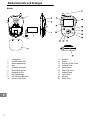
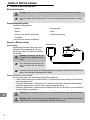
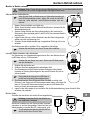
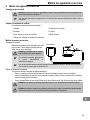
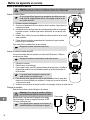
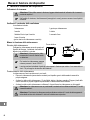
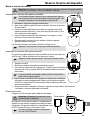
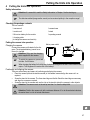
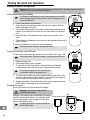
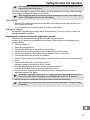
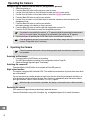
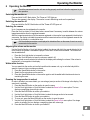
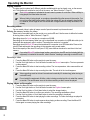
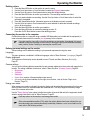
Putting the Units into Operation 4 Putting the Units into Operation 38 Safety information Attention: It is essential to read the Safety Information in Chapter 1 before starting up. The data transmitted (image and/or sound) can be received publicly in the reception range! Checking the package contents 39 The box contains: 1 camera unit 1 camera base 1 monitor unit 1 stand 1 lithium-ion battery for the monitor 1 operating manual 1 charging cable (to charge the camera and monitor) Putting the camera into operation Charging the camera Mains power outlet Connect the camera as illustrated in the dia gram. The integrated battery (cannot be re moved) is charged. Attention: Only use the charging cable supplied for the camera. To switch the camera on, press and hold the On/Off button. When charging the battery for the first time, it should be charged for at least 4 hours without inter ruption. This lengthens the service life of the battery! Positioning and aligning the camera There are several ways and means of positioning and aligning the camera: Place the camera (without the stand mounted) in the camera base and align the camera in it as required. Screw the stand in the camera. The three stand legs are flexible. Bend the stand legs as necessary and align the camera as required. Screw the stand in the camera and use the clip on the stand to attach the camera to other objects. Attention: The camera must not be set-up less than 1 m from the baby/child. Attention: Position the camera unit with a minimum distance of 1 m to other electronic devices, otherwise there is a risk of mutual disturbance. 67