1
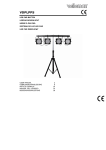
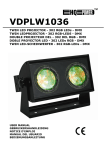
VDPLS2701
d) Display ON/OFF
• When the display does not detect user inputs for ± 25 seconds, it will automatically switch off.
• To switch it on again, press any button (settings are not affected).
e) Key lock
• Pressing and holding the MODE button [1] for more than 3 seconds will lock all buttons ([1], [2] and [3]).
The display shows alternately the current mode and “LOC”.
• Press and hold the MODE button [1] again for more than 3 seconds to unlock the buttons.
f) Switch-on status
• The device always returns to the mode/status it was in when it was switched off. However, all DMX values are
cleared at power-off.
g) DMX signal loss
• The device will retain the status it was in before signal loss.
8. Maintenance
This unit does not need regular maintenance. The internal circuit is protected by a 250 V/2 A, 5 x 20 mm fuse.
Replace a faulty fuse by a fuse of the exact specifications.
Wipe the projector regularly with a moist, lint-free cloth. Do not use alcohol or solvents.
There are no user-serviceable parts. Contact your dealer for spare parts if necessary.
9. Technical Specifications
power supply
90-250 VAC~50-60 Hz
power consumption
24 W
LEDs
270 x 10 mm (72 x red, 126 x green, 72 x blue)
DMX channels
5
beam angle
20°
dimensions
287 x 277.5 x 68 mm
weight
2.6 kg
Use this device with original accessories only. Velleman nv cannot be held responsible in the event of
damage or injury resulted from (incorrect) use of this device. For more info concerning this product
and the latest version of this manual, please visit our website www.hqpower.eu. The information in
this manual is subject to change without prior notice.
© COPYRIGHT NOTICE
The copyright to this manual is owned by Velleman nv. All worldwide rights reserved.
No part of this manual or may be copied, reproduced, translated or reduced to any electronic medium or
otherwise without the prior written consent of the copyright holder.
21.04.2010
6
©Velleman nv