1
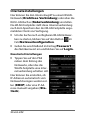
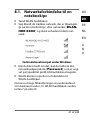
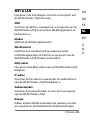
DHCP server enabled: With an enabled DHCP server, you can use the Client List option to view the devices currently logged into the WLAN hard drive. You can set the IP address range within which the DHCP server allocates IP addresses to clients under Start address and End address. Enter the IP address for accessing the access point on the WLAN hard drive under Gateway. NOTE! The IP address of the gateway must be outside of the IP address range of the DHCP server. Pri DNS server If, in the next menu option "Internet", you have entered an access point that can be used to connect to the Internet, then the IP address of this access point will appear here. You can also manually enter the IP address for the primary DNS server here. Sec DNS server If there is a second DNS server in the network that allocates IP addresses, enter the IP address of the second DNS server here. Internet Here you can search for available WLAN networks with an Internet connection. To do this, click Scan. 204 of 242