1
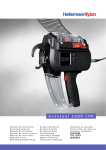
Manual AT2000
IV. Bundling with Autotool 2000
Load Cable Ties
Ensure cable ties are parallel to the drum.
Heads must be upside.
Correct position of ties is marked on the plastic
cover.
Press trigger 4x to load the drum (only at first
loading).
Tool is ready for use
Binding Process
Adjust tension at the gear (1=loose, 9= tight) .
Place your application in binding position (level with
screws of front plate).
Only if diameter of application is nearly 20mm place
it on the lower jaw.
LED 9 lights green.
Press trigger to start the cycle.
Emptying Waste Box
Empty waste box in regular intervals.
January 2011
6