1
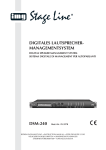
Stereo-PA-Verstärker mit DSP
Stereo PA Amplifier with DSP
Diese Anleitung richtet sich an den Installateur der Beschallungsanlage mit entsprechenden Fachkenntnissen. Bitte lesen
Sie die Anleitung vor dem Betrieb gründlich durch und heben
Sie sie für ein späteres Nachlesen auf. Auf Seite 2 finden Sie
alle beschriebenen Bedienelemente und Anschlüsse.
These instructions are intended for installers of the PA system
with the corresponding technical knowledge. Please read
these instructions carefully prior to operating the amplifier and
keep them for later use. All operating elements and connections described can be found on page 2.
Inhalt
Contents
1
Übersicht der Anschlüsse und Bedienelemente . . . . 4
1
Connections and Control Elements . . . . . . . . . . . . 14
2
Hinweise für den sicheren Gebrauch . . . . . . . . . . . . 4
2
Safety Notes . . . . . . . . . . . . . . . . . . . . . . . . . . . . . . . 14
3
Einsatzmöglichkeiten . . . . . . . . . . . . . . . . . . . . . . . . . 4
3
Applications . . . . . . . . . . . . . . . . . . . . . . . . . . . . . . . 14
4
Aufstellmöglichkeiten . . . . . . . . . . . . . . . . . . . . . . . . 4
4
Setup Options . . . . . . . . . . . . . . . . . . . . . . . . . . . . . . 14
4.1 Rackeinbau . . . . . . . . . . . . . . . . . . . . . . . . . . . . . . . . . 4
4.1 Rack installation . . . . . . . . . . . . . . . . . . . . . . . . . . . . . 14
5
Verstärker anschließen . . . . . . . . . . . . . . . . . . . . . . . 5
5
Connecting the Amplifier . . . . . . . . . . . . . . . . . . . . . 15
6
Bedienung . . . . . . . . . . . . . . . . . . . . . . . . . . . . . . . . . . 5
6
Operation . . . . . . . . . . . . . . . . . . . . . . . . . . . . . . . . . 15
6.1 Zugriffsebenen . . . . . . . . . . . . . . . . . . . . . . . . . . . . . . . 5
6.1 Access levels . . . . . . . . . . . . . . . . . . . . . . . . . . . . . . . 15
6.2 Betrieb ohne Computer . . . . . . . . . . . . . . . . . . . . . . . . 5
6.2 Operation without a computer . . . . . . . . . . . . . . . . . . 15
6.2.1 Preset aufrufen . . . . . . . . . . . . . . . . . . . . . . . . . . . . . 5
6.2.1 Calling up a preset . . . . . . . . . . . . . . . . . . . . . . . . . . 15
6.2.2 Systeminformationen anzeigen . . . . . . . . . . . . . . . . . 5
6.2.2 Showing system information . . . . . . . . . . . . . . . . . . 15
6.2.3 Ein- und Ausgangsparameter ändern . . . . . . . . . . . . 5
6.2.3 Changing input parameters and output parameters 16
6.2.4 Preset speichern . . . . . . . . . . . . . . . . . . . . . . . . . . . . 6
6.2.4 Saving a preset . . . . . . . . . . . . . . . . . . . . . . . . . . . . 16
7
7
Fernsteuerung über einen Computer . . . . . . . . . . . . 6
Remote Control via a Computer . . . . . . . . . . . . . . . 16
7.1 Installation der PC-Software . . . . . . . . . . . . . . . . . . . . . 6
7.1 Installing the PC software . . . . . . . . . . . . . . . . . . . . . . 16
7.2 Einrichten der Netzwerkverbindung . . . . . . . . . . . . . . . 6
7.2 Setting up the network connection . . . . . . . . . . . . . . . 16
7.2.1 Hinweis zur Ethernet-Schnittstelle . . . . . . . . . . . . . . . 6
7.2.1 Note concerning the Ethernet interface . . . . . . . . . . 16
7.3 Steuerprogramm . . . . . . . . . . . . . . . . . . . . . . . . . . . . . 6
7.3 Control program . . . . . . . . . . . . . . . . . . . . . . . . . . . . . 16
7.3.1 Gerätegruppen . . . . . . . . . . . . . . . . . . . . . . . . . . . . . . 7
7.3.1 Unit groups . . . . . . . . . . . . . . . . . . . . . . . . . . . . . . . 17
7.3.1.1
Neue Gruppe bilden . . . . . . . . . . . . . . . . . . . . . . . 7
7.3.1.1
Creating a new group . . . . . . . . . . . . . . . . . . . . . 17
7.3.1.2
Gruppe löschen . . . . . . . . . . . . . . . . . . . . . . . . . . . 7
7.3.1.2
Deleting a group . . . . . . . . . . . . . . . . . . . . . . . . . 17
7.3.2 Programmpasswort ändern . . . . . . . . . . . . . . . . . . . . 7
7.3.2 Changing the program password . . . . . . . . . . . . . . . 17
7.3.3 Demo-Modus . . . . . . . . . . . . . . . . . . . . . . . . . . . . . . . 8
7.3.3 Demo mode . . . . . . . . . . . . . . . . . . . . . . . . . . . . . . . 18
7.3.4 Firmware Update . . . . . . . . . . . . . . . . . . . . . . . . . . . . 8
7.3.4 Firmware update . . . . . . . . . . . . . . . . . . . . . . . . . . . 18
7.3.5 Programm beenden . . . . . . . . . . . . . . . . . . . . . . . . . . 8
7.3.5 Exiting the program . . . . . . . . . . . . . . . . . . . . . . . . . 18
8
8
Verstärker konfigurieren . . . . . . . . . . . . . . . . . . . . . . 8
Configuring the Amplifier . . . . . . . . . . . . . . . . . . . . 18
8.1 Signalweg . . . . . . . . . . . . . . . . . . . . . . . . . . . . . . . . . . . 8
8.1 Signal path . . . . . . . . . . . . . . . . . . . . . . . . . . . . . . . . . 18
8.2 Ansicht MAIN . . . . . . . . . . . . . . . . . . . . . . . . . . . . . . . . 9
8.2 View MAIN . . . . . . . . . . . . . . . . . . . . . . . . . . . . . . . . . 19
8.3 Ansicht IN 1/ 2 . . . . . . . . . . . . . . . . . . . . . . . . . . . . . . . 10
8.3 View IN 1/ 2 . . . . . . . . . . . . . . . . . . . . . . . . . . . . . . . . . 20
8.4 Ansicht OUT 1/ 2 / 3 . . . . . . . . . . . . . . . . . . . . . . . . . . . 10
8.4 View OUT 1/ 2 / 3 . . . . . . . . . . . . . . . . . . . . . . . . . . . . . 20
8.5 Ansicht X-OVER . . . . . . . . . . . . . . . . . . . . . . . . . . . . . 11
8.5 View X-OVER . . . . . . . . . . . . . . . . . . . . . . . . . . . . . . . 21
8.6 Fenster COMPRESSOR . . . . . . . . . . . . . . . . . . . . . . 11
8.6 Window COMPRESSOR . . . . . . . . . . . . . . . . . . . . . . 21
8.7 Zugriffsrechte verwalten . . . . . . . . . . . . . . . . . . . . . . . 12
8.7 Managing access rights . . . . . . . . . . . . . . . . . . . . . . . 22
8.7.1 Passwörter eingeben . . . . . . . . . . . . . . . . . . . . . . . . 12
8.7.1 Entering passwords . . . . . . . . . . . . . . . . . . . . . . . . . 22
8.7.2 Passwörter ändern . . . . . . . . . . . . . . . . . . . . . . . . . . 12
8.7.2 Changing passwords . . . . . . . . . . . . . . . . . . . . . . . . 22
8.7.3 Zugriffsrechte ändern . . . . . . . . . . . . . . . . . . . . . . . . 12
8.7.3 Changing access rights . . . . . . . . . . . . . . . . . . . . . . 22
8.8 Locked State . . . . . . . . . . . . . . . . . . . . . . . . . . . . . . . 12
8.8 Locked State . . . . . . . . . . . . . . . . . . . . . . . . . . . . . . . 22
8.9 Standby . . . . . . . . . . . . . . . . . . . . . . . . . . . . . . . . . . . 12
8.9 Standby . . . . . . . . . . . . . . . . . . . . . . . . . . . . . . . . . . . 22
8.10 Einschalt-Preset festlegen . . . . . . . . . . . . . . . . . . . . . 12
8.10 Defining the switch-on preset . . . . . . . . . . . . . . . . . . . 22
8.11 Sichern / Zurückladen aller Presets . . . . . . . . . . . . . . . 12
8.11 Saving / Restoring all presets . . . . . . . . . . . . . . . . . . . 22
9
Mono-Brückenbetrieb . . . . . . . . . . . . . . . . . . . . . . . 13
9
Mono Bridged Mode . . . . . . . . . . . . . . . . . . . . . . . . . 23
10
Steuerung über einen Tabletcomputer . . . . . . . . . 13
10
Control via a Tablet Computer . . . . . . . . . . . . . . . . 23
11
Technische Daten . . . . . . . . . . . . . . . . . . . . . . . . . . . 13
11
Specifications . . . . . . . . . . . . . . . . . . . . . . . . . . . . . . 23
ELECTRONICS FOR SPECIALISTS ELECTRONICS FOR SPECIALISTS ELECTRONICS FOR SPECIALISTS ELECTRONICS FOR SPECIALISTS
3