1
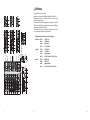
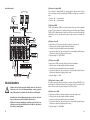
MAIN section
53
+24V
+10
46
+4
PHANTOM
6
12
52
L
47
AC
18
BATT
R
48
10
1
10
MON SEND
5
0dB
5
51
10
49
1
10
FX SEND
PHONES
15
50
20
30
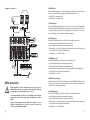
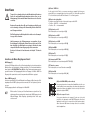
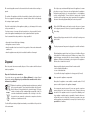
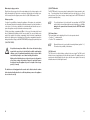
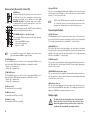
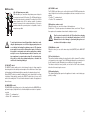
(46) +24V phantom power switch
With this switch you can activate the phantom power voltage for
the microphone inputs (XLR sockets) The LED display lights up
when the phantom power is activated. The voltage is at +24V for
mains operation and +18V for battery opeation. A phantom
power is necessary for the condensor microphone. If you are in
doubt about whether your microphone is compatible, consult a
microphone specialist.
1
10
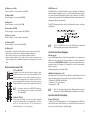
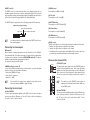
(49) FX SEND control
The FX SEND control allows you to set the levels from the FX SEND output (monitor
output). Adjust the level so that any extra aplliances that are connected are not over
peaking.
• Position "1" = minimum level
• Position "10" = maximum level
(50) Headphone volume control
Using this control, you can set the volume of the headphones.
Control in the "1" position reproduces the minimum volume, control in the "10" position reproduces the maximum volume from the headphone output.
50
MAIN
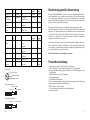
To avoid any interference turn all channel faders down before switching the phantom power on or off. Do not plug any microphones in
or out without first turning the phantom power off. The phantom
power switch is connected to all microphone inputs, it is therefore
not possible to run dynamic and condensor microphones simultaneously. As soon as the phantom power switch is turned on, a voltage supply runs to every microphone input. Do not turn the phantom power on while using dynamic microphone, otherwise this
could lead to them being damaged.
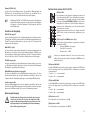
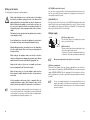
(47) AC/BATT switch
The AC/BATT switch enables yout to select between the type of voltage supply for
the mixing desk ie: either battery or mains adaptor. If the switch has not been operated the mixing desk will automatically be powered by the adaptor plug enclosed.
When AC/BATT switch is operated the mixing desk can be powered by the voltage
of batteries. During battery operation the AC/BATT switch also acts as an on/off
switch for the mixing desk. The on/off switch situated at the back of the appliance is
then not in use.
Turn the control completely to the left "0" position before plugging
the headphones in or out or switching the microphome on or off!
Otherwise there is risk of damage to your hearing through excessive volume at the headphones output.
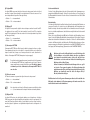
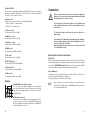
(51) MAIN fader control
Using this control, you can set the mixer output level (MASTER) at the MAIN OUT
output.
(52) Peak level indicator
The peak level indicator indicates the output levels for all the channels. The indication is separate for each channel. The left LED display indicates the recording level of
the left channel, the right LED display the recording level of the right channel.
The indicator should, as far as possible, not exceed the “4dB” value, otherwise,
distortion of the music signal can occur.
(53) Operating display
The operating display lights up when the appliance is turned on and is being supplied by a voltage.
(48) MON SEND control
The MON SEND control allows you to set the output levels from the MON SEND output (monitor output). Adjust the level so that the amplifier connected is not pushed to
overload.
• Position "1" = minimum level
• Position "10" = maximum level
44
45