1
Inhaltsverzeichnis
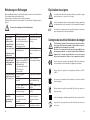
Problème
Einführung ..................................................................................................................4
Bestimmungsgemäße Verwendung ............................................................................5
Produktbeschreibung..................................................................................................5
Un canal ne
fonctionne pas
Inhaltsverzeichnis ........................................................................................................6
Zeichenerklärung ........................................................................................................7
Sicherheits- und Gefahrenhinweise ............................................................................7
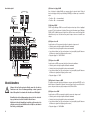
Anschluss- und Bedienelemente ..............................................................................10
Mono-Sektion (Kanal 1 und 2) ..............................................................................10
Stereo-Sektion (Kanal 3/4, 5/6 und 7/8) ................................................................13
Distorsion
du son.
Stereo-Sektion (Kanal 9/10) ..................................................................................14
Ausgänge ..............................................................................................................15
Spannungsversorgung ..........................................................................................16
MAIN-Sektion ........................................................................................................17
Aufstellen des Gerätes ..............................................................................................19
Anschluss ..............................................................................................................20
Anschluss der Mono Eingänge und Insert ............................................................20
Anschluss der Stereo Eingänge ............................................................................21
Anschluss der Cinch-Eingänge..............................................................................21
Anschluss der Ausgänge ......................................................................................22
Spannungsversorgung ..........................................................................................22
Inbetriebnahme ........................................................................................................24
Mischpult ein- und ausschalten ............................................................................25
Eingangssignal einstellen ......................................................................................25
Kopfhörer benutzen ..............................................................................................26
Wartung und Pflege ..................................................................................................26
Entsorgung ................................................................................................................27
Behebung von Störungen ........................................................................................28
Technische Daten ....................................................................................................29
Cause éventuelle
Dépannage
La sortie n'est pas ou
mal branchée
Brancher la sortie comme
décrit
Le câble de connexion
s'est desserré
Le régleur BAL est déréglé aux
entrées stéréo ou le régleur PAN
aux entrées mono
à la table de mixage ou
à l'amplificateur est déréglé
La sortie de la table de mixage est
mal réglée / l'amplificateur
raccordé est surmodulé
L'appareil raccordé
ne respecte pas les spécifications
de consigne pour le raccordement
ou ne dispose pas des raccords
correspondants
Le niveau d'entrée est mal
réglé, la table de mixage
est surmodulée
Contrôler les connexions
entre les appareils.
Régler le régleur ou
l'amplificateur correctement à la table de mixage
Utiliser un appareil avec
un raccordement approprié
Régler l'entrée de la table
de mixage comme décrit
Les « réparations » autres que celles qui ont été précédemment
décrites doivent être exécutées uniquement par un technicien qualifié et agréé.
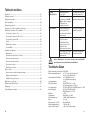
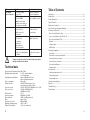
Caractéristiques techniques
Tension de service du bloc-secteur :
Tension de service de la
table de mixage:
Consommation de courant avec piles :
Consommation :
Autonomie des piles
régleur de son stéréo
Régleur de son mono
Facteur de distorsions harmoniques
Réponse fréquentielle
Niveau de sortie maximum
Poids :
Dimensions (L x l x H) :
Plage de températures de service :
Humidité relative de l’air :
6
Régler la sortie de la table
de mixage comme décrit
230V~/50Hz
2x 17,5V~ fonctionnement sur bloc d'alimentation
ou 3x 9V fonctionnement sur piles
env. 170mA (Master-Power)
env. 5mA (alimentation fantôme)
env. 6W
pour MASTER-Power env. 3 heures
pour tension fantôme env. 110 heures
HI 12kHz / MID 2,5kHz / LOW 80Hz (+/- 15dB)
HI 12kHz / MID 0,8kHz-8kHz /
LOW 80Hz (+/- 15dB)
< 0,1%
20Hz-20kHz (+1/-2dB)
+20dB / +26dB (symétrique)
env. 2,8kg
303x55x230mm
+10°C à +40 °C
< 90 % (sans condensation)
83