1
Sportrider
2013-02
Operation
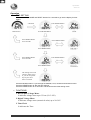
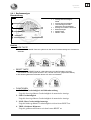
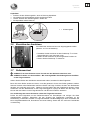
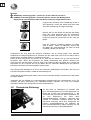
• TIME-SETTING
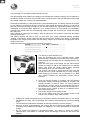
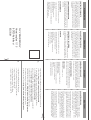
Push and hold both MODE and RESET buttons for 2 seconds to go into the display for timesetting.
2 Seconds
Press RESET Button
Press MODE Button
Main Screen
Press RESET Button
for 2 Seconds
Press RESET Button
Press MODE Button
Press RESET Button
for 2 Seconds
Press RESET Button
Press MODE Button
The setting screen will
retune to main screen
if you do not operate
any key for more
than 75 seconds
Press the MODE button to cycle through the AM/PM, hours, minutes and seconds function.
Press the RESET button to alter the time settings.
Press the RESET button for 2 seconds to set the time and exit the setting mode.
• FUNCTIONS
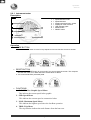
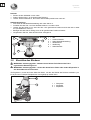
1. Bar Graphic Voltage Meter
It indicates voltage meter up to 35 bars (22.5~26V).
2. Digital Voltage Meter
It indicates voltage meter (numerical value) up to 20~30V.
3. Time Clock
It indicates the Time.
Page 18