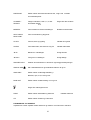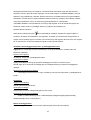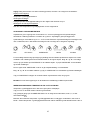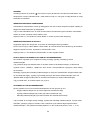
1
VENTUS W155
ENGLISH……………………………………………………………………………..PAGE 01
GERMAN……………………………………………………………………………..PAGE 17
DANISH………………………………………………………………………………PAGE 35
NORWEGIAN………………………………………………………………………..PAGE 55
SWEDISH…………………………………………………………………………….PAGE 70
FINNISH………………………………………………………………………………PAGE 85
0
W155. Ventus Wireless Weather station
Owner’s Manual
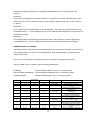
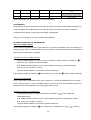
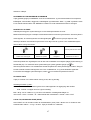
Thank you for purchasing the new generation of professional weather station. Designed and engineered
with the state-of-art technology and components, this instrument will provide accurate and reliable
measurement of wind speed & direction, wind chill, daily/weekly/monthly/accumulated rainfall,
barometric pressure, weather forecast, indoor/outdoor humidity, temperature, heat index & dew point as
well as radio-controlled alarm clock. Read this manual carefully to fully explore the features and
functions of the new product.
In this package you will find:
One monitor (Receiver)
One anemometer (Transmitter – transmit wind & outdoor Channel-1 temperature/humidity data)
One rain gauge (Transmitter – transmit rainfall data)
Mounting hardware for rain gauge (2 sets of screws & plastic screw plugs)
Mounting hardware for anemometer (2 pieces of U-shape metal plate, 4 sets of Hex screws & nuts)
One owner’s’ manual
Additional tools needed for installation
-
Small Phillips screwdriver
-
Hexagonal Key
-
Electric drill
-
Pencil
-
Level
-
Mast, 1 – 1.25 inch (2.54 – 3.18 cm) in diameter (to mount the anemometer)
Installation
The weather station operates at 433MHz and does not require wire installation among the component
parts. To ensure successful installation and the best performance, we recommend you follow the
installation instructions in the order they appear in this manual.
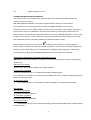
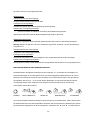
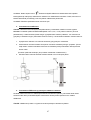
1. Battery & adapter installation for the monitor (receiver)
Main Power source: Plug in the adapter jack into the side of the unit for basic operation and continuous
backlight.
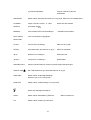
Backup Power: Open the battery door and insert 6 pieces of AA batteries according to the polarity
indicated, close the battery cover.
1
Sea level pressure setting
After battery/adapter installation, the monitor will enter sea level pressure setting mode directly and the
pressure reading will flash. Press “▲” or “▼” to set the sea level pressure value. Press “PRESSURE” to
confirm the setting and exit. This allows the unit to provide a more accurate weather forecast &
pressure reading.
You can also set the sea level pressure any time after the installation is completed. For more
information, see “WEATHER FORECAST & BAROMETRIC PRESSURE” section.
Note: you may obtain the current sea level pressure from the weather web site for your locate area.
2. Selecting a location for the anemometer
Select a mounting location for the anemometer that is:
-
Outdoors, not blocked on top or sides, so wind can freely reach the anemometer
-
Within 30 meter open area from the monitor. Reduce distance if obstacles is between the
anemometer & the monitor
The best location for the anemometer is usually mounted on a mast in an open area where wind is not
blocked on top or sides, or above roof level on the building where the monitor is located.
Testing the effective transmission range
Before mounting the anemometer, measure the distance between the monitor & anemometer and be
sure it is within the effective transmission range. It is recommended to perform a simple RF
transmission test before mounting.
1) Place the monitor in your selected indoor location and install adapter & batteries (see “Battery &
adapter installation for the monitor” section above)
2) Place the anemometer horizontally in your selected outdoor location. Loosen the screws on the
battery door with a small Phillips screwdriver and open the battery door. Insert 2 pieces of AA
batteries according to the polarity indicated. Close the battery door and tighten the screws.
3) Hold “CHANNEL/SEARCH” button on the monitor for 3 seconds and the wind direction,
temperature & humidity icons will flash on the display. The monitor is now searching for all remote
sensors for 2 minutes.
4) If valid wind direction, wind speed and channel-1 temperature/humidity readings are shown on the
monitor within 2 minutes, the RF transmission is successful and the anemometer & monitor are
within the effective transmission.
If above readings are not shown after 2 minutes of searching, the transmission is failed.
Shorten the distance between the anemometer & monitor. Reset the anemometer by removing all
batteries from the anemometer & wait for 10 seconds before re-installing the batteries again.
Repeat step 3 & 4 until the transmission is successful.
5) Remove all batteries from the anemometer before mounting and calibration.
2
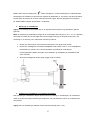
NOTE: Whenever the radio-controlled icon
is flashing on the display, the weather station is
receiving radio-controlled clock signal and the RF reception for remote sensors will stop temporary for
around 8 minutes. Wait until this icon stops flashing (or disappear) before searching for the remote
sensors again by holding the “CHANNEL/SEARCH” button on the monitor for 3 seconds
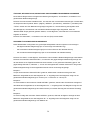
3. Mounting the anemometer
Important: Before mounting, be sure the monitor & anemometer are within the effective transmission
range.
Note: To mount the anemometer, you need a mast (not supplied) about 1 – 1.25 inches (2.54 – 3.1 cm)
in diameter, and the hardware necessary to fasten it to the mounting location. If you previously installed
such a mast (for mounting antenna, for example), you can mount the anemometer on that mast.
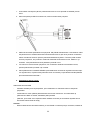
1.
If necessary, mount and ground a mast as directed in the instructions provided by the mast.
2.
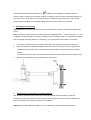
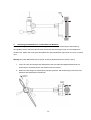
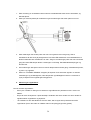
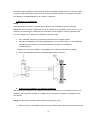
Place the supplied U-shape metal plates around the mast. Insert 4 pieces of the supplied Hex
screws through the holes of the U-shape plates and the holes on the anemometer’s mounting
bracket.
(The wind vane is above the wind cup and the metal bar of the anemometer is in horizontal level)
3.
Tighten the supplied Hex nut onto both ends of each screw
4.
Calibrating the anemometer & installing batteries
After mounting the anemometer, follow these steps to calibrate the wind direction so that the
anemometer properly measures the wind direction and transmit to the monitor. Be sure battery has
been removed from the anemometer before the calibration.
Important: The same calibration (step 1 to 5) is needed for the first set up and every battery
3
replacement.
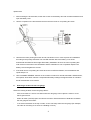
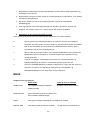
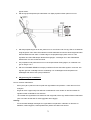
1. After mounting the anemometer, loosen the screws on the battery door with a small screwdriver and
open the battery door.
2. Use the compass on the anemometer and turn the wind vane so it is pointing due north.
3. Hold the wind vane pointing due north and do not allow it to turn. Insert 2 pieces of AA batteries
according to the polarity indicated. The red LED indicator above the battery cover of the
anemometer will flash few times right after battery installation. Be sure the vane is pointing due
north at the moment when red LED flashes and the calibration is now completed. Replace the
battery cover and tighten the screws.
4. If the wind vane is not pointing due north when the red LED first flashes, remove batteries and
repeat step 2 & 3.
5. Hold “CHANNEL/SEARCH” buttons on the monitor to search for remote transmitter. Wind direction,
wind speed, wind chill & channel-1 temperature/humidity readings will appear within 10 minutes if
the RF transmission is successful.
5.
Selecting a location for the rain gauge
Select a mounting location for the rain gauge that is:
-
a flat, level surface. Look for a location where the rain gauge can be placed 1 meter or more
above ground level.
-
within 30 meter (100 feet) open area from the monitor. Reduce distance if obstacles is between
the rain gauge & the monitor
-
in an area not blocked on the top or sides, so rain can freely reach the rain gauge (for example,
not under an overhang or too close to a building or fence)
4
Cautions:
-
To prevent false rainfall readings caused by water splashes, do not choose a location that is not
level or that is too close to the ground, a swimming pool, lawn sprinklers, or anywhere water might
accumulate or run off
-
The screen in the cylinder of the rain gauge filters most debris (such as leaves) that might fall into
the rain gauge. To avoid frequent build-up of debris in the cylinder, do not mount the rain gauge
too close to the trees or plants
6.
Battery Installation for the rain gauge
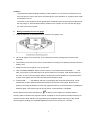
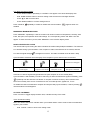
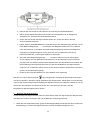
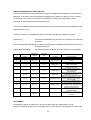
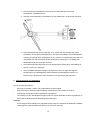
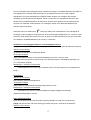
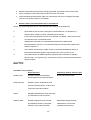
1. Press the tabs back as indicated below to unlock the rain gauge cover
2. Lift the rain gauge cover off its base. Then carefully remove the packing tape from the bucket
assembly
3. Open battery cover and insert 2 pieces of AA batteries according to the polarity indicated. Close the
battery cover
4. Replace & lock the rain gauge cover on the base
5. Hold “CHANNEL/SEARCH” button on the monitor for 3 seconds and the total rainfall “- - - -“ will
flash. The monitor is now searching for all remote sensors for 2 minutes. Total rainfall reading (in
this case “0” mm or inch) will appear within 2 minutes if the RF transmission is successful and the
monitor & rain gauge are now within the effective transmission range.
6. If total rainfall “- - - - “ stop flashing and stay on the display after 2 minutes of searching, the RF
transmission is failed. Shorten the distance between the monitor & rain gauge. Reset the rain
gauge by removing all batteries from the rain gauge and wait for 10 seconds before re-installing the
batteries again. Then repeat step 5 (& 6) until the RF communication is completed.
NOTE: Whenever the radio-controlled icon
is flashing on the display, the weather station is
receiving radio-controlled clock signal and the RF reception for remote sensors will stop temporary for
around 8 minutes. Wait until this icon stops flashing (or disappear) before searching for the remote
sensors again by holding the “CHANNEL/SEARCH” button on the monitor for 3 seconds.
5
7.
Mounting the rain gauge
Before mounting the rain gauge, be sure the rain gauge & monitor are within the transmission effective
range and batteries are installed.
1. Hold the base of the rain gauge flat against the mounting surface then use a level to make sure the
rain gauge (as it rest on the mounting surface) is horizontally level.
2. Use a pencil to trace the inside of the mounting holes on the base of the rain gauge to mark the
screw locations.
3. Drill a hole in the center of each marked location and insert the supplied plastic screw plugs
4. Hold the rain gauge against the mounting surface so the holes on the base are aligned with the
plugs, then thread the supplied washer head screws into each hole and use a screwdriver to tighten
them.
8.
Installing additional remote thermo-hygrometer sensor(s)
Additional remote thermo-hygrometer sensors can be purchased separately (not supplied in the
package).
1. Select a location for the remote thermo-hygrometer that is within the effective transmission range of
50 meters (164 feet). Shorten the distance if obstacle is between the monitor & remote sensor.
2. Use a small screwdriver to loosen the screws on the battery door of the remote sensor. Insert 2
pieces of AAA batteries according to the polarity indicated.
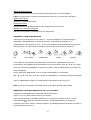
3. Assign channel 2 or 3 to the remote sensor by setting the slide switch inside the battery
compartment. (Channel 1 is used by the anemometer and should not be assigned to the new
remote thermo-hygrometer)
4. Press “Tx” button inside the battery compartment of the remote sensor to transmit temperature &
humidity data to the monitor. Then close the battery door and tighten the screws.
5. Hold “CHANNEL/SEARCH” button on the monitor to search for all remote sensors. The
temperature & humidity readings of your selected channel number will be displayed on the monitor
if RF transmission is successful.
OPERATION
Name and Functions of Buttons:
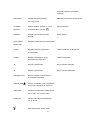
Press Functions
Hold 3 seconds
RAIN/CLEAR
Read daily/monthly/weekly/total rainfall
Clear rainfall record
RAIN HISTORY
Read current & past 6 days, weeks or months rainfall data
6
WIND
Read average & gust wind speed
WIND ALARM
Read high gust wind alarm and low wind
Enter high wind speed alarm & low
chill alarm
wind chill alarm setting
PRESSURE
Toggle pressure unit hPa, inHg & mb
Sea level pressure setting
CHANNEL/
Select indoor, Channel 1, 2, 3 or
Search for all remote sensors
SEARCH
auto scroll
MEMORY
Read maximum/minimum records
HEAT INDEX/
Read Heat Index & Dew Point
Clear memory record
DEW POINT
CLOCK
Read time, calendar and day-of-week
Set Clock & Calendar
ALARM
Read alarm time; enable/disable alarm
Alarm time setting
▲ UP
1 step forward in setting
Fast advance
▼ Down
1 step backward in setting
Fast backward
SNOOZE/LIGHT
Trigger snooze alarm & extend backlight
WIND ALARM
Enable/disable high gust wind alarm
& low wind chill alarm
WIND UNIT
Toggle wind speed unit between
Beaufort, mph, m/s, km/h & knot
RAIN UNIT
Toggle between mm & inch rainfall unit
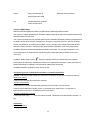
Search for Radio-Controlled time
ZONE
Toggle RC time & Zone time
Zone time setting
7
C/F
Toggle degree C & F unit
CONNECTING WITH REMOTE SENSORS
The weather station uses 433MHz radio signals to send and receive weather data between the
monitors and remote sensors.
After battery/adapter installation, the monitor will automatically search for remote sensors.
You can also enforce a searching mode by holding “CHANNEL/SEARCH” on the monitor.
Follow the instruction in the “INSTALLATION” section to set up the sensors and wireless connection. If
the connection cannot be established, reset the remote sensor by removing the batteries from the
sensor. Wait for 10 seconds and reinstall the batteries. Then hold “CHANNEL/SEARCH” on the monitor
to search for the sensors. If that continues to fail, shorten the distance between the sensor & monitor
and reinstall the sensors if necessary (Details refer “INSTALLATION” section)
NOTE: Whenever the radio-controlled icon
is flashing on the display, the weather station is
receiving radio-controlled clock signal and the RF reception for remote sensors will stop temporary for
around 8 minutes. Wait until this icon stops flashing (or disappear) before searching for the remote
sensors again by holding the “CHANNEL/SEARCH” button on the monitor for 3 seconds.
Anemometer (with built-in temperature & humidity sensor):
Important: Wind direction calibration is needed whenever the anemometer is reset (or during battery
replacement)
Searching mode display:
Wind direction, temperature & humidity information will flash
RF Connection completed:
Valid wind speed/direction & Ch-1 temperature/humidity readings appear
(It may take up to 10 minutes to receive all wind speed/direction & Ch-1 temperature/humidity readings
during the searching mode)
RF Connection failed:
“- - - -“ wind speed appears; no wind direction. Unable to display Ch-1 temperature & humidity
Rain Gauge:
Searching mode display:
Total rainfall information will flash
RF connection completed:
Valid total rainfall reading appears
RF connection failed:
“- - - -“ stops flashing & stays on the total rainfall display (previous daily/weekly/monthly rainfall readings
remain in record)
8
Additional remote thermo-hygrometer sensor:
Additional remote thermo-hygrometer sensors can be purchased separately (not supplied in the
package).
Important: Select Ch-2 or 3 for additional remote thermo-hygrometer sensor since Ch-1 has been
assigned to the anemometer.
Searching mode display:
Temperature & humidity information will flash
RF Connection completed:
Valid temperature/humidity readings of your selected channel appear
RF Connection failed:
Unable to display the temperature & humidity readings of your selected channel
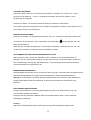
WEATHER FORECAST & BAROMETRIC PRESSURE
The unit predicts weather condition of the next 12 – 24 hours based on the change of atmospheric
pressure.
The coverage area is around 30 – 50 km. The weather forecast is based on atmospheric
pressure change and is about 70-75% correct.
As weather conditions cannot be 100% correctly
forecasted, we cannot be responsible for any loss caused by an incorrect forecast.
SUNNY
PARTLY CLOUDY
CLOUDY
RAINY
STORMY
To obtain an accurate weather forecast & barometric pressure reading, you need to input your current
local sea level pressure. After battery/adapter installation, it will enter sea level pressure setting directly
and the pressure reading will flash. Press “▲” or “▼” to set the value and press “PRESSURE” to
confirm and exit.
You can also hold “PRESSURE” button to enter sea level pressure setting in normal display mode.
Press “▲” or “▼” to set the value and press “PRESSURE” to confirm and exit.
Press PRESSURE button to select pressure unit between hPa, inHg & mb.
Note: you may obtain your current local sea level pressure information from the weather web site.
IN/OUT TEMPERATURE & HUMIDITY
Temperature & humidity readings are shown on the upper right of the display.
Press “C/F“ button to select temperature unit C/ F.
Press “CHANNEL/SEARCH” repeatedly to select indoor, Ch1, Ch2, Ch3 or auto-channel scrolling
display modes.
9
Note: The outdoor temperature & humidity sensor is built inside the anemometer and is assigned to
channel 1. Additional remote thermo-hygrometer sensor(s) can be purchased separately and they
should be assigned to Ch-2 or 3 only.
ICE ALERT
Ice alert indicator
appears on the display next to the wind chill reading when outdoor channel-1
temperature falls to or below 4C (or 39.2F). It provides an early alert for possible icy road condition to
driver.
IN/OUT HEAT INDEX
Heat Index combines the effects of heat and humidity. It is the apparent temperature of how hot the
heat-humidity combination makes it feels.
Press “Heat Index/Dew Point” button once to show the respective indoor or outdoor heat index on the
display. “HEAT INDEX” icon will appear.
The display writes LL.I when the value of “HEAT INDEX” is too small and unimportant
IN/OUT DEW POINT
Dew point is the saturation point of the air, or the temperature to which the air has to be cooled in order
to get condensation.
Press HEAT INDEX / DEW POINT button twice to show the respective indoor or outdoor dew point
reading on the display. “DEW POINT” icon will appear.
The display writes LL.I when the value of “DEW POINT” is below 0 degrees Celsius.
DAILY, WEEKLY, MONTHLY & ACCUMLATED RAINFALL
The wireless rain gauge provides daily, weekly, monthly and accumulated rainfall measurements.
Press “RAIN/CLEAR” repeatedly to switch between the different modes and the corresponding “DAILY”,
“WEEKLY”, “MONTHLY” or “TOTAL” icon will appear indicating your current display mode.
In daily, weekly or monthly rainfall display, hold “RAIN/CLEAR” to clear all daily, weekly & monthly
rainfall reading to zero. In total rainfall display, hold “RAIN/CLEAR” to clear total rainfall reading.
Press “RAIN UNIT” on the back casing to change the unit between mm and inch.
RAINFALL HISTORY
This unit has a large capacity memory that can store and display:
-
Daily rainfall (up to last six days as well as current day)
-
Weekly rainfall (up to last six weeks as well as current week)
-
Monthly rainfall (up to last six months as well as current month)
Press “RAIN” to select daily, weekly or monthly rainfall display mode. Press “RAIN HISTORY”
10
repeatedly to scroll through the current & last 6 days/weeks/months data corresponding to your
selected rainfall mode. On the bar chart display, the “0” represents the current period. –1, –2, etc
indicate the prior periods. The precise rainfall reading of the selected period will be shown on the
display.
Example 1:
In April, press “RAIN HISTORY” repeatedly in the monthly rainfall mode until “–3” bar chart is shown.
The bar chart and reading indicate the monthly rainfall record in January (from 1st Jan to 31st Jan)
Example 2:
On Wednesday, press “RAIN HISTORY” repeatedly in the weekly rainfall mode until “-1” bar chart is
shown. The bar chart and reading indicate the weekly rainfall recorded last week (from last Sunday to
last Saturday).
Example 3:
On Friday, press “RAIN HISTORY” repeatedly in the daily rainfall mode until “–2” bar chart is shown.
The bar chart and reading indicate the daily rainfall record on this Wednesday.
WIND SPEED & DIRECTION
The weather station uses the anemometer to sample the wind speed and direction. You can set the
monitor to display the wind speed in miles per hour (mph), kilometers per hour (km/h), meters per
second (m/s), knots and Beaufort. Press “WIND UNIT” on the back casing until the desired unit
appears.
The monitor displays 16 wind directions (N for north, S for south, SW for south-west and so on).
Press “WIND” to select gust & average wind speed display.
Wind direction:
Average wind direction over a 2-minute period
Average wind speed:
Average wind speed over a 2-minute period
Gust wind speed:
Maximum wind speed over a 10-minute period
Under 1
Wave height
(meter)
-
Wave height
(feet)
-
1–3
0.07
0.25
Light air
2
4–6
0.15 – 0.3
0.5 – 1
Light breeze
3
7 – 10
0.6 – 0.9
2–3
Gentle breeze
4
11 – 16
1 – 1.5
3.5 – 5
Moderate breeze
5
17 – 21
1.8 – 2.4
6–8
Fresh breeze
6
22 – 27
2.9 – 4
9.5 – 13
Strong breeze
7
28 – 33
4.1 – 5.8
13.5 – 19
Near gale
Beaufort
Knots
0
1
11
WMO description
Effects observed on the sea
Clam
Sea is like a mirror
Ripples with appearance of scales;
no foam crests
Small wavelets; crests of glassy
appearance, not breaking
Large wavelets; crests begin to
break; scattered whitecaps
Small waves, becoming longer;
numerous whitecaps
Moderate waves, taking longer form;
many whitecaps; some spray
Larger waves forming; whitecaps
everywhere; more spray
Sea heaps up; white foam from
breaking waves begins to be blown in
streaks
8
34 – 40
5.5 – 7.6
18 – 25
Gale
9
41 – 47
7 – 9.7
23 – 32
Strong Gale
10
48 – 55
8.8 – 12.5
29 – 41
Storm
11
56 – 63
11.2 – 15.8
37 – 52
Violent
12
64 & over
13.7 & over
45 & over
Hurricane
Moderately high waves of greater
length; edges of crests begin to break
into spindrift; foam is blown in
well-marked streaks
High waves; sea begins to roll; dense
streaks of foam; spray may begin to
reduce visibility
Very high waves with overhanging
crests; sea takes white appearance
as foam is blown in very dense
streaks; rolling is heavy and visibility
is reduced
Exceptionally high waves; sea
covered with white foam patches;
visibility further reduced
Air filled with foam; sea completely
white with driving spray; visibility
greatly reduced
(Reference table based on observations of the effects of the wind)
WIND CHILL
Wind chill is the apparent temperature felt on exposed skin due to the combination of air temperature
and wind speed. The wind chill reading on the monitor is calculated based on the temperature
measured from the anemometer (channel-1) and the average wind speed.
To change wind chill temperature unit, press “C/F” button on the back casing.
GUST WIND & WIND CHILL ALARM
High Gust Wind Alarm
You can set the monitor to sound an alarm for about 1 minute when gust wind reaches or exceeds a set
limit. Press “WIND ALARM” to silence the alarm sound. The related high alarm icons will continue to
flash until the alarm condition is no longer met.
High Gust Wind Alarm Setting:
-
Press “WIND ALARM” to show high gust wind alarm display. “ALARM” icons appear in the gust
wind display area
-
Hold “WIND ALARM” button to enter its setting mode and gust wind digits will flash
-
Press “▲”or “▼” to set the value
-
Press “WIND ALARM” to confirm setting and exit
Press “WIND AL ” repeatedly to enable or disable the gust alarm. “
” appears when it is enabled.
Low Wind Chill Alarm
You can also set the monitor to sound an alarm for about 1 minute when the wind chill reaches or falls
below the set limit. Press “WIND ALARM” to silence the alarm sound. The related low alarm icon will
continue to flash until the alarm condition is no longer met.
12
Low Wind Chill Alarm Setting:
-
Press “WIND ALARM” repeatedly so “ALARM” icons appear in the wind chill display area
-
Hold “WIND ALARM” button to enter its setting mode and the wind chill digits will flash
-
Press “▲”or “▼” to set the value
-
Press “WIND ALARM” to confirm setting and exit
Press “WIND AL ” repeatedly to enable or disable the wind chill alarm. “
” appears when it is
enabled.
MAXIMUM & MINIMUM RECORDS
Press “MEMORY” repeatedly to view the maximum & minimum values of temperature, humidity, heat
index, dew point, wind speed & wind chill readings. The corresponding “MAX” and “MIN” icons will
appear. To clear the memory record, hold “MEMORY” in the max/min display mode
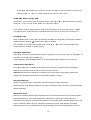
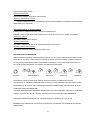
RADIO-CONTROLLED CLOCK
The unit will start synchronizing the radio-controlled clock after battery/adapter installation. The antenna
icon will flash during synchronization. If the reception of radio-controlled time is successful, antenna
icon with full signal strength
will appear on screen. The radio-controlled clock will have a daily
synchronization at 02:03 & 03:03 everyday. Each reception cycle is around 2.5 to 10 minutes.
Antenna icon disappear
Searching for Radio-Controlled
Reception is successful
Clock Signal
Reception is fail
Reception is disabled
Antenna icon without signal strength indicates the past reception is not successful (Daily
synchronization is still enabled). To enforce searching of radio-controlled time signal immediately, press
“ “ repeatedly until the antenna icon flashes. If reception continues to fail, try other locations later.
Place the unit away from source of interference such as mobile phones, appliances, TV etc.
To disable the radio-controlled time reception and stop the daily synchronization, continue pressing “ ”
until the antenna icon disappears.
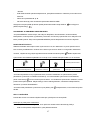
CLOCK & CALENDAR
Press “CLOCK” to toggle display between time, calendar and day of the week.
Clock & calendar setting:
Note: You need to set clock & calendar when your weather station cannot receive radio-controlled time
signal in your location.
-
Hold “CLOCK “ button to enter clock setting mode.
13
-
Using “▲”or “▼“ to adjust and “CLOCK” to confirm, the following values can be set in sequence:
12/24hr format > Hr > Min > Yr > D/M or M/D format > Month > Date > EXIT
HOME TIME, WORLD (ZONE) TIME
Hold “ZONE” to enter world (zone) time setting mode. Press “▲“or “▼“ to enter the desired hour offset
value from –12 to +12 hours. Press “ZONE” to confirm each setting.
Press “ZONE“ button to toggle between home (radio-controlled) time and world (zone) time. “ZONE”
icon appears when world (zone) time is selected. When zone time is not used, set zone time to “0”.
ALARM SETTING
Press “ALARM” button to show alarm time and the “ALARM” icon will appear. Press again to enable or
disable the alarm. Bell icon “ ” appears when alarm is enabled.
Hold “ALARM” to enter alarm time setting mode. Press “▲”or “ ▼” to enter the desired Hour/ Min
values and press “ALARM“ to confirm setting.
SNOOZE & BACKLIGHT
When alarm is going off, press SNOOZE/ LIGHT to trigger snooze function and “Zz” icon will appear. To
stop alarm for one day, press “ALARM” key.
In normal display, press SNOOZE/LIGHT for an extended backlight if adapter is not connected.
LOW BATTERY INDICATION
Low battery indication is available for the monitor itself and all of the remote sensors. Replace the
batteries and follow the setup procedure in this instruction manual.
Important: Wind direction calibration is required for the anemometer during battery replacement
(Details refer “Calibrating the anemometer & installing batteries” section)
BATTERY DISPOSAL
Replace only with the same or equivalent type recommended by the manufacturer.
Please disposal of old, defective batteries in an environmentally friendly manner in accordance with the
relevant legislation.
IMPORTANT NOTE:
Warning! The weather station and the outside sensor contain sensitive electronic components. Radio
waves transmitted e.g. from mobile telephones, walkie talkies, radios, WiFi, remote controls or
microwaves may influence the transmission distance of the weather station and the outside sensor and
lead to a shorter reception range. It is therefore important to keep as great distance as possible
between the devices of the weather station and the outside sensor and the devices which send out
14
radio waves. We do not guarantee the maximum specified transmission range between the weather
station and the outside sensors due to the radio frequency interference in the environment.
SPECIFICATIONS
Indoor Temperature
: 0 C to + 50 C (+32 F to +122 F)
Outdoor Temperature
: -20 C to +60 C (-4 F to +140 F)
Temperature Resolution
: 0.1 degree C
Indoor & Outdoor Humidity
: 20% - 99% RH
Humidity Resolution
: 1% RH
Channel for Temp & Humidity
: maximum 3
Wind speed range
: 0 – 30m/s
: 0 – 108 km/h
: 0 – 67 mph
: 0 – 58.3 knot
: 0 - 11 Beaufort
Rain Gauge reading
: 0 – 9999 mm
: 0 – 393.66 inch
Transmission (Anemometer)
: up to 30M in open area, RF433 MHz
Transmission (Rain Gauge)
: up to 30M in open area, RF433 MHz
Clock
: DCF77 Radio-Controlled, Quartz back-up
Power
: 6.0V adapter & AA x 6 pieces for the monitor
: AA x 2 pieces for anemometer
: AA x 2 pieces for rain gauge
Xeecom ApS
Denmark
www.xeecom.com
www.ventusdesign.com
Copyright Xeecom ApS
If at any time in the future you need to dispose of this product please note that:
Waste electrical products sjould not be disposed together with household waste.
Please recycle where facilities exist. Check with your local Authority or retailer
15
For recycling advice (Waste Electrical and Electronic Equipment directive)
CE tested to comply with CE standards
16
W155. Wetterstation mit Regenmesser und Windmesser
Bedienungsanleitung
Danke, dass Sie sich für diese moderne, professionelle Wetterstation entschieden haben. Diese
Wetterstation ist nach neusten technischen Erkenntnissen entwickelt worden, sodass sie Ihnen genaue
und zuverlässige Messungen von Windgeschwindigkeiten und –richtungen, Kälteindex,
täglichem/wöchentlichem/monatlichem und gesammeltem Niederschlag, Barometerdruck,
Wettervorhersage, Luftfeuchtigkeit innen und außen, Temperatur und Taupunkt sowie das Wecken mit
Funkuhr ermöglicht. Lesen Sie diese Bedienungsanleitung bitte gründlich durch, um alle Funktionen der
Wetterstation vollständig nutzen zu können.
Im Lieferumfang enthalten:
Ein Bildschirm (Empfänger)
Ein Windmesser (Sender – überträgt Windstärke, Temperatur und Luftfeuchtigkeit des Außenkanals 1)
Ein Regenmesser (Sender – überträgt Niederschlagsmessungen)
Ein AC/DC-Netzteil (6,0 V)
Montagezubehör für den Regenmesser (2 Sätze Schrauben und Dübel)
Montagezubehör für den Windmesser (2 U-förmige Metallplatten, 4 Schrauben mit Muttern)
Eine Gebrauchsanweisung
Zur Installation außerdem erforderlich
-
Ein kleiner Philips-Schraubenzieher
-
Schraubenschlüssel
-
Bohrer
-
Bleistift
-
Wasserwaage
-
Mast mit Durchschnitt 2,5 – 3,1 cm (zum Anbringen des Windmessers)
Installation
Die Wetterstation läuft über die Sendefrequenz 433 MHz und braucht darum keine separate Verbindung
zwischen den einzelnen Einheiten. Um eine korrekte Installation und eine optimale Nutzung des Geräts
zu gewährleisten, wird empfohlen, den Anweisungen in dieser Gebrauchsanleitung genau zu folgen.
1.
Einsetzen der Batterien und Stromversorgung des Bildschirms (Empfänger)
Stromversorgung: Ist das Kabel an der Seite des Geräts angebracht und ans Stromnetz angeschlossen,
funktionieren die allgemeinen Funktionen und die permanente Hintergrundbeleuchtung.
Gangreserve: Öffnen Sie den Batteriefachdeckel, setzen Sie 6 AA-Batterien wie im Piktogramm
17
angegeben ein und schließen Sie den Deckel.
Einstellen des Meeresspiegeldrucks
Wenn die Batterien eingelegt sind und das Gerät ans Stromnetz angeschlossen ist, erscheint auf dem
Bildschirm die Einstellung des Meeresspiegeldrucks und die Druck-Anzeige blinkt. Verwenden Sie “▲”
und “▼”, um den Wert des Meeresspiegeldrucks einzustellen. Drücken Sie “PRESSURE”, um die
Einstellungen zu bestätigen und das Menü zu verlassen. Diese Einstellungen ermöglichen der
Wetterstation eine genauere Wettervorhersage und Druckmessung.
Sie können den Meeresspiegeldruck auch später einstellen. Lesen Sie dazu den Abschnitt
„WETTERVORHERSAGE & BAROMETERDRUCK“ für weitere Informationen.
Beachten Sie: Den aktuellen Meeresspiegeldruck können Sie bei nationalen Wetterdiensten erfahren.
2.
Standort für den Windmesser auswählen
Der Windmesser sollte angebracht werden:
-
draußen mit ausreichend Platz nach allen Seiten, damit der Wind den Windmesser ungestört
erreichen kann.
-
in offener Landschaft höchstens 30 Meter vom Bildschirm entfernt. Der Abstand sollte geringer
sein, wenn sich Hindernisse für das Signal zwischen dem Windmesser und dem Bildschirm
befinden.
Der beste Standort für den Windmesser ist in der Regel in offener Landschaft, wo der Wind
ungehinderten Zugang von allen Seiten hat, oder auf der Spitze des Gebäudes, in dem sich der
Bildschirm befindet.
Test der Signalstärke
Vor der Montage des Windmessers sollte der Abstand zwischen dem Windmesser und dem Bildschirm
ausgemessen werden, und außerdem gewährleistet sein, dass das Signal deutlich empfangen werden
kann. Es wird empfohlen, den folgenden Signaltest vor der Montage durchzuführen:
1.
Platzieren Sie den Bildschirm am ausgewählten Ort (in einem Gebäude), legen Sie die Batterien
ein und schließen Sie das Gerät an die Stromversorgung an (siehe Abschnitt oben ”Einlegen der
Batterien und Stromversorgung des Bildschirms“).
2.
Platzieren Sie den Windmesser waagerecht am ausgewählten Ort (draußen). Lösen Sie die
Schrauben des Batteriefachdeckels mit einem kleinen Philips-Schraubenzieher und öffnen Sie den
Deckel. Setzen Sie 2 AA-Batterien wie im Piktogramm angegeben ein. Schließen Sie den Deckel und
ziehen Sie die Schrauben an.
3.
Drücken Sie den “CHANNEL/SEARCH”-Knopf auf dem Bildschirm und halten Sie ihn drei
Sekunden lang gedrückt, damit das Symbol für die Windrichtung, die Temperatur und die
18
Luftfeuchtigkeit erscheint. Das Bildschirmmodul sucht nun innerhalb von 2 Minuten nach Signalen von
allen Sensoren in der Umgebung.
4.
Werden die aktuelle Windrichtung, Windgeschwindigkeit, Temperatur und Luftfeuchtigkeit für
Kanal 1 innerhalb von 2 Minuten auf dem Bildschirm angezeigt, wird das Signal deutlich empfangen
und der Abstand zwischen den beiden Einheiten ist in Ordnung.
Werden die oben genannten Daten nicht innerhalb von 2 Minuten angezeigt, hat die Übertragung
nicht funktioniert. Verkürzen Sie den Abstand zwischen dem Windmesser und dem Bildschirm und
setzen Sie die Einstellungen des Windmessers zurück, indem Sie die Batterien des Windmessers
entfernen und 10 Sekunden warten, bevor Sie die Batterien wieder einsetzen. Wiederholen Sie
Schritt 3 und 4, bis die Übertragung gelingt.
5. Entfernen Sie vor der Installation oder Justierung immer alle Batterien aus dem Windmesser.
Beachten Sie: Wenn das Radiosignal
in der Anzeige blinkt, empfängt die Wetterstation das Signal
vom DCF77-Sender in Frankfurt. Die RF-Verbindung der Regenmesser, Windmesser und eventuell des
Thermo-Hygrometers stoppt mit dem Empfang des Signals innerhalb von 8 Minuten. Warten Sie mit der
Suche nach dem Signal für Ihre Sensoren (indem Sie ”channel/search” drücken), bis das
ferngesteuerte Signal aufgehört hat zu blinken.
3.
Montage des Windmessers
Wichtig: Vor der Montage sollte gewährleistet sein, dass das Signal zwischen Bildschirm und
Windmesser deutlich empfangen wird.
Beachten Sie: Zur Montage des Windmessers benötigen Sie einen Mast (nicht im Lieferumfang
enthalten) mit zirka 2,5 – 3,1 Durchmesser plus Zubehör, um ihn an der ausgewählten Stelle
anzubringen. Haben Sie früher einen vergleichbaren Mast (beispielsweise bei der Montage einer
Antenne) errichtet, kann der Windmesser an diesem Mast angebracht werden.
1. Bauen Sie, falls erforderlich, einen Mast nach Anweisung auf.
2. Platzieren Sie die mitgelieferten U-förmigen Metallplatten am Mast. Setzen Sie die 4
mitgelieferten Schrauben in die Löcher der U-förmigen Platten ein und setzen Sie dann die
Löcher am Montagestück des Windmessers an.
3. (Die Mühle sollte sich über dem Windloch befinden und der Windmesser waagerecht sein).
4. Ziehen Sie die mitgelieferten Muttern an beiden Enden der Schraube fest an.
19
4.
Justierung des Windmessers und Einsetzen der Batterien
Nach der Montage des Windmessers sollten folgende Schritte für die Justierung der Windrichtung
durchgeführt werden, damit der Windmesser die korrekte Windrichtung messen und zum Bildschirm
senden kann. Stellen Sie sicher, dass die Batterie aus dem Windmesser genommen ist, bevor er justiert
wird.
Wichtig: Bei jedem Batteriewechsel muss die Justierung wiederholt werden (Schritt 1 bis 5).
1. Lösen Sie nach der Montage des Windmessers die Schrauben des Batteriefachdeckels mit
einem kleinen Schraubenzieher und entfernen Sie den Deckel.
2. Drehen Sie den Zeiger der Windmühle in Richtung Norden. Die Windrichtung können Sie dem
Kompass des Windmessers entnehmen.
20
3. Halten Sie den Windmühlenflügel fest, sodass der Zeiger nach Norden zeigt, und achten Sie
darauf, dass er sich nicht bewegt. Setzen Sie 2 AA-Batterien wie im Piktogramm angegeben
ein. Die rote LED-Anzeige über dem Batteriefachdeckel blinkt wenige Sekunden nachdem die
Batterien eingesetzt worden sind. Stellen Sie sicher, dass der Windmühlenflügel in dem
Moment, wo die rote LED-Lampe zum ersten Mal blinkt, nach Norden zeigt. Die Justierung ist
nun abgeschlossen. Setzen Sie den Batteriedeckel wieder ein und ziehen Sie die Schrauben
fest.
4. Zeigt der Windmühlenzeiger nicht nach Norden, wenn die Lampe zum ersten Mal blinkt,
müssen die Batterien entfernt und die Schritte 2 und 3 noch einmal durchgeführt werden.
5. Halten Sie den “CHANNEL/SEARCH”-Knopf auf dem Bildschirm gedrückt, um nach Signalen
zu suchen. Die Windrichtung, die Windgeschwindigkeit, die Temperatur und die Luftfeuchtigkeit
von Kanal 1 werden auf dem Bildschirm nach 10 Minuten angezeigt, wenn das Signal deutlich
übertragen wird.
5.
Wahl des Standorts für den Regenmesser
Der Regenmesser sollte angebracht werden:
-
auf einer ebenen Oberfläche einen Meter über der Erdoberfläche, um ein besseres Signal zu
erzielen.
-
höchstens 30 Meter vom Bildschirm entfernt in offener Landschaft. Der Abstand sollte geringer
sein, wenn sich Hindernisse für das Signal zwischen dem Regenmesser und dem Bildschirm
befinden.
-
in einer Umgebung, wo er von keiner Seite blockiert werden kann, damit der Regen den
Regenmesser ungehindert erreichen kann (z. B. nicht unter einem Vordach oder zu nahe bei
Gebäuden oder Zäunen).
Warnung:
-
Um falsche Messungen zu vermeiden, sollte der Regenmesser nicht in der Nähe von schrägen
Oberflächen, Swimmingpools, Rasensprengern oder Stellen, wo sich Wasser sammeln kann,
platziert werden.
-
Der Filter in der Mitte des Regenmessers filtert die meisten kleineren Objekte (z. B. Blätter), die in
den Regenmesser fallen. Um eine häufige Ansammlung von Fremdkörpern im Zylinder zu
vermeiden, sollte der Regenmesser nicht in der Nähe von Bäumen oder anderen Pflanzen
angebracht werden.
6.
Einsetzen der Batterien in den Regenmesser
1. Drücken Sie die Knöpfe wie in der Zeichnung dargestellt nach hinten, um den Deckel des
Regenmessers zu lösen.
21
2. Nehmen Sie den Deckel ab und entfernen Sie vorsichtig den Klebebandstreifen.
3. Öffnen Sie den Batteriefachdeckel und setzten Sie 2 AA-Batterien wie im Piktogramm
angegeben ein. Schließen Sie den Batteriefachdeckel.
4. Setzen Sie den Deckel des Regenmessers wieder ein. Achten Sie darauf, dass die
Verschlussknöpfe einrasten.
5. Halten Sie den “CHANNEL/SEARCH”-Knopf am Monitor drei Sekunden lang gedrückt, um die
totale Niederschlagsmenge “- - - -“ anzuzeigen. Das Bildschirmmodul sucht nun 2 Minuten
nach allen Sensoren in der Nähe. Die totale Niederschlagsmenge wird auf dem Bildschirm
angezeigt (zum jetzigen Zeitpunkt 0 mm), wenn sich die zwei Einheiten nahe genug
beieinander befinden, um das Signal deutlich zu empfangen.
6. Wenn die totale Niederschlagsmenge “- - - - “ zu blinken aufhört und nach zweiminütiger
Suche weiterhin auf dem Bildschirm angezeigt wird, hat die Übertragung nicht funktioniert.
Verringern Sie den Abstand zwischen dem Regenmesser und dem Bildschirm und setzen Sie
die Einstellungen des Regenmessers zurück, indem Sie die Batterien des Regenmessers
entfernen und 10 Sekunden warten, bevor Sie sie wieder einsetzen. Wiederholen Sie Schritt 5
(und 6), bis die Übertragung gelingt.
7. Entfernen Sie immer alle Batterien vor der Installation oder Anpassung
Beachten Sie: Wenn das Radiosignal
in der Anzeige blinkt, empfängt die Wetterstation das Signal
vom DCF77-Sender in Frankfurt. Die RF-Verbindung der Regenmesser, Windmesser und eventuell des
Thermo-Hygrometers stoppt mit dem Empfang des Signals innerhalb von 8 Minuten. Warten Sie mit der
Suche nach dem Signal für Ihre Sensoren (indem Sie ”channel/search” drücken), bis das
ferngesteuerte Signal aufgehört hat zu blinken.
7.
Montage des Regenmessers
Vor der Montage des Regenmessers sollten Sie sicherstellen, dass das Signal zwischen Regenmesser
und Bildschirm deutlich empfangen wird und die Batterien richtig eingesetzt sind.
1. Halten Sie den Regenmesser flach gegen die Montagegrundlage und überprüfen Sie mit Hilfe einer
Wasserwaage, ob sowohl der Regenmesser als auch die Grundlage waagerecht sind.
22
2. Markieren Sie die Montagelöcher mit einem Bleistift, um anzuzeichnen, wo die Schrauben
eingesetzt werden müssen.
3. Bohren Sie in jedem der markierten Punkte ein Loch und setzen Sie die mitgelieferten Dübel ein.
4. Drücken Sie den Regenmesser gegen die Montagegrundlage, damit die Löcher des Messers
genau über den Dübeln sitzen. Setzen Sie erst danach die Schrauben ein und ziehen Sie sie mit
einem Schraubenzieher fest.
8.
Installation von zusätzlichen Hygrometer-Sensoren
Zusätzliche Hygrometer-Sensoren können separat gekauft werden (gehören nicht zum Lieferumfang).
1. Wählen Sie einen Standort für das Hygrometer im Umkreis von 50 Metern vom Empfänger. Der
Abstand sollte geringer sein, wenn sich Hindernisse für das Signal zwischen Sender und
Empfänger befinden.
2. Lösen Sie die Schrauben des Batteriefachdeckels des Messers mit einem kleinen
Schraubenzieher. Setzen Sie 2 AAA-Batterien wie im Piktogramm angegeben ein.
3. Stellen Sie den Messer als Kanal 1 oder 2 ein, indem Sie den Kanal wechseln, der sich am
Batteriefach befindet. (Kanal 1 wird vom Windmesser verwendet und sollte nicht als Kanal für
ein neues Hygrometer gewählt werden).
4. Drücken Sie den “Tx”-Knopf im Batteriefach des Messers, um die Temperatur- und
Luftfeuchtigkeitsmessungen zum Schirm zu senden. Schließen Sie anschließend den Deckel
und ziehen Sie die Schrauben fest.
5. Halten Sie den “CHANNEL/SEARCH”-Knopf gedrückt, um innerhalb von 2 Minuten nach allen
Sensoren in der Nähe zu suchen. Wird das Signal deutlich empfangen, werden die Temperaturund Luftfeuchtigkeitsmessungen für den ausgewählten Kanal auf dem Bildschirm angezeigt.
ANWENDUNG
Bezeichnungen und Funktionen der Tasten:
RAIN/CLEAR
Einmal drücken
3 Sekunden lang gedrückt halten
Zeigt tägliche/monatliche/wöchentliche
Löschen des Niederschlagsspeichers
/totale Niederschlagsmenge an
RAIN HISTORY
Zeigt die aktuelle Niederschlagsmenge
und die der letzten 6 Tage, Wochen oder
Monate an
23
WIND
Zeigt die durchschnittliche
Windgeschwindigkeit und die
Geschwindigkeit von Windstößen an
WIND ALARM
PRESSURE
Zeigt den Alarmpunkt für den
Einstellen des Alarmpunkts für
stärksten Windstoß und den
den höchsten Windstoß und den
niedrigsten Kälteindex an
niedrigsten Kälteindex
Umschalten zwischen den
Einstellen des Meeresspiegeldrucks
Barometereinheiten hPa, inHg & mb
CHANNEL/
Wählt Kanal 1, 2, 3 oder
Suche nach allen Sensoren
SEARCH
automatischer Wechsel
MEMORY
Zeigt Höchst-/Tiefstmessungen
HEAT INDEX/
Zeigt den Hitzeindex und den Taupunkt
aus
Löschen des Speichers
DEW POINT
CLOCK
Zeigt Zeit, Datum und den Wochentag
Einstellen von Zeit und Datum
ALARM
Zeigt den Alarmzeitpunkt;
Einstellen des Alarmzeitpunkts
schaltet Alarm ein oder aus
▲ UP
Nächster Schritt in der Einstellung
Schneller Vorwärtslauf
▼ Down
Vorheriger Schritt in der Einstellung
Schneller Rückwärtslauf
SNOOZE/LIGHT
Löst die Schlummerfunktion des Alarms aus
und erhöht die Hintergrundbeleuchtung
WIND ALARM
Ein-/Ausschalten des Windstoß- und des Kälteindex-Alarms
WIND UNIT
Umschalten zwischen Windgeschwindigkeitsmessung in
Beaufort, mph, m/s, km/h und knot (Knoten)
RAIN UNIT
Umschalten zwischen Niederschlagsmessung in i mm und inch (Zoll)
24
Suche der Funkzeit
ZONE
Umschalten zwischen Standartzeit und Zeitzonen
C/F
Umschalten zwischen Celsius und Fahrenheit
VERBINDUNG ZU DEN SENDERN
Die Wetterstation überträgt die Wetterdaten zwischen dem Bildschirm und den Messern über die
Frequenz 433 MHz.
Wenn die Batterien eingelegt sind bzw. das Gerät an die Stromversorgung angeschlossen ist, sucht das
Bildschirmmodul automatisch nach allen Sensoren in der Umgebung. Sie können die Suche auch
selbst starten, indem Sie den Knopf “CHANNEL/SEARCH auf dem Bildschirm gedrückt halten. Folgen
Sie der Anleitung im Abschnitt “INSTALLATION”, um die Sensoren und die drahtlose Verbindung
anzubringen. Falls keine Verbindung zwischen Sender und Empfänger zustande kommt, sollten die
Einstellungen der Messer durch Entfernen der Batterien zurückgestellt werden. Warten Sie 10
Sekunden und setzen Sie die Batterien wieder ein. Halten Sie anschließend “CHANNEL/SEARCH” auf
dem Bildschirm gedrückt, um nach dem Signal zu suchen. Wenn das Signal weiterhin nicht empfangen
wird, sollten Sie den Abstand zwischen Sender und Empfänger verringern und die Messer neu
installieren (siehe Abschnitt ”INSTALLATION”)
Beachten Sie: Wenn das Radiosignal
in der Anzeige blinkt, empfängt die Wetterstation das Signal
vom DCF77-Sender in Frankfurt. Die RF-Verbindung der Regenmesser, Windmesser und eventuell des
Thermo-Hygrometers stoppt mit dem Empfang des Signals innerhalb von 8 Minuten. Warten Sie mit der
Suche nach dem Signal für Ihre Sensoren (indem Sie ”channel/search” drücken), bis das
ferngesteuerte Signal aufgehört hat zu blinken.
Windmesser (mit eingebautem Temperatur- und Luftfeuchtigkeitssensor):
Wichtig: Es ist erforderlich, die Windrichtung jedes Mal neu zu justieren, wenn die Einstellungen des
Windmesser zurückgesetzt (oder die Batterien ausgewechselt) worden sind.
Anzeige während des Suchvorgangs:
Windrichtung, Temperatur und Luftfeuchtigkeit blinken.
Funksignal wurde empfangen:
Die aktuelle Windgeschwindigkeit/-richtung für Kanal 1 wird angezeigt.
Es kann bis zu 10 Minuten dauern, alle Messergebnisse von Windgeschwindigkeit/-richtung,
Temperatur und Luftfeuchtigkeit zu empfangen.
Empfang des Funksignals gescheitert:
Die Windgeschwindigkeit “- - - -“ wird angezeigt; keine Windrichtung. Temperatur und Luftfeuchtigkeit
25
für Kanal 1 können nicht angezeigt werden.
Regenmesser:
Anzeige während des Suchvorgangs:
Die gesammelte Niederschlagsmenge blinkt.
Funksignal wurde empfangen:
Die aktuelle gesammelte Niederschlagsmenge wird angezeigt.
Empfang des Funksignals gescheitert:
“- - - -“ hört auf zu blinken und bleibt in der Anzeige des Niederschlags (frühere
tägliche/wöchentliche/monatliche Niederschlagsmenge bleibt im Speicher).
Zusätzliche Hygrometer:
Zusätzliche Hygrometer können separat gekauft werden (sind nicht im Lieferumfang enthalten)
Wichtig: Wählen Sie Kanal 2 oder 3 für zusätzliche Hygrometer, da Kanal 1 für den Windmessers
vorgesehen ist.
Anzeige während des Suchvorgangs:
Temperatur und Luftfeuchtigkeit blinken.
Funksignal wurde empfangen:
Die aktuelle Temperatur und Luftfeuchtigkeit für den ausgewählten Kanal werden angezeigt.
Empfang des Funksignals gescheitert:
Die Temperatur und die Luftfeuchtigkeit für den ausgewählten Kanal können nicht angezeigt werden.
WETTERVORHERSAGE UND BAROMETERDRUCK
Die Wetterstation führt Wettervorhersagen für die folgenden 12 – 24 Stunden auf Grundlage von
Druckveränderungen in der Atmosphäre durch. Die Vorhersageweite beträgt zwischen 30 und 50
Kilometer. Die Wettervorhersage wird auf Grundlage von Druckveränderungen in der Atmosphäre
durchgeführt und ist zu 70 – 75 % korrekt. Da die Wetterlage nie mit 100-prozentiger Sicherheit
vorhergesagt werden kann, übernimmt der Hersteller keine Verantwortung für aus falschen
Vorhersagen entstandene Verluste.
SONNIG
LEICHT BEWÖLKT
BEWÖLKT
REGNERISCH
STÜRMISCH
Um eine bestmögliche Wettervorhersage und Druckmessung zu gewährleisten, sollten Sie die Höhe
der Wetterstation über der Meeresoberfläche einstellen. Bei Zurücksetzen der Einstellungen werden
Sie automatisch aufgefordert, die Höhe einzugeben. Verwenden Sie “▲” und “▼”, um die Einheit zu
26
wählen und drücken Sie anschließend “PRESSURE“, um die Höhe einzugeben. Drücken Sie
“PRESSURE”, um die Einstellungen zu bestätigen und das Menü zu verlassen.
Sie können PRESSURE” auch gedrückt halten, um zur Höheneinstellung im normalen Zustand zu
gelangen.
Verwenden Sie “▲” und “▼”, um den Wert einzustellen und drücken Sie “PRESSURE”, um die
Einstellungen zu bestätigen und das Menü zu verlassen.
Drücken Sie den ”PRESSURE”-Knopf, um zwischen den Druckeinheiten hPa, inHg und mb
umzuschalten.
Beachten Sie: Den aktuellen Meeresspiegeldruck können Sie bei nationalen Wetterdiensten erfahren.
INNEN-/AUSSENTEMPERATUR UND LUFTFEUCHTIGKEIT
Die Temperatur und die Luftfeuchtigkeit werden im oberen rechten Teil der Anzeige angezeigt.
Drücken Sie “C/F“, um zwischen Celsius und Fahrenheit umzuschalten.
Drücken Sie mehrmals “CHANNEL/SEARCH”, um entweder drinnen, Kanal 1, 2 oder 3 oder
automatisches Umschalten
auszuwählen.
Beachten Sie: Die Außentemperatur- und Luftfeuchtigkeitsmesser sind im Windmesser eingebaut, der
zu Kanal 1 gehört. Zusätzliche Temperatur- und Luftfeuchtigkeitsmesser können separat gekauft
werden und sollten an Kanal 2 und 3 angeschlossen werden.
EISWARNUNG
Eiswarnungen werden mit dem Symbol
angezeigt, das neben dem Kälteindex auf dem Bildschirm
angezeigt wird, wenn die Temperatur des Außenkanalmessers 1 unter 4 °C sinkt. Das ermöglicht eine
zuverlässige Warnung über mögliche Eisbildung für Autofahrer.
INNEN-/AUSSEN-HITZEINDEX
Der Hitzeindex kombiniert die Messungen aus Wärme und Luftfeuchtigkeit und zeigt die gefühlte
Temperatur auf Grundlage von Temperatur und Luftfeuchtigkeit an.
Drücken Sie “Heat Index/Dew Point”, um den Innen- bzw. Außen-Hitzeindex unten links anzuzeigen.
Das Symbol “HEAT INDEX” wird angezeigt.
Die Anzeige zeigt LL.I, wenn der Wert des ”HEAT INDEX” zu klein und darum ohne Bedeutung ist.
INNEN-/AUSSEN-TAUPUNKT
Der Taupunkt gibt die Temperatur an, bei der die Luft den Sättigungspunkt erreicht und kondensiert.
Wenn Sie zwei Mal ”HEAT INDEX / DEW POINT” drücken, können Sie den Innen- bzw.
Außen-Taupunkt unten links anzeigen. Das Symbol “DEW POINT” wird angezeigt.
Die Anzeige zeigt LL.I, wenn der Wert des Taupunkts unter 0 °C liegt.
27
TÄGLICHE, WÖCHENTLICHE, MONATLICHE UND GESAMMELTE NIEDERSCHLAGSMENGE
Der drahtlose Regenmesser ermöglicht die Messung der täglichen, wöchentlichen, monatlichen und
gesammelten Niederschlagsmenge.
Drücken Sie mehrere Male “RAIN/CLEAR”, um zwischen den verschiedenen Messungen umzuschalten;
die entsprechenden Symbole “DAILY” (täglich), “WEEKLY” (wöchentlich), “MONTHLY” (monatlich) oder
“TOTAL” werden auf dem Bildschirm angezeigt und geben an, welche Messung durchgeführt wird.
Sind die tägliche, wöchentliche oder monatliche Niederschlagsmenge ausgewählt, kann der
“RAIN/CLEAR”-Knopf gedrückt gehalten werden, um alle täglichen, wöchentlichen und monatlichen
Angaben zu löschen.
Drücken Sie “RAIN UNIT”, um zwischen mm und inch (Zoll) umzuschalten.
SPEICHER FÜR DIE NIEDERSCHLAGSMENGE
Diese Wetterstation verfügt über eine große Speicherkapazität und kann speichern und anzeigen:
-
die tägliche Niederschlagsmenge (bis zu sechs Tage oder aktueller Tag)
-
die wöchentliche Niederschlagsmenge (bis zu sechs Wochen oder aktuelle Woche)
-
die monatliche Niederschlagsmenge (bis zu sechs Monate oder aktueller Monat)
Drücken Sie “RAIN”, um die tägliche, wöchentliche oder monatliche Niederschlagsmenge auszuwählen.
Drücken Sie mehrmals “RAIN HISTORY”, um zwischen der gegenwärtigen Niederschlagsmenge und
der der letzten sechs Tage/Wochen/Monate umzuschalten. In der grafischen Darstellung gibt ”0” die
gegenwärtige Periode an, während -1, -2 usw. die vorhergehenden Perioden bezeichnen. Die genaue
Niederschlagsmessung für die ausgewählte Periode wird in der Anzeige angezeigt.
Beispiel 1:
Im April wird mehrmals “RAIN HISTORY” gedrückt, während die monatliche Anzeige auf dem
Bildschirm ausgewählt ist, bis das Diagramm für ”-3” angezeigt wird. Das Diagramm zeigt nun die
gesammelte Niederschlagsmenge im Januar (vom 1. Januar bis 31. Januar) an.
Beispiel 2:
An einem Mittwoch wird mehrmals “RAIN HISTORY” gedrückt, während die wöchentliche Anzeige auf
dem Bildschirm ausgewählt ist, bis das Diagramm für ”-1” angezeigt wird. Das Diagramm zeigt nun die
gesammelte Niederschlagsmenge der letzten Woche (vom letzten Sonntag bis zum letzten Samstag)
an.
Beispiel 3:
An einem Freitag wird mehrmals “RAIN HISTORY” gedrückt, während die tägliche Anzeige auf dem
Bildschirm ausgewählt ist, bis das Diagramm für ”-2” angezeigt wird. Das Diagramm zeigt nun die
gesammelte Niederschlagsmenge von Mittwoch an.
28
WINDGESCHWINDIGKEIT- UND RICHTUNG
Mit dem Windmesser misst die Wetterstation Windgeschwindigkeit und Windrichtung. Sie können den
Bildschirm so einstellen, dass die Windgeschwindigkeit in mph (Meilen pro Stunde), km/h, m/s (Meter
pro Sekunde), knots (Knoten) und Beaufort angezeigt wird. Drücken Sie “WIND UNIT” auf der
Rückseite, bis die gewünschte Einheit angezeigt wird.
Es können 16 verschiedene Windrichtungen angezeigt werden (N bedeutet Nord, S bedeutet Süd, SW
bedeutet Südwest usw.)
Drücken Sie “WIND”, um Windstöße und durchschnittliche Windgeschwindigkeit anzuzeigen.
Windrichtung:
Die Durchschnittswindrichtung wird über einen Zeitraum von 2 Minuten
gemessen.
Durchschnittswindgeschwindigkeit: Die Durchschnittswindgeschwindigkeit wird über einen Zeitraum von
2 Minuten gemessen.
Windstoßgeschwindigkeit:
Maximale Windgeschwindigkeit über einen Zeitraum von 10 Minuten.
Unter 1
1–3
Wellenhöhe
(Meter)
0.07
Wellenhöhe
(Fuß)
0.25
2
4–6
0,15 – 0,3
0,5 – 1
Leichte Brise
3
7 – 10
0,6 – 0,9
2–3
Schwache Brise
4
11 – 16
1 – 1,5
3,5 – 5
Mäßige Brise
5
17 – 21
1,8 – 2,4
6–8
Frische Brise
6
22 – 27
2,9 – 4
9,5 – 13
Starker Wind
7
28 – 33
4,1 – 5,8
13,5 – 19
Steifer Wind
8
34 – 40
5,5 – 7,6
18 – 25
Stürmischer Wind
9
41 – 47
7 – 9,7
23 – 32
Sturm
10
48 – 55
8,8 – 12,5
29 – 41
Schwerer Sturm
11
56 – 63
11,2 – 15,8
37 – 52
Orkanartiger Sturm
12
64 und darüber
13,7 und
darüber
45 und darüber
Orkan
Beaufort
Knoten (Knob)
0
1
WMO-Bezeichnung
Beobachtungen des Seegangs
Windstille
Leiser Zug
Spiegelglatte See
Leichte Kräuselwellen
Kleine, kurze Wellen, Oberfläche
glasig
Anfänge der Schaumbildung
Kleine, länger werdende Wellen,
überall Schaumköpfe
Mäßige Wellen von großer Länge,
überall Schaumköpfe
Größere Wellen mit brechenden
Köpfen, überall weiße
Schaumflecken
Weißer Schaum von den brechenden
Wellenköpfen legt sich in
Schaumstreifen in die Windrichtung
Ziemlich hohe Wellenberge, deren
Köpfe verweht werden, überall
Schaumstreifen
Hohe Wellen mit verwehter Gischt,
Brecher beginnen sich zu bilden
Sehr hohe Wellen, weiße Flecken auf
dem Wasser, lange, überbrechende
Kämme, schwere Brecher
Brüllende See, Wasser wird
waagerecht weggeweht, starke
Sichtverminderung
See vollkommen weiß, Luft mit
Schaum und Gischt gefüllt, keine
Sicht mehr
(Übersichtsdarstellung über Beobachtungen der Windbeeinträchtigung)
KÄLTEINDEX
Der Kälteindex gibt die Temperatur an, die auf der Haut infolge der Lufttemperatur und der
Windgeschwindigkeit gefühlt wird. Der Kälteindex, der auf dem Bildschirm angezeigt wird, wird aus der
29
Temperatur, die der Windmesser angibt (Kanal 1) und der durchschnittlichen Windgeschwindigkeit
berechnet.
Drücken Sie den ”C/F”-Knopf, um die Einheit des Kälteindex zu ändern.
ALARM FÜR WINDSTÖSSE UND KÄLTEINDEX
Alarm für kräftige Windstöße
Sie können die Wetterstation so einstellen, dass eine Minute lang ein Alarm ertönt, wenn sich
Windstöße nähern oder eine bestimmte Grenze übersteigen. Drücken Sie “WIND ALARM”, um den
Alarm zu stoppen. Das entsprechende Alarmsymbol blinkt solange, bis die Grenze nicht mehr
überschritten wird.
Einstellen des Alarms für kräftige Windstöße:
-
Drücken Sie “WIND ALARM”, um den Alarm für kräftige Windstöße anzuzeigen. “ALARM” und
“
-
” erscheinen im Windstoß-Bereich in der Anzeige.
Halten Sie den “WIND ALARM”-Knopf gedrückt, um in die Einstellung zu gelangen. Die Werte für
Windstöße blinken.
-
Verwenden Sie “▲” und “▼”, um die Werte einzustellen.
-
Drücken Sie “WIND ALARM”, um die Einstellungen zu bestätigen und das Menü zu verlassen.
Drücken Sie zum Ein-/Ausschalten mehrmals “WIND AL ”. Wenn “
” angezeigt wird, ist der Alarm
eingeschaltet.
Alarm für niedrigen Kälteindex
Sie können die Wetterstation auch so einstellen, dass eine Minute lang ein Alarm ertönt, wenn der
Kälteindex unter eine bestimmte Grenze sinkt. Drücken Sie “WIND ALARM”, um den Alarm
auszuschalten. Das entsprechende Alarmsymbol blinkt solange, bis der Kälteindex nicht mehr unter der
Grenze liegt.
Einstellen des Alarms für niedrigen Kälteindex:
-
Drücken Sie mehrmals „WIND ALARM”, damit “ALARM” und “
” in der Kälteindexumgebung
der Anzeige erscheinen.
-
Halten Sie “WIND ALARM” gedrückt, um in die Einstellung zu gelangen. Die Werte für den
Kälteindex blinken.
-
Verwenden Sie “▲”und “▼”, um die Werte einzustellen.
-
Drücken Sie “WIND ALARM”, um die Einstellungen zu bestätigen und zu verlassen.
Drücken Sie mehrmals ”WIND AL ”, um den Alarm für den Kälteindex ein- oder auszuschalten. “
wird angezeigt, wenn der Alarm eingeschaltet ist.
30
”
MAXIMAL-/MINIMALSPEICHER
Drücken Sie mehrmals “MEMORY”, um die Höchst- und Tiefstwerte für Temperatur, Luftfeuchtigkeit,
Hitzeindex, Taupunkt, Windgeschwindigkeit und Kälteindex anzuzeigen. Die “MAX”- und ”MIN”-Symbole
werden anzeigt. Um den Speicher zu löschen, halten Sie “MEMORY” gedrückt, während die
Maximal-/Minimal-Werte angezeigt werden.
FUNKUHR
Die Wetterstation startet mit der Synchronisation der Funkuhr, sobald Batterien eingelegt sind bzw.
Strom angeschlossen ist. Während der Synchronisation blinkt das Antennen-Symbol. Kann das Signal
empfangen werden, erscheint das Antennen-Symbol mit voller Signalstärke
auf dem Bildschirm.
Die Funkuhr wird jeden Tag zwischen 02:03 Uhr und 03:03 Uhr synchronisiert. Jeder
Empfangsdurchlauf dauert zwischen 2,5 und 10 Minuten.
Das Antennen-Symbol
verschwindet
Suche nach dem Funksignal
Empfang erfolgreich
Empfang gescheitert
Der Empfang ist
abgebrochen worden.
Das Antennen-Symbol ohne Signalstärke zeigt an, dass der letzte Empfang gescheitert ist (die tägliche
Synchronisation ist weiterhin eingeschaltet). Um die Synchronisation manuell zu starten, drücken Sie
mehrere Male “ “, bis das Antennen-Symbol blinkt. Misslingt der Empfang weiterhin, können andere
Standorte ausprobiert werden. Halten Sie Abstand zu anderen Funksignalen z. B. von Mobiltelefonen,
Fernsehern und anderen elektronischen Geräten.
Um die tägliche Synchronisation auszustellen, halten Sie “ ” gedrückt, bis das Antennensymbol
verschwindet.
UHR & DATUM
Drücken Sie “CLOCK”, um zwischen der Anzeige der Zeit, des Datums und des Wochentags
umzuschalten.
Einstellen von Uhrzeit und Datum:
Beachten Sie: Sie müssen die Uhrzeit und das Datum selbst einstellen, wenn kein Funksignal in Ihrer
Umgebung empfangen werden kann.
-
Halten Sie “CLOCK “-Knopf gedrückt, um zur Einstellung zu gelangen.
Verwenden Sie “▲” und “▼“ zum Einstellen und “CLOCK” zum Bestätigen. Die Reihenfolge der
Einstellung ist folgende:
12/24-Stundenanzeige> Stunden > Minuten > Jahr > Tag/Monat oder Monat/Tag > Monat > Datum >
EXIT
31
ORTSZEIT, ZEITZONEN
Halten Sie “ZONE” gedrückt, um die Zeitzone einzustellen. Verwenden Sie “▲“oder “▼“, um die
gewünschte Zeit zwischen – 12 und + 12 Stunden einzustellen. Drücken Sie “ZONE”, um die
Einstellungen zu bestätigen.
Drücken Sie “ZONE“, um zwischen Ortszeit (Funkuhr) und Zeitzone umzuschalten.
Das ”ZONE”-Symbol wird angezeigt, wenn die Zeitzone ausgewählt ist. Stellen Sie die Zeitzone auf ”0”,
wenn diese Funktion nicht benutzt wird.
EINSTELLEN DES ALARMS
Drücken Sie “ALARM”, um die Alarmzeit anzuzeigen. Das “AL.”-Symbol wird angezeigt. Drücken Sie
noch einmal, um den Alarm ein- oder auszustellen. Das Uhrsymbol “
” wird angezeigt, wenn der
Alarm eingeschaltet ist.
Halten Sie den “ALARM”-Knopf gedrückt, um den Alarm einzustellen. Verwenden Sie “▲” oder “ ▼”,
um die Zeit einzustellen und drücken Sie zum Bestätigen ”ALARM”.
SCHLUMMERFUNKTION & HINTERGRUNDBELEUCHTUNG
Wenn der Alarm ertönt, können Sie ”SNOOZE/ LIGHT” drücken, um die Schlummerfunktion zu
aktivieren; das “Zz”-Symbol wird angezeigt. Um den Alarm für einen Tag auszuschalten, drücken Sie
den ”ALARM”-Knopf. Drücken Sie ”SNOOZE/LIGHT”, um die Hintergrundbeleuchtung aufzuheben,
wenn das Netzteil nicht angeschlossen ist.
NIEDRIGES BATTERIENIVEAU
Niedriges Batterieniveau kann für die Inneneinheit und für jede der 3 Außeneinheiten angezeigt werden.
Wechseln Sie die Batterien und folgen Sie den Anweisungen in dieser Bedienungsanleitung.
Wichtig: Es ist erforderlich, die Windrichtung des Windmessers neu zu justieren, wenn die Batterien
ausgewechselt worden sind (siehe Abschnitt ”Justierung des Windmessers und Einsetzen der
Batterien“)
ENTSORGUNG DER BATTERIEN
Ersetzen Sie die Batterien nur mit demselben Batterietyp oder einem entsprechenden Typ, der
vom Hersteller empfohlen worden ist.
Entsorgen Sie die gebrauchten Batterien bitte auf umweltfreundliche Weise, die der geltenden
Gesetzgebung entspricht.
Achtung
Warnung: Die Wetterstation und die Außensensoren beinhalten empfindliche elektronische
32
Komponenten. Funkwellen von Mobiltelefonen, Funkgeräten, Radios, WLAN, Fernbedienungen,
Fernsehern, Mikrowellen oder Strommasten können das Signal beeinträchtigen. Das kann dazu führen,
dass der Empfänger und die Sensoren näher beieinander aufgestellt werden müssen, als es die
Höchstgrenze vorsieht. Halten Sie die Wetterstation daher auf Abstand zu elektronischen Geräten, die
Funkwellen aussenden. Aufgrund der vielen Funkwellen, die sich in lokalen Umgebungen befinden,
übernimmt der Hersteller keine Garantie für den maximalen Abstand zwischen Empfänger und
Sensoren.
TECHNISCHE DATEN
Innentemperatur
: 0 °C bis + 50 °C
Außentemperatur
: - 20 °C bis + 60 °C
Temperaturintervalle
: 0,1 Grad
Luftfeuchtigkeit innen/außen
: 20 % - 99 %
Luftfeuchtigkeitsintervalle
:1%
Kanäle für Temperatur und
Luftfeuchtigkeit
: maximal 3
Messeinheiten der
Windgeschwindigkeit
: 0 – 30 m/s
: 0 – 108 km/h
: 0 – 67 mph
: 0 – 58,3 knob
: 0 - 11 Beaufort
Messeinheiten der
Niederschlagsmenge
: 0 – 9999 mm
: 0 – 393,66 inch
Übertragung (Windmesser)
: bis zu 30 m in offener Landschaft, Frequenz 433 MHz
Transmission (Regenmesser)
: bis zu 30 m in offener Landschaft, Frequenz 433 MHz
Uhr
: DCF77 Funkuhr, Quarz Backup
Stromversorgung
: 6.0 V Netzteil & 6 AA-Batterien für den Bildschirm
: 2 AA-Batterien für den Windmesser
: 2 AA-Batterien für den Regenmesser
Copyright Xeecom ApS
Xeecom ApS
Dänemark
www.xeecom.com
www.ventusdesign.com
33
Made in China
Wiederverwertung nach EU-Richtlinien zur Entsorgung von elektronischen Geräten und elektronischem
Zubehör
Wollen Sie dieses Produkt zu einem späteren Zeitpunkt entsorgen, beachten Sie bitte: Elektronische
Geräte dürfen nicht im Hausmüll entsorgt werden. Geben Sie sie zur Wiederverwertung, falls Sie die
Möglichkeit dazu haben. Fragen Sie eventuell Ihre Gemeinde- oder Stadtverwaltung oder Ihren Händler
nach den Vorgaben für Wiederverwertung (Richtlinie über Entsorgung von elektronischen Geräten und
elektronischem Zubehör)
Entspricht den geltenden CE-Standarten
34
W155. Vejrstation med regnmåler og vindmåler
Brugervejledning
Tak fordi du har valgt denne moderne professionelle vejrstation. Den er skabt med det sidste nye
indenfor teknologi og komponenter, så den vil give dig præcise og pålidelige målinger af
vindhastigheder og -retninger, kuldeindeks, dagligt/ugentligt/månedligt/samlet nedbør, barometertryk,
vejrudsigt, indendørs/udendørs luftfugtighed, temperatur og dugpunkt samt et radiostyret vækkeur. Læs
venligst denne manual grundigt igennem for at få det fulde udbytte af vejstationens funktioner.
I denne pakke finder du:
En skærm (Modtager)
En vindmåler (Sender – overfører vindstyrke og temperatur og luftfugtighed fra den udendørs kanal 1)
En regnmåler (Sender – overfører nedbørsoplysninger)
En 6,0 V AC/DC-adapter
Monteringsudstyr til regnmåleren (2 sæt skruer og plastikrawlplugs)
Monteringsudstyr til vindmåleren (2 U-formede metalplader, 4 sekskantsskruer med møtrikker)
En brugervejledning
Derudover kræver installationen
-
En lille Phillipsskruestrækker
-
Sekskantet skruenøgle
-
Elektrisk bor
-
Blyant
-
Vaterpas
-
Mast, 2,5 – 3,1 cm i diameter (til fastgørelse af vindmåleren)
Installation
Vejrstationen kører på 433 MHz og har ikke behov for ledningsforbindelse mellem de enkelte moduler.
For at sikre korrekt installation og optimalt udbytte anbefaler vi, at du følger installationsvejledningen i
denne manual nøje.
1. Installation af batterier og strømforsyning i skærmen (modtageren)
Strømforsyning: Når strømforsyningens jackstik tilsluttes på siden af modulet fungerer de almindelige
funktioner og konstant baggrundsbelysning.
Backupstrøm: Åbn batteridækslet og isæt 6 AA-batterier som angivet på piktogrammet. Luk
batteridækslet.
35
Indstilling af havoverfladetryk
Når batterier og strømforsyning er tilsluttet går skærmen direkte til indstilling af havoverfladetryk, og
trykvisningen vil blinke. Brug “▲” og “▼” til at indstille værdien for havoverfladetrykket. Tryk på
“PRESSURE” for at bekræfte og forlade indstillingen. Denne indstilling lader vejrstationen give en mere
præcis vejrudsigt og trykmåling.
Du kan også indstille havoverfladetrykket på et senere tidspunkt. Se afsnittet ”VEJRUDSIGT &
BAROMETERTRYK” for mere information om dette.
Bemærk: Du kan finde det nuværende havoverfladetryk på DMI’s hjemmeside.
2. Valg af placering for vindmåleren
Du bør montere vindmåleren:
-
Udendørs med god plads til alle sider, så vinden frit kan ramme vindmåleren.
-
Højst 30 meter i åbent landskab fra skærmen. Afstanden bør være mindre, hvis der er
forhindringer for signalet mellem vindmåleren og skærmen.
Den bedste placering for vindmåleren er sædvanligvis i åbent landskab, hvor vinden har uhindret
adgang fra alle sider, eller på toppen af den bygning, hvor skærmen er placeret.
Test af signalstyrke
Inden montering af vindmåleren bør afstanden mellem vindmåleren og skærmen opmåles, ligesom det
bør sikres, at signalet går klart igennem. Det anbefales, at du gennemfører denne enkle test af signalet
inden montering.
1. Placer skærmen på den udvalgte plads inden døre, og tilslut batterier og strømforsyning (se
afsnittet ”Installation af batterier og strømforsyning i skærmen” ovenfor).
2. Placer vindmåleren vandret på det udvalgte udendørs sted. Løsn skruerne i batteridækslet med
en lille Phillipsskruetrækker, og åbn dækslet. Isæt 2 AA-batterier som angivet på piktogrammet.
Luk dækslet fastgør skruerne.
3. Tryk på “CHANNEL/SEARCH”-knappen på skærmen og hold den inde i 3 sekunder, så
ikonerne for vindretning, temperatur og luftfugtighed kommer til syne i displayet. Skærmmodulet
søger nu i 2 minutter efter signal fra alle sensorer i nærheden.
4. Hvis en gyldig vindretning og vindhastighed samt temperatur og luftfugtighed for kanal 1 vises
på skærmen inden for 2 minutter, går signalet klart igennem, og afstanden mellem de to
moduler er i orden.
Hvis ovennævnte visning ikke finder sted inden for 2 minutters søgning, er overførslen mislykkedes.
Afkort afstanden mellem vindmåleren og skærmen, og nulstil vindmåleren ved at fjerne batterierne
fra vindmåleren og vente i 10 sekunder, inden de genindsættes. Gentag trin 3 og 4, indtil
overførslen lykkes.
36
OBS: Når det radiostyret signal
blinker på displayet modtager vejrstationen signal fra DCF-77
senderen i Frankfurt. RF forbindelsen fra regnmåler, vindmåler og evt ekstra thermohygrometer vil
stoppe med at modtage signal i 8 minutter. Vent med at søge efter signal til dine sensorer ved at trykke
på ”channel/search” til efter det radiostyret signal er holdt op med at blinke.
3. Montering af vindmåleren
Vigtigt: Inden montering skal det sikres, at signalet mellem skærmen og vindmåleren går klart
igennem.
Bemærk: Til montering af vindmåleren skal du bruge en mast (følger ikke med) på cirka 2,5 – 3,1 cm i
diameter samt udstyr til at fastgøre den på det udvalgte sted. Har du tidligere opstillet en lignende mast
(fx ved montering af en antenne), kan vindmåleren monteres på denne mast.
1. Montér om nødvendigt en mast efter anvisningerne, der følger med masten.
2. Placér de medfølgende U-formede metalplader rundt om masten. Isæt 4 af de medfølgende
sekskantsskruer i hullerne i de U-formede plader og hullerne på vindmålerens
monteringsstykke.(Møllen skal være over vindhullet, og metaldelen på vindmåleren skal være
vandret).
3. Stram de medfølgende møtrikker godt i begge ender af skruen.
4 . Justering af vindmåleren og isætning af batterier
Efter montering af vindmåleren følges disse trin for justering af vindretning, så vindmåleren måler og
sender den korrekte vindretning til skærmen. Sørg for at batteriet er taget ud af vindmåleren, inden den
justeres.
Vigtigt: Ved hver udskiftning af batterier kræves samme justering (trin 1 til 5).
37
1. Efter montering af vindmåleren løsnes skruerne i batteridækslet med en lille
skruetrækker, og dækslet åbnes.
2. Hold øje med kompasset på vindmåleren og drej møllevingen, så den peger mod nord.
3. Hold møllevingen fast, så den peger stik nord, og lade den ikke bevæge sig. Isæt 2
AA-batterier som angivet på piktogrammet. Den røde LED-indikator over batteridækslet
vil blinke få sekunder efter at batterierne er sat i. Sørg for, at møllevingen peger stik nord
i det øjeblik den røde LED-lampe blinker første gang. Justeringen er nu færdig. Sæt
batteridækslet på igen og fastgør skruerne.
4. Hvis møllevingen ikke peger stik nord, når lampen blinker første gang, skal batterierne
fjernes, og trin 2 og 3 gentages.
5. Hold “CHANNEL/SEARCH”-knappen på skærmen inde for at søge efter signaler.
Vindretningen og vindhastigheden samt temperatur og luftfugtighed fra kanal 1 vil
komme til syne på skærmen efter 10 minutter, hvis signalet går klart igennem.
6. Valg af placering for regnmåleren
Du bør montere regnmåleren:
-
På en jævn overflade 1 meter over jordoverfladen for bedre signal.
-
Højst 30 meter fra skærmen i åbent landskab. Afstanden bør være mindre, hvis der er
forhindringer for signalet mellem regnmåleren og skærmen.
-
I et område, hvor den ikke blokeres til nogen sider, så regnen ubesværet rammer regnmåleren (fx
ikke under et udhæng eller for tæt på bygninger eller hegn).
Advarsel:
-
For at undgå forkerte målinger bør regnmåleren ikke placeres i nærheden af hældende overflader,
swimmingpools, plænevandere eller steder, hvor vand kan samle sig.
38
-
Filteret i midten af regnmåleren vil frafiltrere de fleste småstumper (fx blade) der falder ned i
regnmåleren. For at undgå hyppig akkumulering af fremmedlegemer i cylinderen bør regnmåleren
ikke placeres nær træer eller andre planter.
7. Isætning af batterier i regnmåleren
1. Pres knapperne bagud som vist på tegningen, så regnmåleren overdække løsnes.
2. Løft overdækket af, og fjern forsigtigt indpakningstapen.
3. Åbn batteridækslet og indsæt 2 AA-batterier som angivet på piktogrammet. Luk
batterideækslet.
4. Sæt overdækket på igen, og sørg for at låseknapperne får fat.
5. Hold “CHANNEL/SEARCH”-knappen inde på monitoren i 3 sekunder, så den totale mængde
nedbør “- - - -“ vises. Skærmmodulet leder nu efter alle sensorer i nærheden i 2 minutter. Den
totale mængde nedbør vises på skærmen (på nuværende tidspunkt 0 mm), hvis de to moduler
er tæt nok på hinanden til, at signalet går klart igennem.
6. Hvis den totale mængde nedbør “- - - - “ holder op med at blinke og bliver på skærmen efter 2
minutters søgning, er overførslen mislykkedes. Afkort afstanden mellem regnmåleren og
skærmen, og nulstil regnmåleren ved at fjerne batterierne fra regnmåleren og vente i 10
sekunder, inden de genisættes. Gentag trin 5 (og 6), indtil overførslen lykkes.
7. Tag altid alle batterier ud før installation eller justering.
OBS: Når det radiostyret signal
blinker på displayet modtager vejrstationen signal fra DCF-77
senderen i Frankfurt. RF forbindelsen fra regnmåler, vindmåler og evt ekstra thermohygrometer vil
stoppe med at modtage signal i 8 minutter. Vent med at søge efter signal til dine sensorer ved at trykke
på ”channel/search” til efter det radiostyret signal er holdt op med at blinke.
8. Montering af regnmåleren
Inden regnmåleren monteres, bør du sikre, at signalet mellem regnmåleren og skærmen går klart
igennem og at batterierne er rigtigt isat.
1. Regnmåleren holdes fladt mod monteringsunderlaget, og med et vaterpas sikres, at både
39
regnmåler og underlag er helt vandret.
2. Brug blyanten til at optegne det indre omrids af monteringshullerne på regnmåleren for at
markere, hvor skruerne skal placeres.
3. Bor et hul i midten af hvert af de markerede punkter og isæt de medfølgende plastikrawlplug.
4. Pres regnmåleren mod monteringsunderlaget så hullerne på måleren sidder lige over
rawlpluggene. Før derefter skruerne ind i hullerne og fastgør dem med en skruetrækker.
9. Installation af flere varmehygrometersensorer
Flere varmehygrometersensorer kan købes separat (følger ikke med denne pakke).
1.
Vælg en placering til varmehygrometeret inden for en radius af 50 meter fra modtageren.
Afstanden bør være mindre hvis der er forhindringer for signalet mellem sender og modtager.
2.
Anvend en lille skruetrækker til at løsne skruerne på batteridækslet på måleren. Isæt 2
AAA-batterier som angivet på piktogrammet.
3.
Indstil måleren som kanal 2 eller 3 ved at flytte på kanalskifteren, der er placeret på
batteriaflukket. (Kanal 1 benyttes af vindmåleren og bør ikke indkodes til et nyt
varmehygrometer).
4.
Tryk på “Tx”-knappen inde i batteriaflukket på måleren for at sende temperatur- og
luftfugtighedsmålnger til skærmen. Luk derefter dækslet og fastgør skruerne.
5.
Hold “CHANNEL/SEARCH”-knappen inde på skærmen for at søge efter alle sensorer i
nærheden i 2 minutter. Hvis signalet går klart igennem, vil temperatur- og
luftfugtighedsmålingen for den valgte kanal blive vist på skærmen.
ANVENDELSE
Knappens navn og funktion:
RAIN/CLEAR
Enkelt tryk
Tryk og hold i 3 sekunder
Viser daglig/månedlig/ugentlig/total
Nulstiller nedbørshukommelsen
nedbørsmængde
RAIN HISTORY
Viser nuværende og de sidste 6 dage, uger
eller måneders nedbørsmængde
WIND
Viser gennemsnitlig vindhastig og hastighed for vindstød
WIND ALARM
Viser alarmpunktet for højeste vindstød
Lader dig indstille alarmpunktet for
og laveste kuldeindeks
højeste vindstød og laveste
kuldeindeks
40
PRESSURE
Skifter mellem barometerenhederne hPa, inHg & mb Indstiller
havoverfladetrykket
CHANNEL/
Vælger indendørs, kanal 1, 2, 3 eller
SEARCH
automatisk skift
MEMORY
Viser maksimum-/minimumsmålinger
HEAT INDEX/
Viser varmeindeks og dugpunkt
Søger efter alle sendere
Nulstiller hukommelsen
DEW POINT
CLOCK
Viser tid, dato og ugedag
Indstiller tid og dato
ALARM
Viser alarmtiden; slår alarmen til og fra
Indstiller alarmtiden
▲ UP
Næste trin i indstillingen
Hurtigt fremad
▼ Down
Forrige trin i indstillingen
Hurtigt tilbage
SNOOZE/LIGHT
Udløser slumrefunktionen i alarmen & øger baggrundsbelysningen
WIND ALARM
Slår vindstødsalarmen og kuldeindeks-alarmen til og fra
WIND UNIT
Skifter mellem vindhastighedsmåling i
Beaufort, mph, m/s, km/h og knot
RAIN UNIT
Skifter mellem nedbørsmåling i mm og inch
Søger efter radiosignal til uret
ZONE
Skifter mellem standardtid og tidszoner
C/F
Skifter mellem Celsius og Fahrenheit
Indstiller tidszonen
FORBINDELSE TIL SENDERE
Vejrstationen sender vejrdata mellem skærmen og målerne over frekvensen 433 MHz.
41
Når batterier/strømforsyning er installeret, vil skærmmodulet automatisk søge efter alle sensorer i
nærheden. Du kan også selv starte søgningen ved at holde knappen “CHANNEL/SEARCH” inde på
skærmen. Følg vejledningen i afsnittet “INSTALLATION” for at opsætte sensorerne og den trådløse
forbindelse. Hvis der ikke kan opnås forbindelse mellem sender og modtager, skal måleren nulstilles
ved at fjerne batterierne. Vent i 10 sekunder og genisæt batterierne. Hold derefter
“CHANNEL/SEARCH” inde på skærmen for at søge efter signalet. Hvis det fortsat ikke lykkes, bør
afstanden mellem sender og modtager afkortes og måleren geninstalleres (se
afsnittet ”INSTALLATION”)
OBS: Når det radiostyret signal
blinker på displayet modtager vejrstationen signal fra DCF-77
senderen i Frankfurt. RF forbindelsen fra regnmåler, vindmåler og evt ekstra thermohygrometer vil
stoppe med at modtage signal i 8 minutter. Vent med at søge efter signal til dine sensorer ved at trykke
på ”channel/search” til efter det radiostyret signal er holdt op med at blinke.
Vindmåler (med indbygget temperatur- og luftfugtighedssensor):
Vigtigt: Det er nødvendigt at justere vindretningen, hver gang vindmåleren nulstilles (eller når
batterierne udskiftes).
Display under søgning:
Vindretning, temperatur og luftfugtighed blinker.
Radiosignal modtaget:
Gyldig vindhastighed/-retning og temperatur/luftfugtighed for kanal 1 kommer til syne.
Det kan tage op til 10 minutter at modtage alle vind hastighed/retning, temperatur, luftfugtigheds
målinger.
Modtagelse af radiosignal mislykkes:
“- - - -“ vindhastighed kommer til syne; ingen vindretning. Kan ikke vise temperatur og luftfugtighed for
kanal 1.
Regnmåler:
Display under søgning:
Samlet nedbørsmængde blinker.
Radiosignal modtaget:
Gyldig måling af samlet nedbørsmængde kommer til syne.
Modtagelse af radiosignal mislykkes:
“- - - -“ holder op med at blinke og bliver i nedbørsdisplayet (tidligere daglig/ugentlig/månedlig
nedbørsmængde bliver i hukommelsen).
Ekstra varmehygrometer:
Flere varmehygrometersensorer kan købes separat (følger ikke med denne pakke).
42
Vigtigt: Vælg kanal 2 eller 3 til ekstra varmehygrometre, da kanal 1 er beregnet til vindmåleren.
Display under søgning:
Temperatur og luftfugtighed blinker.
Radiosignal modtaget:
Gyldig temperatur-/luftfugtighedsmåling for den valgte kanal kommer til syne.
Modtagelse af radiosignal mislykkes:
Kan ikke vise temperaturen og luftfugtigheden for den valgte kanal.
VEJRUDSIGT OG BAROMETERTRYK
Vejrstationen giver vejrprognoser for de næste 12 – 24 timer på baggrund af trykforandringer i
atmosfæren. Dækningsradiusen er mellem 30 og 50 km. Vejrudsigten gives på baggrund af
trykforandringer i atmosfæren og er 70 – 75 % korrekt. Eftersom vejrforhold aldrig kan forudsiges med
100 % sikkerhed, kan vi ikke holdes ansvarlige for tab som følge af en afvigende vejrudsigt.
SOL
LET SKYET
OVERSKYET
REGN
STORM
For at modtage bedst mulig vejrudsigt og trykmåling skal du indstille vejrstationens højde over havets
overflade. Ved nulstilling bliver du automatisk bedt om at angive højden. Brug “▲” og “▼” til at vælge
modul, og tryk herefter på “PRESSURE” for at indtaste højden. Tryk på “PRESSURE” for at bekræfte
og forlade indstillingen.
Du kan også holde “PRESSURE” inde for at gå til højdeindstilling i normal tilstand.
Brug “▲” og “▼” til at indstille værdien og tryk på “PRESSURE” for at bekræfte og forlade indstillingen.
Tryk på ”PRESSURE”-knappen for at skifte mellem trykenhederne hPa, inHg og mb.
Bemærk: Du kan finde oplysninger om dit lokale havoverfladetryk på DMI’s hjemmeside.
INDENDØRS/UDENDØRS TEMPERATUR OG LUFTFUGTIGHED
Temperatur og luftfugtighed vises i det øvre højre hjørne af displayet.
Tryk på “C/F“ for at skifte mellem Celsius og Fahrenheit.
Tryk gentagne gange på “CHANNEL/SEARCH” for at vælge enten indendørs, kanal 1, 2, 3 eller
automatisk skift
.
Bemærk: Den udendørs temperatur- og luftfugtighedsmåler er indbygget i vindmåleren, der hører til
kanal 1. Ekstra temperatur- og luftfugtighedsmålere kan købes særskilt og skal tilsluttes kanal 2 eller 3.
43
ISVARSEL
Isvarsling indikeres af symbolet
, der kommer til syne på skærmen ved siden af kuldeindekset, når
temperaturen ved den udendørs kanal 1-måler falder til under 4 C. Det giver en tidlig advarsel om mulig
isdannelse til chauffører.
INDENDØRS/UDENDØRS VARMEINDEKS
Varmeindekset sammenlæser varme og luftfugtighed. Det viser, hvilken temperatur kroppen opfatter på
baggrund af både temperatur og luftfugtighed.
Tryk på “Heat Index/Dew Point” for at få vist henholdsvis det indendørs og det udendørs varmeindeks
nederst til venstre. Symbolet “HEAT INDEX” vises.
Displayet viser LL.I når værdien af ”HEAT INDEX” er for lille og derfor uden betydning.
INDENDØRS/UDENDØRS DUGPUNKT
Dugpunktet angiver den temperatur, hvor luften når mætningspunktet og fortættes.
Du kan med to tryk på ”HEAT INDEX / DEW POINT” få vist henholdsvis det indendørs og det udendørs
dugpunkt nederst til venstre. Symbolet for “DEW POINT” vises.
Displayet viser LL.I når værdien af ”DEW POINT” er under 0 grader Celsius.
DAGLIG, UGENTLIG, MÅNEDLIG OG SAMLET NEDBØRSMÆNGDE
Den trådløse regnmåler giver mulighed for måling af daglig, ugentlig, månedlig og samlet
nedbørsmængde.
Tryk gentagne gange på “RAIN/CLEAR” for at skifte mellem de forskellige målinger; de tilsvarende
symboler “DAILY”, “WEEKLY”, “MONTHLY” eller “TOTAL” vises på skærmen og angiver, hvilken måling,
der anvendes.
Når daglig, ugentlig eller månedlig nedbørsmængde er valgt, kan “RAIN/CLEAR”-knappen holdes inde
for at nulstille alle daglig-, ugentlig- og månedlig-visninger. Når samlet nedbørsmængde vises, kan
“RAIN/CLEAR”-knappen holdes inde for at slette hukommelsen for samlet nedbørsmængde.
Tryk på “RAIN UNIT” for at skifte mellem mm og inch.
HUKOMMELSE FOR NEDBØRSMÆNGDE
Denne vejrstation har en stor hukommelseskapacitet, der kan gemme og vise:
-
Daglig nedbørsmængde (for op til seks dage eller indeværende dag).
-
Ugentlig nedbørsmængde (op til seks uger eller indeværende uge)
-
Månedlig nedbørsmængde (op til seks måneder eller indeværende måned)
Tryk på “RAIN” for at vælge visning af daglig, ugentlig eller månedlig nedbørsmængde. Tryk på “RAIN
HISTORY” gentagne gange for at bladre i den nuværende og de sidste 6 dages/ugers/månders
nedbørsmængde. I den grafiske fremstilling indikerer ”0” den nuværende periode, mens -1, -2 osv.
44
Indikerer de foregående perioder. Den nøjagtige nedbørsmåling for den valgte periode vil blive vist i
displayet.
Eksempel 1:
I april trykkes gentagne gange på “RAIN HISTORY”, mens skærmen er sat til månedlig visning, indtil
diagrammet for ”-3” vises. Diagrammet viser nu den samlede nedbørsmængde i januar (fra 1. januar til
31. januar).
Eksempel 2:
På en onsdag trykkes gentagne gange på “RAIN HISTORY”, mens skærmen er sat til ugentlig visning,
indtil diagrammet for ”-1” vises. Diagrammet viser nu den samlede nedbørsmængde i sidste uge (fra
sidste søndag til sidste lørdag).
Eksempel 3:
På en fredag trykkes gentagne gange på “RAIN HISTORY”, mens skærmen er sat til daglig visning,
indtil diagrammet for ”-2” vises. Diagrammet viser nu den samlede nedbørsmængde fra om onsdagen.
VINDHASTIGHED OG -RETNING
Vejrstationen bruger vindmåleren til at måle vindhastighed og vindretning. Du kan indstille skærmen til
at vise vindhastigheden i mph, km/h, m/s, knots og Beaufort. Tryk på “WIND UNIT” på bagsiden, indtil
den ønskede enhed vises.
Der kan vises 16 forskellige vindretninger (N betyder nord, S betyder syd, SW betyder sydvest osv.)
Tryk på “WIND” for at få vist vindstød og gennemsnitlig vindhastighed.
Vindretning:
Gennemsnitsvindretning måles over en 2 minutters periode.
Gennemsnitsvindhastighed:
Gennemsnitsvindhastigheden måles over en 2 minutters periode.
Vindstødshastighed:
Maksimum vindhastighed over en 10 minutters periode.
Beaufort
Knob
0
1
Under 1
1–3
Bølgehøjde
(meter)
0.07
2
4–6
3
Bølgehøjde (fod)
WMO-betegnelse
Observationer på vand
0.25
Stille
Næsten stille
0,15 – 0,3
0,5 – 1
Svag vind
7 – 10
0,6 – 0,9
2–3
Let vind
4
11 – 16
1 – 1,5
3,5 – 5
Jævn vind
5
17 – 21
1,8 – 2,4
6–8
Frisk vind
6
22 – 27
2,9 – 4
9,5 – 13
Hård vind
7
28 – 33
4,1 – 5,8
13,5 – 19
Stiv kuling
8
34 – 40
5,5 – 7,6
18 – 25
Hård kuling
9
41 – 47
7 – 9,7
23 – 32
Stormende kuling
10
48 – 55
8,8 – 12,5
29 – 41
Storm
Havet er spejlblankt
Små krusninger uden skum
Ganske korte småbølger, som ikke
brydes
Småbølger, hvor toppe brydes,
glasagtigt skum
Mindre bølger med hyppige
skumtoppe
Middelstore langagtige bølger med
mange skumtoppe overalt
Store bølger – hvide skumtoppe
overalt
Hvidt skum fra brydende bølger føres
i striber i vindens retning
Ret høje, lange bølger –
bølgekammen brydes til skumsprøjt
Høje bølger, hvor toppen vælter
over – skumsprøjt kan påvirke
udsigten
Meget høje bølger – næsten hvid
45
11
56 – 63
11,2 – 15,8
37 – 52
Stærk storm
12
64 og derover
13,7 og derover
45 og derover
Orkan
overflade – skumsprøjt påvirker
sigtet
Umådeligt høje bølger – havet
dækket af hvide skumflager – sigtet
forringet
Luften fyldt med skum, der forringer
sigtet væsentligt
(Referenceskema over observationer af vindens påvirkning)
KULDEINDEKS
Kuldeindekset angiver den temperatur, der føles på huden som følge af både luftens temperatur og
vindens hastighed. Det kuldeindeks, der vises på skærmen, er beregnet ud fra den temperatur
vindmåleren angiver (kanal 1) og den gennemsnitlige vindhastighed.
For at ændre enheden for kuldeindekset trykkes på ”C/F”-knappen.
ALARM FOR VINDSTØD OG KULDEINDEKS
Alarm for kraftige vindstød
Du kan indstille vejrstationen til at afgive en alarmtone i 1 minut, når vindstødene når eller overstiger en
bestemt grænse. Tryk på “WIND ALARM” for at slukke alarmen. Det tilhørende alarmikon vil blive ved
med at blinke, indtil grænsen ikke længere overstiges.
Indstilling af alarm for kraftige vindstød:
-
Tryk på “WIND ALARM” for at gå til visning af alarmen for kraftige vindstød. “ALARM” og “
”
kommer til syne i displayets vindstødsområde.
-
Hold “WIND ALARM”-knappen inde for at gå til indstilling, hvorefter værdierne for vindstød blinker.
-
Brug “▲”og “▼” til at indstille værdien
-
Tryk på “WIND ALARM” for at bekræfte og forlade indstillingen.
Tryk gentagne gange på “WIND AL ” for at slå alarmen til og fra. Når “
” vises, er alarmen slået til.
Alarm for lavt kuldeindeks
Du kan også indstille vejrstationen til at afgive en alarmtone i 1 minut, når kuldeindekset når eller
kommer under en bestemt grænse. Tryk på “WIND ALARM” for at slå alarmen fra. Det tilsvarende
alarmikon vil fortsætte med at blinke, indtil kuldeindekset ikke længere ligger under grænsen.
Indstilling af alarm for lavt kuldeindeks:
-
Tryk gentagne gange på “WIND ALARM” så “ALARM” og “
” vises i displayets
kuldeindeksområde
-
Hold “WIND ALARM” inde for at gå til indstilling, hvorefter værdierne for kuldeindeks blinker.
-
Brug “▲”og “▼” til at indstille værdierne
-
Tryk på “WIND ALARM” for at bekræfte og forlade indstillingen
Tryk gentagne gange på “WIND AL ” for at slå alarmen for kuldeindeks til eller fra. “
46
” vises, når
alarmen er slået til.
HUKOMMELSE FOR MAKSIMUM OG MINIMUM
Tryk gentagne gange på “MEMORY” for at få vist maksimum- og minimumsværdier for temperatur,
luftfugtighed, varmeindeks, dugpunkt, vindhastighed og kuldeindeks. “MAX”- og “MIN”-symbolerne vil
blive vist. For at slutte hukommelsen skal “MEMORY” holdes inde under
maksimum/minimum-visningen.
RADIOSTYRET UR
Vejstationen begynder synkronisering af det radiostyrede ur, så snart batterier/strømforsyning er
tilsluttet. Antenneikonet blinker, mens der synkroniseres. Hvis det lykkes at modtage signalet, vil
antennesymbolet med fuld signalstyrke
komme til syne på skærmen. Det radiostyrede ur vil
automatisk synkronisere hver dag kl. 02:03 og 03:03. Hver modtagelsescyklus varer mellem 2,5 og 10
minutter.
Antennesymbolet forsvinder
Søger efter radiosignal
Modtagelse er lykkedes
Modtagelse er
mislykkedes
Modtagelse er slået fra
Antennesymbolet uden signalstyrke viser, at den sidste modtagelse mislykkedes (daglig synkronisering
er stadig slået til). For manuelt at starte synkroniseringen trykkes gentagne gange på “ “, indtil
antennesymbolet blinker. Hvis modtagelsen fortsat mislykkes kan andre placeringer forsøges. Sørg for
at holde afstand til andre radiosignaler som fx mobiltelefoner, tv og andre elektriske apparater.
For at slå den daglige synkronisering fra holdes “ ” inde, indtil antennesymbolet forsvinder.
UR & DATO
Tryk på “CLOCK” for at skifte mellem visning af tid, dato og ugedag.
Indstilling af ur og dato:
Bemærk: Du skal selv indstille ur og dato, når et radiosignal ikke er tilgængeligt i dit område.
-
Hold “CLOCK “-knappen inde for at gå til indstilling.
Brug “▲”og “▼“ til at indstille og “CLOCK” til at bekræfte. Indstillingsrækkefølgen er:
12/24 timer > timer > minutter > år > dato/måned eller måned/dato > måned > dato > EXIT
LOKAL TID, VERDENSUR (ZONE)
Hold “ZONE” inde for at indstille tiden for verdensuret (zone). Brug “▲“eller “▼“ for at indstille den
ønskede tid mellem – 12 og + 12 timer. Tryk på “ZONE” for at bekræfte indstillingen.
47
Tryk på “ZONE“ for at skifte mellem lokal (radiostyret) tid og verdensuret. ”ZONE”-symbolet vises, når
verdensuret er valgt. Indstil verdensuret til ”0”, når funktionen ikke benyttes.
ALARMINDSTILLING
Tryk på “ALARM” for at få vist alarmtiden, “AL.”-symbolet vises. Tryk igen for at slå alarmen til eller fra.
Klokkesymbolet “
” vises, når alarmen er slået til.
Hold “ALARM”-knappen inde for at indstille alarmen. Brug “▲” eller “ ▼” for at indstille tiden og tryk
på ”ALARM” for at bekræfte.
SLUMREFUNKTION & BAGGRUNDSBELYSNING
Når alarmen lyder, kan du trykke på ”SNOOZE/ LIGHT” for at aktivere slumrefunktionen, “Zz”-symbolet
vises. For at udsætte alarmen i et døgn skal du trykke på ”ALARM”-knappen. Tryk
på ”SNOOZE/LIGHT” for at hæve baggrundsbelysningen, når adapteren ikke er tilsluttet.
LAVT BATTERINIVEAU
Lavt batteriniveau kan vises for det indendørs modul og hvert af de 3 udendørs moduler. Udskift
batterierne og følg opsætningen som beskrevet her i manualen.
Vigtigt: Det er nødvendigt at justere vindretningen på vindmåleren, når batterierne udskiftes. (Se
hvordan i afsnittet “Justering af vindmåleren og isætning af batterier”).
OFTE STILLEDE SPØRGSMÅL
» » Min W155 kan ikke fange signalerne til sensorerne indenfor angivet antal meter eller signalet
forsvinder ind imellem, hvad kan det skyldes?
·
Sikre dig at batterierne er friske og vender rigtigt.
·
Tag vindmåleren og regnmåler ind ved siden af modtagerskærmen, tag batterierne ud, vent
10 minutter, sæt batterierne i igen. Når signalet er fundet og den står og blinker aktivere da
både regnmåler og vindmåler ved at bevæge henholdsvis vippe og vindkopper. Hvis signalet
stadig er etableret og den tæller sæt den derefter op igen. Gentag denne proces mange gange
for at fange signalet.
·
Husk batterierne skal først i skærmen og derefter i vindmåleren og regnmåler.
·
Interferens – pc, mobil, tv, el-master, andre vejrstationer, trådløse dørklokker, trådløse røg
alarmer, trådløse garageåbnere etc. i nærheden kan irritere signalet til både modtagerskærm,
regnmåler og vindmåler.
·
Sikre dig at der ikke er for stor afstand mellem modtagerstationen og vindmåleren eller
regnmåler eller at der ikke er tykke mure, tæt skov etc. i mellem de enhederne. Prøv at forkorte
afstanden.
48
» Hvad indikerer de blinkende søjler øverst til venstre på mit W155 display?
•
Dette er en historisk lufttryksgraf for de sidste 6 timer.
•
Lufttrykkes kan vises i inHg, hpa eller mb.
» Hvad indikerer søjlerne nederst til højre på mit W155 display?
•
Dette er en historisk graf for nedbør de seneste 7 dage.
» Hvor ofte overfører regnmåleren data på min W155?
•
Regnmåleren registrerer data hvert 37. sekund, men der skal være minimum to vip for
at den tæller.
» Hvor ofte overfører vindmåleren data til min W155?
•
Vindmåleren overfører data hvert 31. sekund, hvis vindhastigheden er større end 3,6
m/s. Er der under 3,6 m/s, opdateres ikke så ofte.
» Min W155 skriver LL.l i display ud for heat index og/eller dew point, hvorfor det?
•
Ved heat index betyder det at værdien af heat index er for lille og uden betydning.
•
Ved dew point betyder det at værdien af dewpoint er under 0 grader.
» Hvorfor blinker vejrikonerne i vejrudsigten på min W155?
•
Vejrstationen giver vejrprognoser for de næste 12-24 timer på baggrund af
lufttryksforandringer i atmosfæren. Dækningsradiusen er mellem 30 og 50 km.
Vejrudsigten gives på baggrund af trykforandringer i atmosfæren og er 70-75 %
korrekte. Ud fra dette foretages en beregning på at der eks. vil være både overskyet og
storm, hvilket betyder at vejrstationen vil blinke mellem disse to ikoner.
» Hvor finder jeg havoverfladetrykket som skal indtastes når jeg starter min W155?
•
Havoverfladetrykket kan findes på følgende link ved at holde musen henover dit
område på Danmarkskortet. http://www.dmi.dk/dmi/index/danmark/borgervejr.htm
•
Du kan også finde hpa for dit område på www.foreca.com
» Min indendørs temperaturmåler i modtagerskærmen til W155 viser for højt/lavt i
forhold til en anden temperaturmåler, hvad skyldes det?
•
Alle elektroniske vejrstationer bliver kalibreret ud fra følgende fremgangsmåde: Et
meget nøjagtigt termometer fortæller en temperatur X. Ud fra temperaturen X testes
hvert enkelt vejrstation, hvor en afvigelse på plus/minus 2 grader celsius accepteres.
Det kan i yderst konsekvens betyde at to vejrstationer kan have en forskel på 4 grader
celsius, da den ene kan blive accepteret ved minus 2 grader celsius og den anden kan
blive accepteret ved plus 2 grader celsius.
49
•
For at sammenligne to temperaturmålere skal de hænge nøjagtigt samme sted for at
undgå eksterne fejlkilder.
» Min modtagerskærm til W155 kan ikke fange signalet til uret fra Frankfurt, hvad
kan det skyldes?
•
Bag på modtagerskærmen er knappen placeret som nummer 4 set fra venstre, hold
denne inde og den vil søge efter signalet. Gentag dette mange gange.
•
Kan den stadig ikke finde signalet, indstil da klokken manuelt ved at trykke på ”clock”
foran på skærmen. Efter et par dage kan du prøve at søge efter Frankfurt senderen
igen som beskrevet ovenfor.
•
Hvis den stadig ikke finder signalet fra Frankfurt, skal du selv indstille ur og dato, når et
radiosignal ikke er tilgængeligt i dit område.
» Min regnmåler til W155 skriver 0,0 eller - - i displayet, hvad kan det skyldes?
•
Sikre dig at batterierne er friske og vender rigtigt.
•
Batterierne skal først i skærmen og derefter i regnmåleren.
•
Interferens – pc, mobil, tv, el-master, andre vejrstationer etc. i nærheden kan irritere
signalet til både modtagerskærm og regnmåler.
•
Sikre dig at regnmåleren giver en svag klik lyd, når du bevæger vippen forsigtigt frem
og tilbage.
•
Sikre dig at der ikke er for stor afstand mellem modtagerstationen og regnmåleren eller
at der ikke er tykke mure, tæt skov etc. i mellem de to enheder. Prøv at forkorte
afstanden.
•
Tag regnmåleren ind ved siden af modtagerskærmen, tag batterierne ud, vent et minut,
sæt batterierne i igen og søg efter regnmåleren ved at trykke 3 sekunder
på ”channel/search” knappen. Når signalet er fundet, hold derefter regnmåleren under
en let løbende vandhane i et minut og se om der nu tælles på displayet. Gentag denne
proces mange gange.
» Min regnmåler til W155 viser for lidt eller for meget, hvad kan det skyldes?
•
En regnmåler viser nedbørsmængden lige præcis i den lokalitet, hvor den er placeret,
med de muligheder fejlkilder der kan være.
•
Regnmåleren bør opstilles i fladt terræn med opfanget i horisontalt niveau. Opfanget er
en betegnelse for den øverste kant af den åbning, hvor nedbøren ’fanges’ ned i
måleren.
•
For at undgå forkerte målinger bør regnmåleren ikke placeres i nærheden af hældende
overflader, swimmingpools, plænevandere eller steder, hvor vand kan samle sig.
50
•
Hvis det er muligt, bør regnmåleren placeres således, at der er læ for vinden i alle
retninger.
•
Højden af de læ-givende objekter som f.eks. træer og buske bør ideelt set være
ensartet i alle retninger.
•
I forhold til de læ-givende objekter, bør nedbørsmåleren sædvanligvis være placeret i
en afstand fra de omkringstående læ-givende objekter på min. 2 x objekternes højde
over niveauet af målerens opfang.
•
Hvis måleren står for tæt på eks. træer, kan vanddråber som hænger i træernes grene
og blade blæse ned i måleren, samt grene, blade og snavs kan blokere for opfanget.
•
Hvis der omvendt ikke hersker gode læforhold omkring måleren, vil måleren selv
forårsage turbulens og forøgede vindhastigheder over måleren og vinden vil dermed i
højere grad bære regndråber forbi opfangtragten.
•
Ofte er det ikke muligt at placere måleren på en sådan måde at der er gode læforhold i
alle retninger, men da de dominerende vindretninger i Danmark er vestlige, kan man
med fordel placere måleren således at de bedste læbetingelser findes i den vestlige
sektor.
•
Nedbørsmålerens opfangskant bør placeres i et niveau så lavt som muligt for at
minimere vindens effekt men samtidigt højt nok oppe til at ind-stænk forhindres.
•
Optimalt set bør nedbørsmåleren opstilles 15 cm over en overflade bestående af kort
græs, grus eller småsten og hvis det er muligt bør man undgå hårde overflader som
f.eks. asfalt eller beton, der kan give en højere mulighed for ind-stænk af regn som
falder uden for måleren.
•
Med jævne mellemrum, eller når det skønnes at det er nødvendig, kan der foretages
inspektion af måleren for at sikre at den måler så korrekt som muligt. Det bør
kontrolleres at:
1. måleren står i vater
2. tragtens inderside er ren og der ikke ligger f.eks. blade m.m. i bunden af tragten.
3. den mekaniske vippefunktion er i orden dvs. at den er ren og kan vipppe ubesværet.
» Min vindmåler til W155 viser for lav/høj vindhastighed i forhold til officielle
meteorologiske målinger, hvad kan det skyldes?
•
En vindmåler viser vindhastigheden lige præcis i den lokalitet, hvor den er placeret,
med de muligheder fejlkilder der kan være.
•
Den meteorologiske standardhøjde for niveauet af vindinstrumenter er 10 meter over
jorden. Den ideelle horisontale afstand en vindmåler skal placeres fra en opragende
genstand (f.eks. huse eller træer) er mindst 10 gange den nærmeste opragende
51
genstands højde over jorden. F.eks. hvis et hus er 7 meter højt, så bør masten med
vindinstrumenterne i 10 meters højde placeres mindst i 70 meters afstand fra det
pågældende hus for at den målte vind ikke er påvirket af den lokale luftstrømning
omkring huset.
•
I praksis er denne regel for private personers vejrstationer meget svær at opfylde, både
hvad angår afstanden til nærmeste genstand og mht. højden på de 10 meter over
jorden. Ofte har man som haveejer kun en mulig placering, og det er meget lidt
sandsynligt at netop denne placering kan leve op til de ideelle betingelser.
Sammenligner man vindmålingerne f.eks. 3 meter niveauet fra sin private vejrstation
med vindmålingerne fra den nærmeste officielle meteorologiske målestation, kan der
derfor være en stor forskel i værdierne.
» Min vindmåler til W155, hvori temperatursensoren sidder viser for høj
udendørs temperatur, hvad kan det skyldes?
•
Placering af lufttermometret i niveauet 2.0 meter over jordoverfladen er standardhøjden
for måling af lufttemperatur i meteorologisk sammenhæng, hvorfor det anbefales at
tilstræbe et måleniveau så tæt på de 2 meter som muligt. Da lufttemperaturen kan
ændre sig meget med højden, er det vigtigt for sammenlignlighedens skyld, at
lufttemperaturen på de forskellige vejrstationer er målt i den samme højde over
jordoverfladen.
•
Denne type vejrstationer er konstrueret til at rumme så mange informationer i så få
sensorer som muligt for at undgå interferens, derfor sidder temperaturmåleren i
vindmåleren. Vindmåleren sidder som oftest højt placeret på tagryggen eller lignende
for at optimere vindmålerens andre funktioner. Dette kan betyde en forskel i
temperaturmålingerne i forhold til den metrologisk optimale højde og i forhold til at den
måske vil hænge i solen.
•
Alle elektroniske vejrstationer bliver kalibreret ud fra følgende fremgangsmåde: Et
meget nøjagtigt termometer fortæller en temperatur X. Ud fra temperaturen X testes
hvert enkelt vejrstation, hvor en afvigelse på plus/minus 2 grader celsius accepteres.
Det kan i yderst konsekvens betyde at to vejrstationer kan have en forskel på 4 grader
celsius, da den ene kan blive accepteret ved minus 2 grader celsius og den anden kan
blive accepteret ved plus 2 grader celsius.
•
For at sammenligne to temperaturmålere skal de hænge nøjagtigt samme sted for at
undgå eksterne fejlkilder.
BORTSKAFFELSE AF BATTERIER
Anvend kun samme type batterier eller en tilsvarende type anbefalet af forhandleren.
Bortskaf venligst de brugte batterier i forhold til miljøhensyn, som det angives af den pågældende
52
myndighed.
OBS
Advarsel: Vejrstationen og de udendørs sensorer indeholder følsomme elektroniske komponenter.
Radiobølger fra mobiltelefoner, walkie talkies, radioer, WIFI, fjernbetjeninger, tv, mikrobølger, elmaster
kan forstyrre signalet. Dette kan bevirke at modtager og sensorer skal rykkes tættere på hinanden end
maks grænsen. Hold derfor vejrstationen væk fra disse elektronisk instrumenter der udsender
radiobølger. Vi yder ikke garanti på maximum afstanden mellem modtager og sensorer pga. de mange
radiobølger der befinder sig i de lokale miljøer.
SPECIFIKATIONER
Indendørs temperatur
: 0 °C til + 50 °C
Udendørs temperatur
: - 20 °C til + 60 °C
Temperaturintervaller
: 0,1 grad
Indendørs og udendørs luftfugt. : 20 % - 99 %
Luftfugtighedsintervaller
:1%
Kanaler til temp. og luftfugt.
: maksimum 3
Vindhastigheds måleområder
: 0 – 30 m/s
: 0 – 108 km/h
: 0 – 67 mph
: 0 – 58,3 knob
: 0 - 11 Beaufort
Nedbørsmængde måleområde : 0 – 9999 mm
: 0 – 393,66 inch
Transmission (vindmåler)
: op til 30 m i åbent landskab, frekvens 433 MHz
Transmission (regnmåler)
: op til 30 m i åbent landskab, frekvens 433 MHz
Ur
: DCF77 Radiostyret, Quartz back-up
Strøm
: 6.0 V adapter & 6 stk. AA-batterier til skærmen
: 2 stk. AA-batterier til vindmåleren
: 2 stk. AA-batterier til regnmåleren
Copyright Xeecom ApS
Xeecom ApS
Danmark
www.xeecom.com
www.ventusdesign.com
53
Made in China
Genbrug i henhold til EU-direktiv om affald af elektrisk og elektronisk udstyr
Hvis du på et tidspunkt i fremtiden vil kassere dette produkt, bør du være opmærksom på, at: Elektriske
produkter bør ikke kasseres i husholdningsaffaldet. Send dem til genbrug, hvis du har mulighed for det.
Kontakt eventuelt kommunen eller forhandleren for vejledning om genbrug. (Direktiv om affald af
elektrisk og elektronisk udstyr)
Testet til at leve op til CE-standader
54
W155. Værstasjon med regn- og vindmåler
Bruksanvisning
Takk for at du valgte denne moderne, profesjonelle værstasjonen. Den er skapt med den nyeste
teknologi og komponenter, så den vil gi deg presise og pålitelige målinger av vindhastigheter og
-retninger, kuldeindeks, daglig/ukentlig/månedlig samlet nedbør, barometertrykk, værvarsel,
innendørs/utendørs luftfuktighet, temperatur og duggpunkt, samt en radiostyrt vekkerklokke. Les
vennligst denne manualen grundig for å få fullt utbytte av værstasjonens funksjoner.
I denne pakken finner du:
En skjerm (Mottaker)
En vindmåler (Sender – overfører vindstyrke, temperatur og luftfuktighet fra kanal 1 utendørs)
En regnmåler (Sender – overfører nedbørsopplysninger)
Monteringsutstyr til regnmåleren (2 sett skruer og plastikkplugger)
Monteringsutstyr til vindmåleren (2 U-formede metallplater, 4 sekskantskruer med muttere)
En brukerveiledning
Utover dette krever installasjonen
-
En liten Phillips skrutrekker
-
Sekskantet skiftenøkkel
-
Elektrisk bor
-
Blyant
-
Vater
-
Mast, 2,5 – 3,1 cm i diameter (til å feste vindmåleren)
Installasjon
Værstasjonen sender på 433 MHz og har ikke behov for ledningsforbindelse mellom de enkelte moduler.
For å sikre korrekt installasjon og optimalt utbytte, anbefaler vi at du følger installasjonsveiledningen i
denne manualen nøye.
1. Installering av batterier og strømforsyning i skjermen (mottakeren)
Strømforsyning: Når strømforsyningens støpsel koples til på siden av modulen, fungerer de vanlige
funksjonene og konstant bakgrunnsbelysning.
Reservestrøm: Åpne batteridekselet og sett i 6 AA-batterier som angitt på piktogrammet. Lukk
batteridekselet.
Innstilling av havoverflatetrykk
Når batterier og strømforsyning er tilkoplet, går skjermen direkte til innstillingen av havoverflatetrykk, og
55
trykkvisningen vil blinke. Bruk “▲” og “▼” til å stille inn verdiene til havoverflatetrykket. Trykk på
“PRESSURE” for å bekrefte og forlate innstillingen. Denne innstillingen lar værstasjonen gi et mer
presist værvarsel og trykkmåling.
Du kan også stille inn havoverflatetrykket på et senere tidspunkt. Se avsnittet ”VÆRVARSEL OG
BAROMETER” for mer informasjon om dette.
Merk: Du kan finne det aktulle havoverflatetrykket på hjemmesiden til Meterologisk institutt.
2. Plassering av vindmåleren
Du bør montere vindmåleren:
-
Utendørs, med god plass til alle sider så vinden fritt kan treffe vindmåleren.
-
Høyst 30 meter i åpent landskap fra skjermen. Avstanden bør være mindre hvis det er hindre for
signalet mellom vindmåleren og skjermen.
Den beste plasseringen for vindmåleren er vanligvis i åpent landskap, hvor viden uhindret får tilgang fra
alle sider, eller på toppen av den bygningen hvor skjermen er plassert.
Test av signalstyrke
Før montering av vindmåleren bør avstanden mellom vindmåleren og skjermen måles opp, og det bør
sikres at signalet kommer klart igjennom. Det anbefales at du utfører denne enkle signaltesten før
montering.
1. Plasser skjermen på den valgte plass innendørs og kople til batterier og strømforsyning (se
avsnittet ”Installasjon av batterier og strømforsyning i skjermen” ovenfor).
2. Plasser vindmåleren vannrett på det valgte stedet utendørs. Løsne skruene i batteridekselet
med en liten Phillips skrutrekker, og åpne dekselet. Sett i 2 AA-batterier slik det vises på
piktogrammet. Lukk dekselet og fest skruerne.
3. Trykk på “CHANNEL/SEARCH”-knappen på skjermen, og hold den inne i 3 sekunder, så
ikonene for vindretning, temperatur og luftfuktighet kommer til syne i displayet.
Skjermmodulen søker nå i 2 minutter etter signal fra alle sensorer i nærheten.
4. Hvis en gyldig vindretning og vindhastighed samt temperatur og luftfuktighet for kanal 1 vises
på skjermen innen 2 minutter, går signalet klart igjennom. Avstanden mellom de to modulene
er passende.
5. Hvis ovennevnte visning ikke finner sted innen 2 minutters søking, har overføringen vært
mislykket.
6. Kort ned avstanden mellom vindmåleren og skjermen, og nullstill vindmåleren ved å fjerne
batteriene fra vindmåleren og vente i 10 sekunder før de settes i på nytt. Gjenta trinn 3 og 4 til
overføringen lykkes.
7. Ta alltid alle batteriene ut av vindmåleren før installasjon eller justering.
56
MERK: Når ikonet for radiokontroll
blinker på skjermen, mottar værstasjonen et radiokontrollert
klokkesignal. RF-mottaket for fjernsensorer stoppes da midlertidig i ca. 8 minutter. Vent til ikonet slutter
å blinke (eller forsvinner) før du søker etter fjernsensorene igjen. Nytt søk igangsettes ved å trykke
på ”KANAL/SØK”-knappen på monitoren i 3 sekunder.
3. Montering av vindmåleren
Vigtig: Før montering må du forsikre deg om at signalet mellom skjermen og vindmåleren går klar
igjennom.
Merk: Til montering av vindmåleren trenger du en mast (følger ikke med) på ca. 2,5 – 3,1 cm i diameter,
samt utstyr til å feste den på det valgte sted. Har du tildigere satt opp en liknende mast (f.eks. ved
montering av en antenne), kan vindmåleren monteres på denne.
1. Montér om nødvendig en mast etter de anvisningene som følger med masten.
2. Plasser de medfølgende U-formede metalllplater rundt masten. Sett i 4 av de medfølgende
sekskantskruer i hullene i de U-formende platene og hullene på vindmålerens
monteringsstykke. (Møllen skal være over vindhullet, og metalldelen på vindmåleren skal
være vannrett.)
3. Stram de medfølgende muttere godt i begge ender av skruen.
4. Justering av vindmåleren og innsetting av batterier
Etter montering av vindmåleren følges disse trinnene for justering av vindretningen, så vindmåleren
måler og sender den riktige vindretningen til skjermen. Se til at batteriet er tatt ut av vindmåleren før
den justeres.
Vigtig: Ved hver utskiftning av batterier kreves samme justering (trinn 1 til 5).
57
1. Etter montering av vindmåleren løsnes skruene i batteridekselet med en liten skrutrekker, og
dekselet åpnes.
2. Hold øye med kompasset på vindmåleren og drei møllevingen slik at den peker mot nord.
3. Hold møllevingen fast så den peker rett mot nord og ikke la den bevege seg. Sett i 2
AA-batterier slik det vises på piktogrammet. Den røde LED-indikatoren over batteridekselet vil
blinke få sekunder etter at batteriene er satt i. Sørg for at møllevingen peker rett mot nord første
gang den røde LED-lampen blinker. Justeringen er nå ferdig. Sett batteridekselet på igjen og
fest skruene.
4. Hvis møllevingen ikke peker rett mot nord når lampen blinker første gang, må batteriene fjernes,
og trinn 2 og 3 gjentas.
5. Hold inne “CHANNEL/SEARCH”-knappen på skjermen for å søke etter signaler i 2 minutter.
Vindretningen og vindhastigheten, samt temperatur og luftfuktighet fra kanal 1 vil komme til
syne på skjermen hvis signalet går klart igjennom.
5. Plassering av regnmåleren
Du bør montere regnmåleren:
-
På en jevn overflate en flat og finn et sted hvor regnmåleren kan plasseres minst 1 meter over
bakken.
-
Høyst 30 meter fra skjermen i åpent landskap. Avstanden bør være mindre hvis det er hindre for
signalet mellom regnmåleren og skjermen.
-
I et området hvor den ikke blokkeres fra noen sider, slik at regnet uten problemer kan treffe
regnmåleren (f.eks. ikke under en utstikker eller for tett på bygninger eller gjerder).
58
Advarsel:
-
For å unngå feilmålinger bør regnmåleren ikke plasseres i nærheten av hellende overflater,
svømmebasseng, vannspredere eller steder hvor vann kan samle seg.
-
Filteret i midten av regnmåleren vil bortfiltrere de fleste småbiter (f.eks. blader) som faller ned i
regnmåleren. For å unngå hyppig oppsamling av fremmedlegemer i sylinderen, bør regnmåleren
ikke plasseres for nær trær eller andre planter.
6. Sette i batterier i regnmåleren
1. Trykk knappene bakover som vist på tegningen, så regnmålerens beskyttelsesdekke løsner.
2. Løft beskyttelsesdekket av og fjern forsiktig innpakningsteipen.
3. Åpne batteridekselet og sett i 2 AA-batterier som angitt på piktogrammet. Lukk batteridekselet.
4. Sett beskyttelsesdekket på igjen, og sørg for at låseknappene tar tak.
5. Hold inne “CHANNEL/SEARCH”-knappen på monitoren i 3 sekunder, så den totale mengde
nedbør “- - - -“ vises. Skjermmodulen leter nå etter alle sensorer i nærheten i 2 minutter. Den
totale mengde nedbør vises på skjermen (på nåværende tidspunkt 0 mm) hvis de to moduler
står nært nok på hverandre til at signalet går klart igjennom.
6. Hvis den totale mengde nedbør “- - - - “ slutter å blinke og blir på skjermen etter 2 minutters
søkning, har overføringen vært mislykket. Kort ned avstanden mellom regnmåleren og
skjermen, og nullstill regnmåleren ved å fjerne batteriene fra regnmåleren og vente i 10
sekunder før de settes i på nytt. Gjenta trinn 5 (og 6) til overføringen lykkes.
MERK: Når ikonet for radiokontroll
blinker på skjermen, mottar værstasjonen et radiokontrollert
klokkesignal. RF-mottaket for fjernsensorer stoppes da midlertidig i ca. 8 minutter. Vent til ikonet slutter
å blinke (eller forsvinner) før du søker etter fjernsensorene igjen. Nytt søk igangsettes ved å trykke
på ”KANAL/SØK”-knappen på monitoren i 3 sekunder.
7. Montering af regnmåleren
Før regnmåleren monteres bør du sikre at signalet mellom regnmåleren og skjermen går klart igjennom
og at batteriene er riktig satt i.
59
1. Regnmåleren holdes flatt mot monteringsunderlaget. Et vater sikrer at både regnmåleren og
underlaget er helt vannrett.
2. Bruk blyanten til å tegne det indre omriss av monteringshullene på regnmåleren, for å markere
hvor skruene skal plasseres.
3. Bor et hull i midten av hvert av de markerte punktene, og sett i de medfølgende
plastikkpluggene.
4. Trykk regnmåleren mot monteringsunderlaget, slik at hullene på måleren står rett over
pluggene. Før deretter skruene inn i hullene og fest dem med en skrutrekker.
8. Installasjon af flere varmehygrometersensorer
Flere varmehygrometersensorer kan kjøpes separat (følger ikke med i denne pakken).
a.
Velg en plassering til varmehygrometeret i en radius av 50 meter fra mottakeren.
Avstanden bør være mindre hvis det er hindre for signalet mellom sender og mottaker.
b.
Bruk en liten skrutrekker til å løsne skruene på batteriekselet på måleren. Sett i 2
AAA-batterier slik det vises på piktogrammet.
c.
Still inn måleren som kanal 2 eller 3 ved å flytte på kanalskifteren som er plassert på
batteriboksen. (Kanal 1 benyttes av vindmåleren og bør ikke innkodes til et nytt
varmehygrometer).
d.
Trykk på “Tx”-knappen i batteriboksen på måleren for å sende temperatur- og
luftfuktighetsmålinger til skjermen. Lukk deretter dekselet og fest skruene.
e.
Hold inne “CHANNEL/SEARCH”-knappen på skjermen for å søke etter alle sensorer i
nærheten i 2 minutter. Hvis signalet går klart igjennom, vil temperatur- og
luftfuktighetsmålingen for den valgte kanal vises på skjermen.
BRUK
Knappens navn og funksjon:
RAIN/CLEAR
Enkelt trykk
Trykk og hold i 3 sekunder
Viser daglig/månedlig/ukentlig/total
Nullstiller nedbørshukommelsen
nedbørsmengde
RAIN HISTORY
Viser nåværende og de siste 6 dager, uker
eller måneders nedbørsmengde
WIND
Viser gjennomsnittlig vindhastighet og hastighet for vindkast
WIND ALARM
Viser alarmpunktet for høyeste vindkast
60
Lar deg stille inn alarmpunkter for
og laveste kuldeindeks
høyeste vindkast og laveste
kuldeindeks
PRESSURE
Skifter mellom barometerenhetene hPa, inHg & mb. Stiller inn havoverflatetrykket
CHANNEL/
Velger innendørs, kanal 1, 2, 3 eller
SEARCH
automatisk skift
MEMORY
Viser maksimums-/minimumsmålinger
HEAT INDEX/
Viser varmeindeks og duggpunkt
Søker etter alle sendere
Nullstiller hukommelsen
DEW POINT
CLOCK
Viser tid, dato og ukedag
Stiller inn tid og dato
ALARM
Viser alarmtiden; slår alarmen av og på
Stiller inn alarmtiden
▲ UP
Neste trinn i innstillingen
Raskt fremover
▼ Down
Forrige trinn i innstillingen
Raskt tilbake
SNOOZE/LIGHT
Utløser slumrefunksjonen i alarmen og øker bakgrunnsbelysningen
WIND ALARM
Slår vindkastalarmen og kuldeindeks-alarmen av og på
WIND UNIT
Skifter mellom vindhastighetsmåling i
Beaufort, mph, m/s, km/h og knop
RAIN UNIT
Skifter mellom nedbørsmåling i mm og tommer
Søker etter radiosignal til klokken
ZONE
Skifter mellom standardtid og tidssoner
C/F
Skifter mellom Celsius og Fahrenheit
61
Stiller inn tidssonen
FORBINDELSE TIL SENDERE
Værstasjonen sender værdata mellom skjermen og målerene over frekvensen 433 MHz.
Når batterier/strømforsyning er installeret, vil skjermmodulen automatisk søke etter alle sensorer i
nærheten i 2 minutter.
Du kan også selv starte søkingen ved å holde knappen “CHANNEL/SEARCH” inne på skjermen.
Følg veiledningen i avsnittet “INSTALLASJON” for å sette opp sensorene og den trådløse forbindelsen.
Hvis det ikke kan oppnås forbindelse mellom sender og mottaker, må måleren nullstilles ved å fjerne
batteriene. Vent i 10 sekunder og sett batteriene i på nytt. Hold deretter “CHANNEL/SEARCH” inne på
skjermen for å søke etter signalet. Hvis det fortsatt ikke lykkes, bør avstanden mellom sender og
mottaker kortes ned, og måleren reinstalleres (se avsnittet ”INSTALLASJON”)
MERK: Når ikonet for radiokontroll
blinker på skjermen, mottar værstasjonen et radiokontrollert
klokkesignal. RF-mottaket for fjernsensorer stoppes da midlertidig i ca. 8 minutter. Vent til ikonet slutter
å blinke (eller forsvinner) før du søker etter fjernsensorene igjen. Nytt søk igangsettes ved å trykke
på ”KANAL/SØK”-knappen på monitoren i 3 sekunder.
Vindmåler (med innebygget temperatur- og luftfuktighetssensor):
Vigtig: Det er nødvendig å justere vindretningen hver gang vindmåleren nullstilles (eller når batteriene
skiftes ut).
Display under søking:
Vindretning, temperatur og luftfuktighet blinker.
Radiosignal mottatt:
Gyldig vindhastighet/-retning og temperatur/luftfuktighet for kanal 1 kommer til syne.
(det kan ta inntil 10 minutter å motta alle vindhastighets-/vindretningsmålingene og Ch-1
temperatur-/luftfuktighetsmålingene i søkemodusen)
Mottakelse av radiosignal mislykkes:
“- - - -“ vindhastighet kommer til syne; ingen vindretning. Kan ikke vise temperatur og luftfuktighet for
kanal 1.
Regnmåler:
Display under søking:
Samlet nedbørsmengde blinker.
Radiosignal mottatt:
Gyldig måling af samlet nedbørsmengde kommer til syne.
Mottakelse av radiosignal mislykkes:
“- - - -“ slutter å blinke og blir i nedbørsdisplayet (tidligere daglig/ukentlig/månedlig nedbørsmengde blir i
hukommelsen).
62
Ekstra varmehygrometer:
Flere varmehygrometersensorer kan kjøpes separat (følger ikke med i denne pakken).
Vigtig: Velg kanal 2 eller 3 til ekstra varmehygrometre, da kanal 1 er beregnet til vindmåleren.
Display under søking:
Temperatur og luftfuktighet blinker.
Radiosignal mottatt:
Gyldig temperatur-/luftfuktighetsmåling for den valgte kanal kommer til syne.
Mottakelse av radiosignal mislykkes:
Kan ikke vise temperatur og luftfuktighet for den valgte kanal.
VÆRVARSEL OG BAROMETERTRYKK
Værstasjonen gir værprognoser for de neste 12 – 24 timer på bakgrunn av trykkforandringer i
atmosfæren. Dekningsradiusen er mellom 30 og 50 km. Værvarselet gis på bakgrunn av
trykkforandringer i atmosfæren og er 70 – 75 % korrekt. Ettersom værforhold aldri kan forutsies med
100% sikkerhet, kan vi ikke holdes ansvarlige for tap som følge av et avvikende værvarsel.
SOL
LETT SKYET
OVERSKYET
REGN
STORM
For å motta best mulig værvarsel og trykkmåling, må du stille inn værstasjonens høyde over
havoverflaten. Ved nullstilling blir du automatisk bedt om å angi høyden. Bruk “▲” og “▼” for å velge
modul, og trykk så på “PRESSURE” for å taste inn høyden. Trykk på “PRESSURE” for å bekrefte og
forlate innstillingen.
Du kan også holde “PRESSURE” inne for å gå til høydeinnstilling i normal tilstand.
Bruk “▲” og “▼” for å stille inn verdien, og trykk på “PRESSURE” for å bekrefte og forlate innstillingen.
Trykk på ”PRESSURE”-knappen for å skifte mellom trykkenhetene hPa, inHg og mb.
Merk: Du kan finne ditt lokale havoverflatetrykk på hjemmesiden til Meterologisk institutt.
INNENDØRS-/UTENDØRSTEMPERATUR OG LUFTFUKTIGHET
Temperatur og luftfuktighet vises i displayets øverste høyre hjørne.
Trykk på “C/F“ for å skifte mellem Celsius og Fahrenheit.
Trykk gjentatte ganger på “CHANNEL/SEARCH” for å velge enten innedørs, kanal 1, 2, 3 eller
automatisk skift
. Merk: Den utendørs temperatur- og luftfuktighetsmåleren er bygget inn i
vindmåleren som hører til kanal 1. Ekstra temperatur- og luftfuktighetsmålere kan kjøpes ved siden av
og kan tilsluttes kanal 2 eller 3.
63
ISVARSEL
Isvarsling indikeres af symbolet
, som kommer til syne på skjermen ved siden av kuldeindeksen når
temperaturen ved den utendørs kanal 1-måler faller til under 4 C. Det gir en tidlig varsel om mulig
isdannelse til sjåfører.
INNENDØRS/UTENDØRS VARMEINDEKS
Varmeindeksen sammenfatter varme og luftfuktighet. Det viser hvilken temperatur kroppen oppfatter på
bakgrunn av både temperatur og luftfuktighet.
Trykk på “Heat Index/Dew Point” for å se varmeindeksen enten innendørs eller utendørs nederst til
venstre. Symbolet “HEAT INDEX” vises. Når varmeindeksverdien er for lav og irrelevant, vises LL.I på
skjermen.
INNENDØRS/UTENDØRS DUGGPUNKT
Duggpunktet angir den temperaturen hvor luften når metningspunktet og fortettes.
Med to trykk på ”HEAT INDEX / DEW POINT” kan du få vist duggpunktet enten innendørs eller
utendørs nederst til venstre. Symbolet for “DEW POINT” vises. Når duggpunktsverdien er under 0
grader celcius, vises LL.I på skjermen.
DAGLIG, UKENTLIG, MÅNEDLIG OG SAMLET NEDBØRSMENGDE
Den trådløse regnmåleren gir mulighet for måling av daglig, ukentlig, månedlig og samlet
nedbørsmengde.
Trykk gjentatte ganger på “RAIN/CLEAR” for å skifte mellom de forskjellige målinger. De tilsvarende
symboler “DAILY”, “WEEKLY”, “MONTHLY” eller “TOTAL” vises på skjermen og angir hvilken måling
som benyttes.
Når daglig, ukentlig eller månedlig nedbørsmengde er valgt, kan “RAIN/CLEAR”-knappen holdes inne
for å nullstille alle daglig-, ukentlig- og månedlig-visninger. Når samlet nedbørsmengde vises, kan
“RAIN/CLEAR”-knappen holdes inne for å slette hukommelsen for samlet nedbørsmengde.
Trykk på “RAIN UNIT” for å skifte mellom mm og tommer.
HUKOMMELSE FOR NEDBØRSMENGDE
Denne værstasjonen har en stor hukommelseskapasitet som kan lagre og vise:
-
Daglig nedbørsmengde (for opp til seks dager eller inneværende dag).
-
Ukentlig nedbørsmengde (opp til seks uker eller inneværende uke)
-
Månedlig nedbørsmengde (opp til seks måneder eller inneværende måned)
Trykk på “RAIN” for å velge visning av daglig, ukentlig eller månedlig nedbørsmengde. Trykk på “RAIN
HISTORY” gjentatte ganger for å bla i den nåværende og de siste 6 dagers/ukers/måneders
nedbørsmengde. I den grafiske fremstillingen indikerer ”0” den nåværende periode, mens -1, -2 osv.
64
Indikerer de foregående perioder. Den nøyaktige nedbørsmålingen for den valgte periode vises i
displayet.
Eksempel 1:
I april trykkes gjentatte ganger på “RAIN HISTORY”, mens skjermen er satt til månedlig visning, inntil
diagrammet for ”-3” vises. Diagrammet viser nå den samlede nedbørsmengde i januar (fra 1. januar til
31. januar).
Eksempel 2:
På en onsdag trykkes gjentatte ganger på “RAIN HISTORY”, mens skjermen er satt til ukentlig visning
inntil diagrammet for ”-1” vises. Diagrammet viser nå den samlede nedbørsmengde i forrige uke (fra sist
søndag til sist lørdag).
Eksempel 3:
På en fredag trykkes gjentatte ganger på “RAIN HISTORY”, mens skjermen er satt til daglig visning,
inntil diagrammet for ”-2” vises. Diagrammet viser nå den samlede nedbørsmengde fra onsdagen.
VINDHASTIGHET OG -RETNING
Værstasjonen bruker vindmåleren til å måle vindhastighet og vindretning. Du kan stille inn skjermen til å
vise vindhastigheten i mph, km/h, m/s, knop og Beaufort. Trykk på “WIND UNIT” på baksiden til den
ønskede enhet vises.
Det kan vises 16 forskjellige vindretninger (N betyr nord, S betyr sør, SW betyr sørvest osv.)
Trykk på “WIND” for å se vindkast og gjennomsnittlig vindhastighet.
Vindretning:
Gjennomsnittlig vindretning over en 2 minutters periode
Gjennomsnittlig vindhastighet:
Gjennomsnittlig vindhastighet over en 2 minutters periode
Vindkastshastighet:
Maksimal vindhastighet over en 10 minutters periode
Beaufort
Knop
0
1
Under 1
1–3
Bølgehøyde
(meter)
0.07
2
4–6
3
Bølgehøyde (fot)
WMO-betegnelse
Observasjoner på vann
0.25
Stille
Nesten stille
0,15 – 0,3
0,5 – 1
Svak vind
7 – 10
0,6 – 0,9
2–3
Lett vind
4
11 – 16
1 – 1,5
3,5 – 5
Jevn vind
5
17 – 21
1,8 – 2,4
6–8
Frisk vind
6
22 – 27
2,9 – 4
9,5 – 13
Kraftig vind
7
28 – 33
4,1 – 5,8
13,5 – 19
Stiv kuling
8
34 – 40
5,5 – 7,6
18 – 25
Kraftig kuling
9
41 – 47
7 – 9,7
23 – 32
Stormende kuling
10
48 – 55
8,8 – 12,5
29 – 41
Storm
Havet er speilblankt
Små krusninger uten skum
Ganske korte småbølger, som ikke
brytes
Småbølger, hvor toppene brytes,
glassaktig skum
Mindre bølger med hyppige
skumtopper
Middelstore langaktige bølger med
mange skumtopper overalt
Store bølger – hvite skumtopper
overalt
Hvitt skum fra brytende bølger føres i
striper i vindens retning
Ganske høye, lange bølger –
bølgekammen brytes til skumsprøyt
Høye bølger, hvor toppen velter
over – skumsprøyt kan påvirke
utsikten
Meget høye bølger – nesten hvit
65
11
56 – 63
11,2 – 15,8
37 – 52
Sterk storm
12
64 og over
13,7 og over
45 og over
Orkan
overflate – skumsprøyt påvirker
sikten
Umåtelig høye bølger – havet dekket
av hvite skumflak – sikten forverret
Luften fylt med skum som forverrer
sikten vesentlig
(Referanseskjema over observasjoner av vindens påvirkning)
KULDEINDEKS
Kuldeindeksen angir den temperaturen som føles på huden, som følge av både luftens temperatur og
vindens hastighet. Den kuldeindeksen som vises på skjermen er beregnet ut fra den temperatur
vindmåleren angir (kanal 1) og den gjennomsnittlige vindhastighed.
Trykk på ”C/F”-knappen for å endre enheten til kuldeindeksen.
ALARM FOR VINDKAST OG KULDEINDEKS
Alarm for kraftige vindkast
Du kan stille inn værstasjonen til å avgi en alarmtone i 1 minutt når vindkastene når, eller overstiger, en
bestemt grense. Trykk på “WIND ALARM” for å slå av alarmen. Det tilhørende alarmikonet vil fortsette å
blinke til grensen ikke lenger overstiges.
Innstilling av alarm for kraftige vindkast::
-
Trykk på “WIND ALARM” for å gå til visning av alarmen for kraftige vindkast. “ALARM” og “
”
kommer til syne i displayets vindkastsområde.
-
Hold “WIND ALARM”-knappen inne for å gå til innstilling. Verdiene for vindkast vil blinke.
-
Bruk “▲” og “▼” til å stille inn verdien
-
Trykk på “WIND ALARM” for å bekrefte og forlate innstillingen.
Trykk gjentatte ganger på “WIND AL ” for å slå alarmen av og på. Når “
” vises er alarmen slått på.
Alarm for lavt kuldeindeks
Du kan også stille inn værstasjonen til å avgi en alarmtone i 1 minutt når kuldeindeksen når, eller går
under, en bestemt grense. Trykk på “WIND ALARM” for å slå av alarmen. Det tilsvarende alarmikon vil
fortsette å blinke til kuldeindeksen ikke lenger ligger under grensen.
Innstilling av alarm for lav kuldeindeks::
-
Trykk gjentatte ganger på “WIND ALARM” slik at “ALARM” og “
” vises i displayets
kuldeindeksområde
-
Hold “WIND ALARM”-knappen inne for å gå til innstilling. Verdiene for kuldeindeks vil blinke.
-
Bruk “▲” og “▼” til å stille inn verdien
-
Trykk på “WIND ALARM” for å bekrefte og forlate innstillingen.
Trykk gjentatte ganger på “WIND AL ” for å slå alarmen for kuldeindeks av og på. “
66
” vises når
alarmen er slått på.
HUKOMMELSE FOR MAKSIMUM OG MINIMUM
Trykk gjentatte ganger på “MEMORY” for å få vist maksimums- og minimumsverdiene for temperatur,
luftfuktighet, varmeindeks, duggpunkt, vindhastighet og kuldeindeks. “MAX”- og “MIN”-symbolene vises.
For å avslutte hukommelsen må “MEMORY” holdes inne under maksimum/minimum-visningen.
RADIOSTYRT KLOKKE
Værstasjonen begynner synkroniseringen av den radiostyrte klokken så snart
batterier/strømforsyningen er tilkoplet. Antenneikonet blinker mens det synkroniseres. Hvis det lykkes å
motta signalet, vil antennesymbolet med full signalstyrke
komme til syne på skjermen. Den
radiostyrte klokken vil automatisk synkronisere hver dag kl. 02:03 og 03:03. Hver mottakelsessyklus
varer mellom 2,5 og 10 minutter.
Antennesymbolet forsvinner
Søker etter radiosignal
Mottakelse har vært
mislykket
Mottak har lykkes
Mottakelse er slått av
Antennesymbolet uten signalstyrke viser at den siste mottakelse var mislykket (daglig synkronisering er
fortsatt slått på). For manuelt å starte synkroniseringen trykkes gjentatte ganger på “ “, til
antennesymbolet blinker. Hvis mottakelsen fortsatt mislykkes kan andre plasseringer forsøkes. Sørg for
å holde avstand til andre radiosignaler som f.eks. mobiltelefoner, tv og andre elektriske apparater.
For at slå av den daglige synkroniseringen, holdes “ ” inne til antennesymbolet forsvinner.
KLOKKE & DATO
Trykk på “CLOCK” for å skifte mellom visning av tid, dato og ukedag.
Innstilling af klokke og dato:
Merk: Du må selv stille inn klokke og dato når et radiosignal ikke er tilgjengelig i ditt område.
-
Hold “CLOCK “-knappen inne for å gå til innstilling.
Bruk “▲”og “▼“ for å stille inn og “CLOCK” til å bekrefte. Innstillingsrekkefølgen er:
12/24 timer > timer > minutter > år > dato/måned eller måned/dato > måned > dato > EXIT
LOKAL TID, VERDENSKLOKKE (SONE)
Hold “ZONE” inne for å stille inn tiden til verdensklokken (sone). Bruk “▲“eller “▼“ for å stille inn den
ønskede tiden mellom – 12 og + 12 timer. Trykk på “ZONE” for å bekrefte .
67
Trykk på “ZONE“ for å skifte mellom lokal (radiostyrt) tid og verdensklokken. ”ZONE”-symbolet vises når
verdensklokken er valgt. Still inn verdensklokken til ”0” når funksjonen ikke benyttes.
ALARMINNSTILLING
Trykk på “ALARM” for å se alarmtiden. “AL.”-symbolet vises. Trykk igjen for å slå alarmen av eller på.
Klokkesymbolet “
” vises når alarmen er slått på.
Hold “ALARM“-knappen inne for å stille alarmen. Bruk “▲” eller “ ▼” for å stille tiden og trykk
på ”ALARM” for å bekrefte.
SLUMREFUNKSJON OG BAKGRUNNSBELYSNING
Når alarmen ringer kan du trykke på ”SNOOZE/ LIGHT” for å aktivere slumrefunksjonen. “Zz”-symbolet
vises. For å utsette alarmen i et døgn, må du trykke på”ALARM”-knappen. Trykk på ”SNOOZE/LIGHT”
for å heve bakgrunnsbelysningen når adapteren ikke er koplet til.
LAVT BATTERINIVÅ
Lavt batterinivå kan vises for innendørsmodulen og hver av de 3 utendørsmoduler. Bytt ut batteriene og
følg oppsettet som beskrevet her i veiledningen.
Vigtig: Vindretningen på vindmåleren må justeres når batteriene skiftes ut. (Se hvordan i avsnittet
“Justering af vindmåleren og innsetting af batterier”).
KASTING AV BATTERIER
Bruk kun den type batterier eller tilsvarende som anbefales av forhandleren.
Kast vennligst de brukte batteriene miljøvennlig, slik det angis av gjeldende myndighet.
VIKTIG MERKNAD:
Advarsel! Værstasjonen og utendørssensorene inneholder sensitive elektroniske komponenter.
Radiobølger som utsendes fra f.eks. mobiltelefoner, walkie talkier, radioer, WiFi, fjernkontroller eller
mikrobølger kan påvirke værstasjonens og utendørssensorenes overførselsavstand, og føre til en
kortere mottaksrekkevidde. Det er derfor viktig å holde værstasjonens utstyr og utendørssensorene på
god avstand fra apparater som utsender radiobølger. Pga. radiofrekvenspåvirkning fra omgivelsene,
garanterer vi ikke den spesifiserte maksimale overførselsrekkevidden mellom værstasjonen og
utendørssensorene.
SPESIFIKASJONER
Innendørstemperatur
: 0 °C til + 50 °C
Utendørstemperatur
: - 20 °C til + 60 °C
Temperaturintervaller
: 0,1 grad
Innendørs og utendørs luftfukt. : 20 % - 99 %
68
Luftfuktighetsintervaller
:1%
Kanaler til temp. og luftfukt.
: maksimum 3
Vindhastighets måleområder
: 0 – 30 m/s
: 0 – 108 km/h
: 0 – 67 mph
: 0 – 58,3 knop
: 0 - 11 Beaufort
Nedbørsmengde måleområde
: 0 – 9999 mm
: 0 – 393,66 tommer
Overføring (vindmåler)
: opp til 30 m i åpent landskap, frekvens 433 MHz
Overføring (regnmåler)
: opp til 30 m i åpent landskap, frekvens 433 MHz
Klokke
: DCF77 Radiostyrt, Quartz reserve
Strøm
: 6.0 V adapter & 6 stk. AA-batterier til skjermen
: 2 stk. AA-batterier til vindmåleren
: 2 stk. AA-batterier til regnmåleren
Copyright Xeecom ApS
Produsert i Kina
Resirkulering i henhold til EU-direktiv om avfall av elektrisk og elektronisk utstyr
Hvis du i fremtiden vil kvitte deg med dette produktet, bør du være oppmerksom på at: Elektriske
produkter ikke bør kastes i husholdningsavfallet. Send dem til gjenvinning hvis du har mulighet til det.
Kontakt eventuelt kommunen eller forhandleren for informasjon om gjenvinning. (Direktiv om avfall av
elektrisk og elektronisk udstyr)
Testet for å leve opp til CE-standarder
69
W155. Väderstation med regnmätare och vindmätare
Brukshandvisning
Tack för att du valt denna moderna professionella väderstation. Den är framtagen med den senaste och
nyaste teknologin och komponenterna och kommer att ge dig precisa och pålitliga mätningar av
vindhastigheter och -riktningar, köldindex, daglig/veckovis/månadsvis/sammanlagd nederbörd,
barometertryck, väderutsikter, inomhus-/utomhusluftfuktighet, temperatur och daggpunkt samt ett
radiostyrt väckarur. Vänligen läs noga igenom denna manual för att få ut mesta tänkbara av din
väderstations funktioner.
I denna förpackning hittar du:
En skärm (Mottagare)
En vindmätare (Avsändare - överför vindstyrka och temperatur och luftfuktighet från utomhuskanal 1)
En regnmätare (Sändare - överför nederbördsavläsningen)
Monteringsutrustning till regnmätaren (2 st. skruvar och rawlplugs)
Monteringsutrustning till vindmätaren (2 U-formade metallplattor, 4 sexkantsskruvar med muttrar)
En bruksanvisning
Därutöver kräver installationen
-
En liten Phillipsskruvmejsel
-
Sexkantsnyckel
-
Elektrisk borr
-
Blyertspenna
-
Vattenpass
-
Mast, 2,5-3,1 cm i diameter (för att göra fast vindmätaren)
Installation
Väderstationen sänder på 433 MHz och kräver ingen sladdförbindelse mellan de olika modulerna. För
att försäkra dig om korrekt installation och optimalt utbyte rekommenderar vi att du noga följer
installationsinstruktionerna i denna manual.
1. Installation av batterier och strömförsörjning till skärmen (mottagaren)
Strömförsörjning: När strömförsörjningens uttag tillsluts på sidan av enheten fungerar de allmänna
funktionerna och bakgrundsbelysningen lyser konstant.
Backupström: Öppna batteriluckan och sätt i 6 AA-batterier enligt beskrivning. Stäng batteriluckan.
Inställningar för havsnivåtryck
När batterier och strömförsöjning är inkopplade går skärmen genast till inställningen för havsnivåtryck
70
och tryckavläsningen blinkar. Använd “▲” och “▼” till att ställa in värden för havsnivåtrycket. Tryck på
"PRESSURE" för att bekräfta och lämna inställningen. Denna inställning låter väderstationen ge en mer
precis väderutsikt och tryckavläsning.
Du kan också ställa in havsnivåtryck vid en senare tidpunkt. Se avsnittet "VÄDERUTSIKT &
BAROMETERTRYCK" för mer information om detta.
Observera: Du kan hitta det nuvarande havsnivåtrycket på DMI:s webbsida.
2. Välj placering för vindmätaren
Du bör montera vindmätaren:
-
Utomhus med gott om utrymme i alla riktningar, så att vinden fritt kan träffa vindmätaren.
-
Högst 30 meter i öppen miljö från skärmen. Avståndet bör vara mindre om det finns hinder för
signalen mellan vindmätaren och skärmen.
Den bästa placeringen för vindmätaren är vanligtvis i öppet landskap, där vinden obehindrat kan blåsa
från alla sidor, eller på toppen av en byggnad, där skärmen också är placerad.
Testa signalstyrka
Innan vindmätaren monteras bör avståndet mellan vindmätaren och skärmen uppmätas samt testas att
signalen går fram ordentligt. Det rekommenderas att du genomför detta enkla test av signalen innan
montering.
1. Placera skärmen på utvald plats inomhus och koppla in batterierna och strömförsörjningen (se
avsnittet "Installation av batterier och strömförsörjning i skärmen" ovan).
2. Placera vindmätaren vågrätt på utvald plats utomhus. Lossa skruvarna i batteriluckan med en
liten Phillipsskruvmejsel och öppna luckan. Sätt i 2 AA-batterier enligt angivelse. Stäng luckan
och sätt tillbaka skruvarna.
3. Tryck på "CHANNEL/SEARCH"-knappen på skärmen och håll ned den i 3 sekunder, så att
ikonerna för vinriktning, temperatur och luftfuktighet syns på skärmen. Skärmmodulen söker nu
i 2 minutter efter signal från alla sensorer i närheten.
4. Om en giltig vindriktning och vindhastighet samt temperatur och luftfuktighet för kanal 1 visas
på skärmen inom 2 minuter går signalen fram ordentligt och avstånden mellan de två enheterna
är korrekt.
Om ovannämnda visning inte börjar visas ordentligt inom 2 minuters sökning har överföringen
misslyckats.
Korta avståndet mellan vindmätaren och skärmen och nollställ vindmätaren genom att ta ut
batterierna ur vindmätaren och vänta i 10 sekunder, innan du sätter tillbaka dem. Upprepa steg 2
och 4 tills överföringen lyckas.
5. Ta alltid ut alla batterier ur vindmätaren innan installation eller justering.
OBS: När ikonen för radiokontroll
blinkar på skärmen tar väderstationen emot radiosignal till
71
klockstyrning. RF-mottagaren för fjärrsensorer slutar då att fungera tillfälligt under ca. 8 minuter. Vänta
tills ikonen slutar blinka (eller försvinner) innan du börjar söka efter fjärrsensorer igen genom att hålla
nere knappen ”CHANNEL/SEARCH” på monitorn i 3 sekunder.
3. Montering av vindmätaren
Viktigt:
Kontrollera innan montering om signalen mellan skärmen och vindmätaren går fram ordentligt.
Observera: Till montering av vindmätaren ska du använda en mast (medföljer inte) på ca. 2,5-3,1 cm i
diameter samt utrustning för att fästa den på utvald plats. Har du tidigare monterat en liknande mast
(t.ex. vid montering av en antenn) kan vindmätaren på denna mast.
1. Om nödvändigt, montera en mast efter anvisningarna som medföljer masten.
2. Placera de medföljande U-formade metallplattorna runt om masten. Sätt i 4 av de medföljande
sexkantsskruvarna i hålen i de U-formade plattorna och hålen på vindmätarens
monteringsstycke.
(Vingarna ska vara över vindhålet, och metalldelen på vindmätaren ska placeras vågrätt).
3. Dra åt de medföljande muttrarna ordentligt i bägge ändar av skruven.
4. Justering av vindmätaren och isättning av batterier
Efter montering av vindmätaren, gör följande för att justera vindriktning, så att vindmätaren mäter och
sänder korrekt vindriktning till skärmen. Försäkra dig om att batteriet är uttaget ur vindmätaren innan
den justeras.
Viktigt: Vid varje bytte av batterier krävs samma justering (steg 1 till 5).
1. Efter montering av vindmätaren lossas skruvarna i batteriluckan med en liten skruvmejsel för att
72
öppna luckan.
2. Håll ett öga på kompassen på vindmätaren och flytta propellen så den pekar mot nord.
3. Håll fast propellervingen så att den pekar mot norr och låt den inte röra sig. Sätt i 2 AA-batterier
enligt angivelse. Den röda LED-indikatorn ovanför batteriluckan kommer blinka några sekunder
efter att batterierna har satts i. Försäkra dig om att propellervingen pekar mot norr i det
ögonblick den röda LED-lampan blinkar första gången. Justeringen är nu klar. Sätt tillbaka
batteriluckan och skruva fast skruvarna.
4. Om propellerna inte pekar rakt mot norr när lampan blinkar första gången, ta ur batterier och
gör om steg 2 och 3.
5. Håll ned "CHANNEL/SEARCH"-knapen på skärmen för att söka efter signaler i 2 minuter. Om
signalen går fram ordentligt kommer vindriktning och vindhastighet samt temperatur och
luftfuktighet från kanal 1 att synas på skärmen.
5. Välj placering för vindmätaren
Du bör montera vindmätaren:
-
På en jämn yta en platt och hitta en plats där regnmätaren kan placeras 1 meter eller mer över
markytan.
-
Högst 30 meter i öppen miljö från skärmen. Avståndet bör vara mindre om det finns hinder för
signalen mellan vindmätaren och skärmen.
-
I ett område där regnmätaren inte blockeras från något håll, så att regn träffar mätaren obehindrat
(dvs. inte under ett tak eller för nära byggnader eller väggar).
Varning:
-
För att undvika felaktiga mätningar bör regnmätaren inte placeras i närheten av närheten av
behållare, swimmingpools, vattenspridare eller platser där vatten kan samlas.
73
-
Filtret i mitten av regnmätaren kommer filtrera ut de flesta småbitar (t.ex. blad) som faller ned i
regnmätaren. För att undvika ansamling av främmande föremål i cylindern bör regnmätaren inte
placeras nära träd eller andra växter.
6. Isättning av batterier i regnmätaren
1. Tryck på knapparna på baksidan som visas på teckningen så att regnmätarens hölje lossnar.
2. Lyft av höljet och avlägsna försiktigt förpackningstejpen.
3. Öppna batteriluckan och sätt i 2 AA-batterier enligt beskrivning. Stäng batteriluckan.
4. Sätt tillbaka höljet igen och försäkra dig om att låsknapparna sitter fast.
5. Håll ned "CHANNEL/SEARCH"-knappen på monitorn i 3 sekunder, så att den totala mängden
nederbörd visar "- - - -". Skärmmodulen letar nu efter alla sensorer i närheten i 2 minuter. Den
totala mängden nederbörd visas på skärmen (för tillfället 0 mm), så tillvida de två modulerna är
tillräckligt nära varandra att signalen går fram ordentligt.
6. Om den totala mängden nederbörd "- - - -" slutar att blinka och stannar på skärmen efter 2
minuters sökning har överföringen misslyckats. Korta avståndet mellan vindmätaren och
skärmen och nollställ vindmätaren genom att ta ut batterierna ur vindmätaren och vänta i 10
sekunder, innan du sätter tillbaka dem. Upprepa steg 5 och 6 tills överföringen lyckas.
OBS: När ikonen för radiokontroll
blinkar på skärmen tar väderstationen emot radiosignal till
klockstyrning. RF-mottagaren för fjärrsensorer slutar då att fungera tillfälligt under ca. 8 minuter. Vänta
tills ikonen slutar blinka (eller försvinner) innan du börjar söka efter fjärrsensorer igen genom att hålla
nere knappen ”CHANNEL/SEARCH” på monitorn i 3 sekunder.
7. Montering av regnmätaren
Innan regnmätaren monteras bör du försäkra dig om att signalen mellan regnmätaren och skärmen går
fram ordentligt och att batterierna är korrekt isatta.
1. Håll regnmätaren platt mot monteringsunderlaget och kontrollera med ett vattenpass att både
regnmätaren och underlaget är helt vågrätt.
2. Använd blyertspennan för att markera konturerna av monteringshålen på regnmätaren för att
74
markera var skruvarna skall placeras.
3. Borra ett hål i mitten av de markerade punkterna och sätt i de medföljande rawlpluggarna.
4. Pressa regnmätaren mot monteringsunderlaget så att hålen på mätaren sitter rakt över
rawlpluggarna. För därefter skruvarna in genom hålen och fäst dem med en skruvmejsel.
8. Installation av flera värmehygrometersensorer
Flera värmehygrometersensorer kan köpas separat (medföljer inte med denna förpackning).
a.
Välj placering till värmehygrometeren inom en radie av 50 meter från mottagaren.
Avståndet bör vara mindre om det finns hinder för signalen mellan vindmätaren och
skärmen.
b.
Använd en liten skruvmejsel till att lossa på skruvarna på batteriluckan på mätaren.
Sätt i 2 AA-batterier enligt angivelse.
c.
Ställ in mätaren som kanal 2 eller 3 genom att flytta på kanalväljaren som är placerad
på batterifacket. (Kanal 1 används av vindmätaren och bör inte kodas till att använda
en ny värmehygrometer).
d.
Tryck på "Tx"-knappen inne i batterifacket på mätaren för att skicka temperatur- och
luftfukgihetsmätningar till skärmen. Stäng luckan och sätt tillbaka skruvarna.
e.
Håll ned "CHANNEL/SEARCH"-knapen på skärmen för att söka efter alla sensorer i
närheten i 2 minuter. Om signalen går fram ordentligt kommer temperatur- och
luftfuktighetsmätningen för den valda kanalen visas på skärmen.
ANVÄNDNING
Knappens namn och funktion:
RAIN/CLEAR
Enkelt tryck
Tryck och håll in i 3 sekunder
Visar daglig/månatlig/vecko/total
Nollställer nederbördsminnet
nederbördsmängd
RAIN HISTORY
Visar nuvarande och de sista 6 dagarna, veckorna
eller månadernas nederbördsmängd
WIND
Visar genomsnittlig vindhastighet och hastighet för vindby
WIND ALARM
Visar alarmpunkt för högsta vindby
Låter dig ställa in alarmpunkt för
och lägsta köldindex
högsta vindby och lägsta köldindex
75
PRESSURE
Skiftar mellan barometerenheterna hPa, inHg & mb
Ställer in havsnivåtryck
CHANNEL/
Väljer inomhuskanal 1, 2, 3 eller
Söker efter alla sändare
SEARCH
skifta automatiskt
MEMORY
Visar max-/minmätningar
HEAT INDEX/
Visar värmeindex och daggpunkt
Nollställer minnet
DEW POINT
CLOCK
Visar tid, datum och veckodag
Ställer in tid och datum
ALARM
Visar alarmtid; aktiverar och avaktiverar alarmet
Ställer in alarmtid
▲ UP
Nästa steg i inställningen
Snabbt framåt
▼ Down
Förra steg i inställningen
Snabbt tillbaka
SNOOZE/LIGHT
Aktiverar sovfunktionen i alarmet & ökar bakgrundsbelysningen
WIND ALARM
Aktiverar och avaktiverar vindby- och köldindexalarmen
WIND UNIT
Växlar mellan vindhastighetsmätning i
Beaufort, mph, m/s, km/h och knop
RAIN UNIT
Växlar mellan nederbördsmätning i mm och tum
Söker efter radiosignal till klockan
ZONE
Växlar mellan standardtid och tidszoner
C/F
Växlar mellan Celsius och Fahrenheit
Ställer in tidszon
FÖRBINDELSE TILL SÄNDAREN
Väderstationen skickar väderdata mellan skärmen och mätaren över frekvensen 433 MHz.
När batterier/strömförsörjning är installerad, kommer skärmmodulen automatiskt söka efter alla
sensorer i närheten i 2 minuter.
76
Du kan också själv starta sökningen genom att hålla ned knappen "CHANNEL/SEARCH" på skärmen.
Följ vägledningen i avsnittet "INSTALLATION" för att installera sensorerna och den trådlösa
förbindelsen. Om ingen förbindelse kan upprättas mellan sändare och mottagare ska mätaren
nollställas genom att batterierna avlägsnas. Vänta i 10 sekunder och sätt tillbaka batterierna. Håll
därefter ned "CHANNEL/SEARCH" på skärmen för att söka efter signalen. Om det fortfarande inte
fungerar, bör avståndet mellan sändaren och mottagaren kortas och mätaren återinstalleras (se
avsnittet "INSTALLATION")
OBS: När ikonen för radiokontroll
blinkar på skärmen tar väderstationen emot radiosignal till
klockstyrning. RF-mottagaren för fjärrsensorer slutar då att fungera tillfälligt under ca. 8 minuter. Vänta
tills ikonen slutar blinka (eller försvinner) innan du börjar söka efter fjärrsensorer igen genom att hålla
nere knappen ”CHANNEL/SEARCH” på monitorn i 3 sekunder.
Vindmätaren (med inbyggd temperatur- och luftfuktighetssensor):
Viktigt: Vindriktningen måste justeras varje gång vindmätaren nollställs (eller när batterierna bytts ut).
Skärmen under sökning:
Vindriktning, temperatur och luftfuktighet blinkar.
Radiosignal mottagen:
Giltig vindhastighet/-riktning och temperatur/luftfuktighet för kanal 1 kommer visas.
(I sökläge kan det ta upp till 10 minuter att ta emot alla avläsningar av vindhastighet/-riktningar och
Ch-1-temperatur/-fuktighet)
Mottagning av radiosignal misslyckades:
"- - - -" vindhastighet kommer visas; ingen vindriktning. Kan inte visa temperatur och luftfuktighet för
kanal 1.
Regnmätare:
Skärmen under sökning:
Sammanlagd nederbördsmängd blinkar.
Radiosignal mottagen:
Giltig mätning av sammanlagd nederbördsmängd kommer visas.
Mottagning av radiosignal misslyckades:
"- - - -" slutar blinka och stannar i nederbördsdisplayen (tidigare daglig/vecko/månatlig
nederbördsmängd sparas i minnet).
Extra värmehygrometer:
Flera värmehygrometersensorer kan köpas separat (medföljer inte med denna förpackning).
Viktigt: Välj kanal 2 eller 3 till extra värmehygrometerar, då kanal 1 används till vindmätaren.
Skärmen under sökning:
77
Vindriktning, temperatur och luftfuktighet blinkar.
Radiosignal mottagen:
Giltig temperatur-/luftfuktighetsmätning för den valda kanalen kommer att visas.
Mottagning av radiosignal misslyckades:
Kan inte visa temperatur och luftfuktighet för den valda kanalen.
VÄDERUTSIKT OCH BAROMETERTRYCK
Väderstationen ger väderprognoser för de närmaste 12– 24 timmarna mot bakgrund i tryckförändringar
i atmosfären. Täckningsradiusen är mellan 30 och 50 km. Väderutsikten ges mot bakgrund av
tryckförändringar i atmosfären och är 70-75 % korrekt. Eftersom väderförhållanden aldrig kan
förutsägas med 100 % säkerhet kan vi inte hållas ansvariga för problem som uppstår till följd av
angivna väderutsikter.
SOL
LÄTT MOLNIGHET
MULET
REGN
STORM
För att erhålla bästa möjliga väderutsikter och tryckmätning ska du ställa in väderstationens höjd över
havsytan. Vid nollställning blir du automatiskt ombedd att ange höjden på nytt. Använd “▲” och “▼” till
att välja enhet, och tryck därefter på “PRESSURE” för att tasta in höjden. Tryck på "PRESSURE" för att
bekräfta och lämna inställningen.
Du kan också hålla ned "PRESSURE" för att gå till höjdinställningarna i normalt tillstånd.
Använd “▲” och “▼” till att välja enhet, och tryck därefter på “PRESSURE” för att bekräfta och lämna
inställningen.
Tryck på "PRESSURE"-knappen för att växla mellan tryckenheterna hPa, inHg och mb.
Observera: Du kan hitta information om ditt lokala havsnivåtryck på DMI:s webbsida.
INOMHUS-/UTOMHUSTEMPERATUR OCH LUFTFUKTIGHET
Temperatur och luftfuktighet visas i det övre högra hörnet av skärmen.
Tryck på "C/F" för att växla mellan Celsius och Fahrenheit.
Tryck upprepade gånger på “CHANNEL/SEARCH” för att välja antingen inomhus, kanal 1, 2 , 3 eller
automatiskt växla
.
Observera: Utomhustemperatr- och luftfuktighetsmätaren är inbyggd i vindmätaren, vilken hör till kanal
1. Extra temperatur- och luftfuktighetsmätare kan köpas separat och skall i så fall anslutas till kanal 2
eller 3.
78
ISVARNING
Isvarning indikeras av symbolen
, vilken visas på skärmen vid sidan av köldindexet, när
temperaturen vid utomhuskanal 1-mätaren faller till under 4 C. Detta ger en tidig varning om eventuell
ishalka till chaufförer.
INOMHUS/UTOMHUS VÄRMEINDEX
Värmeindexet sammanställer värme och luftfuktighet. Detta visar, vilken temperatur kroppen uppfattar
mot bakgrund av både temperatur och luftfuktighet.
Tryck på "Heat Index/Dew Point" för att visa värmeindex inomhus respektive utomhus nere till vänster.
Symbolen "HEAT INDEX" visas. Skärmen visar LL.I när värdet för värmeindex är för lågt eller irrelevant.
INOMHUS/UTOMHUS DAGGPUNKT
Daggpunkt anger den temperatur där luften når mättnadspunkten och kondenseras.
Tryck på "Heat Index/Dew Point" för att visa daggpunkt inomhus respektive utomhus nere till vänster.
Symbolen för "DEW POINT" visas. Skärmen visar LL.l när daggpunkten är under noll grader Celsius.
DAGLIG, VECKO, MÅNATLIG OCH SAMMANLAGD NEDERBÖRDSMÄNGD
Den trådlösa regnmätaren har möjlighet att mäta daglig, vecko, månatlig och sammanlagd
nederbördsmängd.
Tryck upprepade gånger på "RAIN/CLEAR" för att växla mellan de olika mätningarna, de tillhörande
symbolerna "DAILY", "WEEKLY", "MONTHLY" eller "TOTAL" visas på skärmen och anger, vilken
mätning som används.
När daglig, vecko eller månatlig nederbördsmängd är vald kan "RAIN/CLEAR"-knappen hållas ned för
att nollställa alla dags-, vecko- och månadsvisningar. När samlad nederbördsmängd visas, kan
"RAIN/CLEAR"-knappen hållas in för att radera minnet för samlad nederbördsmängd.
Tryck på "RAIN UNIT" för att växla mellan mm och tum.
MINNET FÖR NEDERBÖRDSMÄNGD
Denna väderstation har en minneskapacitet som kan spara och visa:
-
Daglig nederbördsmängd (för upp till sex dagar eller innevarande dag).
-
Veckolig nederbördsmängd (upp till sex veckor eller innevarande vecka)
-
Månatlig nederbördsmängd (upp till sex månader eller innevarande månad)
Tryck på "RAIN" för att välja visning av daglig, vecko eller månatlig nederbördsmängd. Tryck på "RAIN
HISTORY" upprepade gånger för att bläddra i den nuvarande och de sista 6
dagarnas/veckornas/månadernas nederbördsmängd. I den grafiska framställningen indikerar "0" den
nuvarande perioden, medan -1, -2 osv. Indikerar tidigare perioder. Den exakta nederbördsmätningen för
79
den valda perioden visas på skärmen.
Exempel 1:
I april trycker du upprepade gånger på "RAIN HISTORY", samtidigt som skärmen är inställd på månatlig
visning, tills diagrammet för "-3" visas. Diagrammet visar nu den samlade nederbördsmängden i januari
(från 1 till 31 januari).
Exempel 2:
På en onsdag trycker du upprepade gånger på "RAIN HISTORY", samtidigt som skärmen är inställd på
veckovisning, tills diagrammet för "-1" visas. Diagrammet visar nu den samlade nederbördsmängden i
förra veckan (från förra söndagen till förra lördagen).
Exempel 3:
På en fredag trycker du upprepade gånger på "RAIN HISTORY", samtidigt som skärmen är inställd på
daglig visning, tills diagrammet för "-2" visas. Diagrammet visar nu den samlade nederbördsmängden
från onsdagen.
VINDHASTIGHET OCH -RIKTNING
Väderstationen använder vindmätaren till att mäta vindhastighet och vindriktning. Du kan ställa in
skärmen till att visa vindhastighet i mph, km/h, m/s, knop och Beaufort. Tryck på “WIND UNIT” på
baksidan, tills önskad enhet visas.
16 olika vindriktningar kan visas (N betyder norr, S betyder syd, SW betyder sydväst osv.)
Tryck på “WIND” för att få veta vindstyrka och genomsnittlig vindhastighet.
Vindriktning:
Medelvindriktning under en tvåminutersperiod
Medelvindhastighet:
Medelvindhastighet under en tvåminutersperiod
Vindstötshastighet:
Maximal vindhastighet under en tiominutersperiod
Beaufort
0
1
Knop
Under 1
1–3
Våghöjd (meter)
0.07
Våghöjd (fot)
0.25
WMO-beteckning
Stilla
Nästan stilla
2
4–6
0,15 – 0,3
0,5 – 1
Svag vind
3
7 – 10
0,6 – 0,9
2–3
Lätt vind
4
11 – 16
1 – 1,5
3,5 – 5
Jämn vind
5
17 – 21
1,8 – 2,4
6–8
Frisk vind
6
22 – 27
2,9 – 4
9,5 – 13
Hård vind
7
28 – 33
4,1 – 5,8
13,5 – 19
Styv kuling
8
34 – 40
5,5 – 7,6
18 – 25
Hård kuling
9
41 – 47
7 – 9,7
23 – 32
Stormande kuling
10
48 – 55
8,8 – 12,5
29 – 41
Storm
11
56 – 63
11,2 – 15,8
37 – 52
Kraftig storm
80
Observationer på vatten
Vattenet är spegelblankt
Små krusningar utan skum
Ganska korta småvågor, som inte
bryts
Småvågor, där topparna bryts,
glasaktigt skum
Mindre vågor med skumtoppar
Medelstora långa vågor med många
skumtoppar överallt
Stora vågor - vita skumtoppar överallt
Vitt skum från brytande vågor följer i
strimmor i vindens riktning
Rätt höga, långa vågor - vågkammen
bryts till skumsprut
Höga vågor, där toppen välter över skumsprut kan påverka utsikten
Mycket höga vågor - nästan över
kanten - skumsprut påverkar
sikten
Omåttligt höga vågor - havet täckt av
vitt skum - sikten obefintlig
12
64 och över
13,7 och över
45 och över
Orkan
Luften fylld med skum som skymmer
sikten väsentligt
(Referensschema över observationer av vindens påverkan)
KÖLDINDEX
Köldindex anger den temperatur som känns på huden till följd av både lufttemperatur och vindhastighet.
Det köldindex som visas på skärmen är framräknat utifrån den temperatur vindmätaren anger (kanal 1)
och den genomsnittliga vindhastigheten.
För att ändra enheten för köldindexet tryck på "C/F"-knappen.
LARM FÖR VINDBY OCH KÖLDINDEX
Larm för kraftig vindby
Du kan ställa in väderstationen till att ange en larmton i 1 minut när vindbyarna når eller överstiger en
bestämd gräns. Tryck på "WIND ALARM" för att stänga av larmet. Den tillhörande alarmikonen slutar
blinka när gränsen inte längre överstigs.
Inställning av larm för kraftiga vindbyar:
-
Tryck på "WIND ALARM" för att gå till visning av larmen för kraftiga vindbyar. “ALARM” och “
”
kommer att visas i skärmens vindbyområde.
-
Håll ned "WIND ALARM"-knappen för att gå till inställning, vartefter värdena för vindby blinkar.
-
Använd “▲” och “▼” till att ställa in värden för havsnivåtrycket.
-
Tryck på "WIND ALARM" för att bekräfta och lämna inställningen.
Tryck upprepade gånger på “WIND AL ” för att aktivera och avaktivera larmen. När “
” visas, är
larmen aktiverat.
Larm för lågt köldindex
Du kan ställa in väderstationen till att ange en larmton i 1 minut när köldindexet når eller sjunker under
en bestämd gräns. Tryck på "WIND ALARM" för att stänga av larmet. Den tillhörande larmikonen
kommer fortsätta att blinka tills kölindexet inte längre ligger under gränsen.
Inställning av larm för lågt köldindex:
-
Tryck upprepade gånger på “WIND ALARM” så “ALARM” och “
” visas i skärmens
köldindexområde
-
Håll ned "WIND ALARM"-knappen för att gå till inställning, vartefter värdena för köldindex blinkar.
-
Använd “▲” och “▼” för att ställa in värdena
-
Tryck på "WIND ALARM" för att bekräfta och lämna inställningen.
Tryck upprepade gånger på “WIND AL ” för att aktivera och avaktivera larmet för köldindex. “
visas, när larmet aktiverat.
81
”
MINNE FÖR MAXIMUM OCH MINIMUM
Tryck upprepade gånger på “MEMORY” för att visa max- minvärde för temperatur, luftfuktighet,
värmeindex, daggpunkt, vindhastighet och köldindex. "MAX"- och "MIN"-symbolerna visas. För att
avsluta minnet, håll in “MEMORY” under max/min-visningen.
RADIOSTYRD KLOCKA
Väderstationen börjar synkronisering av den radiostyrda klockan så snart batteri/strömförsöjrning är
inkopplat. Antennikonen blinkar under synkronisering. Om mottagningen av signalen går bra kommer
antennsymbolen för full signalstyrka
visas på skärmen. Den radiostyrda klockan synkroniseras
automatiskt varje dag kl. 02:03 och 03:03. Varje mottagningscykel tar mellan 2,5 och 10 minuter.
Antennsymbolen försvinner
Söker efter radiosignal
Mottagningen lyckades
Mottagningen
misslyckades
Mottagningen har avbrutits
Antennesymbolen utan signalstyrka betyder att den sista mottagningen misslyckades (daglig
synkronisering är ständigt aktiv). För att manuellt starta synkroniseringen tryck upprepade gånger på
“ “, tills antennesymbolen blinkar. Om mottagningen fortfarande inte lyckas, pröva att flytta enheten.
Var noga med att hålla avstånd till andra radiosignaler som mobiltelefoner, tv och andra elektriska
apparater.
För att koppla av daglig synkronisering håll in “ ”
tills antennesymbolen försvinner.
KLOCKA & DATUM
Tryck på "CLOCK" för att växla mellan visning av tid, datum och veckodag.
Inställning av klocka och datum:
Observera: Du ska själv ställa in klocka och datum, när en radiosignal inte är tillgänglig i ditt område.
-
Håll in “CLOCK “-knappen för att gå till inställningar.
Använd “▲”och “▼“ till att ställa in och “CLOCK” för att bekräfta. Inställningsföljden är:
12/24 timmar > timmar > minuter > år > datum/månad eller månad/datum > månad > datum > EXIT
LOKAL TID, VÄRLDSKLOCKA (ZON)
Håll in “ZONE” för att ställa in tiden för världsklockan (zon). Använd “▲“eller “▼“ för att ställa in önskad
tid mellan – 12 och + 12 timmar. Tryck på "ZONE" för att bekräfta och lämna inställningen.
Tryck på "ZONE" för att växla mellan lokal (radiostyrd) tid och världsklockan. "ZONE"-symbolen visas
82
när världsklockan är vald. Ställ in världsklockan till "0", när funktionen inte används.
ALARMINSTÄLLNING
Tryck på "ALARM" för att få veta alarmtiden, "AL."-symbolen visas. Tryck igen för att aktivera eller
avaktivera alarmet. Klocksymbolen “
” visas, när alarmet är aktiverat.
Håll in “ALARM “-knappen för att utföra inställningar på alarmet. Använd “▲” eller “ ▼” för att ställa in
tiden och tryck på ”ALARM” för att bekräfta.
SOVFUNKTION & BAKGRUNDSBELYSNING
När alarmet aktiveras kan du trycka på "SNOOZE/LIGHT" för att aktivera sovrunktionen, "Zz"-symbolen
visas.. För att skjuta upp alarmet i ett dygn trycker du på "ALARM"-knappen. Tryck
på ”SNOOZE/LIGHT” för att stänga av bakgrundsbelysningen när adaptern inte är ansluten.
LÅG BATTERINIVÅ
Låg batterinivå kan visas för inomhusenheterna och någon av de 3 utomhusenheterna. Byt ut
batterierna och följ installationsinstruktionerna här i manualen.
Viktigt: När batterierna byts måste vindriktningen justeras på vindmätaren. (Se hur du gör i avsnittet
“Justering av vindmätaren och isättning av batterier”).
KASSERING AV BATTERIERNA
Använd enbart samma typ av batterier eller motsvarande typ som rekommenderas av återförsäljaren.
Hantera de förbrukade batterierna med miljöhänsyn, enligt myndigheters rekommendation.
OBSERVERA:
Varning! Väderstationen och utomhussensorn innehåller känsliga elektroniska komponenter.
Radiovågor som skickas från t.ex. mobiltelefoner, walkie talkies, radio, trådlösa nätverk, fjärrkontroller
eller mikrovågsugnar kan påverka väderstationens och utomhussensorns räckvidd och leda till
försämrad mottagning. Det är därför viktigt att hålla så stort avstånd som möjligt mellan väderstationen
och enheter som sänder radiovågor. På grund av störningar i radiofrekvenser i omgivningen kan vi inte
garantera maximal sändningsräckvidd mellan väderstationen och utomhussensorn.
SPECIFIKATIONER
Inomhustemperatur
: 0 °C till + 50 °C
Utomhustemperatur
: - 20 °C till + 60 °C
Temperaturintervaller
: 0,1 grad
Inomhus- och utomhusluftfuktighet.
: 20 % - 99 %
Luftfuktighetsintervaller
:1%
83
Kanaler till temp. och luftfukt.
: maximalt 3
Vindhastighetens mätområden
: 0 – 30 m/s
: 0 – 108 km/h
: 0 – 67 mph
: 0 – 58,3 knop
: 0 - 11 Beaufort
Nederbördsmängd mätområde
: 0 – 9999 mm
: 0 – 393,66 tum
Sändning (vindmätaren)
: upp till 30 m i öppet landskap, frekvens 433 MHz
Sändning (regnmätaren)
: upp till 30 m i öppet landskap, frekvens 433 MHz
Klocka
: DCF77 Radiostyrd, Quartz back-up
Ström
: 6.0 V adapter & 6 st. AA-batterier till skärmen
: 2 st. AA-batterier till vindmätaren
: 2 st. AA-batterier till regnmätaren
Upphovsrätt Xeecom ApS
Tillverkad i Kina
Återvinn i enlighet med EU-direktiv om avfall av elektrisk och elektronisk utrustning
Om du vid någon tidpunkt i framtiden ska kassera denna produkt bör du vara uppmärksam på att:
Elektriska produkter inte bör kasseras i hushållsavfallet. Om du har möjlighet, skicka dem till återvinning.
Eventuellt kontakta kommunen eller återförsäljaren för vägledning om återvinning. (Direktiv om avfall av
elektrisk och elektronisk utrustning)
Testad för att leva upp till CE-standarder
84
W155. Sade- ja tuulimittarilla varustettu sääasema
Käyttöohje
Kiitos, että valitsit tämän modernin, ammattilaistasoisen sääaseman. Sääasemassa on käytetty
uusimman teknologian mukaisia valmistusosia. Se mittaa tarkasti ja luotettavasti tuulen nopeuden ja
suunnan, pakkasen purevuuden, päivittäisen/viikoittaisen/kuukausittaisen sademäärän, ilmanpaineen,
ilmankosteuden sisällä ja ulkona, lämpötilan ja kastepisteen. Lisäksi sääasema antaa sääennusteen ja
siinä on radio-ohjattu herätyskello. Lue tämä käyttöohje huolellisesti, niin opit hyödyntämään
sääaseman toimintoja parhaalla mahdollisella tavalla.
Pakkauksessa on
Näyttö (vastaanotin)
Tuulimittari (lähetin, joka siirtää tuulenvoimakkuustiedot sekä lämpötilan ja ilmankosteuden
ulkokanavalta 1)
Sademittari (lähetin, joka siirtää sadetta koskevat tiedot)
Sademittarin kiinnitystarvikkeet (2 ruuvisarjaa ja muoviset ruuvitulpat)
Tuulimittarin kiinnitystarvikkeet (2 U-kirjaimen muotoista metallilevyä sekä 4 kuusioruuvia ja mutteria)
Käyttöohje
Asennukseen tarvitaan lisäksi
-
Pieni Phillips-ruuvitaltta
-
Kuusiokoloavain
-
Sähköpora
-
Lyijykynä
-
Vatupassi
-
Halkaisijaltaan 2,5–3,1 cm tanko tuulimittarin kiinnittämiseen
Asennus
Sääasema toimii taajuudella 433 MHz eikä tarvitse johtoja erillisten moduulien välille. Noudata tämän
käyttöoppaan asennusohjetta tarkasti, jotta asennus tapahtuu oikein ja saat sääasemastasi parhaan
hyödyn.
1. Paristojen asennus ja virtalähteen liittäminen näyttöön (vastaanottimeen)
Virtalähde: Kun virtalähteen jakkiliitin on kytketty päämoduuliin, tavalliset toiminnot ovat käytössä ja
tausta on jatkuvasti valaistu.
Varavirta: Avaa paristokotelon kansi ja laita koteloon kuusi AA-paristoa kuvan osoittamalla tavalla. Sulje
kansi.
85
Merenpinnan ilmanpaineen asettaminen
Kun näyttöön on laitettu paristot ja virtalähde on kytketty, sääasema siirtyy automaattisesti merenpinnan
ilmanpaineen asetuksiin ja painenäyttö vilkkuu. Valitse merenpinnan ilmanpaine painikkeilla ▲ ja ▼.
Vahvista valinta ja poistu asetuksista painamalla PRESSURE. Tämän asetuksen avulla sääasema
pystyy ennustamaan säätä ja mittaamaan ilmanpainetta täsmällisemmin.
Merenpinnan ilmanpaineen voi määrittää myös myöhemmin. Lisätietoa on luvussa "Sääennuste ja
ilmanpaine".
Huomaa: Merenpinnan ilmanpaineen voi tarkistaa sanomalehdistä tai Internetin sääsivustoilta.
2. Tuulimittarin paikan valinta
Tuulimittari tulee kiinnittää
-
ulos avoimeen paikkaan, jossa tuuli osuu mittariin kaikista suunnista.
-
korkeintaan 30 metrin päähän päämoduulista avoimessa maastossa. Jos tuulimittarin ja
päämoduulin välillä on esteitä, välimatkaa pitää lyhentää.
Tuulimittarin paras sijoituspaikka on tavallisesti avoimella paikalla, jossa tuuli osuu mittariin kaikista
suunnista tai sen rakennuksen katolla, jonka sisälle päämoduuli on sijoitettu.
Signaalivahvuuden testaus
Tuulimittarin ja päämoduulin välinen etäisyys pitää mitata ja signaalin kulku varmistaa ennen mittarin
kiinnittämistä. Tee tämä yksinkertainen signaalitesti ennen mittarin kiinnittämistä.
1. Aseta päämoduuli sisätiloissa haluamaasi paikkaan, laita paristot paikoilleen ja liitä virtalähde
(lue edeltävä luku "Paristojen asennus ja virtalähteen liittäminen näyttöön").
2. Aseta tuulimittari vaakatasoon ulkoa valitsemaasi paikkaan. Avaa paristokotelon kannen ruuvit
Phillips-ruuvitaltalla ja avaa kansi. Laita koteloon kaksi AA-paristoa kuvan osoittamalla tavalla.
Sulje kansi ja kiristä ruuvit.
3. Paina päämoduulin CHANNEL/SEARCH-painiketta kolmen sekunnin ajan, kunnes
tuulensuunnan, lämpötilan ja ilmankosteuden ikonit tulevat näkyviin. Päämoduuli etsii signaalia
kaikista lähellä olevista antureista kahden minuutin ajan.
4. Jos näytölle kahden minuutin kuluessa ilmestyvät asianmukaiset tiedot tuulen suunnasta ja
nopeudesta sekä lämpötilasta ja ilmankosteudesta kanavalta 1, signaali toimii ja moduulien
välinen etäisyys on sopiva.
Jos tiedot eivät tule näkyviin kahden minuutin etsinnän aikana, signaalin siirto epäonnistui.
Lyhennä tuulimittarin ja päämoduulin välistä etäisyyttä ja nollaa mittari poistamalla paristot ja
asettamalla ne takaisin paikoilleen kymmenen sekunnin odotuksen jälkeen. Toista vaiheet 3 ja 4,
kunnes siirto onnistuu.
5. Poista kaikki paristot tuulimittarista aina ennen kiinnitystä tai säätöä.
86
HUOMAA: Radio-ohjatun ikonin
vilkkuessa näytöllä sääasema vastaanottaa radio-ohjattua
kellosignaalia ja radioyhteys etäantureihin katkeaa noin kahdeksaksi minuutiksi. Odota, kunnes ikoni
lakkaa vilkkumasta (tai häviää) ja hae sen jälkeen etäantureita painamalla
CHANNEL/SEARCH-painiketta kolmen sekunnin ajan.
3. Tuulimittarin kiinnittäminen
Tärkeää: varmista ennen kiinnitystä, että päämoduulin ja tuulimittarin välillä on toimiva signaali.
Huomaa: Tuulimittari pitää kiinnittää halkaisijaltaan noin 2,5–3,1 cm:ä paksuun tankoon (ei kuulu
pakkaukseen). Lisäksi tarvitset työkalut tangon pystyttämiseksi valittuun paikkaan. Jos olet aiemmin
pystyttänyt vastaavan tangon (esimerkiksi antennia varten), voit kiinnittää tuulimittarin samaan tankoon.
1. Pystytä tanko mieluiten sen mukana toimitetun pystytysohjeen mukaisesti.
2. Aseta mittarin mukana toimitetut U-kirjaimen muotoiset metallilevyt tangon ympärille. Työnnä
neljä mittarin mukana toimitettua kuusioruuvia metallilevyissä ja tuulimittarin kiinnitysosassa
oleviin reikiin.
(Tuuliviirin pitää olla tuulikupin yllä ja mittarin metalliosan vaakatasossa.)
3. Kiinnitä mittarin mukana toimitetut mutterit tiukasti ruuvin molempiin päihin.
4. Tuulimittarin säätäminen ja paristojen laittaminen mittariin
Noudata näitä tuulensuunnan säätöohjeita mittarin kiinnittämisen jälkeen, jotta mittari alkaa mitata
tuulensuuntaa oikein ja lähettää näytölle oikeat tiedot. Muista poistaa paristot ennen mittarin
säätämistä.
Tärkeää: säätäminen (kohdat 1–5) pitää uusia aina paristojen vaihtamisen jälkeen.
87
1. Avaa mittarin kiinnityksen jälkeen paristokotelon kannen ruuvit pienellä ruuvitaltalla ja avaa
kansi.
2. Katso kompassia ja käännä tuuliviiriä niin, että se osoittaa kohti pohjoista.
3. Pidä tuuliviiri tiukasti paikoillaan kohti pohjoista. Älä päästä sitä liikkumaan. Laita koteloon kaksi
AA-paristoa kuvan osoittamalla tavalla. Paristokotelon kannen yllä oleva punainen merkkivalo
vilkkuu muutaman sekunnin pariston paikoilleenasettamisen jälkeen. Tuuliviirin pitää osoittaa
suoraan pohjoiseen, kun punainen merkkivalo vilkahtaa ensimmäisen kerran. Säätö on nyt
suoritettu. Laita paristokotelon kansi paikalleen ja kiristä ruuvit.
4. Jos tuuliviiri ei osoita suoraan pohjoiseen, kun merkkivalo vilkahtaa ensimmäisen kerran,
paristot pitää irrottaa ja kohdat 2 ja 3 toistaa.
5. Paina päämoduulin CHANNEL/SEARCH-painiketta kaksi minuuttia eli signaalin etsimisen ajan.
Jos signaali toimii, näytölle ilmestyvät tiedot tuulen suunnasta ja nopeudesta sekä lämpötilasta
ja ilmankosteudesta kanavalta 1.
5. Sademittarin paikan valinta
Sademittari tulee kiinnittää
-
tasaiselle alustalle ja etsi sijoituspaikka, jossa sademittari on vähintään metrin maanpinnan
yläpuolella.
-
korkeintaan 30 metrin päähän päämoduulista avoimessa maastossa. Jos sademittarin ja
päämoduulin välillä on esteitä, välimatkaa pitää lyhentää.
-
paikkaan, jossa sade osuu vapaasti mittariin kaikista suunnista (ei esimerkiksi räystään alle tai
liian lähelle rakennuksia tai aitoja).
Varoitus:
-
Mittari saattaa antaa virheellisiä tuloksia, jos sen lähellä on kaltevia pintoja, uima-allas, sadetin tai
88
muu paikka, johon voi kerääntyä vettä.
-
Sademittarin keskellä oleva suodatin suodattaa suurimman osan mittariin putoavista
vierasesineistä (esim. lehdistä). Jotta sylinteriin ei kerääntyisi liikaa vierasesineitä, sademittari
kannattaa sijoittaa etäälle puista ja muista kasveista.
6. Paristojen laittaminen sademittariin
1. Paina liuskoja taakse kuvan osoittamalla tavalla, niin mittarin kansi avautuu.
2. Nosta kansi pois ja irrota pakkausteippi varovasti.
3. Avaa paristokotelon kansi ja laita koteloon 2 AA-paristoa kuvan osoittamalla tavalla. Sulje kansi.
4. Aseta mittarin kansi takaisin paikalleen ja varmista, että se lukkiutuu kiinni.
5. Paina päämoduulin CHANNEL/SEARCH-painiketta kolmen sekunnin ajan, kunnes esiin tulee
sateen kokonaismäärä - - - -. Päämoduuli etsii signaalia kaikista lähellä olevista antureista
kahden minuutin ajan. Jos kokonaissademäärä (tässä vaiheessa 0 mm) ilmestyy näytölle,
signaali toimii ja moduulien välinen etäisyys on sopiva.
6. Jos kokonaissademäärä - - - - lakkaa vilkkumasta ja pysyy näytöllä kahden minuutin etsinnän
jälkeen, signaalin siirto on epäonnistunut. Lyhennä sademittarin ja päämoduulin välistä
etäisyyttä ja nollaa mittari poistamalla paristot ja asettamalla ne takaisin paikoilleen kymmenen
sekunnin odotuksen jälkeen. Toista vaiheet 5 ja 6, kunnes siirto onnistuu.
HUOMAA: Radio-ohjatun ikonin
vilkkuessa näytöllä sääasema vastaanottaa radio-ohjattua
kellosignaalia ja radioyhteys etäantureihin katkeaa noin kahdeksaksi minuutiksi. Odota, kunnes ikoni
lakkaa vilkkumasta (tai häviää) ja hae sen jälkeen etäantureita painamalla
CHANNEL/SEARCH-painiketta kolmen sekunnin ajan.
7. Sademittarin kiinnittäminen
Varmista ennen kiinnitystä, että paristot ovat oikein paikoillaan ja että päämoduulin ja sademittarin
välillä on toimiva signaali.
1. Aseta sademittari vaakatasoon kiinnitysalustan päälle. Varmista vatupassin avulla, että sekä
mittari että alusta ovat suorassa.
89
2. Merkitse sademittarin kiinnitysreikien kohdat lyijykynällä, jotta tiedät, mistä kohtaa porata.
3. Poraa merkittyihin kohtiin reiät ja työnnä reikiin muoviset ruuvitulpat.
4. Aseta sademittari kiinnitysalustan päälle niin, että mittarin reiät ovat ruuvitulppien kohdalla.
Työnnä ruuvit reikiin ja kiristä ne ruuvitaltalla.
8. Useiden lämpö- ja kosteusmittarianturien asentaminen
Lämpö- ja kosteusmittariantureita voi ostaa lisää erikseen (eivät kuulu pakkaukseen).
a.
Sijoita etäanturi alle 50 metrin etäisyydelle vastaanottimesta. Jos lähettimen ja
vastaanottimen välillä on esteitä, välimatkaa pitää lyhentää.
b.
Irrota mittarin paristokotelon kannen ruuvit pienellä ruuvitaltalla. Laita koteloon kaksi
AAA-paristoa kuvan osoittamalla tavalla.
c.
Säädä mittari kanavalle 2 tai 3 liikuttamalla paristokotelon sisällä olevaa
kanavanvalitsinta. (Kanava 1 on tuulimittarin käytössä eikä sitä saa koodata uuden
etäanturin käyttöön.)
d.
Paina mittarin paristokotelon sisällä olevaa Tx-painiketta lähettääksesi lämpö- ja
ilmankosteusmittaukset näytölle. Sulje paristokotelon kansi ja kiristä ruuvit.
e.
Paina päämoduulin CHANNEL/SEARCH-painiketta kaksi minuuttia eli signaalin
etsimisen ajan. Jos signaali löytyy, valitun kanavan lämpö- ja ilmankosteusmittaukset
näkyvät näytöllä.
KÄYTTÖ
Painikkeen nimi ja tehtävä:
RAIN/CLEAR
Nopea painallus
Painaminen kolmen sekunnin ajan
Näyttää päivittäisen/viikoittaisen/
Nollaa sademittausmuistin
kuukausittaisen/kokonaissademäärän
RAIN HISTORY
Näyttää nykyisen sademäärän sekä
viimeisten kuuden päivän, kuuden viikon
tai kuuden kuukauden määrän
WIND
Näyttää keskimääräisen tuulennopeuden
ja puuskittaisen tuulen nopeuden
WIND ALARM
Näyttää hälytyspisteet suurimmalle
Mahdollistaa hälytyspisteiden
puuskittaiselle tuulelle ja alimmalle
määrittämisen suurimmalle
pakkasen purevuuden lukemalle.
puuskittaiselle tuulelle ja
90
alimmalle pakkasen purevuuden
lukemalle.
PRESSURE
Vaihtaa ilmanpaineyksiköksi
Määrittää merenpinnan ilmanpaineen
hPa, inHg tai mb
CHANNEL /
Valitsee sisätilan, kanavan 1, 2 tai 3
SEARCH
tai automaattisen vaihdon
MEMORY
Näyttää suurimman/pienimmän
Etsii etäantureita
Nollaa muistin
tuloksen
HEAT INDEX/
Näyttää kosteusindeksin ja kastepisteen
DEW POINT
CLOCK
Näyttää kellonajan, päiväyksen
Valitsee kellonajan ja päiväyksen
ja viikonpäivän
ALARM
Näyttää herätysajan ja aktivoi
Valitsee herätysajan
herätyksen tai poistaa sen
▲
Seuraava asetusvaihe
Siirtyy nopeasti eteenpäin
▼
Edellinen asetusvaihe
Siirtyy nopeasti taaksepäin
SNOOZE/LIGHT
Aktivoi herätyksen torkkutoiminnon
ja voimistaa taustavaloa
WIND ALARM
Aktivoi puuskittaisen tuulen ja pakkasen
purevuuden hälytykset tai poistaa ne
WIND UNIT
Vaihtaa tuulennopeuden mittayksiköksi
bofori, mph, m/s, km/h tai solmu
RAIN UNIT
Vaihtaa sademäärän mittayksiköksi
mm tai tuuma
Etsii radiosignaalin kelloa varten
91
ZONE
Siirtyy standardiajan ja
Määrittää aikavyöhykkeen
aikavyöhykkeiden välillä
C/F
Vaihtaa lämpötilan yksiköksi
celsius tai fahrenheit
YHTEYS LÄHETTIMIIN
Sääasema lähettää säätietoa mittarien ja päämoduulin välillä taajuudella 433 MHz.
Kun paristot on laitettu paikoilleen tai virtalähde kytketty, päämoduuli etsii automaattisesti lähellä olevia
antureita kahden minuutin ajan.
Voit myös itse aloittaa etsinnän pitämällä päämoduulin CHANNEL/SEARCH-painikkeen alaspainettuna.
Noudata anturien asennuksessa ja langattoman yhteyden luomisessa "Asennus"-luvussa annettuja
ohjeita. Jos lähettimen ja vastaanottimen välille ei synny yhteyttä, nollaa mittari poistamalla paristot
laitteesta. Odota kymmenen sekuntia ja laita paristot takaisin paikoilleen. Pidä sitten päämoduulin
CHANNEL/SEARCH-painike alaspainettuna signaalin etsimiseksi. Jos yhteyttä ei vieläkään synny,
lyhennä lähettimen ja vastaanottimen välistä etäisyyttä ja käynnistä mittari uudelleen (katso luku
"Asennus").
HUOMAA: Radio-ohjatun ikonin
vilkkuessa näytöllä sääasema vastaanottaa radio-ohjattua
kellosignaalia ja radioyhteys etäantureihin katkeaa noin kahdeksaksi minuutiksi. Odota, kunnes ikoni
lakkaa vilkkumasta (tai häviää) ja hae sen jälkeen etäantureita painamalla
CHANNEL/SEARCH-painiketta kolmen sekunnin ajan.
Tuulimittari (jossa on sisäänrakennettu lämpö- ja ilmankosteusmittari)
Tärkeää: tuulensuunta pitää säätää aina tuulimittarin nollauksen tai paristojen vaihtamisen jälkeen.
Näyttö haun aikana:
Tuulensuunta, lämpötila ja ilmankosteus vilkkuvat.
Signaali vastaanotettu:
Tuulennopeus ja -suunta sekä lämpötila ja ilmankosteus kanavalta 1 tulevat näkyviin.
(Laitteen ollessa hakutilassa tuulen nopeus- ja suuntalukemien sekä kanava 1:n lämpötila- ja
kosteuslukemien saaminen voi kestää kymmenen minuuttia.)
Signaalin vastaanotto ei onnistu:
Tuulennopeutena näkyy - - - -, tuulensuuntaa ei ilmoiteta. Lämpötilaa ja ilmankosteutta kanavalta 1 ei
näy.
Sademittari
Näyttö haun aikana:
92
Kokonaissademäärä vilkkuu.
Signaali vastaanotettu:
Kokonaissademäärän mittaustulos tulee näkyviin.
Signaalin vastaanotto ei onnistu:
- - - - lopettaa vilkkumisen ja pysyy sademääränäytöllä (aiempi päivittäinen/viikoittainen/kuukausittainen
sademäärä pysyy muistissa).
Ylimääräiset lämpö- ja kosteusmittarit
Etäantureita voi ostaa lisää erikseen (eivät kuulu pakkaukseen).
Tärkeää: valitse ylimääräisille etäantureille kanava 2 tai 3, sillä kanava 1 on varattu tuulimittarille.
Näyttö haun aikana:
Lämpötila ja ilmankosteus vilkkuvat.
Signaali vastaanotettu:
Lämpötilan ja ilmankosteuden arvot valitulta kanavalta tulevat näkyviin.
Signaalin vastaanotto ei onnistu:
Lämpötilaa ja ilmankosteutta valitulta kanavalta ei näy.
SÄÄENNUSTE JA ILMANPAINE
Sääasema antaa ilmakehän paineenmuutoksiin perustuvia 12–24 tunnin sääennusteita. Sääennusteen
peittosäde on 30–50 km. Sääennusteet perustuvat ilmakehän paineenmuutoksiin ja pitävät paikkansa
70–75 prosentin todennäköisyydellä. Koska säätä ei milloinkaan voi ennustaa sataprosenttisesti, me
emme ota vastuuta virheellisten ennusteiden aiheuttamista menetyksistä.
POUTAA
PUOLIPILVISTÄ
PILVISTÄ
SADETTA
UKKOSTA
Ilmanpaineen mittaus ja sääennuste antavat varmimpia tuloksia, jos sääaseman korkeus
merenpinnasta on määritetty. Nollauksen jälkeen laite kysyy automaattisesti korkeutta. Valitse moduuli
painikkeilla ▲ ja ▼ ja paina sitten PRESSURE korkeuden määrittämiseksi. Vahvista valinta ja poistu
asetuksista painamalla PRESSURE.
Voit myös pitää PRESSURE-painikkeen alaspainettuna, jos haluat määrittää korkeuden normaalitilassa.
Valitse arvo painikkeilla ▲ ja ▼. Vahvista valinta ja poistu asetuksista painamalla PRESSURE.
PRESSURE-painiketta painamalla voit vaihtaa ilmanpaineen yksiköksi hPA, inHg tai mb.
Huomaa: oman paikkakuntasi merenpinnan ilmanpaineen voit tarkistaa sanomalehdistä tai Internetin
sääsivustoilta.
93
SISÄ- JA ULKOLÄMPÖTILA SEKÄ ILMANKOSTEUS
Lämpötila ja ilmankosteus näkyvät näytön oikeassa yläkulmassa.
Painamalla C/F-painiketta voit vaihtaa yksiköksi celsius tai fahrenheit.
Painamalla useita kertoja CHANNEL/SEARCH-painiketta voit valita joko sisätilan, kanavan 1, 2 tai 3 tai
automaattisen vaihdon
.
Huomaa: Ulkolämpötilan ja ilmankosteuden mittari on sisäänrakennettu tuulimittariin, joka kuuluu
kanavalle 1. Ylimääräisiä lämpö- ja ilmankosteusantureita voi ostaa erikseen, ja ne pitää kytkeä
kanavalle 2 tai 3.
JÄÄTYMISVAROITUS
Jäätymisvaroitus ilmoitetaan symbolilla
, joka ilmestyy näytölle pakkasen purevuus -lukeman viereen,
jos kanavan 1 ulkolämpötila on alle 4º C. Tämä toimii liukkaan kelin varoituksena autoilijoille.
KOSTEUSINDEKSI SISÄLLÄ JA ULKONA
Kosteusindeksi on lämpötilan ja ilmankosteuden yhdistelmä. Se ilmoittaa, miten lämpimältä ilma tuntuu
iholla.
Paina HEAT INDEX/DEW POINT, niin vasempaan alakulmaan ilmestyy kosteusindeksi sisällä ja ulkona.
Näkyvissä on symboli HEAT INDEX. Jos kosteusindeksi on liian pieni ja merkityksetön, näytöllä näkyy
teksti LL.I.
KASTEPISTE SISÄLLÄ JA ULKONA
Kastepiste ilmoittaa sen lämpötilan, jossa ilma saavuttaa kylläisyyspisteensä ja tiivistyy.
Paina kaksi kertaa HEAT INDEX/DEW POINT, niin vasempaan alakulmaan ilmestyy kastepiste sisällä ja
ulkona. Näkyvissä on symboli DEW POINT. Jos kastepiste on alle 0 ºC, näytöllä näkyy teksti LL.I.
PÄIVITTÄINEN, VIIKOITTAINEN, KUUKAUSITTAINEN JA KOKONAISSADEMÄÄRÄ
Langattomalla sademittarilla voit mitata päivittäisen, viikoittaisen, kuukausittaisen ja
kokonaissademäärän.
Painamalla useita kertoja RAIN/CLEAR voit vaihtaa näyttöä eri mittausajanjaksojen välillä. Näytöllä
näkyvä symboli DAILY, WEEKLY, MONTHLY tai TOTAL ilmoittaa, että kyseinen ajanjakso on käytössä.
Kun päivittäinen, viikoittainen tai kuukausittainen sademäärä on valittu, kaikki päivittäiset, viikoittaiset tai
kuukausittaiset näytöt saa nollattua pitämällä RAIN/CLEAR-painikkeen alaspainettuna. Kun näkyvissä
on kokonaissademäärä, sen muistin saa nollattua pitämällä RAIN/CLEAR-painikkeen alaspainettuna.
Painamalla RAIN UNIT voit vaihtaa yksiköksi mm tai tuuma.
SADEMÄÄRÄN MUISTI
Sääasemassa on suuri muisti, joka voi tallentaa ja näyttää
94
-
päivittäisen sademäärän (korkeintaan kuusi päivää tai meneillään olevan päivän).
-
viikoittaisen sademäärän (korkeintaan kuusi viikkoa tai meneillään olevan viikon).
-
kuukausittaisen sademäärän (korkeintaan kuusi kuukautta tai meneillään olevan kuukauden).
Painamalla RAIN saat esiin päivittäisen, viikoittaisen tai kuukausittaisen sademäärän. Painamalla RAIN
HISTORY useita kertoja saat selattua meneillään olevan tai viimeisten kuuden päivän/viikon/kuukauden
sademääriä. Graafisessa esityksessä 0 viittaa meneillään olevaan ajanjaksoon ja -1, -2 jne. viittaavat
menneisiin ajanjaksoihin. Valitun ajanjakson tarkka sademäärä ilmestyy näytölle.
Esimerkki 1:
Jos laite on kuukausinäytössä ja RAIN HISTORY -painiketta painetaan huhtikuussa, kunnes diagrammi
näyttää -3, näytölle tulee tammikuun (1.–31.1.) sademäärä.
Esimerkki 2:
Jos laite on viikkonäytössä ja RAIN HISTORY -painiketta painetaan keskiviikkona, kunnes diagrammi
näyttää -1, näytölle tulee edellisen viikon (sunnuntaista lauantaihin) sademäärä.
Esimerkki 3:
Jos laite on päivänäytössä ja RAIN HISTORY -painiketta painetaan perjantaina, kunnes diagrammi
näyttää -2, näytölle tulee keskiviikon sademäärä.
TUULENNOPEUS JA -SUUNTA
Sääasema käyttää tuulimittaria tuulennopeuden ja -suunnan mittaamiseen. Näytöllä voi valita
tuulennopeuden yksiköksi mph, km/h, m/s, solmu tai bofori. Paina päämoduulin takana olevaa WIND
UNIT -painiketta, kunnes näkyvissä on haluamasi yksikkö.
Sääasema erottelee 16 tuulensuuntaa (N tarkoittaa pohjoista, S tarkoittaa etelää, SW tarkoittaa
lounasta jne.).
Painamalla WIND saat näytölle puuskittaisen ja keskimääräisen tuulennopeuden.
Tuulen suunta:
Keskimääräinen tuulen suunta 2 minuutin ajalta
Keskimääräinen tuulen nopeus: Keskimääräinen tuulen nopeus 2 minuutin ajalta
Tuulen nopeus puuskissa:
Suurin tuulen nopeus 10 minuutin ajalta
Boforia
Solmua
0
1
2
Alle 1
1–3
4–6
Aallonkorkeus
(metriä)
0,07
0,15–0,3
Aallonkorkeus
(jalkaa)
0,25
0,5–1
WMO-kuvaus
Vesihavainnot
Tyyntä
Heikko tuuli
Kohtalainen tuuli
0,6–0,9
2–3
Kohtalainen tuuli
1–1,5
3,5–5
Navakka tuuli
17–21
1,8–2,4
6–8
Navakka tuuli
22–27
2,9–4
9,5–13
Kova tuuli
Meri on peilityyni
Meren pinnalla pientä karetta
Lyhyitä aaltoja, jotka eivät murru
Pieniä aaltoja, joiden harjat murtuvat,
vaahto läpinäkyvää
Pieniä aaltoja ja vaahtopäitä
Keskikokoisia aaltoja, runsaasti
vaahtopäitä
Suuria aaltoja, kauttaaltaan
vaahtopäitä
3
7–10
4
11–16
5
6
95
7
28–33
4,1–5,8
13,5–19
Kova tuuli
8
34–40
5,5–7,6
18–25
Erittäin kova tuuli
9
41–47
7–9,7
23–32
Myrsky
10
48–55
8,8–12,5
29–41
Kova myrsky
11
56–63
11,2–15,8
37–52
Ankara myrsky
12
Yli 64
Yli 13,7
Yli 45
Hirmumyrsky
Murtuvien aaltojen vaahto järjestyy
tuulen suuntaisiksi juoviksi
Melko korkeita ja pitkiä aaltoja,
pärskettä
Korkeita aaltoja, joiden huiput
kaatuvat, pärske saattaa huonontaa
näkyvyyttä
Erittäin korkeita aaltoja, merenpinta
valkoisena, vaahtopärskeet
haittaavat näkyvyyttä
Valtavan korkeita aaltoja, koko
merenpinta vaahdon peitossa, huono
näkyvyys
Ilma täynnä vaahtoa, joka heikentää
näkyvyyttä merkittävästi
(Havaintotaulukko tuulen vaikutuksista)
PAKKASEN PUREVUUS
Pakkasen purevuus on lämpötilan ja tuulennopeuden yhdistelmä. Se ilmoittaa, miten kylmältä ilma
tuntuu iholla. Näytöllä näkyvä pakkasen purevuus -lukema lasketaan tuulimittarin kanavalla 1 antaman
lämpötilan ja keskimääräisen tuulennopeuden perusteella.
Pakkasen purevuuden yksikön voit vaihtaa painamalla C/F-painiketta.
PUUSKITTAISEN TUULEN JA PAKKASEN PUREVUUDEN HÄLYTYS
Voimakkaan puuskittaisen tuulen hälytys
Sääaseman voi määrittää hälyttämään minuutin ajan, jos tuulenpuuskat saavuttavat tai ylittävät tietyn
rajan. Sulje hälytys painamalla WIND ALARM. Hälytysikoni vilkkuu, kunnes raja-arvo ei enää ylity.
Voimakkaan puuskittaisen tuulen hälytyksen asettaminen
-
Paina WIND ALARM, niin pääset puuskittaisen tuulen hälytyksen näyttöön. Näytön puuskittaisen
tuulen alueelle ilmestyvät ALARM ja
-
.
Pidä WIND ALARM -painike alaspainettuna, jotta pääset asetuksiin. Puuskittaisen tuulen arvot
vilkkuvat.
-
Valitse arvo painikkeilla ▲ ja ▼.
-
Vahvista valinta ja poistu asetuksista painamalla WIND ALARM.
Hälytyksen saa pois päältä ja takaisin päälle painamalla useita kertoja WIND AL . Kun hälytys on
päällä, näytöllä näkyy
.
Pakkasen purevuuden hälytys
Sääaseman voi määrittää hälyttämään minuutin ajan, jos pakkasen purevuus saavuttaa tai alittaa tietyn
rajan. Hälytyksen saa pois päältä painamalla WIND ALARM. Hälytysikoni vilkkuu, kunnes raja-arvo ei
enää alitu.
Pakkasen purevuuden hälytyksen asettaminen
-
Paina WIND ALARM useita kertoja, jotta ALARM ja
96
ilmestyvät näytön pakkasen purevuus
-alueelle.
-
Pidä WIND ALARM -painike alaspainettuna, jotta pääset asetuksiin. Pakkasen purevuuden arvot
vilkkuvat.
-
Valitse arvo painikkeilla ▲ ja ▼.
-
Vahvista valinta ja poistu asetuksista painamalla WIND ALARM.
Hälytyksen saa pois päältä ja takaisin päälle painamalla useita kertoja WIND AL . Kun hälytys on
päällä, näytöllä näkyy
.
SUURIMPIEN JA PIENIMPIEN ARVOJEN MUISTI
Jos painat MEMORY useita kertoja, saat näkyviin lämpötilan, ilmankosteuden, kosteusindeksin,
kastepisteen, tuulennopeuden ja pakkasen purevuuden suurimmat ja pienimmät arvot. Näkyvillä ovat
MAX- ja MIN-symbolit. Sulje muisti pitämällä MEMORY-painike alaspainettuna max/min-näytössä.
RADIO-OHJATTU KELLO
Sääasema aloittaa radio-ohjatun kellon synkronoinnin heti, kun laitteeseen on pantu paristot tai kun
laite on liitetty virtalähteeseen. Antenni-ikoni vilkkuu synkronoinnin aikana. Jos signaalin vastaanotto
. Radio-ohjattu kello
onnistuu, näytölle ilmestyy täyttä signaalivahvuutta osoittava antennisymboli
synkronoituu automaattisesti päivittäin klo 02.03 ja 03.03. Vastaanottosykli kestää 2,5–10 minuuttia.
Antennisymboli katoaa
Signaalin haku käynnissä
Vastaanotto onnistui
Vastaanotto
epäonnistui
Vastaanottoa ei ole aktivoitu
Jos antennisymbolissa ei näy signaalivahvuutta, viimeisin vastaanotto on epäonnistunut (mutta
päivittäinen synkronointi on edelleen aktivoituna). Jos haluat aloittaa synkronoinnin manuaalisesti,
paina useita kertoja
, kunnes antennisymboli vilkkuu. Jos vastaanotto epäonnistuu uudelleen, kokeile
jotakin toista sijoituspaikkaa. Säilytä etäisyys muihin radiosignaaleihin, esimerkiksi matkapuhelimiin,
televisioon ja muihin sähkölaitteisiin.
Jos haluat ottaa päivittäisen synkronoinnin pois päältä, pidä
alaspainettuna, kunnes antennisymboli
häviää.
KELLO JA PÄIVÄYS
Painamalla CLOCK voit vaihtaa näytölle kellonajan, päiväyksen tai viikonpäivän.
Kellonajan ja päiväyksen asettaminen
Huomaa: jos alueellasi ei ole signaalia, sinun pitää itse asettaa oikea kellonaika ja päiväys.
-
Pidä CLOCK-painike alaspainettuna, jotta pääset asetuksiin.
97
-
Valitse asetukset painikkeilla ▲ ja ▼ ja vahvista painamalla CLOCK. Asetusten järjestys on:
12/24 tuntia > tunnit > minuutit > vuosi > päivä/kuukausi tai kuukausi/päivä > kuukausi > päivä > EXIT
PAIKALLINEN AIKA JA AIKAVYÖHYKE
Aseta aikavyöhyke pitämällä ZONE alaspainettuna. Valitse haluamasi aika (välillä -12 ja +12 tuntia)
painikkeilla ▲ ja ▼. Vahvista valinnat painamalla ZONE.
Siirry paikallisen (radio-ohjatun) ajan ja aikavyöhykkeen välillä painamalla ZONE. Kun aikavyöhyke on
valittuna, näkyvissä on ZONE-symboli. Jos et käytä toimintoa, aseta aikavyöhykkeen lukemaksi 0.
HERÄTYKSEN ASETTAMINEN
Jos haluat herätysajan näkyviin, paina ALARM. Näkyviin tulee AL.-symboli. Paina uudelleen herätyksen
aktivoimiseksi tai poistamiseksi. Kun herätys on päällä, näytöllä näkyy kellosymboli
.
Aseta herätys pitämällä ALARM-painike alaspainettuna. Aseta aika painikkeilla ▲ ja ▼. Vahvista valinta
painamalla ALARM.
TORKKUTOIMINTO JA TAUSTAVALAISTUS
Herätysäänen soidessa voit aktivoida torkkutoiminnon painamalla SNOOZE/LIGHT. Näkyviin tulee
Zz-symboli. Jos haluat lykätä herätystä vuorokaudella, paina ALARM. Paina SNOOZE/LIGHT, jos
haluat taustavalon kirkkaammaksi laitteen ollessa irti verkkovirrasta.
PARISTOJEN TYHJENTYMINEN
Paristojen alhainen lataustaso näytetään erikseen päämoduulia ja kolmea etäanturia koskien. Vaihda
paristot uusiin tässä käyttöohjeessa kerrotulla tavalla.
Tärkeää: tuulensuunta pitää säätää aina paristojen vaihtamisen jälkeen. (Katso ohjeet luvusta
"Tuulimittarin säätäminen ja paristojen laittaminen mittariin".)
PARISTOJEN HÄVITTÄMINEN
Käytä vain samanlaisia tai myyjän suosittelemia, vastaavantyyppisiä paristoja.
Hävitä käytetyt paristot ympäristöystävällisellä tavalla asianomaisten viranomaisten ohjeiden mukaan.’
TÄRKEÄÄ:
Varoitus! Päämoduuli ja etäanturi sisältävät herkkiä elektronisia osia. Esimerkiksi matkapuhelimista,
radiopuhelimista, radiosta, langattomasta verkosta, kaukosäätimistä ja mikroaaltouuneista tulevat
radioaallot voivat lyhentää sääaseman ja etäanturin välistä kantomatkaa. Tämän vuoksi sääasema ja
siihen kuuluvat anturit kannattaa pitää mahdollisimman kaukana radioaaltoja lähettävistä laitteista.
Ympäristön radiohäiriöiden vuoksi emme voi taata ilmoitettua enimmäiskantamaa päämoduulin ja
98
etäantureiden välillä.
TUOTETIEDOT
Sisälämpötila:
0 °C – +50 °C
Ulkolämpötila:
-20 °C – +60 °C
Lämpötilan tarkkuus:
0,1 astetta
Ilmankosteus sisällä ja ulkona: 20 % – 99 %
Ilmankosteuden tarkkuus:
1%
Lämmön ja kosteuden kanavat: enintään 3
Tuulennopeuden mittausalueet: 0–30 m/s
0–108 km/h
0–67 mph
0–58,3 solmua
0–11 boforia
Sateen mittausalueet:
0–9999 mm
0–393,66 tuumaa
Signaali (tuulimittari):
korkeintaan 30 m avoimessa maastossa, taajuus 433 MHz
Signaali (sademittari):
korkeintaan 30 m avoimessa maastossa, taajuus 433 MHz
Kello:
DCF77, radio-ohjattu, kvartsivarmistus
Virta:
6 V sovitin ja 6 AA-paristoa näyttöä varten
2 AA-paristoa tuulimittaria varten
2 AA-paristoa sademittaria varten
© Xeecom Aps
Valmistettu Kiinassa
Kierrätä sähkö- ja elektroniikkalaiteromua koskevan EU-direktiivin mukaisesti
Jos aiot hävittää tämän tuotteen, muista, että sähkölaitteita ei saa laittaa talousjätteen joukkoon. Jos
mahdollista, vie laite kierrätykseen. Ota yhteys paikkakuntasi viranomaisiin tai laitteen myyjään, jos
tarvitset kierrätysohjeita. (Sähkö- ja elektroniikkalaiteromua koskeva direktiivi)
Tuote on testattu ja se täyttää CE-standardit.
99