1
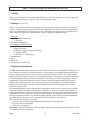
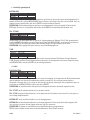
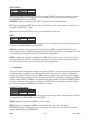
The condition of the batteries is continuously monitored and shown on the unit display. Make sure to select the
installed batteries under the Battery section of the Setup menu to obtain a correct readout. New or fully charged
batteries should cause the entire battery display to be filled. As the batteries drain, the symbol will gradually empty. If
the battery symbol is empty, the batteries should be replaced or recharged (if rechargeables are fitted). The battery
life depends on a number of factors including battery type and make, outside temperature and detector settings.
TIP: to maximise battery life:
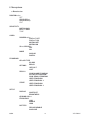
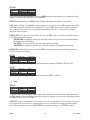
1) Ensure that the backlight symbol ( ) is not showing on the display.
2) Keep volume control set as low as possible.
3) Use Headphones.
Note: Batteries should not be left in the detector for long periods where they could leak, so remember to remove
them at the end of a day's searching.
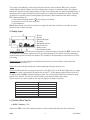
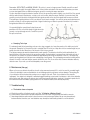
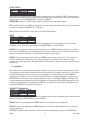
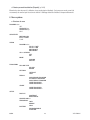
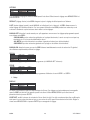
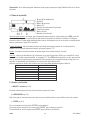
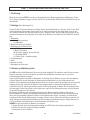
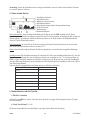
4. Display Layout
1. ID block
2. ID scale
3. Rejected ID targets
4. ID number
5. Backlight On indicator
6. Search head size
7. Battery monitor
8. Ground radar simulator
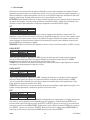
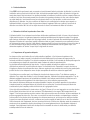
Ground radar simulator: this continuously scrolling radar is a view of the signal received by the CSR1. It can be used
as an additional tool to analyse signals and it is also a useful pinpointing aid. It is visible in both full screen search
mode and when the first level menus are displayed. The sensitivity of the radar display is controlled by the Pin Point
Gain setting.
Search head size: here the size of the currently fitted head is shown. If no head is fitted or under certain fault
conditions the display shows "???".
Battery: this symbol indicates the batteries' condition depending on the type set by the user.
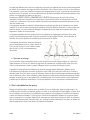
ID value: the ID number (#4) corresponds to the position of the ID block (#1) on the ID scale. When there is no signal
or the signal is weak or confusing, the ID number spot will read "??". A value appears (and an ID block at the top of
the display) when the CSR1 successfully analyses a signal. The solid block below the ID scale indicates the range
that will not be detected. The sensitivity of the ID display is controlled by the Motion Gain setting.
Typical responses to common targets are (this may vary slightly from detector to detector):
Object
ID value
ground
iron
foil
smaller coins
ring pull
bottle cap
silver dollar coin
0
1, 2, 3
8
9-15
11
13
19
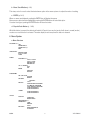
5. Controls & What They Do
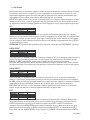
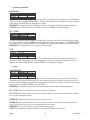
a. On/Off + Volume (p.1 #12)
Switches the CSR1 on and off by rotating clockwise or counter clockwise and adjusts the audio volume level.
CSR1
2
VELLEMAN