1
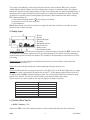
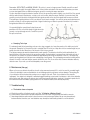
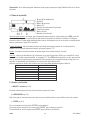
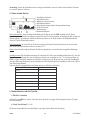
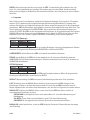
b. Menu / Scroll Button (p.1 #9)
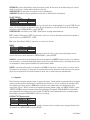
This rotary control is used to select the desired menu option in the menu system or to adjust the value of a setting.
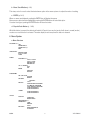
c. ENTER (p.1 #11)
When no menus are displayed, pushing the ENTER key will display the menus.
Once a menu option has been highlighted, pressing the ENTER button will select that option.
If a value is being set, pushing the ENTER button will store that value.
d. Pinpoint Push Button (p. 1 #10)
Whilst this button is pressed, the detector will switch to Pinpoint (=non-motion) mode. It will return to normal (motion)
mode as soon as the button is released. The radar display is reset every time this button is released.
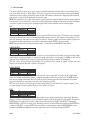
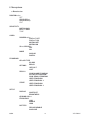
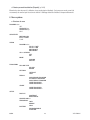
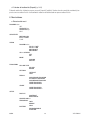
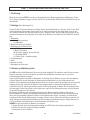
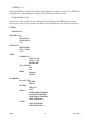
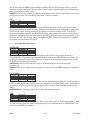
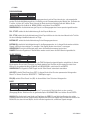
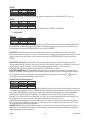
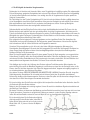
6. Menu System
a. Menu Structure
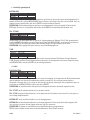
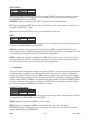
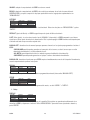
DISCRIMination
SET
LEARN REJect
LEARN ACCept
EDIT
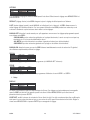
SENSITIVITY
MOTION GAIN
IN PoinT GAIN
TUNE
AUDIO
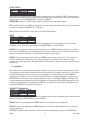
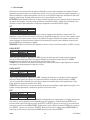
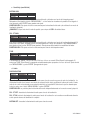
DISCRIMination
PIN PoinT OFF
PIN PoinT ON
MOTION OFF
MOTION ON
SILent SEARCH
OFF
ON
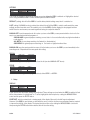
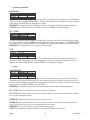
MODE
ANALOG
DIGITAL
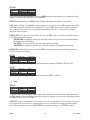
PROGRAMS
GRouND TYPE
INLAND
BEACH
OPTIONS
DEFAULT
LAST
RECALL
COIN INLAND PROGRAM
ALL METAL PROGRAM
COIN BEACH PROGRAM
USER PROGRAM 1
USER PROGRAM 2
STORE
USER PROGRAM 1
USER PROGRAM 2
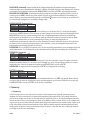
SETUP
DISPLAY
CONTRAST
BRIGHTNESS
GROUND ADJust
FREQUENCY
LOW
MIDDLE
HIGH
BATTERY
RECHARGEABLE
ALKALINE
CSR1
3
VELLEMAN