1
Playing
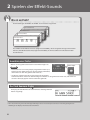
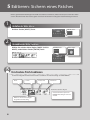
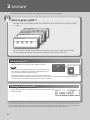
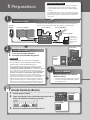
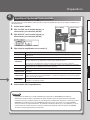
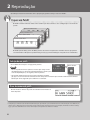
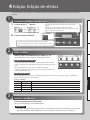
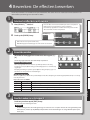
Choose a patch based on a category
English
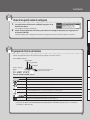
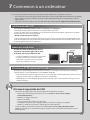
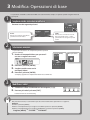
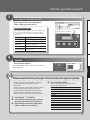
1. When in the Play screen, press the value knob.
The patch categories are displayed.
2. Rotate the value knob to choose the patch category,
and then press the [ENTER] button.
Deutsch
This calls up the first patch in the selected category, and returns to the Play screen.
Français
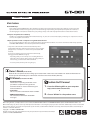
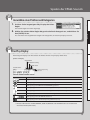
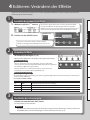
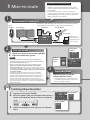
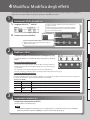
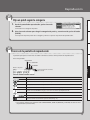
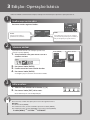
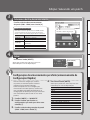
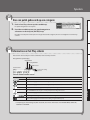
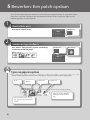
About the Play screen
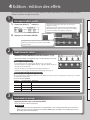
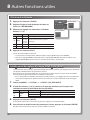
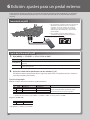
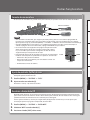
The screen that appears after you turn on the power is called the “Play screen.”
Italiano
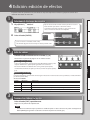
Icons in the display
MASTER BPM
OUTPUT setting
PREAMP Channel
Patch number
Icon
Español
Phantom power
on/off
Explanation
Português
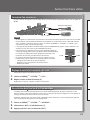
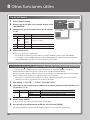
Displays the MASTER BPM.
This is displayed when OUTPUT is set to anything other than LINE/PHONES.
This is displayed when OUTPUT is set to LINE/PHONES.
When the DIVIDER mode is Single, preamp channel “A” is selected.
Nederlands
When the DIVIDER mode is Single, preamp channel “B” is selected.
This is displayed if the DIVIDER mode is Dual.
,
,
This icon is highlighted if the SOLO SW is on.
This is displayed when the phantom power is on (p. 13).
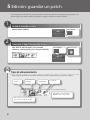
* For details about MASTER BPM, SOLO SW, OUTPUT, and DIVIDER, refer to “Parameter Guide” (PDF file).
5