1
TOPFIELD
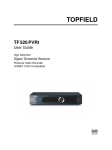
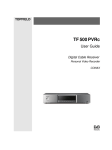
TF 5200 PVRc
User Guide
Digital Cable Receiver
Personal Video Recorder
CONAX Embedded
iii
Contents
Contents
1
Introduction
1
1.1
Introduction . . . . . . . . . . . . . . . . . . . . . . . . . . . . .
1
1.2
Controlling the digital receiver . . . . . . . . . . . . . . . . . .
3
1.2.1
The front panel . . . . . . . . . . . . . . . . . . . . . . .
3
1.2.2
The remote control . . . . . . . . . . . . . . . . . . . . .
4
What is common interface . . . . . . . . . . . . . . . . . . . . .
6
1.3
2
3
iii
Installation
8
2.1
Packing contents . . . . . . . . . . . . . . . . . . . . . . . . . .
8
2.2
Safety precautions . . . . . . . . . . . . . . . . . . . . . . . . .
8
2.3
Rear panel connections . . . . . . . . . . . . . . . . . . . . . . . 10
2.4
Connecting the digital receiver . . . . . . . . . . . . . . . . . . 12
2.5
Inserting batteries in the remote control . . . . . . . . . . . . . 14
Preference Settings
15
3.1
Language settings . . . . . . . . . . . . . . . . . . . . . . . . . . 15
3.2
Video and audio settings . . . . . . . . . . . . . . . . . . . . . . 16
3.2.1
Televsion standard . . . . . . . . . . . . . . . . . . . . . 17
iv CONTENTS
4
5
3.2.2
Color model . . . . . . . . . . . . . . . . . . . . . . . . . 17
3.2.3
Video cassette recorder . . . . . . . . . . . . . . . . . . 18
3.2.4
Television aspect ratio . . . . . . . . . . . . . . . . . . . 19
3.2.5
Sound mode . . . . . . . . . . . . . . . . . . . . . . . . 20
3.2.6
RF output . . . . . . . . . . . . . . . . . . . . . . . . . . 20
3.3
Local time setting . . . . . . . . . . . . . . . . . . . . . . . . . . 21
3.4
Parental control . . . . . . . . . . . . . . . . . . . . . . . . . . . 22
3.5
Adjusting on-screen display . . . . . . . . . . . . . . . . . . . . 24
3.6
Enabling the time shift function . . . . . . . . . . . . . . . . . . 24
Service Search
25
4.1
Searching broadcasting services . . . . . . . . . . . . . . . . . . 25
4.2
Resetting to factory settings . . . . . . . . . . . . . . . . . . . . 26
Daily Usage
28
5.1
Browsing services . . . . . . . . . . . . . . . . . . . . . . . . . . 28
5.2
Viewing program information . . . . . . . . . . . . . . . . . . . 30
5.3
Viewing an electronic program guide . . . . . . . . . . . . . . 31
5.4
Selecting an audio track . . . . . . . . . . . . . . . . . . . . . . 32
5.5
Selecting a subtitle track . . . . . . . . . . . . . . . . . . . . . . 32
5.6
Viewing a teletext . . . . . . . . . . . . . . . . . . . . . . . . . . 32
5.7
Selecting a multifeed service
5.8
Watching by time shift . . . . . . . . . . . . . . . . . . . . . . . 33
5.9
Watching by picture in picture . . . . . . . . . . . . . . . . . . 35
. . . . . . . . . . . . . . . . . . . 33
6
Listing Services
36
7
Recording and Playing Back
39
7.1
Recording a program . . . . . . . . . . . . . . . . . . . . . . . . 40
v
7.1.1
Immediate recording by the remote control
. . . . . . 40
7.1.2
Recording by the recording menu . . . . . . . . . . . . 42
7.1.3
Making a timer recording . . . . . . . . . . . . . . . . . 43
7.1.4
Recording by electronic program guide . . . . . . . . . 45
7.1.5
Recording when using time shift . . . . . . . . . . . . . 45
7.1.6
To record a pay service . . . . . . . . . . . . . . . . . . 46
7.2
File list . . . . . . . . . . . . . . . . . . . . . . . . . . . . . . . . 46
7.3
Playing back a recording . . . . . . . . . . . . . . . . . . . . . . 49
7.4
7.3.1
To play back in slow motion . . . . . . . . . . . . . . . 50
7.3.2
To play back in fast motion . . . . . . . . . . . . . . . . 50
7.3.3
To play back recordings in sequence . . . . . . . . . . . 51
7.3.4
To make a bookmark . . . . . . . . . . . . . . . . . . . . 51
7.3.5
To play back a recording repeatedly . . . . . . . . . . . 52
7.3.6
To play back a scrambled recording . . . . . . . . . . . 52
Editing a recording . . . . . . . . . . . . . . . . . . . . . . . . . 53
7.4.1
To erase a block from a recording . . . . . . . . . . . . 53
7.4.2
To store a block from a recording . . . . . . . . . . . . . 53
7.5
Playing a MP3 . . . . . . . . . . . . . . . . . . . . . . . . . . . . 55
7.6
Formatting hard disk . . . . . . . . . . . . . . . . . . . . . . . . 55
8
Topfield Application Program
57
9
Firmware Update and Data Transfer
59
9.1
Updating the firmware . . . . . . . . . . . . . . . . . . . . . . . 60
9.2
Transferring the receiver data . . . . . . . . . . . . . . . . . . . 62
9.3
Transferring recording files . . . . . . . . . . . . . . . . . . . . 63
Index
64
1
Chapter 1
Introduction
1.1 Introduction
The TF 5200 PVRc digital receiver is fully compliant with the
international Digital Video Broadcasting (DVB) standard, and
can receive digital broadcastings.
Unlike analog broadcastings, digital broadcastings are not all
assigned to their own frequencies; 1instead, several television
and radio broadcastings are transmitted through a single transponder on a single wideband carrier.
NOTE A transponder is in fact a wireless device, which receives and transmits radio signals at a prescribed frequency range. You may regard a transponder as a
channel. One channel has one broadcasting in analog broadcast; on the other hand, one transponder has
several broadcastings in digital broadcast. So the word
service is used instead of channel to indicate a broadcasting in this document.
To help you with the choice and setting for broadcasting services, a selection of television and radio services have already
2 Introduction
been programmed for you. So all broadcasting services that
have gone on air are available to you. You can find the latest
transponder information from various broadcasters on teletext.
The TF 5200 PVRc digital receiver has features as follows:
• The digtial receiver is able to memorize up to 2000 television and radio services.
• Electronic Program Guide (EPG) provides an overview
of program schedules for next few hours.
• You can edit the service list and make your own favorite
service list.
• You can view the information of a current television or
radio program.
• You can update the firmware of the digital receiver to
the latest, which will be provided by Topfield.
• The digital receiver features a digital video recorder with
two tuners, with which you can record your choice of
broadcasting services independently of ones you are currently watching.
• The large storage capacity of the built-in hard disk allows you to record up to 40 hours of material—in case
of 80 gigabytes—in excellent picture and sound quality.
• Time shift function is a special technical feature. You
can pause the program you are watching and resume it
again at a later time. You can quickly find whatever part
of the current program by reverse or forward search.
• During a recording in progress, you can select a different
program from the archive and watch it.
1.2 Controlling the digital receiver
3
1.2 Controlling the digital receiver
You can control the digital receiver with the remote control
and the front panel buttons.
NOTE When the digital receiver is off but plugged to a wall
outlet, we say that it is in standby mode; on the other
hand, when it is on, it is in operation mode. You should
keep the digital receiver plugged to a wall outlet so as
it can run timer events.
1.2.1 The front panel
TV/STB
REMOTE
OK
STANDBY
TV/STB lamp lights up while your video recorder operates
instead of the digital receiver. For more descriptions,
refer to § 3.2.3.
REMOTE lamp lights up whenever you press a button of
the remote control.
STANDBY lamp lights up while the digital receiver is in standby
mode.
Status display displays a current time in standby mode, and
displays a current status of the digital receiver in operation mode.
STANDBY button toggles the digital receiver between operation mode and standby mode.
MENU button displays the menu, or escapes to a higher level
menu out of a submenu.
4 Introduction
ac
CHANNEL ,
buttons switch to another service, and move
the highlight bar vertically in a menu.
bd
VOLUME ,
buttons change the volume, and select an
option in a menu.
OK button displays the service list, and selects an entry in a
menu or list.
1.2.2 The remote control
1
⃝
button toggles the digital receiver between operation mode
and standby mode.
2
⃝
button mutes the television
or audio appliance.
¤
¡
3
⃝
£UHF ¢button displays the RF setting menu. For more descriptions, refer to § 3.2.6.
4
⃝
button toggles operation between the digital receiver and
your video recorder. For more
descriptions, refer to § 3.2.3.
5
⃝
button sets a sleep timer. The
digital receiver is turned off to
standby mode when a specified
duration is elapsed.
6 Numeral buttons are used to
⃝
specify a service to watch or a parameter such as timer.
7
⃝
button makes a return to the
previous service.
8
⃝
button displays the information about the program on the air.
1.2 Controlling the digital receiver
¤
5
¡
9
⃝
£GUIDE ¢button displays an electronic program guide.
10
⃝
button toggles between TV mode and radio mode.
¡
¤
11 MENU button displays the menu, or escapes to a higher
⃝
£
¢
level menu out of a submenu.
12
⃝
button is used to select an audio track, a sound mode
or a multifeed if available.
¤
¡¤
¡
¤
¡¤
¡
¤
¡
¤
¡
13 V+ , V− buttons change the volume, and select an op⃝
£ ¢£ ¢
tion in a menu.
14 P+ , P− buttons switch to another service, and move
⃝
£ ¢£ ¢
the highlight bar vertically in a menu.
15 OK button displays the service list, and selects an entry
⃝
£ ¢
in a menu or list.
16 FAV button displays the favorite service list.
⃝
£ ¢
17
⃝
button is used to select a subtitle track if available.
¤
¡
18 EXIT button escapes from any menu.
⃝
£
¢
19
⃝
button displays teletext if available.
20
⃝
button starts backward playback or backward scan.
21
⃝
button starts a playback.
22
⃝
button starts forward scan.
23
⃝
button starts slow playback.
24
⃝
button stops a playback.
25
⃝
button starts a recording.
26
⃝
button captures a picture from a live show. This button also pauses a playback.
27
⃝
button moves the position of subpicture countercolckwise.
28
⃝
button moves the position of subpicture clockwise.
6 Introduction
¤
¡
29 SAT button interchanges a main-picture with a subpic⃝
£ ¢
ture.
30
⃝
button displays, resizes and hides a subpicture.
31
⃝
button makes a a bookmark during a playback or a
time shift.
32
⃝
button plays back from a next bookmark position.
33
⃝
button is used to edit a recording file.
34
⃝
button displays recording file list, MP3 file list or
application file list. For more descriptions, refer to § 7.4.
35
⃝
button displays a service list for subpicture, or specifies a block for a repeated playback.
, , ,
and
buttons have additional different functions per menu besides their own function. Their functions
will be guided in the help window on a menu screen.
1.3 What is common interface
Some broadcasting services are scrambled so that only paid
subscribers can enjoy them. Scrambled services can only be
viewed with a Conditonal Access Module (CAM) and a subscription card suitable for the scrambling system.
Common Interface (CI) is an interface for conditional access modules. The front of the digital receiver has a common interface slot. You
can use conditional access modules from various providers in the slot.
To watch a scrambled broadcastings, you should take the following steps:
1.3 What is common interface
7
1. Purchase a conditional access module and a subscription card for the pay service you want to watch.
2. insert the conditional access module to the common interface slot on the front of the digital receiver.
3. Insert the subscription card into the conditional access
module.
To view what conditional access
module is inserted, select the
Common Interface menu.
If any module has not been inserted yet, a phrase Not Installed
will be displayed.
8 Installation
Chapter 2
Installation
2.1 Packing contents
Before going any further, check that you have received the following items with your digital receiver.
• Remote control unit
• Two batteries for the remote control (AAA 1.5 V)
• One loop cable, to link the first tuner with the second
tuner
• One SCART-to-component cable, to link the digital receiver to your television set
• One S-Video cable, to link the digital receiver to your
television set
• A copy of this user guide
2.2 Safety precautions
Please read and keep the following safety precautions carefully for your safety.
• The power must be 90 to 250 volt. Check it before con-
2.2 Safety precautions 9
necting the digital receiver to the wall outlet. For the
power cunsumption of the digital receiver, refer to Table 2.1.
• The wall outlet shall be installed near the equipment and
shall be easily accessible.
• The digital receiver is designed to receive, record and
play back video and audio signals. Any other use is expressly prohibited.
• When setting up the digital receiver, make sure it is in a
horizontal position.
• Do not expose the digital receiver to any moisture. The
digital receiver is designed for use in dry rooms. If you
do use it outdoors, ensure that it is protected from moisture, such as rain or splashing water. Do not place any
vessels such as vases on the digital receiver. These may
be knocked over and spill fluid on the electrical components, thus bring about a risk.
• Use only dry cloth when cleaning the digital receiver.
• Do not place the digital receiver close to heating units or
in direct sunlight, as this will impair cooling. Place the
digital receiver on a hard, level surface. Do not lay any
objects such as magazines on the digital receiver. When
placed in a cabinet, make sure there is a minimum space
of 10 cm around it. For the physical specification of the
digital receiver, refer to Table 2.2.
• Protect the power cord from being walked on or pinched
particularly at plugs, receptacles, and the point where
they exit from the digital receiver.
• Only use accessories specified by the manufacturer.
• Thunderstroms are a danger to all of electrical devices.
Even if the digital receiver is switched off, it can be damaged by a lightning strike to the power line or the an-
10 Installation
tenna cable. Always disconnect the power plug and the
antenna cable.
• Never open the digital receiver casing under any circumstances. Warranty claims are excluded for the damage resulting from improper handling.
• Refer all servicing to qualified service personnel. Servicing is required when the digital receiver has been damaged in any way, such as power-supply cord or plug is
damaged, liquid has been spilt or objects have fallen into
the digital receiver, the digital receiver has been exposed
to rain or moisture, does not operate normally, or has
been dropped.
Table 2.1: Power specification
Input voltage
Power consumption
90 to 250 V AC, 50/60 Hz
Running: Max. 25 W
Standby: 8 W
Table 2.2: Physical specification
Size
Weight
Operating temperature
Storage humidity
340 × 60 × 265 mm
3.4 kg
0 to 45 °C
5 to 95 % RH
2.3 Rear panel connections
1
2
3
4
5
7
6
11
8
9
10
12
13
14
2.3 Rear panel connections 11
1 CABLE 1 IN
⃝
Broadcasting input socket for the 1st
tuner.
2 RF LOOP 1 OUT Broadcasting output socket through CA⃝
BLE 1 IN for another digital receiver.
3 CABLE 2 IN
⃝
Broadcasting input socket for the 2nd
tuner.
4 RF LOOP 2 OUT Broadcasting output socket through sec⃝
ondtunerin for another digital receiver.
5 VIDEO
⃝
Composite video output socket for the
television or the video receiver.
6 AUDIO L/R
⃝
Stereo audio output socekt for the television or the audio system.
7 S-VIDEO
⃝
Super video output socket for the television.
8 TV
⃝
Audio and video output socket for the
television.
9 VCR
⃝
Audio and video input / output socket
for the video recorder.
10 USB
⃝
USB port for firmware update and data
transfer.
11 RF OUT
⃝
Analog television output socket.
12 RF IN
⃝
Analog television input socket.
13 S/PDIF
⃝
Dolby Digital output socket for the audio system.
14 RS-232
⃝
Serial port for firmware update and data
transfer.
12 Installation
Table 2.3: Connectors specification
TV SCART
VCR SCART
S-Video
RCA AV
S/PDIF
RS-232
USB
CVBS/S-Video/RGB/YUV video output
Left & right audio output
CVBS video output
Left & right audio output
CVBS/S-Video/RGB/YUV video input for bypass
Left & right audio input for bypass
S-Video output
Composite video output
Left & right audio output
Dolby Digital audio output
9 pin D-sub type
Transfer rate: 115.2 kbps at maximum
2.0 Device
2.4 Connecting the digital receiver
There are several ways to install the digital receiver as described below. Install the digital receiver suitably to your television and other appliances. If you have any problem with
your installation or need a help, contact your dealer or service
provider.
You should configure audio and video settings after installation. For detailed descriptions about audio and video settings,
refer to § 3.2.
Connecting to the broadcasting cable
Connect the antenna cable to the CABLE 1 IN socket on the
digital receiver, and then connect the RF LOOP 1 OUT socket
and the CABLE 2 IN socket with a loop-through cable.
If you have another digital receiver, plug another cable into
the RF LOOP 2 OUT socket on the digital receiver and the
corresponding socket on the other digital receiver.
2.4 Connecting the digital receiver
13
Connecting to the television by SCART connector
Plug a SCART cable into the TV socket on the digital receiver
and the corresponding SCART socket on your television.
Connecting to the television by RCA connector
Plug a RCA cable into the VIDEO (yellow), AUDIO L (white)
and AUDIO R (red) sockets on the digital receiver and the corresponding input sockets on your television or audio appliance.
Connecting to the television by S-Video connector
Plug a standard S-Video cable into the S-VIDEO socket on the
digital receiver and the corresponding input socket on your
television. You must connect audio sockets on the digital receiver with ones on your television by a RCA cable because
the S-video socket outputs only video signals.
Connecting to the video recorder by SCART connector
Plug one end of the SCART cable into the VCR socket on the
digital receiver. Then, plug the other end of the SCART cable into the input SCART socket on your video recorder if
you wish to record a broadcasting program with your video
recorder; otherwise if you wish to watch the video that the
video recorder plays back just through the digital receiver,
plug the other end into the output SCART socket.
Connecting to the television by RF connector
Connect the analog broadcasting antenna cable to the RF IN
socket on the digital receiver, and then plug a RF cable into the
RF OUT socket on the digital receiver and the corresponding
input socket on your television.
14 Installation
2.5 Inserting batteries in the remote control
To insert the batteries, open the battery compartment by removing the lid, and then insert the batteries observing the polarity, which is marked on the base of the battery compartment. Close the battery compartment after that.
If the digital receiver no longer reacts properly to remote control commands, the batteries may be flat. Be sure to remove
used batteries. The manufacturer accepts no liability for damage resulting from leaking batteries.
NOTE Batteries, including those which contain no heavy metals, may not be disposed of with household waste.
Please dispose of used batteries in an environmentally
sound manner. Find out about the legal regulations
which apply in your area.
15
Chapter 3
Preference Settings
3.1 Language settings
You can designate languages for menu, audio track and subtitle track.
To designate the language for
menu, audio track or subtitle
track, select the System Setting
> Language Setting menu.
Menu language
The digital receiver supports a lot of menu languages: Arabic, Dutch, English, German, French, Italian, Russian, Turkish
and so forth. Set the Menu Language option to your desired
16 Preference Settings
language. Once you select a language, the menu will be displayed in the selected language immediately.
Subtitle language
Set the Subtitle Language option to your desired language.
When you watch a program, a subtitle track of the selected
language will be output if the program has that.
Apart from this setting, you can select a subtitle track with
button when you watch a program. For detailed descriptions
about how to select a subtitle track, refer to § 5.5.
Audio language
Set the Audio Language option to your desired language. When
you watch a program, an audio track of the selected language
will be output if the program has that.
Apart from this setting, you can select an audio track with
button when you watch a program. For detailed descriptions
about how to select an audio track, refer to § 5.4.
3.2 Video and audio settings
You have to configure the video and audio settings appropriately to your television and appliances.
To configure the video and audio settings, select the System
Setting > A/V Output Setting
menu.
3.2 Video and audio settings
17
3.2.1 Televsion standard
The digital receiver supports two types of television standard.
One is PAL (Phase Alternating Line) standard, and the other
is NTSC (National Television Standards Commitee) standard.
PAL was adopted in European countries while NTSC is adopted
in USA, Canada, Mexico and so forth.
If you have a PAL televsion, you have to set the TV Type option to PAL. In this case, if a service you wish to watch is NTSC
standard, the digital receiver converts it into PAL standard for
your PAL television. However, its quality would somewhat
fall. The opposite case brings about the same result.
The best thing is to watch PAL services with a PAL television
and to watch NTSC services with a NTSC television. However, the auto television is able to process both of them. So if
you have an auto television, set the TV Type option to Multi.
With this option, the digital receiver will output them without
standard conversion. This setting is most recommended especially if you are not sure what stadard television you have.
3.2.2 Color model
The type of the socket that reads TV on the back panel of
the digital receiver is SCART. This is also known as Euroconnector. Through this socket, the digital receiver is able to
output video signals of various color models: CVBS (Composite Video Baseband Signal), S-Video (Super-Video), YUV
and RGB. Audio signals are also output together through this
socket.
If you have connected the digital receiver and your televsion
by this connector, you should set the Video Output option to
your desired color model. If you have connected them by RCA
connector at which VIDEO reads on the back panel of the digital receiver, you do not have to set this option because the
digital receiver outputs CVBS video through RCA connector
18 Preference Settings
independent of SCART connector.
However, If you have connected them by S-VIDEO connector,
you have to this option to S-Video because the output through
S-Video connector comes from the SCART interface.
It is known in general that YUV color model provides the
best video quality with little difference from RGB color model
while CVBS color model does the worst. However, not all televisions with a SCART socket support YUV color model. Make
sure your television supports YUV color model before setting
the Video Output option to YUV. But there would rarely be
televisions that have a SCART socket but do not support RGB
color model. So RGB would be the most desirable value for
this option.
3.2.3 Video cassette recorder
The SCART socket that reads VCR on the back panel of the
digital receiver is for a video recorder. You would have connected the digital receiver to your video recorder or such an
appliance by this connector.
If you have connected the VCR socket to the input SCART
socket of your video recorder, you have to set the VCR Scart
Type option to Standard. If you have connected it to the output SCART socket, the digital receiver will operate differently
depending on the setting of the VCR Scart Type option. If
the option is set to Standard, the digital receiver will pass the
video from the video recorder to your television when the
video recorder starts a playback. But if the option is set to
External A/V, the digital receiver will not pass the video even
though the video recorder starts a playback. To pass it, you
have to press
button.
NOTE In this case, it is impossible that the digital receiver
records the video which the video recorder plays back
3.2 Video and audio settings
19
because the digital receiver is just a bypass for the video
recorder.
3.2.4 Television aspect ratio
If you have a wide-screen television, set the TV Aspect Ratio
option to 16:9.
You can enjoy well both wide-screen programs and normalscreen programs with your wide-screen television as the above
figures show. The left figure shows a wide picture displayed
in the wide screen, and the right figure shows a normal picture
displayed in the wide screen.
If you have a normal-screen television, set the TV Aspect Ratio
option to 4:3.
You cannot enjoy well wide-screen programs with your normalscreen television as the above figures show. The left figure
shows a normal picture displayed in the normal screen. To
watch wide-screen programs in the shape like the center figure, set the 16:9 Display Format option to Letter Box; then,
wide-screen pictures will be reduced to fit to the width of the
normal screen. Otherwise to watch them in the shape like the
right figure, set the option to Center extract; then, wide-screen
20 Preference Settings
pictures will be cut out on the left and right sides equally to fit
to the width of the normal screen.
3.2.5 Sound mode
Basically, there are two audio sources as you can find two audio sockets on the back panel of the digital receiver. You can
enjoy only one source or both of them in either stereo or mono.
Set the Sound Mode option as you desire.
Apart from this setting, you can change the sound mode with
button when you watch a program. For detailed descriptions about how to change the sound mode, refer to § 5.4.
3.2.6 RF output
If you have connected your television to the RF OUT socket,
you should configure the RF output. The digital receiver can
make an analog television from a digital television and output
it through the RF OUT socket.
Set the RF Output option to the television standard that your
country supports refering to Table 3.1.
Table 3.1: Television standards by country
Signal type
Country
PAL G
Australia, Austria, Cyprus, Czech Republic, Egypt, Estonia, Finland, Germany, Greece, Iceland, Iran, Israel, Italy, Kuwait, Latvia, Libya, Lithuania, Luxembourg, Netherlands, New Zealand, Norway, Portugal, Slovakia,
Slovenia, Spain, Sweden, Switzerland, Syria, Yugoslavia
Hong Kong, Macau, Republic of Ireland, South Africa, United Kingdom
Czech Republic, Hungary, Poland
Bahamas, Belgium, Bolivia, Chile, Ecuador, Fiji, Guam, Jamaica, Mexico,
Panama, Peru, United States, Venezuela
PAL I
PAL K
NTSC M
Set the RF Channel option to a channel number as you desire. You have to tune your television to the channel set to this
option to watch television.
3.3 Local time setting
21
If you have connected your analog television antenna to the
RF IN, you can watch analog broadcasts via the digital receiver.
3.3 Local time setting
You should set your local time with the digital receiver for
timer events.
To set the local time, select the
System Setting > Time Setting
menu.
You can set the local time either yourself manually or using
Greenwich Mean Time (GMT) automatically; however, it is
recommended to use the Greenwich mean time.
To set the local time using GMT, perform the following steps:
1. Set the Mode option to Auto.
2. Set the Time Offset parameter to the time difference corresponding to your time zone refering to Table 3.2.
With the above settings, the digital receiver will scan all transponders spceified one by one until to get the Greenwich mean
time. Make sure that your local time is displayed right on the
Local Time parameter.
To set the local time yourself, set the Mode option to Manual
and enter your local time to the Local Time parameter with
the numeral buttons.
22 Preference Settings
Table 3.2: Time offset table
Time offset
City
GMT − 12:00
GMT − 11:00
GMT − 10:00
GMT − 09:00
GMT − 08:00
GMT − 07:00
GMT − 06:00
GMT − 05:00
GMT − 04:00
GMT − 03:30
GMT − 03:00
GMT − 02:00
GMT − 01:00
GMT
GMT + 1:00
GMT + 2:00
GMT + 3:00
GMT + 3:30
GMT + 4:00
GMT + 4:30
GMT + 5:00
GMT + 5:30
GMT + 6:00
GMT + 7:00
GMT + 8:00
GMT + 9:00
GMT + 9:30
GMT + 10:00
GMT + 11:00
GMT + 12:00
Eniwetok, Kwajalein
Midway Island, Samoa
Hawaii
Alaska
Pacific Time US, Canada
Mountain Time US, Canada
Central Time US, Canada, Mexico City
Eastern Time US, Canada, Bogota, Lima
Atlantic Time Canada, La Paz
Newfoundland
Brazil, Georgetown, Buenos Aries
Mid-Atlantic
Azores, Cape Verde Islands
London, Libson, Casablanca
Paris, Brussels, Copenhagen, Madrid
South Africa, Kaliningrad
Baghdad, Riyadh, Moscow, St. Petersburg
Tehran
Abu Dhabi, Muscat, Baku, Tbilisi
Kabul
Ekaterinburg, Islamabad, Karachi, Tashkent
Bombay, Calcutta, Madras, New Delhi
Almaty, Dhaka, Colombo
Bangkok, Hanoi, Jakarta
Beijing, Perth, Singapore, Hong Kong
Tokyo, Seoul, Osaka, Sapporo, Yakutsk
Adelaide, Darwin
Eastern Australia, Guam, Vladivostok
Magadan, Solomon Islands, New Caledonia
Fiji, Auckland, Wellington, Kamchatka
The time format is day/month/year 24-hour:minute.
If daylight saving time is observed in your country at the moment, set the Dayling Saving Time option to on.
3.4 Parental control
In general a television program is labeled a classification according to the level of violence, nudity and language of its
3.4 Parental control
23
content. When you are watching a program, you can check
its program classification on the information box. Refer the
information box to § 5.2.
You can prevent your children from watching certain programs
by specifying a basis classification.
To specify a basis classification, select the System Setting > Parental Control menu.
At this time, you have to enter Personal Identification Number (PIN). The default personal
identification number is ‘0000’.
If you wish to restrict 15 or above rated programs, set the Censorship option to 15 (age). Setting it to No block restricts no
program; on the other hand, setting it to Total block restricts
every program.
NOTE If a certain program does not have any classification
information, your restriction setting will not take effect on it.
If anyone try to watch a program that is out of the basis classification, the person has to enter the personal identification
number. To change the number, select the Change PIN Code
menu; then an input box appears. You have to enter your desired number twice for confirmation.
You can also restrict uses of some menus. Selecting the Access Control menu displays a list of menus that you can lock.
If the Time Setting item is set to Locked, you have to enter
the personal identification number to use when you have selected the Time Setting menu. If you enter a wrong number,
24 Preference Settings
you cannot use the menu. Similarly, you have to enter the personal identification number when you have switched on the
digital receiver if the IRD Lock item is set to Locked. IRD (Integrated Receiver Decoder) is another name of digital receiver.
To release a shut item, set it to Unlocked.
3.5 Adjusting on-screen display
You can adjust the transparency level of on-screen display. To
adjust the transparency level of on-screen display, select the
System Setting menu and set the OSD Transparency option
as you desire. Its available range is 0 to 50 percent.
You can adjust the display time of the information box. For
detailed descriptions about the information box, refer to § 5.2.
To adjust its display time, select the System Setting menu and
set the Info Box Display Time option as you desire. Its available range is 1 to 30 seconds. If you set this option to No Info
Box, the information box will not displayed when you switch
services; however, pressing
displays the information box.
If you set this option to Never Hide, the information box will
always be displayed.
You can raise or lower the position of the information box. To
adjust its position, select the System Setting menu and set the
Info Box Position option as you desire. Its available range is
−10 to +3 line. The more high the value is set, the more low
the information box will be positioned.
3.6 Enabling the time shift function
You can use time shift function with this digital receiver. To
enable the time shift function, select the System Setting menu
and set the Time Shifting option to Enable. For detailed descriptions about the time shift function, refer to § 5.8.
25
Chapter 4
Service Search
You have to perform service search after installing the digital
receiver.
4.1 Searching broadcasting services
To perfom service search, select the Installation > Service
Search menu.
You should set the Search Mode option to Auto at the first
service search after installing the digital receiver. The digital
receiver will search all available services with the automatic
search mode within the frequency range from the frequency
of the Start Frequency parameter to the frequency of the End
26 Service Search
Frequency parameter. Symbol Rate stands for data transfer
rate. QAM is a form of modulation. Broadcasting operators
send their services in a symbol rate by a modulation method.
Perhaps you do not have to specify the Symbol Rate and QAM
Mode parameters since they are seldom changed. However,
you should the QAM Mode option to Auto for more certainty.
You can specify the Start Frequency, End Frequency and Symbol Rate parameters with the numeral buttons if you want to
change them.
If the digital receiver have failed to find every service you
want in a service search, you should set the Search Mode option to Network. With this option, the digital receiver will find
your desired services as getting the correct frequecy information, but it takes longer time.
To search only one frequncy, set the Search Mode option to
Manual and specify your desired frequency at the Frequency
parameter with the numeral buttons. In this case, you should
set the Network Search option to On. Then the digital receiver
will search your desired frequency taking somewhat long time
in the same manner with the network search mode.
You can search pay services as well as free services. To search
only free services. set the FTA/Scrambled option to FTA only.
FTA means free service. To search only pay services, set it to
CAS only. CAS means pay service. To search both free services
and pay services, set it to FTA + CAS.
To start service search, select the Service Search command.
Then appears a list box, in which found services will be listed.
¤ ¡
Press the £OK ¢button to save found services when service search
has been completed. To stop service search on the way or exit
¤
¡
without saving, press the £EXIT ¢button.
4.2 Resetting to factory settings
The digital receiver maintains the following data:
4.2 Resetting to factory settings
•
•
•
•
27
Service list
Favorite list
Timer events
Preference settings
You can reset all data of the digital receiver. To reset all the
data, select the Installation > Factory Setting menu. Then a
confirmation box appears. With the Yes reply, service entries,
favorite entries and timer events will be all deleted, and preference parameters will be reset to the manufacturer’s factory
settings.
28 Daily Usage
Chapter 5
Daily Usage
5.1 Browsing services
¤
¡
¤
¡
To switch over to another service, press the £P+ ¢or £P− ¢button. Pressing
button recalls the service you have watched
just before. You can switch to your desried servce by entering
its service number with the numeral buttons. You can also select a service to watch in the browsable service list. To see the
¤ ¡
browsable service list, press the £OK ¢button.
The service list enumerates the
following items:
• Service number
• Service name
• Transmitting transponder
A dollar mark ($) may be marked on some entries, which
5.1 Browsing services
29
means pay service. To watch a pay service, you need its subscription card.
To select your desired service, put the highlight bar on its en¤ ¡
¤ ¡ ¤ ¡
try with the £P+ ¢or £P− ¢button and press the £OK ¢button. Then
¤ ¡ ¤ ¡
your selected service will be shown. Pressing the £V− ¢or £V+ ¢
button skips over 10 entries up or down. Selecting a service
number with the numeral buttons puts the highlight bar on its
entry.
Pressing the
button displays an option box, in which you
can do the following things:
• To browse service entries grouped by service provder,
set the Show Provider option to on. You may regard a
service provider as a transponder.
• To rename a current service entry, select the Rename
command, then a keyboard appears with which you can
enter a name.
• To prevent other family from watching a current service
entry, set the Lock option to Locked. You have to enter
PIN code when to watch or unlock a locked service.
• To add a current service entry in a favorite group, select
the Add to Fav command; then a favorite group list will
be displayed. Put the highlight bar of the group list on a
¤ ¡
desired group and press the £OK ¢button.
Watching a favorite service
You can select a service to watch in the favorite list as well as
¤ ¡
in the service list. To display your favorite list, press the £FAV ¢
button; then a favorite group list will be displayed. Whenever
moving the highlight bar of the group list up or down, favorite
services belonging to a highlighted group are listed.
30 Daily Usage
To select a favorite service of
¤ ¡
a group, press the £V+ ¢button;
then the highlight bar of the
favorite list becomes movable.
Once you select a desired entry
¤ ¡
with the £OK ¢button, the selected
service will be shown. Otherwise to select another group,
¤ ¡
press the £V− ¢button; then the
hightlight bar of the group list
becomes movable.
If you switch to another service after you have selected a favorite service, it will be also another favorite service of the selected group. The digital receiver will remind you what group
you have selected displaying its name on the right top of the
sreen whenever you switch to another service. If you wish
you can select all services, select the All services entry in the
favorite list.
For how to edit the favorite list, refer to Chapter 6.
5.2 Viewing program information
button displays an information box, in which
Pressing
you can verify the followings:
•
•
•
•
•
•
•
•
Service number
Service name
Signal level and quality
Program name
Program classification
Program commentary
Broadcasting time
Current time
5.3 Viewing an electronic program guide 31
In addition, you might see the following symbols:
• Subtitle symbol
program.
if subtitles are provided on a current
• Teletext symbol
program.
if teletext is provided on a current
• Lock symbol
if a current service is locked.
• Dollar symbol $ if a current service is a pay service.
• Multifeed symbol
in multifeed service.
if a current program is provided
button once more displays detailed information
Pressing
about the current program. To hide the information box, press
¤
¡
the £EXIT ¢button.
5.3 Viewing an electronic program guide
The Electronic Program Guide (EPG) is an application used
with digital receivers to list current and scheduled programs
that are or will be available on each service with a short summary or commentary for each program.
¤
¡
Pressing the £GUIDE ¢button displays an electronic program
guide, in which you can see the
following things:
•
•
•
•
Scheduled programs
Program commentary
Broadcasting date
Broadcasting time
To see detailed information of a desired program entry, put
¤ ¡ ¤ ¡
the highlight bar on your choice with the £P+ ¢or £P− ¢button
and press
button.
32 Daily Usage
¤
¡ ¤
¡
To switch over to another service, press the £V− ¢or £V+ ¢button.
To see an electronic program guide for radio broadcast, press
button. To turn it back, press
button again.
Pressing the
button displays the electronic program guide
for each service. To turn it back, press the
button again.
You can make a timer recording by the electronic program
guide, for which refer to § 7.1.4.
5.4 Selecting an audio track
Some programs are provided with audio tacks of one or more
languages. Pressing
button lists, if any, available audio
tracks. However, if a multifeed service is available at the moment, a multifeed service list will be displayed. In this case,
you have to press button once more to select an audio track.
Select your desired audio language in the list, and it will be
sounded. In addition, you could enjoy, if available, one among
four sound modes: Stereo, Mono, Left or Right.
5.5 Selecting a subtitle track
Some programs are provided with subtitle tracks of one or
more languages. When you view an information box, a subtitle symbol ( ) will be marked on it if one or more subtitle
tracks are provided. If it is, press button, then available subtitle tracks will be listed. Select your desired subtitle language
in the list, and it will be displayed.
5.6 Viewing a teletext
Some programs are provided together with such profitable
information as weather reports, news or stock quotations by
means of teletext. Televisions are supposed to process teletext; however, there rarely are televisions being incapable of
5.7 Selecting a multifeed service
33
that. Even if your televsion cannot process teletext, you can
enjoy it with the digital receiver.
When you view an information box, a teletext symbol ( ) will
be marked on it if it is provided. Press
button to view a
teletext. You can zoom in the teletext with the
button and
button. To clear
adjust the transparency of teletext with the
¤
¡
the teletext, press the £EXIT ¢button.
5.7 Selecting a multifeed service
Some pay service provider provides one program through several services at the same time but with time differences. Those
are called multifeed services.
Service No. Starting time
101
102
103
104
105
13:00 PM
13:15 PM
13:30 PM
13:45 PM
14:00 PM
For example, assume a movie
would be broadcasted through
five services like the table on the
left. Even if you have missed the
first service, you can use the rest
service to watch the movie.
When you view an information box, a multifeed symbol (
)
will be marked on it if it is available. To select a multifeed
service, press button, then available multifeed services will
be listed. Select your desired multifeed service in the list, and
it will be shown. At this time, you have to press
once more to select an audio track.
button
5.8 Watching by time shift
When you are watching a program, you can reverse and watch
it again as if it is a recording. This function is called time shift.
When you are watching a program using the time shift function, it is in fact being recorded temporarily.
34 Daily Usage
To use the time shift function,
the Time Shifting option have to
be set to Enable. Refer the Time
Shifting option to § 3.6.
How to use the time shift function is as follows:
1. Press
button, then a time shift begins as a progress
bar appears. The progress bar has two pointers. One indicates recording position, and the other indicates playback position. While this bar is on display, you can move
the program backward or forward. Pressing
makes
the progress bar appear and disapper alternatively.
2. To find a desired playback position, press
button unceasingly until find it.
3. Pressing the
onds back.
or
button reverses the program to 10 sec-
4. To end time shift, display the progress bar with
ton and press
button.
but-
5.9 Watching by picture in picture 35
5.9 Watching by picture in picture
You can watch two services at
the same time, one of which is
shown in a subpicture. This
function is called Picture-inPicture (PiP).
How to use the picture-in-picture function is as follows:
1. Press the
button to display a subpicture, in which another service will be shown.
2. Pressing the
button once more minifies the subpicture, and pressing it once again hides the subpicture.
¤
¡
3. Pressing the £SAT ¢button interchanges the main-picture
with the subpicture. Even when you play back a recording, you can watch a live service in subpicture. However, the picture interchange will not work in that case.
4. Pressing
button moves the subpicture counterclockwise, and pressing
button moves it clockwise.
5. To display a service list for the subpicture, press
ton.
but-
6. If both are pay services all, the only main-picture will be
shown.
36 Listing Services
Chapter 6
Listing Services
Editing favorite list
You can make your own favorite service list. To edit your
favorite list, select the Organizing Favorties menu; then an editable favorite list appears.
There are a group list on the
left column, a favorite list on the
center column and a service list
on the right column.
You can add a favorite entry performing the follwoing steps:
1. Put the hightlight bar on a desired group entry in the
¤ ¡
group list and press the £OK ¢button.
37
2. Then the highlight bar of the service list becomes movable. Put the hightlight bar on a desired service entry
¤ ¡
and press the £OK ¢button.
3. Then the selected service entry is added in the favorite
list. You can select more entries to add.
4. Press the
button to select another group. Whenever
pressing the
button, the highlight bar of each column
becomes movable in turn.
You can add groups up to 30. To add a group, select the NEW
command in the group list; then a on-screen keyboard appears.
You can move the highlight key horizontally
¤ ¡
¤ ¡
with the £V− ¢ and £V+ ¢ buttons and vertically
¤ ¡
¤ ¡
¤ ¡
with the £P+ ¢and £P− ¢buttons. Pressing the £OK ¢
button on a key enters the corresponding letter
in the input line.
To type lower case letters or numerals, select the Other key. To
delete a letter, put the cursor on a desired letter in the input
line and select the Del key. You must select the Save key to
¤
¡
complete naming. Otherwise if you press the £EXIT ¢button, it
will not be named.
To rename a group, put the highlight bar on a desired group
entry to rename and press the
button; then the on-screen
keyboard will appear likewise.
To delete a group, put the highlight bar on a desired group
entry to delete and press the
button; then a confirmation
box appears. The selected group will be deleted with the Yes
reply.
¤
¡
Similarly, you can delete a favorite entry with the £OK ¢button
in the favorite list. Besides, you can rearrange a group’s fa-
38 Listing Services
vorites by moving a favorite entry. To move a favorite entry,
put the highlight bar on a desired entry to move and press the
button; then the selected entry becomes darker. Move it to
¤ ¡
a desired place and press the £OK ¢button.
To add radio services, press
button; then radio service entries will be listed in the service list. To recall the television
service list after adding radio services, press
button again.
With your favorite service list, you can select your favorite services more handily. Refer to § 5.1 for more descriptions.
39
Chapter 7
Recording and Playing Back
With one tuner of the digital receiver, you can record a service
and at the same time watch another service if the two services
are provided thorugh a same transponder. The TF 5200 PVRc
digital receiver has two tuners so that you can enjoy the following things:
• It is possible to record two different services as watching two other different services only if two or more services are provided through a same transponder and the
other services are provided through another same transponder. You can watch two services at the same time using picture-in-picture function in this case. For detailed
description about the picture-in-picture function, refer
to § 5.9.
• It is possible to record two different services as watching one of them with time shift function. For detailed
description about the time shift function, refer to § 5.8.
• It is possible to record two different services as playing
back a recording file.
40 Recording and Playing Back
7.1 Recording a program
Once a recording is started, a recording symbol like
the next figure will be displayed on the right top of
the screen for a few seconds. When you are watching
a service different from the service being recorded, you can
view a number on the center of the symbol, which indicates
the order that the recording is started. The outer circle of the
recording symbol indicates progress rate.
NOTE When a recording is finished, it might not be saved if
its recording duration is less than 1 minute.
7.1.1 Immediate recording by the remote control
To record a program you are watching at present, press
button.
To pause recording, press
button again.
button. To resume it, press
After a recording is started,
pressing
displays a recording control box like the next figure, in which you can specify
its duration on which it will be
ended.
A current recording will be stopped after the time set to the
Duration parameter. If the information about the next programs is provided through the electronic program guide, the
After this program and After next program options would be
available. Once the After this program option is selected, the
7.1 Recording a program
41
current recording will be stopped the moment the current program ends; likewise, once the After next program option is selected, the current recording will be stopped the moment the
next program ends.
Selecting the Record pause command pauses recording. When
you press
button again to display the recording control
box, the Record continue command is displayed instead. Selecting the Record continue command resumes recording.
To stop recording, press
button. Then a confirmation box
like the next figure appears,
which shows the information of
programs being recorded at the
moment. Select a program you
want to stop.
After a recording is started, you can switch over to and watch
any other service during the recording. To record another service additionally, switch over to a service you want to record,
and press
button.
Once a recording is started, it is put on the recording file list
even though it is not finished yet. The recording file is named
after its service name with a suffix of a number. To display the
recording file list, press
button. For detailed description
about the recording file list, refer to § 7.2.
42 Recording and Playing Back
7.1.2 Recording by the recording menu
To record a program by the
recording menu, select the
Recording menu.
You can record two services at the same time. Set the Record
No. option to distinguish two records.
Set the Service parameter to the service which provides the
¤ ¡
program you want. Pressing the £OK ¢button on this parameter
displays a service list in which you can select a desired service.
There are two recording start modes. To start recording immediately, set the Start Time option to Quick. If you are using
time shift function and so you wish to record even the contents
in the time shift buffer, set this option to Current Event.
Set the Duration parameter to a time, after which your recording will be finished. The allowable maximum value is 23
hours and 55 minutes.
¤
¡
Pressing £OK ¢on the File Name parameter displays an on-screen
keyboard, with which you can specify a file name for your
timer recording. If you do not specify anything, it will be
named after its service name. For how to use the keyboard,
refer to Chapter 6.
To start recording, select the Record Start; then, the Stop command gets enabled. You can select that command to stop the
recording.
7.1 Recording a program
43
7.1.3 Making a timer recording
You can make a program to be recorded at a specific time.
Even If the digital receiver is off, it will be turned on and
start recording at a time specified. The digital receiver will
be turned off again as the recording ends.
To make a timer recording, select the System Setting > Timer
Setting menu; then a timer list
appears.
To add a new timer entry, press the
edit box appears.
button, and then a timer
You have to set the Record option to On to record a program.
If this option is set to Off, the digital receiver will be turned
on at a speified time but not record; instead, you may record a
program with your video recorder in this case.
If you want to record a radio program, set the Type option to
Radio. Otherwise set to TV.
Set the Service parameter to the service which provides the
¤ ¡
program you want. Pressing the £OK ¢button on this parameter
displays a service list in which you can select a desired service.
There are 5 timer modes:
One Time means literally ‘one time’ as it stands.
Every Day means literally ‘every day’ as it stands.
Every Weekend means ‘Saturday and Sunday per week’.
Weekly means ‘one day per week’.
44 Recording and Playing Back
Every Weekday means ‘from Monday to Friday per week’.
If your favorite program is broadcasted at weekend and you
wish to record every episode of the program, set the Mode
option to Every Weekend.
Set the Date parameter to a date, on which your porgram will
be recorded. The date format is day/month/year–day of the week.
Set the Start Time parameter to a time, at which your program
will be recorded. You can enter it with the numeral buttons.
The time format is hours:minute.
Set the Duration parameter to a time, after which your recording will be finished.
The allowable maximum value is 23 hours and 55 minutes.
¤
¡
Pressing £OK ¢on the File Name parameter displays an on-screen
keyboard, with which you can specify a file name for your
timer recording. If you do not specify anything, it will be
named after its service name. For how to use the keyboard,
refer to Chapter 6.
To make an entry with the above settings, do press the OK
command. otherwise it will not be made.
You can edit or delete a timer entry in the timer list. To delete
a timer entry, put the highlight bar on the entry you want and
press the
button. To edit a timer entry, put the highlight bar
¤ ¡
on the entry you want and press £OK ¢button, then the timer
edit box appears, in which you can change its timer settings.
7.1 Recording a program
45
7.1.4 Recording by electronic program guide
If an electronic program guide
is properly provided on the service you wish to record, you can
set a timer recording in it by performing the following steps:
1. Select the service you want to record.
¤
¡
2. Press the £GUIDE ¢button to display its electronic program
guide.
¤
¡
3. Select a program you want to record. Pressed the £OK ¢
button one time, P is marked up on the program entry;
pressed once more, R is marked up. The former indicates turn-on, the latter indicates record-on.
4. This timer recording is put on the timer list. To edit this
timer recording, press
button, then a timer edit box
appears, in which you can change its timer settings.
¤
¡
5. To remove the marking, press the £OK ¢button once again.
7.1.5 Recording when using time shift
While you are watching a program by time shift function, you
can record the program by performing the following steps:
1. Press
button to start time shift.
2. To find a desired recording position, press
button unceasingly until you find it.
3. Press
button to start recording.
button or
46 Recording and Playing Back
4. Press
button to stop time shift.
5. Press
button once more to stop recording.
For detailed description about time shift function, refer to §
5.8.
7.1.6 To record a pay service
You can record programs from a pay service without its subscription card. However, you need the subscription card when
to play back the recorded programs because they are not descrambled. So it is recommended to record them with the subscription card so that they would be descrambled. In that case
you can enjoy them without the subscription card like ones
from free services.
To record a pay service’s program to be descrambled, perform
the following steps:
1. Select the pay program you want to record.
2. Make sure its subscription card is inserted in the CAS
slot on the front of the digital receiver.
3. Start recording.
4. Do not switch over to any other service nor use time shift
function until the program is over.
NOTE If you have switched over to any other service or used
time shift function when recording a pay program, it
would be recorded without unscrambling from that
position. Even with a partially descrambled recording, you need its subscription card to play back it.
7.2 File list
In recording a program, it is stored as a file in the built-in hard
disk of the digital receiver. You can choose and play back a
7.2 File list
47
recording file you want in the recording file list.
In addition to the recording file list, there are MP3 file list and
Topfield Application Program (TAP) file list. With the digital
receiver, you can enjoy music or audio books of MP3 format
in the same manner as playing back a recording file.
For detailed description about Topfield application program,
refer to Chapter 8.
To see the recording file list,
press
button.
To turn to another list, press
button or
button.
In a file list, a file entry is comprised of the following information: file number, file name, recording time, file size and so on.
You are able to play back, move, delete, rename and lock a file
entry in a file list. You are also able to sort the file entries by
file name, recording time or file size. Moreover, you can make
a new folder.
To make a new folder
To make a new folder, press
button. Then a new folder
named GROUP # is created. You can rename the folder in the
same manner as renaming a file entry.
To move a file to another folder
To move a file to another folder, put the highlight bar on a file
entry you want and press
button. Then a folder list ap-
48 Recording and Playing Back
pears. Once you choose a folder in the list, the file gets moved
to that folder.
To delete a file
To delete a file, put the highlight bar on a file entry you want
button. Then a confirmation box appears. The
and press
selected file will be deleted with the Yes reply.
To sort file entries
To sort file entries, perform the following steps:
1. Put the highlight bar on a file entry you want.
2. Press
button to display an option list.
3. Set the Sorting option to Alphabetic, Time or Size as you
want.
¤
¡
4. Press the £EXIT ¢button.
5. The file entries are sorted by the option specified.
To rename a file
To rename a file, perform the following steps:
1. Put the highlight bar on a file entry you want.
2. Press
button to display an option list.
3. Select the Rename menu to display an on-screen keyboard.
4. Enter and save a file name as you want with the keyboard. For how to use the keyboard, refer to Chapter 6.
5. The file is renamed as specified.
You can rename a folder in the same manner.
To lock a recording file
To lock a file, perform the following steps:
7.3 Playing back a recording 49
1. Put the highlight bar on a file entry you want.
2. Press
button to display an option list.
3. To lock the file, set the Lock option to Locked.
4. To unlock the file, set the Lock option to Unlocked.
¤
¡
5. Press the £EXIT ¢button.
6. A lock symbol
¤
is displayed on the file entry.
¡
When you press the £OK ¢button on a locked file entry to play it
back, you must enter the personal identification number specified in the Parental Control menu. For the Parental Control
menu, refer to § 3.4.
NOTE This function is available only in the recording file list
7.3 Playing back a recording
When recording a program, all of service characteristics are
recorded as they are. So, in playing back a recording file, you
can enjoy its audio tracks, subtitle tracks and teletexts if available.
How to play back a recording file is as follows:
1. Press
button to display the recording file list.
2. Put the highlight bar on a file entry you want to play
back.
¤
¡
3. Press the £OK ¢button to start playback.
4. To stop playback, press
button.
Once a playback is started, a playback symbol like
the next figure will be displayed on the right top of
the screen for a few seconds. The outer circle of the
playback symbol indicates progress rate.
During a playback, you can enjoy the following tricks:
50 Recording and Playing Back
• To see the detailed information about a recording file being played back, press
to display an information
box. The information box shows its file name, broadcaster information, service information, duration and so
on.
• To pause playback, press
button.
button. To resume it, press
• To find a desired playback position, press
button unceasingly until you find it.
button or
• To see a current playback position, press
button to
display a progress bar. To hide the progress bar, press
again.
You can specify a playback position entering percent with the
numeral buttons when the progress bar is hidden.
7.3.1 To play back in slow motion
button on playback.
To play back in slow motion, press
Whenever pressing
button, playback speed changes in 3
steps: 12 , 14 and 18 times speed. To return to normal speed,
press
button.
7.3.2 To play back in fast motion
button on playback.
To play back in fast motion, press
Whenever pressing
button, playback speed changes in 3
steps: 2, 4 and 6 times speed. To return to normal speed, press
button.
The digital receiver can play back not only forward but also
backward in fast motion. To play back backward in fast motion, press
button. Whenever pressing
button, playback speed changes in 3 steps: 1, 2 and 3 times speed. To turn
to forward playback, press
button.
7.3 Playing back a recording 51
7.3.3 To play back recordings in sequence
The digital receiver can play back several recording files in
sequence. To use this utility, perform the following steps:
1. Press
button to display the recording file list.
2. Select file entries you want to play back by pressing
button.
3. When a file entry is selected, it is numbered.
¤
¡
4. Press the £OK ¢button to start playback after selecting all
of your entries.
5. The selected recording files are played back in sequence
that they are numbered.
7.3.4 To make a bookmark
You can specify a playback position as a bookmark with
button and jump to the position with
button. You can
make 64 bookmarks at maximum. Bookmarks are stored
with the recording file so that
you can use them again afterwards. To use this utility, perform the following steps:
1. Start playback of a recording file you want.
2. To add a bookmark, press
want.
button at a position you
3. To jump to a following bookmark, press
button.
4. To delete a bookmark, jump to the bookmark you want
and press
button.
52 Recording and Playing Back
When there is no preset bookmark, pressing
a jump forward 30 seconds.
button makes
7.3.5 To play back a recording repeatedly
The digital receiver can play back a recording file repeatedly
both in whole and in part.
To play back a recording file repeatedly in whole, press
button on condition that the progress bar is hidden. Then an
information box with a repeat symbol
is displayed. To
quit the repeated playback, press
button again.
To play back a recording file repeatedly in part, perform the
following steps:
1. Start playback of a recording file you want.
2. Press
button to display a progress bar.
3. Find one end position of a block you want to specify
with
button or
button.
4. Press
blink.
button at the position, then the point starts to
5. Find the other end postion.
6. Press
button at the position again, then the block
turns to green and starts to be played back repeatedly.
7. Press
button to hide the progress bar.
8. To withdraw the block, press
button on condition
that the progress bar is displayed.
7.3.6 To play back a scrambled recording
If you have recorded a program from a pay service with its
subscription card, you can play back it as freely as one from
free service. Otherwise you need the subscription card for the
7.4 Editing a recording 53
pay service when to play back the recording file because it has
been recorded without unscrambling.
In the recording file list, purely green $ represents that the
file has been recorded with being descrambled wholly; on the
other hand, yellowish green $ represents partially descrambled one, and pure yellow $ represents not descrambled one
at all.
Refer to § 7.1.6 for detailed descriptions about how to record a
program from a pay service.
7.4 Editing a recording
7.4.1 To erase a block from a recording
You can cut out a block such as commercial film from a recording file by performing the following steps:
1. Start playback of a recording file you want.
2. Press
button to display a progress bar.
3. Find one end position of a block you want to specify
with
button or
button.
4. Press
button at the position, then the pointer starts
to blink.
5. Find the other end postion.
6. Press
button at the position again, then a confirmation box appears.
7. Select the Cut command, then the block is erased.
7.4.2 To store a block from a recording
You can store a block from a recording file by performing the
following steps:
1. Start playback of a recording file you want.
54 Recording and Playing Back
2. Press
button to display a progress bar.
3. Find one end position of a block you want to specify
with
button or
button.
4. Press
button at the position, then the pointer starts
to blink.
5. Find the other end postion.
6. Press
button at the position again, then a confirmation box appears.
7. Select the Save command, then the block is stored. The
stored file will named after its source file with a suffix of
‘CUT’ and a number
In addition, you can copy a recording file in whole or in part
when playing back it.
1. Start playback of a recording file you want.
2. Find a desired position from which a copy will be started
with
button or
button.
3. Press
button.
4. Pressing
button stops copying. The copied file will
be named after its source file with a suffix of ‘COPY’ and
a number.
Once a copy is started, a copying symbol like the
next figure will be displayed on the right top of the
screen for a few seconds. To see copying status, press
button. The outer circle of the copying symbol indicates
progress rate.
NOTE If copying time is less than about 1 minute, the copying will not be done successfully. It is recommended
not to change the playback speed.
7.5 Playing a MP3
55
7.5 Playing a MP3
To play a MP3 file with the digital receiver, you have to transfer your MP3 files to the digital receiver from your personal
computer. For how to transfer your MP3 files to the digital
receiver, refer to § 9.3.
To play a MP3 file, perform the following steps:
1. Press
button, and then press
ton to display the MP3 file list.
button or
but-
2. Put the highlight bar on a file entry you want to play. If
butyou want to play several files, select them with
ton.
¤
¡
3. Press £OK ¢button to start play.
4. To see the detailed information about a MP3 file being
played, press
to display an information box. The
information box shows its file name, album, artist, duration and so on.
5. To stop play, press
button.
When a MP3 file is being played, pressing linefigRepeatButton turns around repeat mode, symbol of which is displayed
on the information box.
symbol represents that a current
MP3 file will be played repeatedly.
symbol represents that
all seleted MP3 files will be played repeatedly in turn.
To play all MP3 files in a subfolder, select a desired folder and
press
button.
7.6 Formatting hard disk
To format the hard disk of the digital receiver, select the Installation > Format Hard Disk menu.
Formatting the hard disk will delete all files permanently. If a
new hard disk drive is installed, it must be formatted because
56 Recording and Playing Back
the file system of the digital receiver is different from any of
the personal computer. You cannot use time shift and record
functions with an unformatted hard disk.
57
Chapter 8
Topfield Application Program
If you are good at programming with C++ language, you can
make a program executable in the digital receiver. We call
this Topfield Application Program (TAP). In making a TAP,
it is recommended to use Diab compiler of Wind River, whose
web site address is http://www.windriver.com. Some variants of GCC compiler also might perhaps be available as a
compiler for TAPs. You can get the Application Program Interface (API) libraries for TAPs from the Topfield web site,
http://www.i-topfield.com.
Your TAPs will be run under the following conditions:
• Their extension name is tap. If they have any other extension name, they will be ignored.
• They are in the Program Files folder. If they are in other
folders, they will be ignored.
For how to transfer your program to the digital receiver, refer
to § 9.3.
To run a TAP in the digital receiver, perform the following
steps:
58 Topfield Application Program
1. Press
button to display the program file list.
2. Place the highlight bar on a file entry you want to run.
¤
¡
3. Press the £OK ¢button to start the program.
¤
¡
4. To exit the program, press the £EXIT ¢button.
The figure on the left is a running screen of a TAP, Image
Viewer, which displays image
files of BMP, GIF and JPG format. This TAP is available from
the Topfieldweb site, http://
www.i-topfield.com.
In the program file list, you can use a variety of file control
functions including: renaming, sorting, deleting and so on.
For detailed descriptions about file control functions, refer to
§ 7.2.
If you want a program to run automatically when the digital
receiver starts up, move the program to the Auto Start folder.
¤ ¡
Press the £0 ¢button at start-up if you want the program not to
run.
59
Chapter 9
Firmware Update and Data
Transfer
The digital receiver has a stable and convenient firmware to
use. However, a new firmware may be released to improve
the digital receiver. You can get a latest firmware and update
utilites from the Topfield web site, http://www.i-topfield.
com.
You should check the firmware
information of your digital receiver before downloading a
new firmware. To check the current information of the digital
receiver, select the Information >
IRD Status menu.
NOTE You have to update with only the new firmware of
which System ID is identical to yours. otherwise you
60 Firmware Update and Data Transfer
will fail in firmware update.
9.1 Updating the firmware
From a computer via USB port
You can transfer a new firmware to the digital receiver from
your computer connecting them with a USB cable. You need
TFDN USB, the firmware transfer utility for this, which is available at the Topfield web site, http://www.i-topfield.com.
To update firmware with this method, perform the following
steps:
1. Download a new firmware applicable to the digital receiver from the Topfield web site.
2. Download TFDN USB from the Topfield web site.
3. Plug a USB cable into the USB port on the digital receiver and the corresponding port on your computer.
4. Turn on the digital receiver.
5. Run TFDN USB.
How to use TFDN USB is as follows:
¤
¡
1. Press £Find ¢ button to select the
new firmware file.
¤
¡
2. Press £Download ¢ button to start
the file transfer.
¤
¡
3. Press £Stop ¢button to cancel the
file transfer.
4. Restart the digital receiver.
9.1 Updating the firmware
61
From a computer via RS232 port
It is possible to transfer a new firmware to the digital receiver
from your computer connecting them with a RS232 cable. You
need TFD-Down, the firmware transfer utility for this, which
is available at the Topfield web site, http://www.i-topfield.
com.
To update firmware with this method, perform the following
steps:
1. Download a new firmware applicable to the digital receiver from the Topfield web site.
2. Download TFD-Down from the Topfield web site.
3. Plug a RS232 cable into the RS-232 port on the digital
receiver and the corresponding port on your computer.
4. Turn on the digital receiver.
5. Run TFD-Down.
How to use TFD-Down is as follows:
¤
¡
1. Press £Find ¢ button to select the new
firmware file.
¡
¤
2. Press £Download ¢ button to start the file
transfer.
¤
¡
3. Press £Stop ¢ button to cancel the file
transfer.
4. Restart the digital receiver.
From another digital receiver via RS232 port
It is possible to transfer a new firmware to the digital receiver
from another same digital receiver connecting them with a
RS232 cable.
62 Firmware Update and Data Transfer
To update firmware with this method, perform the following
steps:
1. Plug a RS232 cable into the RS-232 port on the digital
receiver and the other’s.
2. Turn both of them on.
3. Select the Installation > Transfer Firmware > Transfer
Firmware to Other IRD menu.
9.2 Transferring the receiver data
The digital receiver retains such data as follows:
• Service list
• Favorite list
• Preference settings
It is possible to transfer receiver data to the digital receiver
from another same digital receiver connecting them with a
RS232 cable.
To transfer receiver data, perform the following steps:
1. Plug a RS232 cable into the RS-232 port on the digital
receiver and the other’s.
2. Turn both of them on.
3. Select the Installation > Transfer Firmware > Transfer
Data to Other IRD menu.
NOTE All of preference settings are transferred together with
service information when transferring receiver data.
This means that you will lose all of your own data. So
You had better memorize some important data such
as video settings before starting transfer to avoid resetting them.
9.3 Transferring recording files
63
9.3 Transferring recording files
It is possible to transfer recording files from the digital receiver
to your computer connecting them by a USB cable. The file
transfer program, Altair is needed here, which is available at
the Topfield web site, http://www.i-topfield.com.
The method is as follows:
1. Download Altair from the Topfield web site.
2. Plug a USB cable into the USB port on the digital receiver and the corresponding port on your computer.
3. Turn on the digital receiver.
4. Run Altair.
How to use Altair is as follows:
1. Select a file to transfer. The left hand list box displays
recording files in the digital receiver, and the right hand
list box displays files in your computer.
2. To start a transfer from the digital receiver to your com¤ ¡
puter, press £→ ¢button.
3. To start a transfer from your computer to the digital re¤ ¡
ceiver, press £← ¢button.
64 INDEX
Index
Symbol
16:9,19
16:9 Display Format,19
4:3,19
A
A/V Output Setting,16
Access Control,23
Add to Fav,29
After next program,40, 41
After this program,40
Alphabetic,48
Altair,63
API,57
Application Program Interface,57
AUDIO L/R,11
Audio Language,16
Auto,25, 26
Auto Start,58
B
browsable service list,28
Button,4
C
C++,57
CABLE 1 IN,11, 12
CABLE 2 IN,11, 12
CAM,6
CAS,26
CAS only,26
Censorship,23
Center extract,19
Change PIN Code,23
CI,6
Common Interface,6
Common Interface,7
Composite Video Baseband Signal,17
Conditonal Access Module,6
Current Event,42
Cut,53
CVBS,17
D
Date,44
Dayling Saving Time,22
Diab,57
Digital Video Broadcasting,1
Download,60, 61
Duration,40, 44
DVB,1
65
E
Electronic Program Guide,2, 31
End Frequency,26
EPG,2, 31
Euro-connector,17
Every Day,43
Every Weekday,44
Every Weekend,43
F
Factory Setting,27
File Name,42, 44
Find,60, 61
folder list,47
Format Hard Disk,55
Frequency,26
FTA,26
FTA + CAS,26
FTA only,26
FTA/Scrambled,26
G
GCC,57
GMT,21
Greenwich Mean Time,21
I
Info Box Display Time,24
Info Box Position,24
information box,30
Integrated Receiver Decoder,24
IRD,24
IRD Status,59
L
Language Setting,15
Letter Box,19
Local Time,21
Lock,29, 49
Locked,49
M
Manual,26
Menu Language,15
Mode,21, 44
mono,20
multifeed,33
N
Network,26
Network Search,26
NEW,37
No block,23
normal-screen television,19
NTSC,17
O
on-screen keyboard,37
One Time,43
option list,48
Organizing Favorties,36
OSD Transparency,24
P
PAL,17
Parental Control,23, 49
Personal Identification Number,23
personal identification number,49
Picture-in-Picture,35
PIN,23
PiP,35
program file list,58
Program Files,57
progress bar,50
66 INDEX
Q
QAM,26
QAM Mode,26
Quick,42
R
Radio,43
Record,43
Record continue,41
Record No.,42
Record pause,41
Record Start,42
Recording,42
recording file list,46
Rename,29, 48
RF Channel,20
RF IN,11, 13
RF LOOP 1 OUT,11, 12
RF LOOP 2 OUT,11, 12
RF OUT,11, 13, 20
RF Output,20
RGB,17
RS-232,11, 61, 62
S
S-VIDEO,11, 13
S-Video,17
S/PDIF,11
Save,54
SCART,17
Search Mode,25, 26
Service,42, 43
Service Search,25, 26
Show Provider,29
Size,48
Sorting,48
Sound Mode,20
Start Frequency,25, 26
Start Time,42, 44
stereo,20
Stop,42, 60, 61
subtitle,32
Subtitle Language,16
Super-Video,17
Symbol Rate,26
Symbol Rate,26
System ID,59
System Setting,24
T
TAP,47, 57
teletext,32
television service list,38
TFD-Down,61
TFDN USB,60
Time,48
time format,22
Time Offset,21
Time Setting,21, 23
time shift,33
Time Shifting,24, 34
timer list,43
Timer Setting,43
Topfield Application Program,47,
57
Total block,23
Transfer Data to Other IRD,62
Transfer Firmware to Other IRD,62
transponder,1
TV,11, 43
TV Aspect Ratio,19
TV Type,17
Type,43
U
Unlocked,49
67
USB,11, 60, 63
V
VCR,11
VCR Scart Type,18
VIDEO,11
Video Output,17, 18
W
Weekly,43
wide-screen television,19
Wind River,57
Y
YUV,17
Correct disposal of this product
This marking shown on the product or its literature indicates that it should
not be disposed with other household wastes at the end of its working life.
To prevent possible harm to the environment or human health from uncontrolled waste disposal, please separate this from other types of wastes and
recycle it responsibly to promote the sustainable reuse of material resources.
Household users should contact either the retailer where they purchased
this product or their local government office for details of where and how
they can dispose this product for environmentally safe recycling.
Business users should contact their supplier and check the terms and conditions of the purchase contract. This product should not be mixed with other
commercial wastes for disposal.
Topfield continues to improve the digital receiver which this guide explains. So some explanations and illustrations in this guide could be different from the real digital receiver.
Copyright © 2006, Topfield Co., Ltd.
http://www.i-topfield.com
English version
110T-02115-205-0 Rev. 1
TOPFIELD
TF 5200 PVRc
Bedienungsanleitung
Digital Cable Receiver
Personal Video Recorder
CONAX Embedded
iii
Inhaltsverzeichnis
Inhaltsverzeichnis
1
Allgemein
1
1.1
Einführung . . . . . . . . . . . . . . . . . . . . . . . . . . . . .
1
1.2
Digitalempfänger steuern . . . . . . . . . . . . . . . . . . . . .
3
1.2.1
Die Vorderseite
. . . . . . . . . . . . . . . . . . . . . .
3
1.2.2
Die Fernbedienung . . . . . . . . . . . . . . . . . . . . .
5
Der Common-Interface-Schacht . . . . . . . . . . . . . . . . . .
8
1.3
2
3
iii
Anschluss des digitalen Receivers
10
2.1
Lieferumfang . . . . . . . . . . . . . . . . . . . . . . . . . . . . 10
2.2
Sicherheitshinweise und Warnungen . . . . . . . . . . . . . . . 10
2.3
Die Rückseite . . . . . . . . . . . . . . . . . . . . . . . . . . . . 12
2.4
Anschluss des digitalen Receivers . . . . . . . . . . . . . . . . 14
2.5
Einlegen der Batterien in die Fernbedienung . . . . . . . . . . 16
Systemeinstellungen
17
3.1
Spracheinstellung . . . . . . . . . . . . . . . . . . . . . . . . . . 17
3.2
Audio- und Videoeinstellungen . . . . . . . . . . . . . . . . . . 18
3.2.1
TV-Einstellungen . . . . . . . . . . . . . . . . . . . . . . 19
iv INHALTSVERZEICHNIS
4
5
3.2.2
Farbmodelleinstellung . . . . . . . . . . . . . . . . . . . 20
3.2.3
Videorekorder einstellen . . . . . . . . . . . . . . . . . 21
3.2.4
Bildformat einstellen . . . . . . . . . . . . . . . . . . . . 21
3.2.5
Audiomodus einstellen . . . . . . . . . . . . . . . . . . 23
3.2.6
RF Ausgang . . . . . . . . . . . . . . . . . . . . . . . . . 23
3.3
Zeiteinstellung . . . . . . . . . . . . . . . . . . . . . . . . . . . 24
3.4
Jugendschutz . . . . . . . . . . . . . . . . . . . . . . . . . . . . 26
3.5
Bildschirmanzeige und Info-Box einstellen . . . . . . . . . . . 27
3.6
Time-Shift einschalten . . . . . . . . . . . . . . . . . . . . . . . 28
Konfiguration
29
4.1
Suchen von Sendediensten . . . . . . . . . . . . . . . . . . . . 29
4.2
Zurücksetzen auf Werkseinstellung . . . . . . . . . . . . . . . 31
Tägliche Bedienung
32
5.1
Sender auflisten . . . . . . . . . . . . . . . . . . . . . . . . . . . 32
5.2
Programminformationen ansehen . . . . . . . . . . . . . . . . 35
5.3
Die Elektronische Programmzeitschrift (EPG) . . . . . . . . . . 36
5.4
Auswahl einer Audiosprache . . . . . . . . . . . . . . . . . . . 38
5.5
Auswahl eines Untertitels . . . . . . . . . . . . . . . . . . . . . 38
5.6
Aufrufen des Videotexts . . . . . . . . . . . . . . . . . . . . . . 38
5.7
Multifeed-Optionen auswählen . . . . . . . . . . . . . . . . . . 39
5.8
Mit Time-Shift fernsehen . . . . . . . . . . . . . . . . . . . . . . 40
5.9
Mit Bild-in-Bild fernsehen . . . . . . . . . . . . . . . . . . . . . 41
6
Senderliste
43
7
Aufzeichnen und Wiedergabe
46
7.1
Aufzeichnen einer Sendung . . . . . . . . . . . . . . . . . . . . 47
v
7.1.1
Direktes Aufzeichnen über die Fernbedienung . . . . . 47
7.1.2
Aufzeichnen über den Timer . . . . . . . . . . . . . . . 48
7.1.3
Aufzeichnen über die Elektronische Programmzeitschrift . . . . . . . . . . . . . . . . . . . . . . . . . . . . 51
7.1.4
Aufzeichnen über Time-Shift . . . . . . . . . . . . . . . 52
7.1.5
Aufzeichnen eines verschlüsselten (Bezahl-)Senders . 52
7.2
Listen für Aufzeichnungen . . . . . . . . . . . . . . . . . . . . 54
7.3
Wiedergabe einer Aufzeichnung . . . . . . . . . . . . . . . . . 57
7.4
7.3.1
Wiedergabe in Zeitlupe (Slow Motion) . . . . . . . . . 58
7.3.2
Wiedergabe im Zeitraffer (Fast Motion) . . . . . . . . . 58
7.3.3
Wiedergabe mehrerer Aufzeichnungen in Abfolge . . 59
7.3.4
Wiedergabe mit Lesezeichen (Bookmarks) . . . . . . . 59
7.3.5
Wiedergabe mit Wiederholung . . . . . . . . . . . . . . 60
7.3.6
Wiedergabe einer verschlüsselten Aufzeichnung . . . 61
Aufzeichnungen bearbeiten . . . . . . . . . . . . . . . . . . . . 62
7.4.1
Abschnitte aus einer Aufzeichnung löschen . . . . . . 62
7.4.2
Einen Abschnitt aus einer Aufzeichnung speichern . . 62
7.4.3
Eine Aufzeichnung ganz oder teilweise kopieren . . . 64
7.5
MP3 abspielen . . . . . . . . . . . . . . . . . . . . . . . . . . . . 65
7.6
Festplatte formatieren . . . . . . . . . . . . . . . . . . . . . . . 66
8
Das Topfield Anwenderprogramm
67
9
Firmware Updates sowie Übertragung von Daten
70
9.1
Neue Firmware updaten
. . . . . . . . . . . . . . . . . . . . . 71
9.2
Receiverdaten übertragen . . . . . . . . . . . . . . . . . . . . . 74
9.3
Dateien übertragen . . . . . . . . . . . . . . . . . . . . . . . . . 75
Index
78
1
Kapitel 1
Allgemein
1.1 Einführung
Der digitale Receiver TF 5200 PVRc ist für den Empfang digitaler Inhalte von Fernsehen und Radio im DVB Standard Digital Video Broadcasting bestimmt. Bei der digitalen Übertragung können sich mehrere Sender eine Frequenz teilen, wohingegen in der analogen Übertragung je ein Sender eine Frequenz vollständig belegt. Das bedeutet, dass mehrere Fernsehund Radioprogramme auf demselben Transponder übertragen werden können.
Hinweis Der Transponder ist ein Gerät, das von Rundfunksendern ausgehende Signale aufnimmt und in einem vorgegebenen, anderen Frequenzbereich wieder abstrahlt. Er stellt Übertragungskapazitäten für
mehrere Rundfunksender und deren Inhalte zur Verfügung. Es verhält sich also nicht so wie bei der analogen Rundfunkübertragung, wo pro Sender ein Kanal belegt wird. Um Missverständnisse zu vermeiden, soll daher im Folgenden auch nicht mehr von
Kanal gesprochen werden.
2 Allgemein
Um Ihnen die Auswahl und Einrichtung zu erleichtern, ist der
Receiver ab Werk für die wichtigsten Fernseh- und Radiosender vorprogrammiert. Diese Sender sollten daher verfügbar
sein, sofern sie auf Sendung sind. Selbstverständlich können
Sie weitere Sender nach Ihrem Belieben hinzufügen. Aktuelle Transponder-Informationen erhalten Sie über Videotext bei
den verschiedenen Sendern.
Der TF 5200 PVRc ist durch folgende Features gekennzeichnet:
• Speicherung von bis zu 2000 Fernseh- und Radiosendern
• Elektronische Programmzeitschrift (Electronic Program
Guide) ermöglicht Übersichten über laufende und kommende Fernseh- und Radioprogramme
• Bearbeiten von Senderlisten und Anlegen eigener Favoritenlisten
• Aufruf von Informationen zu laufenden Fernseh- oder
Radioprogrammen über die Info-Box
• Regelmäßige Firmware-Updates von Topfield, um Ihr
Gerät auf den aktuellen Stand zu bringen
• Zwei Tuner zur zweifachen Aufnahme bei gleichzeitiger
Ansicht eines weiteren Senders (Voraussetzung: Ein Programm muss sich auf einem der Aufnahmetransponder
befinden)
• Wiedergabe einer gespeicherten Aufzeichnung von der
Festplatte während laufender Aufzeichnungen
• Große Aufnahmekapazität von ca. 80 Stunden in exzellenter Bild- und Tonqualität
• Time-Shift Funktion für zeitversetztes Fernsehen
• Mit dem schnellen Vor- und Rücklauf finden Sie schnell
jede gewünschte Stelle
1.2 Digitalempfänger steuern 3
1.2 Digitalempfänger steuern
Sie können den Receiver mit der Fernbedienung oder mit den
Tasten auf der Gerätefront steuern.
Hinweis Wenn der Receiver mit dem Stromnetz verbunden,
aber nicht eingeschaltet ist, befindet er sich im sogenannten Standby-Mode. In diesem Zustand ist auch
der Timerbetrieb möglich.
1.2.1 Die Vorderseite
TV/STB
OK
REMOTE
STANDBY
TV/STB lampe beleuchtet oben, während Ihr Videogerät anstelle vom digitalen Empfänger funktioniert. Nähere
Information hierzu finden Sie auch unter § 3.2.3.
REMOTE lampe beleuchtet oben, wann immer Sie eine Taste der Fernbedienung betätigen.
STANDBY lampe beleuchtet oben, während der digitale Empfänger in der Bereitschaftsbetriebsart ist.
Statusanzeige Anzeige der aktuellen Zeit im Bereitschaftsmodus, Anzeige des aktuellen Senders, Status und der
Vorgänge im Betriebsmodus
STANDBY Taste zum Umschalten zwischen Bereitschaftsmodus (Standby) und Betriebsmodus (Operation).
MENU Taste zum Aufruf des Menüs bzw. zur Rückkehr zum
übergeordneten Menü aus einem Untermenü.
ac
CHANNEL ,
Tasten zum Wechseln des Senders; Tasten
zur vertikalen Bewegung des Auswahlbalkens bzw.
Cursors im Menü.
4 Allgemein
bd
VOLUME ,
Tasten zur Regelung der analogen Lautstärke; Tasten zur horizontalen Bewegung des Auswahlbalkens bzw. Cursors im Menü
OK Taste zum Aufrufen der Senderliste; Taste zum Aufrufen der Aufnahmeliste während einer Wiedergabe; Taste zur Auswahlbestätigung eines Menüpunktes oder
einer Option.
Hinweis Bereitschaftsmodus (Standby-Modus): Receiver ist
mit der Steckdose verbunden und ausgeschaltet.
Betriebsmodus (Operation-Modus): Receiver ist mit
der Steckdose verbunden und eingeschaltet.
Sie sollten den Receiver in der Regel am Stromnetz
angeschlossen lassen, damit timergesteuerte (zeitgesteuerte) Aufnahmen ausgeführt werden können.
1.2 Digitalempfänger steuern 5
1.2.2 Die Fernbedienung
1
⃝
Taste zum Umschalten
zwischen
Bereitschaftsmodus
(Standby) und Betriebsmodus
(Operation).
2
⃝
Taste zum Stummschalten
des analogen Tones.
¤
¡
3
⃝
£UHF ¢Taste Anzeige und Umstellung der UHF Einstellungen. Nähere Information hierzu finden
Sie auch unter § 3.2.6.
4
⃝
Taste zum Umschalten zwischen digitalem Receiver und Videorekorder. Nähere Information
hierzu finden Sie auch unter §
3.2.3.
5
⃝
zum Setzen der Zeit für den
Sleep-Timer (Zeitschaltung). Sobald eine vorgegebene Zeitspanne abgelaufen ist, wird der Receiver in den Bereitschaftsmodus
versetzt.
6 0 – 9 Zifferntasten zur direkten
⃝
Auswahl der Senderplätze; Taste
zur Eingabe von Werten im Menü.
7
⃝
8
⃝
Taste zur Rückkehr zum vorigen Senderplatz.
Taste zum Aufrufen von Informationen zur laufenden Sendung über die Info-Box.
¤
¡
9
⃝
£GUIDE ¢Taste zum Aufrufen der Elektronischen Programmzeitschrift (EPG).
6 Allgemein
10
⃝
Taste zum Umschalten zwischen Fernseh- und Radiomodus.
¤
¡
11 MENU Taste zum Aufruf des Menüs bzw. zur Rückkehr
⃝
£
¢
zum übergeordneten Menü aus einem Untermenü.
12
⃝
Taste zur Tonauswahl. Sie können eine Audiosprache,
einen Sound-Modus oder eine Multifeed-Option auswählen, falls verfügbar.
¤
¡¤
¡
¤
¡¤
¡
¤
¡
¤
¡
13 V+ , V− Tasten zur Regelung der analogen Lautstärke;
⃝
£ ¢£ ¢
Tasten zur horizontalen Bewegung des Auswahlbalkens
bzw. Cursors im Menü
14 P+ , P− Tasten zum Wechseln des Senders; Tasten zur
⃝
£ ¢£ ¢
vertikalen Bewegung des Auswahlbalkens bzw. Cursors
im Menü.
15 OK Taste zum Aufrufen der Senderliste; Taste zum Auf⃝
£ ¢
rufen der Aufnahmeliste während einer Wiedergabe; Taste zur Auswahlbestätigung eines Menüpunktes oder einer Option.
16 FAV Taste zum Aufrufen der Favoritenliste.
⃝
£ ¢
17
⃝
Taste zum Auswählen einer Untertitelsprache, falls
verfügbar.
¤
¡
18 EXIT Taste zur Verlassen des Menüs und zum Ausblen⃝
£
¢
den von Bildschirmanzeigen.
19
⃝
Taste zum Aufrufen von Videotext, falls verfügbar.
20
⃝
Taste für den schnellen Rücklauf oder zum Starten der Rückwärtswiedergabe; Taste zum Bewegen des
Cursors in der Zeitleiste; Taste zum Wechsel der Ansicht
zwischen der Aufnahmeliste, der MP3-Dateienliste und
der Anwenderprogrammliste.
21
⃝
Taste zur Wiedergabe; Taste zum Einblenden der
Zeitleiste
1.2 Digitalempfänger steuern 7
22
⃝
Taste für den Schnellen Vorlauf; Taste zum Bewegen
des Cursors in der Zeitleiste; Taste zum Wechsel der Ansicht zwischen der Aufnahmeliste, der MP3-Dateienliste
und der Anwenderprogrammliste.
23
⃝
Taste für die Wiedergabe in Zeitlupe (Slow Motion).
24
⃝
Taste zum Stoppen der Wiedergabe; Taste zur Rückkehr ins Liveprogramm, während man sich im TimeShift befindet.
25
⃝
Taste zum Starten einer Aufzeichnung.
26
⃝
Taste zum Bild-Einfang bei Live-Übertragungen. zum
vorübergehenden Anhalten der Wiedergabe.
27
⃝
Taste zur Verschiebung des Vorschaubildes Bild-inBild (PiP) gegen den Uhrzeigersinn; Taste zum Springen
an den Anfang des Time-Shift Puffers oder einer Wiedergabe bei eingeblendeter Zeitleiste.
28
⃝
Taste zur Verschiebung des Vorschaubildes Bild-inBild (PiP) im Uhrzeigersinn; Taste zum Springen an das
Ende des Time-Shift Puffers oder einer Wiedergabe bei
eingeblendeter Zeitleiste.
¤
¡
29 SAT Taste zum Wechsel zwischen Hauptbild und Vor⃝
£ ¢
schaubild bei Bild-in-Bild (PiP).
30
⃝
Taste zum Aufruf, zur Größenänderung, zum Schließen des Vorschaubildes bei Bild-in-Bild (PiP).
31
⃝
Taste zum Setzen eines Lesezeichens (Bookmark) während der Wiedergabe oder der zeitversetzten Wiedergabe mittels Time-Shift.
32
⃝
Taste zum direkten Springen auf das (nächste) Lesezeichen (Bookmark).
33
⃝
Taste zur Bearbeitung einer Aufzeichnungsdatei.
8 Allgemein
34
⃝
Taste zum Anzeigen der Aufzeichnungsliste, der MP3Dateienliste oder der Anwenderprogrammliste. Nähere
Informationen hierzu unter § 7.4.
35
⃝
Taste zum Aufrufen der Senderliste des Vorschaubildes Bild-in-Bild (PiP); Taste zur Auswahl eines zu wiederholenden Abschnitts.
, , ,
und
Mit den genannten Tasten können weitere Funktionen, neben den oben angegebenen Funktionen,
verknüpft sein. Im Hilfefenster der Menüanzeige finden Sie
jeweils nähere Angaben dazu.
1.3 Der Common-Interface-Schacht
Common Interface ist eine Schnittstelle von DVB-Empfangsgeräten. Man bezeichnet sie auch als CI-Schacht oder CI-Slot.
Diese Schächte sind zur Aufnahme von CI-Modulen gedacht,
deren häufigste Gruppe die Conditional Access Module (CAM)
bilden, die wiederum eine Smart-Card eines PayTV-Anbieters
aufnehmen können. Da die PayTV-Anbieter nicht alle dasselbe Verschlüsselungssystem einsetzen, müssen Sie beim Kauf
eines CAMs darauf achten, dass es für das Verschlüsselungssystem Ihres PayTV-Anbieters geeignet ist.
Von Ihrem Programmanbieter erhalten Sie dann
eine Smart-Card, auf welcher sich die Schlüssel, die der Entschlüsselung der empfangenen
DVB-Daten dienen, befinden. Jeder Programmanbieter hat seine eigene Smart-Card. Wenn
Ihre Smart-Card nicht zum Verschlüsselungssystem des CAMs passt, so kann keine Entschlüsselung des Programms erfolgen.
Wenn Sie Kunde eines Bezahl-Senders sind und sich die verschlüsselten Sendungen ansehen möchten, führen Sie bitte folgende Schritte durch:
1.3 Der Common-Interface-Schacht 9
1. Schieben Sie das Conditional Access Modul (CAM) in
einen der beiden CI-Schächte an der Vorderseite des digitalen Receivers ein.
2. Schieben Sie die Smart-Card in das Conditional Access
Modul (CAM) ein.
Um zu überprüfen, welches
CAM eingelegt worden ist, gehen Sie ins Menü unter Common Interface
Falls kein Modul eingesteckt ist,
erscheint nicht installiertauf dem
Bildschirm.
10 Anschluss des digitalen Receivers
Kapitel 2
Anschluss des digitalen
Receivers
2.1 Lieferumfang
Bitte überprüfen Sie den Lieferumfang auf Vollständigkeit. Folgende Artikel sollten neben dem digitalen Receiver außerdem
enthalten sein:
•
•
•
•
•
•
1 Fernbedienung
2 Batterien (AAA 1,5 V)
1 Bedienungsanleitung
1 Schleife Kabel
1 YUV-Kabel
1 S-Video Kabel
2.2 Sicherheitshinweise und Warnungen
Stromversorgung 90 – 250 V Wechselspannung, 50/60 Hz.
Bitte überprüfen Sie die Stromversorgung, bevor Sie
das Gerät anschließen.
2.2 Sicherheitshinweise und Warnungen 11
Nutzung Das Gerät ist ausschließlich zum Empfang, zur Aufzeichnung und zur Wiedergabe von digitalen Fernsehund Radioinhalten sowie der Wiedergabe von MP3Dateien bestimmt. Jegliche andere Nutzung wird ausdrücklich untersagt.
Aufstellung Bitte vergewissern Sie sich, dass das Gerät auf
sicherem Untergrund und in waagerechter Position steht.
Flüssigkeiten Vermeiden Sie Tropf- und Spritzwasser. Stellen Sie keine mit Flüssigkeit gefüllten Behältnisse in
die Nähe des Gerätes oder auf das Gerät. Das Gerät
ist für den Gebrauch in Innenräumen bestimmt. Sollten Sie es dennoch im Freien nutzen wollen, stellen Sie
sicher, dass das Gerät vor Regen und Nässe geschützt
ist.
Überhitzung Stellen Sie das Gerät nicht in der Nähe von
Heizkörpern oder Leuchtkörpern auf. Vermeiden Sie
auch direkte Sonneneinstrahlung. Legen Sie keine Gegenstände, z.B. Zeitschriften, auf dem Gerät ab. Achten Sie auf ausreichende Belüftungsmöglichkeit, um
die Kühlung nicht zu beeinträchtigen. Achten Sie daher bitte auf ausreichenden Platz um das Gerät. Es
muss ein freier Platz von mindestens 10 cm um das
Gerät herum gewährleistet sein.
Gewitter Ziehen Sie bei Gewitter den Netzstecker und trennen Sie das Gerät vom Antennenkabel, um eine Beschädigung durch Blitzeinschlag oder Überspannung
zu vermeiden.
Anschluss Verbinden Sie den digitalen Receiver erst dann
mit dem Stromnetz, wenn Sie die anlage und das Fernsehgerät an den Receiver angeschlossen haben. Andernfalls könnten diese Geräte Schaden nehmen.
Erdung Das LNB-Kabel muss gemäß aktueller Standards
und Bestimmungen geerdet sein.
12 Anschluss des digitalen Receivers
Unbefugtes Öffnen Öffnen Sie unter keinen Umständen das
Gehäuse des digitalen Receivers. Garantieansprüche
verfallen durch unbefugtes Handeln.
Reinigung Reinigen Sie das Gerät nur mit einem trockenen
Tuch. Ziehen Sie den Netzstecker aus der Steckdose
bevor Sie das Gerät reinigen. Benutzen Sie keine lösungsmittelhaltigen Reinigungsmittel zur Reinigung
des Gerätes.
Berühren des Geräteinneren Stecken Sie keine Gegenstände durch die Öffnungen des Gehäuses in das Innere
des Gerätes.
Tabelle 2.1: Energie Spezifikation
Eingang Spannung
Leistungsaufnahme
90 – 250 V AC, 50/60 Hz
Betrieb: Maximum 25 W
Bereitschafts: 8 W
Tabelle 2.2: Körperliche Spezifikation
340 × 60 × 265 mm
3,4 kg
0 – 45 °C
5 – 95 % RH
Größe
Gewicht
Betriebstemperatur
Speicherfeuchtigkeit
2.3 Die Rückseite
1
2
3
4
5
7
6
11
8
9
10
12
13
14
2.3 Die Rückseite
1 CABLE 1 IN
⃝
13
Anschluss für das Übertragendes Kabel an Tuner 1
2 RF LOOP 1 OUT Tunerausgang 1 (Anschluss für z.B. ein
⃝
Durchschleifkabel oder einen anderen
digitalen Receiver)
3 CABLE 2 IN
⃝
Anschluss für das Übertragendes Kabel an Tuner 2
4 RF LOOP 2 OUT Tunerausgang 2 (Anschluss für z.B. einen
⃝
anderen digitalen Receiver)
5 VIDEO
⃝
Videoausgang (für Fernsehgeräte oder
Videorekorder)
6 AUDIO L/R
⃝
Audioausgang links/rechts (für Fernsehoder Audiogeräte)
7 S-VIDEO
⃝
Super-Video-Ausgang (für Fernsehgeräte)
8 TV
⃝
Scart-Ausgang (für Fernsehgeräte)
9 VCR
⃝
Scart-Ein-/Ausgang (für Videorekorder)
10 USB
⃝
USB-Anschluss für Datenübertragung
und Software Updates
11 RF OUT
⃝
Verbindungsbuchse für analoge Hausantenne
12 RF IN
⃝
Verbindungsbuchse für analoge Hausantenne
13 S/PDIF
⃝
digital-optischer Ausgang (für digitale Audiogeräte)
14 RS-232
⃝
serielle Schnittstelle für Datenübertragung und Software Updates
14 Anschluss des digitalen Receivers
Tabelle 2.3: Stecker-Spezifikation
TV SCART
VCR SCART
S-Video
AV RCA
S/PDIF
RS-232
USB
Video CVBS/S-Video/RGB/YUV Ausgang
Audio L/R Ausgang
Video CVBS Ausgang
Audio L/R Ausgang
Video CVBS/S-Video/RGB/YUV Eingang für Überbrückung
Audio L/R Eingang für Überbrückung
Video S-Video Ausgang
Video CVBS Ausgang
Audio L/R Ausgang
Audio Dolby Digital Ausgang
9 Stift
Übertragungsrate : Maximum 115,2 kbps
2.0
2.4 Anschluss des digitalen Receivers
Es gibt verschiedene Möglichkeiten den Receiver anzuschließen. Im Folgenden werden Ihnen die gängigsten Möglichkeiten beschrieben, wie Sie den digitalen Receiver an Fernsehgeräte sowie an Video- und Audiogeräte anschließen können.
Sollten Sie dennoch Probleme haben, fragen Sie bitte einen
Fachhändler.
Wenn alle Anschlüsse hergestellt sind, sollten Sie die Videound Audioeinstellungen vornehmen. Näheres hierzu finden
Sie unter § 3.2.
Connecting to the broadcasting cable
Sollten Sie nur ein broadcasting cable zur Verfügung haben,
so schließen Sie das Kabel an den CABLE 1 IN Anschluss des
digitalen Receivers an. Dann verbinden Sie den Ausgang RF
LOOP 1 OUT mit dem Anschluss CABLE 2 IN mittels eines
Durchschleifkabels.
Möchten Sie einen weiteren digitalen Receiver anschließen,
schließen Sie ihn an RF LOOP 2 OUT an. (Allerdings: Falls Sie
kein Durchschleifkabel verwenden, müssen Sie den zweiten
2.4 Anschluss des digitalen Receivers
15
Receiver an RF LOOP 1 OUT anschließen. Beachten Sie bitte,
dass der Durchschleifausgang nur dann in Betrieb ist, wenn
Ihr TF 5200 PVRc eingeschaltet ist.)
Anschluss an das Fernsehgerät über Scart
Schließen Sie das Scart-Kabel an den Ausgang TV des digitalen Receivers und an den entsprechenden Eingang Ihres Fernsehgerätes an.
Anschluss an das Fernsehgerät über Cinch-Steckverbinder (RCA jack)
Stecken Sie die Cinch-Stecker in die vorgesehenen Buchsen
Video, Audio L/R am digitalen Receiver. Beachten Sie dabei
die Farben: VIDEO (gelb), AUDIO links (weiss), AUDIO rechts
(rot). Entsprechend gehen Sie dann auch bei Ihrem Fernsehgerät oder Audiogerät vor.
Anschluss an das Fernsehgerät über S-VIDEO
Schließen Sie ein genormtes S-Video-Kabel an den S-VIDEOAusgang des digitalen Receivers und an den entsprechenden
Eingang am Fernsehgerät an. Bei dieser Möglichkeit müssen
Sie allerdings die Audioausgänge über Cinch-Steckverbinder
extra anschließen (Buchsen Audio L/R), da über den S-VideoAusgang nur Videosignale ausgegeben werden.
Anschluss an den Videorekorder über Scart
Schließen Sie das Scart-Kabel an den Ausgang VCR des digitalen Receivers und an den entsprechenden Eingang Ihres
Videorekorders an. Auf diese Weise können Sie eine übertragene Sendung mit dem Videorekorder aufzeichnen. Möchten
Sie sich jedoch mit dem Videorekorder aufgezeichnete Sendungen über den digitalen Receiver ansehen, stecken Sie das
Scart-Kabel in den Ausgang Ihres Videorekorders. Sie können
hier aber auch andere AV-Geräte, wie z.B. einen DVD-Player
16 Anschluss des digitalen Receivers
anschliessen, dessen Signal dann an das Fernsehgerät durchgereicht wird, wenn Sie dieses Gerät einschalten. Diese Möglichkeit kann von Interesse sein, wenn Ihr Fernsehgerät nicht
über einer ausreichende Anzahl an Scart-Buchsen verfügen
sollte um alle Geräte separat anschliessen zu können.
Hinweis In diesem Fall ist es nicht möglich, das Eingangssignal an diesem Anschluss auf dem digitalen Receiver aufzuzeichnen, da der digitale Receiver nur eine
Umleitung für diesen Eingang ist. Es werden alle Signalarten (RGB, YUV, S-Video, FBAS) des hier angeschlossenen Gerätes unverändert an den TV-Ausgang
weitergeleitet
Anschluss an das Fernsehen durch RF Stecker
Schließen Sie das analoge übertragende Antenne Kabel an die
RF IN Einfaßung auf dem digitalen Empfänger, an und verstopfen Sie dann ein Rf Kabel in die RF OUT Einfaßung auf
dem digitalen Empfänger und in die entsprechende Eingang
Einfaßung auf Ihrem Fernsehen.
2.5 Einlegen der Batterien in die Fernbedienung
Um die Batterien einzulegen, öffnen Sie bitte das Batteriefach,
indem Sie die Lasche der Abdeckung nach oben ziehen. Achten Sie dabei bitte auf die richtige Polarität (siehe Kennzeichnung im Schacht). Schließen Sie danach bitte wieder das Batteriefach.
Hinweis Batterien können Giftstoffe enthalten und daher Gesundheit und Umwelt schädigen. Werfen Sie Batterien niemals in den normalen Hausmüll, sondern
entsorgen Sie sie unbedingt entsprechend den gesetzlichen Bestimmungen.
17
Kapitel 3
Systemeinstellungen
3.1 Spracheinstellung
Sie können eine Sprache für das Menü, Audio und Untertitelung auswählen.
Um die Sprache für das Menü, für Audio und Untertitelung einzustellen, gehen Sie im
Menü bitte auf Systemeinstellungen > Spracheinstellung.
Menüsprache
Der digitale Receiver unterstützt folgende Sprachen: Arabisch,
Deutsch, Englisch, Französisch, Italienisch, Niederländisch, Russisch, Türkisch, usw. Wählen Sie unter Menüsprache die ge-
18 Systemeinstellungen
wünschte Sprache aus. Sobald Sie eine Sprache ausgewählt
haben, wird das Menü sofort in der gewünschten Sprache angezeigt.
Untertitelsprache
Wählen Sie die für die Untertitelsprache gewünschte Sprache
aus.
When you watch a program, a subtitle track of the selected
language will be output if the program has that.
Unabhängig davon können Sie bei laufenden Sendungen Untertitel aufrufen, indem Sie die
Taste drücken. Näheres zur
Auswahl einer Untertitelung finden Sie unter § 5.5.
Audiosprache
Wählen Sie die für die die Audiosprache gewünschte Sprache
aus.
When you watch a program, an audio track of the selected
language will be output if the program has that.
Unabhängig davon können Sie bei laufenden Sendungen die
Audiosprachen aufrufen, indem Sie die Taste drücken. Näheres zur Auswahl einer Audiosprache finden Sie unter § 5.4.
3.2 Audio- und Videoeinstellungen
Passend zu Ihrem Fernsehgerät und Ihren Audiogeräten, müssen Sie die Audio- und Videoeinstellungen vornehmen.
3.2 Audio- und Videoeinstellungen 19
Um die Audio- und Videoeinstellungen vorzunehmen, gehen
Sie im Menü bitte auf Systemeinstellungen > A/V Ausgang
3.2.1 TV-Einstellungen
Der digitale Receiver unterstützt zwei TV-Normen: PAL und
NTSC. In Europa hat sich PAL durchgesetzt, in den USA, Kanada und Mexiko der NTSC-Standard. Wenn Sie ein Fernsehgerät nach PAL-Standard anschließen möchten, wählen Sie beim
TV Typ die Option PAL. In dem Fall wird Ihr digitaler Receiver Sendungen, die nach NTSC-Standard ausgestrahlt werden, in den PAL-Standard konvertieren. Dabei kann es sein,
dass die Qualität der Sendung ein wenig abfällt. Dies verhält
sich auch im umgekehrten Fall so.
Die Qualität ist dann am besten, wenn Sie im PAL-Standard
ausgestrahlte Sendungen über ein PAL-Fernsehgerät, im NTSCStandard ausgestrahlte Sendungen über ein NTSC-Fernsehgerät
betrachten. Die meisten technisch besser ausgestatteten Fernsehgeräte sind so genannte Multi-Standard-Geräte, welche beide Normen erfüllen. Verfügen Sie über ein solches Gerät, wählen Sie beim TV Typ die Option Multi. Bei dieser Option werden
Sendungen nicht konvertiert, sondern in ihrem jeweils ausgestrahlten Format von Ihrem Fernsehgerät wiedergegeben.
Wenn Sie sich nicht sicher sind, welcher TV-Norm Ihr Fernsehgerät entspricht, empfehlen wir Ihnen die Option auf Multi zu
setzen. Sollte Ihr Fernsehgerät in dieser Einstellung jedoch bei
einigen Sendern nur ein Schwarz/Weiss-Bild oder gar ein ver-
20 Systemeinstellungen
zerrtes Bild liefern, dann stellen Sie den Ausgang des DigitalReceivers von Multi auf PAL um.
3.2.2 Farbmodelleinstellung
Der mit TV bezeichnet Ausgang an der Rückseite des digitalen Receivers ist ein SCART-Anschluss, auch Euroconnector oder Péritel genannt. Über diesen Ausgang kann der digitale Receiver verschiedene Video- und Audiosignale ausgeben: FBAS (CVBS), S-Video (Super-Video), RGB und YUV
(Y,Pb,Pr). Wenn Sie Ihr Fernsehgerät über diesen SCART-Anschluss
an den digitalen Receiver angeschlossen haben, müssen Sie
daher im Weiteren ein Farbmodell für den Videoausgang auswählen.
Wenn Sie Ihr Fernsehgerät über die Cinch-Steckverbinder (Ausgangsbuchse VIDEO) angeschlossen haben, brauchen Sie hier
keine weitere Einstellung vornehmen, weil über diese Ausgangsbuchse Signale nach dem FBAS-Modell ausgegeben werden, die unabhängig vom SCART-Anschluss sind.
Wenn Sie Ihr Fernsehgerät über den Ausgang S-Video angeschlossen haben, müssen Sie bei Videoausgang die Option SVideo setzen, weil die Signale aus dem S-Video-Ausgang auch
über die SCART-Schnittstelle laufen.
Im Allgemeinen wird gesagt, dass das YUV-Farbmodell die
beste Bildqualität liefert. Nur geringfügig schlechter ist das
RGB-Farbmodell, gefolgt von S-Video, während FBAS die schlechteste Qualität liefert. Nicht alle Fernsehgeräte mit einem SCARTAnschluss unterstützen YUV. Vergewissern Sie sich daher im
Voraus, dass Ihr Fernsehgerät das YUV-Farbmodell unterstützt,
bevor Sie beim Videoausgang die Option YUV wählen. Es gibt
allerdings kaum Fernsehgeräte mit einem SCART-Anschluss,
die nicht das RGB-Farbmodell unterstützen. Falls YUV daher
nicht unterstützt wird, wählen Sie RGB aus. Bei vielen Fernsehgeräten mit mehreren SCART-Eingängen, ist häufig nur der
erste SCART-Eingang auch in der Lage, ein RGB-Signal zu
3.2 Audio- und Videoeinstellungen 21
verarbeiten. Idealerweise sollten Sie hier die Bedienungsanleitung Ihres Fernsehgerätes zu Rate ziehen, um eine bestmögliche Verbindung zwischen Ihrem digitalen Receiver und dem
Fernsehgerät und damit verbunden auch eine bestmögliche
Bildqualität zu erreichen.
3.2.3 Videorekorder einstellen
Der mit VCR bezeichnete SCART-Ausgang an der Rückseite
des digitalen Receivers ist für Videorekorder vorgesehen. Sie
sollten Ihren Videorekorder oder ein ähnliches Gerät daher an
diesen Ausgang anschließen.
Wenn Sie Ihren Videorekorder über den SCART-.Ausgang VCR
des digitalen Receivers und über den SCART-Eingang am Videorekorder angeschlossen haben, müssen Sie den VCR SCART
Typ auf Standard setzen. Wenn Sie den Anschluss über den
SCART-Ausgang am Videorekorder vornehmen, wird der digitale Receiver je nach Einstellung des VCR SCART Typ anders arbeiten. Wenn Sie hier Standard wählen, wird der digitale Receiver Aufzeichnungen vom Videorekorder an das Fernsehgerät automatisch weitergeben, sobald der Videorekorder
mit der Wiedergabe startet. Wenn Sie aber A/V extern wählen, wird der digitale Receiver die Aufzeichnung nicht automatisch weitergeben. Um sich die Aufzeichnung vom Videorekorder anzusehen, müssen Sie extra auf die
Taste drücken, um vom Betrieb des digitalen Receivers auf den Videorekorder umzuschalten.
Hinweis Es ist nicht möglich, einen vom Videorekorder wiedergegebenen Film auf dem digitalen Receiver aufzuzeichnen, da der digitale Receiver nur eine Umleitung für den Videorekorder ist.
3.2.4 Bildformat einstellen
Wenn Sie ein 16:9-Fernsehgerät (Breitbild) besitzen oder einen
4:3-Fernsehgerät mit automatischer 16:9 Umschaltung, dann
22 Systemeinstellungen
setzen Sie das TV Bildformat auf die Option 16:9.
Sie können über diese Einstellung sowohl Sendungen im Breitbildformat als auch im normalen Format genießen (siehe Abbildungen). Die linke Ansicht zeigt, wie ein Breitbild auf einem Breitwandbildschirm dargestellt wird, die rechte Abbildung zeigt ein normales Bild auf einem Breitwandbildschirm.
Wenn Sie ein Fernsehgerät mit gewöhnlichen Bildschirmmaßen haben, das keine automatische 16:9 Umschaltung beherrscht,
dann setzen Sie das TV Bildformat auf 4:3.
In dieser Einstellung lässt sich das Breitbildformat nicht mehr
so gut darstellen, wie Sie den Abbildungen entnehmen können. Die linke Abbildung ist eine Ansicht des normalen Bildformats auf dem normalen Bildschirm. Bei Breitbildformaten
jedoch können Sie zwischen zwei Optionen wählen: Um sich
Breitbilder so anzeigen zu lassen wie auf der Abbildung in der
Mitte, setzen Sie das Anzeigeformat auf Letter Box. In dem Fall
wird das Bild so weit reduziert, bis es mit der ganzen Breite
auf den Normalbildschirm passt. Um sich Breitbilder so anzeigen zu lassen wie auf der Abbildung rechts, setzen Sie das
Anzeigeformat auf Center extract. In dem Fall wird das Breitbild auf der rechten und linken Seite einfach abgeschnitten.
3.2 Audio- und Videoeinstellungen 23
3.2.5 Audiomodus einstellen (bei Betrieb über eine
Heimkino-Anlage)
Auf der Rückseite des Receivers finden Sie einen analogen
Audioausgang in Form von zwei Cinch-Buchsen (weiss und
rot, unterhalb der gelben Cinch-Buchse). Diesen Ausgang können Sie entsprechend Ihren Wünschen zwischen Stereo, Links,
Rechts oder Mono einstellen. Stellen Sie den Soundmodus wie
gewünscht ein. Unabhängig davon können Sie den Soundmodus während einer laufenden Sendung über die
Taste ändern. Näheres zum Soundmodus finden Sie auch unter § 5.4.
3.2.6 RF Ausgang
Wenn Ihr Gerät über den Modulator mit Ihrem Fernseher verbunden sein sollte, müssen Sie den TV Standard überprüfen.
Folgende Einstellungen sollten auf Ihren Fernseher abgestimmt
werden: PAL G (für Deutschland), PAL I, PAL K, NTSC M.
Sie können hier einen RF Kanal auswählen, wenn Ihr TV-Gerät
nicht über Scart angeschlossen ist. Ab Werk ist Kanal 36 eingestellt. Dies heißt, daß der an Ihrem Fernseher aktivierte Kanal
für Ihr Gerät Kanal 36 ist.
Tabelle 3.1: Fernsehenstandards durch Land
Signalart
Land
PAL G
Australia, Austria, Cyprus, Czech Republic, Egypt, Estonia, Finland, Germany, Greece, Iceland, Iran, Israel, Italy, Kuwait, Latvia, Libya, Lithuania, Luxembourg, Netherlands, New Zealand, Norway, Portugal, Slovakia, Slovenia, Spain, Sweden, Switzerland, Syria, Yugoslavia
Hong Kong, Macau, Republic of Ireland, South Africa, United Kingdom
Czech Republic, Hungary, Poland
Bahamas, Belgium, Bolivia, Chile, Ecuador, Fiji, Guam, Jamaica, Mexico, Panama, Peru, United States, Venezuela
PAL I
PAL K
NTSC M
24 Systemeinstellungen
3.3 Zeiteinstellung
Um timergesteuerte Vorgänge planen zu können, sollten Sie
den digitalen Receiver auf Ortszeit einstellen.
Um die Ortszeit einzustellen,
gehen Sie im Menü bitte auf
Systemeinstellungen > Zeiteinstellung
Sie können die Ortszeit manuell oder automatisch über GMT
(Greenwich Mean Time) einstellen, wobei die automatische
Ortszeiteinstellung empfohlen wird.
Um die Ortszeit nach GMT einzustellen, führen Sie bitte folgende Schritte durch:
1. Wählen Sie unter Einstellungsmodus die Option Auto
2. Setzen Sie den Zeitabweichungsparameter entsprechend
Ihrer Zeitzone (Entnehmen Sie den Wert für die Zeitabweichung der unten angeführten Tabelle, z.B. für Deutschland gilt GMT + 1:00)
Nachdem Sie die Ortszeiteinstellung nach einer der oben genannten Möglichkeiten vorgenommen haben, wird der digitale Receiver alle gewünschten Transponder absuchen, um die
GMT-Zeit zu erhalten. Vergewissern Sie sich, dass die Ortszeit
richtig angezeigt wird.
Um die Ortszeit manuell einzustellen, wählen Sie unter Einstellungsmodus die Option manuell. Über die Zifferntasten können Sie dann die Ortszeit eingeben. Das Zeitformat ist:
3.3 Zeiteinstellung 25
Tabelle 3.2: Zeitoffsettabelle
Zeitversatz
Stadt
GMT − 12:00
GMT − 11:00
GMT − 10:00
GMT − 09:00
GMT − 08:00
GMT − 07:00
GMT − 06:00
GMT − 05:00
GMT − 04:00
GMT − 03:30
GMT − 03:00
GMT − 02:00
GMT − 01:00
GMT
GMT + 1:00
GMT + 2:00
GMT + 3:00
GMT + 3:30
GMT + 4:00
GMT + 4:30
GMT + 5:00
GMT + 5:30
GMT + 6:00
GMT + 7:00
GMT + 8:00
GMT + 9:00
GMT + 9:30
GMT + 10:00
GMT + 11:00
GMT + 12:00
Eniwetok, Kwajalein
Midway Island, Samoa
Hawaii
Alaska
Pacific Time US, Canada
Mountain Time US, Canada
Central Time US, Canada, Mexico City
Eastern Time US, Canada, Bogota, Lima
Atlantic Time Canada, La Paz
Newfoundland
Brazil, Georgetown, Buenos Aries
Mid-Atlantic
Azores, Cape Verde Islands
London, Libson, Casablanca
Paris, Brussels, Copenhagen, Madrid
South Africa, Kaliningrad
Baghdad, Riyadh, Moscow, St. Petersburg
Tehran
Abu Dhabi, Muscat, Baku, Tbilisi
Kabul
Ekaterinburg, Islamabad, Karachi, Tashkent
Bombay, Calcutta, Madras, New Delhi
Almaty, Dhaka, Colombo
Bangkok, Hanoi, Jakarta
Beijing, Perth, Singapore, Hong Kong
Tokyo, Seoul, Osaka, Sapporo, Yakutsk
Adelaide, Darwin
Eastern Australia, Guam, Vladivostok
Magadan, Solomon Islands, New Caledonia
Fiji, Auckland, Wellington, Kamchatka
Tag/Monat/Jahr/24Std./Minute.
Wenn Ihr digital Receiver automatisch zwischen Sommer- und
Winterzeit umschalten soll, so stellen Sie den Menüpunkt Summer Timer auf Ein.
26 Systemeinstellungen
3.4 Jugendschutz
Einige Fernsehsender übertragen zu ihren Sendungen zusätzlich die Altersfreigabe. Sie können sich über die Altersfreigabe
einer Sendung informieren, indem Sie die Info-Box aufrufen.
Näheres zur Info-Box finden Sie unter § 5.2.
Sie können Ihre Kinder vor jugendgefährdenden Inhalten dieser Sender schützen, indem Sie grundlegende Altersfreigaben
festlegen.
Dazu gehen Sie im Menü bitte auf Systemeinstellung > Jugendschutz.
Sobald Sie diesen Menüpunkt
wählen, werden Sie aufgefordert, einen PIN-Code einzugeben. Der werkseitige PIN-Code
lautet: 0000.
Möchten Sie eine Sperre für Sendungen ab 16 Jahren setzen,
wählen Sie bei Zensur die Option ab 16 Jahren. Wenn Sie Keine Sperre wählen, sind alle Sendungen frei zugänglich; wählen Sie Totale Sperre sind alle Programme gesperrt und nur
über den PIN-Code zugänglich.
Hinweis Wird eine Sendung ohne zusätzliche Information zur
Altersfreigabe ausgestrahlt, kann die eingestellte Jugendschutzsperre nicht wirksam werden.
Möchten Sie sich eine Sendung anschauen, die aufgrund Ihrer Einstellungen zum Jugendschutz gesperrt ist, werden Sie
aufgefordert, den PIN-Code einzugeben. Um den PIN-Code
zu ändern, gehen Sie im Menü bitte auf Pin-Code ändern. Es
erscheint ein Eingabefenster, in dem Sie zur zweimaligen Eingabe eines neuen PIN-Codes aufgefordert werden. Sie können
3.5 Bildschirmanzeige und Info-Box einstellen 27
den neuen PIN-Code über die Zifferntasten Ihrer Fernbedienung eingeben.
Sie können den Zugriff auf bestimmte Menüpunkte beschränken. Dazu gehen Sie im Menü bitte auf Zugriffsbeschränkung.
Bei Auswahl dieser Funktion wird Ihnen eine Liste mit Menüpunkten angezeigt, deren Zugriff Sie sperren können. Dies können z.B. Zeiteinstellung, Kanalliste, Favoritenliste und eine komplette Receiver-Sperre sein. Sobald Sie den Zugriff auf einzelne Menüpunkte mittels der Option sperren beschränken,
können die betroffenen Menüpunkte nur noch nach Eingabe des PIN-Codes bearbeitet werden. Zum Beispiel: Wenn Sie
die Receiver-Sperre auf sperren setzen, können Sie den Receiver nur nach Eingabe des PIN-Codes einschalten. Wenn Sie
eine Beschränkung wieder aufheben möchten, setzen Sie den
jeweiligen Menüpunkt auf entsperren.
3.5 Bildschirmanzeige (On-Screen-Display) und Info-Box
einstellen
Sie können die Transparenz der Bildschirmanzeige einstellen.
Dazu gehen Sie im Menü bitte auf Systemeinstellungen > OSD
Transparenz. Hier können Sie eine Transparenzeinstellung zwischen 0 %–50 % wählen.
Sie können die Anzeigedauer der Info-Box einstellen. Dazu
gehen Sie im Menü bitte auf Systemeinstellungen > Info-Box
Anzeigedauer. Näheres zur Info-Box finden Sie auch unter §
5.2. Hier können Sie eine Einstellung zwischen 1–30 Sekunden
wählen. Wenn Sie die Option keine Info-Box auswählen, wird
Ihnen beim Senderwechsel keine Info-Box angezeigt. Über die
Taste können Sie jedoch jederzeit die Info-Box aufrufen.
Wenn Sie die Option nie ausblenden auswählen, wird Ihnen
die Info-Box immer angezeigt.
Sie können auch die Anzeigeposition der Info-Box einstellen.
Dazu gehen Sie im Menü bitte auf Systemeinstellungen > Info-
28 Systemeinstellungen
Box Position. Hier können Sie Einstellungen zwischen Linie
−10 bis Linie +3 wählen. Je höher Sie den Wert setzen, desto tiefer positioniert wird die Info-Box angezeigt. Mit dieser
Einstellung beeinflussen Sie zugleich auch die Position des
Zeitbalkens. Dieser wird automatisch in die entgegengesetzte
Richtung verschoben. Verschieben Sie also die Info-Box nach
oben, so wandert der Zeitbalken weiter nach unten. Auf diese Weise kann erreicht werden, dass sowohl die Info-Box, als
auch der Zeitbalken vollständig sichtbar sind, auch wenn Ihr
Fernsehgerät sich in einem Darstellungsmodus befindet, in dem
das Bild aufgezoomt wurde. Viele 16:9-Geräte bieten diese Bildmodi an um Sendungen im 4:3-Format relativ formatfüllend
darstellen zu können.
3.6 Time-Shift einschalten
Der digitale Receiver ermöglicht Ihnen zeitversetztes Fernsehen per Time-Shift. Um diese Funktion zu aktivieren, gehen
Sie im Menü bitte auf Systemeinstellungen > Time-Shift. Wählen Sie bei Time-Shift die Option einschalten. Näheres zur Funktion Time-Shift finden Sie auch unter § 5.8.
29
Kapitel 4
Konfiguration
Der digitale Receiver kann sowohl mit fest installierten als
auch mit motorangetriebenen Antennenanlagen arbeiten. In
Abhängigkeit von Ihrer Antennenanlage müssen Sie den digitalen Receiver konfigurieren.
4.1 Suchen von Sendediensten
Suchlaufmodus Es gibt drei verschiedene Suchlaufmöglichkeiten : Automatisch, Manuell, Netzwerk. Im Automatik Modus sucht der PVR die Sender anhand der
30 Konfiguration
eingegebenen Start- und Endfrequenz. Im Manuell Modus wird die einzelne eingegebene Frequenz abgesucht.
Im Netzwerk Modus werden alle verfügbaren Netzwerkservices eingelesen.
Frequenz Geben Sie hier die Frequenz mit den numerischen
Tasten ein, die abgesucht werden soll. Nur möglich im
Manuellen Suchlauf.
Symbol Rate Hier wird bei Bedarf die Symbolrate mit den
numerischen Tasten eingegeben.
QAM Mode Wählen Sie hier die Modulationsart.
Startfrequenz Die Frequenz, ab welcher der Suchlauf starten soll. Nur beim automatischen Suchlauf möglich.
Endfrequenz Die Frequenz, bis zu der der automatische Suchlauf gehen soll.
Netzwerksuche Die Netzwerksuche kann innerhalb des manuellen Suchlaufmodus verwendet werden. Wenn die
Netzwerksuche eingeschaltet ist, und eine NIT (Network Information Table) vorhanden ist, können auch
ohne Kenntnis einzelner Frequenzen alle Programme
gefunden werden.
Frei/Verschlüsselt (FTA+CAS) Wählen Sie Ihre zu suchenden Sender aus folgenden Bereichen aus: FTA (free to
Air) = freie Sender, CAS (Conditional Access Service)
= verschlüsselte Sender und FTA + CAS = freie und
verschlüsselte Sender.
¤
¡
Beginnen Sie den Sendersuchlauf mit der £OK ¢Taste. Um die
¤
¡
laufende Sendersuche abzubrechen drücken Sie £MENU ¢oder
¤
¡
die £EXIT ¢Taste. Dieses Menü wird während der laufenden Sendersuche angezeigt Alle gefundenen Sender werden in den
beiden Spalten angezeigt: Die Fernsehsender links und die Radiosender rechts. Bitte beachten Sie, daß der Suchlauf einige
4.2 Zurücksetzen auf Werkseinstellung 31
Minuten in Anspruch nehmen kann. Wenn der Suchlauf beendet ist, erhalten Sie die Information wie viele Fernseh- und
¤ ¡
Radiosender gefunden wurden. Drücken Sie die £OK ¢Taste um
die gefundenen Sender zu speichern
4.2 Zurücksetzen auf Werkseinstellung
Der digitale Receiver speichert folgende Daten:
•
•
•
•
Senderliste
Favoritenliste
Timergesteuerte Vorgänge
Benutzerspezifische Systemeinstellungen
Sie können alle Daten im digitalen Receiver wieder auf Werkseinstellung zurücksetzen. Dazu gehen Sie im Menü bitte auf
Installation > Werkseinstellung.
Es erscheint ein Bestätigungsfenster. Wenn Sie mit Ja bestätigen, werden alle Einträge in der Senderliste, die Favoritenliste
und timergesteuerte Vorgänge gelöscht. Benutzerspezifische
Systemeinstellungen werden auf die werkseitige Systemeinstellung zurückgesetzt. Der Inhalt der Festplatte bleibt bei einem Werksreset erhalten.
32 Tägliche Bedienung
Kapitel 5
Tägliche Bedienung
5.1 Sender auflisten
Sie haben mehrere Möglichkeiten zu einem anderen Sender zu
wechseln:
¤
¡
¤
¡
• Sie können über die £P+ ¢und £P− ¢Tasten Senderplätze
wechseln
• Sie können über die
der
Taste zurück zum vorigen Sen-
• Sie können über die Zifferntasten direkt die Senderplätze eingeben
• Sie können einen Sender über die Senderliste auswählen. Um die Senderliste aufzurufen, drücken Sie bitte die
¤ ¡
£OK ¢Taste.
5.1 Sender auflisten 33
Die Senderliste listet folgende
Angaben auf:
• Senderplatznummer
• Name des Senders
• der übertragende Transponder
Hinter manchen Sendernamen kann ein Dollarzeichen ($) stehen. Dies bedeutet, dass es sich um einen verschlüsselten BezahlSender handelt. Wenn Sie sich diesen Sender ansehen wollen,
brauchen Sie ein entsprechendes CI-Modul mit dazugehöriger
Smart-Card.
Um einen Sender in der Liste zu markieren, müssen Sie den
¤ ¡
¤ ¡
Auswahlbalken über die £P+ ¢oder £P− ¢Tasten bewegen. Drü¤ ¡
cken Sie die £OK ¢Taste, wenn Sie die Auswahl bestätigen möch¤ ¡
¤ ¡
ten. Mit den £V− ¢und £V+ ¢Tasten springen Sie 10 Einträge in
der Liste zurück oder weiter. Mit den Zifferntasten bewegt
sich der Auswahlbalken direkt auf den Sendereintrag, dessen
Platznummer eingegeben wurde.
Drücken Sie die
Taste, um Sender nach dem Anfangsbuchstaben zu suchen. Beispiel: Steht der Auswahlbalken auf einem Sendereintrag beginnend mit B, so drücken Sie die ,
um zu Sendern beginnend mit C zu gelangen.
Taste, um sich Sender in alphabetischer
Drücken Sie die
Reihenfolge anzeigen zu lassen. Bei nochmaligem Tastendruck
werden die Sender wieder nach Senderplätzen geordnet angezeigt.
Pressing the
button displays an option box, in which you
can do the following things:
• To browse service entries grouped by service provder,
34 Tägliche Bedienung
set the Show Provider option to on. You may regard a
service provider as a transponder.
• To rename a current service entry, select the Rename
command, then a keyboard appears with which you can
enter a name.
• To lest other family watch a current service entry, set the
Lock option to Locked. You have to enter PIN code when
to watch or unlock a locked service.
• To add a current service entry in a favorite group, select
the Add to Fav command; then a favorite group list will
be displayed. Put the highlight bar of the group list on a
¤ ¡
desired group and press the £OK ¢button.
Einen Sender aus der Favoritenliste ansehen
So wie Sie Sender aus der
Senderliste auswählen können,
können Sie sich natürlich auch
Sender aus der Favoritenliste
aussuchen, um sie sich anzusehen. Um die Favoritenliste aufzurufen, drücken Sie bitte auf
¤ ¡
die £FAV ¢Taste. Es wird eine Favoritenliste nach Themengruppen geordnet angezeigt.
Sie müssen den Auswahlbalken auf die gewünschte Themengruppe bewegen, damit Ihnen in einem Nebenfenster die einzelnen Sender der jeweiligen Themengruppe aufgelistet werden.
Um einen gewünschten Sender in diesem Nebenfenster aus¤ ¡
zuwählen, drücken Sie bitte die £V+ ¢Taste zur Bewegung des
Auswahlbalkens im Nebenfenster. Sobald Sie den gewünschten Sender markiert haben, bestätigen Sie Ihre Auswahl mit
5.2 Programminformationen ansehen 35
¤
¡
der £OK ¢Taste. Der gewünschte Sender wird Ihnen dann sofort
angezeigt.
Möchten Sie zu einer anderen Themengruppe wechseln, z.B.
¤ ¡
von Film nach Musik, drücken Sie auf die £V− ¢Taste. Dann
bewegt sich der Auswahlbalken im Favoritenlistenfenster, in
dem die Themengruppen aufgelistet sind.
Wenn Sie zu einem anderen Sender wechseln, nachdem Sie
einen favorisierten Sender zur Ansicht ausgewählt haben, wird
auch dieser Sender zur selben Themengruppe hinzugefügt.
Der digitale Receiver wird Sie an die ausgewählte Themengruppe erinnern, indem er den Namen der Gruppe rechts oben
auf dem Bildschirm anzeigt. Wenn Sie möchten, können Sie
alle Sender in die Favoritenliste aufnehmen. Dazu wählen Sie
die Option Alle Sender in der Favoritenliste.
Näheres zur Bearbeitung der Favoritenliste, finden Sie unter
Kapitel 6.
5.2 Programminformationen ansehen
Wenn Sie die
Taste drücken, wird Ihnen eine Info-Box angezeigt, der Sie folgende Informationen entnehmen können:
•
•
•
•
•
Senderplatznummer
Name des Senders
Signalstärke und –qualität
Name des Sendung
Klassifikation des Sendung
(Altersfreigabe)
• Erläuterungen zur Sendung
• Zeit der Ausstrahlung
• Aktuelle Zeit
Zusätzlich kann es sein, dass Sie folgende Informationen se-
36 Tägliche Bedienung
hen:
• Symbol für Untertitelung , wenn Untertitel in der aktuellen Sendung angeboten werden.
• Symbol für Videotext , wenn Videotext in der aktuellen Sendung angeboten wird.
• Symbol für Sperre
sperrt ist.
, wenn eine aktuelle Sendung ge-
• Symbol für PayTV $, wenn es sich um eine verschlüsselte Sendung handelt.
• Symbol für Multifeed
, wenn der Sender ein Portal
für mehrere Unterkanäle ist.
Wenn Sie die
Taste nochmals drücken, erscheinen ausführlichere Informationen zur laufenden Sendung. Um die
¤
¡
Info-Box wieder auszublenden, drücken Sie die Taste £EXIT ¢.
5.3 Die Elektronische Programmzeitschrift (EPG)
Die Elektronische Programmzeitschrift ist eine Anwendung,
die von digitalen Receivern genutzt wird, um über laufende
und spätere Sendungen zu informieren. Sofern ein EPG von
den Sendern zur Verfügung gestellt wird, lassen sich kurze
Zusammenfassungen oder Erläuterungen zu den jeweiligen
Sendungen nachlesen.
¤
¡
Drücken Sie die £GUIDE ¢Taste, um die Elektronische Programmzeitschrift (EPG) aufzurufen. Folgende Informationen lassen
sich dem EPG entnehmen:
5.3 Die Elektronische Programmzeitschrift (EPG) 37
• aktuelle Sendung
• folgende Sendungen
• Erläuterungen zu den Sendungen
• Datum der Ausstrahlung
• Zeit der Ausstrahlung
• Altersfreigabe der Ausstrahlung
• Ob die Sendung zur Aufnahme / zum Umschalten vorgesehen ist
Um ausführliche Informationen zu einem Programmeintrag
zu lesen, bewegen Sie den Auswahlbalken mittels der Tasten
¤ ¡
¤ ¡
£P+ ¢oder £P− ¢auf die gewünschte Sendung. Es wird Ihnen
nun die ausführliche Information als durchlaufender Text angezeigt. Alternativ können Sie auch durch drücken der
Taste ein grösseres Anzeigefenster mit der ausführlichen Information zur ausgewählten Sendung einblenden. Um zu ei¤ ¡
nem anderen Sender zu wechseln, drücken Sie bitte die £V− ¢
¤ ¡
oder £V+ ¢Taste.
Um die Elektronische Programmzeitschrift (EPG) für das Radioprogramm aufzurufen, drücken Sie bitte die
Taste. Um
zum Fernsehprogramm zurückzukehren, drücken Sie die
Taste erneut. Wenn Sie die Taste
drücken, schalten Sie sie
Ansicht des EPGs zwischen der Sender- und der Matrix-Ansicht
um. Während in der Senderansicht nur das EPG des aktuellen
Senders angezeigt wird, wird Ihnen in der Matrix-Ansicht das
EPG für vier Sender entlang einer Zeitachse angezeigt.
Über die Elektronische Programmzeitschrift können Sie auch
timergesteuerte (zeitgeplante) Aufzeichnungen vornehmen. Näheres hierzu finden Sie unter § 7.1.3.
38 Tägliche Bedienung
5.4 Auswahl einer Audiosprache
Manche Sendungen werden in einer oder mehreren Audiosprachen angeboten. Drücken Sie die
Taste, um sich verfügbare Audiosprachen – falls angeboten - anzeigen zu lassen. Sollten gleichzeitig Multifeed-Optionen für den Sender
verfügbar sein, werden diese zuerst angezeigt (sie sind über
dieselbe Taste aufrufbar). In diesem Fall drücken Sie die Taste erneut, um eine Audiosprache aus der Auflistung auszuwählen. Diese wird dann sofort abgespielt. Wenn Sie als Audiosprache eine Dolby-Digital-Tonspur auswählen, so muss
Ihr Digital-Receiver über ein optisches Kabel mit einem AVReceiver verbunden sein, der dieses Signal (Dolby Digital, AC3) verarbeiten kann. Zusätzlich können Sie über diese Taste
auch zwischen 4 verschiedenen Modi wählen: Stereo, Mono,
links und rechts.
5.5 Auswahl eines Untertitels
Manche Sendungen werden mit einer oder mehreren Untertitelsprachen angeboten. Rufen Sie die Info-Box auf und prüfen Sie, ob ein Symbol für Untertitelung
angezeigt wird. Ist
es angezeigt, wird die Sendung mit mindestens einer Untertitelsprache ausgestrahlt. Drücken Sie die Taste , um sich die
verfügbaren Untertitelsprachen anzeigen zu lassen. Suchen Sie
sich eine gewünschte Sprache aus der Auflistung aus. Diese
wird dann auf dem Bildschirm angezeigt.
5.6 Aufrufen des Videotexts
Manche Sender bieten zusätzlich nützliche Informationen wie
Wetterberichte, Nachrichten, Börsenkurse usw. über Videotext
an. In der Regel unterstützen Fernsehgeräte Videotext. Es gibt
nur sehr wenige Fernsehgeräte, die nicht in der Lage sind, Videotext anzuzeigen. Aber selbst, wenn Sie ein solches Fern-
5.7 Multifeed-Optionen auswählen 39
sehgerät haben, können Sie von nun an Videotext über den
digitalen Receiver aufrufen. Rufen Sie die Info-Box auf und
prüfen Sie, ob ein Symbol für Videotext
angezeigt wird.
, um Videotext aufIst das der Fall, drücken Sie die Taste
zurufen. Um die Schrifthöhe des Videotextes zu verdoppeln,
drücken Sie bitte die Taste
und stellen Sie die Transparenz
des Videotextes mittels der Taste
ein. Um Videotext wieder
¡
¤
auszublenden, drücken Sie die Taste £EXIT ¢.
5.7 Multifeed-Optionen auswählen
Manche Bezahl-Sender bieten ihre Programme mit mehreren
Sonderdienstleistungen an, die zu verschiedenen Zeiten beginnen können. Solche Sonderdienste bezeichnet man als Multifeed-Optionen oder Multifeed-Angebote.
Kanalnummer Anlaßzeit
101
102
103
104
105
13:00 PM
13:15 PM
13:30 PM
13:45 PM
14:00 PM
Beispiele für solche MultifeedOptionen sind mehrmals aufeinanderfolgende Ausstrahlungszeiten, verschiedene Kameraperspektiven, bei Sportübertragungen Wechsel zwischen
Einzelspiel und Konferenzschaltung usw.
Rufen Sie die Info-Box auf und prüfen Sie, ob ein Symbol für
Multifeed
angezeigt wird. Ist es angezeigt, drücken Sie
die Taste, um sich verfügbare Multifeed-Optionen auflisten
zu lassen. Wählen Sie die gewünschte Option aus. Diese wird
sofort auf dem Bildschirm angezeigt. Danach müssen Sie die
Taste erneut drücken, um gegebenenfalls die Audiosprache
auszuwählen.
40 Tägliche Bedienung
5.8 Mit Time-Shift fernsehen
Während einer laufenden Sendung haben Sie die Möglichkeit,
bis zu einer Stunde zurückzugehen, als ob es sich um eine
Aufzeichnung handeln würde. Diese Funktion nennt sich TimeShift. In der Tat werden Sendungen, die über Time-Shift angeschaut werden, vorübergehend im Hintergrund aufgezeichnet.
Um die Funktion Time-Shift zu
nutzen, müssen Sie die Option Time Shift auf einschalten
setzen. Näheres zur Time-ShiftFunktion finden Sie unter § 3.6.
Wenn Time-Shift nicht generell eingeschaltet ist, kann die Funktion temporär aktiviert werden, wenn Sie während einer laufenden Sendung die Pause-Taste drücken. In diesem Fall wird
der Sender ab diesem Zeitpunkt temporär aufgezeichnet (gepuffert), damit Sie zeitversetzt weiterschauen können.
Hinweis Da der Time-Shift Puffer nicht senderübergreifend
arbeiten kann, wird er mit jedem Senderwechsel automatisch geleert.
So nutzen Sie Time-Shift:
1. Drücken Sie die
Taste. Es erscheint eine Zeitleiste.
Auf dieser Leiste sehen Sie zwei Anzeiger: Der eine zeigt
den Startpunkt der Aufzeichnung an, der andere zeigt
den Startpunkt der Wiedergabe an. Solange die Zeitleiste angezeigt ist, können Sie sich über den schnellen Rückoder Vorlauf zu jeder Stelle in der Sendung bewegen.
5.9 Mit Bild-in-Bild fernsehen 41
Mit der
blenden.
Taste können Sie die Zeitleiste ein- und aus-
2. Um eine gewünschte Stelle in der Sendung zu finden,
drücken Sie bei eingeblendeter Zeitleiste entweder die
oder
Taste. Halten Sie die Taste solange gedrückt,
bis Sie die gewünschte Stelle erreicht haben.
3. Um an den Anfang des Time-Shift-Puffers zu springen,
drücken Sie bei eingeblendeter Zeitleiste die
.
4. Mit der Taste
springen Sie in der Sendung jeweils 10
Sekunden zurück.
5. Um die Time-Shift Funktion zu beenden und ins LiveProgramm zurückzukehren, drücken Sie auf die Taste
.
5.9 Mit Bild-in-Bild fernsehen
Sie haben die Möglichkeit, sich
zwei Sendungen gleichzeitig
anzuschauen. Dabei wird eine
der Sendungen in einem kleinen
Vorschaubild angezeigt. Diese
Funktion nennt sich Bild-in-Bild
(PiP).
So nutzen Sie Bild-in-Bild:
1. Drücken Sie die Taste
um das Vorschaubild für eine
andere Sendung aufzurufen.
2. Um das Vorschaubild zu verkleinern, drücken Sie die
Taste erneut. Um das Vorschaubild wieder auszublenden, drücken Sie die Taste nochmals.
42 Tägliche Bedienung
3. Um Hauptbild und Vorschaubild zu wechseln, drücken
¤ ¡
Sie bitte die Taste £SAT ¢. Der Wechsel funktioniert allerdings dann nicht, wenn über das Hauptbild eine Aufzeichnung wiedergegeben wird, da im Vorschaubild keine Wiedergabe einer früheren Aufnahme angezeigt werden kann.
4. Mit den Tasten
oder
können Sie das Vorschaubild auf dem Bildschirm gegen oder im Uhrzeigersinn
verschieben.
5. Mit der Taste
können Sie die Senderliste für das Vorschaubild aufrufen.
6. Bild-in-Bild funktioniert nicht, wenn Sie sich in beiden
Fenstern Bezahl-Sender anzeigen lassen möchten. Ein Bezahl-Sender wird immer nur im Hauptbild angezeigt.
43
Kapitel 6
Senderliste
Favoritenliste bearbeiten
Sie können eine eigene Favoritenliste mit Sendern Ihrer Wahl
erstellen.
Um die Favoritenliste zu bearbeiten, gehen Sie im Menü bitte
auf Favoriten verwalten.
Eine bearbeitbare Favoritenliste wird Ihnen angezeigt. In der
linken Spalte sehen Sie die Favoriten nach Themengruppen
eingeteilt (z.B. Nachrichten, Filme, Musik, Sport). In der mittleren Spalte sehen Sie die Favoritenliste, in der rechten Spalte
sehen Sie die Senderliste. Sie können der Favoritenliste einen
44 Senderliste
Sender hinzufügen, indem Sie folgende Schritte durchführen:
1. Bewegen Sie den Auswahlbalken auf die gewünschte
Themengruppe und bestätigen Sie die Auswahl mit der
¤ ¡
£OK ¢Taste.
2. Nun ist der Auswahlbalken in der Senderliste (rechte
Spalte) bewegbar. Wählen Sie einen Sender aus und be¤ ¡
stätigen Sie Ihre Auswahl mit der £OK ¢Taste.
3. Der ausgewählte Sender ist der Favoritenliste in der mittleren Spalte hinzugefügt worden. Sie können weitere Sender auswählen, die Sie der Favoritenliste hinzufügen möchten.
4. Möchten Sie zu einer anderen Themengruppe wechseln,
drücken Sie die
Taste. Über die
Taste können Sie
zwischen den Auswahlbalken in den verschiedenen Spalten wechseln.
Sie können bis zu 30 Themengruppen anlegen.
Um eine neue Themengruppe zu schaffen, gehen Sie bitte auf den Befehl Neu in der linken
Spalte. Es erscheint eine Tastatur auf dem Bildschirm.
Um eine Themengruppe umzubenennen, bewegen Sie den Auswahlbalken auf die gewünschte Gruppe und drücken dann
die
Taste. Es erscheint eine Tastatur auf dem Bildschirm.
Um eine Themengruppe zu löschen, bewegen Sie den Auswahlbalken auf die gewünschte Gruppe und drücken dann
die
Taste. Es erscheint ein Bestätigungsfenster. Wenn Sie
mit Ja antworten, wird die Themengruppe gelöscht. In ähnlicher Weise können Sie auch einen Eintrag in der Favoritenliste
¤ ¡
löschen, indem Sie die £OK ¢Taste drücken.
45
Um Radiosender der Favoritenliste hinzuzufügen, drücken Sie
bitte auf die Taste
. In der rechten Spalte werden Radiosender aufgelistet. Möchten Sie danach wieder zu den FernsehTaste erneut.
sendern zurück, drücken Sie die
Mit der Favoritenliste können Sie Ihre Lieblingssender einfacher verwalten.
46 Aufzeichnen und Wiedergabe
Kapitel 7
Aufzeichnen und Wiedergabe
Über einen einzigen Tuner können Sie eine Sendung aufzeichnen und gleichzeitig eine andere Sendung anschauen, wenn
beide vom selben Transponder übertragen werden.
Da der TF 5200 PVRc jedoch über zwei Tuner verfügt, kommen Sie in den Genuss folgender Vorteile:
• Sie können zwei Sendungen aufzeichnen und sich gleichzeitig eine dritte Sendung ansehen, wenn jeweils mindestens zwei Programme über einen Transponder kommen. Die gleichzeitige Ansicht von zwei Sendungen lässt
sich über die Bild-in-Bild Funktion realisieren. Näheres
zu dieser Funktion finden Sie unter § 5.9.
• Sie können zwei Sendungen aufzeichnen und sich gleichzeitig eine von diesen Sendungen mit Time-Shift ansehen. Näheres zu dieser Funktion finden Sie unter § 5.8.
• Sie können zwei Sendungen aufzeichnen und sich gleichzeitig eine vorhandene Aufzeichnung oder eine MP3 Datei wiedergeben lassen.
7.1 Aufzeichnen einer Sendung 47
7.1 Aufzeichnen einer Sendung
Sobald Sie eine Aufzeichnung starten, erscheint für
ein paar Sekunden folgendes Symbol rechts oben auf
dem Bildschirm (siehe Abbildung). Wenn Sie sich dabei gleichzeitig eine andere Sendung ansehen, sehen Sie in der
Mitte des Symbols eine Zahl, die die Ordnungszahl der gestarteten Aufzeichnungen darstellt. Diese Zahl gibt keine Auskunft darüber, auf welchem Tuner die Aufnahme durchgeführt wird. Der äußere Ring des Symbols zeigt den Zeitablauf
der Aufzeichnung an.
Hinweis Aufzeichnungen unter 1 Minute werden nicht abgespeichert.
7.1.1 Direktes Aufzeichnen über die Fernbedienung
Um eine laufende Sendung aufzuzeichnen, drücken Sie bitte
¤
¡
die £RecordButton ¢Taste. Möchten Sie eine Aufzeichnung been¡
¤
den, drücken Sie bitte die £StopButton ¢Taste. Es erscheint ein Bestätigungsfenster, in dem alle laufenden Aufzeichnungen aufgelistet sind (siehe Abbildung). Wählen Sie die Sendung aus,
die Sie beenden möchten. Drücken Sie die Taste
, während
Sie eine laufende Aufzeichnung schauen, so wird nur die Wiedergabe pausiert, die Aufnahme läuft jedoch im Hintergrund
ununterbrochen weiter.
Wenn Sie sich auf dem Sender mit der laufenden Aufzeichnung befinden und die
Taste drücken, wird Ihnen eine Aufzeichnungsübersicht in
Form eines Fensters auf dem
Bildschirm angezeigt (siehe Abbildung daneben). Hier können
Sie unter anderem das Ende einer Aufzeichnung festlegen.
48 Aufzeichnen und Wiedergabe
Ende einer Aufzeichnung festlegen. Eine Aufzeichnung wird
nach Ablauf der festgesetzten Zeit in der Option Dauer beendet. Bietet ein Sender die Elektronische Programmzeitschrift
(EPG) an, so sind Nach dieser Sendung und Nach nächster
Sendung als Optionen verfügbar. Mit der Option Nach dieser
Sendung legen Sie fest, dass eine Aufzeichnung nach dieser
Sendung beendet wird. Mit der Option Nach nächster Sendung legen Sie fest, dass eine Aufzeichnung erst mit dem Ende
der nächsten Sendung beendet wird.
Um die Aufzeichnung kurzzeitig anzuhalten bestätigen Sie
¤ ¡
den Menüpunkt Aufnahme pausieren mit der £OK ¢Taste. Es erscheint nun wieder das folgende Symbol in der rechten oberen
Ecke des Bildschirms, jedoch blinkt nun der rote Punkt, um
Ihnen zu verdeutlichen, dass die Aufnahme zur Zeit pausiert
ist. Um die Aufzeichnung fortzusetzen, rufen Sie erneut die
Aufzeichnungsübersicht durch drücken der
Taste auf und
bestätigen dann den Menüpunkt Aufnahme fortsetzen mit der
¤ ¡
£OK ¢Taste.
Nachdem Sie eine Aufzeichnung gestartet haben, können Sie
zu einem anderen Programm wechseln. Möchten Sie auch dieses Programm aufzeichnen, drücken Sie die Taste
.
Sofort bei Start einer Aufzeichnung wird diese als Aufzeichnungsdatei registriert und aufgelistet, auch wenn sie noch nicht
beendet ist. Die Aufzeichnungen werden nach dem Sendungsnamen + beliebiger Zahl benannt. Sollte kein Sendungsname
durch den Sender übermittelt werden, so setzt sich der Name
der Aufzeichnung aus Sendername + beliebiger Zahl zusammen. Um die Aufzeichnungsliste anzuzeigen, drücken Sie bitte die
Taste. Näheres zur Liste der Aufzeichnungen finden
Sie unter § 7.2.
7.1.2 Aufzeichnen über den Timer
Sie haben die Möglichkeit, Aufzeichnungen nach Vorgabe einer Zeit zu planen. Selbst im ausgeschalteten Zustand (Standby-
7.1 Aufzeichnen einer Sendung 49
Modus) schaltet sich der digitale Receiver selbstständig ein
und startet die Aufzeichnung zu einer vorgegebenen Zeit. Ist
die Aufzeichnung zu Ende, schaltet sich der digitale Receiver
wieder selbstständig aus. Sollten Sie jedoch während dieser
Zeit eine Bedienung des Gerätes vorgenommen haben, bleibt
es nach Beendigung der Aufnahme selbstverständlich eingeschaltet.
Um eine timergesteuerte Aufzeichnung zu planen, gehen Sie
im Menü bitte auf Systemeinstellungen > Timereinstellung.
Es erscheint eine Timerliste.
Um einen neuen Eintrag in der Timerliste vorzunehmen, drücken Sie bitte die
Taste. Es erscheint ein Fenster zur Bearbeitung des Timers.
Aufzeichnen Setzen Sie die Option Aufzeichnen auf An. Wenn
Sie diese Option auf Aus setzen, schaltet sich der digitale Receiver zwar zur vorgegebenen Zeit an, zeichnet
aber nicht auf. Bei dieser Einstellung ist es möglich,
dass stattdessen Ihr Videorekorder aufzeichnet.
Typ Wählen Sie, ob Sie ein Radio- Radio oder Fernsehprogramm TV aufzeichnen möchten.
Sender Wählen Sie den Sender aus, der die Sendung aus¤ ¡
strahlt. Drücken Sie dazu die £OK ¢Taste, um sich die
Senderliste anzeigen zu lassen. Wählen Sie den gewünschten Sender aus der Liste aus.
50 Aufzeichnen und Wiedergabe
Modus Sie können zwischen 5 verschiedenen Modi wählen:
ein Mal zur einmaligen Aufzeichnung
täglich zur täglichen Aufzeichnung
jedes Wochenende zur Aufzeichnung samstags und
sonntags
wöchentlich zur wöchentlichen Aufzeichnung (1 Mal
pro Woche)
jeden Wochentag zur Aufzeichnung von montags
– freitags
Datum Wählen Sie das Datum für die Aufzeichnung.
Das Format ist Tag/Monat/Jahr – Wochentag
Startzeit Legen Sie die Startzeit der Aufzeichnung fest. Sie
können die Zeit über die Zifferntasten der Fernbedienung direkt eingeben. Das Format ist: Stunde:Minute.
Dauer Legen Sie die Dauer der Aufzeichnung fest. Die maximale Dauer kann 23 Stunden und 55 Minuten betragen.
Dateiname Drücken Sie die OK Taste, um die Tastatur zur
manuellen Eingabe eines Namens aufzurufen. Wenn
Sie hier keine Einstellung vornehmen, wird die Datei
nach dem Sender benannt.
Um diese Einstellungen für den Eintrag in die Timerliste zu
¤ ¡
speichern, müssen Sie den Befehl £OK ¢bestätigen. Wenn Sie
das nicht tun, kann der neue Eintrag nicht in die Timerliste
übernommen werden.
Sie können einen Eintrag in der Timerliste bearbeiten oder löschen. Um einen Eintrag zu löschen, bewegen Sie den Auswahlbalken auf den gewünschten Eintrag und drücken die
bookmark button Taste. Um einen Eintrag zu bearbeiten, bewegen Sie den Auswahlbalken auf den gewünschten Eintrag
7.1 Aufzeichnen einer Sendung 51
und drücken Sie die OK Taste. Es erscheint das Bearbeitungsfenster, in dem Sie dann Änderungen vornehmen können.
7.1.3 Aufzeichnen über die Elektronische Programmzeitschrift
Bietet ein Sender die Elektronische Programmzeitschrift an,
können Sie auch darüber timergesteuerte Aufzeichnungen planen. Vergewissern Sie sich jedoch im Voraus, dass die Zeitangaben in der EPG korrekt
sind. Zur Nutzung der EPG für
Aufzeichnungen führen Sie bitte folgende Schritte durch:
1. Wechseln Sie zu dem Sender, dessen Programm Sie aufzeichnen möchten.
¤
¡
2. Drücken Sie die £GUIDE ¢Taste, um EPG aufzurufen.
3. Wählen Sie die Sendung, die Sie aufzeichnen möchten,
¤ ¡
aus und markieren Sie sie mit der £OK ¢Taste. Hinter dem
Programmeintrag steht nun ein P. Dieser Buchstabe zeigt
an, dass sich der digitale Receiver zu dieser Sendung
¤ ¡
einschalten soll. Drücken Sie die £OK ¢Taste erneut, so
dass ein R erscheint. Dieser Buchstabe zeigt an, dass die
Sendung aufgezeichnet werden soll.
¤
¡
Hinweis Wenn Sie anstelle der £OK ¢Taste die
Taste drücken, wird die Sendung direkt zur Aufzeichnung
markiert. Möchten Sie die Einstellungen für die vorgemerkte Aufnahme noch bearbeiten, drücken Sie
an dem mit R markierten Eintrag einfach die
Taste. Es erscheint ein Fenster zur Bearbeitung des Timers, in dem Sie Änderungen zur geplanten Aufzeichnung vornehmen können und diese dann mit
52 Aufzeichnen und Wiedergabe
¤
¡
der £OK ¢Taste bestätigen müssen. Danach ist die Sendung mit Rt im EPG markiert um Ihnen zu anzuzeigen, dass dieser Timer nachträglich noch verändert wurde. Um die Markierung mit P bzw. R wie¤ ¡
der zu löschen, drücken Sie erneut die £OK ¢Taste an
der zum Umschalten bzw. zur Aufnahme markierten Sendung.
7.1.4 Aufzeichnen über Time-Shift
Sie können eine Sendung, die Sie sich über Time-Shift angesehen haben, auch noch im Nachhinein aufzeichnen. Führen Sie
dazu folgende Schritte durch:
1. Drücken Sie die
ste.
Taste zum Einblenden der Zeitlei-
2. Um einen gewünschten Anfangspunkt für die Aufzeichnung zu wählen, drücken Sie die
oder
Tasten so
lange, bis Sie die Stelle erreicht haben.
3. Drücken Sie die
ginnen.
Taste, um die Aufzeichnung zu be-
4. Drücken Sie die
Taste, um Time-Shift zu beenden
und zum Live-Programm zurückzukehren.
5. Drücken Sie die
Taste erneut, wenn Sie die Aufzeichnung beenden möchten.
7.1.5 Aufzeichnen eines verschlüsselten (Bezahl-)Senders
To record a pay service’s program to be descrambled, perform
the following steps: Zwar bedarf es zur Aufzeichnung einer
verschlüsselten Sendung nicht zwingend einer Smart-Card, jedoch spätestens bei der Wiedergabe werden Sie die SmartCard des Senders brauchen, um das Programm nachträglich
zu entschlüsseln. Es wird empfohlen, Aufzeichnungen direkt
7.1 Aufzeichnen einer Sendung 53
mit eingesteckter Smart-Card vorzunehmen, damit das Programm schon entschlüsselt aufgezeichnet werden kann. Diese
Aufzeichnungen unterscheiden sich dann nicht von Aufzeichnungen freier Sender.
Um eine Sendung entschlüsselt aufzuzeichnen, führen Sie folgende Schritte durch:
1. Wechseln Sie zu dem Bezahl-Sender, dessen Programm
Sie aufzeichnen möchten.
2. Vergewissern Sie sich, dass Sie die Smart-Card des Senders eingesteckt haben (CI-Schacht auf Vorderseite des
Receivers).
3. Starten Sie die Aufzeichnung.
4. Wechseln Sie während der Aufzeichnung nicht zu einem
anderen Sender und nutzen Sie kein Time-Shift bis die
Aufzeichnung beendet ist.
Hinweis Wenn Sie dennoch zu einem anderen Sender wechseln oder im Time-Shift schauen, während Sie ein
verschlüsseltes Programm aufzeichnen, wird ab diesem Zeitpunkt nicht mehr entschlüsselt aufgezeichnet. Bedenken Sie, dass selbst eine Aufzeichnung,
die nur teilweise verschlüsselt ist, eine Smart-Card
bei Wiedergabe zwingend notwendig macht.
Automatisches Ausschalten nach Aufnahmeende
Sollte Ihr digitaler Receiver gerade am Aufzeichnen sein, so
können Sie Ihn nach Beendigung der Aufzeichnung(en) automatisch in den Bereitschaftsmodus (Standby) versetzen, in
dem Sie die
Taste drücken und das dann erscheinende
Dialogfeld unverändert stehen lassen. Sobald alle noch laufenden Aufzeichnungen beendet wurden, wechselt Ihr digital
Receiver nun automatisch in den Bereitschaftsmodus (Standby).
54 Aufzeichnen und Wiedergabe
7.2 Listen für Aufzeichnungen
Sendungen, die Sie aufzeichnen, werden alle auf einer internen Festplatte im digitalen Receiver gespeichert. Diese Aufzeichnungen können Sie in einer Liste anzeigen und nach Ihrer Wahl wiedergeben.
Zusätzlich zur Aufzeichnungsliste wird im digitalen Receiver
auch eine Liste für MP3-Dateien und Topfield Anwenderprogramme (TAP) geführt. Nähere Informationen zu Topfield Anwenderprogrammen (TAP) finden Sie unter Kapitel 8.
Mit dem digitalen Receiver ist das Abspielen von Musik und
Hörbüchern im MP3-Format genauso einfach wie die Wiedergabe einer Aufzeichnung.
Um die Aufzeichnungsliste aufzurufen, drücken Sie bitte die
Taste
. Um zu einer anderen
Liste zu gelangen, drücken Sie
bitte die Tasten
oder
.
Aus der Dateienliste können Sie folgende Informationen zu
einer Datei entnehmen:
•
•
•
•
•
Nummer der Datei
Name der Datei
Datum und Uhrzeit der Aufzeichnung
Größe der Datei
usw.
Sie haben die Möglichkeit, Dateien wiederzugeben, zu verschieben, zu löschen, umzubenennen und zu sperren. Sie haben auch die Möglichkeit, Dateien nach dem Namen, nach
der Zeit der Aufzeichnung oder nach der Größe zu sortieren.
7.2 Listen für Aufzeichnungen 55
Selbstverständlich können Sie auch neue Ordner anlegen.
Anlegen eines neuen Ordners
Um einen neuen Ordner anzulegen, drücken Sie bitte die Taste
. Ein neuer Ordner mit dem Namen GRUPPE # wird angelegt. Sie können diesen Ordner natürlich in derselben Weise
umbenennen wie Sie Dateien umbenennen.
Ablegen einer Datei in einen anderen Ordner
Um eine Datei in einen anderen Ordner abzulegen, bewegen
Sie den Auswahlbalken auf die gewünschte Datei und drücken dann die
Taste. Es erscheint eine Auflistung der Ordner. Sobald Sie einen Ordner ausgewählt haben, wird die Datei
in diesen Ordner verschoben.
Löschen einer Datei oder eines Ordners
Um eine Datei oder einen Ordner zu löschen, bewegen Sie den
Auswahlbalken auf den gewünschten Eintrag und drücken
dann die
Taste. Es erscheint ein Bestätigungsfenster. Wenn
Sie mit Ja antworten, wird die Datei oder der Ordner gelöscht.
Ordner können erst dann gelöscht werden, wenn sich keine
Dateien mehr darin befinden.
Sortieren der Dateien
Um die Dateien zu sortieren, führen Sie folgende Schritte durch:
1. Bewegen Sie den Auswahlbalken auf die gewünschte
Datei.
2. Drücken Sie die
zu lassen.
Taste, um sich die Optionen anzeigen
3. Setzen Sie eine Option Ihrer Wahl: alphabetisch, Zeit oder
Größe.
¤
¡
4. Drücken Sie die £EXIT ¢Taste.
56 Aufzeichnen und Wiedergabe
5. Die Dateien werden nach der Option Ihrer Wahl geordnet.
Umbenennen einer Datei oder eines Ordners
Um eine Datei oder einen Ordner umzubenennen, führen Sie
folgende Schritte durch:
1. Bewegen Sie den Auswahlbalken auf den gewünschten
Eintrag.
2. Drücken Sie die
zu lassen.
Taste, um sich die Optionen anzeigen
3. Wählen Sie Umbenennen aus, um die Tastatur aufzurufen.
4. Geben Sie einen Namen über die Tastatur ein und speichern Sie ihn über die Tastatur ab. (Näheres zur Bedienung der Tastatur finden Sie unter Kapitel 6.)
5. Die Datei oder der Ordner ist umbenannt.
Sperren einer Aufzeichnungsdatei
Um eine Aufzeichnung zu sperren, führen Sie folgende Schritte durch:
1. Bewegen Sie den Auswahlbalken auf die gewünschte
Datei.
2. Drücken Sie die
zu lassen.
Taste, um sich die Optionen anzeigen
3. Setzen Sie die Option Sperren auf sperren.
4. Wenn Sie die Datei wieder entsperren möchten, müssen
Sie entsperren wählen.
¤
¡
5. Drücken Sie die £EXIT ¢Taste.
6. Hinter der Datei erscheint ein Symbol für Sperre
.
Wenn Sie auf einen gesperrten Dateieintrag gehen und ihn
¤ ¡
mit der £OK ¢Taste zur Wiedergabe auswählen, werden Sie zur
7.3 Wiedergabe einer Aufzeichnung 57
Eingabe des PIN-Codes aufgefordert. Näheres zum PIN-Code
und zum Jugendschutz finden Sie unter § 3.4.
Hinweis Die Sperrfunktion ist nur für die Aufzeichnungsliste
verfügbar.
7.3 Wiedergabe einer Aufzeichnung
Bei der Aufzeichnung werden alle Inhalte der Sendung mit
aufgezeichnet. Es ist daher möglich, eine Audiosprache, einen
Untertitel oder Videotext auch bei der späteren Wiedergabe
einer Aufzeichnung aufzurufen.
Um eine Aufzeichnung wiederzugeben, führen Sie bitte folgende Schritte durch:
1. Drücken Sie die
aufzurufen.
Taste, um die Aufzeichnungsliste
2. Bewegen Sie den Auswahlbalken auf die gewünschte
Aufzeichnungsdatei.
¤
¡
3. Bestätigen Sie Ihre Auswahl mit der £OK ¢Taste. Die Wiedergabe beginnt.
4. Um die Wiedergabe zu beenden, drücken Sie die
ste.
Ta-
Sobald Sie eine Wiedergabe starten, erscheint für ein
paar Sekunden folgendes Symbol rechts oben auf dem
Bildschirm (siehe Abbildung). Der äußere Ring des
Symbols zeigt den Zeitablauf der Wiedergabe an.
Während der Wiedergabe sind folgende Funktionen abrufbar:
• Um nähere Informationen zur wiedergegebenen Aufzeichnung zu erhalten, drücken Sie bitte die
Taste. Der
Info-Box können Sie nun den Dateinamen, Informationen zur Ausstrahlung, zum Sender, zur Dauer usw. entnehmen. Durch erneutes drücken der
Taste können
58 Aufzeichnen und Wiedergabe
Sie noch ausführlichere Informationen zum Inhalt der
Aufzeichnung aufrufen, sofern diese vom Programmanbieter angeboten werden.
• Um die Wiedergabe der Aufzeichnung kurzfristig anzuhalten (pausieren), drücken Sie bitte die
Taste.
• Um eine bestimmte Position zur Wiedergabe zu finden,
drücken Sie bitte die Tasten
oder
so lange, bis
Sie an der gewünschten Stelle angekommen sind.
• Um sich einen Überblick über die aktuelle Wiedergabeposition zu verschaffen, drücken Sie bitte die
Taste.
Eine Zeitleiste erscheint. Um die Leiste wieder auszuTaste erneut.
blenden, drücken Sie die
Sie können eine Wiedergabeposition genauer bestimmen, indem Sie über die Zifferntasten der Fernbedienung eine Prozentzahl eingeben.
7.3.1 Wiedergabe in Zeitlupe (Slow Motion)
Um sich eine Wiedergabe in Zeitlupe anzusehen, drücken Sie
bei laufender Wiedergabe die
Taste. Mit jedem erneuten
Tastendruck verändert sich das Tempo der Wiedergabe: 12 , 14
und 18 Geschwindigkeit. Um zur normalen Wiedergabe zurückzukehren, drücken Sie bitte die
Taste.
7.3.2 Wiedergabe im Zeitraffer (Fast Motion)
Um sich eine Wiedergabe im Zeitraffer anzusehen, drücken
Sie bei laufender Wiedergabe die
Taste. Mit jedem erneuten Tastendruck verändert sich das Tempo der Wiedergabe: 2-,
4- und 6-fache Geschwindigkeit. Um zur normalen Wiedergabe zurückzukehren, drücken Sie bitte die
Taste. Mit dem
digitalen Receiver haben Sie außerdem die Möglichkeit, den
Zeitraffer auch in umgekehrter Richtung zu betätigen. Dazu
drücken Sie bitte die
Taste bei laufender Wiedergabe. Mit
7.3 Wiedergabe einer Aufzeichnung 59
jedem erneuten Tastendruck verändert sich das Tempo der
Wiedergabe: 1-, 2- und 3-fache Geschwindigkeit. Um zur normalen Wiedergabe zurückzukehren, drücken Sie bitte die
Taste.
7.3.3 Wiedergabe mehrerer Aufzeichnungen in Abfolge
Mit dem digitalen Receiver können Sie mehrere Aufzeichnungen in einer Abfolge wiedergeben lassen. Dazu führen Sie bitte folgende Schritte durch:
1. Drücken Sie die
Taste.
2. Wählen Sie die gewünschten Dateien aus, indem Sie die
Taste drücken.
3. Ausgewählte Dateien werden nacheinander nummeriert.
4. Nachdem Sie alle Dateien ausgewählt haben, drücken
¤ ¡
Sie die £OK ¢Taste, um die Wiedergabe zu starten.
5. Die Dateien werden in der Abfolge abgespielt, in der sie
nummeriert wurden.
7.3.4 Wiedergabe mit Lesezeichen (Bookmarks)
Sie können eine Wiedergabeposition kennzeichnen, indem Sie
an dieser Stelle ein Lesezeichen
mit der Taste
setzen. Wenn
Sie das nächste Mal direkt zu
dieser Position möchten, drücken Sie auf die Taste .
Insgesamt haben Sie die Möglichkeit, 64 Lesezeichen zu setzen. Lesezeichen werden mit der Aufzeichnung gespeichert,
60 Aufzeichnen und Wiedergabe
so dass sie auch bei der nächsten Wiedergabe genutzt werden
können. Um die Funktion von Lesezeichen zu nutzen, führen
Sie bitte folgende Schritte durch:
1. Starten Sie die Wiedergabe der Aufzeichnung.
2. Um ein Lesezeichen an einer gewünschten Stelle zu setzen, drücken Sie bitte die Taste .
3. Um von einem Lesezeichen direkt zum nächsten zu springen, drücken Sie bitte die Taste .
4. Um ein Lesezeichen wieder zu löschen, gehen Sie zu der
gewünschten Position und drücken dann die
Taste.
Wenn Sie keine Lesezeichen gesetzt haben und trotzdem die
Taste drücken, springt die Wiedergabe 30 Sekunden weiter.
7.3.5 Wiedergabe mit Wiederholung
Der digitale Receiver kann Aufzeichnungen in voller Länge
oder in Teilen wiederholt wiedergeben.
Um sich eine vollständige Aufzeichnung mit Wiederholung
anzusehen, drücken Sie bitte die
Taste. Bitte beachten Sie,
dass die Zeitleiste ausgeblendet sein muss. Es erscheint das
Symbol für Wiederholung
in der Info-Box. Um die Wiedergabe mit Wiederholung zu beenden, drücken Sie die
erneut.
Um sich nur einen Teil der Aufzeichnung mit Wiederholung
anzusehen, führen Sie bitte folgende Schritte durch:
1. Starten Sie die Wiedergabe der Aufzeichnung.
2. Drücken Sie die
den.
Taste, um die Zeitleiste einzublen-
3. Finden Sie eine Startposition mittels der Tasten
,
.
4. Wenn Sie die gewünschte Position gefunden haben, drücken Sie bitte die
Taste. Der Startpunkt beginnt nun
7.3 Wiedergabe einer Aufzeichnung 61
zu blinken.
5. Finden Sie eine Endposition.
6. Wenn Sie die gewünschte Position gefunden haben, drücken Sie bitte die
Taste. Der ausgewählte Abschnitt
ist nun grün gefärbt und wird wiedergegeben mit Wiederholung.
7. Drücken Sie die
den.
Taste, um die Zeitleiste auszublen-
8. Um die Auswahl des Abschnitts aufzuheben, drücken
Sie die
erneut. Beachten Sie, dass die Zeitleiste eingeblendet sein muss.
7.3.6 Wiedergabe einer verschlüsselten Aufzeichnung
Wenn Sie eine verschlüsselte Sendung aufzeichnen, so kann
diese entschlüsselt, teilverschlüsselt oder vollständig verschlüsselt aufgezeichnet werden. Wie die Sendung aufgezeichnet wird,
hängt unter anderem davon ab, ob sich der digital Receiver
während der Aufnahme auf dem selben Sender und Tuner befindet, auf dem die Aufnahme durchgeführt wird. Entschlüsselte Aufnahmen benötigen während der Wiedergabe keine
weitere Entschlüsselung und sind daher auch ohne Smart-Card
abspielbar. Verschlüsselte oder teilverschlüsselte Aufnahmen
benötigen die Smart-Card des Bezahl-Senders jedoch spätestens bei der Wiedergabe, um die Aufzeichnung entschlüsseln
zu können.
Hinweis Die Schlüssel auf Ihrer Smart-Card haben meist eine
zeitlich beschränkte Gültigkeitsdauer, so dass eine
verschlüsselte Aufnahme möglichst umgehend entschlüsselt werden sollte, da sie zu einem späteren
Zeitpunkt unter Umständen nicht mehr entschlüsselt werden kann.
62 Aufzeichnen und Wiedergabe
Ein grünes $-Zeichen hinter einer Datei in der Aufzeichnungsliste zeigt an, dass die Datei vollständig entschlüsselt aufgezeichnet wurde. Ein gelb-grünes $-Zeichen zeigt an, dass die
Datei nur teilweise entschlüsselt aufgezeichnet wurde. Ein gelbes $-Zeichen zeigt an, dass die Datei vollständig verschlüsselt aufgezeichnet wurde. Näheres zur Aufzeichnung von verschlüsselten Sendungen finden Sie unter § 7.1.5.
7.4 Aufzeichnungen bearbeiten
7.4.1 Abschnitte aus einer Aufzeichnung löschen
Sie haben die Möglichkeit, Abschnitte aus einer Aufzeichnung
zu löschen, z.B. Werbeblöcke. Dazu führen Sie bitte folgende
Schritte durch:
1. Starten Sie die Wiedergabe der Aufzeichnung.
2. Drücken Sie die
den.
Taste, um die Zeitleiste einzublen-
3. Finden Sie eine Startposition mittels der Tasten
,
.
4. Wenn Sie die gewünschte Position gefunden haben, drüTaste. Der Startpunkt beginnt nun
cken Sie bitte die
zu blinken.
5. Finden Sie eine Endposition.
6. Wenn Sie die gewünschte Position gefunden haben, drücken Sie zur Bestätigung die
Taste. Es erscheint ein
Bestätigungsfenster.
7. Gehen Sie auf den Befehl schneiden. Der gewünschte
Abschnitt wird gelöscht.
7.4.2 Einen Abschnitt aus einer Aufzeichnung speichern
Sie haben die Möglichkeit, einen Abschnitt aus einer Aufzeichnung zu speichern. Dazu führen Sie bitte folgende Schritte
7.4 Aufzeichnungen bearbeiten 63
durch:
1. Start playback of a recording file you want.
2. Press
button to display a progress bar.
3. Find one end position of a block you want to specify
with
button or
button.
4. Press
button at the position, then the pointer starts
to blink.
5. Find the other end postion.
6. Press
button at the position again, then a confirmation box appears.
¤
¡
7. Select the £Save ¢command, then the block is stored. The
stored file will named after its source file with a suffix of
‘CUT’ and a number
8. Starten Sie die Wiedergabe der Aufzeichnung.
9. Drücken Sie die
den.
Taste, um die Zeitleiste einzublen-
10. Finden Sie eine Startposition mittels der Tasten
,
.
11. Wenn Sie die gewünschte Position gefunden haben, drücken Sie bitte die
Taste. Der Startpunkt beginnt nun
zu blinken.
12. Finden Sie eine Endposition.
13. Wenn Sie die gewünschte Position gefunden haben, drücken Sie zur Bestätigung die
Taste. Es erscheint ein
Bestätigungsfenster.
14. Gehen Sie auf den Befehl speichern. Der gewünschte
Abschnitt wird unter dem ursprünglichen Dateinamen
mit dem Zusatz CUT + Zahl gespeichert und aus der Originalaufnahme entfernt.
64 Aufzeichnen und Wiedergabe
7.4.3 Eine Aufzeichnung ganz oder teilweise kopieren
Sie haben die Möglichkeit, eine Aufzeichnung ganz oder teilweise zu kopieren. Das Kopieren einer Aufnahme kann auch
dazu genutzt werden, eine verschlüsselte Aufnahme nachträglich zu entschlüsseln und so auf der Festplatte abzulegen. Zum
Kopieren einer Aufzeichnung führen Sie bitte die folgenden
Schritte durch:
1. Starten Sie die Wiedergabe der Aufzeichnung.
2. Drücken Sie die
den.
Taste, um die Zeitleiste einzublen-
3. Finden Sie eine Startposition mittels der Tasten
,
.
4. Wenn Sie die gewünschte Stelle gefunden haben, drücken Sie bitte die
Taste. Der Kopiervorgang startet.
Soll die Kopie dazu dienen, eine verschlüsselte Aufnahme entschlüsselt auf der Festplatte abzulegen, so drücken Sie die
Taste erst, nachdem die Wiedergabe entschlüsselt erfolgt.
5. Wenn Sie am gewünschten Ende angelangt sind, drücken Sie die
Taste. Die Datei wird unter dem ursprünglichen Dateinamen mit dem Zusatz COPY + Zahl gespeichert.
Sobald Sie einen Kopiervorgang starten, erscheint für
ein paar Sekunden folgendes Symbol rechts oben auf
dem Bildschirm (siehe Abbildung). Um den aktuellen Stand des Kopiervorgangs abzurufen, drücken Sie bitte die
Taste. Der äußere Ring des Symbols zeigt den Verlauf des
Kopiervorgangs an.
Hinweis Kopiervorgänge unter 1 Minute können nicht ausgeführt werden. Es ist möglich, den Kopiervorgang
zu beschleunigen, indem man die Wiedergabegeschwindigkeit auf 2×, 4× oder 6× erhöht. Die Erhöhung
7.5 MP3 abspielen 65
der Wiedergabegeschwindigkeit sollte jedoch möglichst vor Beginn des eigentlichen Kopiervorganges
geschehen, da es ansonsten zu Bildstörungen in der
Kopie kommen kann. Als empfehlenswerte Geschwindigkeit für eine Kopie ist 4× anzusehen. Sollte es bei
dieser Geschwindigkeit dennoch zu Bildfehlern in
der Kopie kommen, so sollten Sie die Geschwindigkeit bei weiteren Kopiervorgängen reduzieren.
7.5 MP3 abspielen
Um MP3-Dateien auf dem digitalen Receiver abzuspielen, müssen Sie diese von Ihrem PC auf den Receiver übertragen. Näheres zum Übertragen von MP3-Dateien auf den Receiver finden Sie unter § 9.3.
Um MP3-Dateien abzuspielen, führen Sie bitte folgende Schritte durch:
1. Drücken Sie die Taste
und dann entweder die Taste
oder
, um die MP3-Dateienliste aufzurufen.
2. Bewegen Sie den Auswahlbalken auf die gewünschte
Datei. Möchten Sie gleich mehrere Dateien abspielen lassen, wählen Sie diese mit der Taste
aus.
¤
¡
3. Drücken Sie die £OK ¢Taste. Das Abspielen startet.
4. Um nähere Informationen zu einer gerade gespielten MP3Datei zu erhalten, drücken Sie bitte die
Taste. Die
Info-Box wird aufgerufen mit Angaben zu Dateinamen,
Album, Interpret, Dauer usw.
5. Um das Abspielen zu beenden, drücken Sie die
Taste.
Wenn Sie die
Taste während des Abspielens einer MP3Datei drücken, gelangen Sie in den Wiederholmodus. Es erscheint das Symbol für Wiederholung
in der Info-Box.
Möchten Sie einen ganzen Ordnerinhalt abspielen lassen, be-
66 Aufzeichnen und Wiedergabe
wegen Sie den Auswahlbalken auf den gewünschten Ordner.
Drücken Sie die
Taste, um das Abspielen zu starten.
7.6 Festplatte formatieren
To format the hard disk of the digital receiver, select the Installation > Format Hard Disk menu.
Formatting the hard disk will delete all files permanently. If a
new hard disk drive is installed, it must be formatted because
the file system of the digital receiver is different from any of
the personal computer. You cannot use time shift and record
functions with an unformatted hard disk.
Bei Auslieferung des digitalen Receivers ist es nicht nötig, die
Festplatte zu formatieren. Eine Formatierung der Festplatte ist
dann nötig, wenn
• der Speicherplatz mit der Zeit zu gering geworden ist
• die Zugriffszeit auf die Festplatte länger geworden ist
• eine neue Festplatte eingebaut worden ist, da das Dateiensystem des digitalen Receivers sich von dem eines
PCs unterscheidet. Ohne eine Formatierung sind die Funktionen Time-Shift oder Aufzeichnen nicht ausführbar.
Um die Festplatte im digitalen Receiver zu formatieren, gehen
Sie im Menü bitte auf Installation > Festplatte formatieren.
Hinweis Bedenken Sie, dass bei Formatierung der Festplatte
alle darauf befindlichen Dateien verloren gehen.
67
Kapitel 8
Das Topfield
Anwenderprogramm
Es gibt Nutzer, die sich mit der Programmiersprache C++ auskennen und Programme für den digitalen Receiver schreiben
können. Diese Benutzerprogramme bezeichnen wir als TAP
(Topfield Application Program). Wir empfehlen für ein TAP
den Diab Compiler von Wind River zu nutzen. Besuchen Sie
die Webseite der Firma unter: http://ww.windriver.com. Alternativ können Sie auch auf Varianten der GNU-C Compilersammlung zurückgreifen. Die Programmierschnittstelle (Application Program Interface) und eine Programmbibliothek von
TAPs erhalten Sie unter: http://www.topfield-europe.com.
Folgende Bedingungen müssen Sie beachten, wenn die TAPs
auf Ihrem Gerät laufen sollen:
• Die Anwendungen müssen in der Dateinamenerweiterung tap heißen. Alle anderen Erweiterungen werden
ignoriert.
• Die Anwendungen müssen in dem Ordner Programmdatei abgelegt sein.
68 Das Topfield Anwenderprogramm
Näheres zum Transfer von Anwendungsprogrammen auf Ihren digitalen Receiver finden Sie unter § 9.3.
Damit ein TAP auf Ihrem digitalen Receiver ausgeführt werden kann, führen Sie folgende Schritte durch:
1. Drücken Sie die
Taste
2. Sofern Sie sich nicht in der Liste der Programmdateien
befinden, drücken Sie die Taste
so oft, bis die Liste
für Programmdateien erscheint.
3. Bewegen Sie den Auswahlbalken auf die gewünschte
Datei.
¤
¡
4. Drücken Sie die Taste £OK ¢.
5. Möchten Sie das Programm verlassen, drücken Sie auf
¤
¡
£EXIT ¢.
Die Abbildung zeigt die Bildschirmansicht eines TAPs. Dieses TAP ist der Image Viewer
— ein Programm, das die Ansicht von BMP-, GIF- und JPGBildformaten auf dem Bildschirm möglich macht.
Dieses TAP können Sie sich unter: http://www.topfield-europe.
com herunterladen.
Wenn Sie sich auf der Programmdateienliste im Menü befinden, haben Sie die Möglichkeit, verschiedene Befehle auszuführen: Sie können Programmdateien umbenennen, sortieren,
löschen usw. Nähere Erläuterungen zu den Befehlen für Programmdateien finden Sie unter § 7.2.
Wenn Sie möchten, dass eine Anwendung automatisch beim
69
Einschalten des digitalen Receivers ausgeführt wird, verschieben Sie die Anwendung in den Unterordner Auto Start des
Ordners Programmdatei. Möchten Sie, dass die Anwendung
beim Starten des Receivers nicht ausgeführt wird, halten Sie
¤ ¡
bitte die Zifferntaste £0 ¢während des kompletten Startvorganges des Receivers gedrückt.
70 Firmware Updates sowie Übertragung von Daten
Kapitel 9
Firmware Updates sowie
Übertragung von Daten
Der digitale Receiver wird mit einer stabilen und einfach zu
bedienenden Firmware ausgeliefert. Topfield ist jedoch um stetige Verbesserungen bemüht. Daher kann es sein, dass neue
Versionen - neue Releases - herausgegeben werden. Die aktuellen Firmwareupdates und Utilities erhalten Sie unter: http:
//www.topfield-europe.com.
Sie sollten die Firmware Ihres digitalen Receivers vor dem
Download einer neuen Firmware im Menü überprüfen.
9.1 Neue Firmware updaten
71
Die Version Ihrer Firmware können Sie im Menü überprüfen
unter Information > Receiver
Status.
Hinweis Updaten Sie nur neue Firmware, die dieselbe System ID wie Ihr Gerät trägt. Andernfalls wird das
Update fehlschlagen.
9.1 Neue Firmware updaten
Von einem Computer über den USB-Port
Mit Hilfe eines USB-Kabels können Sie eine neue Firmware
von einem Computer auf Ihren digitalen Receiver übertragen.
Dazu benötigen Sie TFDN_USB, ein Tool zur Firmware-Übertragung
über USB, welches Sie von der Topfield Webseite downloaden können. http://www.topfield-europe.com. Dieses Tool
wurde vermutlich bereits mit der Installation der Topfield-Utilities
auf Ihrem PC installiert. Nichtsdestotrotz sollten Sie von Zeit
zu Zeit prüfen, ob eine aktualisierte Version des Programms
auf der Topfield-Webseite zum Download angeboten wird.
Um dieses Verfahren zu nutzen, führen Sie bitte folgende Schritte durch:
1. Laden Sie die neue Firmware für Ihren digitalen Receiver von der Topfield-Webseite auf Ihren PC herunter.
2. Laden Sie auch das Tool TFDN_USB von der TopfieldWebseite auf Ihren PC herunter
72 Firmware Updates sowie Übertragung von Daten
3. Stecken Sie ein USB-Kabel in den USB-Port des digitalen
Receivers und des Computers.
4. Schalten Sie den digitalen Receiver in den Bereitschaftsmodus (Standby).
5. Starten Sie das Programm TFDN_USB.
Führen Sie unter TFDN_USB folgende Schritte durch:
¤
¡
1. Drücken Sie die £Find ¢Taste.
2. Wählen Sie die zuvor heruntergeladene Firmware aus.
¤
¡
3. Drücken Sie die £Download ¢Taste.
4. Wenn Sie den Download beenden möchten, drücken Sie
¤ ¡
die £Stop ¢Taste.
5. Schalten Sie den digitalen Receiver in den Betriebsmodus – Das Update sollte nun beginnen und in wenigen
Augenblicken abgeschlossen sein.
6. Sobald END im Display des Digital-Receivers erscheint,
schalten Sie diesen wieder in den Bereitschaftsmodus
(Standby) und anschließend in den Betriebsmodus.
Auf Ihrem Digital-Receiver sollte sich nun die aktualisierte
Firmware befinden.
9.1 Neue Firmware updaten
73
Von einem Computer über die RS232-Schnittstelle
Mit Hilfe eines Nullmodemkabels können Sie neue Firmware von einem Computer auf Ihren digitalen Receiver übertragen. Dazu benötigen Sie TFDN-Down, ein Tool zur SoftwareÜbertragung über RS232, welches Sie von der Topfield-Webseite
downloaden können: http://www.topfield-europe.com.
Um dieses Verfahren zu nutzen, führen Sie bitte folgende Schritte durch:
1. Laden Sie die neue Firmware für Ihren digitalen Receiver von der Topfield-Webseite auf Ihren PC herunter.
2. Laden Sie auch das Tool TFDN-Down von der TopfieldWebseite auf Ihren PC herunter.
3. Stecken Sie ein Nullmodemkabel in den Port des digitalen Receivers und des Computers.
4. Schalten Sie den digitalen Receiver in den Bereitschaftsmodus (Standby).
5. Starten Sie das Programm TFDN-Down.
Führen Sie unter TFDN-Down folgende Schritte durch:
¤
¡
1. Drücken Sie die £Find ¢Taste.
2. Wählen Sie die zuvor heruntergeladene Firmware aus.
¤
¡
3. Drücken Sie die £Download ¢Taste.
4. Wenn Sie den Download beenden möchten, drücken Sie
¤ ¡
die £Stop ¢Taste.
74 Firmware Updates sowie Übertragung von Daten
5. Schalten Sie den digitalen Receiver in den Betriebsmodus – Das Update sollte nun beginnen und in wenigen
Augenblicken abgeschlossen sein.
6. Sobald END im Display des Digital-Receivers erscheint,
schalten Sie diesen wieder in den Bereitschaftsmodus
(Standby) und anschließend in den Betriebsmodus.
Auf Ihrem Digital-Receiver sollte sich nun die aktualisierte
Firmware befinden.
Von einem anderen digitalen Receiver über die RS232-Schnittstelle
Mit Hilfe eines Nullmodemkabels können Sie neue Firmware
von einem gleichartigen digitalen Receiver auf Ihren digitalen
Receiver übertragen.
Um dieses Verfahren zu nutzen, führen Sie bitte folgende Schritte durch:
1. Stecken Sie ein Nullmodemkabel in den Port Ihres digitalen Receivers und des anderen digitalen Receivers.
2. Schalten Sie beide digitale Receiver ein.
3. Gehen Sie im Menü unter Installation > Transfer Software > Transfer Software zu anderem Receiver.
9.2 Receiverdaten übertragen
Der digitale Receiver speichert folgende Daten:
• Senderliste
• Favoritenliste
• Benutzerspezifische Systemeinstellungen
Sie haben die Möglichkeit, diese Daten von einem digitalen
Receiver zu einem anderen gleichartigen digitalen Receiver
mit Hilfe eines Nullmodemkabels zu übertragen.
9.3 Dateien übertragen 75
Um diese Daten zu übertragen, führen Sie bitte folgende Schritte durch:
1. Stecken Sie ein Nullmodemkabel in den Port Ihres digitalen Receivers und des anderen digitalen Receivers.
2. Schalten Sie beide digitale Receiver ein.
3. Gehen Sie im Menü unter Installation > Transfer Software > Transfer Daten zu anderem Receiver.
Hinweis Alle benutzerspezifischen Systemeinstellungen werden mit den Daten zu den Sendern übertragen. Das
bedeutet, dass Sie die eigenen Daten verlieren. Sie
sollten daher wichtige Daten wie z.B. Videoeinstellungen vor dem Datentransfer abspeichern und sichern.
9.3 Dateien übertragen
Sie haben die Möglichkeit, Aufzeichnungen, MP3-Dateien und
Topfield-Anwendungsprogramme zwischen Ihrem digitalen
Receiver und Ihrem PC mittels USB zu übertragen. Dazu benötigen Sie Altair, ein Tool zur Daten-Übertragung, welches
Sie von der Topfield-Webseite downloaden können: http://
www.topfield-europe.com. Dieses Tool wurde vermutlich bereits mit der Installation der Topfield utilities auf Ihrem PC installiert. Nichtsdestotrotz sollten Sie von Zeit zu Zeit prüfen,
ob eine aktualisierte Version des Programms auf der Topfield
Webseite zum Download angeboten wird.
Um Aufzeichnungen vom digitalen Receiver auf Ihren Computer zu übertragen, führen Sie bitte folgende Schritte durch:
1. Downloaden Sie das Tool Altair von der Topfield-Webseite
auf Ihren Computer.
2. Stecken Sie ein USB-Kabel in den Port des digitalen Receivers und des Computers.
76 Firmware Updates sowie Übertragung von Daten
3. Schalten Sie den digitalen Receiver ein.
Führen Sie unter Altair folgende Schritte durch:
1. Wählen Sie eine Datei aus, die Sie übertragen möchten.
In der linken Spalte werden Ihnen die auf Ihrem digitalen Receiver befindlichen Ordner und Dateien aufgelistet, in der rechten Spalte sehen Sie die Ordner und Dateien, die auf Ihrem Computer sind.
¤ ¡
2. Drücken Sie die £→ ¢Taste, wenn Sie die Datei von Ihrem digitalen Receiver auf Ihren Computer übertragen
möchten.
¤ ¡
3. Drücken Sie die £← ¢Taste, wenn Sie die Datei von Ihrem
Computer auf den digitalen Receiver übertragen möchten.
Sie können unter Altair, durch anklicken der Turbo LED die
Übertragungsgeschwindigkeit erhöhen. Im Turbo-Modus ist
es jedoch nicht mehr möglich, den digitalen Receiver zu bedienen, bis die Datenübertragung beendet ist. Wiedergaben
und/oder Aufnahmen werden während der Datenübertragung
im Turbo-Modus nicht fortgesetzt. Sollte die Übertragung zum
PC fehlschlagen, so prüfen Sie bitte, ob sich Sonderzeichen im
Dateinamen befinden. Da Ihr Windows-PC nicht alle Sonder-
9.3 Dateien übertragen 77
zeichen verarbeiten kann, welche im Namen der Aufzeichnung vorkommen, wird empfohlen, nicht zulässige Sonderzeichen (\ / : * ? " < > |) vorher aus dem Dateinamen zu
entfernen. Sollte die Übertragung zum PC bei einer Dateigrösse von über 4 GB wieder von vorne beginnen oder abbrechen,
so ist das Dateisystem auf Ihrem PC nicht in der Lage, Dateien
zu verarbeiten, die grösser als 4GB sind. Sofern Sie Windows
XP oder Windows 2000 einsetzen, sollten Sie Ihr Dateisystem
von FAT32 in NTFS umwandeln.
Die Umwandlung von FAT/FAT32 zu NTFS geschieht auf eigene Gefahr und kann folgendermaßen durchgeführt werden:
1. Legen Sie eine DOS-Startdiskette in Ihr Diskettenlaufwerk und schalten sie Ihren Computer ein. Direkt nach
dem Hochfahren startet nun die Eingabeaufforderung.
2. Geben Sie nun z.B. den Befehl C: ein (sollten Sie Windows XP/2000 auf einem anderen Laufwerk installiert
haben, so geben Sie bitte den entsprechenden Laufwerksbuchstaben ein), um auf das Laufwerk zu gelangen, auf
dem Windows XP/2000 installiert ist. Tippen sie nun cd
Windows gefolgt von cd system ein. An der DOS Eingabeaufforderung steht nun C:\WINDOWS\SYSTEM\. Jeden
Befehl müssen sie mit ENTER bestätigen!
3. Schreiben sie nun den Befehl convert.exe c: /fs:ntfs hin.
Der Parameter C: bestimmt das Laufwerk, dass konvertiert werden muss. Die Konvertierung startet nun.
Bei der Konvertierung sollte es normalerweise nicht zu einem
Datenverlust kommen, trotzdem ist es sehr ratsam, alle wichtigen Dateien vor der Konvertierung zu sichern.
Wenn Sie ältere Versionen von Windows einsetzen oder keine Konvertierung von FAT32 in NTFS vornehmen möchten,
dann müssen Sie die zu übertragenden Aufnahmen, welche
grösser als 4 GB sind, zuvor auf dem Topfield-Receiver mittels
der Schnittfunktion in kleinere Dateien zerlegen.
78 INDEX
Index
Symbol
16:9,22
16:9-Fernsehgerät,21
4:3,22
4:3-Fernsehgerät,21
A
A/V Ausgang,19
A/V extern,21
ab 16 Jahren,26
Add to Fav,34
Alle Sender,35
alphabetisch,55
Altair,75, 76
Anzeigeformat,22
Application Program Interface,67
AUDIO L/R,13
Audiosprache,18
Aufzeichnen,49
Auto Start,69
B
Bezahl-Sender,33
Bild-in-Bild,41
Breitbild,21
C
C++,67
CABLE 1 IN,13, 14
CABLE 2 IN,13, 14
CAM,8
Center extract,22
Common Interface,8
Common Interface,9
Conditional Access Module,8
CVBS,20
D
Das Format ist,50
Dateiname,50
Datum,50
Dauer,48, 50
Diab,67
Digital Video Broadcasting,1
Download,72, 73
DVB,1
E
ein Mal,50
einschalten,28
Einstellungsmodus,24
Electronic Program Guide,2
Elektronische Programmzeitschrift,36
Endfrequenz,30
entsperren,27, 56
79
Euroconnector,20
F
FAT32,77
Favoriten verwalten,43
FBAS,20
Festplatte formatieren,66
Find,72, 73
Format Hard Disk,66
Frei/Verschlüsselt,30
Frequenz,30
G
GMT,24
Größe,55
Greenwich Mean Time,24
I
Info-Box Anzeigedauer,27
Info-Box Position,28
J
jeden Wochentag,50
jedes Wochenende,50
Jugendschutz,26
K
keine Info-Box,27
Keine Sperre,26
L
Letter Box,22
links,38
Lock,34
M
manuell,24
Menüsprache,17
Modulator,23
Modus,50
Mono,38
Multi,19
N
Nach dieser Sendung,48
Nach nächster Sendung,48
Netzwerksuche,30
nie ausblenden,27
NTFS,77
NTSC,19
NTSC M,23
O
OSD Transparenz,27
P
PAL,19
PAL G,23
PAL I,23
PAL K,23
Pin-Code ändern,26
PiP,41
Programmdatei,67, 69
Q
QAM Mode,30
R
Radio,49
Receiver Status,71
rechts,38
Rename,34
RF IN,13, 16
RF Kanal,23
RF LOOP 1 OUT,13–15
RF LOOP 2 OUT,13, 14
RF OUT,13, 16
80 INDEX
RGB,20
RGB,20
RS-232,13
S
S-VIDEO,13, 15
S-Video,20
S-Video,20
S/PDIF,13
Save,63
SCART,20
schneiden,62
Sender,49
Show Provider,34
Soundmodus,23
speichern,63
Sperren,56
sperren,27, 56
Spracheinstellung,17
Standard,21
Startfrequenz,30
Startzeit,50
Stereo,38
Stop,72, 73
Suchlaufmodus,29
Summer Timer,25
Super-Video,20
Symbol Rate,30
System ID,71
T
täglich,50
TAP,67
TFDN-Down,73
TFDN_USB,71, 72
Time Shift,40
Time-Shift,28
Timereinstellung,49
Topfield Application Program,67
Totale Sperre,26
Transfer Daten zu anderem Receiver,75
Transfer Software zu anderem
Receiver,74
Transponder,1
TV,13, 15
TV Bildformat,22
TV Typ,19
Typ,49
U
Umbenennen,56
Untertitelsprache,18
USB,13, 72
V
VCR,13, 15, 21
VCR SCART Typ,21
VIDEO,13
Videoausgang,20
W
wöchentlich,50
Werkseinstellung,31
Wind River,67
Y
YUV,20
YUV,20
Z
Zeit,55
Zeiteinstellung,24
Zeitformat,24
Zensur,26
Zugriffsbeschränkung,27
Korrekte Entsorgung dieses Produkts
Die Kennzeichnung auf dem Produkt bzw. auf der dazugehörigen Literatur
gibt an, dass es nach seiner Lebensdauer nicht zusammen mit dem normalen Haushaltsmüll entsorgt werden darf. Entsorgen Sie dieses Gerät bitte
getrennt von anderen Abfällen, um der Umwelt bzw. der menschlichen Gesundheit nicht durch unkontrollierte Müllbeseitigung zu schaden. Recyceln
Sie das Gerät, um die nachhaltige Wiederverwertung von stofflichen Ressourcen zu fördern.
Private Nutzer sollten den Händler, bei dem das Produkt gekauft wurde,
oder die zuständigen Behörden kontaktieren, um in Erfahrung zu bringen,
wie sie das Gerät auf umweltfreundliche Weise recyceln können.
Gewerbliche Nutzer sollten sich an Ihren Lieferanten wenden und die Bedingungen des Verkaufsvertrags konsultieren. Dieses Produkt darf nicht zusammen mit anderem Gewerbemüll entsorgt werden.
Menüaufbau und technische Daten können ohne Vorankundigung geändert werden, wenn
sie zur Verbesserung des Gerätes dienen.
Copyright © 2006, Topfield Co., Ltd.
http://www.topfield-europe.com
http://www.i-topfield.com
German version
110T-02115-205-0 Rev. 1