1
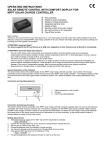
Radio remote control
1 Battery compartment on the back side
2 RESET- button, deletes all wireless outlet
3 The „ALL OFF“ button turns all programmed outlets off
4 The „ALL ON“ button turns all programmed outlets on
5 The function display lights up with each push of a button
6 Button for outlet channel A (ON, OFF)
7 Button for outlet channel B (ON, OFF)
8 Button for outlet channel C (ON, OFF)
Wireless outlet
9 Outlet with child protection
10 Slider for time control
11 Button „learn“ for training the wireless remote control (channel A-C)
12 Mode indicator
13 ON/OFF button for manual switching operation
Wireless telephone switch
14 „Line“ jack for the telephone cable coming from the telephone socket
15 Mode indicator
16 Programming switch (WORK/SET)
17 Battery compartment on the back side
18 „Ext“ socket for the enclosed western cable to the telephone
Inserting the batteries
The wireless remote control and the wireless telephone switch require a battery for operation. The batteries are enclosed to the set.
Open the rear battery compartment (1 and 17) and press the battery onto the battery clip observing the correct polarity. Close the battery
compartment carefully.
Brief function test
•
•
•
Plug each wireless outlet into a wall outlet in sequence.
Connect a consumer, e.g. lamp, to the wireless outlet (9).
Briefly press the button (13) on the wireless outlet. It must be possible to turn the consumer (e.g. lamp) on and off with this button. (1.
Confirmation: „ON“, second press: „OFF“, third press: „ON“ etc.)
Programming the wireless outlets
Before you can use the system to the full extent, you first have to assign the desired channel to the wireless outlets.
Select the channels at wish.
•
Press the button „learn“ (11) of the wireless outlet you wish to program. The function display (12) starts to blink and the device is now in
programming mode.
•
Now press a button of the desired channel (6, 7 or 8) on your remote control. Once the wireless outlet has received the code, the function
display stops blinking and goes off. The wireless outlet is now programmed for this channel.
•
On demand, the set programming can be replaced with another button on the remote control or another remote control channel. Proceed as
described above.