1
ENGLISH
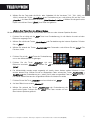
- Image resizing
This option lets you resize your images to the resolution of the frame (480 x 234 for
DPF 7901 and DPF 7911; 800 x 600 for DPF 7321, DPF 7331, DPF 9321, DPF 9331 and DPF 10331).
Resizing optimises internal memory space so you can store over 10,000 images in the internal memory
without losing visual quality.
(For example: a 5-megapixel image occupying 1.5 MB will now only take up approximately 80 K after
resizing.)
Select the "Resizing" option onscreen using the "Up/Down" keys on the remote, then use the
"Right/Left" keys to choose:
. Off
. On
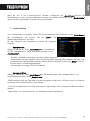
- Automatic cropping
If your images are not in a format proportional to your picture frame, black spaces will appear at the top
and bottom of your 4:3 frame (if your images are 16:9 or 3:2), or along the sides for your 16:9 frame (if
your images are 4:3).
If you have activated resizing, you can activate the automatic cropping function when you copy images
to your frame in order to display your images without distortion or blank spaces.
Select the "Crop while copying" option onscreen using the "Up/Down" keys on the remote, then use
the "Right/Left" keys to choose:
. Off
. On
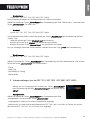
- Automatic resizing
If image resizing is activated, by default a screen asking if you want to resize your images will appear
when you copy them. Automatic resizing mode will allow the frame to resize all your images without
passing through this selection screen. As a result, all your images will be resized without your
intervention.
Select the "Indicate process while copying" option onscreen using the "Up/Down" keys on the remote,
then use the "Right/Left" keys to choose:
. Off
. On
2. Calendar settings
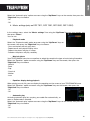
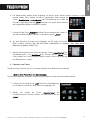
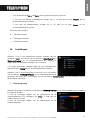
If you want to display the calendar on your frame, press the "Exit" key on
your remote as many times as necessary to display the mode selection
screen. Use the "Right/Left" keys to select the calendar icon and press
"Enter".
Non contractual document subject to change in case of typographical errors (Mktg0609)
9