1
MT-1988/1989
Multicooker will start cooking according to changes that you applied. One cannot change settings of cooking temperature in two-phase programs
(Bread) and
(Pilaw). Cooking time in those two programs can be adjusted from 1 to 12 hours.
MULTICOOKER
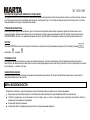
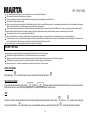
Multicooker program is manual adjustment of both cooking time and temperature settings. Press button Multicooker
can see factory default cooking settings. Press
(hours) and
cooking temperature which you need and press button Start
;
starts flashing on display and you
(minutes) to set cooking time you need. Then press and hold button
(Temperature), to set
to confirm new settings. Multicooker will start cooking according to changes that you applied.
CHEF PRO
When you change cooking settings of any program and press Start
button; factory default settings are replaced by new settings automatically. When you start the same
program next time; it uses last entered settings as default. If you want to reset all settings to factory default statement; press and hold Timer button
After three alarms factory default setting will restore.
AUTO KEEP WARM FUNCTION
Keep warm function automayically start after the end of all programs except Sterilization, Dough, Yoghurt and Fry. Default temperature for the keep warm mode is 60°C.
You can turn this function OFF when program is already running by pressing and holding Start
button for three seconds. If backligt of the Keep warm/Cancel
button is active; it means keep warm will start after the end of running program. If backligt of the Keep warm/Cancel
start after the end of currently running program.
21
button is not active; it means keep warm will not