1
BDA 34873-Rev-RZ_Layout 1 21.06.13 09:14 Seite 3
Automatic code search
Your remote control finds the correct settings almost automatically in seconds:
1. Switch on the appliance to be controlled. A channel number, for example, appears in the display of
your DVB.
2. To start the code search, press the required appliance button, e.g. DVB briefly.
3. Then press SET for about 5 seconds until the lamp (LED) starts to blink.
4. Then point the remote control at the appliance to be controlled while the remote control emits a
different ON/OFF signal every second.
5. When your appliance reacts, press SET within 1-2 seconds, to end the search. – If you ended the
search too late, continue to search using the Manual Code Search (see above).
6. Finally, test the control code setting by trying to control, for example, your DVB appliance. If it does
not work correctly, please try the code search again. The code search then begins with the next code in
the sequence. - Remember to switch your appliance, e.g. DVB, back on again if you wish to continue
searching.
Code identification
You can read off the 4-digit codes you have set at any time:
1. Press the appliance button of the appliance which code you want to read off, e.g. TV.
2. Press the SET button and 1,2,3,4 regardless of the part of the code you want to read off. For example, if you press SET+1 after TV and the code 0158 (in this example) has been set, the lamp does not
blink after SET+1 is released to show that the thousands 25figure is 0. All you have to do is count. After
SET+2 is released the lamp blinks once to show that the hundred figure is 1.The ten figure is indicated
after SET+3 is released, e.g. it blinks 5 times for the 5 in 158. The one figure is indicated after SET+4 is
released, e.g. it blinks 8 times for the 8 in 0158. - Please open the battery compartment and write down
the found codes, for later use, onto the sticker placed at the innerside of the compartment door.
Operation
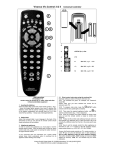
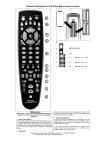
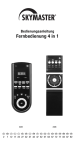
You operate your appliances basically in exactly the same way as if you were using the original remote
controls, except that you must first press an appliance button (TV, DVB, etc.) to control the required
appliance. As the symbols on the UR Z2 could differ from those on the original remote controls you may
have to try out all the buttons in order to find the functions.
Punch through
If certain control codes e.g. for controlling DVB, don´t contain volume and mute key functions, then the
controller controls TV volume and mute automatically.
Specifications
Batteries: 2x AA batteries, NiMH, rechargeable can also be used
Range: max. 7 m
Not for 400 kHz equipment
Hereby Vivanco GmbH declares that UR Z2 is in conformity with the
fundamental requirements and other relevant regulations of the directive 2004/108/EU.
Disposal of the device
This device may not be disposed along with household waste. Please hand it over to a collection point for electrical devices of your area or your district. Thus it will be guaranteed that
the old devices are recycled properly and economically and potential environmental and
health hazards are avoided.
Pb/Cd/Hg
Recycle Batteries
Rechargeable and non-rechargeable batteries shall not be disposed with household waste.
You are legally obligated to return used batteries, so that a professional, environmentally
safe disposition is assured. Please take them to a municipal collection point or retailer.
Please only hand in batteries and accumulators that are completely discharged.
The packing should be supplied to re-use. Please do not throw it into
household waste and handle it in conformity with local disposal rules.
3