1
Introduction
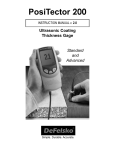
The PosiTector Replica Tape Reader (RTR) is a hand-held
electronic instrument that measures burnished Testex Press-OFilmTM replica tape to produce peak-to-valley surface profile height
measurements. It consists of a body (Standard or Advanced) and
probe.
This Quick Guide summarizes the basic functions of the Gage.
Download the full instruction manual at: defelsko.com/manuals
Quick Start
The PosiTector RTR powers-up when the center navigation
button
is pressed. To preserve battery life, the Gage powers
down after approximately 5 minutes of no activity. All settings are
retained.
NOTE: To ensure best accuracy, the user will be required to zero
the probe every time the Gage is powered-up. It is therefore a
good idea to clean the probe regularly with the included cleaning
card. Cleaning is best performed when the Gage is powered down.
With the Gage powered down...
1. Clean the probe with the included cleaning card. (pg. 5)
2. Power-up Gage by pressing the center navigation
button.
3. Zero the probe. (pg. 6)
4. Measure the included check shim to verify accuracy (pg. 5)
5. Measure the burnished replica tape (pg. 4)
Menu Operation
Gage functions are menu controlled. To access the Menu, powerup the Gage, then press the center navigation button.
Navigation Button
Up
Center
Down
To navigate, use the Up and Down buttons to
scroll and
to SELECT.
Select Exit to exit from any menu.
button is purposely recessed to help
NOTE: The center
eliminate unintentional powering-up of the Gage.
1