1
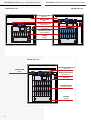
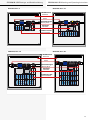
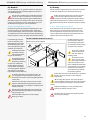
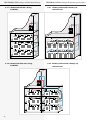
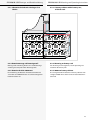
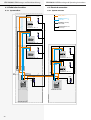
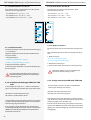
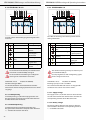
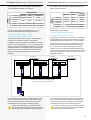
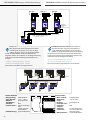
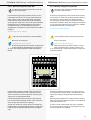
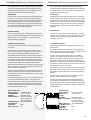
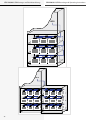
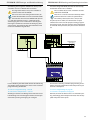
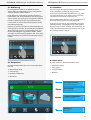
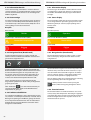
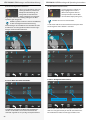
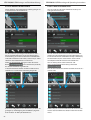
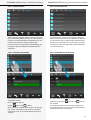
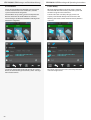
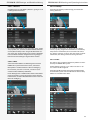
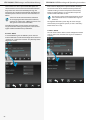
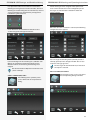
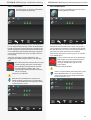
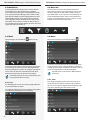
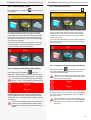
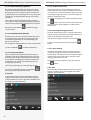
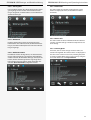
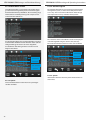
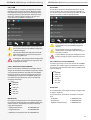
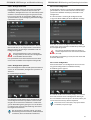
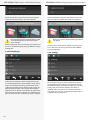
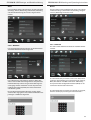
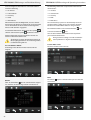
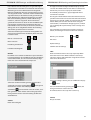
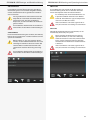
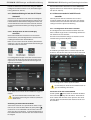
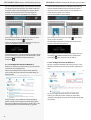
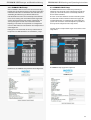
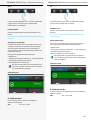
CPS 220/48.1/SV Montage- und Betriebsanleitung CPS 220/48.1/SV Mounting and Operating Instructions 8.4.4.1.4. Detailansicht Endstromkreis 8.4.4.1.4. Final circuit detailed view Durch Anwählen des Endstromkreissymbols gelangen Sie in das Untermenü des Stromkreises. You can reach the sub-menu of the final circuit by activating the final circuit icon. Das Untermenü des jeweiligen Endstromkreises beinhaltet Statusinformationen. Die Art der Überwachung und Schaltung sind in den beiden oberen Comboboxen einzustellen. Weiterhin sind Zielort, Status und „Ist“ Stromaufnahme des Endstromkreises zu erkennen. The sub-menu of each final circuit contains status information. The type of monitoring and operation mode can be selected in the two combo boxes on top. Furthermore, the destination text, the status and the actual current consumption of the final circuit can be found here. Direkt aus diesem Menü gelangen Sie über die Schalt fläche in das Untermenü „Leuchten“, das diesem Stromkreis zugeordnet ist. You can directly move to the “luminaires” submenu, associated with this circuit, by the button . In diesem Untermenü werden einzelne Leuchten eines Stromkreises in senkrechter Anordnung dargestellt. This sub-menu shows the luminaires within the circuit in a vertical order. Eine weitere Möglichkeit in das Untermenü „Leuchten“ zu gelangen ist, die Betätigung der Schaltfläche „Angemeldete Leuchten“ im Menü „Endstromkreise“. Another way to access the “luminaires” sub-menu is to select the “activated luminaires” button in the “final circuits” menu. 6262