1
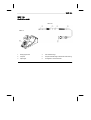
WXP 120
7-8
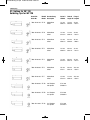
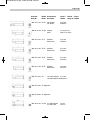
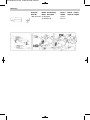
XT soldering tips for the WXP 120 soldering
iron
See the table XT soldering tips for WXP 120 soldering iron in the
section in the back and at www.weller.eu
7.2
Replacement parts and accessories for
WXP 120
Order no.
Description
T0052920199
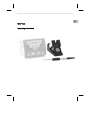
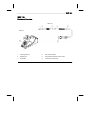
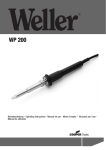
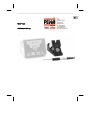
WXP 120 soldering iron
T0051512199
WDH 10 safety rest
T0051384199
Metal wool for cleaning element for WDC 2
8 Disposal
Dispose of replaced equipment parts, filters or old devices in
accordance with the rules and regulations applicable in your country.
EN
DK
FI
GR
TR
CZ
PL
7.1
HU
7 Accessories
SK
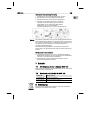
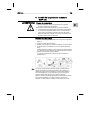
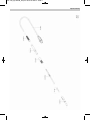
5. Place the soldering tip into the tip receptacle with the tip pointing
forwards. Push the tip receptacle together with the soldering tip
over the heating element and rotate clockwise to tighten.
6. Switch on the supply unit and set the required temperature.
SL
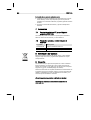
Inserting a new soldering tip
EE
Keep the heat transfer surfaces of the soldering tip and heating
element clean. The heating element must not come into contact with
soldering tin.
LV
Do not place or leave the hot soldering tip or probe tip on the
cleaning sponge or on plastic surfaces. When using multiple types
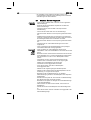
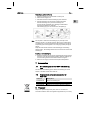
of soldering tip, it is recommended that the soldering tip (2) and tip
receptacle (3) be used together in the changing system (see figure
above).
LT
Note
SV
NL
PT
ES
IT
4. Hold the soldering iron with the tip pointing downward.
Hold the soldering iron by the rear handle (4) and
unscrew the tip receptacle (3) by twisting it anticlockwise
Pull off the receptacle (3) forwards
The soldering tip (2) is now loose in the receptacle (3).
FR
1. Place the soldering tool in the WDH 10 safety rest.
2. Switch off the supply unit.
3. Wait three minutes until the soldering tip has cooled off.
DE
Replacing a used soldering tip