1
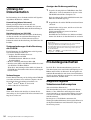
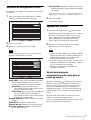
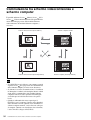
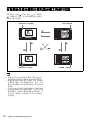
If you do not know the settings required for your LAN
configuration, contact your network administrator.
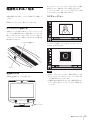
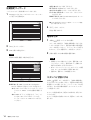
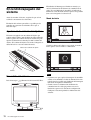
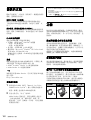
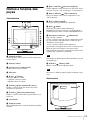
Initial Setup Wizard
Configuration items may differ depending on the software.
1
4
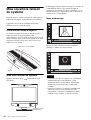
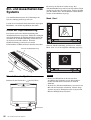
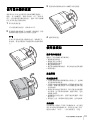
Select the language used for menus and messages from
the “Language” pull-down list.
Click “End”.
The settings are saved.
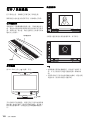
Turning the System Off
1/2
1
English
Language
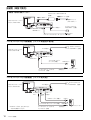
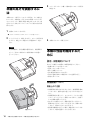
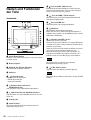
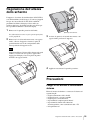
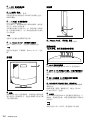
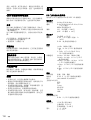
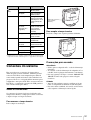
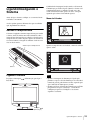
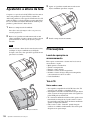
Press the
(Power) switch twice.
After pressing the switch once, the message “To enter
standby mode, wait for a few moments. To turn off the
power, press the power switch again.” appears. Press
the power switch again.
2
Next
Cancel
Turn off the power of other equipment used for the
videoconference.
Notes
2
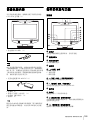
Click “Next”.
3
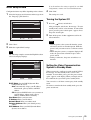
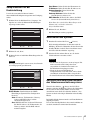
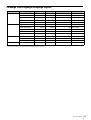
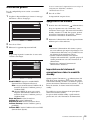
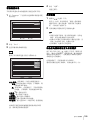
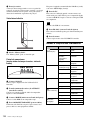
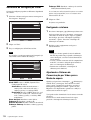
Make the required LAN settings.
Note
The following examples assume that English has been
selected as display language.
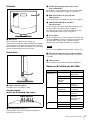
• Turn the power to the system off when the system
will not be used for an extended period. While the
power is off, you cannot receive a call from a remote
party.
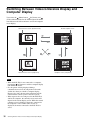
• When using the system as a computer display in PC
mode, the power turns off with one press of the
power switch.
• During a conference, the power switch does not
function.
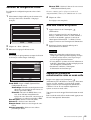
2/2
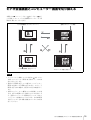
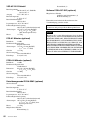
DHCP Mode
Auto
Off
Host Name
Setting the Video Communication
System to Standby Mode
IP Address
Network Mask
Gateway Address
DNS Address
End
Back
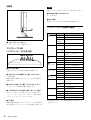
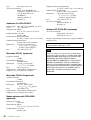
DHCP Mode: Sets the DHCP (Dynamic Host
Configuration Protocol).
Auto: Automatically assigns your IP address,
subnet mask, gateway address and DNS
address.
Off: Deactivates DHCP. In this case you must set
your IP address, subnet mask, gateway
address and DNS address manually.
Host Name: Enter your host name.
IP Address: Enter your IP address.
Network Mask: Enter your subnet mask.
Gateway Address: Enter your default gateway
address.
DNS Address: Enter your DNS (Domain Name
System) server address.
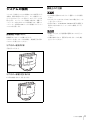
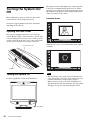
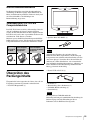
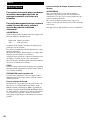
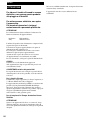
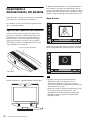
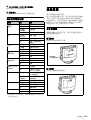
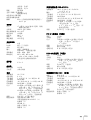
When you press the
(Power) switch on the PCS-TL33,
the message “To enter standby mode, wait for a few
moments. To turn off the power, press the power switch
again.” appears on the display. When you simply wait in
this condition, the system will go into standby mode.
You can receive a call from a remote party in the standby
mode.
To return to normal mode from standby mode, press the
power switch once.
Turning the System On/Off
29