1
Owner’s manual
•
•
•
•
•
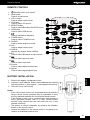
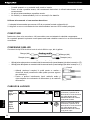
Do not drop or cause impact to the remote control.
Do not spill water or any liquid on the remote control, nor place it on wet surfaces.
Do not place the remote control under the direct sunlight or near sources of heat.
Clean this remote control only with soft, slightly damp cloth.
Do not heat or disassemble batteries and never dispose of old batteries by throwing them in a fire.
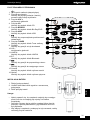
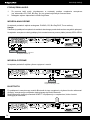
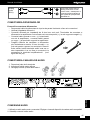
REMOTE CONTROL OPERATION
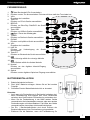
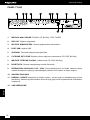
1. Point the remote control towards the remote sensor IR of the front of the unit.
2. Make sure that there is no obstacle between the infrared remote sensor of the unit and remote control.
CONECTION
Before making any connections, read the manuals supplied with your other components.
Don’t connect the power cord until you’ve completed and double-checked all connections.
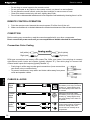
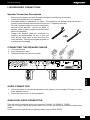
Connection Color Coding
Left (white)
Left (white)
Right (red)
Right (red)
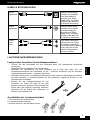
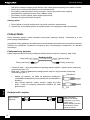
RCA-type connections are usually color-coded: red, white, and yellow. Use red plugs to connect
right-channel audio inputs and outputs (typically labeled “R”). Use white plugs to connect leftchannel audio inputs and outputs (typically labeled “L”).
English
• Push plugs in all the way to make good connections (loose connections
can cause noise or malfunctions).
• To prevent interference, keep audio and video cables away from power
cords and speaker cables.
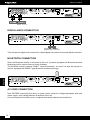
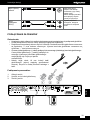
Cables & Jacks
Optical
digital
audio
Offers the best sound quality
and allows you to enjoy surround
sound (e.g., Dolby Digital, DTS).
The audio quality is the same as
for coaxial.
Coaxial
digital
audio
Offers the best sound quality
and allows you to enjoy surround
sound (e.g., Dolby Digital, DTS).
The audio quality is the same as
for optical.
Analog
audio
(RCA)
20
L
R
This cable carries analog audio.
It’s the most common connection
format for analog audio, and
can be found on virtually all AV
components.