1
The high quality of our products is assured by a continuous process of refinement of their
technical features. Therefore, it is possible that your product may differ in some respect from the
descriptions contained in this manual. This is not a problem – it is an improvement. All features,
descriptions, and illustrations contained herein are valid as of the date of publication.
Disclaimer
This manual is intended only as a guide for Antec’s Computer Enclosures. For
more comprehensive instructions on installing your motherboard and peripherals,
please refer to the user’s manuals which come with your components and drives.
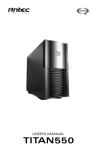
TITAN550 – SERVER CASE
Your case includes a pre-installed TruePower 2.0 (TP2-550EPS12V) power supply, one of the quietest
tested power supplies on the market. All TruePower PSUs feature Antec’s Low Noise Technology,
which allows TruePower to deliver an optimum balance between noise reduction and necessary
cooling. The power supply fans will always run at the lowest speed possible for existing load and
conditions. The result? Your power supply will run considerably quieter than traditional power supplies.
Make sure you turn the switch to the ON ( I ) position before you boot up your computer for the
first time. Normally, you won’t need to switch to the OFF (O) position, since the power supply
includes a soft on/off feature. This lets you turn your computer on and off by using the soft
switch on your computer case. If your computer crashes and you can’t shut it down using the soft
switch, you can switch the main power to the OFF (O) position to clear the problem, then reboot.
The Titan has implemented a newly designed double hinge door, which allows the door to open
up to 270º. The front bezel is easy to remove and replace for easy system installation. Titan550 features
6 individual hard drive trays, cooled by two 92mm fans. These drive trays are front accessible to
further ease system integration or upgrading. Additionally, this case also comes with an adjustable
card guide for long add-in cards.
[Applies only to models designed for sale in the European Union: TruePower 2.0 Series
Power Supply models designed for the EU include Power Factor Correction (PFC) circuitry in
accordance with European standard regulation code EN61000-3-2. By altering the input current
wave shape, PFC improves the power factor of the power supply and results in increased energy
efficiency, reduced heat loss, prolonged life for power distribution, and consumption equipment,
and improved output voltage stability.]
SETTING UP
1.
Take the case out of the box. Remove the Styrofoam and the plastic bag. Place the case
upright on a flat, stable surface. The power supply fan should be at the back, facing you.
2.
Note (not applicable to models designed for the European Union): Before installation,
check the red voltage switch setting on the power supply. It should match your local voltage
(115V for North America, Japan, etc. and 230V for Europe and many other countries). If
it doesn’t match, please change the setting. If you don’t you could damage your equipment
and void your warranty.
3.
Remove the thumbscrews from the right side panel. Slide the panel towards the back of
the case to remove the side panel.
4.
Inside the case you should see the power supply, some wiring with marked connectors
(USB, PWR etc.), and installed I/O panel, a power cord and a tool bag containing more
hardware (screws, brass standoffs, etc.), twelve pairs of 3.5" metal drive rails with the rubber
grommets and six pairs of plastic 5.25" drive rails. You need to remove the front bezel in
order to install your 5.25" drives or 3.5" internal drives.
2