1
High-Resolution Colour Camera
Package contents
Setting the back focus
Transportation
•
•
Back-focus adjustment moves the lens mount relative to the
imager and is set during manufacture.
However, further adjustment may be required for certain
zoom lenses. Set the lens for the longest focal distance and
maximum aperture. Turn the set screw to move the CCD and
achieve sharp focus.
Use the original packing material or materials of equal
quality.
Camera
Installation instructions (this document)
Safety
This camera is designed for indoor applications. For outdoor
use, an IP65 (or better) certified protective housing must be
employed.
Connect the device only to power sources with the specified
voltage. Voltage supply requirements can be found on the
rating label/mains adapter.
The environmental conditions recommended by the
manufacturer must be observed (see "Specifications").
CCBC1327-MP:
This device is designed to work with TN power systems. Do
not connect the device to any other power systems.
Always disconnect the power cable and other cables from the
main power supply before performing maintenance.
CCBC1327-MP:
The power source must comply with SELV requirements.
Ordering data
Type
CCBC1327-LP
CCBC1327-MP
Item Number
Description
S54561-C25-A1 High-Resolution Colour
Camera
12 V DC / 24 V AC
S54561-C26-A1 High-Resolution Colour
Camera
90 – 260 V AC
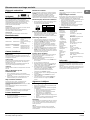
Installing a direct (DC) drive lens
•
Fit the lens to the camera and connect it to the DC lens
socket, as defined by the pin assignments in the Figure
below.
DC LENS
3
4
1
2
Pin
1
2
3
4
DC lens
Damp Damp +
Drive +
Drive -
Installing a video drive lens
•
Fit the lens to the camera and connect it to the Video
lens connector, connecting the correct lens wires for
ground (GND), voltage (+12 V) and video (VIDEO) on the
terminal marked VIDEO LENS.
OSD menu control
1.
2.
3.
Open the panel on the side of the camera to access the
OSD menu control buttons.
Press and hold the ENTER button on the side of the
camera to access the main menu.
Use the Up ▲, Down ▼, Left ◄ and Right ► buttons to
select the desired menu option.
Press the ENTER button to open the sub-menu or to
complete the change.
Use the control buttons to change values.
Remember to select SAVE and press ENTER before
exiting the menu or the changes will not be implemented
when the camera is next powered up.
Accessories (not included in the delivery!)
PSU230-12
2GF1800-8BE
Power supply unit for
12 V DC cameras
CAPA2410-P
2GF1800-8BJ
Power supply unit for
24 V AC cameras
4.
Installing the camera
Privacy zones setting
Step 1: Connecting to a power supply
This function is designated to hide areas on the monitor for
privacy protection. There are four masking areas available for
selection.
Mask position and area can be individually adjusted.
1. Select the desired zone and press the ENTER button to
enter.
2. A grey mask will be displayed.
3. Use the arrow buttons to move the mask to the desired
position, then press the ENTER button to lock the
position.
4. Use the arrow buttons to adjust the mask size, then press
the ENTER button to complete the mask size setting.
(To clear the mask, shrink the size to minimum and press
the ENTER button).
5. Repeat steps 1 - 4 to set each masking area.
6. Select SAVE and press the ENTER button to save the
new setting.
7. To clear all the masks, select ALL CLEAR, then press
the ENTER button.
CCBC1327-LP:
This camera operates from either 12 V DC or 24 V AC.
Connections are indicated above the terminals on the rear
panel of the camera.
CCBC1327-MP:
This camera operates directly from the mains supply and is
supplied with a detachable power supply cord. The operating
voltage is 90 – 250 V AC.
The power LED on the rear panel is lit when the camera is
connected to a power source.
NOTE
The typical power consumption of a camera is less than 5 W.
Step 2: Connecting to a TV / video
1.
2.
Connect a video coaxial cable terminated with a 75 Ohm
BNC connector to the BNC socket labelled VIDEO OUT.
Connect the other end of the cable to the VIDEO IN
socket of your video or television equipment.
Step 3: Mounting the camera
The camera can be mounted from the top or bottom, either on
a bracket or tripod. The mounting points accept standard
photographic mounting bolts (1/4" BSW or 20 UNC).
The mounting bracket must be capable of supporting the
camera and the lens.
NOTE
Ensure the bracket anchors and mounting surface can
support the load of the camera and bracket.
Installing lenses
•
•
Before installing a lens, you must first remove the lens
cover from the camera.
If mounting a C-mount lens, attach the spacer ring to the
camera.
5.
6.
CCD characteristics
The following conditions may be observed when using a CCD
camera. These are inherent in the design and do not stem
from any fault in the camera itself.
• Vertical smear: This phenomenon occurs when viewing a
very bright object.
• Patterned noise: This is a fixed pattern which may appear
over the entire monitor screen when the camera is
operated at a high temperature.
• Jagged picture: When viewing stripes, straight lines, or
similar patterns, the image on the screen may appear
jagged.
Specifications
Image sensor
Active pixels
Scanning frequency
Temperature range
Operation
Storage
Output terminal
Power source
AC mains
Low voltage
Power consumption
Power indicator
Dimensions (WxHxD)
SYNC system
Resolution
Minimum Illumination
Video output
S/N ratio
Colour killer
BLC
Auto White Balance
Autom. Gain Control
V phase
1/3" Interline CCD
752 (H) x 582 (V)
2:1 interlace
15,625 Hz (hor.), 50 Hz (vert.)
-10 to +50°C
-20 to +60°C
BNC 75 Ohm unbalanced
90 – 260 V AC
12 V DC / 24 V AC
Max. 4.5 W
Green LED on rear panel
70 x 58 x 117 mm
INT / Line Lock
540 TVL
0.6 lx (F1.2, 50 IRE)
1.0 Vpp, 75 Ohm BNC unbalanced
≤50 dB
Auto ON/OFF
6 areas with adjustable levels
2000 – 18000 K
18 – 30 dB linear adjustment
1 – 600
Information
This product is compliant with EMC directive 89/336, and Low
Voltage Directive LVD 73/23 EEC, conforming to the
requirements of standards EN 55022 for emissions, IEC801
parts 2, 3 and 4 for immunity, and EN 60065 for electrical
equipment safety.
You are cautioned that any changes or modifications not
expressly approved in this manual could void your authority to
operate this equipment.
General guidelines
Operation and storage
•
•
Avoid facing the camera directly toward very bright
objects (such as light fittings) for an extended period.
Do not operate or store the unit in the following locations:
• Extremely hot or cold places.
• Close to sources of strong magnetism.
• Close to sources of powerful electromagnetic
radiation, such as radios or TV transmitters.
• In humid or excessively dusty places.
• Where exposed to mechanical vibrations.
• Close to fluorescent lamps or objects reflecting light.
• Under unstable or flickering light sources.
Cleaning
Small amounts of dirt or dust can be cleaned from the camera
body using a clean soft cloth. If the unit tends to get very
dirty, the camera should be placed within a protective
housing.
CAUTION
Do not use volatile solvents such as alcohol, benzene or
thinners. These solvents may damage the surface.
2
Siemens Building Technologies
Fire Safety & Security Products
10.2008
EN