1
Giochi
Videos
34
you will be prompted to
turn Bluetooth on and
your phone will search
for a device to send the
video to.
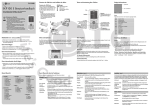
The Videos folder shows a
list of downloaded videos
and videos you have
recorded on your phone.
Watching a video
1 Touch
then
Entertainment.
2 Touch My stuff then
Videos.
3 Select a video to play.
Games and Applications
Sending a video clip
Playing a game
1 Select a video and touch
.
2 Touch Send and choose
from Message, Email,
Bluetooth.
3 If you choose Message
or Email, your video
clip will be attached to
the message and you
can write and send the
message as normal. If
you choose Bluetooth,
1 Touch
then
Entertainment.
2 Touch Games & apps and
select Games.
3 Choose and touch a game
to launch.
You can download new
games and applications to
your phone to keep you
amused when you have time
to spare.