1
NOTICE
Use the power cord set approved by the
appropriate testing organization for the
specific countries where this unit is to be used.
Disposal of Old Electrical & Electronic
Equipment (Applicable in the European
Union and other European countries with
separate collection systems)
This symbol on the product or on its
packaging indicates that this product
shall not be treated as household
waste. Instead it shall be handed over
to the applicable collection point for
the recycling of electrical and
electronic equipment. By ensuring this product is
disposed of correctly, you will help prevent
potential negative consequences for the
environment and human health, which could
otherwise be caused by inappropriate waste
handling of this product. The recycling of
materials will help to conserve natural resources.
For more detailed information about recycling of
this product, please contact your local Civic
Office, your household waste disposal service or
the shop where you purchased the product.
According to the EU Directives related to
product safety, EMC and R&TTE the
manufacturer of this product is Sony
Corporation, 6-7-35 Kitashinagawa
Shinagawa-ku Tokyo, 141-0001 Japan.
The Authorised Representative is Sony
Deutschland GmbH, Hedelfinger Strasse
61,70327 Stuttgart, Germany.
For any service or guarantee matters please
refer to the addresses given in separate service
or guarantee documents.
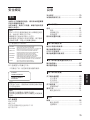
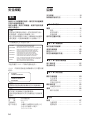
Using this Guide ........................................ 4
English
CAUTION
The mains plug on this equipment must be
used to disconnect mains power.
Please ensure that the socket outlet is installed
near the equipment and shall be easily
accessible.
Table of Contents
Chapter 1 Introduction
Overview .................................................... 5
Features ....................................................... 5
Compatible Disks ....................................... 6
System Configuration ................................. 6
Location and Function of Parts ............... 7
Chapter 2 Getting Started
Component and Accessory Check List .. 8
Connecting the Disk Unit ......................... 9
Setting the SCSI ID .................................... 9
Setting the Disk Unit’s Functions .......... 10
Chapter 3 Using the Disk Unit
Inserting a Disk Cartridge ...................... 11
Ejecting a Disk Cartridge ........................ 12
Chapter 4 Precautions
On the Disk Unit ...................................... 13
Safety Considerations ............................... 13
Damage Prevention .................................. 13
Other Points Requiring Attention ............. 14
On the Disk Cartridges ........................... 14
Protecting Your Data ................................ 15
Cleaning ................................................... 15
Cleaning a Disk ........................................ 15
Appendix
Specifications .......................................... 16
Disk Unit .................................................. 16
Optional Accessories ................................ 17
3