1
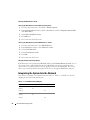
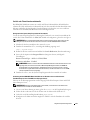
OSCAR Navigation Summary
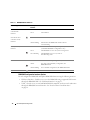
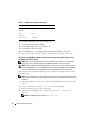
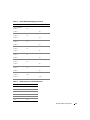
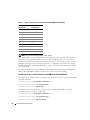
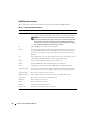
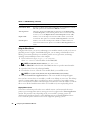
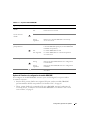
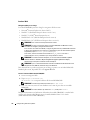
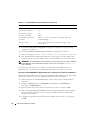
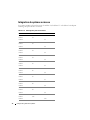
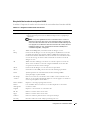
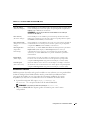
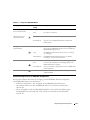
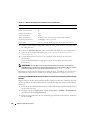
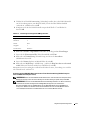
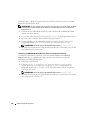
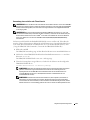
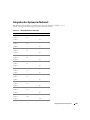
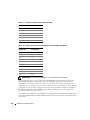
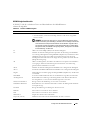
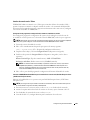
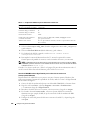
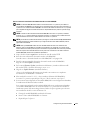
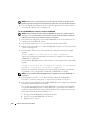
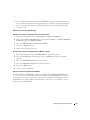
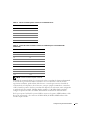
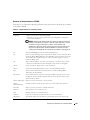
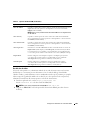
Table 2-2 lists the various keystrokes and mouse functions used by the OSCAR interface.
Table 2-2. Keyboard and Mouse Navigation
Keystroke
Function
Print Screen
• Press once to open OSCAR.
• Press twice to send the <Print Screen> keystroke to the currently selected device.
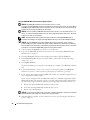
NOTICE: You can also use the <Print Screen> key to switch between server
modules ("soft switching") by pressing <Print Screen> and then typing the first
few characters of its name or number. If you have a Delay Time set and you
press the key sequences before that time has elapsed, OSCAR will not display.
See "Configuring OSCAR for Soft Switching" on page 37.
42
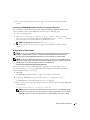
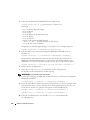
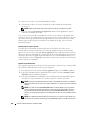
F1
Opens the Help screen for the current dialog box.
Escape
Closes the current dialog box without saving changes and returns to the previous
one. In the Main dialog box, it closes OSCAR and returns to the selected server
module. In a message box, it closes the pop-up box and returns to the current
dialog box.
Alt
Opens dialog boxes, selects or checks options, and executes actions when used in
combination with underlined letters or other designated characters.
Alt+X
Closes current dialog box and returns to the previous one.
Alt+O
Selects the OK button, then returns to the previous dialog box.
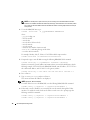
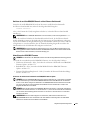
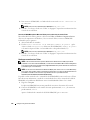
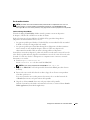
Enter
Completes the switch operation in the Main dialog box and exits OSCAR.
Single-click Enter
In a text box, selects the text for editing and enables the left-arrow key and rightarrow key keys to move the cursor. Press <Enter> again to quit the edit mode.
Up/Down Arrows
Moves the cursor from line to line in lists.
Right/Left Arrows
When editing a text box, these keys move the cursor within the column.
Home/End
Moves the cursor to the top or bottom of a list.
Backspace
Erases characters in a text box.
Delete
Deletes characters in a text box.
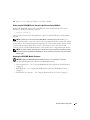
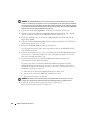
Numbers
Type from the keyboard or keypad.
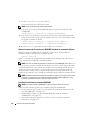
Caps Lock
Disabled. Use the <Shift> key to change case.
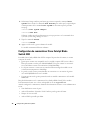
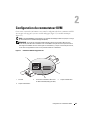
Configuring the KVM Switch Module