1
2
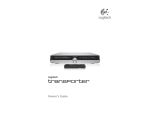
Logitech®
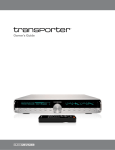
Transporter™ Owner’s Guide
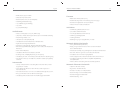
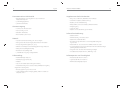
Table of Contents
About Transporter ............................................................................................. 2
Special Features...................................................................................................... 19
Before You Begin .................................................................................................... 3
Alarm Clock ........................................................................................................ 19
System Requirements ........................................................................................ 3
Graphic Visualizers .............................................................................................. 20
Installing the SqueezeCenter Software .................................................................. 4
Using Transporter as a Wireless Bridge .............................................................. 20
Installing on Windows ........................................................................................ 4
Crossfading Between Tracks ............................................................................. 21
Installing on Mac OS X ....................................................................................... 5
RSS News Ticker ................................................................................................. 21
Installing on Linux or Other Operating System .................................................. 5
Podcasts ............................................................................................................. 22
Connecting Transporter ........................................................................................ 6
Controlling Multiple Players with one SqueezeCenter ...................................... 22
Audio Connections ................................................................................................. 7
Wake-on-LAN ..................................................................................................... 23
Analog Outputs.................................................................................................. 7
RS-232 Serial Control ......................................................................................... 23
Digital Outputs and Inputs ................................................................................ 7
Infrared Input and Output ................................................................................. 23
Using Transporter as a Standalone DAC ................................................................. 7
Analog Output Attenuation ............................................................................... 24
Configuring Transporter ......................................................................................... 8
Detailed Specifications ........................................................................................... 25
Set Up Networking ............................................................................................. 8
Troubleshooting ..................................................................................................... 29
Select a Music Source ........................................................................................ 9
Getting More Information ...................................................................................... 32
Using the Remote .................................................................................................. 10
FCC Notice .............................................................................................................. 34
Using the Front Panel Controls ............................................................................... 12
Limited Warranty .................................................................................................... 36
Playing Your Music .................................................................................................. 14
Using the Remote or Front Panel to Play Music ................................................. 14
Searching for Music with the Remote or Front Panel ........................................ 15
Creating and Saving a Playlist ............................................................................ 15
Listening to Internet Radio ..................................................................................... 16
SqueezeNetwork .................................................................................................... 17
Using SqueezeNetwork...................................................................................... 18
3