1
Installation Instructions CP 1512
continued
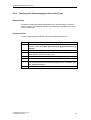
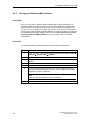
Note on the Connection Type
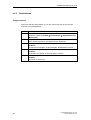
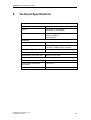
In the "Value" list box, you can select the mode you require (data
transmission rate 10 or 100 Mbps, full or half duplex). We
recommend that you retain the factory default setting
"AutoSense".
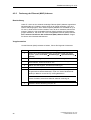
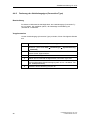
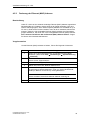
Note on the Ethernet (MAC) Address
Every CP 1512 has an Ethernet (MAC) address that is unique
worldwide. This generally avoids any address conflicts in PC
networks. Modules whose Ethernet (MAC) address can be set
freely by the user are an exception (for example, the CP 443-1). If
such modules are used in the network, it is unlikely but
conceivable that the freely selected Ethernet (MAC) address of a
partner module is the same as the default Ethernet (MAC) address
of the CP 1512. In this case only, you must change the
Ethernet (MAC) address. If you are in doubt, ask your network
administrator.
If you have to change the Ethernet (MAC) address, enter the
required address in the form of six hexadecimal numbers (range
00 to FF) in the input box.
Make sure that the address is unique worldwide!
5
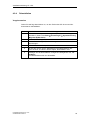
Click the "OK“ button.
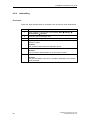
Reaction
You automatically return to the "Network" window.
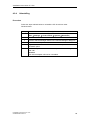
6
Click the "Close" button.
Reaction
The "Microsoft TCP/IP Properties" dialog box appears.
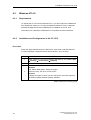
7
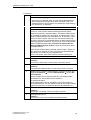
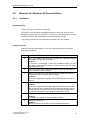
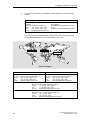
Select "Siemens CP1512" in the "Adapter" list box (IP Address tab
➜ Adapter list box ➜ entry Siemens CP1512).
There are two ways of assigning the IP address:
"Obtain an IP address from a DHCP server".
"Specify an IP address"
You can select this configuration if you already have an IP address.
For operation outside the local area network, please specify an IP
address for the default gateway.
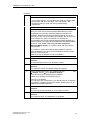
8
Click on "OK".
Reaction
You will now be asked whether or not you want to restart.
9
Confirm with "Yes".
Reaction
The computer boots. The installation is completed.
Installation Instructions CP 1512
C79000-N8974-C001-01
71