1
Safety Notes
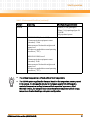
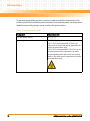
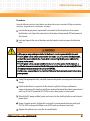
Damage of RTM and Front Blade
Removing the RTM from the system while the playload of the front blade is powered up may
damage the front blade and RTM.
Whenever removing the RTM from the system, you have to power down the playload of the
front blade first.
RTM Malfunctioning
Incorrect RTM installation and removal can result in RTM malfunctioning.
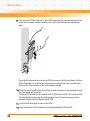
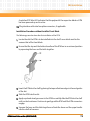
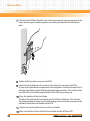
When plugging the RTM in or removing it, do not press on the face plate but use the handles.
RTM Damage
Installing the RTM with other blades than the ones designed for it may damage the RTM and
the front blade.
Only install the RTM with the correct front blade.
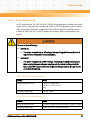
Data Loss
Removing the RTM with the system power on and the blue LED on the front blade still flashing
causes data loss.
Before removing the RTM from a powered system, power down the slot by opening the lower
handle of the front blade and wait until the blue LED is permanently ON.
Blade Malfunctioning
Incorrect blade installation and removal can result in blade malfunctioning.
Make sure that the blade is connected to the system backplane through all assembled
connectors and that power is available on all zone 1 power pins.
Operation
System Overheating
Cooling vents
Inproper cooling can lead to blade and system damage.
166
AXP640 Installation and Use (6806800M24E)