1
fs
sr
es
pe
cti
te
ur
te
n
dé
de
s
pr
op
rié
té
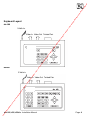
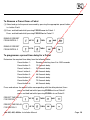
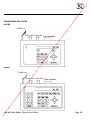
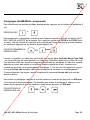
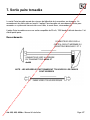
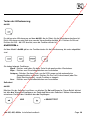
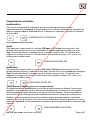
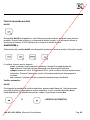
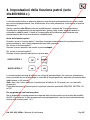
To Remove a Preset from a Patrol
os
,s
on
t la
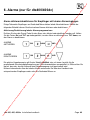
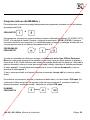
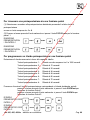
(1) Select and go to the preset concerned by pressing the appropriate preset button
i.e. button 1 to 8
et
log
(2) Press and hold set whilst pressing FOCUS near for Patrol. 1
UP TO
THEN
AND
REMOVE PRESET
FROM PATROL 2
UP TO
THEN
AND
ch
niq
ue
do
nt
les
ré
fé
re
n
REMOVE PRESET
FROM PATROL 1
ce
s,
m
ar
qu
es
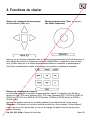
Press and hold set whilst pressing FOCUS far for Patrol. 2
ta
tio
n
te
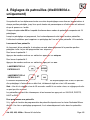
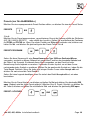
To programme a preset time delay for a Patrol
en
Determine the required time delay from the following table:
Random switching from 0 to 1000 seconds
Preset button 2 -
12 Seconds delay
Preset button 3 -
24 Seconds delay
m
,d
e
la
do
cu
m
Preset button 1 -
e.
m
lar
48 Seconds delay
60 Seconds delay
Preset button 7 -
72 Seconds delay
Preset button 8 -
84 Seconds delay
pu
bli
c
,v
ia
ww
do
Preset button 6 -
w.
ca
Preset button 5 -
36 Seconds delay
co
Preset button 4 -
du
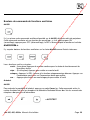
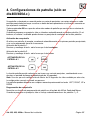
Press and release the preset button corresponding with the delay desired, then:itio
n
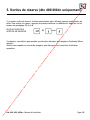
press and hold set whilst pressing ZOOM out to set Patrol 1.
dis
p
os
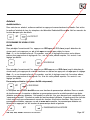
press and hold set whilst pressing ZOOM in to set Patrol 2.
UP TO
THEN
AND
UP TO
THEN
AND
co
m
m
et
à
la
PRESET TIME DELAY
FOR PATROL 1
ab
so
lua
lar
m
e.
PRESET TIME DELAY
FOR PATROL 2
ww
w.
dtx 300, 400, 400d.c. Installation Manual
Page. 10