1
1. Safety precautions
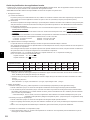
1.4. Before starting the test run
Caution:
• Turn on the main power switch of the outdoor unit more than 12 hours
before starting operation. Starting operation immediately after turning on
the power switch can severely damage the internal parts. Keep the main
power switch turned on during the operation period.
• Before starting operation, check that all protective parts are correctly installed. Make sure not to get injured by touching high voltage parts.
• Do not touch any switch with wet hands. There may be a risk of electric
shock.
• After stopping operation, wait at least 5 minutes before turning off the
main power. Otherwise, it may cause breakdown.
2. Installing the interface unit
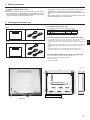
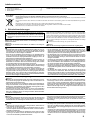
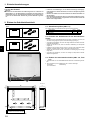
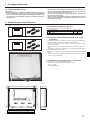
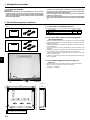
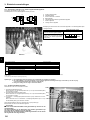
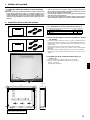
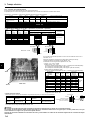
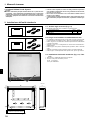
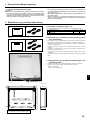
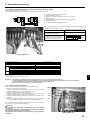
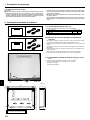
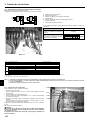
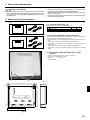
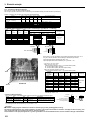
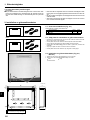
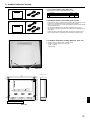
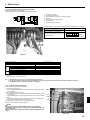
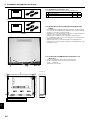
2.1. Check the parts (Fig. 2-1)
IF011
The interface unit should be supplied with the following parts.
1
2
Part Name
Interface unit
IF011
1
IF012
1
2
3
Thermistor
• Do not install the interface unit in outdoor location as it is designed for indoor
installation only. (The interface board and casing are not waterproof.)
• Avoid locations where the unit is exposed to direct sunlight or other sources of
heat.
• Select a location where easy wiring access to the power source is available.
• Avoid locations where combustible gases may leak, be produced, flow, or accumulate.
• Select a level location that can bear the weight and vibration of the unit.
• Avoid locations where the unit is exposed to oil, steam, or sulfuric gas.
IF012
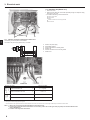
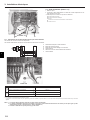
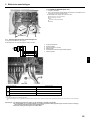
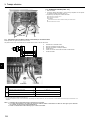
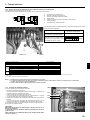
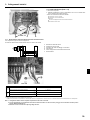
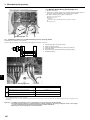
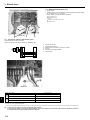
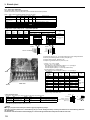
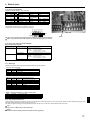
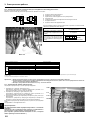
2.3. Installing the interface unit (Fig. 2-2, Photo.2-1)
1. Remove 2 screws from interface unit and remove the cover.
2. Install the 4 screws (locally supplied) in 4 holes.
A Screw B Cover
C Hole for installation
Fig. 2-1
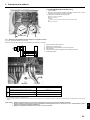
Unit:mm
336
313
11.5
(11.5)
69
:5
TB61
10
:12
22
200
278
TB62
TB142
TB141
TB6
3-ELECTRIC WIRE INLET
When installed on a wall: Lower side
B
Photo.2-1
A
Fig.2-2
3
GB
2.2. Choosing the interface unit installation location