1
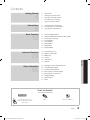
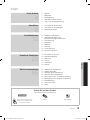
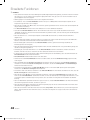
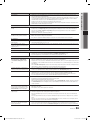
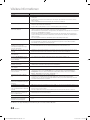
Contents
Getting Started
4
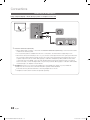
Connections
8
12
4
5
6
7
7
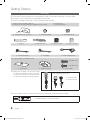
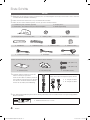
Accessories
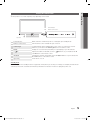
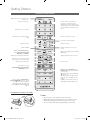
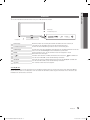
Viewing the Control Panel
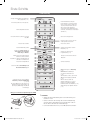
Viewing the Remote Control
Connecting to an Antenna
Plug & Play (Initial Setup)
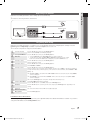
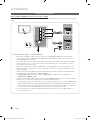
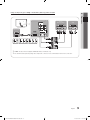
8 Connecting to an AV Device
10 Connecting to an Audio Device
11 Changing the Input Source
12
12
12
14
17
23
25
28
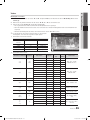
How to Navigate Menus
Using the INFO button (Now & Next guide)
Planning Your Viewing
Channel Menu
Picture Menu
Sound Menu
Setup Menu
Support Menu
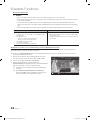
Advanced Features
29
29
30
37
46
50
53
Connecting to a PC
Network Connection
Media Play
Anynet+
Internet@TV
AllShare
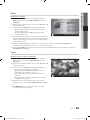
Other Information
55
56
57
58
59
60
64
65
Analogue Channel Teletext Feature
Assembling the Cables
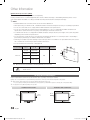
Installing the Wall Mount
Securing the Installation Space
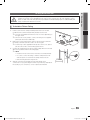
Securing the TV to the wall
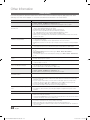
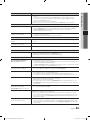
Troubleshooting
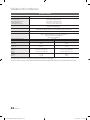
Specifications
Index
55
ENGLISH
Basic Features
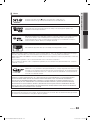
Check the Symbol!
t
TOOLS
This function can be used by
pressing the TOOLS button on the
remote control.
Note
One-Touch Button
English
[PC7790]BN68-02696D-00L04.indb 3
3
2010-03-26 오후 4:52:08