1
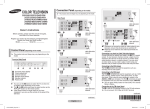
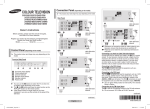
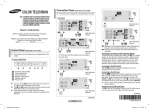
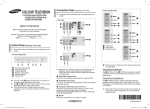
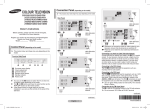
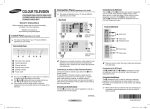
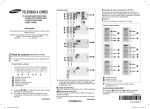
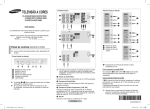
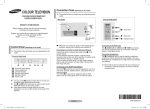
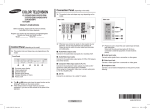
Picture - Mode Mode Mode : Dynamic / Standard TV Mode : Dynamic ► / Movie / Custom Contrast : 100 Brightness : 50 You can select the type Sharpness : 75 of picture which best Colour : 50 Tint : G 50 R 50 corresponds to your viewing Colour Tone: Cool1 ► Reset ► requirements. Move Adjust Return You can select these options simply by pressing the P.MODE button on the remote control. ➢ Contrast / Brightness / Sharpness / Colour / Tint (NTSC only) The television has several settings which allow you to control the picture quality. Colour Tone : Cool2 / Cool1 / Normal / Warm1 / Warm2 Picture - Digital NR / DNIe Jr Sound - (depending on the model) Mode / Adjust / Auto Volume / Turbo Sound (depending on the model) Digital NR If the signal received by the television is weak, you can activate this feature to reduce any static and ghosting that may appear on the screen. TV Picture Mode : Dynamic ► Digital NR : Off ► DNIe Jr : Off ► Move Enter Exit DNIe Jr This feature bring you more detailed image with detail enhancement, contrast enhancement and white enhancement. New image compensation algorithm gives brighter, clearer, much detailed image to you. DNIe Jr technology will fit every signals into your eyes. Reset You can return to the factory defaults. The reset function is set for each mode (Dynamic, Standard, Movie, or Custom). Sound TV Mode : Standard / Music / Mode : Standard ► Movie / Speech / Custom Adjust ► You can select the type of Auto Volume : Off ► Turbo Sound : Off ► special sound effect to be used when watching a given broadcast. Move Enter Exit You can select these options simply by pressing the S.MODE button on the remote control. ➢ Adjust : Bass / Treble / Balance The television has several settings which allow you to control the sound quality. If you make any changes to these settings, the sound mode is automatically switched to Custom. ➢ Auto Volume Each broadcasting station has its own signal conditions, and so it is not easy to adjust the volume every time the channel is changed. This feature lets you automatically adjust the volume of the desired channel by lowering the sound output when the modulation signal is high or by raising the sound output when the modulation signal is low. Turbo Sound This feature suitably emphasizes both higher and lower bands of sound (and includes other effects). You can enjoy more magnificent and dynamic sound when watching music, movie, or other channels. You can change the options simply by pressing the TURBO button on the remote control. ➢ English - AA68-3996A_Eng_0411.indd 6 2008-05-27 오후 7:24:07